Range Breakout Line Indicator
- インディケータ
-
Allan Dan Masambu
 With nearly a decade of experience in general Forex trading and over three years specializing in algorithmic trading, I bring a wealth of knowledge to the financial markets. My commitment to transparency in trading and life ensures that I approach each strategy with integrity and clarity, fostering
 - バージョン: 1.0
- アクティベーション: 10
Description
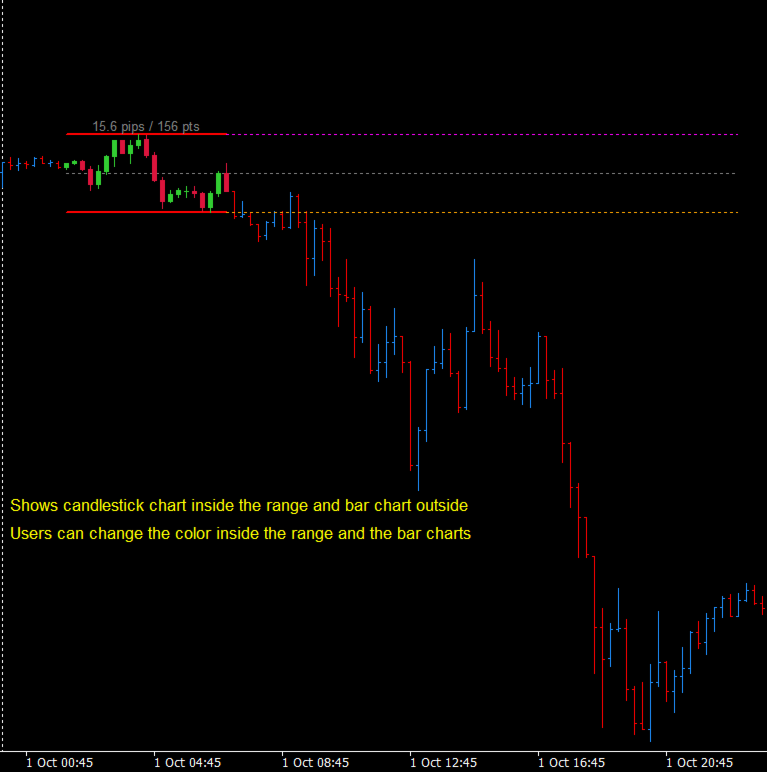
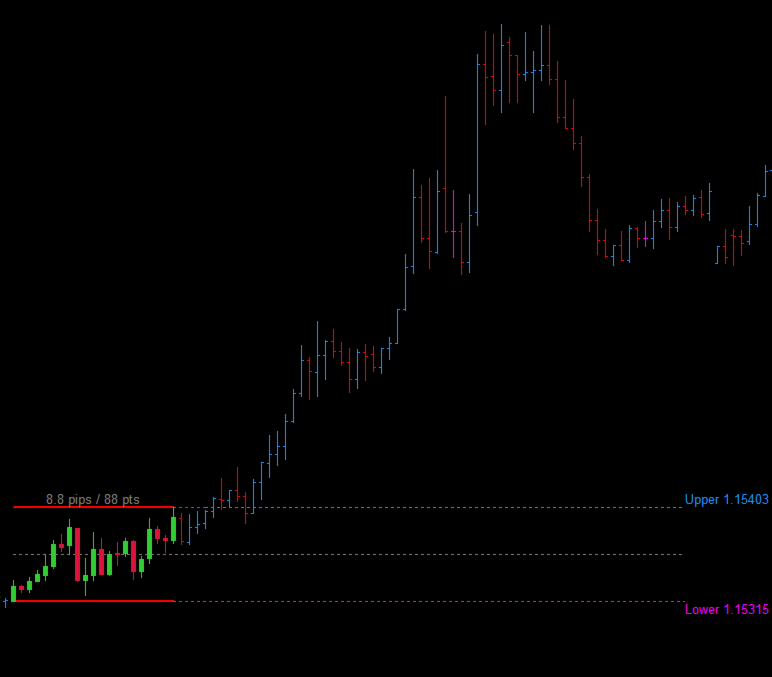
Range Breakout Line displays the high and low of a user-defined daily time range using broker server time. After the range forms, the indicator can extend both levels through a selected area of the day. An optional midpoint helps you see the center of the range.
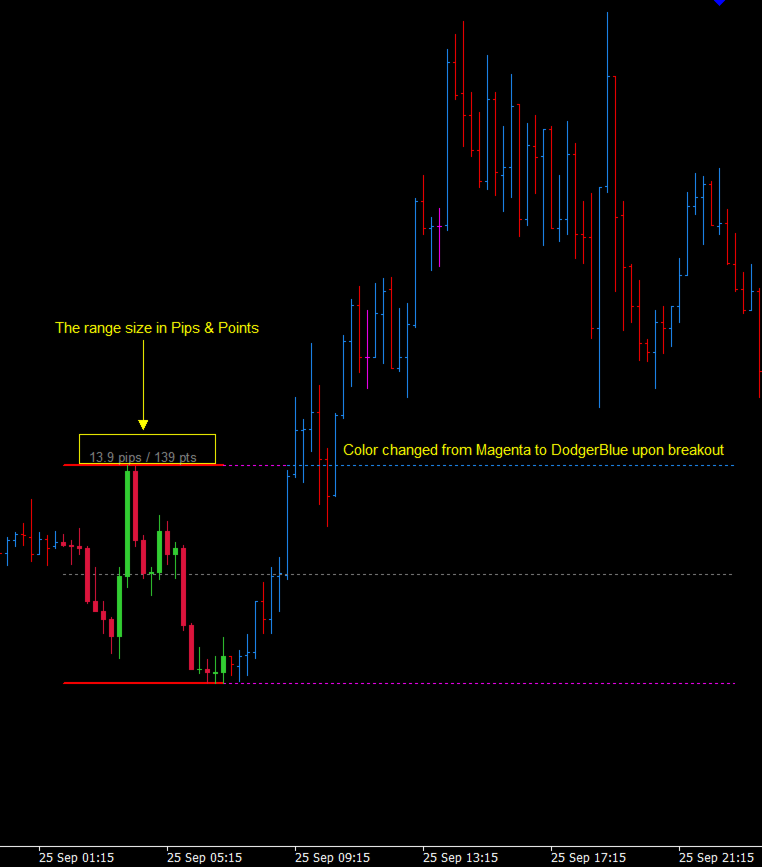
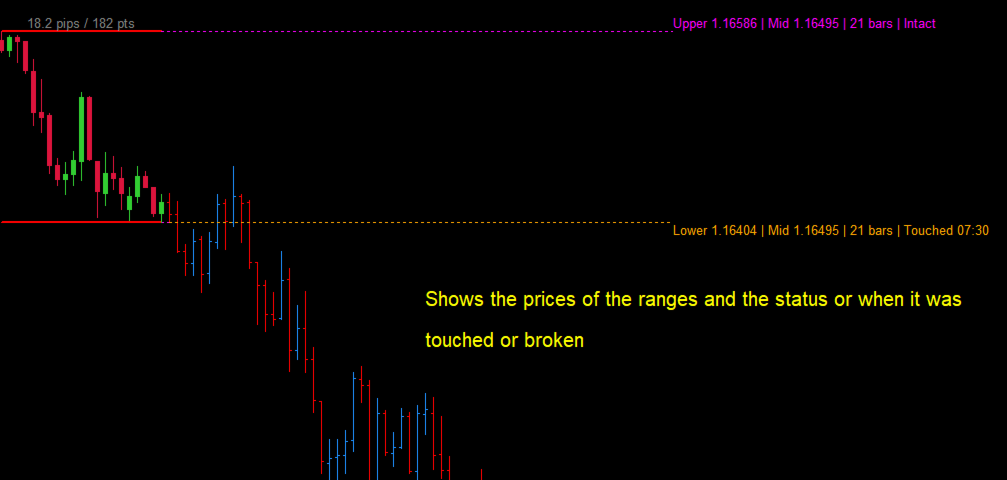
Use the levels to study price interaction with the range. Choose whether a level is considered reached when price touches it or when a candle closes beyond it. The indicator can recolor a reached level and send a notification through selected MetaTrader channels. It displays chart information only; it does not open or manage trades.
Features
- Set the range start, range end, and line extension end using server time.
- Display the range high and low, with an optional midpoint.
- Choose touch or candle-close detection for upper and lower levels.
- Recolor a level after it is reached.
- Receive popup, email, push, or sound notifications.
- Show range size in pips and points, price levels, and optional range details.
- Optionally display colored candles during the range period.
The indicator requires a chart timeframe below D1. If you use candle-close detection, a break is confirmed only after the candle closes. Notifications are informational, not trade instructions: the alert text labels an upper-level hit as BUY and a lower-level hit as SELL. Push and email notifications also require the corresponding MetaTrader settings.
Parameters
Range time
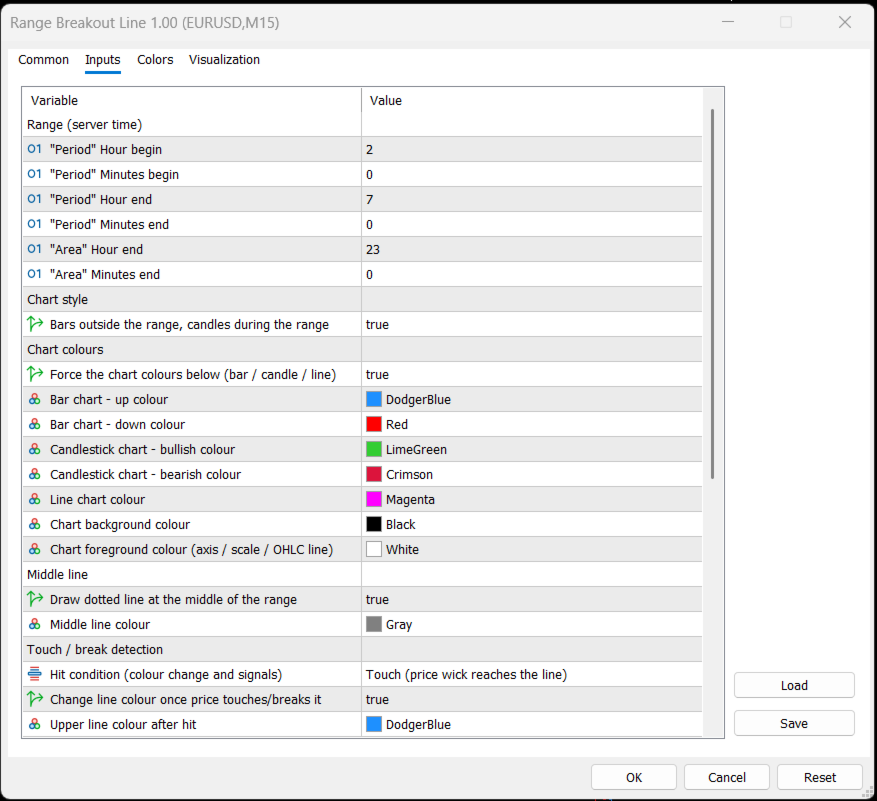
- InpHourBegin, InpMinBegin: Hour and minute when the range starts, in broker server time.
- InpHourEnd, InpMinEnd: Hour and minute when the range ends.
- InpHourEndArea, InpMinEndArea: Hour and minute when the extended lines end.
Chart style and colors
- InpCandlesInRange: Display the range-period candles over bars; the indicator changes the chart to bar mode while active.
- InpForceChartColors: Apply the configured colors to the chart.
- InpBarUpColor, InpBarDownColor: Up and down bar colors.
- InpCandleUpColor, InpCandleDownColor: Bullish and bearish candle colors.
- InpLineColor: Line-chart color.
- InpBackgroundColor, InpForegroundColor: Chart background and foreground colors.
- InpShowMidLine: Show or hide the range midpoint.
- InpMidLineColor: Midpoint line color.
Touch and break detection
- InpTrigger: Select Touch (price wick reaches a level) or Close (a candle closes beyond a level).
- InpColorOnHit: Recolor a level after it is reached.
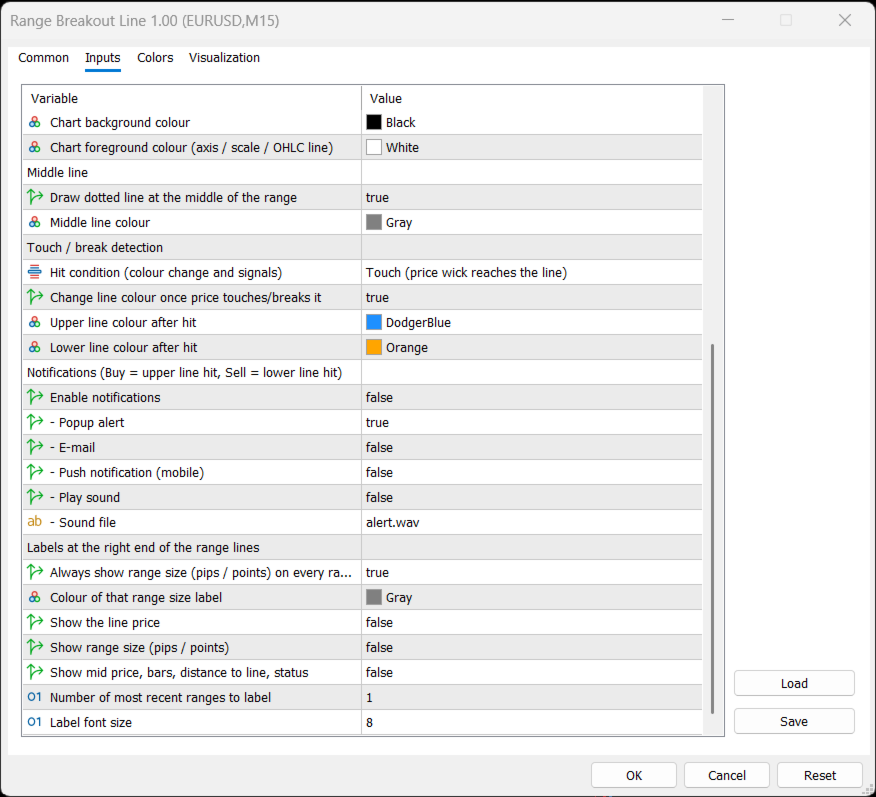
- InpUpperHitColor, InpLowerHitColor: Colors used for reached upper and lower levels.
Notifications
- InpEnableAlerts: Enable or disable notifications.
- InpAlertPopup, InpAlertEmail, InpAlertPush, InpAlertSound: Select notification channels.
- InpAlertSoundFile: Sound file used for sound notifications.
Labels
- InpShowAllRangeSize: Show each range’s size in pips and points.
- InpSizeLabelColor: Color of the range-size label.
- InpShowPriceLabel: Show upper and lower prices.
- InpShowRangeInfo: Show range size beside the lines.
- InpShowExtraInfo: Show midpoint, bar count, distance to the latest line, and hit status.
- InpLabelRanges: Number of recent ranges used for line labels, from 1 to 100.
- InpLabelFontSize: Label font size.