Risk Return Trading View style
- ユーティリティ
- バージョン: 3.0
- アクティベーション: 5

What it is
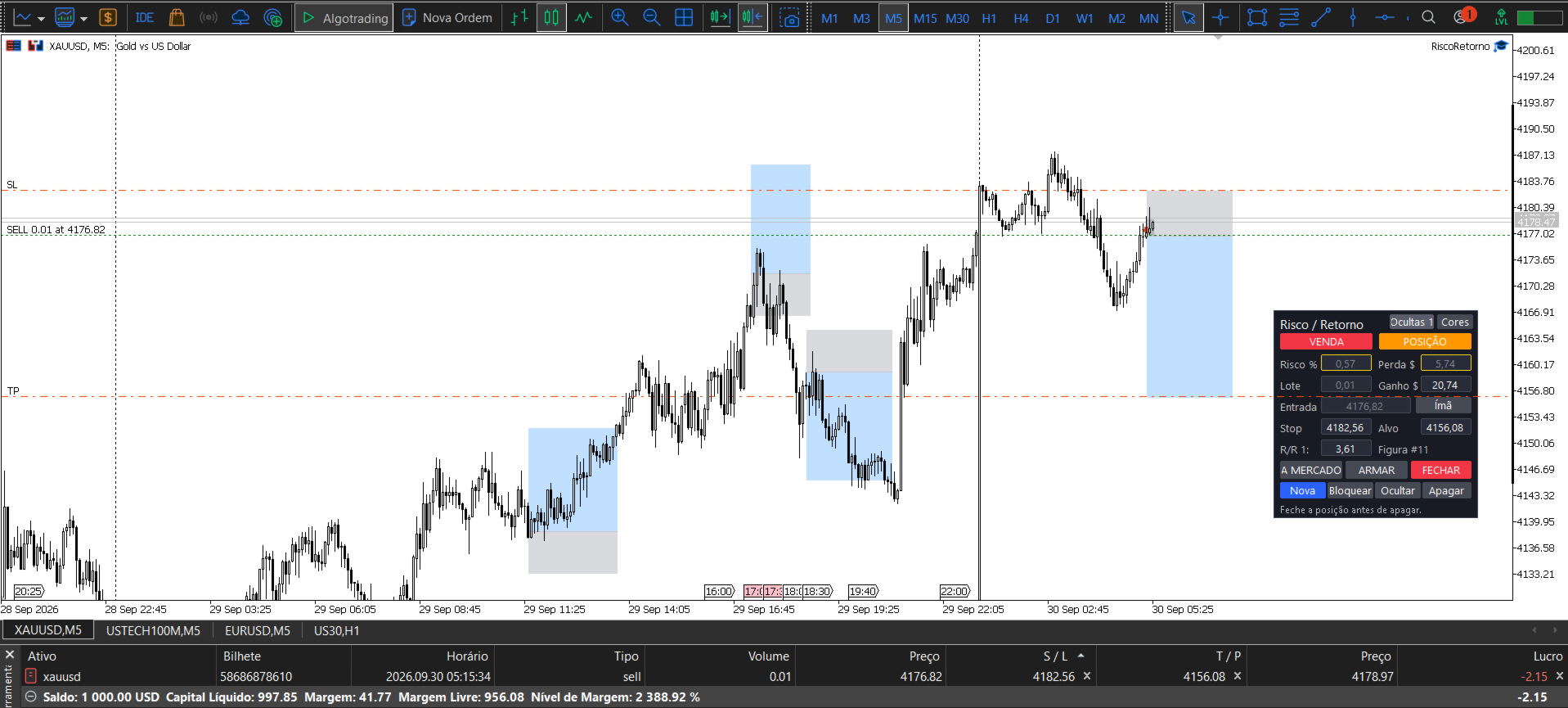
This tool brings to MetaTrader 5 the risk/reward drawing that many traders use on Trading View. You draw the trade on the chart, instantly see how much you can win and how much you can lose, and execute the order with one click. Everything in one place: planning, lot calculation, execution and trade record.
Who it is for
For anyone trading forex, gold, indices or crypto on MetaTrader 5 who wants to know exactly how much they are risking before entering a trade.
How it works
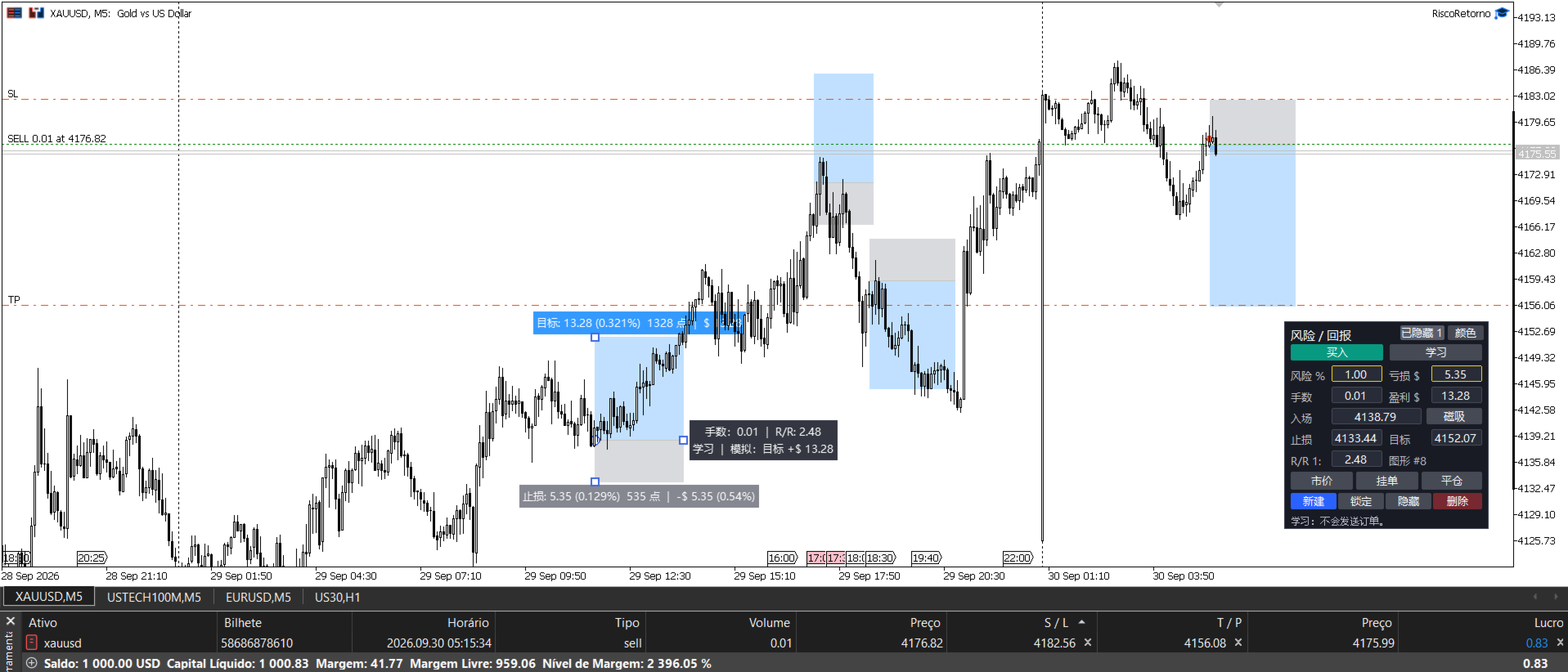
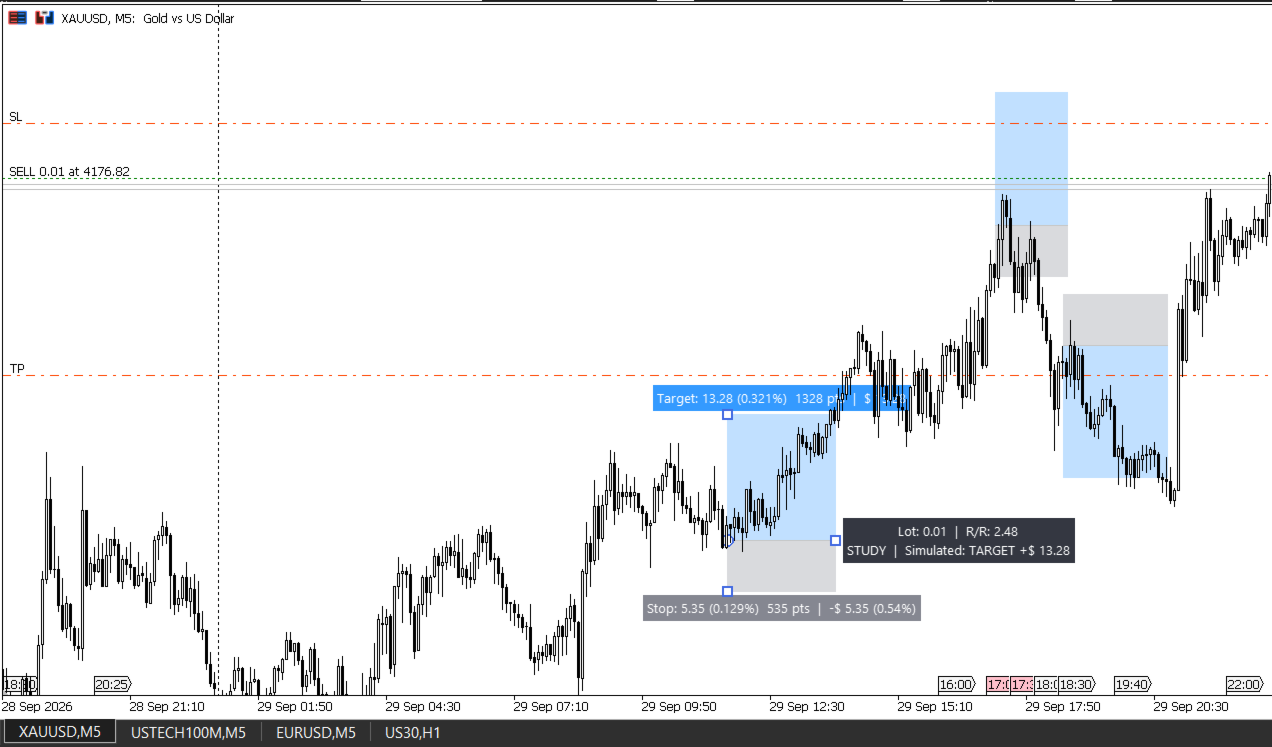
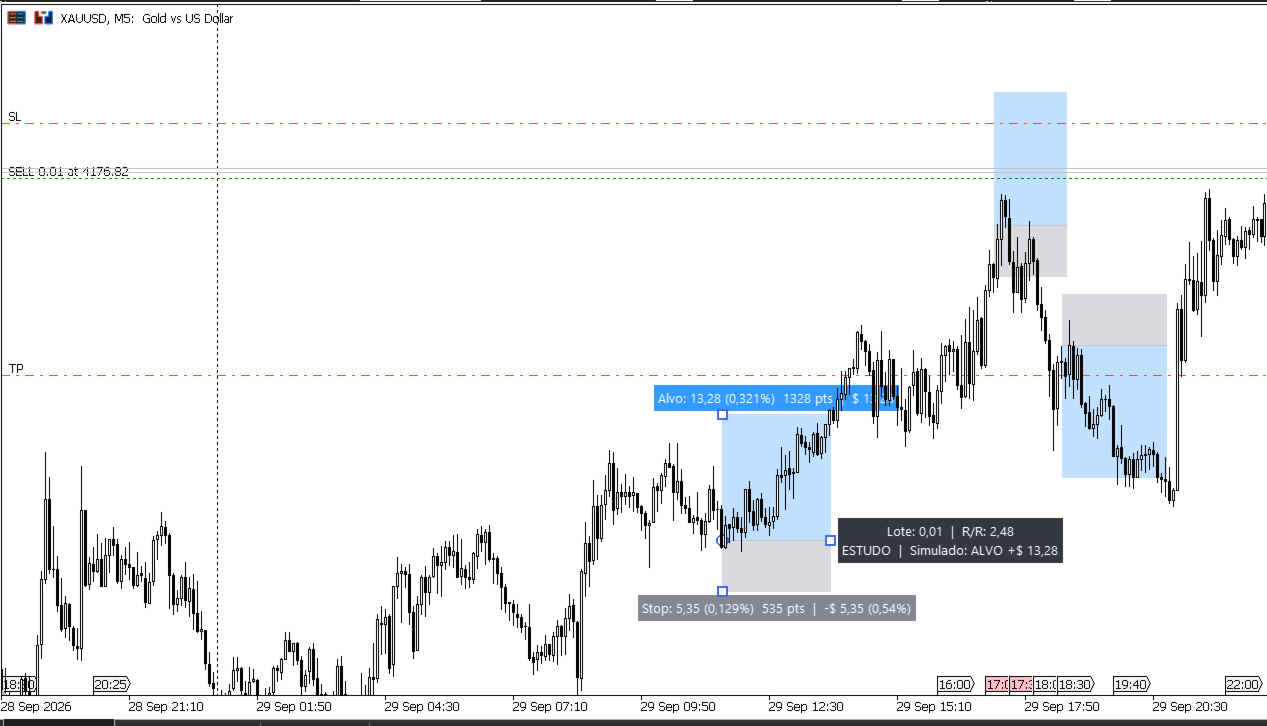
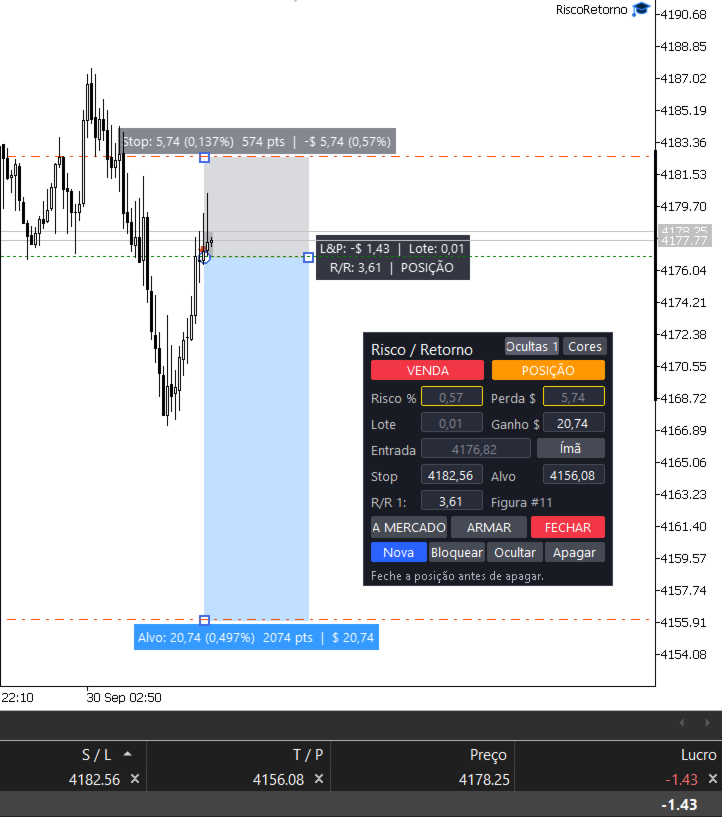
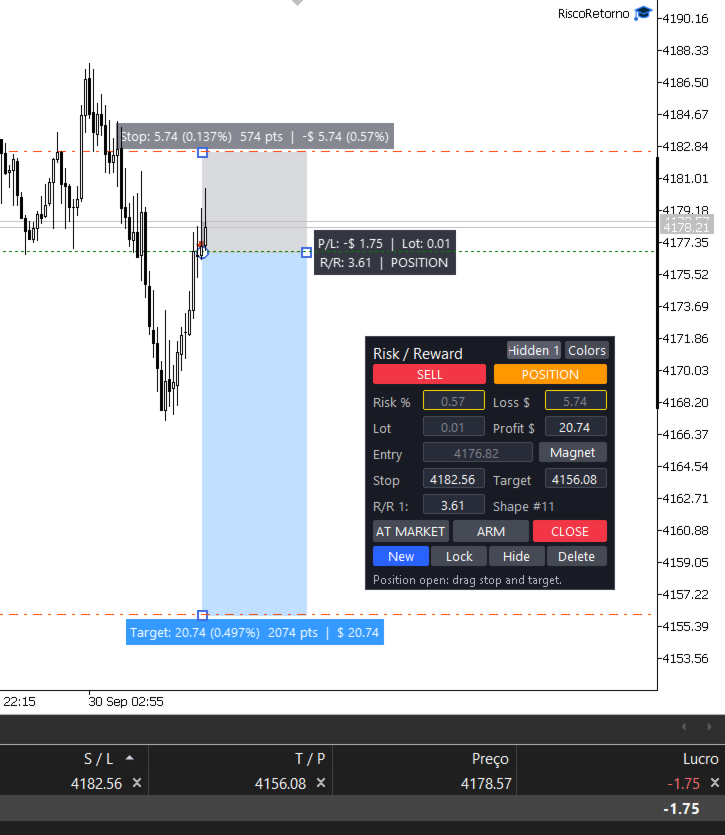
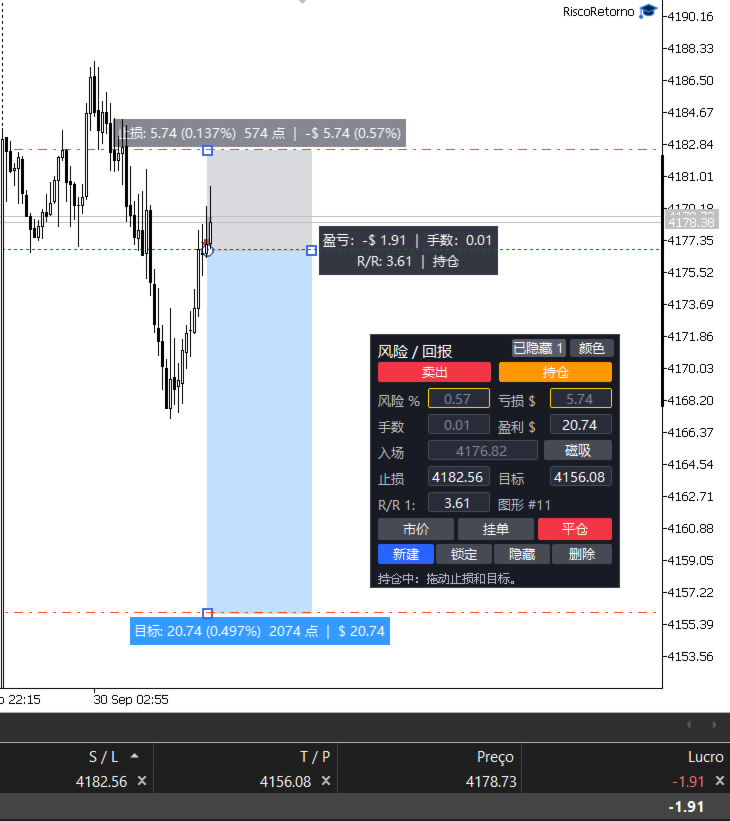
- A shape appears on the chart with two zones: the top one is the target and the bottom one is the stop. The middle line is the entry.
- You drag the target, the stop and the entry directly on the chart.
- You set how much you want to risk: as a % of your account (e.g. 1%) or as a money amount (e.g. $ 20).
- The tool calculates the lot size by itself and shows the profit, the loss and the risk/reward ratio.
- If you like the trade, click AT MARKET or ARM. Done.
Main features
- One clean shape: target and stop in a single shape, with colors you choose.
- Risk always respected: move the stop and the lot adjusts, while your % risk stays the same.
- Risk in % or in money: type the % or the amount you accept to lose. You can also set the profit in money and the target adjusts.
- Detects your account currency: shows values in $, R$, €, £, ¥ and others, already converted.
- Smart minimum lot: if even the minimum lot exceeds your risk, the tool shortens the stop to respect your limit (or just warns you, if you prefer).
- One-click execution: AT MARKET moves the whole shape to the current price, keeping the same risk and the same target.
- Scheduled orders: with ARM, the entry happens when price reaches your level. It can be a pending order at the broker or the tool watching the price and entering at market.
- Adjust open trades on the chart: after entering, drag the stop and the target and the real order changes with them.
- Multiple trades at the same time: each shape controls its own order.
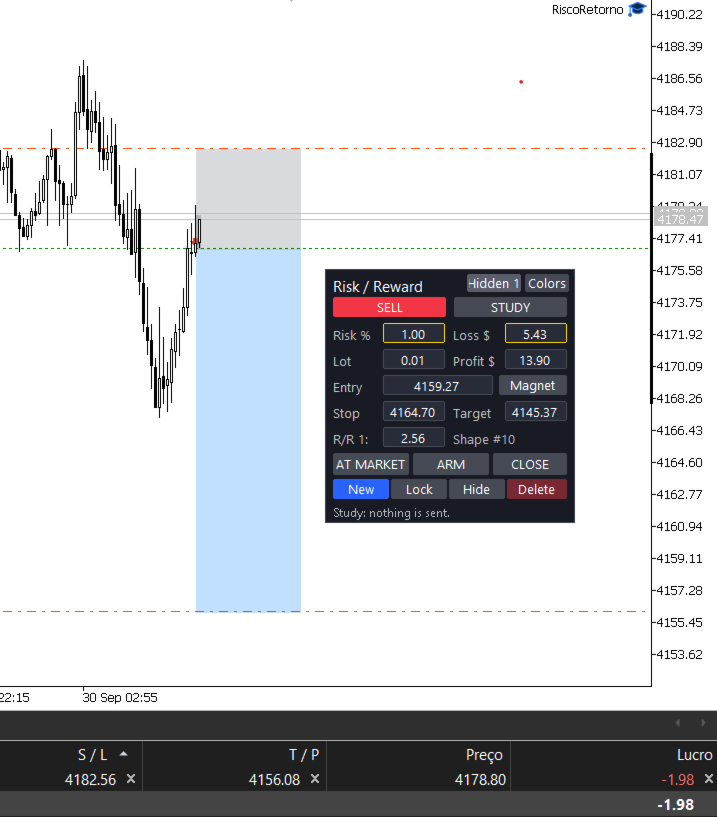
- Study mode: place shapes on the chart without sending anything to the broker. Great for planning and practice.
- Practice on past data: mark entries on old candles and the tool shows whether the trade would have hit the target or the stop.
- Trade record: when a position closes, its shape stays on the chart with the final result. It only goes away if you delete it.
- Organization: each shape can be locked, hidden or deleted. Shapes are saved even if you close MetaTrader.
- Movable panel: drag the panel wherever you want.
- Shortcuts: the R key shows or hides everything. The Delete key removes the selected shape.
Panel buttons
- BUY / SELL: switches the direction of the shape.
- STUDY / ACTIVE: in Study nothing is sent. In Active, the shape can trade.
- Magnet: moves the shape to the current price.
- AT MARKET: enters now.
- ARM: enters when price reaches the entry.
- CLOSE / CANCEL: closes the position or cancels the pending order.
- New: creates another shape.
- Lock, Hide, Delete: organize the shapes.
- Hidden: shows the hidden shapes again.
- Colors: changes the color combination.
Input parameters
- Initial risk (% of account): risk used for new shapes. Default: 1.
- Risk calculation base: Balance or Equity. Default: Balance.
- Initial ratio (1:X): target of new shapes relative to the stop. Default: 2.
- When the minimum lot exceeds the risk: shorten the stop or just warn. Default: shorten.
- Entry away from current price: pending order at the broker, or the tool watches and enters at market. Default: pending.
- Magic number: identifies the orders of this tool. Default: 260927.
- Maximum deviation (points): price difference accepted on execution. Default: 20.
- Shape information: always visible or only when clicked. Default: when clicked.
- Target zone color / Stop zone color: colors of the shape.
- Zone opacity: from 0 (transparent) to 255 (solid). Default: 70.
- Text color, Font, Font size: appearance of the information.
- Initial width (bars): size of new shapes. Default: 25.
- Show/hide all key: default R.
- Panel: initial X and Y position: where the panel appears the first time.
- Shape set name: lets you keep separate sets of shapes on the same symbol.
Notes
- To open several trades at the same time, the account must be a Hedge account.
- Enable Algo Trading in MetaTrader so the tool can send orders.
- This is a risk management and execution tool. It does not choose entries for you and does not guarantee profit.
Um detalhe: a ferramenta hoje mostra os botões e campos em português (A MERCADO, ARMAR, ESTUDO...). Para vender para o público de fora, vale eu colocar um parâmetro de idioma (Português/English) no código, senão a descrição em inglês fala de botões que o comprador não vai encontrar.