Native Session Volume
- インディケータ
- バージョン: 1.0

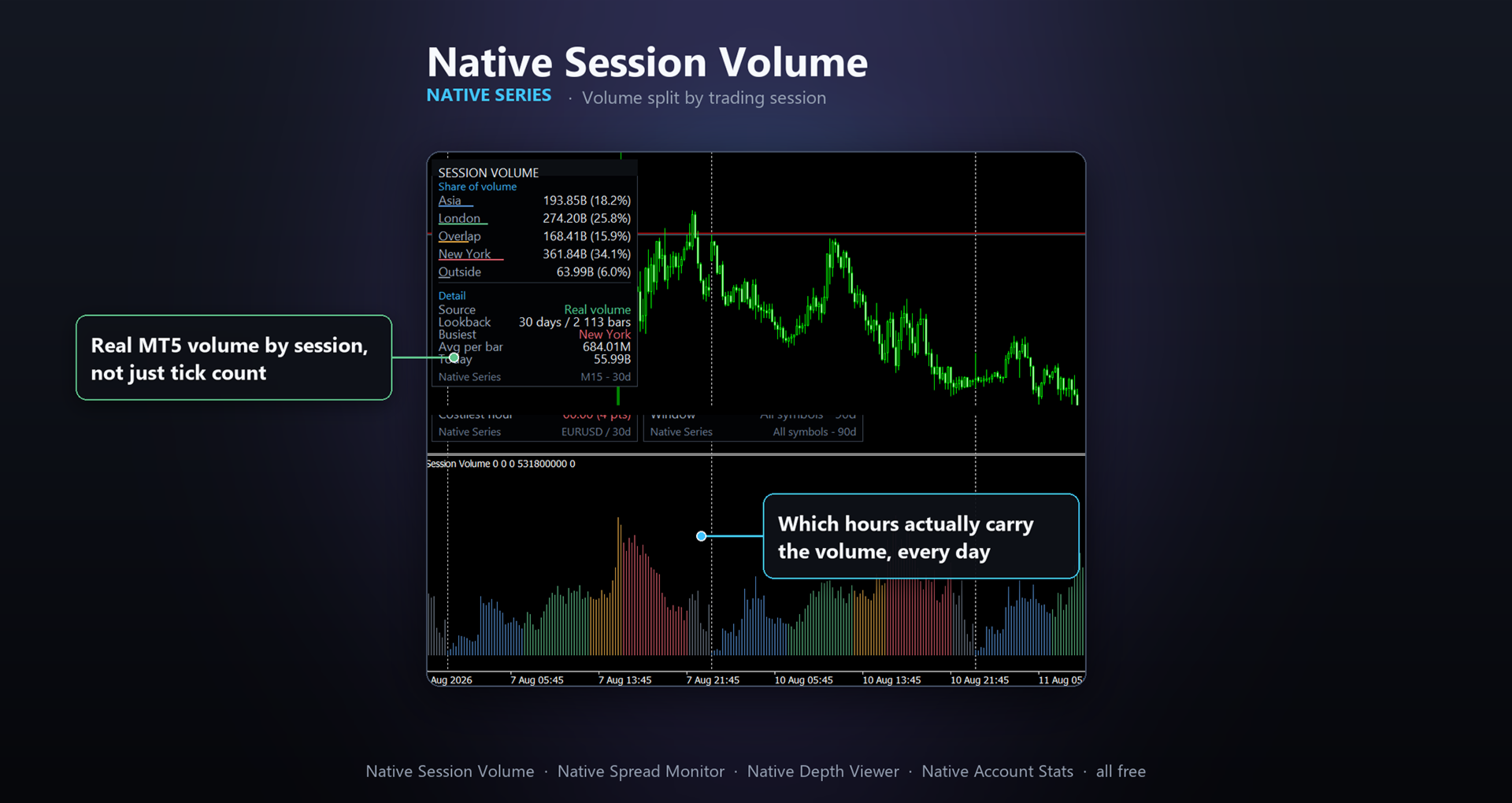
Native Session Volume Splits traded volume by trading session: Asia, London, the London/New York overlap, New York, and everything outside those windows. Free tools that show session times only paint a coloured box on the chart. None of them tell you how much volume actually happened inside each session, because MetaTrader 4 never had real volume at all. MetaTrader 5 does, and this indicator uses it.
WHAT IT SHOWS
A histogram in a sub-window, one bar per candle, coloured by the session it falls in. A panel on the main chart reports:
- Share of total volume carried by each session, in both absolute terms and percent
- Which session is busiest over your chosen lookback
- Average volume per bar for the busiest session
- Today's running volume so far
WHY THIS IS NOT AVAILABLE ON MT4
MQL4 has no real-volume field, only tick count. MQL5 exposes actual traded volume through its rates history when the symbol reports it. This indicator checks whether your broker's feed for this symbol carries real volume and uses it automatically; if it does not, it falls back to tick volume and says so plainly in the panel. It never claims a reading it cannot back up.
HOW TO READ IT
If most of a symbol's volume clusters in the London/New York overlap, that is usually the window with the tightest spreads and the most reliable fills. A session showing a small share, especially the "Outside" bucket, is typically thin and choppy: candles there can look sharp on the chart while carrying very little real participation behind them.
WHAT IT DOES NOT DO
This tool never places, modifies or closes an order. It is read only.
REQUIREMENTS
- Works on any symbol and timeframe
- No special account type or broker feature required
- Session hours are set for server time in the inputs (defaults are common session hours, but every start/end hour is adjustable to match your own broker's server offset)
INPUTS
- Panel theme (Auto / Dark / Light), panel corner, panel X/Y offset
- Lookback (days)
- Start/end hour and colour for each of the four named sessions (Asia, London, Overlap, New York); everything outside them falls into Outside
- Volume source (Auto / Tick volume / Real volume)
- Show panel (on/off)
PART OF THE NATIVE SERIES
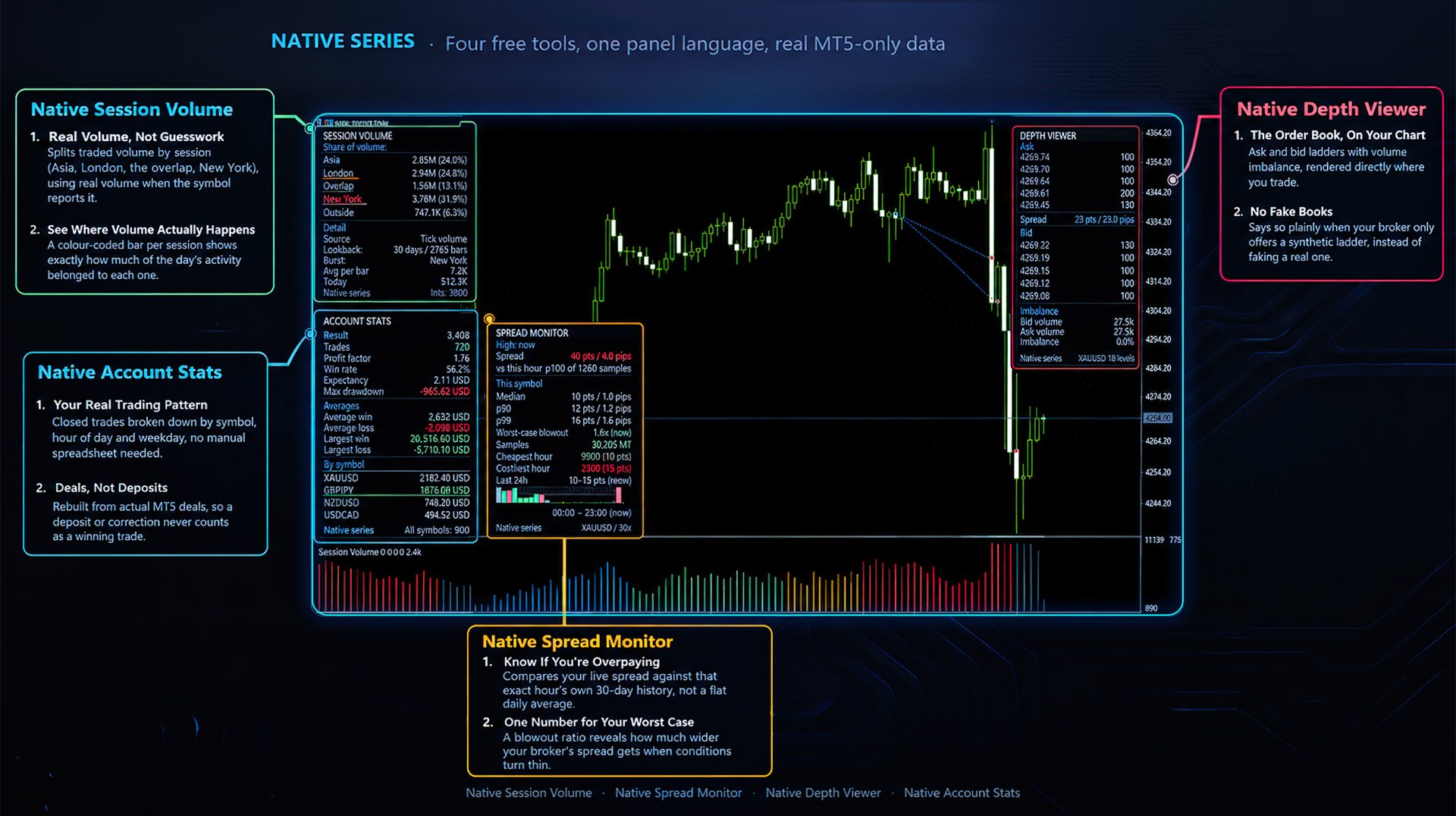
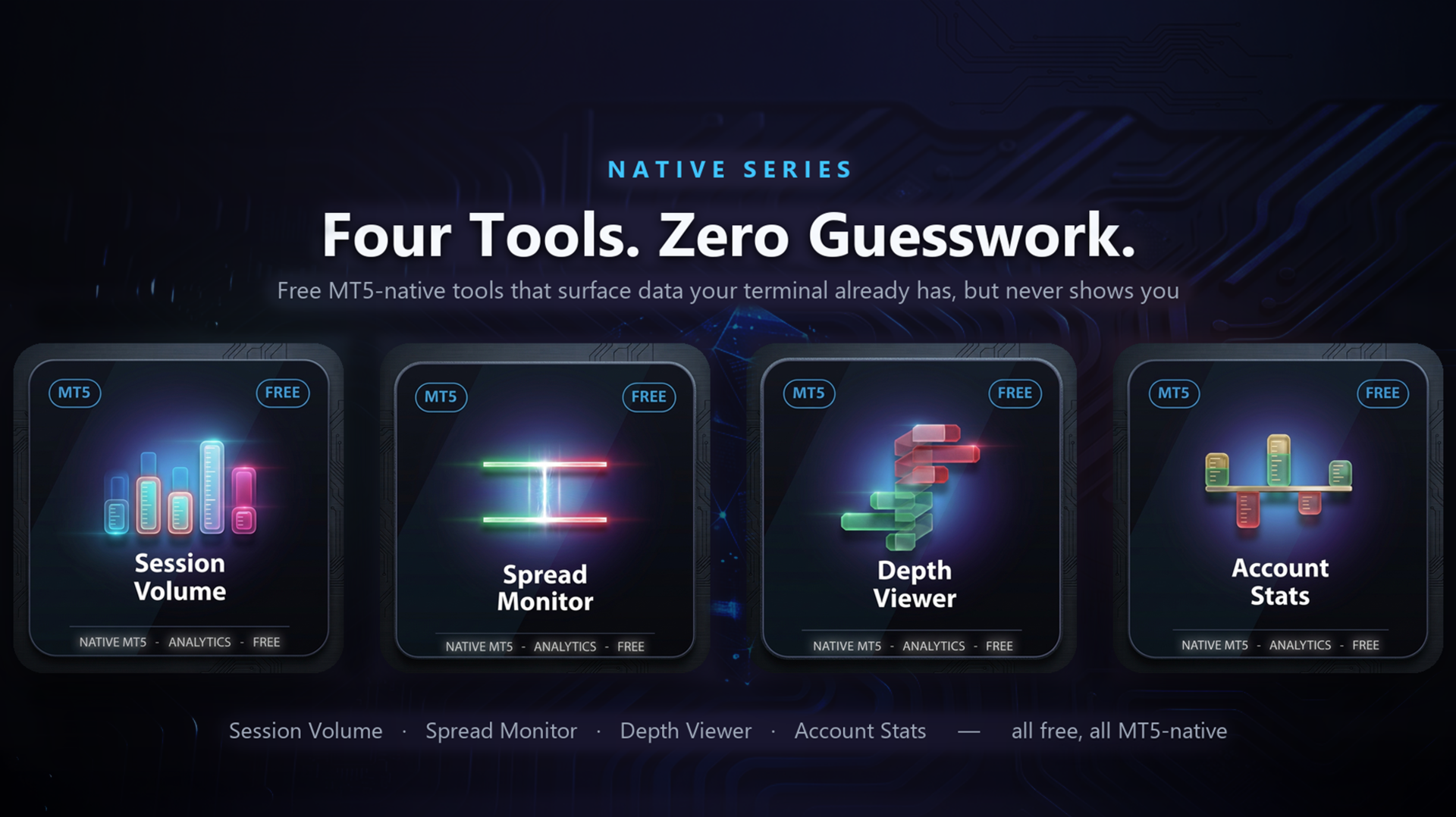
Four free tools that surface data MetaTrader 5 already has but does not show:
- Native Session Volume — volume split by trading session
- Native Spread Monitor — the spread you actually pay, hour by hour
- Native Depth Viewer — the order book, on the chart
- Native Account Stats — your closed trades, by symbol, hour and weekday
All four are free, read only, and share the same panel design.
DISCLAIMER: real volume is published by your broker, not by this tool. Many forex and CFD feeds only ever send tick volume (a count of price changes), not actual traded volume. This indicator checks what your feed provides for the symbol, uses real volume when it is there, falls back to tick volume when it is not, and always states which one is on screen. It never presents one as the other.