 MetaTrader 5
 エキスパート
 インディケータ
 ライブラリ
ライブラリ
 ユーティリティ
 ウィジェット
 ルール
ルール
YouTubeにあるマーケットチュートリアルビデオをご覧ください
ロボットや指標を購入する
仮想ホスティングで
EAを実行
EAを実行
ロボットや指標を購入前にテストする
マーケットで収入を得る
販売のためにプロダクトをプレゼンテーションする方法
MetaTrader 5版新取引ユーティリティ - 75
 以下はMetaTrader5での取引を簡素化する取引プログラムです。ユーティリティにカーソルを合わせると、その説明と目的が表示されます。
Introduction Scruffy Countdown is a utility for MT5 that displays a countdown timer based on the chart's current timeframe. As each new bar (candlestick) appears the countdown is reset. Features include: Countdown based on current chart timeframe Customisable font and size Warning before and after the hour in minutes with customisable colours (optional) About Scruffy Coder We may be scruffy in name and wear a few scruffy clothes but we're dedicated to bring you useful and reliable tools for MT5
FREE

シームレスな注文エントリーと自動化されたロットサイズ計算のために設計されたポジションサイジングエキスパートアドバイザーで、プロップファームのあらゆる課題をうまく乗り切りましょう。後で私たちに感謝することになるでしょう!
特徴 成行注文を発注します: SLとTPを設定し、買いまたは売りをクリックします。 未決済注文(逆指値注文と指値注文)を発注します: SLとTPに加えてエントリー価格を設定し、買いまたは売りをクリックします。 ブレイクイーブン: 価格が不利に動いた場合、SLは自動的にエントリー価格に調整されます。これにより、潜在的な損失から資金を保護します。また、リスクレベルを上げることにより、リスク選好度に合わせて調整することもできますし、ブレークイーブン機能を完全に無効にすることもできます。一貫性が取引成功の鍵です。 ポジション統計: 取引を開始すると、EAはすぐにポジションの種類とそれに対応する損益を米ドルとポイントの両方で表示します。
PROの特徴 スケールイン/ヘッジ: 新規ポジション "ボタンを使って、簡単に成行注文や未決済注文を追加し、現在のポジションを拡

一般的な使用方法:
この指標は、反転システムの確認として信頼性のあるものとして、また強力な単独のトレーディングシステムとして使用することができます。価格が各ピボット点やサポート/レジスタンスレベルに遭遇した際に、反転の確率を分析することができます。これは、背離やトレンドの継続をブレーキする役割を果たします。このツールのリスク対報酬比は少なくとも1対2であり、最良の場合では適切なトレーリングで1対10まで達することができます。
MT4 バージョン
利点:
• 成功率を向上させます
• トレーディング手法や自己完結型戦略の優れた補完です
• 上昇、下降、またはフラットな方向へのシグナルを提供します
• 複数の時間枠
• 再描画なし
• 軽量で最適化されたコードベース
• 電話、メール、音声、視覚的なアラート
• あらゆる金融資産に適用可能
• 専門家と初心者の両方に向けて
このツールの動作方法:
このツールは、魔法の数字(例:9、26、52など)を入力とし、一目均衡表クラウドに基づいた複数の時間枠の分析を行います。各ローソク足には反転の強さに基づいて特定のスコアが割り当てられます。スコ
KT Trade Manager は、トレードの実行とポジション管理を強化するための強力なツールです。ユーザーフレンドリーなインターフェースにより、トレーダーは取引を簡単に監視および管理できます。 この包括的なソリューションは、リスク管理とポジション管理を含む、取引におけるさまざまな側面をカバーしています。これらの重要な要素を統合することで、トレーダーは金融市場をより効率的にナビゲートし、判断力を高め、取引戦略を最適化できます。 グローバル市場が進化する中で、効率的なトレーディングツールの重要性はますます高まっています。初心者からプロフェッショナルまで、Forexトレーダーの取引を大きく変革するツールです。 この強力な取引ユーティリティは、エントリーと取引管理において比類ないサポートを提供し、あなたの取引パフォーマンスを新たな高みに引き上げます。
特徴
シンプルで使いやすいインターフェース。 成行注文や指値・逆指値注文を簡単に実行可能。 ワンクリックでトレーリングストップ、ブレークイーブン、部分決済。 チャート上にエントリー、ストップロス、テイクプロフィットのラインを表示。 パネル

(This is the free version of our trade manager, download it for free and test it, and provide feedback. If you are satisfied with its capabilities, you can try out its bigger brother the Deriv Scalp Manager also available from us.)
EA Summary If you are a scalping trader who wants to place and close trades quickly and efficiently, you need a powerful tool that can help you achieve your goals. That's why we created the Deriv Trade Assistant EA, a smart and easy-to-use expert advisor that au
FREE

Pairs Navigator is a simple and easy-to-use tool that allows you to view all of your charts in a single window. This eliminates the need to open multiple charts from the Market Watch window, saving you time and effort. Pairs Navigator is also very lightweight, so it will not put a strain on your RAM or cause your MT4/5 platform to hang. To use Pairs Navigator, simply drag and drop the currency pairs you want to view into the Pairs Navigator window. You can then easily switch between charts by
FREE

This EA provides: Grid buy button and grid sell button When pressed, it enters market then subsequent layers as pending order separated by pips value for each layer. Close all button When pressed it closes all running positions and pending orders. This expert advisor does not provides means to automatically add take profits and stop losses. User must specify it manually.
FREE

Trade Cypherボットは、Cypherハーモニックパターン取引を正確に実行・管理し、貴重な時間を節約し、十分な情報に基づいた有益な意思決定に集中できるようにします。
トレードCypherロボットの使用方法 | Cypher戦略チュートリアル
ストラテジーテスターでは動作しません。
チャート上で4回クリックするだけで、Trade Cypher Botが重要な取引管理タスクをすべて行います。パターン検証を確実に行い、市場の変化をモニターし、様々な資金管理戦略を提供することで、安心してお取引いただけます。
すべての取引を安全に保存し、高度な統計にワンクリックでアクセスできるトレードメモリーの利便性を体験してください。あなたの取引アイデアを簡単にバックテストし、戦略の最適化や最大ドローダウン分析などのエキサイティングなアップデートにご期待ください。精密な自動売買の信頼できるパートナー、Trade Cypher Botでプロのようなトレードをお楽しみください。
自動発注でサイファを4クリックで選択 SLとTPレベルの自動調整 複数の資金管理戦略:取引ごとのパーセンテージリスク、取引ごと

HM(水平マークアップ)は、水平レベルの手動マーキング用に設計されています。 マークアップには、レベルとその価格値が含まれています。 線の太さと色、および価格の値は設定で設定されます。 レベルは、時間枠にローカルに配置することも、すべての時間枠に対して公に設定することもできます。
彼の仕事はとても簡単です:
1)-あなたがレベルをマークアップするために設定で設定したキーを押してください;
2)-行を目的の場所に持ってきます;
3)-マウスの右ボタンをクリックすると、レベルがリンクされています。
将来的には、これらのレベルを移動して調整することができます。
チャートから削除された後、インジケータはそれ自体のレベルをきれいにしません。 それらは手動で削除する必要があります。
最も効果的なアプリケーションは、選択した取引商品の異なる設定を持つ複数のHMSを一度に使用することです。
入力:
線のスタイル-線のスタイル
線幅-線の太さ
マークスタイル-値札のサイズ
Mark offset(ピクセル)-画面の左端に対するオフセットをマークします
線の色-線とラ
FREE

Signals Executor for Telegram is a Utility that allows you to execute and manage positions from messages sent in Telegram Chats. Chat messages are processed to check for the existence of commands, and the command will be executed if its parameters are valid. You need the Telegram Bot Token and Chat Id to configure the input parameters. It is possible to restrict the sending of commands through the User Id, which must be configured in the input parameters. Valid Commands: Buy and Sell: Market or

Lot by Risk tradingパネルは、手動取引用に設計されています。 これは、注文を送信するための代替手段です。
パネルの最初の特徴は、管理線を使用した注文の便利な配置です。 第二の特徴は、ストップロスラインの存在下で与えられたリスクのための取引量の計算です。
制御線はホットキーを使用して設定されます:
利益を取る-デフォルトではTキー;
価格-デフォルトではPキー;
ストップロス-デフォルトでは、Sキー;
取引パネルの設定で自分でキーを設定できます。
操作のアルゴリズム:
1)-レベルを希望の場所に配置します(すべてのレベルを配置する必要はありません);
2)-リスクを指定します(オプション);
3)-緑の送信注文ボタンをクリックします;
4)-注文が行われるのを待っているか、エラーメッセージ付きのアラートが表示されます;
5)-マジックでExpert Advisorにリンクされている現在のシンボルのすべての注文を閉じる場合は、注文を閉じるボタンをクリックします。
注文を送信ボタンを何度も押すべきではありません。 一度で十分です。 注文後、ボタンは「
FREE

Chart Customizer ユーティリティを使用して、グラフのカスタマイズに革命をもたらします。取引体験を向上させるように設計されたこの強力なツールは、幅広い機能と利点を提供します。
マルチチャート モードを使用すると、開いているすべてのチャートに希望のチャート設定を簡単に適用できます。各チャートを手動で調整するという面倒な作業に別れを告げましょう。ワンクリックで複数のグラフを同時にカスタマイズできるため、貴重な時間と労力を節約できます。
ローソク足、棒グラフ、折れ線グラフなどのグラフの種類を変更できる機能を使用して、グラフの外観を完全に制御します。前景オプションを調整して価格チャートを優先し、より目立つようにします。さまざまなチャートのシフトを試して、価格チャートを右枠からインデントして、データをより見やすく表示します。
グラフのカスタマイズは見た目の美しさを超えています。 Chart Customizer ユーティリティは、自動スクロールや固定スケール モードなどの高度なオプションを提供します。右枠への自動移動によりチャートを最新の状態に保ち、重要な市場情報を見逃すこ

EA to help traders stay within tight risk management.
Asks only for account's initial balance and Stop Out DD. This is meant for prop firm traders, but will help any trader who is looking for a simple risk manager.
Trasks and reports daily PnL and will advise you to stop at 1% daily loss. Will advise you to wait if you have too many open trades.
Based on the open chart (symbol and timeframe) will recommend size and SL distance in order to risk the desired cash risk. See screenshot for example
FREE

EA to prevent inactivity violations on prop firms.
This EA will scout for your most recent trade and if it is older than the number of days defined, will enter a micro lot position size 0.01 on the pair defined. It is recommended to use a tight spread pair like EURUSD. This EA will not act as long as you have at least one trade in the last X days (defined on config).
This EA will not place other trades or modify existing position.
FREE

Orion Telegram Notifier Bot allows the trader to receive trade notifications in his Telegram whenever a position is opened or closed.
The EA sends notifications showing the Symbol, Magic Number, Direction, Lot (Volume), Entry Price, Exit Price, Take Profit, Stop-Loss and Profit of the position. How to setup Orion Telegram Notifier? Open Telegram and Search for “BotFather” Click or Type “/newbot” Create a nickname and username (Example: nickname: MT5trades - username: MT5TelegramBot) *The use

What is this indicator? このMT5のインジケーターは 複数のチャートの表示位置を共通の垂直線を基準に同期します 。 共通の垂直線を ホットキー・ドラッグアンドドロップ・日付入力 で移動することで、 共通の垂直線の日付を基準にチャートの位置が同期されます 。
Feature 1: ホットキーでチャート位置を同期できる
このインジケーターによって ホットキーを押すだけでチャートシフトの位置で複数チャートの表示位置を同期することが可能 になります。 インプットタブのパラメーターで ホットキーの組み合わせやチャートシフトの位置を設定することも可能 です。
Feature 2: ドラッグアンドドロップでチャート位置を同期できる このインジケーターによって 共通の垂直線をドラッグアンドドロップするだけで複数チャートの表示位置を同期することが可能 になります。 インプットタブのパラメーターで 共通の垂直線のスタイルを設定することも可能 です。
Feature 3: 日付入力でチャート位置を同期できる このインジケーターによって 共通の垂直線の日付を入力するだ

What is this indicator?
このMT5のインジケーターは チャートの上下の余白の幅を変更します 。 チャートをスクロールしても設定した余白の幅は変わりません 。 チャートの価格スケールを手動で変更しても、 ホットキーで元の余白の幅に戻すことも可能 です。
Prameter 1: Padding properties Enable :
この変数の値がtrueであればパディングの設定が有効になる。 Percentage :
パディングの大きさの数値。
チャートの高さに対しての百分率で設定する。
Prameter 2: Hotkey properties
Update chart padding (default="U") :
チャートの価格スケールを手動で変更した際などに、パディングを元の大きさに戻す。
Notes
このインジケーターはMT5のストラテジーテスターでは動作しません。

What is this indicator? このMT5のインジケーターは チャート上に常に指定したPips数の高さになるゲージを表示します 。 ゲージの高さ・スタイル・表示位置はインプットタブのパラメーターで設定可能で、ゲージの幅はローソク足の幅と同等になります。
Parameter: Gauge properties Enable :
この変数の値がtrueであればゲージがチャートに表示される。 Height (in pips) :
ゲージの高さ。
ピップス単位で設定。 Color :
ゲージの色。 Base corner :
ゲージの表示の基準になる角。
プルダウンリストからチャートの四隅いずれかを選択。 X distance (in pixels) :
ゲージの表示のX座標。
Base cornerからの距離をピクセル単位で設定。 Y distance (in pixels) :
ゲージの表示のY座標。
Base cornerからの距離をピクセル単位で設定。
Notes このインジケーターはMT5のストラテジーテスターでは動作しません。

Attention All ICT Students! This indispensable tool is a must-have addition to your trading arsenal...
Introducing the ICT PD Arrays Trader: Empower your trading with this innovative utility designed to enhance and simplify your ICT trading strategy and maximize your potential profits.
How does it work? It's simple yet highly effective. Begin by placing a rectangle on your trading chart and assigning it a name like 'ict' or any preferred identifier. This allows the system to accurately ident

Dedicated for FTMO and other Prop Firms Challenges 2020-2024
Trade only GOOD and checked PROP FIRMS Default parameters for Challenge $100,000 Best results on GOLD and US100 Use any Time Frame Close all deals and Auto-trading before US HIGH NEWS, reopen 2 minutes after
Close all deals and Auto-trading before Weekend at 12:00 GMT+3 Friday Recommended time to trade 09:00-21:00 GMT+3 For Prop Firms MUST use special Protector https://www.mql5.com/en/market/product/94362 --------------------

"Are you tired of losing money on unsuccessful trades? Look no further than EA Trailing Stop! Our program is designed to help you prevent losses and control your trades efficiently. With features such as adjustable stop loss and more, you can rest assured that your trades are in good hands. Don't wait any longer to start making successful trades. Try EA Trailing Stop today!"
You can use this as a starting point and tailor it to your audience and the platform you're using. This EA Trailing Stop
FREE

Posh Sessions is indicator which displays sessions in broker time or your local time. You can set up to 5 sessions, assign name, start time, end time and color of each session. There is session's range to help you make a chart analysis.
Settings for a session: Show: To show or not the session on chart Title: The title/name of the session Timezone: Select between broker or local time to implement the session's period Start time: The session start time End time: The session end time Co
FREE

Pending orders system is a small trading panel created for quick setting of hidden pending stop orders.
Its functionality is simple and at the same time very necessary in the day-to-day work of a trader. The main function of this panel is to set hidden pending stop orders with one click of the mouse at the desired place on the chart. If necessary, the user can pre-register lot, stop loss and take profit in the corresponding fields. If the lot is not specified, it will be set at the level of the

Expert advisor that automatically closes all open positions when a specific profit amount or loss amount is reached. The profit and loss amounts are configurable inputs and can be set when attaching the EA to a chart. This EA has proven to be useful in high quantity trading strategies to control and minimize risk. The EA works for all account currencies and is designed to close out all trades once the desired profit or loss is hit.
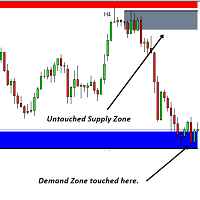
このソフトウェア ツールは、カスタマイズ可能な 5 色の選択で水平トレンド ラインと長方形を作成するプロセスを合理化するように設計されています。
MT5 で正確な水平トレンド ラインを描くのは難しい場合がありますが、このインジケーターを使用すると、好みに合った色で簡単に作成できます。
さらに、私たちのツールは、あなたが引いた水平線に関連する価格レベルを明確に表示します。
私たちは皆様からのフィードバックを大切にしており、このツールがお客様の取引ニーズにとって貴重な資産となることを願っています。
ぜひご意見をお聞かせください。 ........................................................

Big Boss EA MQL5プラットフォームのエキスパートアドバイザーは、アカウント内の異なるチャートを最大6つまで独立して管理する強力なユーティリティです。各チャートおよびアカウント全体に対して目標利益や損失リミットを設定することができます。さらに、フローティング利益、ドローダウンの計算、日次、週次、月次の利益の追跡を行います。このユーティリティは直感的な表示を備えており、異なるストラテジーやエキスパートアドバイザーの比較が容易です。FTMO、Earn2Trade、Rebels Fundingなどの資金提供アカウントを持つユーザーには必須のツールであり、特定のドローダウンルールに基づいてトレードを停止することも可能です。
50% off. Original price: $60 Order Manager is a trade assistant and trade copier with a money manager that helps traders open, modify and close manual trades and also copy their trades between multiple accounts in the most simple way to help them focus more on their market analysis and open orders with just a few clicks.
Download Demo here (It only works on demo accounts for 14 days) Full guide here MT4 version here
Order Manager features: Works on all instruments such as currency pairs, i

The utility is a checklist where you can write all the rules of your trading system and keep it on the chart in front of your eyes. As a rule is executed, mark it with a tick. To the right of each rule, you can write the "strength" (percentage) of the rule. And if there is a tick next to the rule, then all "forces" are summed up in the "Total" line.
For the convenience of visual perception, you can set the color for displaying the “Total” value.
Panel options: Title - The title of the panel N
FREE
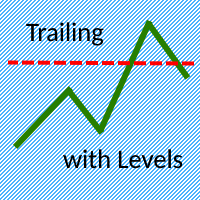
The Trailing with Levels utility is designed for trailing a profitable position with different coefficients, depending on the degree of deviation of the current trading symbol from the opening price of the transaction.
The closer the current price is to the trade opening price, the further the stoploss is set from the current price, and vice versa, if the current price is far from the trade opening price, the closer the stoploss is.
Advisor options:
TrailingStart - minimum distance as a pe

Introducing the Ultimate Market Panel: Revolutionizing Order Management on MT5
The Ultimate Market Panel is a groundbreaking marketplace designed to provide you with a seamless and efficient experience for selling your products. This innovative panel offers a comprehensive range of functions, empowering you to execute various trading strategies effortlessly. Let's delve into its exceptional features:
1. Comprehensive Order Options: With the Ultimate Market Panel, you have complete control ove

PnL Calendar - analyse to profit PnL Calendar turns your trading history into a clear calendar view, so you can see profitable days, monitor risk in real time, and combine multiple broker accounts into a single portfolio picture using the Multi-Broker data export feature. The Calendar Panel breaks profit down by day, week, month, and year, while the Account Panel tracks balance, equity, margin alerts, multi-timeframe summaries, and overnight gap adjustments. The Risk Dashboard adds leverage, dra
Clean Any Chart Script Hides or Shows all Drawings And Indicators
--------------------------------------------------------------------- Traders use objects and indicators to analyze any chart. This process makes chart look messy and hides price action. Unfortunately, MT5 Platform doesn't have the option to hide and show drawing and indicator. That's why, I created this tool to help you clean your chart quickly and easily. When you buy this product, you get: 3 scripts: 1st- Hide Drawings only |

У стандартного трейлинга на FORTS две проблемы и обе связанны с клирингом. 1. Во первых при клиринге закрываются/открываются позиции, после чего цена открытия позиции становится каждый раз равной цене клиринга. Это можно исправить двумя способами. a) Сохранить цену открытия позиции в трейлинге, для этого нужно просто установить утилиту Trailing FORTS до клиринга. b) Но если цена уже изменилась после клиринга, то можно задать цену вручную. 2. Во вторых во время клиринга может происход

Inputs Available
Lotsizes
Partial Close %
You can change lotsizes as you require
On an open chart click once to select chart to be able to use hotkeys on specific chart.
All Pairs can be used with this expert
We created this expert to be able to still trade C300 with a 0.06 Lotsize
If you enter a 0.6 lot and close 0.90% you can trade with 0.06 Lot
Keys to be used:
B -Buy S -Sell C -Close Profitable D -Breakeven (Note if stoploss is set it won't break even) P -Partial close X -Close all

Global crosshair for spotting levels and positions on multiple chart (timeframes). Features: Toggle with middle click (replace default MT5 crosshair). Toggle with HotKey shortcut and on chart button. Multi instance feature. (every chart can draw separate instance). Customizable Display Style. (color / line style / ex.) Global crosshair for spotting levels and positions on multiple chart (timeframes).
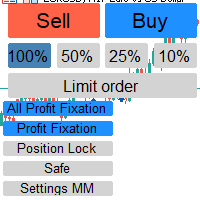
Отличный помощник для тех кто грамотно распоряжается своими рисками. Данный помощник просто не заменим если у вас всегда должен быть фиксированный риск на сделку. Помогает автоматически высчитывать лот в зависимости от вашего риска. Теперь можно не беспокоиться о том каким будет ваш Stoploss, риск всегда будет одинаковый. Считает объем сделок как для рыночных ордеров так и для отложенных. Удобный и интуитивно понятный интерфейс, так же есть некоторые дополнительные функции для упрощения вашей то

# If you have any other requirements or are interested in collaboration, please contact dev.quantech.london@gmail.com . Flash Trade (FT) Most friendly manual trading tool. Easy operation to secure your funds.
Features of FT Click the chart to trade fast FT supports market orders and pending orders Click twice to complete the order and set SL and TP Click trice to complete the pending order and set SL and TP Automatically set the stop-loss amount of each order to a fixed percentage of the bala

Hello :') I am a trader who trades many currency pairs: Forex, Metals, Indices. And I trade multiple timeframes using demand supply zones. As a result, each trade I have to recalculate lot sizes because my stop loss distance is not the same depending on the zone size.
So I created this EA to help calculate each of my trades. By choosing whether to set the risk as a dollar amount or Percent Risk and then drag Entry line, SL line, TP line to the desired prices. The EA will automatically calculat

"Statistics by magic pro" is a program that provides statistics after entering a magic number. You can simultaneously track up to 10 statistics for different magic numbers in one chart window. The program is very easy to use. The program should be run on any free chart. In the EDIT field on the chart, you should enter the magic number. Entering "0" will erase the statistics in that window. The operation of the program can be stopped by selecting the statistics off option. After selecting it, the
FREE

you can close all your positions in profit or lost when you use this robot. 1.you set your max profit and max lost for all your positions. 2.the robot show you in a window beside your chart. 3.when your equity reach your target close all your positions. 4.you can use one of them or both (profit or lost)togather. 5.this robot close all your positions. ((if you have any idea or want somthing i can help you)) i hope you win in all your times of life. best regard
FREE
This tool allows you to catch possible entries from the M.A.R.B indicator by entering the trades at a click of a button(use link for details on M.A.R.B * https://www.mql5.com/en/market/product/96635 *).M.A.R.B Trader shows a maximum of 4 different possible trades all with different Take profits and different Risk to Reward ratios and you can choose from one by clicking a button.M.A.R.B Trader also allows you to enter Buy stop,Sell stop and Market trades using buttons.

Our selling bot envisions a seamless and efficient selling experience for clients. We understand the importance of optimizing the selling process and maximizing sales potential. With our bot, clients can effortlessly list their products, services, or assets, and attract buyers through intelligent pricing strategies and targeted promotions. Our vision is to provide clients with a user-friendly interface where they can easily input all the necessary details for their listings. We aim to simplify t

リベンジ トレーディング プロテクターは、リベンジ トレーディングの被害に遭う可能性のあるトレーダーにとって、シンプルですが効果的なツールです。私もデイトレーダーなので、リベンジトレードの心理的側面や損失を埋めたいという気持ちは理解しています。
そこで、損失後に忍耐強くなり、不合理な取引決定を下さないように100%確信できるように、私はこのツールを開発しました(私自身も使用しています)。
損失を被った場合、Revenge Trading Protector EA は、 希望する休憩時間が経過するまで、 別の注文 (指値注文、ストップ注文、成行執行注文のいずれか)を開くことができなくなります。 たとえば、午前 10 時 45 分に損失を出し、30 分のタイム ブレークを設定した場合、午前 11 時 15 分より前に設定した注文は EA によって即座にキャンセルされます。再度許可されると、アラートで通知されます。 30 分が経過する前に取引に参加しようとすると、それぞれ通知されます。
追加機能: 最大株式ドローダウンは、希望する最大株式ドローダウンを超えた場合、残りの日

EA Summary If you are a scalping trader who wants to place and close trades quickly and efficiently, you need a powerful tool that can help you achieve your goals. That's why we created the Deriv Scalp Manager EA, a smart and easy-to-use expert advisor that automates your trading process and saves you time and money. With the Deriv Scalp Manager , you don't have to worry about calculating your stop loss or take profit levels, or manually closing your trades. All you have to do is enter th

製品概要 本製品はMT5のユーティリティツールであり、裁量取引に役立ついくつかの情報をチャートに表示します。 MT5により標準搭載されているインジケータを使ったり、手動計算によって得られる情報の一部を、最初からチャート上に表示します。
This Is Something Useful MT5の利点 裁量取引で確認が必要な必要最低限の情報をいつでもチャートに表示 本ツールを用いることで、必要な情報にいつでも素早くアクセスすることができ、トレードに集中することができます。
設定項目 ・Time Information 自身が設定したMT5サーバとローカルPCの時差から、ローカル時間を表示 夏時間・冬時間の考慮の有無 (ニューヨークサマータイムルールを採用) 各時間にグリッド線を表示 テキストおよびグリッドの色設定
・Count Down Timer 表示中の時間足チャートのロウソク足の確定までの時間を表示 カウントダウンタイマーの表示位置 カウントダウンタイマーの文字色
・ATR 表示中の時間足チャートのATRの表示 ATRの計算期間 ATRの表示位置 ATRの文字色
・Spr
FREE

Hi everyone im pleasure to give you an EA who can get economic news
- U can choose ur Timezone in GMT - Prevent Paused trading before news economic Setting how many minutes u want Prevent paused before and after news
- U can choose what news u want
Filter by Low , Medium or Hight impact.
Very good if u have a prop firm with a restriction of the news economic for hight impact
"One Click Trade" is the most faster risk manager of times! With Auto Mode, I don't even need clicks, only TWO keys to activate trades and send my order. Mouse movement does it ALL, with Auto Mode enabled!
Basic instruccions: ''Tools/Options/Experts Advisor/Allow automated trading'' box should be checked In ''Common'' tab, check ''Allow live trading'' box
In ''Inputs'' tab, set ''Money Risk'', set ''Risk/Reward Ratio'', click on ''Accept''
Press ''A'' and move the mouse on chart (to have Stop

Equity Defenseは、Trading Toolkitによって設計された強力なリスク管理ツールであり、重大な下落からトレード口座を保護するために用意されています。このツールはアカウントのエクイティを細かく監視し、トレードの一日中にあらかじめ設定されたエクイティ損失の割合に達した場合には自動的にすべてのオープンなトレードをクローズします。Equity Defenseツールは、日々の損失があらかじめ設定された損失の閾値を超えないようにし、安心してトレードできるようにサポートします。 主な特徴: 毎日の損失限度額:各トレード日におけるエクイティの最大損失を設定します。この限度額を超えると、すべてのオープンなトレードがクローズされ、その日の残りの時間には新たなトレードは開かれません。 トレードのクローズ:毎日の損失限度額に達すると、自動的にすべてのオープンなトレードがクローズされ、エクイティのさらなる減少が防止されます。 アラート:最大の毎日の損失限度額に達した際には、音の通知で迅速にアラートが発せられます。この機能により、常にアカウントの状態を把握することができます。 チャートラベル

Trading ICT's OTE Concept is simplified with the ICT Optimal Trade Entry Tool. This semi-automatic EA/utility allows trading with manually defined Fibonacci retracement levels. Simply anchor the Fibonacci between swing highs and lows, select your desired entry level in the graphical panel, and the tool automatically opens positions based on your predefined direction. No more waiting in front of charts for price action to reach your entry levels; set the Fibonacci, enable your chosen entry level,

This EA is made for manual trading. It cannot open orders by itself. But it can help close orders according to the conditions that are placed, for example, the profit meets the target or the loss reaches the specified value. so that after opening the order manually, you don't have to waste time watching Don't worry that the investment will be damaged too much . The EA can display an identity message after finishing the job as well. It can display both numbers and letters, but if you don't want t

Ofir Blue exporter is a handy utility to export your orders history to a JSON file . You'll need it if you want to back-test Ofir blue or Ofir Hedging , using your own trading history. How it works: Install the indicator on a chart Press export all or export <current symbol> (for example GBPUSD) The indicator will create the json file in the directory files/ofirblue/export. This directory is in the common file area. The file will be automatically taken in charge by Ofir blue strategy tester
FREE

The TradeMetrics Pro indicator enhances trade analysis and performance evaluation by presenting trade history and metrics directly on the chart. It accomplishes this through three key features:
Summary Trade Panel: The Summary Trade Panel provides a concise overview of open and closed trades. It organizes trade summaries by symbol, lots traded, pips gained or lost, profit, and advanced statistics. This panel enables quick assessment and comparison of trade performance across different symbols.

This all-purpose trade utility enables any user remotely or locally duplicate trades between Meta Trader terminals quickly and effortlessly. It works with any machine or server running on Windows. Copying of trade entries between different terminal types (i.e. Meta Trader 4 and Meta Trader 5) is fully supported. Trade copying functionality coves all MetaTrader scenarios - MetaTrader 4 - MetaTrader 4 MetaTrader 4 - MetaTrader 5 MetaTrader 5 - MetaTrader 5 MetaTrader 5 -
Introducing Smart Signals - Your Ultimate Expert Advisor for Precise Market Analysis and Trading Automation
Are you tired of spending countless hours analyzing market charts, looking for profitable trading opportunities? Look no further! Smart Signals is the expert advisor you've been searching for. With its advanced features and user-friendly interface, Smart Signals empowers traders to make informed decisions and automate their trading strategies effortlessly.
Key Features:
1. Multiple In

Demo version T Position Size Calculator doesn't work in the strategy tester. The Strategy Tester does not support the processing of ChartEvent. It does not support most of the panel's functionality. Contact me for any questions or ideas for improvement or in case of a bug found. Control and manage your trading like a professional trader with T Position Size Calculator. T Position Size Calculator – an MT5 Expert Adviser, is a user-friendly custom tools (Dialog Panel and Three Lines, Order Line

Demo version T Trading Simulator doesn't work in the strategy tester. The Strategy Tester does not support the processing of ChartEvent. It does not support most of the panel's functionality. Contact me for any questions or ideas for improvement or in case of a bug found. Hi everyone, Trobotrader here. By T Trading Simulator , You can go back to past then analysis and trade with this simulator to develop trading skill. We are going to walk through step-by-step how you can use T Trading Simul

The CSV File Reader Utility executes commands received by text files of type "csv" (Comma Separated Values). This type of utility is ideal for those who process signals in other applications, and want to manage signals and positions based on text files . To read signal commands from the text file, the file must contain a header with column names and the column names must match the input parameter settings . The utility also has some extra functions, such as the possibility of filtering commands

The EA is a supervisor that is offering monitoring and control at the account level. It is working even when market is closed.
Here are the main functionalities: set an account stoploss level set an account takeprofit level send notifications ( push, email, telegram ) about new opened / closed trades send notifications ( push, email, telegram ) about daily's performance at the end of day shows today's profit percent shows current live profit percent shows total positions shows today's calenda

TradePad Proは多様な注文機能と高度な機能を備えたダイナミックな取引ツールです。マーケット買い注文、マーケット売り注文、指値買い注文、指値売り注文、逆指値買い注文、逆指値売り注文の8つの異なる注文タイプを提供しており、さらにYouTubeのチュートリアルで実演されるPro SellとPro Buyの2つの追加機能もあります。NewsAlertシステムはリアルタイムの市場ニュースを提供し、重要な市場の変動に常に最新情報を提供します。 TradePad Proの最新追加機能は革新的なエクイティディフェンスツールです。この機能により、最大日次損失を設定し、資産を保護することができます。口座の資産が指定したレベル以下になった場合、このツールは自動的に全てのオープントレードをクローズし、さらなる損失を防ぎます。また、日次の資産損失を表示し、簡単に追跡できるようにし、新規取引のオープンを次の24時間まで一時停止します。この新機能は特に、日次の資産損失制限を持つプロップファームに関わるトレーダーにとって有益です。 TradePad Proの特徴的な機能はTrailing Stop機能で、

Trading Toolkitが提供するTradePad Light、通称TradePadLiteは、先進的なオーダー機能とリアルタイムのニュースアラートをダイナミックに組み合わせたものです。この革新的な取引ツールは、取引プロセスを効率化し、市場の動向と同期を保つよう設計されています。 TradePadLiteとは何か? TradePadLiteは、マーケットバイ、マーケットセル、バイリミット、セルリミット、バイストップ、セルストップ - といった6つの明確な注文機能を提供する多機能な取引ツールです。これは様々な取引戦略に対応するためのものです。また、リアルタイムの市場ニュースを提供する統合NewsAlertシステムも搭載しており、重要な市場の動向を見逃すことがありません。 TradePadLiteの操作方法やNewsAlertシステムの使用方法について詳しく説明したチュートリアルは、私のYouTube(プロフィールのlinktreeにリンク)でご覧いただけます。チュートリアルは、初期設定から高度な機能まで全てをカバーしており、製品を最大限に活用するための助けになります。 TradeP

NewsAlertは、トレーダーが今後の重要な市場ニュースイベントについて情報を得るために設計された多機能なアラートシステムです。EAは、指定されたイベントまでの時間内にニュースイベントがある場合にプッシュ通知&メールアラートを送信します。 NewsAlert EAの設定とプッシュ通知&SMTPによるメール通知の設定に関する詳しいチュートリアルは、私のYouTube(プロフィール内のlinktreeのリンク)で利用できます。チュートリアルは、初期設定から高度な機能まで全てをカバーしており、製品を最大限に活用するためのヘルプになります。 NewsAlertを購入した後、活気あるDiscordコミュニティの一部となる機会があります(プロフィール内のlinktreeにリンク)。活発な議論に参加し、他のトレーダーの経験から学び、NewsAlertを最大限に活用するためのサポートを得ることができます。 また、MQL5 MarketではTradePadLiteとTradePadProの製品も提供しています。これらの取引ツールはNewsAlertと統合され、より包括的な取引ソリューションを提供します
FREE

Close Partial: You can close half of your opened positions (Close Partial). If, for example, you set a predefined number of 100 points, the system will immediately close half of your position when it reaches that profit level. Risk-Free: All your positions in various symbols. For example, when your profit reaches 120 points, the system will automatically adjust your stop loss to secure your profits and minimize risk. Trail Stop: All your positions in various symbols. For example, when your prof
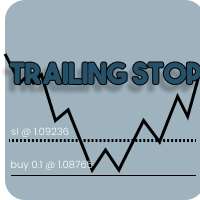
Introducing our Trailing Stop Tool, a powerful solution designed to enhance your trading strategy by trailing your trades based on a selected number of candles. This tool provides an advanced feature that allows you to dynamically adjust your stop loss level as the market moves in your favor, aiming to lock in profits while minimizing potential losses. With the Trailing Stop Tool, you have the flexibility to choose the number of candles you want the tool to trail. Whether you prefer a conservat

Advanced harmonic filter is a reliable and smart utility that uses an author's algorithm to process continuous data and present them in the form of harmonic oscillations. The utility can identify regularities and patterns in the input data, which are then used to generate output data that is most similar to the input data. This makes it a powerful tool to use with other indicators to predict future trends and identify Elliott waves on selected intervals. The utility is most effective when us
FREE

Phoenix MT5 Telegram Notifier is a trading utility that integrates with both MetaTrader5 and Telegram. The utility publishes all your trades as signals in your channels or groups. This allows you to track in real time what is happening with your account via Telegram.
Notifications for :
Opened order Closed order Modified order
Parameters :
Telegram Bot Token - create a bot on Telegram and get a token Telegram Chat Id - input your Telegram group/channel Id Notify for opened order - notifies wh

Phoenix MT5 Discord Notifier is a trading utility that integrates with both MetaTrader5 and Discord. The utility publishes all your trades as signals in your channels or groups. This allows you to track in real time what is happening with your account via Discord .
Notifications for :
Opened order Closed order Modified order
Parameters :
Discord Webhook - Discord webhook which will be used for receiving the info
Discord Bot name - Bot name in Discord server/channel Notify for opened order - no
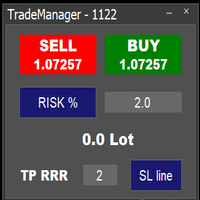
Easy to use trade manager/lotsize calculator. You can chose if you want to risk exact percentage of your account or exact amount of money. You can chose your risk to reward based on stoploss. Then you click on SL line and you can move where exactly you want to have stoploss. When you click on buy or sell, manager will calculate lotsize for you and opens trade. :) :)

Don't want to risk or loose your personal trading account or prop trading firm account because of a simple Margin Call or exceeded Loss Limit?
Then this Utility Expert Advisor is the solution for you! This Expert Advisor monitors your account Equity or Balance or even both! If the Equity and/ or Balance fall under your defined stop limits, the EA closes all of your positions and keeps you so on track.
Options and Variables: Monitored Values: Choose which values should get monitored Equity: if

TradeSnapは、BUY/SELLオーダーが約定した際に自動的に画面キャプチャを行い保存します。 チャートにセットするだけで、余計な作業をすることなく、自動で保存されます。
また、チャートに記載された線や矢印なども、そのまま画像に保存されます。 保存できる画像サイズは、10000x10000ピクセルですので、値動き経緯がわかる横長の画像で保存することもできます。
"s"キーで現在のチャートを保存します。
パラメタ設定 --Event Parameter--
Magic number (0=ALL): キャプチャ対象のマジックナンバーを指定します。
Entry: エントリー時にキャプチャします。
Exit: クローズ時にキャプチャします。
--Capture Info--
Image width, Image height: 出力する画像のサイズを指定します。
--Message Info--
Text color, Text size, Text pos, Display seconds: メッセージの表示内容を設定します。
画像の保存先:データフォルダ/MQL5/File
FREE
取引計算ツールを使用すると、取引を開始する前に取引のパラメータを計算し、証拠金、取引量、リスクの値を取得できます。これにより、起こり得る損失と利益の両方の観点から取引をかなり正確に評価できます。 また、現在の商品の計算方法、利益通貨、換算レート、基本通貨、株式サイズ、ポジション量、リスク(パーセント)、ストップロスとテイクプロフィットのサイズ(ポイント、金額、パーセンテージ)、ストップロスサイズの比率も表示されます。利益を取る。 取引計算機は 2 つのモードで動作します。 その 1 つは、指定されたボリュームに応じて、取引ごとのリスクをパーセンテージで計算することです。 もう 1 つは、利用可能な資金のパーセンテージとして指定されたリスクに応じて取引量を計算することです。 マウスでチャート上で移動できる対応する水平線を表示することで、ポジション開始ポイント、ストップロス、テイクプロフィットの特定の条件下での計画された取引の値の変化を視覚的に監視できます。 したがって、チャート上の希望の位置に線を移動すると、トランザクションのパラメーターがリアルタイムで計算され、表示されます。 商品の
MetaTraderマーケットは、開発者がトレーディングアプリを販売するシンプルで便利なサイトです。
プロダクトを投稿するのをお手伝いし、マーケットのためにプロダクト記載を準備する方法を説明します。マーケットのすべてのアプリは暗号化によって守られ、購入者のコンピュータでしか動作しません。違法なコピーは不可能です。

取引の機会を逃しています。
- 無料取引アプリ
- 8千を超えるシグナルをコピー
- 金融ニュースで金融マーケットを探索