 MetaTrader 5
 Uzmanlar
 Göstergeler
 Kütüphaneler
 Yardımcı programlar
 Widget'lar
 Kurallar
YouTube'dan Mağaza ile ilgili öğretici videoları izleyin
Bir alım-satım robotu veya gösterge nasıl satın alınır?
Uzman Danışmanınızı
sanal sunucuda çalıştırın
sanal sunucuda çalıştırın
Satın almadan önce göstergeyi/alım-satım robotunu test edin
Mağazada kazanç sağlamak ister misiniz?
Satış için bir ürün nasıl sunulur?
MetaTrader 5 için yeni alım-satım yardımcı programları - 75
 Aşağıda MetaTrader 5'te işlem yapmayı kolaylaştıran alım-satım programları bulunmaktadır. Açıklamasını ve amacını okumak için aşağıdaki listeden ürünün üzerine gelin.
Introducing CandleBot - Candlestick Formasyonlarını Tanımlama ve İşlem Yapma İçin Mükemmel ve Ücretsiz Aracınız! CandleBot ile piyasalarda avantajı ele geçirin; boğa ve ayı tüneli, sabah ve akşam yıldızı, çekiç gibi formasyonları kolayca tanıyarak işlem yapın. Belirli bir süre içinde açılış, yüksek, düşük ve kapanış fiyatlarından türetilen mum formasyonları, fiyat hareketlerinin görsel temsilcileri olarak işlev görür ve traderlara piyasa duyarlılığını analiz etme ve potansiyel tersine dönüşleri
FREE

THIS EA IS A SEMI-AUTO EA, IT NEEDS USER INPUT. Manual & Test Version Please TEST this product before BUYING and watch my video about it. The price of the ManHedger will increase to 250$ after 20 copies sold. Contact me for user support or bug reports or if you want the MT4 version! MT4 Version I do not guarantee any profits or financial success using this EA.
With this Expert Advisor, you can: Implement your own Zone Recovery strategy to capitalize on trending markets. Create Grid trading s

T-Wallpaper. This is a very useful wallpaper that comes with trade manager panel. You can choose any wallpaper of your choice. Must add the WallPaper file to your MQL5 Data Folder. Follow this easy steps: Download the WallPaper files from our channel https://www.mql5.com/en/channels/transitbk98 Open MT5 Select files Open Data Folder Open MQL5 Open Files and past the Wallpaper folder Now the wallpaper will display. Wallpaper settings are found on the user input. Trade panel settings are found on
FREE

Introduction Scruffy Countdown is a utility for MT5 that displays a countdown timer based on the chart's current timeframe. As each new bar (candlestick) appears the countdown is reset. Features include: Countdown based on current chart timeframe Customisable font and size Warning before and after the hour in minutes with customisable colours (optional) About Scruffy Coder We may be scruffy in name and wear a few scruffy clothes but we're dedicated to bring you useful and reliable tools for MT5
FREE

The most advanced Trade Management Expert Advisor on the marketplace! Automatic lot calculation EA designed to safeguard your capital and help you manage risk. Mercurial Position Sizing PRO will help you pass all prop firm challenges and become a funded trader.
Contact me in private after purchase for fast support. Get it NOW before the price increases to $88 with the launch of important upgrades!
Key Features (e verything the free version offers, plus): Institutional-Grade Risk Allocation:

Genel Kullanım:
Bu göstergeyi, tersine dönüş sistemleri için güvenilir bir onaylama aracı olarak ve aynı zamanda güçlü bir bağımsız ticaret sistemi olarak kullanabilirsiniz. Fiyatın her pivot veya destek/direnç seviyesiyle karşılaştığında bir tersine dönüş olasılığını analiz etmenizi sağlar. Diverjans veya trend devam frenleri gibi bir rol oynar. Bu aracın risk-getiri oranı en az 1'e 2'dir ve en iyi durumda uygun trailing ile 1'e 10'a kadar çıkabilir.
MT4 sürümü
Faydaları:
• Başarı oranını artı
KT Trade Manager, işlem yürütme ve pozisyon yönetimini geliştirmek için tasarlanmış güçlü bir araçtır. Kullanıcı dostu arayüzü sayesinde yatırımcılar işlemlerini kolayca takip edebilir ve kontrol edebilir. Bu kapsamlı çözüm, risk yönetimi ve pozisyon yönetimi dahil olmak üzere ticaretin birçok yönünü kapsar. Bu kritik unsurların bir araya getirilmesi, yatırımcıların finansal piyasalarda daha etkili hareket etmelerine, bilinçli kararlar almalarına ve stratejilerini optimize etmelerine yardımcı o
(This is the free version of our trade manager, download it for free and test it, and provide feedback. If you are satisfied with its capabilities, you can try out its bigger brother the Deriv Scalp Manager also available from us.)
EA Summary If you are a scalping trader who wants to place and close trades quickly and efficiently, you need a powerful tool that can help you achieve your goals. That's why we created the Deriv Trade Assistant EA, a smart and easy-to-use expert advisor that au
FREE

Pairs Navigator is a simple and easy-to-use tool that allows you to view all of your charts in a single window. This eliminates the need to open multiple charts from the Market Watch window, saving you time and effort. Pairs Navigator is also very lightweight, so it will not put a strain on your RAM or cause your MT4/5 platform to hang. To use Pairs Navigator, simply drag and drop the currency pairs you want to view into the Pairs Navigator window. You can then easily switch between charts by
FREE

This EA provides: Grid buy button and grid sell button When pressed, it enters market then subsequent layers as pending order separated by pips value for each layer. Close all button When pressed it closes all running positions and pending orders. This expert advisor does not provides means to automatically add take profits and stop losses. User must specify it manually.
FREE
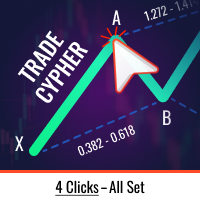
Trade Cypher Bot, Cypher harmonik desen işlemlerini hassas bir şekilde yürütür ve yönetir, size değerli zaman kazandırır ve iyi bilgilendirilmiş ve karlı kararlar almaya odaklanmanıza olanak tanır.
Trade Cypher Robotu Nasıl Kullanılır | Cypher Stratejisi Öğretici
Lütfen Robotun Strateji Test Cihazında çalışmadığına dikkat edin
Trade Cypher Bot, grafiğinize sadece dört tıklama ile tüm önemli ticaret yönetimi görevlerini yerine getirir. Model doğrulaması sağlar, piyasa değişikliklerini izler ve ç

HM (Yatay İşaretleme), yatay seviyelerin manuel olarak işaretlenmesi için tasarlanmıştır. İşaretleme, seviyeyi ve fiyat değerini içerir. Hattın kalınlığı ve rengi ve fiyat değeri ayarlarda ayarlanır. Seviyeler yerel olarak zaman dilimlerine yerleştirilebilir veya tüm zaman dilimleri için herkese açık olarak gösterilebilir.
Onun işi çok basit:
1) - Seviyeyi işaretlemek için ayarlarda ayarladığımız tuşa basıyoruz;
2) - çizgiyi istenen yere getiriyoruz;
3) - Farenin sağ düğmesine tıklıyoruz v
FREE

Signals Executor for Telegram is a Utility that allows you to execute and manage positions from messages sent in Telegram Chats. Chat messages are processed to check for the existence of commands, and the command will be executed if its parameters are valid. You need the Telegram Bot Token and Chat Id to configure the input parameters. It is possible to restrict the sending of commands through the User Id, which must be configured in the input parameters. Valid Commands: Buy and Sell: Market or

Lot by Risk ticaret paneli elle işlem yapmak üzere tasarlanmıştır. Bu, emir göndermek için alternatif bir araçtır.
Panelin ilk özelliği, kontrol hatlarını kullanarak siparişlerin uygun bir şekilde düzenlenmesidir. İkinci özellik, stop loss hattı mevcut olduğunda belirli bir risk için işlem hacminin hesaplanmasıdır.
Kontrol hatları kısayol tuşları kullanılarak ayarlanır:
kar al - varsayılan olarak T tuşu;
price - varsayılan olarak P tuşu;
kaybı durdur - varsayılan olarak S tuşu;
Tuşları ticar
FREE

Grafik Özelleştirici yardımcı programıyla grafik özelleştirmenizde devrim yaratın. Ticaret deneyiminizi geliştirmek için tasarlanan bu güçlü araç, çok çeşitli özellikler ve avantajlar sunar.
Multichart modu ile istediğiniz grafik ayarlarını tüm açık grafiklere zahmetsizce uygulayabilirsiniz. Her grafiği manuel olarak ayarlamak gibi sıkıcı göreve elveda deyin. Tek bir tıklama ile birden çok grafiği aynı anda özelleştirerek değerli zaman ve emekten tasarruf edebilirsiniz.
Şamdanlar, çubuklar ve

EA to help traders stay within tight risk management.
Asks only for account's initial balance and Stop Out DD. This is meant for prop firm traders, but will help any trader who is looking for a simple risk manager.
Trasks and reports daily PnL and will advise you to stop at 1% daily loss. Will advise you to wait if you have too many open trades.
Based on the open chart (symbol and timeframe) will recommend size and SL distance in order to risk the desired cash risk. See screenshot for example
FREE

EA to prevent inactivity violations on prop firms.
This EA will scout for your most recent trade and if it is older than the number of days defined, will enter a micro lot position size 0.01 on the pair defined. It is recommended to use a tight spread pair like EURUSD. This EA will not act as long as you have at least one trade in the last X days (defined on config).
This EA will not place other trades or modify existing position.
FREE

Orion Telegram Notifier Bot allows the trader to receive trade notifications in his Telegram whenever a position is opened or closed.
The EA sends notifications showing the Symbol, Magic Number, Direction, Lot (Volume), Entry Price, Exit Price, Take Profit, Stop-Loss and Profit of the position. How to setup Orion Telegram Notifier? Open Telegram and Search for “BotFather” Click or Type “/newbot” Create a nickname and username (Example: nickname: MT5trades - username: MT5TelegramBot) *The use

What is this indicator? This indicator synchronizes the chart position of multiple charts with hotkey, drag and drop or date input. If you synchronize with hotkeys, the common vertical line will be drawn at the chart shift position.
Prameter 1: Alignment line properties
- Color:
The color of the common vertical line. - Width:
The width of the common vertical line. - Style:
The style of the common vertical line. - Draw as background:
If the value is true, draw the common vertical line a
What is this indicator? This indicator changes the height of the top and bottom padding of the chart. The padding you set does not change even if you scroll the chart. Even if you manually change the price scale of the chart, you can also restore the padding to its original height using the hotkey.
Prameter 1: Padding properties - Enable:
If the value is true, the padding setting is enabled. - Percentage:
The value of the padding height.
The value is relative to the height of the chart.

What is this indicator? This indicator always displays a gauge on the chart that is at the height of the specified value in pips. You can set the height, style and display position of the gauge. The width of the gauge is equal to the width of the candlestick on the chart.
Prameter: Gauge properties - Enable: If the value of this variable is true, the gauge will be displayed on the chart. - Height (in pips):
The height of the gauge in pips. - Color:
The color of the gauge. - Base corner

Attention All ICT Students! This indispensable tool is a must-have addition to your trading arsenal...
Introducing the ICT PD Arrays Trader: Empower your trading with this innovative utility designed to enhance and simplify your ICT trading strategy and maximize your potential profits.
How does it work? It's simple yet highly effective. Begin by placing a rectangle on your trading chart and assigning it a name like 'ict' or any preferred identifier. This allows the system to accurately ident

Dedicated for FTMO and other Prop Firms Challenges 2020-2024
Trade only GOOD and checked PROP FIRMS Default parameters for Challenge $100,000 Best results on GOLD and US100 Use any Time Frame Close all deals and Auto-trading before US HIGH NEWS, reopen 2 minutes after
Close all deals and Auto-trading before Weekend at 12:00 GMT+3 Friday Recommended time to trade 09:00-21:00 GMT+3 For Prop Firms MUST use special Protector https://www.mql5.com/en/market/product/94362 --------------------

"Are you tired of losing money on unsuccessful trades? Look no further than EA Trailing Stop! Our program is designed to help you prevent losses and control your trades efficiently. With features such as adjustable stop loss and more, you can rest assured that your trades are in good hands. Don't wait any longer to start making successful trades. Try EA Trailing Stop today!"
You can use this as a starting point and tailor it to your audience and the platform you're using. This EA Trailing Stop
FREE

Posh Sessions is indicator which displays sessions in broker time or your local time. You can set up to 5 sessions, assign name, start time, end time and color of each session. There is session's range to help you make a chart analysis.
Settings for a session: Show: To show or not the session on chart Title: The title/name of the session Timezone: Select between broker or local time to implement the session's period Start time: The session start time End time: The session end time Co
FREE

Pending orders system is a small trading panel created for quick setting of hidden pending stop orders.
Its functionality is simple and at the same time very necessary in the day-to-day work of a trader. The main function of this panel is to set hidden pending stop orders with one click of the mouse at the desired place on the chart. If necessary, the user can pre-register lot, stop loss and take profit in the corresponding fields. If the lot is not specified, it will be set at the level of the

Expert advisor that automatically closes all open positions when a specific profit amount or loss amount is reached. The profit and loss amounts are configurable inputs and can be set when attaching the EA to a chart. This EA has proven to be useful in high quantity trading strategies to control and minimize risk. The EA works for all account currencies and is designed to close out all trades once the desired profit or loss is hit.
Bu yazılım aracı, özelleştirilebilir beş renk arasından seçtiğiniz yatay trend çizgileri ve dikdörtgenler oluşturma sürecini kolaylaştırmak için tasarlanmıştır.
MT5'te hassas yatay trend çizgileri çizmek zor olabilir ancak bu göstergeyle bunları tercihlerinize uygun renklerde zahmetsizce oluşturabilirsiniz.
Ayrıca aracımız, çizdiğiniz yatay çizgilerle ilişkili fiyat seviyelerinin net bir şekilde görüntülenmesini sağlar.
Geri bildiriminize değer veriyoruz ve bu aracı ticari ihtiyaçlarınız içi

Big Boss EA MQL5 platformunda Expert Advisor, bir hesap içinde bağımsız olarak 6 grafik yönetebilen güçlü bir araçtır. Her bir grafik için hedef karlar ve kayıp sınırları belirlemek için kullanılır ve aynı zamanda hesap genelinde de geçerlidir. Ek olarak, float karları, geri çekilmeleri hesaplar ve günlük, haftalık ve aylık karları takip eder. Araç, stratejileri ve farklı uzman danışmanları karşılaştırmayı kolaylaştıran sezgisel bir görüntü sunar. FTMO, Earn2Trade veya Rebels Funding gibi finans
50% off. Original price: $60 Order Manager is a trade assistant and trade copier with a money manager that helps traders open, modify and close manual trades and also copy their trades between multiple accounts in the most simple way to help them focus more on their market analysis and open orders with just a few clicks.
Download Demo here (It only works on demo accounts for 14 days) Full guide here MT4 version here
Order Manager features: Works on all instruments such as currency pairs, i

The utility is a checklist where you can write all the rules of your trading system and keep it on the chart in front of your eyes. As a rule is executed, mark it with a tick. To the right of each rule, you can write the "strength" (percentage) of the rule. And if there is a tick next to the rule, then all "forces" are summed up in the "Total" line.
For the convenience of visual perception, you can set the color for displaying the “Total” value.
Panel options: Title - The title of the panel N
FREE
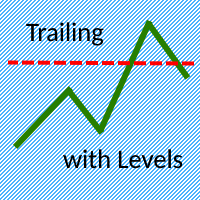
The Trailing with Levels utility is designed for trailing a profitable position with different coefficients, depending on the degree of deviation of the current trading symbol from the opening price of the transaction.
The closer the current price is to the trade opening price, the further the stoploss is set from the current price, and vice versa, if the current price is far from the trade opening price, the closer the stoploss is.
Advisor options:
TrailingStart - minimum distance as a pe

Introducing the Ultimate Market Panel: Revolutionizing Order Management on MT5
The Ultimate Market Panel is a groundbreaking marketplace designed to provide you with a seamless and efficient experience for selling your products. This innovative panel offers a comprehensive range of functions, empowering you to execute various trading strategies effortlessly. Let's delve into its exceptional features:
1. Comprehensive Order Options: With the Ultimate Market Panel, you have complete control ove

PnL Calendar - analyse to profit PnL Calendar turns your trading history into a clear calendar view, so you can see profitable days, monitor risk in real time, and combine multiple broker accounts into a single portfolio picture using the Multi-Broker data export feature. The Calendar Panel breaks profit down by day, week, month, and year, while the Account Panel tracks balance, equity, margin alerts, multi-timeframe summaries, and overnight gap adjustments. The Risk Dashboard adds leverage, dra
Clean Any Chart Script Hides or Shows all Drawings And Indicators
--------------------------------------------------------------------- Traders use objects and indicators to analyze any chart. This process makes chart look messy and hides price action. Unfortunately, MT5 Platform doesn't have the option to hide and show drawing and indicator. That's why, I created this tool to help you clean your chart quickly and easily. When you buy this product, you get: 3 scripts: 1st- Hide Drawings only |

У стандартного трейлинга на FORTS две проблемы и обе связанны с клирингом. 1. Во первых при клиринге закрываются/открываются позиции, после чего цена открытия позиции становится каждый раз равной цене клиринга. Это можно исправить двумя способами. a) Сохранить цену открытия позиции в трейлинге, для этого нужно просто установить утилиту Trailing FORTS до клиринга. b) Но если цена уже изменилась после клиринга, то можно задать цену вручную. 2. Во вторых во время клиринга может происход

Inputs Available
Lotsizes
Partial Close %
You can change lotsizes as you require
On an open chart click once to select chart to be able to use hotkeys on specific chart.
All Pairs can be used with this expert
We created this expert to be able to still trade C300 with a 0.06 Lotsize
If you enter a 0.6 lot and close 0.90% you can trade with 0.06 Lot
Keys to be used:
B -Buy S -Sell C -Close Profitable D -Breakeven (Note if stoploss is set it won't break even) P -Partial close X -Close all

Global crosshair for spotting levels and positions on multiple chart (timeframes). Features: Toggle with middle click (replace default MT5 crosshair). Toggle with HotKey shortcut and on chart button. Multi instance feature. (every chart can draw separate instance). Customizable Display Style. (color / line style / ex.) Global crosshair for spotting levels and positions on multiple chart (timeframes).
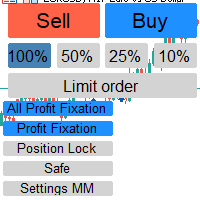
Отличный помощник для тех кто грамотно распоряжается своими рисками. Данный помощник просто не заменим если у вас всегда должен быть фиксированный риск на сделку. Помогает автоматически высчитывать лот в зависимости от вашего риска. Теперь можно не беспокоиться о том каким будет ваш Stoploss, риск всегда будет одинаковый. Считает объем сделок как для рыночных ордеров так и для отложенных. Удобный и интуитивно понятный интерфейс, так же есть некоторые дополнительные функции для упрощения вашей то

# If you have any other requirements or are interested in collaboration, please contact dev.quantech.london@gmail.com . Flash Trade (FT) Most friendly manual trading tool. Easy operation to secure your funds.
Features of FT Click the chart to trade fast FT supports market orders and pending orders Click twice to complete the order and set SL and TP Click trice to complete the pending order and set SL and TP Automatically set the stop-loss amount of each order to a fixed percentage of the bala

Hello :') I am a trader who trades many currency pairs: Forex, Metals, Indices. And I trade multiple timeframes using demand supply zones. As a result, each trade I have to recalculate lot sizes because my stop loss distance is not the same depending on the zone size.
So I created this EA to help calculate each of my trades. By choosing whether to set the risk as a dollar amount or Percent Risk and then drag Entry line, SL line, TP line to the desired prices. The EA will automatically calculat

"Statistics by magic pro" is a program that provides statistics after entering a magic number. You can simultaneously track up to 10 statistics for different magic numbers in one chart window. The program is very easy to use. The program should be run on any free chart. In the EDIT field on the chart, you should enter the magic number. Entering "0" will erase the statistics in that window. The operation of the program can be stopped by selecting the statistics off option. After selecting it, the
FREE

you can close all your positions in profit or lost when you use this robot. 1.you set your max profit and max lost for all your positions. 2.the robot show you in a window beside your chart. 3.when your equity reach your target close all your positions. 4.you can use one of them or both (profit or lost)togather. 5.this robot close all your positions. ((if you have any idea or want somthing i can help you)) i hope you win in all your times of life. best regard
FREE
This tool allows you to catch possible entries from the M.A.R.B indicator by entering the trades at a click of a button(use link for details on M.A.R.B * https://www.mql5.com/en/market/product/96635 *).M.A.R.B Trader shows a maximum of 4 different possible trades all with different Take profits and different Risk to Reward ratios and you can choose from one by clicking a button.M.A.R.B Trader also allows you to enter Buy stop,Sell stop and Market trades using buttons.

Our selling bot envisions a seamless and efficient selling experience for clients. We understand the importance of optimizing the selling process and maximizing sales potential. With our bot, clients can effortlessly list their products, services, or assets, and attract buyers through intelligent pricing strategies and targeted promotions. Our vision is to provide clients with a user-friendly interface where they can easily input all the necessary details for their listings. We aim to simplify t

Revenge Trading Protector, intikam ticaretinin kurbanı olabilecek yatırımcılar için basit ama etkili bir araçtır. Ben de bir günlük trader olarak intikam ticaretinin psikolojik yönünü ve kayıpları karşılama arzusunu anlıyorum.
Bu nedenle, bir kayıptan sonra sabırlı kalabileceğimden ve mantıksız ticaret kararları veremeyeceğimden %100 emin olmak için bu aracı (ben de kullanıyorum) geliştirdim.
Kaybettiğinizde, Revenge Trading Protector EA, istenen süre dolana kadar başka bir emir (limit

EA Summary If you are a scalping trader who wants to place and close trades quickly and efficiently, you need a powerful tool that can help you achieve your goals. That's why we created the Deriv Scalp Manager EA, a smart and easy-to-use expert advisor that automates your trading process and saves you time and money. With the Deriv Scalp Manager , you don't have to worry about calculating your stop loss or take profit levels, or manually closing your trades. All you have to do is enter th

Description This is a utility tool for MT5, and it displays some useful information on charts for discretionary trading. Some of the information obtained by using indicators that are standardly installed by MT5 or by manual calculation is displayed on the chart from the beginning.
Benefits of the This Is Something Useful MT5 The minimum necessary information that needs to be confirmed in discretionary trading can be displayed on the chart at any time. By using this tool, you can quickly access
FREE

Hi everyone im pleasure to give you an EA who can get economic news
- U can choose ur Timezone in GMT - Prevent Paused trading before news economic Setting how many minutes u want Prevent paused before and after news
- U can choose what news u want
Filter by Low , Medium or Hight impact.
Very good if u have a prop firm with a restriction of the news economic for hight impact
"One Click Trade" is the most faster risk manager of times! With Auto Mode, I don't even need clicks, only TWO keys to activate trades and send my order. Mouse movement does it ALL, with Auto Mode enabled!
Basic instruccions: ''Tools/Options/Experts Advisor/Allow automated trading'' box should be checked In ''Common'' tab, check ''Allow live trading'' box
In ''Inputs'' tab, set ''Money Risk'', set ''Risk/Reward Ratio'', click on ''Accept''
Press ''A'' and move the mouse on chart (to have Stop

Equity Defense, Trading Toolkit tarafından tasarlanmış güçlü bir risk yönetimi aracıdır ve ticaret hesabınızı önemli bir çekilme riskine karşı korur. Bu araç, hesabınızın değerini yakından takip eder ve bir ticaret günü boyunca önceden belirlenmiş bir eşitlik kaybı yüzdesine ulaşıldığında tüm açık işlemleri otomatik olarak kapatır. Equity Defense aracı, günlük kayıplarınızın belirlediğiniz kayıp eşiği aşmamasını sağlayarak sizi endişesiz bir şekilde ticaret yapmanıza yardımcı olur. Ana Özellikle

Trading ICT's OTE Concept is simplified with the ICT Optimal Trade Entry Tool. This semi-automatic EA/utility allows trading with manually defined Fibonacci retracement levels. Simply anchor the Fibonacci between swing highs and lows, select your desired entry level in the graphical panel, and the tool automatically opens positions based on your predefined direction. No more waiting in front of charts for price action to reach your entry levels; set the Fibonacci, enable your chosen entry level,

This EA is made for manual trading. It cannot open orders by itself. But it can help close orders according to the conditions that are placed, for example, the profit meets the target or the loss reaches the specified value. so that after opening the order manually, you don't have to waste time watching Don't worry that the investment will be damaged too much . The EA can display an identity message after finishing the job as well. It can display both numbers and letters, but if you don't want t

Ofir Blue exporter is a handy utility to export your orders history to a JSON file . You'll need it if you want to back-test Ofir blue or Ofir Hedging , using your own trading history. How it works: Install the indicator on a chart Press export all or export <current symbol> (for example GBPUSD) The indicator will create the json file in the directory files/ofirblue/export. This directory is in the common file area. The file will be automatically taken in charge by Ofir blue strategy tester
FREE

The TradeMetrics Pro indicator enhances trade analysis and performance evaluation by presenting trade history and metrics directly on the chart. It accomplishes this through three key features:
Summary Trade Panel: The Summary Trade Panel provides a concise overview of open and closed trades. It organizes trade summaries by symbol, lots traded, pips gained or lost, profit, and advanced statistics. This panel enables quick assessment and comparison of trade performance across different symbols.

This all-purpose trade utility enables any user remotely or locally duplicate trades between Meta Trader terminals quickly and effortlessly. It works with any machine or server running on Windows. Copying of trade entries between different terminal types (i.e. Meta Trader 4 and Meta Trader 5) is fully supported. Trade copying functionality coves all MetaTrader scenarios - MetaTrader 4 - MetaTrader 4 MetaTrader 4 - MetaTrader 5 MetaTrader 5 - MetaTrader 5 MetaTrader 5 -
Introducing Smart Signals - Your Ultimate Expert Advisor for Precise Market Analysis and Trading Automation
Are you tired of spending countless hours analyzing market charts, looking for profitable trading opportunities? Look no further! Smart Signals is the expert advisor you've been searching for. With its advanced features and user-friendly interface, Smart Signals empowers traders to make informed decisions and automate their trading strategies effortlessly.
Key Features:
1. Multiple In

Demo version T Position Size Calculator doesn't work in the strategy tester. The Strategy Tester does not support the processing of ChartEvent. It does not support most of the panel's functionality. Contact me for any questions or ideas for improvement or in case of a bug found. Control and manage your trading like a professional trader with T Position Size Calculator. T Position Size Calculator – an MT5 Expert Adviser, is a user-friendly custom tools (Dialog Panel and Three Lines, Order Line

Demo version T Trading Simulator doesn't work in the strategy tester. The Strategy Tester does not support the processing of ChartEvent. It does not support most of the panel's functionality. Contact me for any questions or ideas for improvement or in case of a bug found. Hi everyone, Trobotrader here. By T Trading Simulator , You can go back to past then analysis and trade with this simulator to develop trading skill. We are going to walk through step-by-step how you can use T Trading Simul

The CSV File Reader Utility executes commands received by text files of type "csv" (Comma Separated Values). This type of utility is ideal for those who process signals in other applications, and want to manage signals and positions based on text files . To read signal commands from the text file, the file must contain a header with column names and the column names must match the input parameter settings . The utility also has some extra functions, such as the possibility of filtering commands

The EA is a supervisor that is offering monitoring and control at the account level. It is working even when market is closed.
Here are the main functionalities: set an account stoploss level set an account takeprofit level send notifications ( push, email, telegram ) about new opened / closed trades send notifications ( push, email, telegram ) about daily's performance at the end of day shows today's profit percent shows current live profit percent shows total positions shows today's calenda
TradePad Pro, çeşitli sipariş işlevleri ve gelişmiş özelliklerle donatılmış dinamik bir ticaret aracıdır. Market Alış, Market Satış, Limitli Alış, Limitli Satış, Stoplu Alış, Stoplu Satış olmak üzere sekiz farklı sipariş türü sunar. Ayrıca, YouTube'daki öğretici videolarımızda gösterilen Pro Satış ve Pro Alış gibi iki ek fonksiyon da bulunmaktadır. NewsAlert sistemi, gerçek zamanlı piyasa haberlerini size ulaştırarak önemli piyasa değişimlerinden her zaman haberdar olmanızı sağlar. TradePad Pro

Trading Toolkit tarafından sunulan TradePad Light, yani TradePadLite, gelişmiş emir işlevlerinin ve gerçek zamanlı haber bildirimlerinin dinamik bir birleşimidir. Bu yenilikçi ticaret aracı, ticaret sürecinizi optimize etmek ve piyasanın nabzıyla uyum içinde olmanızı sağlamak için tasarlanmıştır. TradePadLite nedir? TradePadLite, çeşitli ticaret stratejilerine hitap etmek için Market Alış, Market Satış, Alış Limiti, Satış Limiti, Alış Stopu ve Satış Stopu olmak üzere altı farklı emir işlevi suna

NewsAlert, yatırımcıları önemli gelecek piyasa haber etkinlikleri hakkında bilgilendirmek için tasarlanmış çok yönlü bir uyarı sistemidir. EA, belirtilen Etkinliğe Kadar Zaman içinde haber etkinlikleri olduğunda size Push Bildirimleri & Email Uyarıları gönderir. NewsAlert EA'nın kurulumu ve Push Bildirimleri & SMTP'nin Email Bildirimleri için yapılandırılması hakkında detaylı eğitimler YouTube'umda (profilimdeki linktree'deki link) mevcuttur. Eğitimler, üründen en iyi şekilde yararlanmanıza yard
FREE

Close Partial: You can close half of your opened positions (Close Partial). If, for example, you set a predefined number of 100 points, the system will immediately close half of your position when it reaches that profit level. Risk-Free: All your positions in various symbols. For example, when your profit reaches 120 points, the system will automatically adjust your stop loss to secure your profits and minimize risk. Trail Stop: All your positions in various symbols. For example, when your prof
Introducing our Trailing Stop Tool, a powerful solution designed to enhance your trading strategy by trailing your trades based on a selected number of candles. This tool provides an advanced feature that allows you to dynamically adjust your stop loss level as the market moves in your favor, aiming to lock in profits while minimizing potential losses. With the Trailing Stop Tool, you have the flexibility to choose the number of candles you want the tool to trail. Whether you prefer a conservat

Advanced harmonic filter is a reliable and smart utility that uses an author's algorithm to process continuous data and present them in the form of harmonic oscillations. The utility can identify regularities and patterns in the input data, which are then used to generate output data that is most similar to the input data. This makes it a powerful tool to use with other indicators to predict future trends and identify Elliott waves on selected intervals. The utility is most effective when us
FREE

Phoenix MT5 Telegram Notifier is a trading utility that integrates with both MetaTrader5 and Telegram. The utility publishes all your trades as signals in your channels or groups. This allows you to track in real time what is happening with your account via Telegram.
Notifications for :
Opened order Closed order Modified order
Parameters :
Telegram Bot Token - create a bot on Telegram and get a token Telegram Chat Id - input your Telegram group/channel Id Notify for opened order - notifies wh

Phoenix MT5 Discord Notifier is a trading utility that integrates with both MetaTrader5 and Discord. The utility publishes all your trades as signals in your channels or groups. This allows you to track in real time what is happening with your account via Discord .
Notifications for :
Opened order Closed order Modified order
Parameters :
Discord Webhook - Discord webhook which will be used for receiving the info
Discord Bot name - Bot name in Discord server/channel Notify for opened order - no
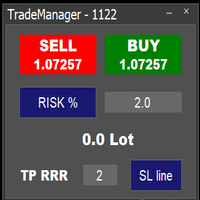
Easy to use trade manager/lotsize calculator. You can chose if you want to risk exact percentage of your account or exact amount of money. You can chose your risk to reward based on stoploss. Then you click on SL line and you can move where exactly you want to have stoploss. When you click on buy or sell, manager will calculate lotsize for you and opens trade. :) :)
MetaTrader Mağazası, alım-satım robotları ve teknik göstergeler satmak için en iyi yerdir.
MetaTrader platformu için ilgi çekici bir tasarıma ve iyi bir açıklamaya sahip bir uygulama geliştirmeniz yeterlidir. Milyonlarca MetaTrader kullanıcısına sunmak için size ürününüzü Mağazada nasıl yayınlayacağınızı açıklayacağız.

Alım-satım fırsatlarını kaçırıyorsunuz:
- Ücretsiz alım-satım uygulamaları
- İşlem kopyalama için 8.000'den fazla sinyal
- Finansal piyasaları keşfetmek için ekonomik haberler
Kayıt
Giriş yap
Web sitesi politikasını ve kullanım şartlarını kabul edersiniz
Hesabınız yoksa, lütfen kaydolun