 MetaTrader 5
 エキスパート
 インディケータ
 ライブラリ
ライブラリ
 ユーティリティ
 ウィジェット
 ルール
ルール
YouTubeにあるマーケットチュートリアルビデオをご覧ください
ロボットや指標を購入する
仮想ホスティングで
EAを実行
EAを実行
ロボットや指標を購入前にテストする
マーケットで収入を得る
販売のためにプロダクトをプレゼンテーションする方法
MetaTrader 5のためのエキスパートアドバイザーとインディケータ - 126
 自動売買ロボットとインジケータを使用して、外国為替取引の収益性を高めます。 自動売買ロボットを使用すると、取引の開始と終了を自動化でき、インジケータは市場の行動をより正確に予測するのに役立ちます。
このページには、MetaTrader5アプリケーションのカタログが掲載されています。
自動売買ロボットとインジケータを使用して、外国為替取引の収益性を高めます。 自動売買ロボットを使用すると、取引の開始と終了を自動化でき、インジケータは市場の行動をより正確に予測するのに役立ちます。
このページには、MetaTrader5アプリケーションのカタログが掲載されています。 
This EA looks for a two-layer momentum/liquidity breakout : Divergence detection (trigger): TPS (ticks-per-second / bar tick_volume ) must be high vs. its recent average ( TPS_Multiplier ), while Volatility (bar high–low) must be low vs. its recent average ( Volatility_Multiplier ). This combo flags “ flow in a quiet range ” → a likely near-term breakout. Direction & filter: If the signal bar is green ( close > open ) → consider BUY ; if red → SELL . Optional MA trend filter ( Use_TrendFilter )
FREE

Introducing MACD Enhanced — an improved MACD (Moving Average Convergence Divergence) indicator that gives traders expanded capabilities for analyzing trend and momentum in financial markets. The indicator uses the difference between fast and slow exponential moving averages to determine momentum, trend direction, and strength, generating clear visual signals for potential entry and exit points.
Attention! For best results, it is recommended to adapt the indicator parameters to specific trading i

Tops & Bottoms Indicator FREE Tops abd Bottoms: An effective indicator for your trades
The tops and bottoms indicator helps you to find ascending and descending channel formations with indications of ascending and/or descending tops and bottoms. In addition, it show possibles opportunities with a small yellow circle when the indicator encounters an impulse formation.
This indicator provide to you more security and speed in making entry decisions. Also test our FREE advisor indicator:
FREE

Projective SR – リアルタイム予測のサポートとレジスタンス Projective SR は、チャート上の 重要なサポートとレジスタンスのポイント を自動的に検出し、それらを 斜めかつ動的に未来へ投影する 高度なインジケーターであり、価格が反応する可能性のあるゾーンを予測します。 固定レベルのみを表示する従来のインジケーターとは異なり、 Projective SR は価格の幾何学を分析し 、最も関連性の高い ピボット を特定し、市場の動きに適応する 傾斜したライン を描画します。 これらのラインは リアルタイムで更新され 、新しいローソク足が形成されるにつれて価格構造がどのように進化するかを示します。 技術的特徴 (Gijutsu-teki Tokuchō) ローソク足の構造に基づいた ピボット (高値と安値)の 自動検出 。 リアルタイム計算 を使用した 正確な幾何学的投影 (バー数に基づく計算ではない)。 将来の動きを予測する 投影されたサポートおよびレジスタンスライン 。 柔軟な設定: ピボットの感度、投影の長さ、色、太さ、ラベル。 安定モード: 新しい確認済みピボッ
FREE

Gold Batukaru Propfirm is a special expert advisor for Gold/ XAU/ XAUUSD. This EA is designed with follow trend method for entry position. This EA is a single entry method use stop loss and take profit.
Performance : Gold Batukaru Propfirm has been tested at various backtest levels, but past results don't guarantee future performance. Please do your own research! Suggested use cent account if balance is not enough, because this EA need huge balance. This EA is designed for longterm, just set

The indicator draws a normal chart by coloring it in colors based on prices calculated by the Heiken Ashi indicator algorithm.
That is, the shape of the candles does not change.
In fact, this is the same Heiken Ashi that does not distort the price chart.
Then there will be a drawing of a cat, because there is nothing more to write about the indicator. .
FREE

ONLY DEMO ACCOUNT Live Versión Here : https://www.mql5.com/en/market/product/170738 ADX System is an advanced trend-strength and momentum confirmation indicator built on ADX and Directional Movement logic. It transforms traditional ADX data into a structured visual system that helps traders identify: • Trend initiation
• Strength acceleration
• Buy/Sell confirmation phases
• Momentum shifts
• Continuation zones The indicator features a two-step confirmation process (Alert → Confirmation), a
FREE

️ Aviso de Risco Negociar no mercado financeiro envolve riscos significativos. Esta ferramenta é um auxílio à tomada de decisão e não garante lucros. Opere com responsabilidade e sempre com gerenciamento de risco adequado. Atenção : Testado em timeframe de 2 minutos e no mini-indice da B3 do Brasil. Elimine falsos sinais do MACD com confirmação da força do candle em tempo real. Este indicador avançado gera sinais de COMPRA (seta azul) e VENDA (seta vermelha) apenas quando o MACD cruza a linha d
FREE

Master REG Channel for MetaTrader 5 Master REG Channel は、線形回帰をベースとした MetaTrader 5 向けのテクニカルインジケーターで、市場の方向性、傾き、価格位置、および統計的なチャネル内における値動きの状態を分析するために設計されています。 インジケーターは、線形回帰による中央ラインと、回帰ラインに対する価格の分散を基にした上下2本のバンドを計算します。この構造により、値動きの主要な方向とチャネル内での現在の価格位置を視覚的に確認できます。 チャネル構造 Master REG Channel は3本の主要ラインを表示します。 Reg Mid
終値の線形回帰に基づく中央ラインです。その傾きは、計算によって識別された主要な方向を示します。 Reg Upper
中央ラインと価格の分散に基づいて計算される上側のチャネルバンドです。 Reg Lower
中央ラインと価格の分散に基づいて計算される下側のチャネルバンドです。 バンドと中央ラインの距離は、価格の統計的な分散と InpDeviation パラメータによって決定されます。
FREE

Intraday VWAP Reversion Strategy with HTF Bias Control and Advanced Risk Management A structured mean-reversion Expert Advisor designed for disciplined intraday trading.
It combines anchored VWAP logic with higher-timeframe EMA bias, volatility filtering, and strict trade management rules. Built for traders who value risk control as much as entries. Core Strategy Logic The EA trades mean reversion around daily-anchored VWAP using: M1-based anchored VWAP (daily reset) Standard deviation st
FREE

Trade Assistant Risk Calculator is an all-in-one floating trading panel Expert Advisor for MetaTrader 5, built for professional manual traders. It combines visual chart trading , automatic risk calculation , and advanced position management in one compact interface. Stop calculating lot sizes manually. Stop guessing your Risk:Reward ratio. Drag the planning lines on the chart and the EA calculates the exact lot size for your selected risk percentage, equity, fixed-money risk, or fixed-lot workfl

Accuracy M1 Scalper MT5 v4.10 Accuracy M1 Scalper MT5 v4.10 Professional M1 Scalping with ZERO REPAINTING The only M1 scalping indicator on the Market that complies with the 8 strict rules of ZERO REPAINTING . It offers confirmed signals on 100% closed bars, 10+ multi-layer filters, a scoring system (0-100), a professional dashboard, divergence detection (regular and hidden), automatic Stop Loss/Take Profit, and Push/Mobile alerts. Designed to trade Forex, Indices, Metals, and Cryptocurrencies w

Spread Hunter MT5 – 現在および履歴スプレッドインジケーター 目的 このインジケーターは、現在のスプレッド値をポイント単位でコンパクトなパネルとしてチャートの右上隅に表示します。任意のローソク足にカーソルを合わせると、そのバーの履歴スプレッドを表示します。 このツールは、スプレッドの大きさに敏感な戦略(スキャルピング、ニューストレード、高ボラティリティ商品の取引)を持つトレーダーに不可欠です。 主な機能 現在のスプレッド
右上隅に常時表示されます。リアルタイムで更新されます(毎秒1回)。 履歴スプレッド
任意のローソク足にマウスを合わせると、以下の情報を含むツールチップが表示されます: バーの時間 ポイント単位のスプレッド値 バー期間の最小スプレッドが表示されていることの注記(ブローカーによる履歴データ保存の特性) 色分け表示 緑 – スプレッドが通常範囲内(≤ 設定閾値) 赤 – スプレッドが高い(> 閾値) 閾値はユーザーが設定可能です(デフォルトは20ポイント)。 解釈 低スプレッド(緑) – 特にスキャルピングと日中取引において、好ましいエントリー条件
FREE

This indicator is based on the Bollinger Bands indicator. It helps the user identifying whether to buy or sell. It comes with an alert that will sound whenever a new signal appears. It also features an email facility. Your email address and SMTP Server settings should be specified in the settings window of the "Mailbox" tab in your MetaTrader 5. Blue arrow up = Buy. Red arrow down = Sell. Line = Trailing Stop. You can use one of my Trailing Stop products that automatically move the Stop Loss and
FREE

TMA Bands Professional Triangular Moving Average (TMA) Bands Indicator for MetaTrader 5 TMA Bands is a smooth volatility channel indicator that plots dynamic upper and lower bands around a Triangular Moving Average (TMA). The bands automatically expand and contract according to market volatility using an ATR-based calculation, helping traders identify overextended price movements and potential reversal zones. This indicator is designed with a clean and lightweight interface, making it suitable f
FREE
The Controversial 5-Step System That Professional Traders Use To Unlock Trading Success!
Reversal Pro effectively combines price action, ideal location and reliable statistics in one smart algorithm. Understanding the market in this unique perspective allows you to recognize reversals professionally.
Discover The Secret Of Professional Traders
Get instant access www.mql5.com/en/blogs/post/716077 Copy & Paste what professional traders are doing right now!
How To Trade Step 1: Trade Setup Sta

TickVelocity with Smart Alert : Real-Time Buyer vs Seller Speed Dominance **️ Discover the raw energy of the market with the TickVelocity with Smart Alert indicator. Go beyond standard volume and price action to measure the speed and momentum of price changes, revealing the true underlying dominance of buyers or sellers in real-time. This essential tool provides a clear, separate-window view of market dynamics and features a sophisticated Smart Alert System to catch explosive moves early!
FREE

If you are looking for an easy-to-use Expert Advisor, then this is what you need. No settings. All that is required of you is to choose a currency pair, a timeframe and allow automatic trading for the EA. The strategy of the expert is based on the local support and resistance levels. When a candle closes beyond any level, an order is opened in the opposite direction, expecting a price rebound. The maximum number of orders opened at a time is limited to 3. This is a safety measure, which prevents
FREE

The multi-timeframe indicator of the levels of the Pivot Points. Every closed daily period has its own so-called reference point - Pivot Point, which sets the levels for smaller intraday timeframes for the following day. The Pivot Points indicators existing in the codes have no method of showing the dynamics of the pivot point changes on the historical data of the price chart. Pivot Point calculation formula. Pivot=(High + Low + Close) /3 High — the maximum of the previous day; Low — the minimum
FREE

Trade Panel Manager — Master all trades in one dashboard Stop calculating volume manually, stop worrying about forgetting to set SL/TP. TTrade Panel Manager transforms MetaTrader 5 into a professional trading command center — drag and drop a few lines on the chart, the EA automatically calculates lot sizes according to your desired risk level, displaying SL/TP in pips and currency in real time, right before you press the button.
Why download now?
Accurate lot size calculation based on risk pe
FREE

Swift Symbol Switch adds a clean, convenient symbol-switching panel directly to your chart, allowing you to move between Forex pairs, cryptocurrencies, commodities, metals, and other broker-supported instruments with a single click. There is no need to type symbol names, search through Market Watch, or repeatedly open MetaTrader menus. Simply select a symbol from the on-chart panel and the current chart updates instantly. The utility is designed for traders who monitor multiple markets and want
FREE

Bitcoin Daily Top Bottom Engine
Bitcoin Daily Top Bottom Engine is a MetaTrader 5 indicator created for Bitcoin market structure analysis.
The indicator is designed to help traders observe daily price behavior, possible daily extreme areas, liquidity sweep conditions, and market status. It is a manual decision-support tool and does not execute trades automatically.
Overview
Bitcoin often moves through wide daily ranges. This indicator helps organize that movement into a simple structure vie
FREE
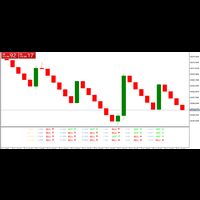
ZZA TRADE ASSISTANT This ZAA trade assistant indicator is very powerful. Here you can use this as your trading assistant . So while applying this use money management . This indicator can be use on 5 minutes timeframe, 15 minutes timeframe, 1 hour minutes timeframe and above . Try practice this on your demo account before using on real account . This indicator should apply on meta trader 5 .
FREE

Engulfing Overlap Zone by RWBTradeLab
A clean, non-repainting engulfing OVERLAP detector for MetaTrader 5 — the most selective member of the RWBTradeLab engulfing family. It finds the rare, high-interest moment when a FAILED engulfing zone is overlapped by a CONFIRMED opposite engulfing zone: trapped traders on one side, fresh confirmed pressure on the other, both at the same price area. Every overlap is sorted into 8 types and graded by how much price the two zones actually share. All from CL
FREE

Operational Logic The algorithm determines the trend by tracking the highest high and lowest low over a user-defined period. It establishes a median line and applies an Average True Range (ATR) offset to identify potential trend shifts. This approach aims to distinguish between minor price fluctuations and significant trend changes. Key Features Trend Identification: Uses price action and range analysis to define the current trend direction. Volatility Adaptation: Incorporates the ATR indicator
FREE

AE-VWAP with Rejection Bands for Daily/ Weekly / Monthly AE-VWAP is a professional custom indicator that helps you evaluate the fair price of an instrument based on trading volume. The calculation is based on VWAP (Volume Weighted Average Price), a volume—weighted average price that is widely used in intraday and medium-term analysis.
Unlike regular moving averages, VWAP takes into account not only the price, but also the volume, giving more weight to those levels where the main trading activi
FREE

TrendFuze Pro – Manual Trading Dashboard for MT5 TrendFuze Pro is a free manual trading dashboard for MT5, designed to help traders combine higher-timeframe trend bias, current-timeframe trend context, momentum conditions, and candle confirmation logic into a single, clear view. This tool does not trade automatically and does not open or close positions. It functions as a decision-support indicator to reduce analysis overload and highlight higher-probability market conditions in real time. Overv
FREE

Quantic MultiIndices Introducing Quantic MultiIndices, meticulously engineered to operate on four assets: US500, US30, Nasdaq, and DE30. Built upon the renowned concepts of breakout strategies, it is crafted to ensure precision and long term reliability . Key Features and Operational Insights: Timeframe: 1-hour (1H) timeframe.
Robust Risk Management: risks a user-specified amount of money per trade. (Default: $50).
Strategic Use of Trailing Stop and Stop Loss: Employs a volatility-based trail
FREE

FXC iRSI-DivergencE MT5 Indicator
This is an advanced RSI indicator that finds trend-turn divergences on the current symbol. The indicator detects divergence between the RSI and the price movements as a strong trend-turn pattern.
Main features: Advanced divergence settings
Price based on Close, Open or High/Low prices Give Buy/Sell open signals PUSH notifications
E-mail sending Pop-up alert Customizeable Information panel Input parameters: RSI Period: The Period size of the RSI indicator.
RSI Ap

Liquidity Sweep Indicator Smart Money Liquidity Detection for Precision Entry Overview Liquidity Sweep Indicator is a professional trading tool designed to identify institutional liquidity events using advanced Smart Money Concepts (SMC). It focuses on detecting high-probability stop-hunt movements , where price sweeps liquidity above highs or below lows before delivering the true market direction. Built for traders who want to understand why price moves — not just where Core Value

Candle Time (MT5) The Candle Time indicator shows the remaining time for the current candle on the active chart timeframe. It adapts automatically to the chart period and updates on every tick. This is a charting utility; it does not provide trading signals and does not guarantee any profit. Main functions Display the time remaining for the current candle on any timeframe (M1 to MN). Color-coded state: green when price is above the open (up), gray when unchanged, and red when below the open (do
FREE

Read-only trade export tool for MT5 investor accounts NTS Investor Reader is a lightweight companion EA for NTS Local Copier . It runs on an read-only / investor login and writes your open positions to the shared file in the same format used by the NTS Local Copier Master. No trade execution. No OrderSend. No copying logic. It simply reads open positions and outputs them for the Slave EA to follow. What it does Reads all open MT5 positions safely from an investor account. Writes them to the shar
FREE

Golden Legion EA: Conquer the Gold Market you can find my ea on fxbook search my profile kosty3 its live record
Golden Legion is a high-precision automated grid system engineered specifically for XAUUSD (Gold) . Built on the principles of Roman military discipline, this EA doesn’t just trade—it executes a strategic "march" through market volatility, turning gold fluctuations into consistent gains. ️ The Strategy: Unstoppable Precision Unlike chaotic bots that over-leverage, Golden Legion

Candle Countdown Pro – Real-Time Timeframe & Spread Tracker Love it? Hate it? Let me know in a review! Feature requests and ideas for new tools are highly appreciated. :) Try "The AUDCAD Trader":
https://www.mql5.com/en/market/product/151841 Never miss a candle close again! Candle Countdown Pro is an essential trading tool that displays real-time countdowns for multiple timeframes,
live spread monitoring , and key trading information—all in one clean, customizable panel.
Key Features:
FREE

Triple Shield EA: Trade with Unprecedented Confidence Are you tired of the market's deafening noise? Frustrated by expert advisors that jump on every false signal, only to be stopped out moments later? It's time to trade with clarity, precision, and power. Welcome to Triple Shield EA , a trading robot meticulously engineered for one purpose: to identify and ride strong market trends with maximum confidence. Our system is built on a powerful, multi-layered confirmation engine that we call the "T
FREE

Risk Manager Lot Calculator tells you the exact lot size to trade so that a losing trade costs only the amount you decide, no more. You set your risk as a percentage of the account or as a fixed money amount, and you set your stop loss by pips, by price, or by dragging a line on the chart. The panel then shows the correct position size, the money at risk, the pip value and, when you add a take profit, the reward to risk ratio and the potential profit. Position sizing is the part of trading that
FREE

One Click Close Lite 是一款專為 MT5 手動交易者與多持倉使用者設計的簡易平倉工具。
當帳戶中同時存在多張交易持倉時,不需要再逐張點擊關閉,只需要透過圖表上的按鈕,即可快速執行批量平倉。
工具提供三個主要功能:
CLOSE ALL
一鍵關閉帳戶目前所有持倉。
例如帳戶中同時存在:
XAUUSD BUY EURUSD BUY GBPUSD SELL USDJPY BUY 按下:
CLOSE ALL
工具會依序嘗試關閉目前帳戶中的全部持倉。
---
CLOSE BUY
只關閉帳戶目前所有 BUY 持倉。
例如:
XAUUSD BUY EURUSD BUY GBPUSD SELL USDJPY BUY
按下:
CLOSE BUY
則會關閉:
XAUUSD BUY EURUSD BUY USDJPY BUY
而:
GBPUSD SELL
會保持不變。
CLOSE SELL
只關閉帳戶目前所有 SELL 持倉。
BUY 持倉不會受到影響。
---
即時持倉資訊
工具面板會顯示目前帳戶的基本持倉資訊,包括:
* 總持倉
FREE

The indicator shows your profit and loss (PnL) for the current day right on your trading chart. Anchored at the top-right corner, it displays "PnL: [amount]"—green if you’re up, red if you’re down, white if it’s zero. Every time you close a trade, it updates instantly, adding up your profits, commissions, and swaps from all buys and sells trades since midnight. No fuss, no extra charts—just real-time feedback on how your day’s going.
FREE
The selective pin bar is designed to identify reversals. To use the selective pin bar effectively, traders typically look for Strong Rejection: The tail of the pin bar should extend significantly beyond the surrounding price action. It indicates that there was a sharp rejection of higher or lower prices during the trading period. A strong rejection suggests that the market sentiment may be changing.
FREE
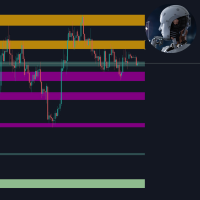
This tool is useful for indicating resistance and support levels It bases on zone in setting to identify top/bottom of candles and and draw rectangle according to those resistance/support level Beside user can edit the zone via dialog on specific timeframe and that value will be saved and loaded automatically. User can determine what strong resistance and support and make the order reasonably.
FREE

NOVA GOLD FUSION RSI + EMA 20 / EMA 100 Gold Signal Indicator for XAUUSD
Nova Gold Fusion is a professional Gold trading indicator designed for XAUUSD traders who want cleaner signals supported by both trend direction and momentum confirmation.
The indicator combines a Gold-focused price calculation engine with EMA 20 / EMA 100 trend filtering, RSI confirmation, ATR-based Entry / Stop Loss / Take Profit zones, candle confirmation, sess
FREE

Trading Companion MT5 は、MetaTrader 5 用の無料ビジュアルコンパニオンです。
チャート上に Lumo というオリジナルキャラクターを表示します。Lumo は MT5 上で確認できる市場や取引のイベントに対して、小さな視覚的リアクションを行いますが、取引そのものには一切介入しません。
主なリアクション:
• 穏やかな市場; • 上昇方向の動き; • 下落方向の動き; • 高ボラティリティ; • ポジションのオープン; • 利益ポジションのクローズ; • 損失ポジションのクローズ; • 高スプレッド; • 市場クローズ; • ターミナル切断。
キャラクターはチャートの隅に控えめに表示され、以下の簡単な設定が可能です:
• 表示位置; • キャラクターサイズ; • アニメーションレベル; • 取引へのリアクション; • 市場へのリアクション。
Trading Companion MT5 は、楽しく装飾的なチャートコンパニオンとして設計されています。トレードシグナルを提供せず、市場の方向を予測するものでもありません。
本製品は完全な読み取り専用
FREE

これは、現在のMT5ビルドに合わせて再構築・拡張され、積極的にメンテナンスされているリリースです。
移動平均線の雲が広がったり狭まったりする様子には、トレンドの強さやその勢いの衰えに関する重要な情報が込められています。しかし、バーごとに雲の幅や傾きを、目視だけで一貫して判断することは、信頼性を持って行うのが困難です。
Phoenix Moving Average Meterは、高速/低速MAの雲の角度と幅を読み取り、それぞれを直近の平均値と比較して分類するため、現在のトレンドが加速しているか、横ばいになっているか、あるいは伸びきっているかを一目で確認できます。
トレンドの読み取り方法
- スロープゲージ:MAの角度を-90(下降)から+90(上昇)まで表示
- 「幅ゲージ」:直近の平均値と比較して、5つのゾーン(非常に狭い~非常に広い)に分類
- 高速/低速MAの期間、計算方法、適用価格をカスタマイズ可能
- 強気/弱気のステータスを統合して表示
アラート
クロスオーバー、急激なトレンド変動、トレンドの弱まり、およびトレンドの過伸展(伸び
FREE

現在のローソク足がいつ引けるのか正確に把握していないと、計画していたアクション(ストップ注文の移動、予定通りのエントリー、引け直前のセットアップ確認など)を見逃しやすくなります。特に、数秒単位で動きが左右される短い時間足ではその傾向が強くなります。
「Phoenix Candle Timer Panel」は、現在の銘柄と時間足とともに、次のバーの引けまでのリアルタイムの秒単位のカウントダウンを表示するため、現在のローソク足の残り時間を常に正確に把握できます。
タイミングを鋭くする仕組み
- 次のローソク足の引けまでのリアルタイムカウントダウン(1秒ごとに更新)
- 2つのカラーモード:ローソク足の方向(強気/弱気)または時間の緊急度(引けが近づくにつれて「安全」「警告」「緊急」に変化)
- オプションで12時間表示形式を選択可能
- 引けの数秒前に設定したタイミングで、ポップアップ、サウンド、またはプッシュ通知によるアラートを表示可能
カスタマイズ
パネルの位置(自動中央揃えまたは手動でのX/Y座標指定)、各緊急度段階の色閾値、パネルを瞬時に非表示
FREE
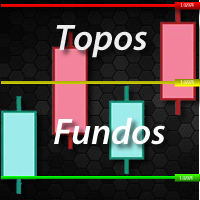
TOPOS INDICATOR AND HISTORIC BACKGROUNDS The Indicator of historical tops and backgrounds is based on the monthly chart where sharks hide so it was developed to facilitate the identification of these regions. The available features are the Incoming Triggers alerts and notifications that are sent to the mobile phone. Parameters 1-) Tops and Bottoms: You can change the color of the lines and the period in years and the filter range between the top and bottom and the median and consider th
FREE

Next Bar Countdown は、MetaTrader 5 用の高精度かつ高性能な時間インジケーターであり、トレーダーに現在のローソク足が終了するまでの残り時間を表示するために特別に開発されました。正確なタイミングは、特に新しいローソク足が開いた瞬間に決定を下す必要がある場合、多くの取引戦略において非常に重要です。 主な機能: このインジケーターは、標準的なタイマー以上のさまざまな機能を提供します。 デュアルタイムフレーム表示: 現在のチャートタイムフレームと、自由に選択できる 2 つ目のタイムフレーム(H4 やデイリーなど)のカウントダウンを同時に表示することができます。 アンチラグ技術: サーバー時間とローカルシステム時間をインテリジェントに同期することで、タイマーは完全にスムーズに動作します。市場の変動が小さい場合や、週末にティックが受信されない場合でも、1 秒もスキップすることはありません。 個別設定: フォント、サイズ、チャート上の位置は、ご自身のチャート設定に合わせて完全にカスタマイズすることができます。 視覚的な警告信号: インジケーターは、ローソク足が閉じる直前
FREE

Santa Bollinger Indicator is an efficient way to detect price retracement in any market. A common approach is to identify overbought or oversold market conditions. When the price of the asset breaks below the lower band of the Bollinger Bands, prices have perhaps fallen too much and are due to bounce. On the other hand, when price breaks above the upper band, the market is perhaps overbought and due for a pullback . Advantages Generates instant buy and sell signals. Never repaints, never back
FREE

Trader Toolkit Panel An all-in-one manual trading panel that helps you size, place, and manage your trades from a single window. It does not trade automatically and gives no buy/sell signals — you stay in full control. Think of it as a control panel for disciplined, manual trading. What it does Position Calculator — Enter your risk percentage and stop distance, and the panel instantly shows the correct lot size, your risk in account currency, and your reward-to-risk ratio. No more manual math or
FREE

TITAN Prop Guard – Prop Firm Risk Protection for MT5 TITAN Prop Guard is a risk management utility for MetaTrader 5. It helps traders stay within the daily and maximum loss limits of their prop firm. Attach it to one chart and it monitors the account equity continuously. When the configured loss threshold is reached, it closes open positions and pending orders and activates a trading lock until the next daily reset. During the lock, any new trade opened manually or by another Expert Advisor is c
FREE

Краткое описание:
Индикатор для визуальной оценки стоимости ценового движения в валюте депозита с интерактивным вводом объема сделки прямо на графике. Описание:
PriceRiskRuler — новый инструмент для оценки финансового результата движения цены перед открытием позиции.
Индикатор отрисовывает вертикальный ценовой отрезок и рассчитывает его стоимость в зависимости от заданного объема и спецификаций торгового инструмента. Основные функции: Интерактивный ввод объема: Поле для ввода лота расположен
FREE

To get started, subscribe to the RealTrend Telegram channel. t.me/RealTrendFree
RealTrend is an EA that facilitates trading for expert users.
The user's aim is to identify the right business trend
and let RealTrend suggest the placement of pending orders in strategic points
where the price will retrace and then continue its trend.
RealTrend is very simple to use and includes a single user-defined stoploss input and an intuitive chart panel.
The takeprofit is placed directly by the Bot.
risk l
FREE

GET PAID EA FREE! - Pivot Point Strategy and Scalping Robot Ultra Exepert Advisors. Open a live trading account through my partner link and receive the EA at no cost. https://one.justmarkets.link/a/tp77850g84 How to get your free EA Open your trading account using the link above. Send me your account number on WhatsApp: +91 9439939759 Or message me directly: https://wa.me/919439939759?text=Hi%2C%20I%20opened%20my%20account%20via%20your%20link.%20My%20account%20number%20is%3A%20 Smar
FREE
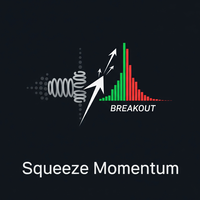
1. Introduction The Squeeze Momentum Plus is a powerful technical analysis tool designed to help traders identify periods of low market volatility (the "squeeze" phase) and assess the direction and strength of price momentum . This indicator combines the principles of Bollinger Bands and Keltner Channels to detect changes in market volatility, along with a momentum oscillator to measure buying/selling pressure. 2. Key Components of the Indicator The Squeeze Momentum Plus is displayed in a separa
FREE

Alert Line Manager – FREE is a simple and reliable MT5 indicator that alerts you when price crosses horizontal lines . Designed for manual traders who work with key price levels. Features: Alerts on horizontal line crossing Popup and sound notifications Alert cooldown to prevent spam Alerts ON / OFF button on chart Works on any symbol and timeframe Limitations: Horizontal lines only No trend lines, channels or Fibonacci No push notifications Alert Settings Alert sound file
Sound file played
FREE

The Equity Closer Bot is a custom MetaTrader 5 (MT5) Expert Advisor (EA) designed to help traders manage their account equity levels automatically. It monitors the account's equity in real-time and closes all open trades when the equity reaches user-defined thresholds. This bot is ideal for traders who want to enforce strict risk management rules, protect their account from excessive losses, or lock in profits at specific equity levels. Key Features Dual Equity Thresholds : Below Equity Clos
FREE

Back Test: Sharp Ratio 2.05;Return 220% 2025; Please check the live signal
Easy Automated Trading for AUDCAD This Expert Advisor is designed for traders who want a simple, automated, and hands-free trading system on AUDCAD . No complicated indicators.
No manual trade management.
Just attach the EA to the chart and let it work. How the EA Trades Works only on AUDCAD (focused and optimized) Trades both BUY and SELL automatically Uses a smart grid system to enter the market gradually Optiona
FREE

"Discover institutional liquidity traps before they trigger! The 3-Step Institutional Trap Indicator identifies smart money reversal patterns by detecting market sweeps, rejections, and confirmations - giving you institutional-grade entry signals with built-in trend confirmation."
The 3-Step Institutional Trap Indicator is not your typical lagging indicator. It's a sophisticated pattern-recognition tool that identifies institutional liquidity traps - those precise moments when smart mon

ZProfit Ai – Adaptive Trading Intelligence Overview
ZProfit Ai is an advanced Expert Advisor for MetaTrader 5 that applies adaptive algorithmic intelligence to capture market opportunities with precision.
It is designed for traders who want a clean, reliable, and professional trading system that responds dynamically to market changes. Backtest results will never match as entries and exits will be within the candle sensitively. Recommended Settings: 1H timeframe, 125s wait, 10candles SL...... Ke
FREE

HA Trend Flow is a professional two-stage smoothed Heiken Ashi trend indicator for MetaTrader 5.
It is designed to clearly visualize market trends , reduce noise and reliably identify sideways market phases – without repainting. Ideal for trend traders, scalpers, swing traders and multi-timeframe analysis . Key Benefits Much smoother trends compared to standard Heiken Ashi 2-stage smoothing (OHLC + Heiken Ashi) Automatic sideways / chop detection Clear neutral & doji candle identificat
FREE

Ultima Breakout Pro – Advanced Range Breakout EA with Multi-TP & Trend Filter Account Type: Recommended: ECN/Raw Spread Accounts (low spreads preferred) Minimum Balance: $200 (for 0.01 lots) Leverage: 1:30 or higher Not Recommended: High-spread accounts (avoid brokers with >20 pips spread) Micro accounts with high commission
Expert Advisor Type: Type: Breakout Trading System
Category: Trend & Range Trading
Timeframes: M5 (Best Performance), Any Timeframes
Symbols: EURUS
FREE

RBM Pivot Zones automatically detects pivot highs and lows directly on the chart, marking each level with a horizontal line and a subtle visual zone. The logic is straightforward: the indicator scans price history looking for structural tops and bottoms, the areas where price arrived, rejected, and reversed. Pivot highs in blue, pivot lows in red. Clean chart, no clutter. The indicator adjusts to any timeframe automatically. It works the same way on M5, H1, or D1 without reconfiguration. Sensiti
FREE

RSI Multi-Timeframe Dashboard shows the RSI of four timeframes at the same time, directly on your chart, so you can read momentum across the whole market at a glance instead of switching charts one by one. By default it displays the M15, H1, H4 and D1 timeframes, and every setting is configurable. Each timeframe is color coded so the current condition is easy to see, with red for overbought, green for oversold and grey for neutral. Alerts are based on the closed bar, which keeps them stable so t
FREE
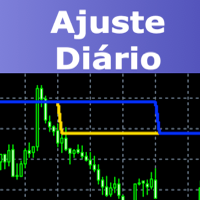
This indicator will draw two lines to represent the adjustment value, which can be used in both the Dollar and the Index.
The main advantage of this indicator is that it has two lines, one representing the adjustment calculated from the previous day and the other representing the adjustment calculated on the current day. The calculation of the adjustment on the current day is a great differential, since it will be possible to make operations in order to sleep bought or sold according to the ad
FREE

1. The principle of AsymmetryEurUsdJpy1 intelligent trading system: The asymmetrical non-balanced arbitrage in three-currency hedging is an extension and continuation of the triangular arbitrage. Triangular arbitrage is a relatively common arbitrage method that many investors have used in foreign exchange trading. Triangular arbitrage is based on the cross exchange rate, which is the basis of triangular arbitrage. The so-called cross exchange rate refers to the price of one non-US dollar curren
FREE

This Indicator represents the standard Heikin Ashi Candle converter from normal candles. They are applied on a different chart, so you can identify easily both prices. You can also change candles to your favourite colours. If you want to, you can use this indicator into an iCostum, so you can apply other indicators over this on, because there are excellent indicators combined with this type of candles
FREE

This EA turns your chart into a tactical command centre . It’s built for the trader who wants precision, speed, and safety without the "messy" code of standard indicators. Phoenix Trade Planner. This isn't just a basic script; it's a high-performance Visual Execution Engine designed to bridge the gap between "drawing a plan" and "hitting the button." Here are the core qualities and the "trader-first" benefits we’ve baked into it: 1. Zero-Friction Risk Management The Quality: Dynamic Auto-
FREE

Alligator Window Indicator : Potencialize suas análises no MetaTrader com o Alligator Window. Este indicador coloca o clássico Alligator de Bill Williams em uma janela separada, permitindo uma visualização mais clara e organizada. Ideal para traders que buscam precisão e eficiência em suas operações, o Alligator Window proporciona insights nítidos e facilita a identificação de tendências sem poluir o gráfico principal. Experimente agora e leve suas estratégias de trading a um novo patamar!
FREE

Get ready to dominate the markets with Ranger Bot! This innovative Expert Advisor uses a proven strategy to make sure you get the most out of your trades. With its precision coding tools, it identifies and executes only high-quality orders, so you can relax knowing it will handle losses with ease and secure your wins. Take control of your trading today with Ranger Bot! In breakout trading, identifying the day high or day low can be a helpful indicate to determine potential breakout levels. The d
FREE
EAVN003 – A Simple, Efficient, and Flexible Trading Solution In the world of financial trading, simplicity is often the key to effectiveness. EAVN003 is built upon the Moving Average Triple Line principle, enabling traders to quickly identify trends and make timely decisions. The system operates based on three MA lines: A BUY order is only opened when the main trend (long-term trend) is upward, and the signal is confirmed when the two signal MAs cross in the direction of the uptrend. (Conversely
FREE
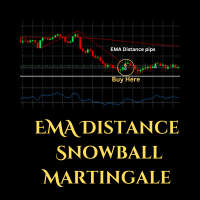
Expert Advisor (EA) that utilizes the basic EMA Distance strategy along with RSI for take profit, and employs support and resistance levels from the Zigzag indicator as stop-loss and take-profit points, you can follow these guidelines: Dow Theory Strategy : This involves analyzing trends using the Dow Theory principles, mainly focusing on identifying primary trends (bullish or bearish) and secondary trends (corrections). You'll need to implement rules for identifying these trends based on price
FREE
MetaTraderマーケットはトレーダーのための自動売買ロボットやテクニカル指標を備えており、 ターミナルから直接利用することができます。
MQL5.community支払いシステムはMetaTraderサービス上のトランザクションのためにMQL5.comサイトに登録したすべてのユーザーに利用可能です。WebMoney、PayPal または銀行カードを使っての入金や出金が可能です。

取引の機会を逃しています。
- 無料取引アプリ
- 8千を超えるシグナルをコピー
- 金融ニュースで金融マーケットを探索