 MetaTrader 5
 エキスパート
 インディケータ
 ライブラリ
ライブラリ
 ユーティリティ
 ウィジェット
 ルール
ルール
YouTubeにあるマーケットチュートリアルビデオをご覧ください
ロボットや指標を購入する
仮想ホスティングで
EAを実行
EAを実行
ロボットや指標を購入前にテストする
マーケットで収入を得る
販売のためにプロダクトをプレゼンテーションする方法
MetaTrader 4のための新しいエキスパートアドバイザーとインディケータ - 197
 自動売買ロボットは市場取引を自動的に実行しますが、インジケータを使用すると、相場をより適切に分析し、価格行動を予測できます。
これらのアプリケーションを使用すると、より多くの機会を獲得しながら、より多くの情報に基づいた方法でMetaTrader4で取引を実行できるようになります。
自動売買ロボットは市場取引を自動的に実行しますが、インジケータを使用すると、相場をより適切に分析し、価格行動を予測できます。
これらのアプリケーションを使用すると、より多くの機会を獲得しながら、より多くの情報に基づいた方法でMetaTrader4で取引を実行できるようになります。 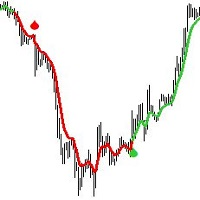
Introducing the Tear Drop Indicator: Your Gateway to Confident Forex Trading.
The Tear Drop Indicator is a powerful MetaTrader 4 tool designed to simplify trend identification and streamline entry point selection. Built upon customized Moving Average principles, this intuitive indicator offers traders an unparalleled advantage in navigating the forex market.
Key Features: 1. Customized Moving Average: The Tear Drop Indicator harnesses the power of customized Moving Averages, providing traders

The system is designed for trading on currency pairs AUDCAD,EURAUD, EURCAD and EURCHF M5 trades at 23 and 0 hours. The EA has an adaptive order tracking system that always adapts to the market, where there is no fixed take profit and stop loss, which allows you to adapt to different market situations. For some reason, the update version 1.9 indicates the added EURUSD pair in English, there is no such error in Russian, there is a EURCAD pair added there. Therefore, once again, the ADVISER trades
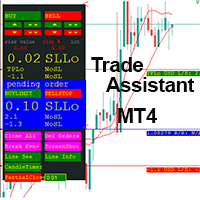
This EA is a trade management tool for Mt4 and Mt5. Mt5 version will find the Mt5 section here: https://www.mql5.com/en/market/product/80399?source=Site +Market+MT5+Utility+New+Rating006. It was to make a way for the trader to make the initial decision of when and which direction to enter. The trader decides in advance whether he wants the robot to take or stop an order. He also decides what new lot size, percent size or money size to use on each trade. On a live chart you can place a t

This trading expert advisors trades best on XAUUSD minute 5 timeframe. Maintains a constant account growth and runs best on low spread and commission based accounts. Uses Martingale & perfect hedging to recover unprofitable positions ensuring no loss. Its consistent perfomance curves proves the record for itself in reliability and consistency plus its unique market analysis ensures quick extraction of profits by scalping the markets. Advising to be used as it is to reduce risk and for healthy t

A multi-currency scalping robot at night. In the second version, only EURCHF is traded. Signal version 1.0 (Multiplier = 1) Night Zen - the night scalper uses low-volatility areas on the chart to search for a potential price reversal. The Expert Advisor enters the market with only one transaction if all conditions are met. To protect trades, the EA sets a fixed Stop Loss. The adviser can close a deal both on Take Profit and on the strategy embedded in it. The Expert Advisor trades on the m15 tim
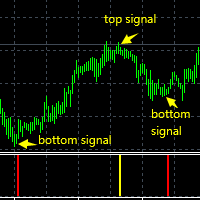
The super trade signals channel index system automatically calculates the supporting lower track and resistance upper track according to the fluctuation amplitude of K-line at this stage and the position of space.
The super trade signals channel indicator system will automatically calculate and detect the supporting lower rail line and resistance upper rail line at the position of K line in real time. When the price of K line touches the supporting lower rail line, it will automatically prompt

This trading expert advisors trades best on GBPNZD minute 5 timeframe. Maintains a constant account growth and runs best on low spread and commission based accounts. Uses Martingale & perfect hedging to recover unprofitable positions ensuring no loss. Its consistent profit curves proves the record for itself in reliability and consistency plus its unique market analysis ensures quick extraction of profits by scalping the markets. Advising to be used as it is to reduce risk and for healthy tradi
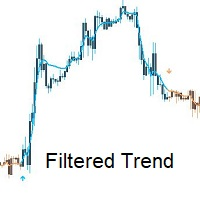
Introducing Filtered Trend: Your Reliable Companion in Forex Trading.
Filtered Trend is a powerful MetaTrader 4 indicator that revolutionizes trend identification and entry point selection in the forex market. Built upon customized Moving Average principles, this intuitive indicator offers traders a simple yet effective tool for navigating the complexities of currency trading.
Key Features: 1. Customized Moving Average: Filtered Trend leverages customized Moving Averages to provide traders wit
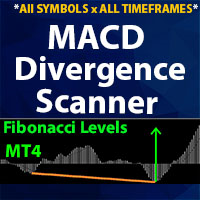
** All Symbols x All Time frames scan just by pressing scanner button ** *** Contact me to send you instruction and add you in "Divergence group" for sharing or seeing experiences with other users. Introduction MACD divergence is a main technique used to determine trend reversing when it’s time to sell or buy because prices are likely to drop or pick in the charts. The MACD Divergence indicator can help you locate the top and bottom of the market. This indicator finds Regular divergence for pul
http://onlineskoleniakurzywebinareburza.cheapindex.com/happy77-system-3-robot-2-in-1-en/
See new video Nasdaq100 from 25K TO 80K IN 3 MONTH,UK100,Forex reults https://youtu.be/z4A0i-EJDuE System3 use Move average+own indicators,+Our Science Reseach rules +special functions for save+reduce drawdown We trade it success 20 yrs.
Contact us on mesenger -Profitable setting set files from us free you need know buy or sell for product from chance for more profits
Aviable profitable setting tested ab
[ MT5 Version ]
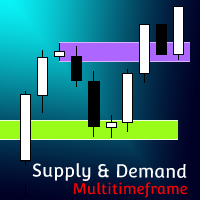
Supply and Demand Multitimeframe Supply and Demand Multitimeframe is the first indicator in the market that combines multiple aspects like trading volume, price structure and momentum to identify Supply and Demand zones for every asset. The Supply and Demand indicator analyzes simultaneously up to 4 different TFs and represents their information in the current graph. Its interactive UI highlights everytime the price enters a Supply or Demand zone even if the zones are not visibl
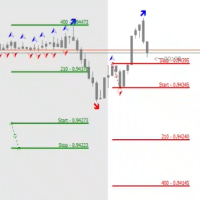
The STP Trade Manager is a utility tailored to the ST Patterns strategy by Vladimir Poltoratskiy ( www.stpatterns.com )
While specifically made for this strategy, it can also be used for other trade management. Especially when you have a need for quickly making trades and risk management.
It is a huge time saver and helps in quickly drawing the different ST Patterns corridors.
People familiar with the ST Patterns strategy will recognize and above all; appreciate the functions of this EA.
This

A complete Session Timer that shows the current time, session information with remaining time, chart display of range (high-low) and open price, of current and previous sessions for major markets, and option to add an additional city. A friendly user interface with clickable icons, customizable panel location and format, selection of colors and text. It automatically handles the DST (daylight saving) settings. It also shows the GMT/UTC and server (broker) time. And includes a Candle timer option
FREE
Cross Perfect Trend Signal is an indicator that generates trade arrows. It generates trade arrows with its own algorithm. These arrows give buying and selling signals. The indicator certainly does not repaint. Can be used in all pairs. Sends a signal to the user with the alert feature.
Trade rules Enter the signal when the buy signal arrives. In order to exit from the transaction, an opposite signal must be received. It is absolutely necessary to close the operation when an opposite signal is r
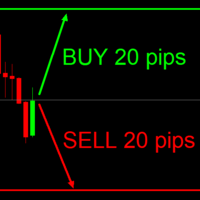
This indicator is very useful for day traders or short term traders. No need to calculate the number of pips manually, just look at the chart and you will see the Virtual Take Profit / Virtual Stop Loss target line and evaluate whether the entry point is feasible to reach the intended target or not.
Enter the intended Take Profit / Stop Loss pips for your trade. The indicator will display Virtual Take Profit / Virtual Stop Loss lines for you to easily see if the target is feasible or not.
FREE

BUILD YOUR GRID
The expert is a system to help any trader to make a grid of orders (without martingale, lite martingale, or full martingale) easy and simple. Please make your test to find your settings. Default settings are just to take an idea of how the expert works. The expert can make according or contrary grid of orders. You can set the expert to work in hedge mode if the losses are huge. The system uses a high-risk strategy. It's better to test it first in a demo account.
Version for MT5
FREE
Trend easy простой трендовый индикатор в виде гистограмы. окно индикатора разделено на две части верхняя гистограма движение в бай, нижняя гистограма движениие в сел. Кроме гистограмы, сигнал индикатора дублируется на графике стрелками. В меню индикатора имеется количество баров в истории индикатора
значения периода для определения тренда разрешение рисования стрелок на графике код и цвета стрелок алерты и отступ стрелок
FREE

A simple and useful Current Price Panel, which displays magnified current Bid, Ask prices and spread, movable anywhere on chart window using the mouse. Also provides an option to have as text at a static location showing bid or ask price along with spread, shown at any location on the chart. Allows display as pips or points along with spread highlighted in distinct color if it crosses the threshold point for the previous 100 ticks. Includes an option to show or hide the last digit (pipette) of t
FREE

Gold Ranger is a fully automatic trading robot. It uses market trend to send orders and uses averaging only for recovery purposes. This robot is specifically designed for Gold or XAUUSD with H1 time frame, but it also can be used in all time frame and all trading pairs.
Setting Parameters: Expert Name - EA name and trades comment. Magic Number - EA identification number to identify trades. direct - Open position direction. Lotsize - Lot size. AutoLots - True will turn on auto lot calculation.

Торговая стратегия. Советник применяет в торговле 4 трендово-сеточные стратегии с различными параметрами. Тем самым обеспечивается распределение рисков по торговым объемам в рынке. Авторская система определения тренда и учет волатильности торгуемой пары позволяют автоматически подстраиваться советнику под настроения рынка. Используется автоматическая фиксация убытка при достижении заданной в настройках просадки. Доступно широкое количество фильтров сигналов, которые позволяют минимизировать лож

Sistema de trading automático adaptado a la volatilidad de la sesión de New York. Se basa en la ruptura de un rango de baja volatilidad con el objetivo de aprovechar diariamente el movimiento fuerte de la sesión americana. El sistema cuenta con parámetros de manejo de riesgo por porcentaje, parámetros de Stop Loss, Take Profit, Break Even, Tambien cuenta con parametro para cantidad de operaciones diarias y validación de entrada por cierre de vela o ruptura de precio.
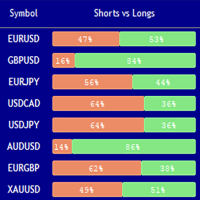
Market Sentiment Indicator Market Sentiment is a Trading Tool which allows you to see the positions of other currency traders. Until now, only institutional traders had access to such data which gave them a serious advantage over retail traders because of obvious reasons. With Market Sentiment, you too will finally know what other traders are doing which makes it easy to beat them on the forex battlefield.
Data comes from MyFxbook Community Outlook data feed and is based on up to 100 000 live

Benefits of the Surfboard indicator :
Entry signals without repainting If a signal appears and is confirmed, it does NOT disappear anymore, unlike indicators with repainting, which lead to major financial losses because they can show a signal and then remove it. perfect opening of trades The indicator algorithms allow you to find the Peak and floor position to enter a deal (buy or sell an asset), which increases the success rate for each and every trader using it. Surfboard works with any asset

Time frame: M1
Leverage : Higher the better
Spread: Lower the better
Account type : All types
(EA may enter hedge positions, if you want to disable this feature deactivate either Buy, or Sell from the setting)
Please please do not take unnecessary risks. (Trading is risky, and there are no guarantees for winning)
We wish you successful trading. (Trading is risky, and there are no guarantees for winning
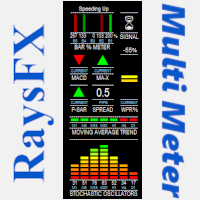
Questo indicatore è studiato per analizzare:
Lo Stochastic Oscillators , la Moving Averages , il MACD , il crossover MA , e per finire i Parabolic SAR. Il tutto viene racchiuso in un grafico che indicherà con frecce e spettri il momento ideale per aprire un trade. "La precisione dei segnali dipende sempre dai valori impostati, con i valori stock si ha un ottima affidabilità "
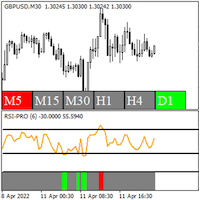
RSI Pro Indicator - Shows accurate RSI signals with modifiable price applications - Shows accurate RSI overbought and oversold levels - Shows multiple timeframe RSI overbought and oversold conditions on a single chart - 3 green bar sections in a row is an uptrend pattern - 3 red bar sections in a row is a downtrend pattern
The RSI Pro Indicator is a highly useful tool for determining overbought and oversold conditions and spotting RSI patterns, as well as spotting overbought and oversold condi

Esse indicador mede o 1º Canal de referencia e a 1º Zona Neutra * configurar o canal macro para verificar a frequencia MAIOR H1 H4 1D * configurar o canal micro para verificar a frequencia Menor 1M 5M 15M Como instalar o Indicador fimathe. E uma pré mentoria tem uma estrategia Secreta bonus nesse video . assitao o video para enteder as logicas que podemos iniciar com esse indicador.
https://www.youtube.com/playlist?list=PLxg54MWVGlJzzKuaEntFbyI4ospQi3Kw2
FREE

Simple Order Panel for calculating actual lot size with fixed risk amount. Working on both Market orders and pending orders. Notify Line Application when an order is opened or closed. Automatic set up Stoploss and Takeprofit with Risk Reward Ratio. Open one order with the risk(amount) per trade or separate the bet into three orders in one click. Involuntary modification Stopsloss to Breakeven when the Market takes the first or second-order profit. Filter button Buy or Sell when Moving Averate C
Индикатор Strong Reversal Points H1 показывает стрелками сильные разворотные точки на таймфрейме H1. Индикатор не перерисовывает! Для максимального винрейта торгуйте только на таймфрейме H1 и только 3 (три) основные валютные пары: EURUSD, GBPUSD, USDCAD! Обязательно! Перед торговлей или тестом (прогоном в тестере) убедитесь в том, что в вашем терминале MT4 установлен правильный час открытия торгов в Нью-Йорке (параметр Terminal_NewYork_Open_Hour). Нужен час открытия Нью-Йорка именно по времени в

This is a fully FIFO compliant EA that performs money management as well as risk management. It is ideal for American residents who deal with FIFO limitations and low 1:50 leverage. The EA entry point is fully customizable and traders can conveniently modify the inputs to serve their own risk apatite. Here is the signal I created to track the progress of this EA live: https://www.mql5.com/en/signals/1491511 Since it uses martingale strategy, a gradual delay strategy is defined in the EA that clo
積極的な取引の専門家であるドンを紹介します。これは多方向システムであり、すべての時間とすべての通貨をカバーし、ドローダウンコントロールを備えています。 このシステムは、私のマーチンゲール ロジックの 1 つを使用して、より短い時間とより長い時間で何が起こるかを追跡します。また、ドローダウンに介入する必要があるかどうかも決定されます。多くの人がマーチンを好まないことはわかっています 彼らはアカウントを書き込むことに慣れていますが、私のシステムは違うと信じてください。これはエラーをカバーし、常に動作を続けるために実装されたロジックです。これらのシステムは DD が高くなる可能性があるため、内部 それを制御するために設計されたシステム、市場で最も利益を生み出すのはマーティン社であることを忘れないでください。
グリッド取引の高度な技術を使用した攻撃的なシステムで、市場全体を管理します。最も高度な技術は、エントリーとエグジットのどちらかを制御する保護であるため、ドンヒットでエントリーすることができます。つまり、積極的にエントリーします。 ただし、継続的に累積的な防御を行う厳密かつ複雑なシステ
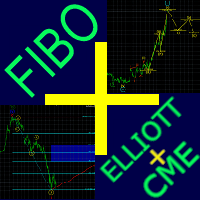
Fibo + Elliott + CME
The Expert Adviso r is designed as an assistant for manual trading. Ready-made trading system based on Elliott waves and Fibonacci retracement levels . It is simple and affordable. Display of the marking of Elliott waves (main or alternative option) on the chart. Construction of horizontal levels, support and resistance lines, a channel. Superposition of Fibonacci levels on waves 1, 3, 5, A Display data from CME (CME - Chicago Mercantile Exchange Chicago Mercantile Excha

僕自身が数年間使っている便利なロボットをご紹介します。半自動モードでも完全自動モードでもお使いいただけます。 >>> Chat <<<
当プログラムは経済指標カレンダーで発表されるニュースをもとにした取引の柔軟な設定が可能です。戦略テスターでは確認不可です。実際の取引のみです。端末の設定メニューを開いて許可URLリストにニュースサイトを追加する必要があります。サービス > 設定 > エキスパート・アドバイザーをクリックしてください。”次のURLの WebRequestを許可する:"にチェックを入れてください。次のURLを追加してください(空白は削除します): https:// nfs.faireconomy.media
最新の設定アーカイブをダウンロードしてください: https://www.mql5.com/en/blogs/post/747929 シグナルモニタリング: https://www.mql5.com/en/signals/author/test-standart 当該エキスパート・アドバイザーのためのカスタマイズ設定セットを作る場合は、ブログの全パラメー
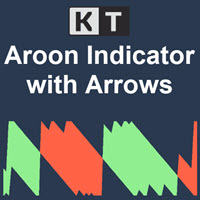
KT Aroonオシレーターは、Tushar Chande氏が1995年に開発した元のAroonオシレーターを改良したバージョンです。現在の高値および安値間の時間間隔を測定し、その情報をもとに市場トレンドの方向と強さを計算します。 このインジケーターは、上昇トレンド中には連続して新高値が形成され、下降トレンド中には新安値が形成されるという概念に基づいています。 買いシグナル: Aroon UpラインがAroon Downラインを上抜けたとき。
売りシグナル: Aroon DownラインがAroon Upラインを上抜けたとき。
特徴
チャート上にAroonシグナルを示す上下の矢印を表示。 市場のトレンドを効率的に表示。 シンプルで視認性が高く、チャートが煩雑になりません。 すべてのMetaTraderアラートに対応。
入力項目 期間: Aroon UpおよびDownラインの計算に使用される期間。 上下矢印の表示: Trueに設定すると、各新しいシグナルでチャートに矢印を表示します。 アラート設定: ポップアップ、サウンド、モバイル通知、メールなどの各種アラートを設定可能。
Ar
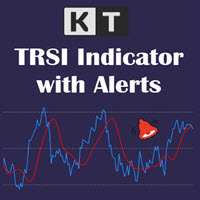
KT TRSI は、RSI(相対力指数)、EMA(指数移動平均)、SMA(単純移動平均)を組み合わせて作られたオシレーターです。従来のRSIと比較して、TRSIはSMAのスムージング効果により、偽のシグナルに対する感度が低くなります。また、MetaTraderのすべてのアラート機能にも対応しています。
シンプルなエントリールール
買い:青いライン(RSI)が赤いライン(TRSI)を上抜けたとき。 売り:青いライン(RSI)が赤いライン(TRSI)を下抜けたとき。
高度なエントリールール 買い:青いライン(RSI)が売られすぎレベルを下回り、その後再び上回り、赤いライン(TRSI)と強気のクロスオーバーが発生したとき。 売り:青いライン(RSI)が買われすぎレベルを上回り、その後再び下回り、赤いライン(TRSI)と弱気のクロスオーバーが発生したとき。
より正確な判断を行うには、TRSIに加えて他のインジケーターや確認シグナルを併用することが重要です。
TRSIの計算式
トリプルEMA = RSIのEMAのEMAのEMA。 TRSI = トリプルEMAのSMAを3バー右にシフトしたも

チャート上でボリンジャーバンドへのタッチを監視 KT Bollinger Bands Alert は、上部、中央、下部のボリンジャーバンドを表示し、現在のローソク足が選択したバンドに触れたかを監視します。取引手法に必要なバンドイベントを有効にしておけば、ほかの市場に集中している間も重要な瞬間を通知で確認できます。 3本のバンド価格を常に確認 オプションの価格タグは、上部、中央、下部バンドの現在値に合わせてチャート上を移動します。各バンドの色も個別に設定できるため、外側の境界と中央の基準線を自分のレイアウト内で見分けやすくできます。 計算方法とアラートの流れを設定 ボリンジャー設定: 期間、偏差、シフト、適用価格を調整できます。 チャート履歴: バンドを表示する過去のバー数を選択できます。 バンド選択: 上部、中央、下部バンドのアラートを個別に有効または無効にできます。 アラート間隔: タッチ通知の繰り返しを調整するため、アラート間の最小分数を設定できます。 必要な方法でアラートを受信 選択可能なサウンドファイル、ポップアップ、メール、モバイルプッシュ通知を自由に組み合わせて使用できます

KT SuperTrend は、価格チャート上に分かりやすい一本の方向ラインを表示します。上昇トレンドではラインが価格の下を階段状に進み、値動きを追うための基準になります。下降トレンドではラインが価格の上に移動し、市場の下落に合わせて進みます。価格との距離は Average True Range を基にしているため、ボラティリティの拡大や縮小に応じて変化します。 ローソク足が SuperTrend ラインの反対側で確定すると方向が変わります。ラインより上での確定は上昇トレンドのシグナル、下での確定は下降トレンドのシグナルです。最新シグナルの方向とエントリー価格もチャートに表示されるため、過去のローソク足を探さなくても現在の状態を確認できます。 チャートを三段階で確認する 現在のラインを確認: ラインが価格の下にあれば上昇方向、価格の上にあれば下降方向の見方を支えます。 時間足を比較: 内蔵スキャナーは M1 から月足までの SuperTrend の方向を表示します。実際に取引する時間足の方向がそろっていると、全体像を判断しやすくなります。 直近の変化を確認: チャート上の最新シグナルと
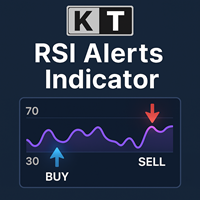
KT RSI Alerts は、RSI(相対力指数)オシレーターをベースとしたカスタムインジケーターで、次の4つのイベントに基づいたシグナルとアラートを提供します。 RSI が買われすぎゾーンに入ったとき。 RSI が買われすぎゾーンから出たとき。 RSI が売られすぎゾーンに入ったとき。 RSI が売られすぎゾーンから出たとき。
特徴 RSI が買われすぎ・売られすぎゾーン内でどのように動くかを分析するトレーダーにとって最適な選択肢です。 軽量に設計されており、パソコンのメモリやリソースをほとんど消費しません。 MetaTrader のすべてのアラート機能に対応しています。
相対力指数(RSI)の歴史 RSI は J・ウェルズ・ワイルダーによって開発され、1978 年に出版された著書『New Concepts in Technical Trading Systems』および同年 6 月号の『Commodities』誌で初めて紹介されました。RSI はモメンタム・オシレーターの一種であり、価格変動のスピードと大きさを測定します。上昇終値と下降終値の比率からモメンタムを計算する仕組み

市場方向をひと目で確認 KT Trend Filterは、改良されたトレンド分析方法を価格チャート上の見やすい色分けラインとして表示します。複数のインジケーターを重ねなくても、市場が上昇、下降、横ばいのどの状態にあるかを素早く確認できます。Trend Periodの初期値は200で、広い方向性を捉えながら現在の状態を明確に表示します。 トレンド方向を分かりやすい視覚情報に変換 青のUptrend: 強気の市場状態を示し、ご自身の戦略に合う買い機会へ集中しやすくします。 サーモン色のDowntrend: 弱気の市場状態を示し、ご自身の戦略に合う売り機会へ集中しやすくします。 カーキ色のSideways: トレンド条件が明確でない場面で、持ち合いや方向の混在を見つけやすくします。 取引中のチャートで、エントリー、ポジション管理、時間軸の整合を確認する素早い視覚フィルターとして活用できます。 9つの時間軸で全体像を確認 オプションのMTF Scannerは、M1、M5、M15、M30、H1、H4、D1、W1、MN1についてUptrend、Downtrend、Sidewaysを表示します。チャ

KT Forex Volumeは、通貨ペアの買いと売りのボリュームをカラーのヒストグラムで表示します。ボリュームとは、資産の買い取引と売り取引の総量を指します。 FX市場では: 買いのボリュームが売りのボリュームを上回ると、通貨ペアの価格は上昇する傾向があります。 売りのボリュームが買いのボリュームを上回ると、通貨ペアの価格は下落する傾向があります。
特徴 ティックボリュームのデータを用いてトレードを確認することで、不利な取引を回避できます。 大口トレーダーの流れに沿ったトレードを支援します。 すべてのMetaTraderアラートに対応しています。
ティックボリュームの活用 他の市場と異なり、スポットFX市場は中央集権化されていないため、リテールトレーダーにとって正確な取引ボリュームデータを得るのは困難です。 ベテランのFXトレーダーであるCaspar Marneyは2011年に論文を発表し、ティックボリュームと実際の取引ボリュームとの間に高い相関と精度があると結論付けました。
ヒストグラムの計算式
KT Forex VolumeインジケーターはChaikinオシレーターを基にし
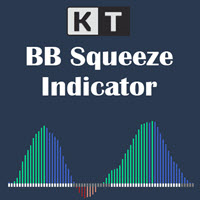
モメンタム拡大の前にボラティリティの収縮を確認 KT BB Squeeze は、ボラティリティの状態とモメンタムの方向を一つの見やすいオシレーターにまとめます。Bollinger Bands と Keltner Channels を比較して市場が収縮中か拡大中かを示し、ヒストグラムでゼロラインを基準にモメンタムの変化を確認できます。 灰色のドット: Bollinger Bands が Keltner Channels の内側にあり、スクイーズまたは収縮局面を示します。 白色のドット: Bollinger Bands が Keltner Channels の外側にあり、拡大局面を示します。 ゼロラインを基準に四つのモメンタム状態を読む 色分けされたヒストグラムが方向と強さを分けて表示するため、強気または弱気のモメンタムが増しているのか、弱まり始めているのかを把握できます。 緑色のバー: 強気モメンタムがゼロより上で上昇しています。 青色のバー: 強気モメンタムはゼロより上ですが弱まっています。 赤色のバー: 弱気モメンタムがゼロより下で強まっています。 サーモン色のバー: 弱気モメンタム
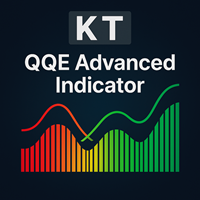
KT QQE Advanced は、クラシックな QQE オシレーターを改良し、カラー ヒストグラムと高速・低速のトレーリングライン(TL)でより正確に視覚化するインジケーターです。
従来の QQE と異なり、KT QQE Advanced はヒストグラム形式で表示され、買われ過ぎ・売られ過ぎレベルを明示します。
活用例
MTF スキャナーで全タイムフレームの売買シグナルを素早く検出。 トレンド方向をより正確に把握。 買われ過ぎ・売られ過ぎの市場状態を特定。 価格モメンタムの強弱を可視化。
入力パラメータ RSI 期間 平滑化期間 MTF スキャナー アラート設定
QQE とは? QQE は Quantitative Qualitative Estimation の略で、超スムーズ RSI と ATR を組み合わせたオシレーターです。 クラシック RSI の代わりに Wilder RSI を採用し、独自の指数平滑移動平均でスムージングを行います。 Wilder の平滑式 = 前回 MA + (1 / n × (終値 − 前回 MA))

Indicator of EARLY determination of the beginning of a new trend.
In addition, the indicator determines the global direction of the trend by the number of points: if there are more green dots (parameter Calculation of the global trend) - the trend is up; if there are more red dots, the trend is down.
The indicator does not redraw on the first candle.
The indicator can be used as an independent trading system, and as an addition to any other trading system.
The indicator can be used on any t

Ready trading strategy. The indicator shows price reversal points on the chart. In places of a possible price reversal, the indicator draws an arrow. If the indicator draws a green arrow, then the price will move up. If the indicator draws a red arrow, then the price will move down. The indicator also draws an average line on the chart. It is displayed in yellow. With a probability of 95%, if the indicator draws a green arrow, and the price is below the line, then in the near future the price w

Trading with the help of the MACD indicator has become even more convenient. Flexible settings will help you choose what you really need in your trading. Use the strategy that you need - the indicator uses 3 strategies. Download the demo right now! I recommend watching my advisor - Night Zen EA Subscribe to my telegram channel, link in my profile contacts - my profile See also my other products on mql5.com - my products Advantages of the indicator: In this indicator, the interpretation of th
FREE

OCTO TACK TREND INDICATOR
Summary/Description: Trend indicator showing signals to execute orders in favor of the current trend Get ready to have the best trend indicator you've ever tried. No repainting in any way, guaranteed It generates clear signals and always in favor of the trend (see screenshots) You just have to wait for the alert to indicate it and earn pip Are you tired of indicators that never work? Here we have the solution, try the free version and if you want to have more signals
FREE

OCTO TACK TREND PRO INDICATOR Summary/Description: Trend indicator Shows signals that tell you the current market trend Shows different signals to execute orders in favor of the current trend
Get ready to have the best trend indicator you've ever tried. It does not repaint in any way, once a signal has been captured, it remains there until it is finalized. It generates clear signals and always in favor of the trend (see screenshots) Just be attentive and wait for the alert to tell you when a ne

This Expert Advisor is used in tandem with the FiboMagic Pro indicator https://www.mql5.com/ru/market/product/64978?source=Site +Profile
The FiboMagic Pro indicator shows you:
1) Which way to trade 2) Clear entry point criteria for breaking the counter-trend line in the Fibonacci structure 3) Clear exit criteria based on levels
The FiboMagic Auto Expert Advisor provides you with automatic trading based on the signals of the FiboMagic Pro indicator, namely:
- analyzes the breakout of the cou
A really simple strategy for be trading using M15 for EURUSD. Really impressive results... you just need to care your risk managment according to your account balance. Just one order at once... We suggest London and US opening hours. As you will see we are using GMT-3 for our operations... and a little volume and price action with Average True Range indicator in order to make decisions. Any additional question, just let me know.
Simple indicator that supports decision makers. You will have the candles directions for different timeframes on your screen. That will allowed you to be one more scenario to analyze before you open your orders. In case you would like to have more details, just let me know.. so we can add it to the chart. Multicurrency that in inform you the directions for multi-timeframes!

The Expert Advisor Risk Manager for MT4 is a very important tools for every trader, to manage his trading risk and keep the Balance safe.more than 60% of the Trader lose their investment because they don`t manage the risk very well. With the Risk Manager Expert Advisor, you will be able to control your risk in your trading account. Risk and profit control can be carried out both in monetary terms and in percentage terms.
For the Expert Advisor to work, simply attach it to the currency pa
An indicator for you follow the trend. We are providing a group of indicators that can support you decisions...
At this one you are having access to the trend indicator. Please review the others indicators for trend availables... That you give you the ability to understand the market flow and also you will be developing your pacience...
Trend the market as professional... We are using the Average True Range Indicator! Hope you enjoy.
An indicator for you follow the trend candles.
We are providing a group of indicators that can support your decisions...
At this one you are having access to the candle trend indicator. Please review the others indicators for trend availables...
That you give you the ability to understand the market flow and also you will be developing your pacience... Trend the market as professional...
We are using the Average True Range Indicator! Hope you enjoy.

The market eagle - it is a Secure Automated Software for trade Forex market and indices. This EA takes perspective of the market looking like an eagle. From a distance, observe the entire market amphitheater detecting the entry points and the best points to implement the algorithm based on the set that we indicate in the input.This system allows us to use the key points of the market to adapt them to our algorithms, trend and countertrend.The system uses multiple lot depending on the algorith
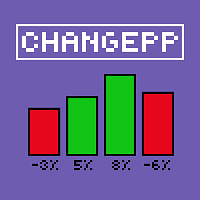
About the ChangePP indicator
The ChangePP indicator displays the percentage price change for the selected period according to the selected parameters and builds the corresponding bars in the indicator subwindow.
Clicking on a bar or pair name opens the corresponding chart with the period specified in the input parameters.
Without a doubt, the ChangePP trading indicator will be useful for traders using the correlation of currency pairs, as well as for analyzing the situation on the market.
FREE

StatBar 1.6 Indicator showing balance, earnings for today, yesterday and the day before yesterday. The indicator also shows: - Server; - GMT; - Server time; - Shoulder; - Spread.
Description of variables: extern int Magic = "-1"; // Magic for statistics -1 = all 0 = manual extern string Symboll = "-1"; // Symbol for statistics -1 = all 0 = current EURUSD = for EURUSD
FREE

Night scalping trading in the horizontal Bollinger channel. No risky strategies. All trades are protected by a stop loss. Accounting for the features of real accounts. It is possible to work with a minimum initial deposit of $10. Strategy. At night, near the rollover, market movements usually slow down, since at this time there are no strong disturbing factors. Price movements become small, but quite predictable. As a rule, they have the form of harmonic fluctuations. These movements can be used

The Week7D indicator helps traders identify the day of the week on a price chart. It simply marks each period or each candle as the day of the week at the start of a new trading day. This allows traders to watch how prices move on any given day.
The Week7D indicator has several customization options that traders can use to change the visual representation of the indicator.
The variable "BarCount" changes the number of days during which the indicator will indicate the day of the week in each d
FREE
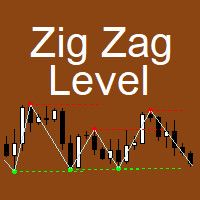
The indicator implements the author's approach to the construction of the popular "Zig-Zag" indicator.
The advantages of the "ZIgZag Level" indicator is that it filters out market noise and shows levels.
"ZIg Zag Level" is based on peaks and troughs, displays levels.
These levels can be disabled and configured.
The indicator displays the price of the level, the price tag can be disabled.
The "zigzag" line between the points can also be disabled.
The indicator has a built-in notification s

TrendMMK is an extremely simple indicator. The Buy and Sell signal changes as soon as the indicator flips over the closing price. When the TrendMMK closes below the Price, a Buy signal is generated, and when the TrendMMK closes above the Price, a Sell signal is generated.
TrendMMK is a trending indicator, and like all trending indicators it works well in trending markets. However, it does give lesser false signals than a lot of other indicators and hence if you are an intraday trader who want

Eakao is a trending following EA. This EA uses some custom indicators to detect entry signal. There are 2 trades opened per signal, one trade has fixed take profit, EA will use breakeven and trailing stop for another trade. The fixed stop loss and take profit are always set for each trade. Beside stop loss, this EA uses an exit indicator to exit the trade before stop loss or take profit are triggered. This EA has smart money management. Users only need to determine the accepted loss for each tr

Levels Pro System рассчитывает канал движения цены, учитывая волатильность инструмента, бары и тренд, - и на основании расчетных данных показывает тренд и чертит уровни поддержки/сопротивления в очень удобном визуальном представлении. В индикатор встроена система определения критических точек (критических баров), которая позволяет трейдеру значительно проще выявлять истинный пробой уровня, ложный пробой, отскок от уровня, возможный сигнал на ранней стадии движения цены итд. Таким образом, торгов

Grid trading is executed when orders are placed above or below a set price, creating a grid of orders with rising and falling prices. Our patented trader makes it possible to open new grids at the average price, thereby increasing the chances of recovering a negative floating balance.
Unlike other trading strategies, our focus is on decreasing Bollinger bands. This means that if the market has abruptly moved into a region and is weakening, it is more vulnerable to a reversal. This innovative a

Этот индикатор является уникальным в своём роде, больше всего подходит для скальпинга на XAUUSD а также для торговли на более старших таймфреймах!
Уведомление сообщит самые важные точки входа, поэтому следует торговать по тренду. Идеален для скальпинга! The Best Trend Signals - трендовый мультивалютный индикатор, может использоваться на любых финансовых инструментах валюта, криптовалюта, металлы, акции, индексы. Рекомендуемый тайм-фрейм M15, M30, H1, H4, D1.
Как торговать с помощью индикатора
FREE

ATR Scanner Pro is a multi symbol multi timeframe volatility scanner that monitors and analyzes Average True Range indicator value in up to 28 symbols and 9 timeframes in 3 modes : ATR value: As a volatility dashboard it shows the ATR indicator value in all pairs and timeframes and signals when the ATR value reaches a maximum or minimum in a given duration. Short term ATR/Long term ATR ratio: It shows ratio of 2 ATRs with different periods. It's useful in detecting short term volatility and e

Leave a review for this product, and receive another "Free" product that you want. You can see my other products here: https://www.mql5.com/en/users/zakri/seller
Grid Wizard EA has 4 built-in strategies that are really powerful. This EA is a winner EA. It can work on every symbol and timeframe, preferably H1.
Tests show it was profitable since 2010.
Entry Mode:
Both Directions, Same Basket - This strategy opens buy and sell trades at the same time, they are closed together.
Both Directions, S
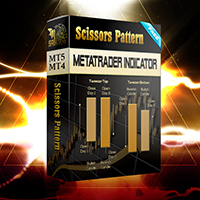
Configure scaffolding charts and signals based on the scissor pattern, which works great at low times.
Buy and sell signs based on 2 previous candle patterns
It works on the active time form, and when detecting the pattern in 4 time frames, 5 minutes, 15 minutes, 30 minutes and one hour, the alert can be set to notify us of the formation of this pattern.
MetaTrader version 5 click here
How to use:
When there is an opportunity to buy or sell, the marker places a scissors mark on the candlest
FREE

Simple Strategy Checklist Panel, as its name suggests, is a panel that works as a checklist, and can place up to twenty lines of text. This was created for traders who want to have their trading plan or to-do list at hand, a simple but useful product for many.
I will write this pointless paragraph since Metatrader asks me to put a minimum of 6300 characters, so I also explain that the list can also be used to make purchases from the supermarket! Example bread, milk, flour and much more... Enjo
FREE

Представдяю вашему вниманию Trall StopLoss. Посмотрим что он умеет;)
#Order сразу выставляем в 0!!!
#Start это через сколько пунктов начнет срабатывать трал.
#Distance первая дистанция с которой начинает работать трал.
#DistanceTrall это стандартный трал, который просто смещает StopLoss на заданное количество пунктов.
#SL устанавливает StopLoss на заданное количества пунктов.
#MultiplicationTakeProfit устанавливает TakeProfit = SL*MultiplicationTakeProfit
#Trall а вот здесь начинается ин
FREE

Super Turbo AI is a Multi Currency Trading Robot which has been carefully designed and rigorously tested for successful and consistent long term trading activities with each trade been potentially profitable. The over twelve years Optimization and back testing stages have both been well completed and default setting is best suited to the EURUSD pair. Attached also is the same EURUSD setting which can continually be used for months and even years to come (please visit the Comments section to dow
MetaTraderマーケットは、履歴データを使ったテストと最適化のための無料のデモ自動売買ロボットをダウンロードできる唯一のストアです。
アプリ概要と他のカスタマーからのレビューをご覧になり、ターミナルにダウンロードし、購入する前に自動売買ロボットをテストしてください。完全に無料でアプリをテストできるのはMetaTraderマーケットだけです。

取引の機会を逃しています。
- 無料取引アプリ
- 8千を超えるシグナルをコピー
- 金融ニュースで金融マーケットを探索