CopyTrade MT4
- エキスパート
-
Veridiana Adorno Kendrick
 外国為替取引の成功は、特にXAUUSDなどの高いボラティリティのペアにおいては、正しい原則を学び、適用する意志のある人には達成可能だと私は確信しています。私の使命は、他のトレーダーに力を与え、知識を共有することで、財務の自由を望むすべての人がグローバル市場で繁栄するために必要な自信を得ることです。
私に加わって、一緒にトレードへの情熱を収益性の高い充実したキャリアに変える方法を発見しましょう。真の専門家の専門知識と指導は、あなたの手の届くところにあります。それこそが、忍耐と挑戦を乗り越えるプロセスが成功の鍵です。 - バージョン: 1.0
- アクティベーション: 5
Place Forex trades in different Metatrader™ accounts at the same time with Local Trade Copier software.
Become a private and independent account manager!
CopyTrade System will allowed you to managment account as Profissional...
Open two separate metatrader accounts, place same EA in experts folder...
Reboot MT4 platforms, place EA Master on one Platform, and EA Slave on another platform.
How to use:
- Place manual trades on Master account, they will be copied on Slave account.
If deal was closed on master-account, order will close on slave-account
- You can use also resources like Take Profit and Stop Loss on master-account and it will be replicated on slave-account.
Parameters:
Note that you can choose and modify the below options:
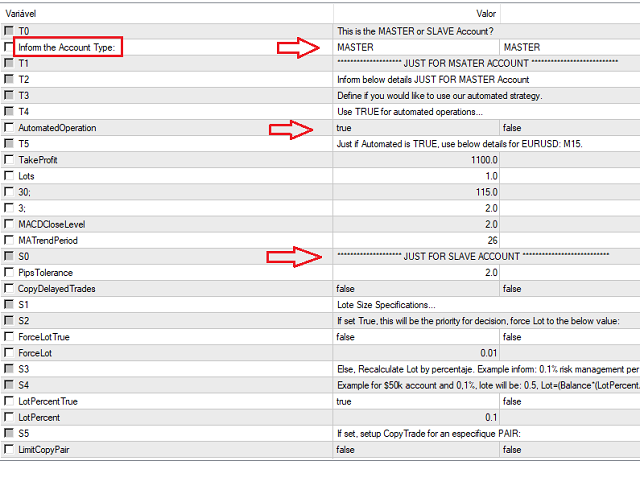
- CopyDelayedTrades=false; //Use this with true value in case you wanna copy delay traders.
- Lote Size Specifications...
ForceLotTrue=false. If set True for it, we consider the lot you provide, for variable: ForceLot.
See example: ForceLot=0.01
- You can also work with percentaje.
Force the value LotpercentTrue=true, and inform the value for Lotpercent. As example: Lotpercent=0.1
For $50k account and 0,1%, lote will be:0.5, Lot=(AccountEquity*(LotPercent/100)/100)
Note: Use ForceLotTrue=false, in order to setup Lot with percentaje.
- You can copy any pair from MasterAccount. But you can also setup an especific pair. For that, choose: LimitCopyPair=true, and also inform the
Prefix and Suffix of the pair. As exemple:
Prefix="XAU";
Suffix="USD";
Note: just for XAUUSD. In case it is XAUUSD in you master account, but in your slave account it is GOLD or vice versa. The EA will work fine.
If you need another pair in the same scenario, you should get in contact to me.
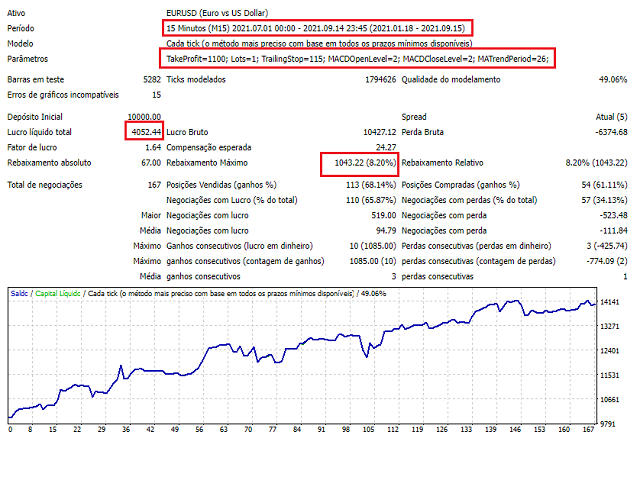
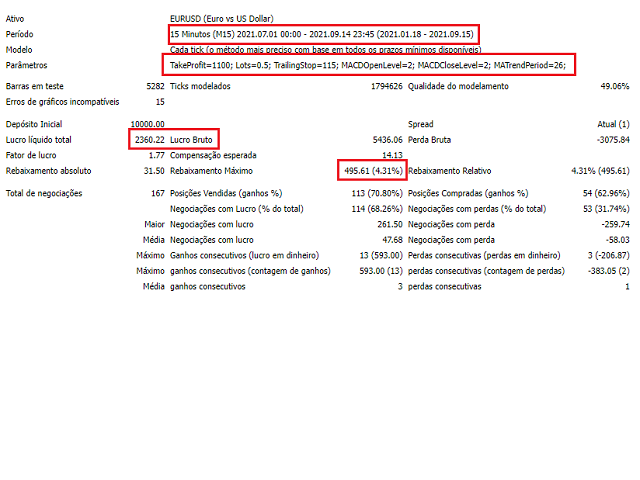
Important: we've added a trading strategy so you can choose whether you want to just use it as a CopyTrade System or if you want to use it with the built-in strategy... if you want to validate the strategy, the default values already entered must be used for EURUSD in the M15. Choose FALSE to disable the trading strategy and act only with the CopyTrade System.
Important: we've added a trading strategy so you can choose whether you want to just use it as a CopyTrade System or if you want to use it with the built-in strategy... if you want to validate the strategy, the default values already entered must be used for EURUSD in the M15. Choose FALSE to disable the trading strategy and act only with the CopyTrade System.