 MetaTrader 5
 エキスパート
 インディケータ
 ライブラリ
ライブラリ
 ユーティリティ
 ウィジェット
 ルール
ルール
YouTubeにあるマーケットチュートリアルビデオをご覧ください
ロボットや指標を購入する
仮想ホスティングで
EAを実行
EAを実行
ロボットや指標を購入前にテストする
マーケットで収入を得る
販売のためにプロダクトをプレゼンテーションする方法
MetaTrader 4のための無料のエキスパートアドバイザーとインディケータ - 46
 自動売買ロボットは市場取引を自動的に実行しますが、インジケータを使用すると、相場をより適切に分析し、価格行動を予測できます。
これらのアプリケーションを使用すると、より多くの機会を獲得しながら、より多くの情報に基づいた方法でMetaTrader4で取引を実行できるようになります。
自動売買ロボットは市場取引を自動的に実行しますが、インジケータを使用すると、相場をより適切に分析し、価格行動を予測できます。
これらのアプリケーションを使用すると、より多くの機会を獲得しながら、より多くの情報に基づいた方法でMetaTrader4で取引を実行できるようになります。 
Corex Smart Bear Bull インジケーター Corex Smart Bear Bull インジケーター は、MetaTrader 4 向けの 非リペイント型トレンド再エントリーツール です。5 種類の移動平均を 1 本の Fusion ラインにブレンドし、高速・低速の 2 層感度フィルターでスムージングを行い、トレンドの強さを示すカラークラウドを描画します。さらに Williams %R の トリプルスタック・エンジン を重ね合わせ、6 つの独立したサブトリガー(ダイバージェンス、エクストリームスナップ、エグゾースション、コンティニュエーション、プルバック、トリプル)で全シグナルをフィルタリングします。各シグナルは 0〜100 でスコアリングされ、逆張り保護レイヤーを通過したものだけが表示されます。トレーダーはトレンドが本当に転換する瞬間に BULL / BEAR ラベルを確認でき、トレンド継続中には再エントリー三角形、トレンド終了時には X マーク(エグジットサイン)が表示されます。アラートはトレンド転換・再エントリー・エグジットのタイミングで、ポップアップ、モバイル
FREE

this is part of Advanced Cycle Momentum Excess Oscillator MT4 u need all 2 to better understand
Advanced Non-Repainting Harmonic Cycle & Hurst Exponent Trading Engine Overview is a state-of-the-art institutional-grade indicator designed to decode market mechanics through mathematical rigor. Combining the Hurst Exponent for regime identification with Harmonic Cycle Analysis (via Autocorrelation Function - ACF), this tool identifies market turning points, cyclical phases, and high-probabi
FREE

If you trade or wish to trade the popular HLHB Trend-Catcher System, then this indicator is for you! It detects when the HLHB system entry rules are met and sends out an alert in the form of notifications to your mobile phone and to your pc. By automatically sending you notifications, this indicator lessens your trading work load as you don't have to sit in from of your pc all day checking all the chats for when the entry rules are met. This indicator does all the dirty work for you. When the si
FREE
YOU CAN NOW DOWNLOAD FREE VERSIONS OF OUR PAID INDICATORS . IT'S OUR WAY OF GIVING BACK TO THE COMMUNITY ! >>> GO HERE TO DOWNLOAD
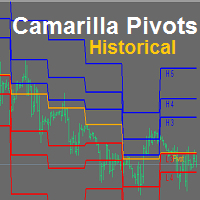
Camarilla Pivots Historical plots the historical data of the camarilla pivot point levels on the chart. The Camarilla Pivot levels was originated in 1989 by Nick Scott. The levels are used as primary support and resistance levels by Intraday traders. The levels are calculated with the following formula: R4 = C + RANGE * 1.1/2 R3 = C + RANGE * 1.1/4 R2 = C + RANG
FREE

This is MT4 version ,MT5 version: https://www.mql5.com/zh/market/product/1 35425 Warning: This is Martingale EA, with extremely high risk!!! Expert Advisor (EA) is not omnipotent, using this EA means agreeing to bear the risk of all losses incurred by the EA Trading financial products such as foreign exchange and gold are high-risk products that may result in zero principal. Please be aware of the risks before trading
This is Laodengxi 429 EA FREE! This is a Martingale EA
FREE

CCFp (Complex_Common_Frames percent) は、通貨の強弱を判断する指標で、
各通貨ごとの「短期移動平均」と「長期移動平均」の変化率の総計を示しています。
USD、EUR、JPY、CHF、GBP、AUD、CAD、NZDの8つの主要通貨に対して対応しております。
1.グラフの右端に通貨名を表示します。
2.各通貨の表示色を変更できます。
3.移動平均平滑化タイプ(ENUM_MA_METHOD)が選択可能です。
4.価格定数(ENUM_APPLIED_PRICE)が変更可能です。
5.短期移動平均期間(Fast)を変更できます。
6.短期移動平均期間(Slow)を変更できます。
***28通貨ペアが全て選択されていることが必要です。
***週足よりも小さい時間足利用を推奨します。
FREE

TickChart Indicatorは、MetaTraderのメインウィンドウにティックチャートを表示します。
(無料のLite版、TickChart Indicator Liteでは、 表示するティック数を20に制限し、以下の説明にあるアラート機能を省いています。) ティックチャートは、市場の動きを最も詳細かつリアルタイムに示すティックラインを描画します。値が変わるたびに発生するティックの間隔は1分足のローソク幅より短いので、通常のチャート上には描けません。通常、数個のティック線分が、1分足のローソクが完成する間に発生しており、重要な指標の発表直後には、その数が100を超える事もあります。 このインディケーターは、ティックラインをメインウィンドウの通常のチャートの上に描きます。通常のチャートは、"時間-価格"空間に描きますが、ティックチャートは、"ティック-価格"空間に描かれます。すなわち、ティックチャートのX軸は時間ではなく、市場が活発だとX軸の進行は速く、閑散だと遅くなります。 TickChart indicatorは、いろいろな場面で役立ちます。例えば、 スキャルピングの道具
FREE

Trend Exploit The logic behind Trend Exploit EA is very simple but effective , the EA uses breakouts of the Bollinger Bands for entry and exit signals, enter in the market in the direction of a strong trend, after a reasonable correction is detected. The exit logic is also based on the Bollinger Bands indicator and it will close the trade even on a loss when the price breaks Bollinger Bands line.
Trend Exploit was strictly developed, tested and optimized using the "Reversed Sampling" devel
FREE

is a multi-timeframe visual matrix that tracks the relative linear progression (log-return strength) of the eight major currencies — EUR, GBP, AUD, NZD, USD, CAD, CHF, and JPY — across selected timeframes in a single responsive panel. Motive Traders often struggle to quickly see which currencies are gaining or losing strength relative to one another across multiple timeframes. This indicator condenses that information into color-coded progression lines so you can immediately identify strong vers
FREE

Investment Castle Combined — Three Indicators, One Clear View
The Combined indicator merges three of our tools — including the multi-timeframe Bands indicator — into a single, clear multi-timeframe view, so you can read trend, structure and momentum without cluttering your chart. Exclusive to the MQL5 Market.
What it does for you Three indicators in one: a unified multi-timeframe reading on a single chart. Multi-timeframe by design: see what matters across timeframes at a glance. Cleaner chart
FREE
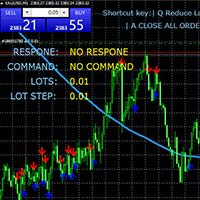
MT4キーボードショートカットトレーディングプラグイン 概要 : このMT4(MetaTrader 4)プラグインは、特にスケーリング戦略を利用するトレーダーに向けた、非常に効率的で直感的なトレーディング体験を提供します。キーボードショートカットを使用して、迅速かつ正確にオーダーを実行し、ポジションのサイズを動的に調整し、利益と最大損失(ストップロス)のレベルを精密に設定し、ワークフローを整然と管理できます。 主要機能 : キーボードショートカット : オーダーの変更、購入と売却オーダーの開設、オーダーの管理に使用できるカスタマイズ可能なキーボードショートカットを提供します。 ロットの動的変更 : リアルタイムで各取引のロット数を簡単に増減できます。市場への柔軟な対応を可能にします。 リスク管理 : 各取引の利益と最大損失(ストップロス)のレベルをポイントで精密に設定できます。リスクを正確にコントロールできます。 設定 : フォントスタイル、テキストサイズ、グラフ上の位置を変更することで、トレーディング体験をカスタマイズできます。 使用方法 : Q : 次の取引のロット数を減らします。
FREE

Features: Find these engulfing patterns: Simple Engulf Stick Sandwich Engulf Three Line Strike Rising Three Morning Star Doji Scanner is useful to make your strategy better. Don't always go by Win/Loss percentage. Because this tool is not based on past results. Basic Settings: For All Patterns You can set: First:Last Candle Ratio This will make sure that the earlier opposite candle is at least this given ratio in height as compared to the engulfing candle. This is not checked for Three Line Stri
FREE

Automated medium-term Expert Advisor. It is based on Bollinger Bands . The EA is optimized for EURUSD H1 . The robot should be optimized for use on other instruments. The Expert Advisor does not use hedging, martingale, grid, arbitrage etc. The results obtained in the strategy tester are identical to the results of real trading. Since the results for Control points are close to results of optimization in every tick mode, the EA allows for quick optimization using Control points .
Parameters Mod
FREE

This Expert Advisor analyzes the last candles and determines whether there will be a reversal or a large correction. Also, the readings of some indicators are analyzed (their parameters can be adjusted). Is a free version of Proftrader . Unlike the full version, in the free version of the adviser the initial lot cannot be higher than 0.1, trading pair only EURUSD and also it has fewer configurable parameters. Input parameters
Lots - lot size (at 0, the lot will be calculated from the percentage
FREE

A full-featured trading panel that has minimal dimensions and makes one-click trading as informative, fast and convenient as possible.
Supported features: opening of any types of orders; breakeven; trailing-stop; virtual take profit and stop loss (not visible to the broker); showing the general trading information panel; display of previously closed orders on the chart; installation on a chart of price signal lines; sending push-notifications when price crosses price signal lines; the ability
FREE

NEW VERSION of Gemini: Changes with signal combinations, SL/TP values and amount of pairs and TF’s available. Please make sure you download V 1.1 and ONLY use set files for each pair and TF given! Signal has been updated with this new version. Gemini is a complex Expert Advisor that uses Awesome Oscillator closing bar price, ATR Ranges and Bar Pattern combinations for opening trades with managing and closing trades based on Bollinger Band Width Ratio’s. Though the algorithms are consta
FREE

Easy Backtest
Backtesting your trading strategy is the most important thing which every successful trader knows very well. Easy Backtest is the perfect solution to test your new strategy in Strategy Tester in your MT4 , using all available historical data. You can place orders: BUY , SELL , pending orders with Stop Loss and Take Profit , and you can modify them at any time. You can close orders individually or all at once, and also breakeven the same like you do it in live trading. The play b
FREE
EA is based on Parabolic SAR and MACD indicator. if there are loss EA try to recover loss and fix position by placing another bigger order( factor multipler) after grid gap. if there is profit it waits to optimize profit. Suitable for Beginners No complex settings Just use EURUSD M5 time frame YOU CAN CONTACT ME FOR OPTIMIZATION Please leave the comment your like or dislike I will be happy to answer all kind of query related to this product... I advise you to please check my ot
FREE

RRS Martingale is based on the Martingale strategy, which involves increasing the lot size opposite to the price movement and waiting for recovery. Martingale is usually a very risky technique, but this EA is built on well-calculated mathematics which might help you to minimize the risk compared to normal martingale strategy. This EA automatically calculates all values based on pre-programmed mathematical algorithms using your TakeProfit and LotMultiplier inputs. Refer for information about EA
FREE

CFN MTF Trend Hunter EA – Powerful Multi-Timeframe Trend Trading Tool
The CFN MTF Trend Hunter EA is a professional-grade Expert Advisor designed to help traders capitalize on strong trend movements with minimal effort. It combines higher timeframe trend analysis with lower timeframe precise entries, providing the perfect blend of market overview and tactical execution. This EA is ideal for swing traders and trend followers who want a reliable, automated solution to capture the bigger move
FREE

Spread Candle Clock is a clock that displays the remaining time of the current candle along with the real-time spread directly on the chart.
Features: Real-time candle countdown. Live spread display. Minimize button to small panel. Adjustable size. Customizable colors. Configurable position in all four corners. Compatible with all symbols and timeframes.
FREE

Description Simple Trailing Manager is a professional MetaTrader 4 Expert Advisor that automatically manages trailing stops for your open positions. It provides a clean, visually intuitive interface showing exactly where your trailing stops will activate, helping you monitor your risk management strategy at a glance. Unlike standard trailing stop features, this tool gives you a visual preview of where your trailing stops will be placed before they activate, allowing you to plan your trades more
FREE

Expert Advisor uses Rsi and Bands indicators for generating signals and trades exit. Minimum trading deposit 500 $ . EA optimized to run on GOLD / EURUSD / GBPUSD / USDJPY / AUDNZD 1H charts (sets in the comments) can be also optimized to work on more charts and different timeframes. EA uses Grid. No Martingale. Works with high spread This EA operates only once per bar opening.
developed, tested and optimized on " VantageMarkets " platform. Recommended broker > Vantage
FREE

TrendExpert Indicator Overview
The TrendExpert indicator is designed to identify and visualize trend zones in financial markets. It utilizes zigzag high and low points to determine support and resistance levels, providing insights into potential market reversals and continuation patterns.
Features - Detection of support and resistance zones based on price action. - Strength categorization (Proven, Verified, Untested, Turncoat, Weak) based on historical testing. - Adjustable parameters for z
FREE

Smart Data Export Indicator MT4 は、MetaTrader 4 の相場のデータを、選んだ列だけで CSV か JSON Lines に書き出すインジケータです。すべての列を説明する「データの説明書」も一緒に書き出すので、Python・Excel や、ChatGPT・Claude などの AI アシスタントでそのまま使えます。 MetaTrader 4 向けの無料の SmartDataExportEa の後継で、インジケータとして作り直しました。お使いの EA と同じチャートで動き、取引は一切しません。DLL・Web への通信も使いません。MetaTrader 5 版は別の商品です。 書き出すもの データのファイル (CSV(カンマかセミコロン)または JSON Lines): 確定した足 1 本につき 1 行、古い順、UTF-8。新しい足は確定するたびに追記します。そのため Python・Excel・Power BI で読みながら増やせます。書き出しを始めるたび(インジケータをチャートに付けたとき・入力を変えたとき・MetaTrader を再起動したとき・
FREE

This is a very fast and not redrawing ZiGZag; it supports switching the segments at breakouts of price levels located at a specified distance (H parameter) from the current extremum. MinBars parameter sets the depth of history for drawing the indicator; 0 means drawing on the entire history. SaveData parameter allows writing the coordinates of extremums to a file (time in the datatime format and price). Some statistics calculated on the basis of the ZigZag is displayed in the form of comments.
FREE

The indicator improves the idea implemented in the standard Bulls and Bears indicator. This indicator displays the difference between the High and Low for the current period of time and the values of the channel constructed at the maximum and minimum prices, which are smoothed by Laguerre method. The growth of the indicator values above zero indicates that the High for the current period is greater than the average of the High prices. This situation in most cases indicates an increase in the
FREE

TerminalBridge Account Analytics MT4 is an on-chart account statistics indicator for MetaTrader 4.
It organizes closed trading activity into day, week, month, quarter and year views. Account-wide records include all symbols by default. The displayed history follows the range currently loaded in the MetaTrader 4 Account History tab.
Main features
- Live floating profit or loss - Recorded daily maximum floating loss - Floating-loss percentage, occurrence time and data status - Day, week, month
FREE

A simple but very powerful EA. It uses two moving averages as a basis for opening orders, which when they cross, orders will be opened. The open order will be closed in two situations: When there is a new crossover opposite the previous one, in this case the price touches the slower moving average, or when it reaches the automatic Take Profit margin. If the price goes in the opposite direction, it will open new orders at the new crossings of the moving averages to calculate the average price and
FREE
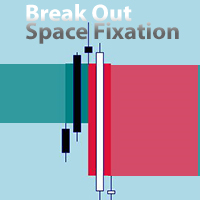
An EA version is being prepared. You can send a private message "notify about EA version".
EA will be versatile with many settings for trading on various indicators. The new EA will also allow trading on this indicator. For example, allowing signals after X signals/bars to X signals/bars in one direction, before changing direction. If Break Out happened before/after the signal of another indicator. Collect profit on each next signal above/below the previous one.
Send a private message "notify
FREE
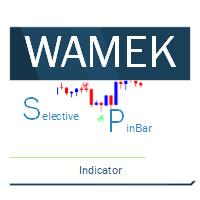
The selective pin bar is designed to identify reversals. To use the selective pin bar effectively, traders typically look for Strong Rejection: The tail of the pin bar should extend significantly beyond the surrounding price action. It indicates that there was a sharp rejection of higher or lower prices during the trading period. A strong rejection suggests that the market sentiment may be changing.
FREE

Based on my original trading strategy, it appears that this EA is programmed to use technical analysis to identify an inside candle pattern in the current candle and wait for a breakout in either direction. If the price breaks out higher, the EA will place a buy order, and if it breaks out lower, the EA will place a sell order. The take profit and stop loss levels are set at 50 pips each.
Additionally, using a martingale strategy, which involves increasing the lot size after a losing trade, ca
FREE

This Tool Allow you close all open Orders automatics when Equity reach to specific value: - When Equity is less than specific value - When Equity is greater than specific value - And Allow you close all open orders in manual - It will notification to MT4 Mobile app when it execute close all orders. __________________________________________ It very helpful for you when you trade with prop funds. Avoid reach daily drawdown and automatics close all orders when you get target.
FREE
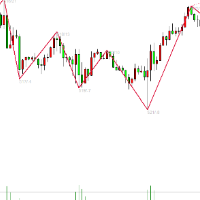
万能线段划分指标简介: 万能线段划分是依照两根相互缠绕的均线,依金死叉为标准,将金死叉两边的高低点进行连接开成线段划分。本指标可以设定不同参数多级别叠加使用。 万能分段的原理: 在任意一组均线组成的均线系统中,均线之间的相互缠绕,形成的金死叉是有位次关系的。这点,作者在这里算是首次对外公开这个秘密。上图的均线系统中,走势处于一个较大级别的振荡行情中,均线之间相互缠绕比较频繁,金死叉的数量较多,所以,情况比较复杂。 我们知道,均线可按其周期大小进行位次排序。上图均线依照周期从小到大排序为:MA10,MA30,MA60,MA144,MA233,依照这组均线的位次关系,将每相邻两根均线金死叉做上标注。如:MA10&MA30金死叉标注为“1”,MA30&MA60金死叉标注为“2”,MA60&MA144金死叉标注为“3”,MA144&MA233金死叉标注为“4”。我们将两相邻均线金死叉完全标注完毕后,发现图上还有部份金死叉并未被标注到,这些未被标注到的金死叉全部是非相邻均线之间发生的金死叉。我们依照以上方法,可以识别出均线组之间金死叉的级别位次关系。市场行情的发展是依照此级别位次关系,从小到大
FREE

The Trend Finding Channels indicator was developed to help you determine the trend direction by drawing channels on the graphical screen. It draws all channels that can be trending autonomously. It helps you determine the direction of your trend. This indicator makes it easy for you to implement your strategies. The indicator has Down trend lines and Up trend lines. You can determine the price direction according to the multiplicity of the trend lines. For example , if the Down trend lines s
FREE

This simple but useful script calculates the lot in % of the deposit. It is indispensable for risk management. There is only one customizable parameter: MaxRisk - risk in % for lot calculation. The product works as a standard script. Launch it once on an appropriate chart and start trading using the calculated lot value. Genious is simplicity! Happy trading!
FREE

Diversify the risk in your trading account by combining our Expert Advisors. Build your own custom trading system here: Simple Forex Trading Strategies
The expert advisor opens trades when the SMA and RSI are aligned in the same direction and when the Stochastic has left overbought/oversold areas. The 5 and 10 SMA are also programmed to close the trades if the trend changes. The Stop Loss, Take Profit, and Trailing Stop are calculated based on the ATR indicator. The recommended currency pair
FREE
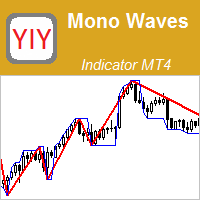
The Mono Waves indicator is designed to display the wave behavior of the market on a chart. Its appearance is presented on slide 1. This indicator uses the PPPC (Point-Percent Price Channel) indicator, which can be downloaded for free from the Market . When the market moves up, the upper border of the price channel is built on High candlestick prices (for more details, see the description of the PPPC indicator at the link given above). The higher the High prices rise, t
FREE

Auto risk manager easy demo version of the utility for order control. Regardless of whether orders are opened manually or by advisors, when the specified percentage of profit or loss is reached, the advisor will close all positions, delete (if necessary) pending orders and independently close the chart windows (will not allow advisors to open new transactions). The utility will be especially useful for traders who trade using advisors or manually on several currency pairs at the same time. The
FREE

SKAN This indicator helps you to scan all symbols which are in the Market Watch window and filter out a trend with alerts. It works on five most effective indicators which are used by most of traders for trading: Moving Average Super Trend (ST) Bolinger Band (BB) OPRC BFD It calculates two bars for scanning. When box colour changes to coral or royal blue colour, it indicates you for trend change for long and short entry. And also you will get alert on screen. When it changes to royal blue, it
FREE

A combined indicator of two famous indicators: RSI , Bollinger Bands Can be used in all currency pairs Can be used in all time frames with many signals Very simple and fast to use
Description:
This indicator is made from the combination of RSI and Bollinger Bands indicators
As you can see, it shows good signals and is worth using and testing
We hope you are satisfied with this indicator
Settings: show past show candle: Displays the number of candles that the indicator calculates.
For example
FREE

MATrend indicator makes the directional trend of the current market easily recognizable. Settings: MA Period : The amount of candles taken into consideration for the calculation of the moving average; MA Method : The method used for the calculation of the moving average. Selectable methods are: Simple averaging;
Exponential averaging;
Smoothed averaging;
Linear-weighed averaging; Usage: The color of the indcator will change based on the slope of the MA. Green : The indicator has a bullish sl
FREE

IndiSig by Buffer
Detect Signals from a Custom Indicator by Buffer & Send notifications to Telegram Channel or Open orders
* Buy/Sell Buffer: You may get this info on MT4/5 Data Window (CTRL + D)
* MT5 version: Add the indicator first, then the EA
* MT4 version: Only works properly with default settings of the indicator
Join https://t.me/fxassistant_vn for more useful EAs!
FREE

Panic Exit Guardian EA is a professional trading utility designed to give you instant control and maximum protection over your open positions. In fast-moving markets, even a few seconds can make the difference between profit and major loss. This EA provides a powerful one-click Close All function and an intelligent automatic trigger system to ensure you can exit the market instantly and safely. This tool acts as your emergency exit system and automated protection layer, helping you trade with co
FREE

This EA is a set n forget type. Once attached to GOLD / XAUUSD chart, you can forget it. ========== Broker recommended (EA tuned) > JustMarket (fully tested & optimized) Register using this link & get 50% auto rebate with daily reimbursement > https://one.justmarkets.link/a/6dgco0za1a Change your current IB to me & get 50% auto rebate with daily reimbursement. Visit this link for instructions > https://t.me/ea1234x/1 ========== Leverage recommended > 1:500 TF > H1 (auto set & lock by this EA)
FREE

Summary: This EA places a single trade at a time in a RANDOM direction (buy or sell) and uses a simple TP & SL. A lot multiplier is also optional. Once a trade hits TP/SL, it will place another trade in a random direction. And so on. Since it only ever has 1 trade open at a time, it can be used on any broker. Which means it can be used on US brokers with the FIFO rule. Inputs are few and everything is based in Points too. So it can be used on any chart reliably and easily. You will be amazed how
FREE

Trend directional oscillator with additional flat filtering It helps to quickly navigate when changing the direction of price movement and is painted in the appropriate color You can conduct trend and counter trend trade It works on all timeframes, on any currency pairs, metals and cryptocurrency Can be used when working with binary options Distinctive features Not redrawn; Flat filtering - when the histogram is in the yellow zone; Simple and clear settings; It works on all timeframes and on all
FREE

TradeFlow SR Analytics Pro is a high-performance analytical tool designed to automate the identification of key Support and Resistance (S/R) levels combined with market flow dynamics. The indicator pinpoints zones where institutional liquidity is concentrated and visualizes them instantly on your chart. Key Features: Smart SR Zones: Automatically plots significant price levels based on historical volatility and volume clusters. Flow Momentum Filter: Built-in logic to distinguish between g
FREE

This EA trades the forex markets by a specific combination of ATR and parabolic SAR indicator signals and transaction management. the EA has stop loss and take profit. minimum trading account 500.
default settings for GBPUSD 1h. settings for optimization: ATRperiod lot sarStep sarMaximum tpFactor slFactor this EA(){ operates once per bar; fast methods of optimization are valid(){ user can optimize by model (control point); || (open prices only); }}
developed, tested and optimi
FREE

Vitals shows the state of your trading account on a single screen: balance and margin, current risk, open positions, market ranges, results by period, and a statistics panel, arranged on one grid so the figures can be read at a glance rather than gathered from several terminal windows. Vitals is a display panel. It does not place, modify or close orders. Floating drawdown A history report records what a position earned. It does not record how far the account moved below its balance while that po
FREE

The difference between the arithmetic and geometric means at the specified range. Since the greater is the difference between the values, the greater the resulting figure is, actually the indicator shows volatility fluctuations. The arithmetic mean of a certain number of values is the sum of the values divided by their number. The geometric mean is the root of the power of the number of values extracted from the product of these values. If all values are equal, the arithmetic mean and th
FREE

Velociraptor is an Expert Advisor that exploits acceleration of volatility of the market. It goes into action when there is an explosion of volatility, for example during the news or special events. It is an evolution of the Volatility Accellerator EA with new features and the new algorithm for price acceleration calculation. The best new feature is an equity filter that disables the real trading if the EA is not more profitable. In agreement with filter settings, in this period, the EA will ope
FREE

保有ポジション/指値注文の一括SL/TP設定とキャンセルクローズ機能と含み益でのトレインリグストップ機能を持ったEAです。 [ポジション操作] -SL入力ボックス :SL値を価格で入力して左横の「SL」ラベルをクリックすると一括でSL設定が適用されます。 - TP入力ボックス :TP値を価格で 入力して左横の「TP」ラベルをクリックすると 一括でTP設定が適用されます。 - Pending :右側のボタンがTrueの時に指値注文への一括SL/TP設定がされます。Falseの時は指値注文へは一括SL/TP設定はされません。 - Open :右側のボタンがTrueの時にオープンポジションへの一括SL/TP設定がされます。オープンポジションへは 一括SL/TP設定はされません。 - ClosePending :現在の指値注文を一括でキャンセルします。 - CloseOpen :現在のオープンポジションを一括で決済します。
-補足- 設定したSL/TPをキャンセルするには、キャンセルしたい方(SL or TP)の入力ボックスに0を入力して左横の「SL」or「TP」ラベルをクリックするとキャン
FREE

The presented product is a trend indicator of technical analysis that allows you to open a position at the very beginning of a significant price movement. The most important qualities of the presented indicator are: The ability to follow the trend for as long as possible to get all the potential profit; Minimization of potential losses in case of a trend reversal or significant correction. The indicator has a wide range of customizable parameters allowing it to be used effectively in any market.
FREE

Wiezys VWMA Candle Trend (FREE Indicator) Wiezys VWMA Candle Trend is a clean, visual trend-identification tool based on the Volume-Weighted Moving Average .
Instead of standard candles, this indicator paints trend-colored candles using VWMA logic to help you see momentum and direction instantly. Perfect for: Scalping Trend trading Reversal spotting Intraday and swing trading Entry confirmation with any strategy This is a non-repainting, closed-candle tool designed to give traders a simple bu
FREE
This is Demo Version of PipsFactoryMonthly This indicator depends on High and Low price of Currency in last Month and then i made some secret equations to draw 10 lines.
Features You will know what exactly price you should enter the market. You will know when to be out of market. You will know you what should you do in market: Buy Sell Take profit and there are 3 levels to take your profit Support Resistance Risk to buy Risk to Sell
Signal Types and Timeframe Used You can use this indicator ju
FREE

Japan Bank Holiday and Gotobi Library MT4 は、円相場のカレンダーの問いに、お使いの EA・インジケーター・スクリプトの中から答えるライブラリです。今日は日本の銀行休業日か、五十日(ごとうび)か、次の東京仲値はいつか、業者のサーバー時刻でいま日本は何時かが分かります。 決まりはすべて計算で求めるため、祝日の表を更新する必要はありません。1980〜2027 年の結果は、内閣府の「国民の祝日」の一覧と 1 日ずつ一致することを確かめています。DLL・Web リクエスト・ファイル・売買の関数は使いません。 答えられること 日本の国民の祝日(振替休日・国民の休日を含む)と、それぞれの祝日の英語名。 日本の銀行休業日: 土曜・日曜・国民の祝日と 12 月 31 日〜1 月 3 日。それ以外の日は営業日です。 五十日: 毎月 5・10・15・20・25 日と月末。その日が銀行休業日なら、前の営業日に繰り上げます。 東京仲値の時刻: 日本時間 9 時 55 分。 業者のサーバー時刻と日本時間の相互の換算。日本には夏時間がありません(JST = UTC+9)。
FREE
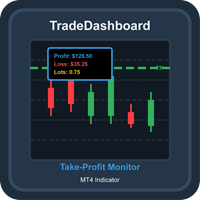
TradeDashboard Comprehensive MT4 Indicator for Trade Visualization and Analysis Overview TradeDashboard is a powerful MetaTrader 4 indicator designed to enhance your trading experience by providing real-time visualization of take-profit levels for all open positions. This advanced tool goes beyond basic TP indicators by displaying comprehensive metrics including potential profits, losses, and total lot sizes, all directly on your chart. Key Features Take-Profit Visualization : Clearly displays h
FREE

The FxSProMT indicator shows the current market trend and trend change.
Indicator Parameters Ind_Period - the number of previous bars used to calculate actual values. Number_Bars - the number of bars to display the indicator.. Too many bars may significantly slow down the operation of the trading terminal. Signal_Sound - sound alert to notify of trend change. The sound can be played multiple times until the signal is confirmed (the bar closes). Default is disabled. Signal_Alert - an alert to no
FREE

アイデアトレーダー (EURUSD M30)
Idea Trader は、完全に自動化されたプロの取引ロボットです。 外国為替市場 EURUSD M30 向けに特別に設計されています。
この EA は、パラメーターを構成する必要はありません。 EURUSD M30 で作業する準備ができました。 ロットの選択を決定するだけです。
この EA には、トレンドを検出し、市場のノイズを除去するスマートなアルゴリズムがあります。 エキスパートはトレンド方向に注文を作成します。
インプットとアウトプットの注文は、どの MT4 プラットフォームでも見られる 4 つのインジケーターの組み合わせによって与えられます: コモディティ チャネル インデックス、モメンタム、フォース インデックス、および平均トゥルー レンジ。
すべての取引はストップロスによって保護されており、ボラティリティが高まる時期に資本のセキュリティをもたらします。 この EA は小さなドロップダウンを提供し、市場から定期的にお金を引き出す可能性を提供します。
エキスパートは、2022 年 1 月から 2023 年 3 月
FREE

The indicator's source code is for sale; those interested can contact me via PM. Swing Counter MT4 is a free and powerful trading indicator designed to help traders identify and count market swings with precision. It automatically detects swing highs and swing lows, making market structure easier to read and helping traders spot potential trend continuation and reversal opportunities. Built for simplicity and efficiency, Swing Counter MT4 can be used on Gold (XAUUSD) and is fully adaptable to al
FREE
Binary options tester Trading panel to test your strategies according to the rules of binary options. Scope: Set the percentage of profit from the transaction. Set the expiration time in seconds. Set the bet size Set the Deposit amount. Make several deals in a row. Keep track of the time before expiration. The tick chart with trade levels is duplicated to an additional window for accuracy. It allows you to work both in the testing mode and in the real quotes mode. The program gives an idea of bi
FREE

WARNING: Product is out of support! MT5 version is highly recommended due to superior back-tester. It has much better reviews than the MT4 version, due to that fact.
Free version of the grid strategy! Identical strategy to the full version, the only limitation is the number of positions. Its goal is to harvest most out of trending market (on automatic mode) taking advantage of corrections in trends. It can be also used by experienced traders on manual trading. This kind of system is being used
FREE

This is a reduced version, demo if you like, of the published Elliott Wave Tool 7Pasos . The limitations for this tool vs Elliott Wave Tool 7pasos are the following: Only one account possible, the original tool has 1 principal and 4 alternative accounts. Only one degree (Primary) is available, in the original tool 12 different degrees (6 in micro) are at your disposition. As only one degree is available, the functions to upgrade and downgrade the degree of the selected wave are disabled. Fixed c
FREE

Bar Timer Percent インジケーターは、現在のバーの形成時間をパーセンテージで示します。
インジケーターの設定 color_back1-背景色#1 color_flat1-背景#1の境界線の色 color_back2-背景色#2 Alert_Percent-サウンドアラートのパーセンテージ値 Sound_file-サウンドファイルの名前。カスタムサウンドファイルは、Soundフォルダーの下のターミナルフォルダーにあり、拡張子は-.wavである必要があります。 Bar Timer Percent インジケーターは、現在のバーの形成時間をパーセンテージで示します。
インジケーターの設定 color_back1-背景色#1 color_flat1-背景#1の境界線の色 color_back2-背景色#2 Alert_Percent-サウンドアラートのパーセンテージ値 Sound_file-サウンドファイルの名前。カスタムサウンドファイルは、Soundフォルダーの下のターミナルフォルダーにあり、拡張子は-.wavである必要があります。
FREE

* The product for MT5 converted using "BRiCK TradeByArrow MT4" is here. BRiCK is a simple and versatile utility.
By combining Experts, Indicators and utilities like the Lego block, various trading styles can be realized. "TradeByArrow" is Utility that executes order processing when an arrow object is created on the chart.
Combined with Indicator which outputs arrow object, it can be used like Expert.
Parameter
[ArrowName] EntryBuy: Arrow object name for buy order (partial match) EntrySel
FREE

Price Difference インディケータは始値と終値の違いを示します。別ウィンドウのインジケーターは、現在のバーの始値と前のバーの終値の差です。左上隅のボードは、現在のバーの始値と終値の差です。
設定 Count_Bars-インジケーターデータを表示するバーの数。0の 場合、使用可能なすべてのバーに表示されます。 display- デジタル値の表示を有効にします。 _fontsize- 別のウィンドウのインジケーターのフォントサイズ。 color_up- 別のウィンドウのインジケーターの正の値の色; color_dn- 別のウィンドウのインジケーターの負の値の色; color_txt- スコアボードのピリオドの名前の色。 _angle- 別のウィンドウのインジケーターのテキストの傾斜角度。 ゼロ -別のウィンドウのインジケーターのテキストの自動増加。
FREE

トレーディングチャンピオンの皆さん、こんにちは!お元気でお過ごしでしょうか。市場が当初有利な動きを見せていたり、テイクプロフィットに近づいた後に、突然反対方向に反転してしまった経験はありませんか? 実は私も何度も経験しているので、今回はその逆に挑戦してみたいと思います。
ポジションを守るのに役立つトレードマネージャーをご紹介します。このプロジェクトは、ご希望のモードに応じて、指定したピップ数に達した時、またはテイクプロフィットの一定割合に達した時に、ポジションを損益分岐点に設定するのに役立ちます。
また、このプロジェクトは、ご希望のモードに応じて、指定したピップ数に達した時、またはテイクプロフィットの一定割合に達した時に、ポジションをトレールすることもできます。
MT5 バージョン: https://www.mql5.com/en/market/product/144194
使用方法 BTCUSDやXAUUSDなどのアクティブな通貨ペアにEAを適用し、損益分岐点と取引パラメータを適切に設定するだけです。
注 EAはティックに依存しません。適用したチャートにティックや価格変動
FREE

This indicator includes various types of moving averages. The indicator contains the following set of moving averages: CA (Cumulative Moving Average) MIN (Minimum for the period) MAX (Maximum for the period) SMA (Simple Moving Average) EMA (Exponential Moving Average) DMA (Double exponential moving average) TMA (Triple exponential moving average) LWMA (Linear Weighted Moving Average) SMM (Simple Moving Median) SMMA (Smoothed Moving Average) HMA (Hull Moving Average) NoLagMa The list of moving av
FREE

This Expert Advisor is a pure hedging system. The expert place and manage two market opposite orders. Runs perfect on pairs with tight spread and low commission broker (commission plus spread equal or less than 0.5 pip).
Pairs and Time Frame Pair: eurusd Time frame: M1 Default settings are good for eurusd.
Information Please test expert on demo account first, before uses it on real account. Have on your mind, this expert is sensitive and depend on broker's slipping.
Expert parameters
UseVi
FREE
MetaTraderマーケットは、他に類のない自動売買ロボットやテクニカル指標の販売場所です。
MQL5.community ユーザーメモを読んで、取引シグナルのコピー、フリーランサーによるカスタムアプリの開発、支払いシステムを経由した自動支払い、MQL5Cloud Networkなど、当社がトレーダーに対して提供するユニークなサービスについて詳しくご覧ください。

取引の機会を逃しています。
- 無料取引アプリ
- 8千を超えるシグナルをコピー
- 金融ニュースで金融マーケットを探索