 MetaTrader 5
 エキスパート
 インディケータ
 ライブラリ
ライブラリ
 ユーティリティ
 ウィジェット
 ルール
ルール
YouTubeにあるマーケットチュートリアルビデオをご覧ください
ロボットや指標を購入する
仮想ホスティングで
EAを実行
EAを実行
ロボットや指標を購入前にテストする
マーケットで収入を得る
販売のためにプロダクトをプレゼンテーションする方法
MetaTrader 4のための無料のエキスパートアドバイザーとインディケータ - 52
 自動売買ロボットは市場取引を自動的に実行しますが、インジケータを使用すると、相場をより適切に分析し、価格行動を予測できます。
これらのアプリケーションを使用すると、より多くの機会を獲得しながら、より多くの情報に基づいた方法でMetaTrader4で取引を実行できるようになります。
自動売買ロボットは市場取引を自動的に実行しますが、インジケータを使用すると、相場をより適切に分析し、価格行動を予測できます。
これらのアプリケーションを使用すると、より多くの機会を獲得しながら、より多くの情報に基づいた方法でMetaTrader4で取引を実行できるようになります。 
このEAは、マーケットの変動に関係せず安定したトレードをできるようにデザインされました。
M5のタイムフレームが最適です。上位足H1とH4の価格の変更を計算して、大きくトレンドが発生した後に、価格が戻されるタイミングを見てEntryします。
takeprofit と stoplossはあえて、広めに設定しておくのがコツです。1日1回のトレードにはちょうど良いですね。
そして、もし1回のトレードが負けてしまった場合、ロットサイズを2倍で再トレードの機会を待ちます。
もしトレードがtake profitでクローズした場合は、その日のトレードは終わりです。
また次の日になるまでEAは停止します。
今まで、数多くのトレードを重ねて大きなドローダウンや損失を出してきた反省からこのEAはつくられました。
初期設定ではtakeprofit =40pip, stoploss =40pipsの設定にしてありますが、最適な値に調整してください。
また、stoplossでオーダーがクローズした場合の次のロットサイズの倍率も変更可能です。
安定した利益をコツコツ重ねて大きな夢をつかみましょう!
FREE

Secret Range EAは、名前の通り、マーケットのレンジを元にエントリーします。
具体的は、EAの設定で入力したタイムフレーム(長期)の一定期間の最高値、最安値をブレークした際にEntryします。
ただし、価格をブレークして必ずしも価格が元に戻るとは限りません。
そこで、GRIDオーダーを併用します。
マーケットはある一定期間後に、元の価格に戻りますが、いつ戻るかはなかなか予測困難です。そのため、価格をブレークしたあとに、最初に設定した長期タイムフレームの最安値、最高値のレンジをもとにグリットを出します。
具体的には、このレンジを最大グリッド数で割った値がGRIDの間隔となります。
このロジックを使うと、比較的ドローダウンも少なくてすみます。
そのため、無駄なGRIDオーダーを出す必要もありません。
さらに、このGRIDオーダーにはヘッジオーダーを1つだけ出す秘策も盛り込んでいます。
すべてのオーダーは、単独でクローズはせず、全体の利益を見て、自動計算して全てのオーダー(BUY,SELLともに)を一括でクローズします。
特に難しい設定は不要です。デフォルトで、最適化されており
FREE

EURJPY Ichimoku–TEMA Breakout (H1) is a fully automated MetaTrader 5 strategy designed to capture **confirmed trend breakouts** on EURJPY using an Ichimoku cloud direction filter with rule-based **pending STOP execution** around a TEMA reference level adjusted by volatility. The EA was backtested on **EURJPY on the H1 timeframe** from **January 2, 2015 to August 22, 2025** using a **MetaTrader 5 (hedged)** backtest engine. No parameter setup is required — the system is delivered with optimized
FREE
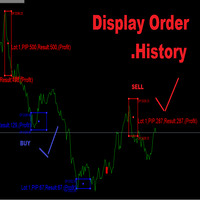
Display Order History Let Try trading.
Button Mark - Red : Order SELL - Blue : Order BUY
Button Lot - Ex. (Lot : 0.01)
Button Profit,Lost - Ex. (Profit:1,Lost:-1) Button PIP - Ex. (PIP:100) Button Open,Close - Ex. Open:3300,Close:3301 VLine M30,H1,H4,D1 IMport CSV Button All Button Summary M30,H1,H4,D1 Profit,Lost Number Order _____________ Start trading Display on chart ____________
FREE
Do you want tidy and attractive charts? Let Hogvid Chart Scale help you! Chart Scale automatically scales the height of the chart to a configurable percentage of the total window height.
This creates space at the top and bottom of the window for additional visual elements and increases clarity without having to manually adjust the vertical scaling which can be annoying, especially if you change the chart symbol frequently.
The function can be activated and deactivated at any time with a simple
FREE
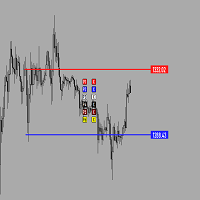
Утилита предназначена для создания ценовых уровней на графике.Утилита имеет панель управления с кнопками ,для создания и удаления ценовых уровней.При создание уровней ,также на экране появляются ценовые метки с прямоугольной зоной в области цены ,для лучшего зрительного восприятия.Также в утилите имеются настройки,толщины линий ,стиля линий и цвета линий.Размеры меток также можно измерить в настройках.
FREE
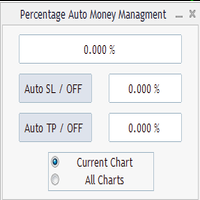
Percentage Auto MM sends automatic orders to close all positions immediately after reaching percentage SL/TP target, set by the User . Orders will be sent if the market is open and the SL / TP application buttons are pressed ( they can be used separately or together ) . It could be applied for current chart/all charts, depending on selected option. It works independently of SL and TP order settings for individual positions. SWAP, Commision can be also included ( look at input options ).
Atte
FREE
-It deletes all graphical objects on a chart. You choose the chart , then you execute the script on the chart. After the execution, all objects will disappear. Objects can be lines: trend lines, horizontal lines, vertical lines. They can be buttons, texts, labels , rectangles, edit boxes... parts of a panel. It executes fast within a second. You can use as many times as you want.
FREE
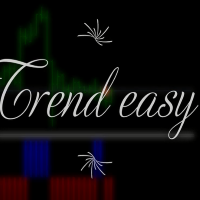
Trend easy простой трендовый индикатор в виде гистограмы. окно индикатора разделено на две части верхняя гистограма движение в бай, нижняя гистограма движениие в сел. Кроме гистограмы, сигнал индикатора дублируется на графике стрелками. В меню индикатора имеется количество баров в истории индикатора
значения периода для определения тренда разрешение рисования стрелок на графике код и цвета стрелок алерты и отступ стрелок
FREE

STOCHASTIC Dashboard Panel This indicator helps you to scan symbols which are in the Market Watch window and filter out a trend according to STOCHASTIC .
In technical analysis of securities trading, the stochastic oscillator is a momentum indicator that uses support and resistance levels. Dr. George Lane developed this indicator in the late 1950s.[1] The term stochastic refers to the point of a current price in relation to its price range over a period of time.[2] This method attempts to pre
FREE

This reliable, professional trade copier system is without a doubt one of the best on the market, it is able to copy trades at very fast speeds from one master account (sender) to one or multiple slave accounts (receivers). The system works very fast and mimics the master account a full 100%. So changing stop losses, take profits, pending orders on the master account is executed on the slave accounts too, like each other action. It is a 100% full copy (unlike many other copiers who only copy mar
FREE

Lucky EA Random Outputs Test the EA first in a Demo Account. This EA RUN on a Random Strategie and open Trades per coincidence Strategie. Recommend Broker "IC Market, FTMO”. 1000$/€ 1-5 Lot in first Week, Timeframe M1. DE40 with this Settings only for other Indizes or Pairs please change the Settings appropriately to the actual Spread. You musst for DE40 nothing Change Set the EA to your MT4 Desktop and START. Worktime is from 09:01-18:00 Servertime. Unlimited Default Settings you can Change the
FREE
- The Symbol Changer Utility for MetaTrader is a tool that enables traders to switch between various symbols on the MetaTrader trading platform easily and quickly. - It is designed to change the symbol of the current and all open chart windows and the timeframe of the current chart window (by clicking the button). - The tool retrieves symbols from the Market Watch, displaying only the necessary symbols in the market watch.
FREE

It's a simple but useful tool for creating a grid based on Bollinger Bands .
Only 2 parameters can be set: 1) "Period" - the period of all visible Bollinger Bands (i.e. 4) and 1 Moving Average (axis of all Bollinger Bands), 2) "Deviations Distance" - the distance between Bollinger Bands.
Naturally, the colors of all 9 lines can be changed as desired. It works with everything that is available in your Market Watch.
Good luck!
FREE

The purpose of this new version of the MT4 standard indicator provided in your platform is to display in a sub-window multiple timeframes of the same indicator. See the example shown in the picture below. But the display isn’t like a simple MTF indicator. This is the real display of the indicator on its timeframe. Here's the options available in the FFx indicator: Select the timeframes to be displayed (M1 to Monthly) Define the width (number of bars) for each timeframe box Alert pop up/sound/ema
FREE

The purpose of this new version of the MT4 standard indicator provided in your platform is to display in a sub-window multiple timeframes of the same indicator. See the example shown in the picture below. But the display isn’t like a simple MTF indicator. This is the real display of the indicator on its timeframe. Here's the options available in the FFx indicator: Select the timeframes to be displayed (M1 to Monthly) Define the width (number of bars) for each timeframe box Alert pop up/sound/ema
FREE

A very useful indicator for trading, which shows the current load on the deposit. The load is calculated by the formula (margin / balance) * 100%. If necessary, the indicator beeps when the load on the deposit exceeds a certain level. The load is displayed total, taking into account all open positions.
Indicator parameters:
Color - text color. Font size - font size. Font family is a font family. Right - indent to the right. Bottom - indent bottom. Max load - the maximum load at which the sound
FREE
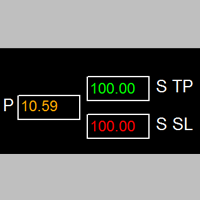
如果产品有任何问题或者您需要在此产品上添加功能,请联系我 Contact/message me if you encounter any issue using the product or need extra feature to add on the base version.
Session TakeProfit StopLoss is basically helping to set the take profit and stop loss in dollar for the total open orders (session). Once the total profit is greater than session_tp or less than session_sl, the EA will help to close all open orders acting similarly to a take profit/stop loss for a single order.
Inputs session_tp: session take profit ses
FREE

This tool can delete any object drawn on MT4 platform charts. you can delete: Line_Objects (Vertical_Line, Horizontal_Line, Trend_Line, TrendLinebyAngle, Cycle_Line) Channel_Objects (Fibo_Channel, Equidistant, Linear_Regression, Standard_Deviation, Andrews_Pitchfork) Gann_Objects (Gann_Line, Gann_Fan, Gann_Grid) Fibonacci_Objects (Fibo_Retracement, Fibo_TimeZones, Fibo_Fan, Fibo_Arcs, Fibo_Expansion) Shapes_Objects (Rectangle, Triangle, Ellipse, Text, Label) Arrows_Objects or you can Delete_All_
FREE

Индикатор " AutoDiMA " рисует по графику в основном окне скользящую среднюю с динамическим периодом, рассчитываемым по стандартному индикатору " Average True Range (ATR) ". Когда " ATR " изменяется в диапазоне значений между верхним уровнем и нижним уровнем - тогда в заданном диапазоне меняется вариативный период скользящей средней. Принцип ускорения или замедления скользящей средней переключается в настройках параметром " FLATing ".
ВХОДНЫЕ ПАРАМЕТРЫ: - DRAWs : Количество баров для отображения
FREE
This indicator is a tool to measure the relative strength of different currency pairs. It used a user selected base currency as a comparing standard, and evaluate all other major currencies base on their relative strength/weakness. the stronger one currency compare to the base currency, the higher its value. Base currency has a fix strength value of 50.
Indicator parameters Strength Period - Change the strength period in the settings affects the number of bars used for calculation. The higher t
FREE
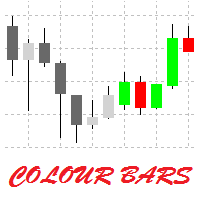
This is a simple utility for visual market analysis. Users can select trading day and time. Bullish candles located within the necessary time interval are shown in green, while bearish ones - in red. Candles outside of the trading time interval are shown in gray and dark gray.
Parameters Trade_Time = "00:00-00:00" - enter trading time. TradeSunday - trade on Sunday. TradeMonday - trade on Monday. TradeTuesday - trade on Tuesday. TradeWednesday - trade on Wednesday. TradeThursday - trade on
FREE

Trend cat is a kind of EA which integrates trend recognition, grid, breakthrough, trailing stoploss and other strategies. After using it, I believe you can start your journey of wealth. This is a free version with potential risks and limited functions. It is recommended to run it with a demo account.
Feature The spread requirements are not very strict Trailing stoploss to maximize profit Multiple strategy combinations
Recommendations: Timeframes: H1 EURUSD Min Deposit: $1000/0.01/default se
FREE
Rectangle Control простой индикатор который отображает на графике панель для рисования прямоугольников с различными настройками, будет удобен тем кто рисует на графике зоны поддержки, сопротивления. Прямоугольник можно нарисовать с заливкой или без, различной толщины и цвета. А также выбрать таймфрейм на котором нарисованный прямоугольник будет отображаться. При нажатой кнопке алерт будет срабатывать оповещение (если прямоугольник находиться ниже цены на верхнем его краю, если прямоугольник нах
FREE

This is an implementation of the market cycle indicator described by Raghee Horner in the book "Forex Trading for Maximum Profit" . The current state of the market can be determined by analyzing the inclination angle of the exponential moving average (EMA) running on a period of 34 bars. If the EMA inclination is defined as the direction of the hour hand on the dial from 12 to 2 hours, then an uptrend is considered to be present; from 2 to 4 hours, the market consolidates; from 4 to 6 hours, a d
FREE

This indicator shows the strength of each currency compared to the US dollar by calculating the rate of change in price over a specified time period. When you open the indicator, you'll see a list of different currencies on the price chart. Each currency will have a numerical value indicating its strength level compared to the US dollar, where: If the value is higher than the US dollar, it will be displayed in green, meaning that currency is stronger than the dollar. If the value is lower than
FREE

THE_____ IIIDinoIIIIIPendelIII EA______
Set1: Price Offset: 100, Stop Loss 60, Take Profit 2000, "Object Chart Sub Window" 18:01- 18:03
Set2: Price Offset: 200, Stop Loss 60, Take Profit 2000, .".
Set1: Price Offset: 100, Stop Loss 60, Take Profit 2000,
Set2: Price Offset: 200, Stop Loss 60, Take Profit 2000,
Set3: Price Offset: 100, Stop Loss 60, Take Profit 1000,
Set4: Price Offset: 200, Stop Loss 60, Take Profit 1000, Indize: DE40 “FTMO" "E8" Recomment Broker
THIS EA „IIIDINOI
FREE

MQLTA Instrument Details shows you in an easy to read in chart table the details about the instrument/Symbol, including: Label Trade Mode Default Contract Size Minimum Size Maximum Size Size Step Digits Used Tick Size Tick Value Stop Level Bid Ask Spread
Parameters Indicator name to create the objects Default Window when opening the indicator Horizontal offset Vertical offset If you like this tool please take a minute to leave a review. If you have suggestions to improve it please send me a mes
FREE

Coloured Bollinger Bands The Coloured Bollinger Bands indicator is an enhanced version of the standard Bollinger Bands, offering customizable features to suit your trading needs. It uses the classic Simple Moving Average (SMA) as the middle band, and allows you to easily change the appearance of the bands, including the option to select colors and line types, ensuring better visual clarity and adaptability on your charts
FREE
NearONE displays the average value of the price deviation in points for a specified period in a subwindow of a selected trading instrument.
Inputs : DRAWs - number of bars to display the indicator; NearPeriod - indicator period.
If NearPeriod is 0 , recommended periods are used for each chart timeframe.
If NearPeriod = 0: M1 timeframe - period = 60 ; M5 timeframe - period = 48 ; M15 timeframe - period = 96 ; M30 timeframe - period = 192 ; H1 timeframe - period = 96 ; H4 timeframe - period = 3
FREE
Concept
Market arranges in Time upcoming Phases according to the present Results of its Interest. Directing Modulations are an Interaction of immanent Periods, which show in Reference to Time cyclic Activity and to Price leveling Activity. SensorMap is a reflecting Volume Mask of this Concept of Time and Price and apportioning developed Price Movements in an equalized 100 % - Range: how far moved ? indicating their Status by marking special Events: when which Action ? setting the Situation in a
FREE
The ATR Strategy Multiplier is designed to help traders assess market volatility using the Average True Range (ATR) across multiple timeframes. It calculates and displays ATR values along with recommended Stop Loss (SL) and Take Profit (TP) levels based on the ATR. These levels are essential for setting risk management parameters and optimizing trading strategies.
Parameters: Indicator Parameters : ATR Period : Determines the period over which the ATR is calculated. Timeframe : Select the time
FREE
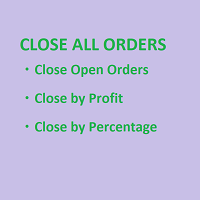
SmartClose(Close All Orders) helps you close all your trades. You can use it on any symbol. You can also set a warm value to manage the risk. With these functions: Close Open Orders : Close all open trades in the trading account. You don't need to set a value for the "value" parameter. Close by Profit : Close trades when profit reaches a specific predefined level. You need to set a value for the "value" parameter. Close by Percentage : Close trades based on a certain percentage of the balance.
FREE
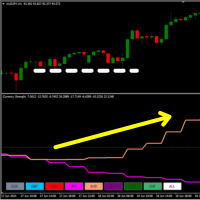
28 market in a Single Indicator! You have 8 Lines and each represents a currency { EUR - USD - GBP - JPY - AUD - NZD - CAD - CHF } .
What It Does? It calculates a custom oscillator on all 28 Forex Pairs and draws you the Strength of each currency. This way you can analyze the Trend and the Volatility on a Multicurrency Rate. Also by Clicking on two different currencies instantly changes the market.
How To Use It? You can use this indicator to find true market contractions when two currencie
FREE

The automatic advisor works according to a simple strategy for the breakout of the previous day's high and low. In the settings there is a function to reverse orders Reverse, when the maximum is broken, instead of buying, a sell will be opened, and when the minimum is broken, instead of selling, a buy will be opened. Real monitoring https://www.mql5.com/en/signals/833080
Settings Reverse - when the level is broken, orders will be opened in the opposite direction The maximum number of limit o
FREE
This is a medium-term conservative system. It tracks quote movements and defines entry points. The Expert Advisor is completely automated and features the unique algorithm. This demo version trades USDJPY.
Features It does not use Martingale; No grid; No scalping; No excessive parameters; Fixed lot; No complicated settings. Trades are usually opened infrequently. Orders may remain open for a few days for obtaining greater profit. Amount of trades per month is from 5 to 20. Deals are closed by T
FREE

Created for signal providers, as well as for participation in various forex contests(and not only), can independently open an unlimited number of orders on the indicators Moving Average and Stochastic Oscillator A series of experts: Lucky Star RSI and MACD, Lucky Star WPR, Lucky Star RSI, Lucky Star MA, Lucky Star SO, Lucky Star MACD, Lucky Star MA and SO, Lucky Star MA and MACD, Lucky Star SO and MACD the probability of winning real money in management or bonuses to real accounts ( read mor
FREE

Velociraptor is an Expert Advisor that exploits acceleration of volatility of the market. It goes into action when there is an explosion of volatility, for example during the news or special events. It is an evolution of the Volatility Accellerator EA with new features and the new algorithm for price acceleration calculation. The best new feature is an equity filter that disables the real trading if the EA is not more profitable. In agreement with filter settings, in this period, the EA will ope
FREE

Signalator Lot Size Evaluator MT4 is a free local MetaTrader 4 utility for manual traders. It helps calculate an estimated lot size before opening a trade manually. The calculation is based on account size, trade direction, entry price, stop loss, risk percentage or fixed money risk, and broker symbol settings. The main purpose is simple: Enter your setup → define your risk → get the suggested lot size. The panel also shows useful pre-trade information such as spread, risk amount, SL/TP distance
FREE

In a departure from the conventional approach, traders can leverage the bearish engulfing candlestick pattern as a buy signal for short-term mean reversion trades. Here's how this alternative strategy unfolds: The bearish engulfing pattern, (typically signaling a reversal of bullish momentum) , is interpreted differently in this context. Instead of viewing it as a precursor to further downward movement, we perceive it as an indication of a potential short-term bounce or mean reversion in prices.
FREE

Candle Pattern Alert indicator alerts when the last price closed candle matches the set input parameters. You can choose to scan through all the symbols in Market Watch or enter your favorite symbols and also you can enter time frames you need to scan. --------- Main settings- ------- Select all symbols from Market Watch? - if Yes the program scans through all the symbols displayed in Market Watch, if No - only selected in next input symbols are scanned
Enter symbols separated by commas - enter
FREE

O EA "Surprising" é um robô inteligente que abre ordens em momentos estratégicos, sempre buscando lucro e segurança da conta. Pode ser usado em vários ativos, mas provou ser mais lucrativo em Ouro. O timeframe M5 ou M30 é muito bom para este robô. Se houver uma única ordem aberta, ele a fechará usando o trailing stop, buscando o melhor lucro. Se o preço se mover na direção oposta à ordem aberta, ele abrirá uma nova ordem do mesmo tipo na próxima zona de suporte ou resistência para compensar a o
FREE

What is so remarkable about the Nema general PRT indicator? It calculates all known derivatives of "EMA" (you know some: DEMA - or, more simply, EMA of the 2nd depth level, TEMA - EMA of the 3rd depth level...DecEMA ...and so you can dive into your research up to level 50...) If you set the depth = 1, then it will be an analogue of "EMA"; I repeat - depth 2 = "DEMA"; depth 3 = "TEMA"...Experiment - check the behavior of the created average at other depths. The indicator also has the abili
FREE

The VR Orders History script is designed to upload a trade report to a csv file. This format is intended for additional analysis of trading history in programs such as EXCEL, Openoffice, and Libreoffice. Thanks to the script, it is now much easier for a trader to analyze their trading history. The program facilitates the analysis of the trading history for the MetaTrader 5 terminal. The trader sees structured trading. The entire report is based on the following principle: Position > Order on the
FREE
The purpose of this new version of the MT4 standard indicator provided in your platform is to display in a sub-window multiple timeframes of the same indicator. See the example shown in the picture below. But the display isn’t like a simple MTF indicator. This is the real display of the indicator on its timeframe. Here's the options available in the FFx indicator: Select the timeframes to be displayed (M1 to Monthly) Define the width (number of bars) for each timeframe box Alert pop up/sound/ema
FREE

Schemes 2.0 – MT4チャートを瞬時に変身 Meta Trader 4の究極のビジュアル強化ツール、Schemes 2.0で、トレーディング体験をアップグレードしましょう。 プロがデザインした9種類のカラーテーマとスマートなトグルインターフェースにより、シンプルなミニマリズムから鮮やかなハイコントラストまで、チャートスタイルをワンクリックで瞬時に切り替えられます。
トレーダーがSchemes 2.0を愛する理由 1. 9種類のプレミアムテーマ – ライトからダーク、クラシックからモダンまで、あらゆるトレーディングスタイルに合わせてカスタマイズできます。 2. ワンクリックスタイル設定 – チャート設定の調整に時間を無駄にすることなく、瞬時にチャートを変身させます。 3. スマートトグル – いつでもコントロールの表示/非表示を切り替えて、作業スペースを無駄なく活用できます。 4. プロフェッショナルな外観 – スクリーンショット、シグナル、ライブトレーディングプレゼンテーションに最適です。 5. 軽量&簡単 – インストールが簡単で直感的に操作でき、無駄な作業は一切あり
FREE

Chart Navigator MT4 Base は、価格チャート上を素早く移動し、チャート上の自分のマークへすぐにジャンプするためのミニマップです。 このインジケーターは、価格チャート全体のコンパクトなミニマップをチャートに追加します。このマップにより、履歴内を素早く移動し、垂直線でマークした重要な場所へ戻ることができます。 このシンプルなナビゲーターの主な利点は、単なるチャートのスクロールではなく、手動で長くスクロールすることなく必要なエリアへ素早く移動できることです。重要なイベントのマークとしてチャートに垂直線を置くと、その線はミニマップにも表示されます。その後、履歴のかなり先または過去へ移動しても、ミニマップ上でそのマークを見つけ、ワンクリックで必要な場所へすぐに戻ることができます。重要な日付、シグナル、取引、ニュース、分析ゾーン、または素早く戻りたい任意のポイントをマークする場合に便利です。
仕組み ミニマップは、選択された履歴範囲をコンパクトな価格ラインとして表示します。メインチャートの現在表示されている範囲は枠で強調表示されます。ミニマップをクリックするとチャートが選択
FREE

トレンドインジケーター 各時間枠のトレンドを決定するための独自のシステム、
すべての標準時間枠における通貨ペアのトレンドを実際に把握することができます。 緑の四角は買いトレンド、赤の四角は売りトレンドです。
取引テクニック: 小さな時間枠が古い時間枠のトレンドと逆の場合は、市場の動きの慣性により、スクリーンショットのように古い時間枠でエントリーします。
このインジケーターは、変更されたローソク足式を使用して、価格変動をより滑らかに表現します。 現在および過去の期間の始値、終値、高値、安値を平均します。 この変換によりノイズが軽減され、トレンドがより明確に把握できるようになります。
これは、合計インデックスの幅の分析と、MACD 計算とヒストグラムに基づく明確な視覚化および追加のトレンド情報を組み合わせた堅牢なインジケーターです。 カスタマイズ機能により、さまざまな指数や市場状況に適応させることができ、トレーダーにトレンドや勢いを分析するための包括的なツールを提供します。
FREE

動的チャネル。 チャネル幅は、価格の動きに応じて自動的に変更されます。 チャネルの中央からの偏差が大きいほど、境界は広くなります。 インジケータは、設定したチャートセクション("Bars for calculations"パラメータ)の動きに合わせて調整されます。 したがって、価格が一定の間隔で急激な変動をした場合、チャネルはさらに強い変動を期待して拡大する。 つまり、そのパラメータは常に現在の市場状況に対応します。
チャンネルは、履歴データ分析のためのものではありません! その操作性を確認するには、テスターで実行してください!
チャネルは、以前の動きに応じて、拡大および縮小の両方が行われます。 これらの動きは、"期間"パラメータに依存します。 "Bars for calculations"=200を設定すると、チャンネルは最後の200バーの動きに合わせて調整されます。 チャネルの上下の境界は、"Bars for calculations"の前の動きの最大の偏差に応じて、接近または移動します。 したがって、価格が中央線から早く逸脱すればするほど、チャネルは広くなり、穏やかな動きでは
FREE

What is The Waiter ?
It is an automated system to always be ready to catch the big movements of the market
How does it work?
Set the mode (stop or limit) Set the pending orders distance Set Take Profit / Stop Loss Wait for the big candle
settings:
entry : 0.OFF (the expert advisor won't operate. only for chart info purposes.) 1.New candle, new STOP orders (each new candle two stop orders are placed. If they are not activated by the end of the candle, they will be cancelled) 2.New candle, ne
FREE

バランスエントリー by VArmadA
シンプルでありながら強力なフラクタルベースの支持/抵抗インジケータ
1H以上のタイムフレームで動作し、すべての主要なペアでテストされています。シグナルに注意してください。長いか短いエントリを示す矢印。
それはどのように動作します。
矢印は、サポート/レジスタンスを反転させたことを示しています。上矢印はロングを意味します - 下矢印はショート取引を示しています。
インストラクション.
- インジケータロング/インジケータショート:与えられたインジケータの矢印の色を選択します。
- 抵抗レベルを表示します。エントリーシグナルを決定するために使用される抵抗レベルを視覚化します。
- サポートレベルを表示します。エントリーシグナルを決定するために使用されるサポートレベルを視覚化します。
FREE

Created for signal providers, as well as for participation in various forex contests(and not only), can independently open an unlimited number of orders on the indicators Moving Average and Moving Average Convergence / Divergence A series of experts: Lucky Star RSI and MACD, Lucky Star WPR, Lucky Star RSI, Lucky Star MA, Lucky Star SO, Lucky Star MACD, Lucky Star MA and SO, Lucky Star MA and MACD, Lucky Star SO and MACD the probability of winning real money in management or bonuses to real acc
FREE
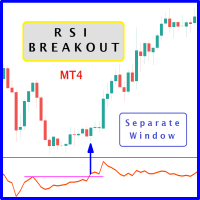
The likelihood of farther price movement increases when the Relative Strength Index oscillator "RSI" breaks through its historical resistance levels in conjunction with prices breakout of resistance levels. It's strongly encouraged to confirm price breakout with oscillator breakout since they have comparable effects to price breaking support and resistance levels; similar perception is applied to short trades. Concept is based on find swing levels which based on number of bars by each side to co
FREE

The new version of MirrorSoftware 2021 has been completely rewriten and optimized.
This version requires to be loaded only on a single chart because it can detect all actions on every symbol and not only the actions of symbol where it is loaded.
Even the graphics and the configuration mode have been completely redesigned. The MirrorSoftware is composed of two components (all components are required to work): MirrorController (free indicator): This component must be loaded into the MASTER
FREE

Basket Recovery System : is useful for trading multiple pair on a single account, single chart.
Functions Of this Ea
with a simple click on a button in any Symbol row, this Utilities will,
Open new Order, Set Lot, Close Order, Reverse Order, Add new Symbol, Delete Symbol, with a simple click on a Navigation Button, this Utilities will,
Select all Symbol Available on Broker, ReSet Symbol Lots, Close all Order, Set Low Risk for all Symbol, Remove all Pair with spread above 2two.
FREE

このロボットのロジックはシンプルです。しかしとても強力です。
長期ローソク足で現在のトレンドをモニターしています。複数のローソク足を使うことで信頼性を高めています。
最初にEAは、現在のトレンドをモニターします。その後、トレンドに沿ってオーダーを出します。
オーダーを出すタイミングは、内部のRCIインジケーターを参考にしています。 RCIのエントリーする値は自由に設定可能です。値を1に近づけると正確ですが、エントリー回数は減少します。
TP=50,SL=50でトレードしますが、もしストップロスになってしまった場合、トレンドとは逆の方向にロットサイズを上げてエントリーします。
設定で変更も可能です。
どうぞお楽しみください。
FREE
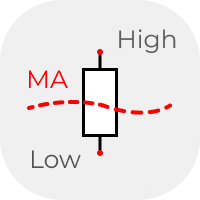
The classic idea of comparing the size of candles. Above / below - the average for a certain period. Usually used on D1, W1 and higher timeframes in candlestick analysis patterns. But you can also use the data from the indicator in your analysis system. The data is presented as a histogram in a separate window. The averaging method can be selected in the settings.
FREE

The panel for the MT4 terminal is designed to help the trader quickly set pending orders for a breakout of the previous bar.
The utility calculates the order lot itself at the specified stop loss price and maximum loss percentage.
The panel also has a button for converting to breakeven. When you click, the stop loss of an open position is converted to the order opening price.
FREE

Terminal Shutdown Timer closes the MetaTrader 4 terminal at a time you choose. That is all it does. It does not trade. It does not analyse the market. It does not send signals. It never opens, modifies or closes an order. What it does At the hour and minute you set, the terminal is closed. An optional on-chart warning appears before that, so the shutdown is never a surprise. The chart also shows the scheduled time and the time remaining. How to use it 1. Attach it to any chart. 2. Set the shutdo
FREE
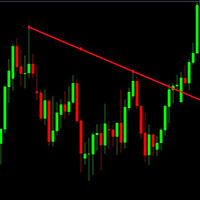
This is just a simple indicator that show Alert when the Current candle Close Above the Trendline. Previous candle do not affect the Alert. The indicator is tied to the Trendline so if the Trendline is accidentally deleted, the Alert will not work. The indicator will draw another Trendline if the current Trendline is deleted. Removing the indicator will removed the Trendline. There are 4 type of Alert to set: Popup Alert, Signal Alert, Push Notification, Comment.
FREE

Dear Friends, Practise master is a Utility program design to work in Live and Strategy Tester. But Main purpose is to work in Strategy Tester. With the help of this program you can take a good practise in strategy Tester. Please rate this application for the better
Benefits. 1. Save lot of time when using this program in Live or Strategy Tester. 2. Very useful to beginners. Demo account will not work in Sat & Sun Days(Market closed days). But for many users have office leave in Sat & Sun(h
FREE

This indicator helps you to scan symbols which are in the Market Watch window and filter out a trend according to RSI.
The relative strength index (RSI) is a technical indicator used in the analysis of financial markets. It is intended to chart the current and historical strength or weakness of a stock or market based on the closing prices of a recent trading period. The indicator should not be confused with relative strength. The RSI is classified as a momentum oscillator, measuring the veloci
FREE
Bollinger Bands Breakout Alert is a simple indicator that can notify you when the price breaks out of the Bollinger Bands. You just need to set the parameters of the Bollinger Bands and how you want to be notified.
Parameters: Indicator Name - is used for reference to know where the notifications are from Bands Period - is the period to use to calculate the Bollinger Bands Bands Shift - is the shift to use to calculate the Bollinger Bands Bands Deviation - is the deviation to use to calculate t
FREE

This is a simple and free Expert Advisor that trades candlesticks. It compares several nearest bars and their volumes, and opens a trade based on that data. Unlike the professional version , it analyzes only 1 timeframe. The recommended timeframes for this EA are H1, H4, D1, it works with any currency pairs. The parameters always need to be optimized before trading, as well as after some period of trading.
Input Parameters Lots - lot size (if Lots=0, then the lot will be calculated based on the
FREE

Grid MATR is designed to map price against dynamically measured or fixed ranges so traders can better visualize volatility, market extension, and session-based price behavior—while requiring independent analysis for direction and trade decisions. The motive is to turn market volatility and selected time/session reference points into a visual price grid. Instead of claiming to predict price direction, it gives the trader a structured way to judge where current price sits relative to ATR-deriv
FREE

Investment Castle Panel — Your Trades, At a Glance
The Panel puts the numbers that matter right on your chart: floating profit and loss, drawdown and more — for manual trades and for any Expert Advisor. A clean, movable dashboard so you always know exactly where you stand.
What it does for you Live P/L on the chart: floating profit/loss for the current symbol, for both buy and sell orders, in your base currency and in pips. Max drawdown at a glance: keep an eye on risk without digging through
FREE
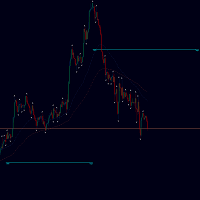
Targets is an indicator to determine potential turning points , targets are calculated to determine levels in which the sentiment of the market could change from "bullish" to "bearish." This indicator can be used in any timeframe and any currency pair: IN CASE YOU DON'T SEE THE INDICATOR WHEN YOU ADD IT TO YOUR CHARTS JUST OPEN THE INDICATOR MENU AND CLOSE THE MENU AGAIN PLEASE TAKE NOTICE: For best results use this indicator as an extra tools after you have completed your regular analysis an
FREE

EA Undead is fully automated bot to generate a stable profit from the volatile FOREX market. This EA will never depend on any indicator.
How this EA works? At the very first it will open a Buy order and Sell Order at same time. And by default take profit will be 15 Pips for all orders. Once take profit reaches it will Re-Open that order. If the market goes against any order than it will add more positions, by default 50 Pips away from last open trade. To minimize the draw-down and loss and to b
FREE

Symbol Changer (Custom) Indicator
This is a simple yet intuitive indicator. And its free.
The indicator provide easy navigation across various symbols and across different time frames all in a chart.
The buttons are displayed on the main chart.
It is flexible and easy to use with fast response speed.
FEATURES
UniqueID : This identifies the pairs for each chart
Use Custom Pairs : If set to true, load all the available symbols in the Market Watch. No means it loads the pairs selected be
FREE

Description Simple Trailing Manager is a professional MetaTrader 4 Expert Advisor that automatically manages trailing stops for your open positions. It provides a clean, visually intuitive interface showing exactly where your trailing stops will activate, helping you monitor your risk management strategy at a glance. Unlike standard trailing stop features, this tool gives you a visual preview of where your trailing stops will be placed before they activate, allowing you to plan your trades more
FREE
MetaTraderマーケットは、開発者がトレーディングアプリを販売するシンプルで便利なサイトです。
プロダクトを投稿するのをお手伝いし、マーケットのためにプロダクト記載を準備する方法を説明します。マーケットのすべてのアプリは暗号化によって守られ、購入者のコンピュータでしか動作しません。違法なコピーは不可能です。

取引の機会を逃しています。
- 無料取引アプリ
- 8千を超えるシグナルをコピー
- 金融ニュースで金融マーケットを探索