Balance is the default operating mode in KINAGI EA v1.06. If you are trying the EA for the first time, start by testing the default settings and saving a baseline you can compare with other modes.
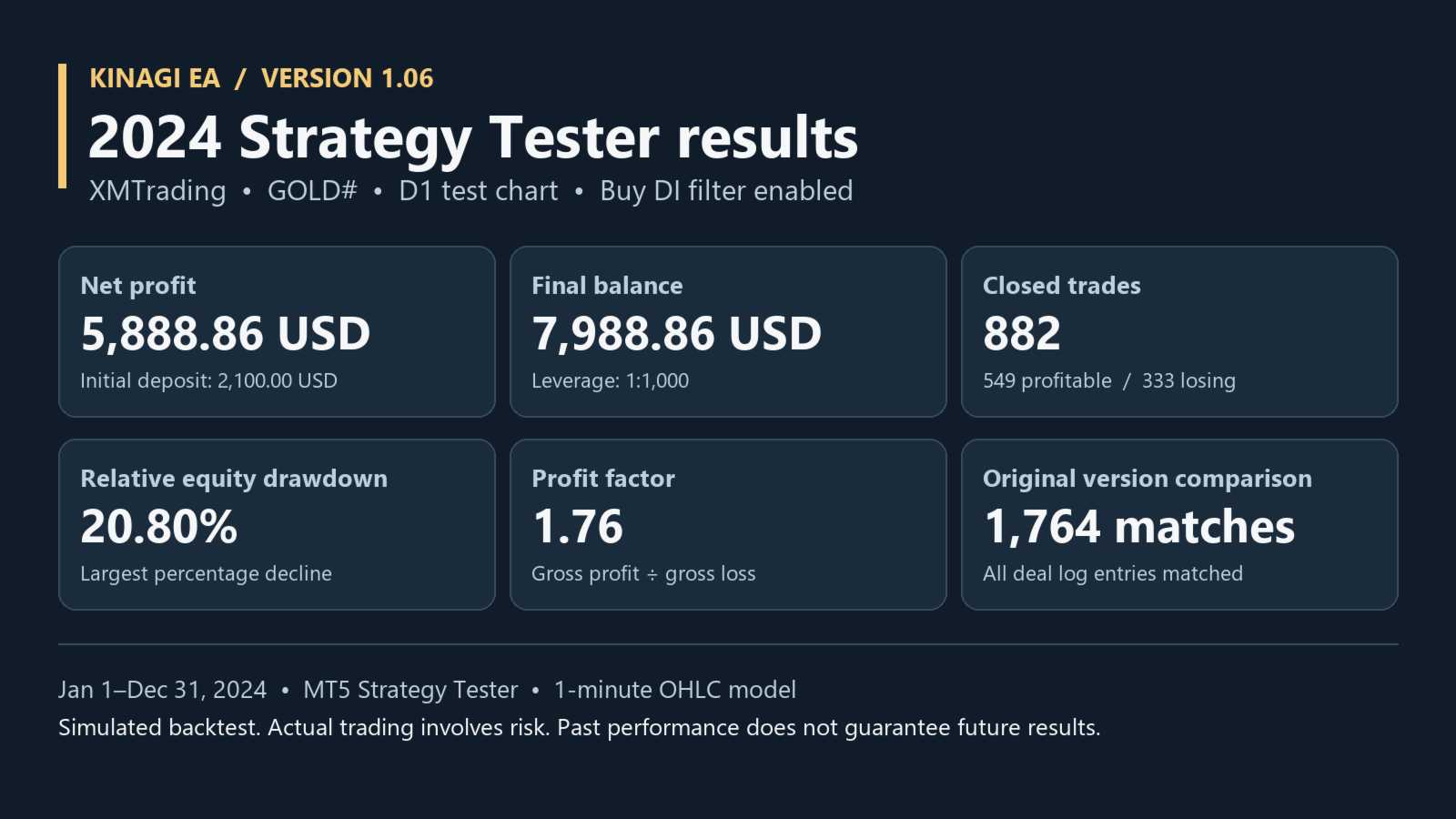
2024 Balance backtest
- Initial deposit: USD 2,100.00
- Net profit: USD 5,888.86
- Final balance: USD 7,988.86
- Closed trades: 882
- Maximum relative equity drawdown: 20.80%
- Profit factor: 1.76
The test covered January through December 2024 using XMTrading GOLD# on a D1 test chart, the MT5 Strategy Tester's 1-minute OHLC model, and 1:1000 leverage. The buy DI filter was enabled, as it is by default.
How to test the default setup
- Open the MT5 Strategy Tester and select KINAGI EA and your broker's USD-quoted gold symbol. Use a USD-denominated hedging account for demo testing. If your broker uses a different symbol name, set TradeSymbol to the exact name.
- Reset the inputs to their defaults. Confirm that the operating mode is Balance and that the buy DI filter is enabled (EntryScreen = 1).
- Run a test with the deposit and leverage you want to evaluate. Record the number of trades, net profit, and maximum relative equity drawdown. Change one setting at a time so you can see which setting affected the result.
Is Wide an option?
Yes. Wide allows more concurrent positions. In the same 2024 comparison it recorded USD 8,495.86 in net profit and 26.23% maximum relative equity drawdown. Compare it with Balance under identical test conditions before deciding whether the higher position limit fits your drawdown tolerance.
These are simulated backtests. Automated trading involves risk of loss, and past results do not guarantee future performance.
For the operating-mode comparison and product details, visit the KINAGI EA Market page.