Alexander Nechaev / Profilo
- Informazioni
|
8+ anni
esperienza
|
102
prodotti
|
945
versioni demo
|
|
2
lavori
|
3
segnali
|
0
iscritti
|
📢 mql5com channel 👉 https://www.mql5.com/en/channels/awtradingsoftware
📢 Telegram channel 👉 https://t.me/AWSoftware
🎞️ YouTube 👉 https://www.youtube.com/@awtradingsoftware
__________⭐⭐⭐⭐⭐ 👇🏻 Top 👇🏻 ⭐⭐⭐⭐__________
✅ "AW Recovery"
System for recovering losing positions
👉 MT4 https://www.mql5.com/en/market/product/49453
👉 MT5 https://www.mql5.com/en/market/product/49692
📌 Advisor instruction and description
👉 https://www.mql5.com/en/blogs/post/735029
____________________🔹 Products 🔹____________________
💎 Trading Advisers 💎
👉 MT4 https://www.mql5.com/en/market/mt4/expert?Filter=nechaevrealle
👉 MT5 https://www.mql5.com/en/market/mt5/expert?Filter=nechaevrealle
💎 Trading Utilities 💎
👉 MT4 https://www.mql5.com/en/market/mt4/utility?Filter=nechaevrealle
👉 MT5 https://www.mql5.com/en/market/mt5/utility?Filter=nechaevrealle
💎 Technical indicators 💎
👉 MT4 https://www.mql5.com/en/market/mt4/indicator?Filter=nechaevrealle
👉 MT5 https://www.mql5.com/en/market/mt5/indicator?Filter=nechaevrealle
_____________________ 🔹 Blog 🔹 ______________________
📌 All instructions in my blog - https://www.mql5.com/en/users/nechaevrealle/blog
Indicatore del tempo fino alla fine della candela. Mostra il tempo fino alla fine della candela, così come l'ora del server. Il testo può visualizzare la tendenza o la direzione della candela, le notifiche sonore sono integrate Peculiarità: Visualizza il tempo fino alla fine della candela corrente e altri intervalli di tempo che possono essere regolati o disabilitati se necessario AW Candle Time può selezionare la direzione della candela o del trend corrente con l'indicatore AW Super Trend La
Simple setup, delayed launch during the drawdown, locking, disabling other expert advisors, averaging with trend filtering, and partial closing of a losing position built into one tool.
Get MT4 Version
👉 https://www.mql5.com/en/market/product/49453
Get MT5 Version
👉 https://www.mql5.com/en/market/product/49692
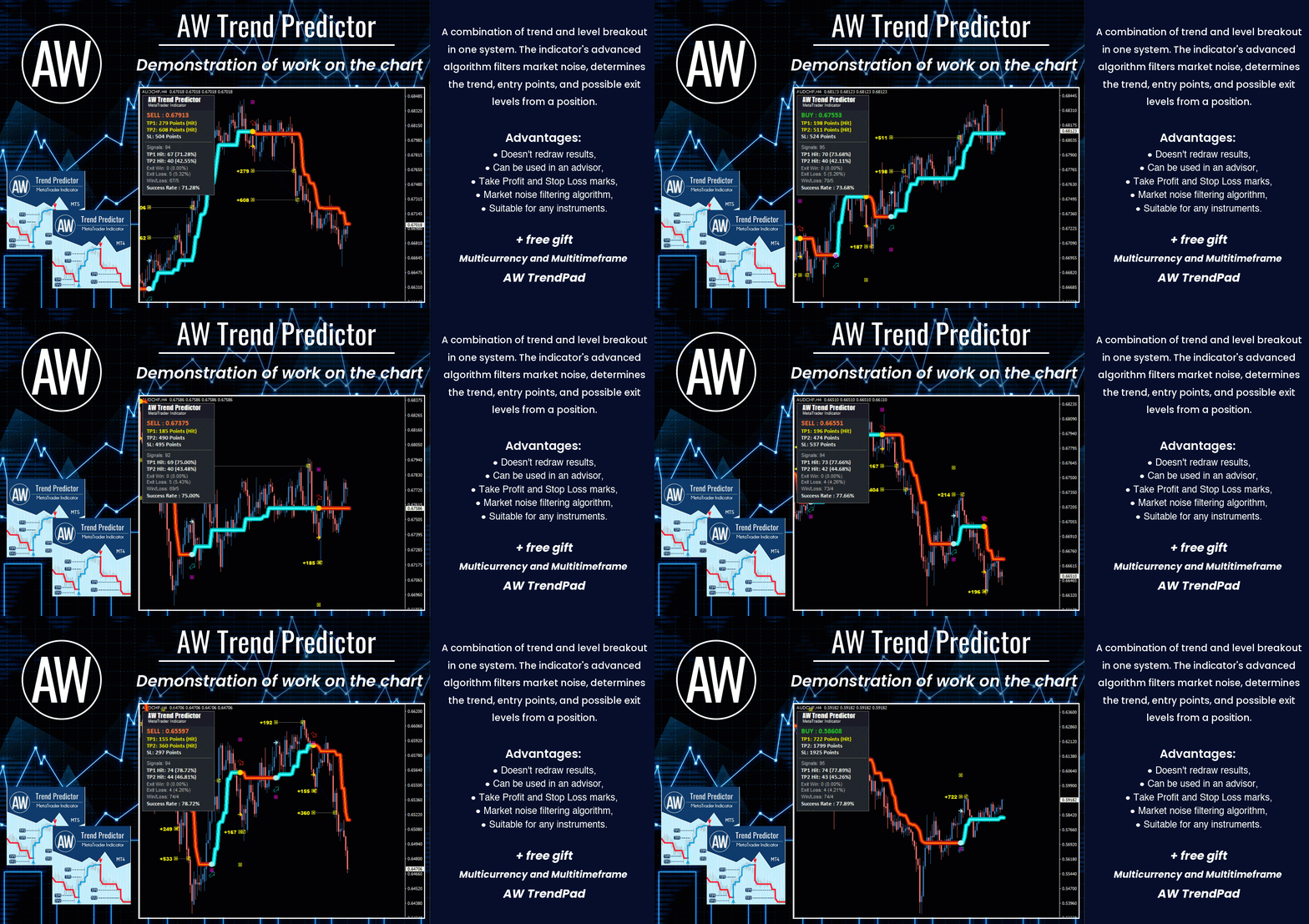
The AW Candle Patterns indicator is a combination of an advanced trend indicator combined with a powerful candle pattern scanner. It is a useful tool for recognizing and highlighting the thirty most reliable candlestick patterns. In addition, it is a current trend analyzer based on colored bars with a plug-in multi-timeframe trend panel that can be resized and positioned. A unique ability to adjust the display of patterns depending on the trend filtering.
MT5 👉 https://www.mql5.com/en/market/product/83325
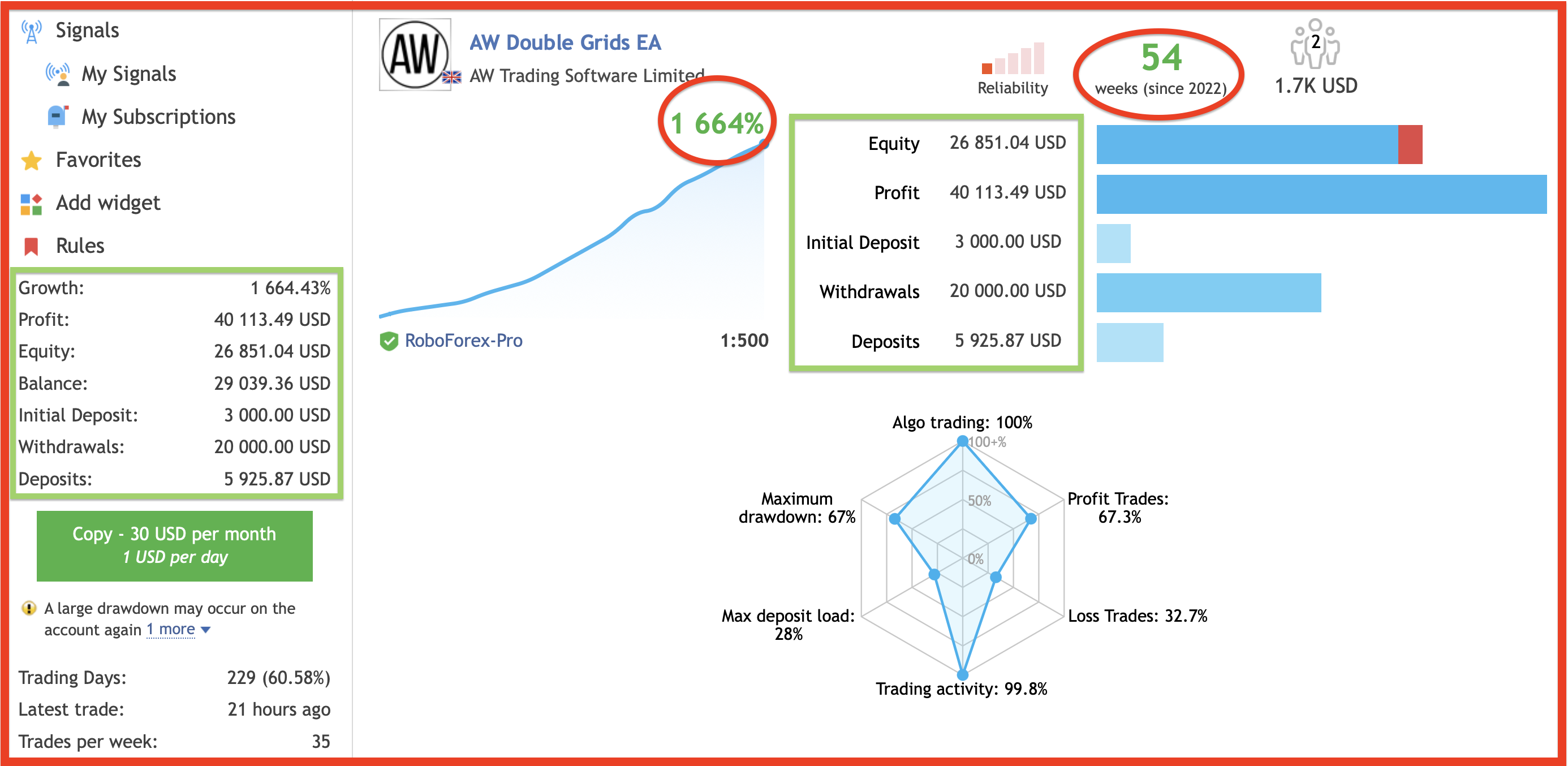
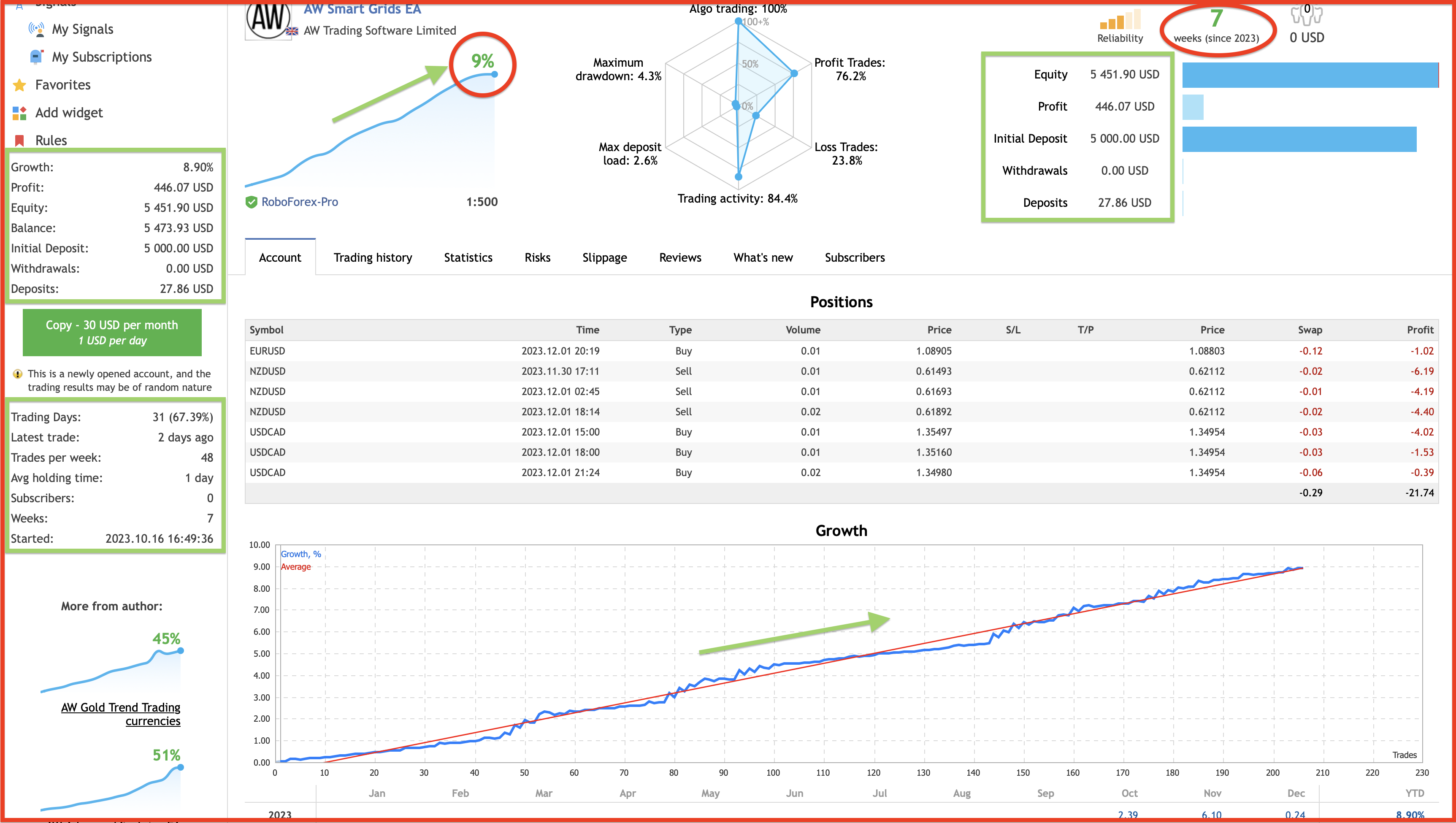
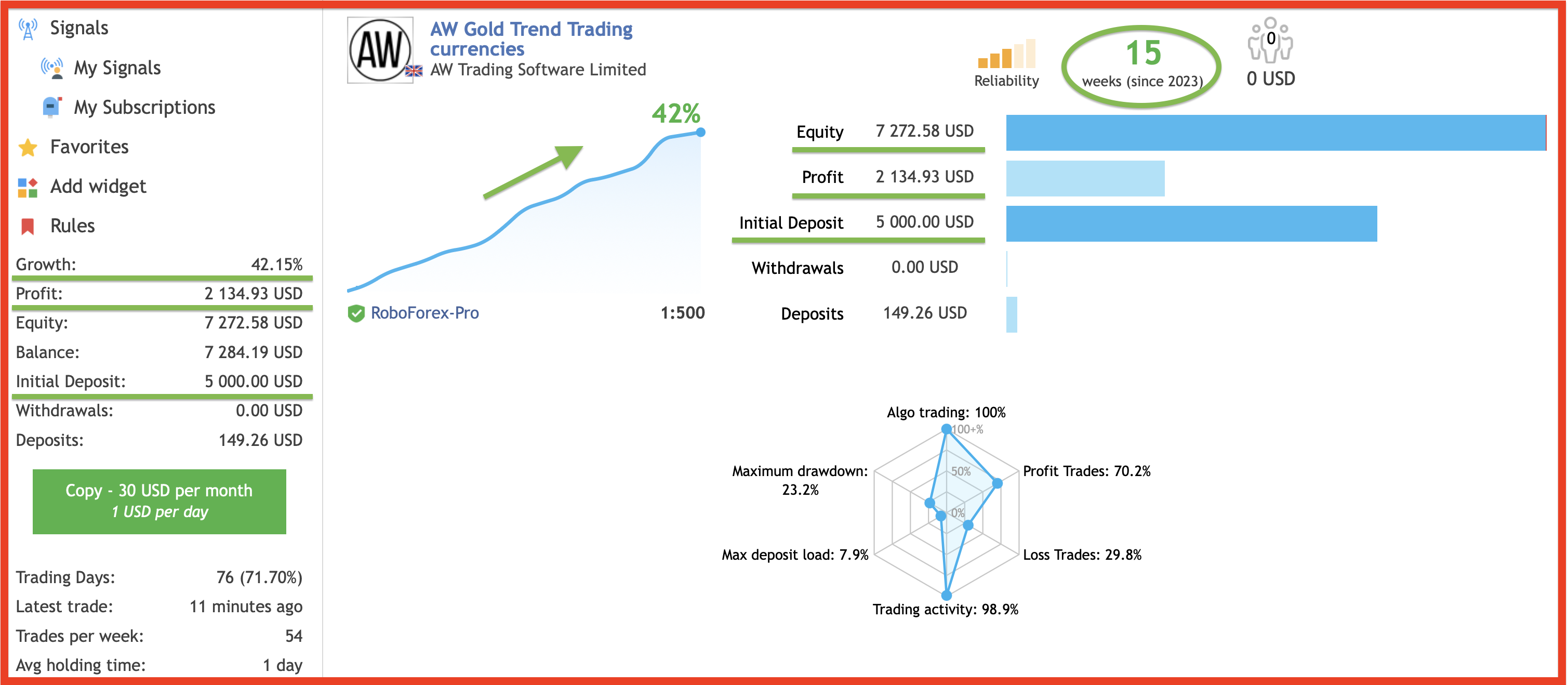
The result of real work!
MT4 👉 https://www.mql5.com/en/market/product/75999
MT5 👉 https://www.mql5.com/en/market/product/81941
📌Signal monitoring
👉 https://www.mql5.com/en/signals/1802210
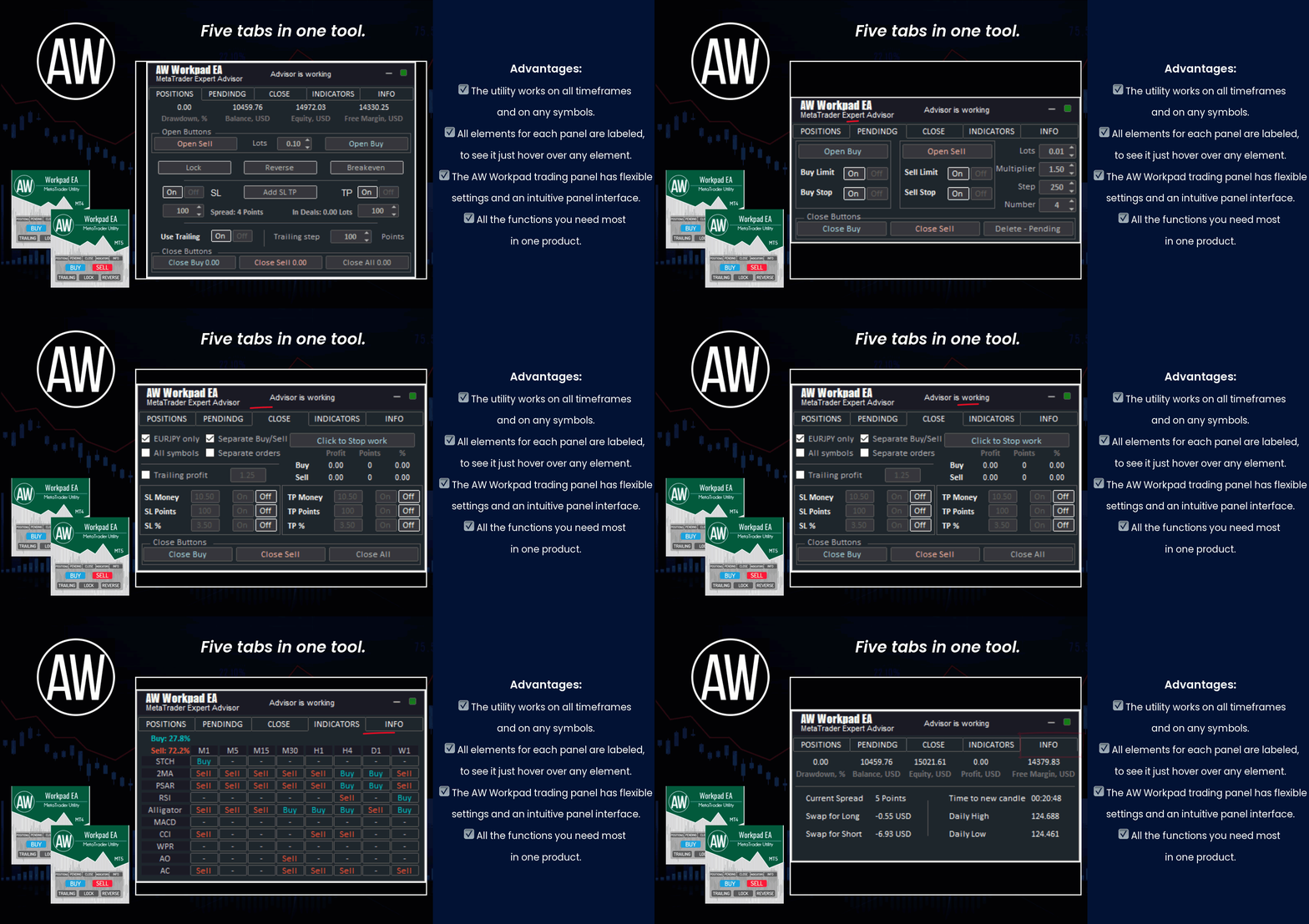
🔹 Multifunctional trading control panel designed for manual and semi-automatic trading
Get MT4 Version
👉 https://www.mql5.com/en/market/product/55886
Get MT5 Version
👉 https://www.mql5.com/en/market/product/56179
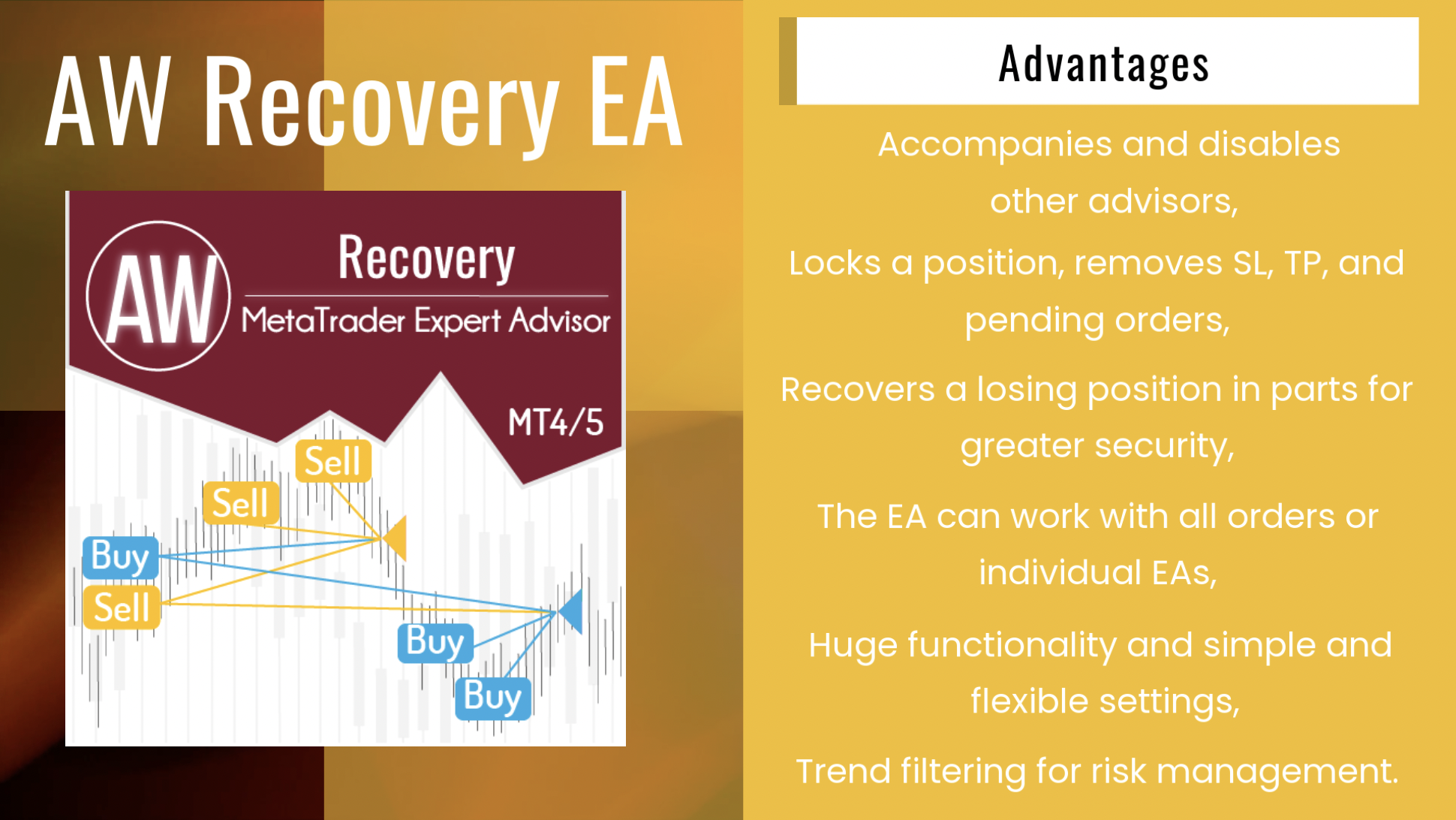
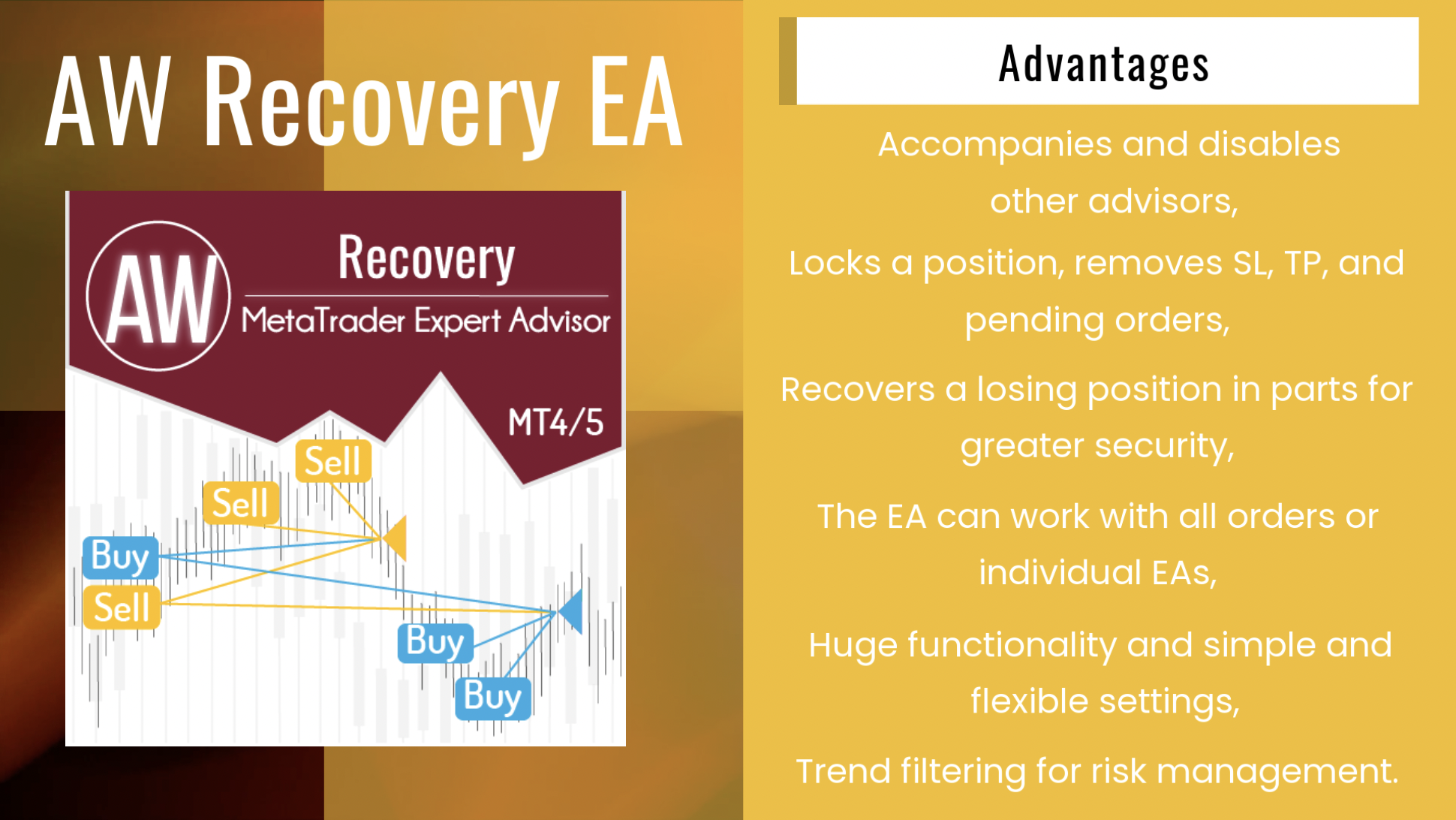
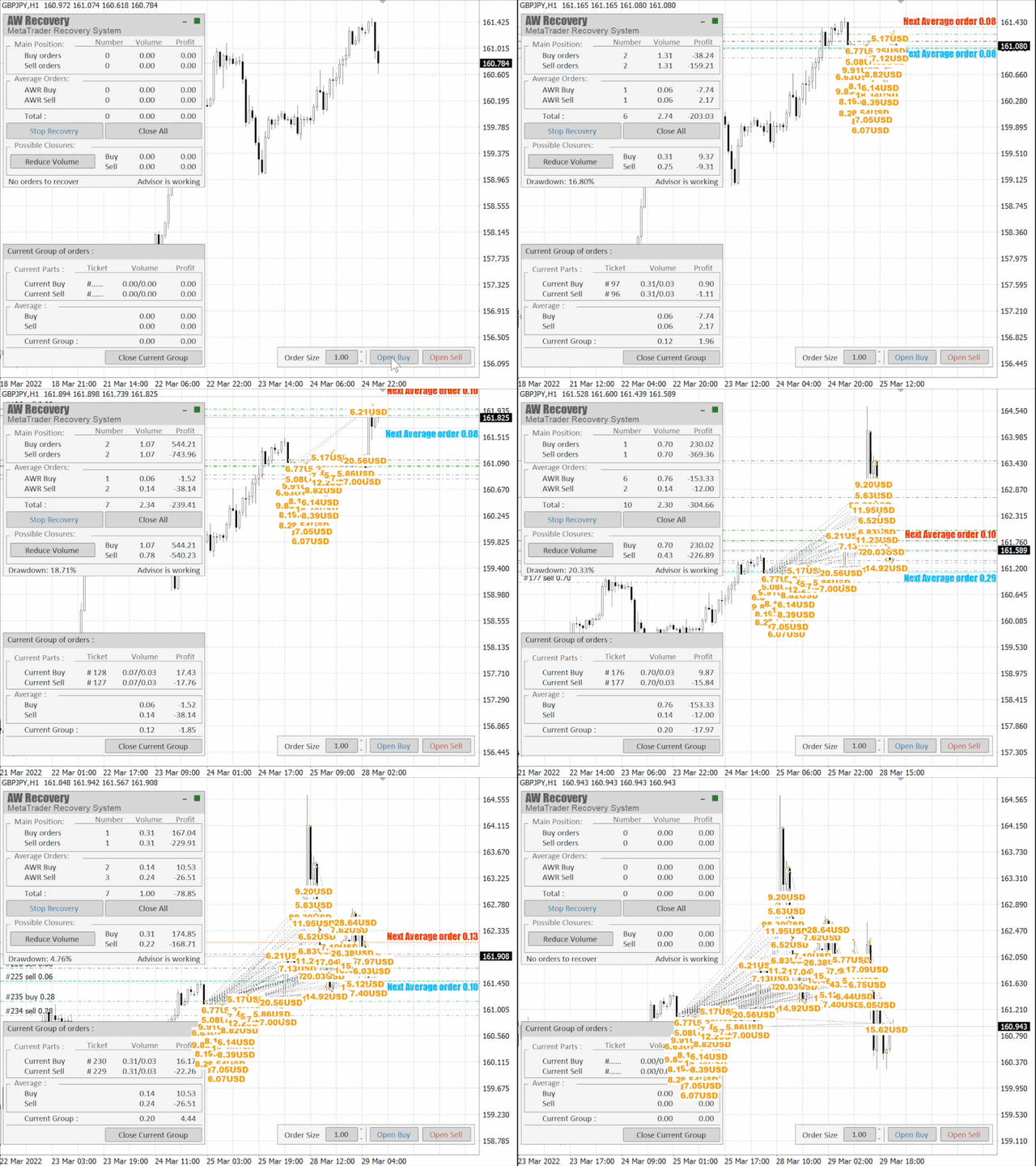
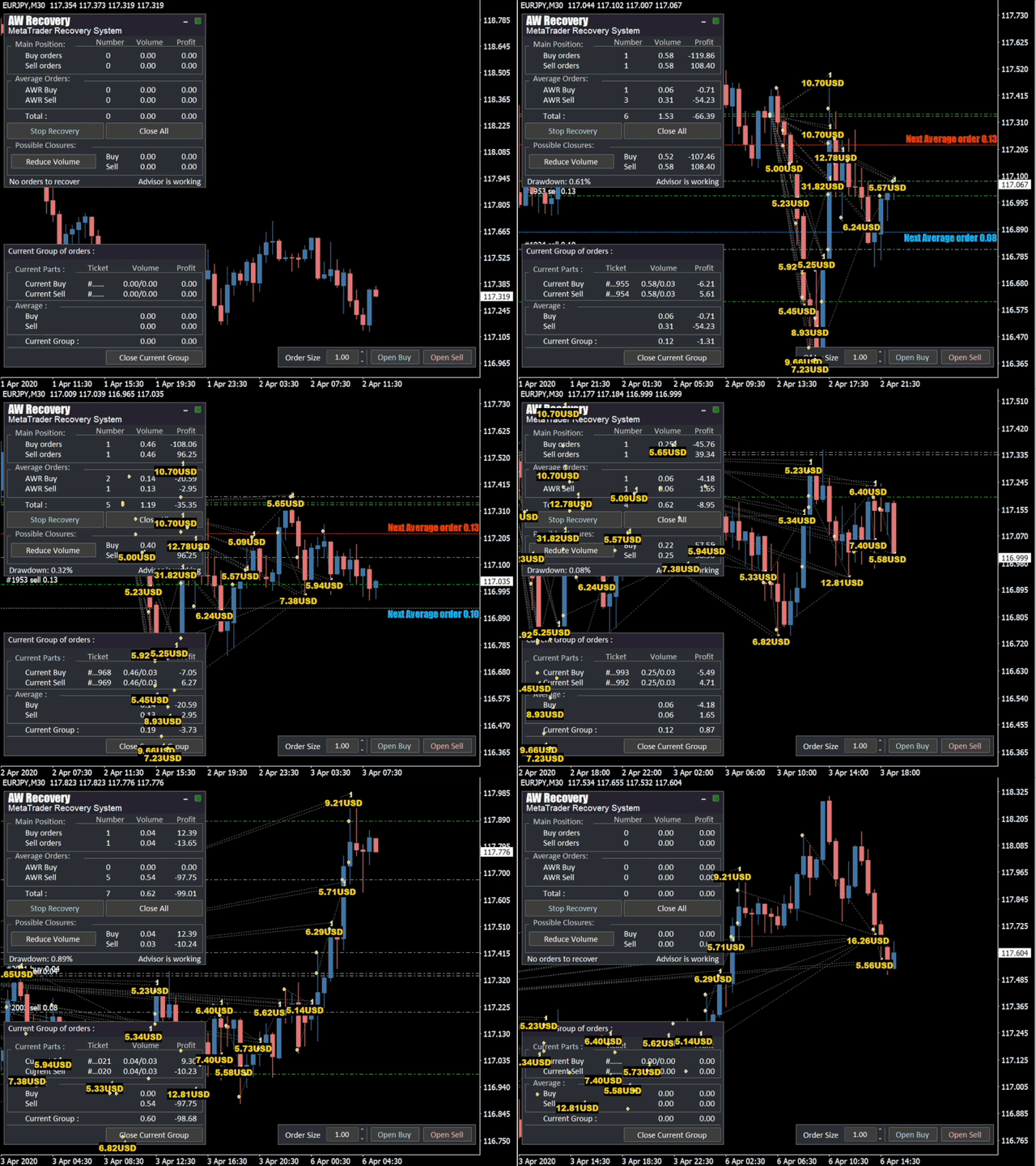
AW Recovery EA is a system designed to restore unprofitable positions. The author's algorithm locks a losing position, splits it into many separate parts, and closes each of them separately. Easy setup, delayed launch in case of drawdown, locking, disabling other Expert Advisors, averaging with trend filtering and partial closing of a losing position are built into one tool.
It is the use of closing losses in parts that allows you to reduce losses with a smaller deposit load, which ensures safer work with losses, unlike grid strategies that close orders only in whole groups.
✅How orders are restored:
⭐ AW Recovery can accompany other advisors and turn them off at the right time
⭐ The EA automatically locks the position, resets TP and SL levels, and deletes pending orders
⭐ Restores a losing position in parts, allowing you to work with a lower deposit load
⭐ Can be used to recover the loss of individual Expert Advisors or work on the current symbol
⭐ The robot combines functionality with simple and flexible settings for each specific situation
⭐ Built-in many protective functions, trend filtering, overlapping, etc. for risk management
✅How to trade with an advisor:
❗Step 1: Adjust the pitch and volumes
Adjust the volume of the first averaging order
Adjust the step for averaging orders
Adjust the ratio between averaging and closing and their volumes
❗Step 2: Set up additional features
Select period for trend filter(If used)
Choose a multiplier for averaging orders
Select Take Profit to close parts of a losing position with a specified profit
❗Step 3: Disable Other Expert Advisors
Disable other Expert Advisors working with these orders
Or let AW Recovery disable these Expert Advisors
Or work without locking
Get MT4 Version
👉 https://www.mql5.com/en/market/product/49453
Get MT5 Version
👉 https://www.mql5.com/en/market/product/49692
🎬 Video instruction 👉 https://youtu.be/Sx_QwmvSAEY
🔹 Trend advisor with an advanced averaging system 🔹
📌Signal monitoring
👉 https://www.mql5.com/en/signals/1538842
✅ MT4 version
👉 https://www.mql5.com/en/market/product/56647
✅ MT5 version
👉 https://www.mql5.com/en/market/product/27081
Robot di trading completamente automatizzato. Funziona sui segnali dell'indicatore OsMA standard. Funzione integrata di calcolo automatico dei lotti, moltiplicazione dei volumi per l'apertura degli ordini. Impostazioni degli indicatori personalizzabili per i calcoli EA. Completato con un sistema di traino a passo regolabile. Vantaggi: Adatto a tutti gli strumenti e a tutti i tempi, Sistema di trascinamento integrato con gradino regolabile, Segnali indicatori personalizzabili, La funzione di
Link to the product:
Get MT4 Version
👉 https://www.mql5.com/en/market/product/25582
Get MT5 Version
👉 https://www.mql5.com/en/market/product/28263
🔹 get your Breakouts Dashboard for free 🔹
Manual: https://www.mql5.com/en/blogs/post/740915
📌Closing orders for the current symbol or all symbols
📌The ability to close one or several unprofitable orders at a time
📌Selection of magic numbers and tickets for the closing
📌Selection of profitable and unprofitable orders in money, points, or percentage
📌Closing only BUY or SELL orders or closing all orders
📌Selecting the number of profitable orders in the basket to cover the loss
Get MT4 Version
👉 https://www.mql5.com/en/market/product/28258
Get MT5 Version
👉 https://www.mql5.com/en/market/product/62083
🔹 Real account result 🔹
MT4 👉 https://www.mql5.com/en/market/product/42172
MT5 👉 https://www.mql5.com/en/market/product/62408
INSTRUCTION AND DESCRIPTION
📌 https://www.mql5.com/en/blogs/post/742819
📈 Live signal
👉 https://www.mql5.com/en/signals/1802208
AW Recovery EA is a system designed to restore unprofitable positions. The author's algorithm locks a losing position, splits it into many separate parts, and closes each of them separately. Easy setup, delayed launch in case of drawdown, locking, disabling other Expert Advisors, averaging with trend filtering and partial closing of a losing position are built into one tool.
It is the use of closing losses in parts that allows you to reduce losses with a smaller deposit load, which ensures safer work with losses, unlike grid strategies that close orders only in whole groups.
✅How orders are restored:
⭐ AW Recovery can accompany other advisors and turn them off at the right time
⭐ The EA automatically locks the position, resets TP and SL levels, and deletes pending orders
⭐ Restores a losing position in parts, allowing you to work with a lower deposit load
⭐ Can be used to recover the loss of individual Expert Advisors or work on the current symbol
⭐ The robot combines functionality with simple and flexible settings for each specific situation
⭐ Built-in many protective functions, trend filtering, overlapping, etc. for risk management
✅How to trade with an advisor:
❗Step 1: Adjust the pitch and volumes
Adjust the volume of the first averaging order
Adjust the step for averaging orders
Adjust the ratio between averaging and closing and their volumes
❗Step 2: Set up additional features
Select period for trend filter(If used)
Choose a multiplier for averaging orders
Select Take Profit to close parts of a losing position with a specified profit
❗Step 3: Disable Other Expert Advisors
Disable other Expert Advisors working with these orders
Or let AW Recovery disable these Expert Advisors
Or work without locking
Get MT4 Version
👉 https://www.mql5.com/en/market/product/49453
Get MT5 Version
👉 https://www.mql5.com/en/market/product/49692
🎬 Video instruction 👉 https://youtu.be/Sx_QwmvSAEY
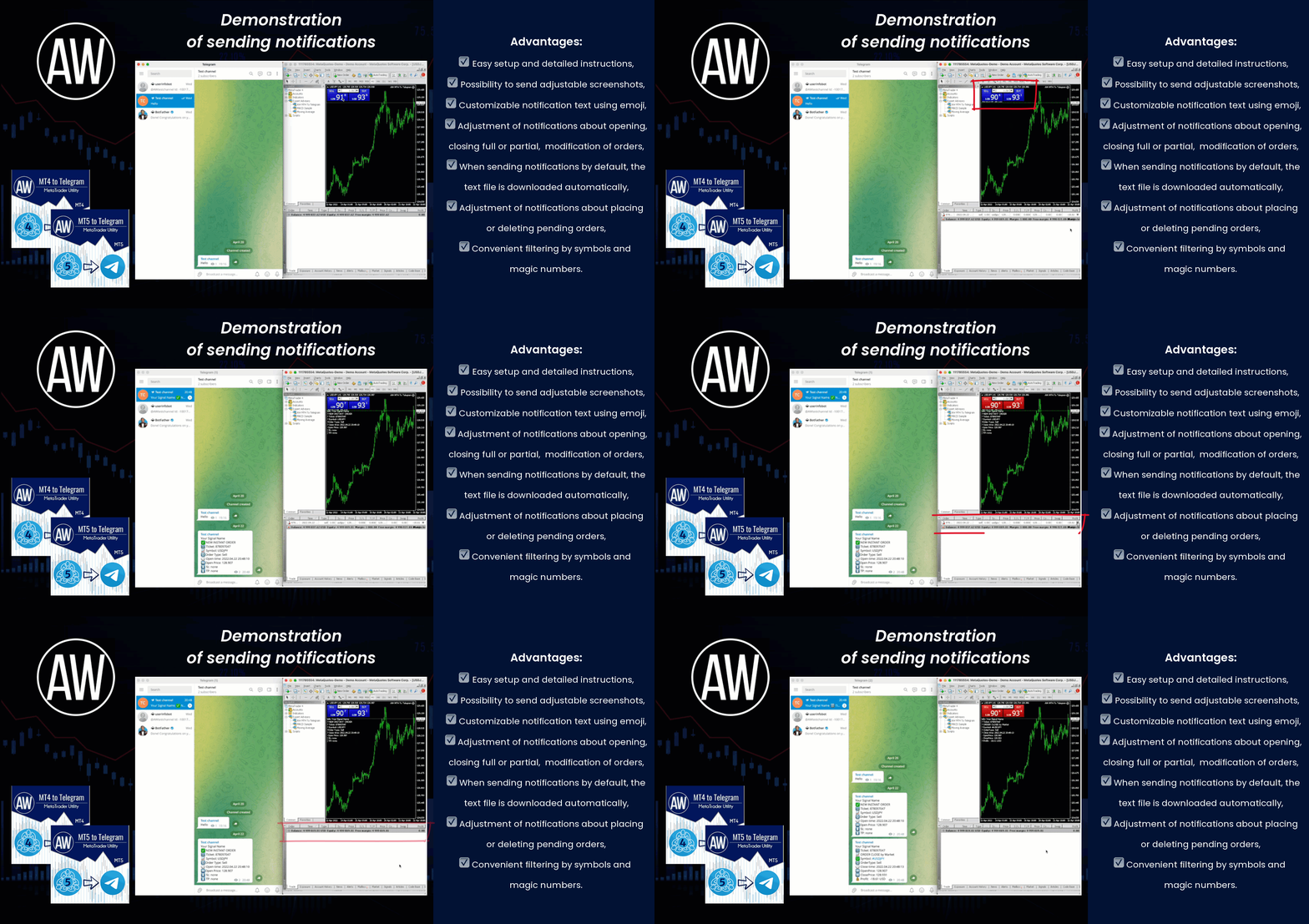
A utility that sends notifications to the Telegram messenger about any trading operations on your account.
MT4 👉 https://www.mql5.com/en/market/product/80020
MT5 👉 https://www.mql5.com/en/market/product/81256
📌 Instructions 👉 https://www.mql5.com/en/blogs/post/748832
✅ Our Trading Advisers
👉 MT4 https://www.mql5.com/en/market/mt4/expert?Filter=nechaevrealle
👉 MT5 https://www.mql5.com/en/market/mt5/expert?Filter=nechaevrealle
📈 Live Signals
👉 https://www.mql5.com/en/signals/author/nechaevrealle
📢 AW Trading Software Channel
👉 https://t.me/AWSoftware
👉 https://www.youtube.com/watch?v=YXw_d9hpg5E
______ AW Classic MACD EA ______
Get MT4 Version
👉 https://www.mql5.com/en/market/product/66079
Get MT5 Version
👉 https://www.mql5.com/en/market/product/66497
AW Breakout Catcher EA that trades by indicator signals AW Breakout Catcher. The advisor works by a strategy to break the dynamic levels of support and resistance.
📈 Live signal
👉 https://www.mql5.com/en/signals/1102360
Get MT4 Version
👉 https://www.mql5.com/en/market/product/63457
Get MT5 Version
👉 https://www.mql5.com/en/market/product/63462
INSTRUCTION AND DESCRIPTION
👉 https://www.mql5.com/en/blogs/post/743111
🔹 Multifunctional trading control panel designed for manual and semi-automatic trading
Get MT4 Version
👉 https://www.mql5.com/en/market/product/55886
Get MT5 Version
👉 https://www.mql5.com/en/market/product/56179