Chart Visibility Inspector
- Utilità
- Versione: 1.0
- Attivazioni: 5

Your drawing exists. Why does it disappear when you switch timeframe?
See the visibility rules behind your MT5 chart—without changing the drawings you are investigating.
Chart Visibility Inspector puts each matching object's native timeframe settings into one clear matrix, from M1 through monthly charts. Compare drawings side by side, identify a timeframe exclusion, distinguish a selection lock from an object hidden in the default Objects List, and save a local CSV snapshot for your own troubleshooting records.
What you can inspect
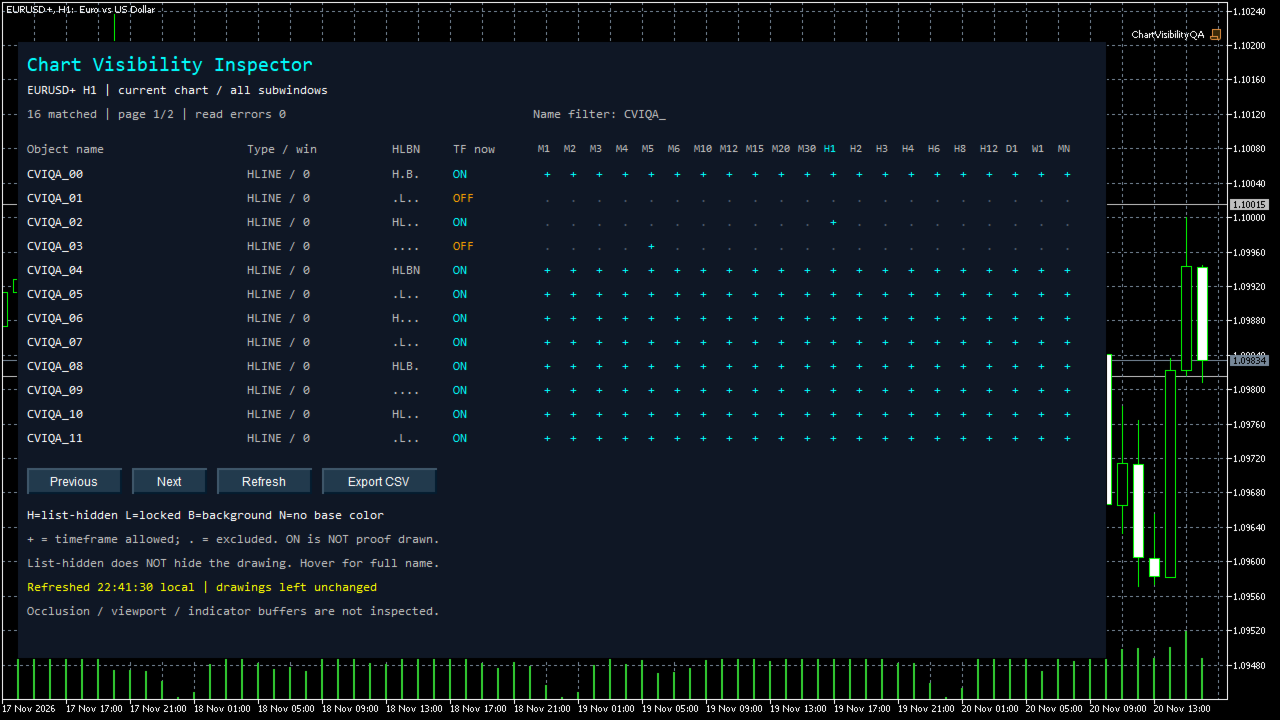
- All 21 standard MT5 timeframe flags: '+' means the object's settings allow that timeframe; '.' means excluded.
- Current-timeframe ON/OFF state, based on the native timeframe mask.
- Object name, type and subwindow number; hover to read a full long name.
- H: hidden in the default Objects List. This does not hide the drawing itself.
- L: selection locked; B: background setting; N: base color is 'none'.
- Case-sensitive name filtering, 12-row pages, automatic or manual refresh, and CSV export of the matched snapshot to MQL5/Files.
Practical uses
- Troubleshoot a drawing that is allowed on H1 but excluded on M5.
- Review the timeframe settings of a group of indicator-generated objects by filtering their name prefix.
- Check why a drawing cannot be selected before editing your template or indicator configuration.
- Prepare a settings snapshot for a developer or support discussion. Review the CSV before sharing it: it contains object names from your chart.
- Inspect objects in indicator subwindows alongside objects in the main chart.
Getting started
Attach the indicator to the chart whose objects you want to inspect. Use a chart area at least 1120 pixels wide and 680 pixels high; maximize the chart or reduce other panels if needed. Leave InpNameContains empty to list all eligible objects, or enter a case-sensitive substring. Choose a refresh interval of 2 to 60 seconds (default 10). Use Next/Previous to page through matches and Export CSV to save the current snapshot. The panel reports read errors if objects disappear while being inspected.
Clear limits
ON means the timeframe mask permits drawing; it does not prove the object is visible on screen. The inspector does not analyze occlusion, viewport position, ray geometry, layer overlap, individual level colors, indicator buffers, or the code that created an object. N describes only the base color. It does not identify an object's owner from its name. A moving chart is not an atomic snapshot.
The utility inspects its current chart and its subwindows. Above 3000 native chart objects, including the inspector's own panel, inspection is suspended and labelled unavailable. Objects beginning '__CVI_' are reserved for the inspector and excluded from results. Long names are abbreviated in the table and available in the hover details and CSV. Removal deletes only that inspector instance's own panel objects.
The product creates its own interface and local CSV exports. It does not alter the inspected drawings, place trades, change accounts, copy drawings, repair indicators, or restore deleted objects. It makes no profit promises.
Screenshot captions
1. Genuine MT5 execution with controlled QA drawings: all-timeframe, no-timeframe, H1-only and M5-only rules compared on one panel. These are deliberately seeded examples, not trading signals.
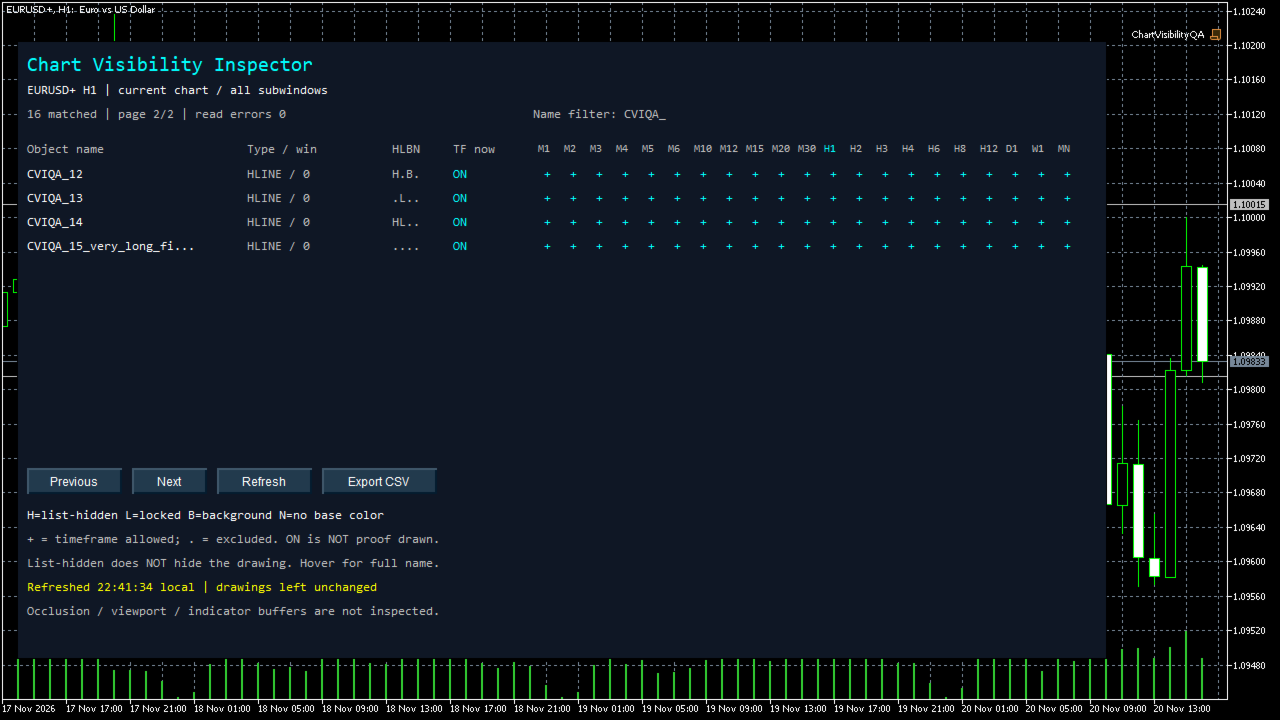
2. Second page: long names are abbreviated and unused rows clear correctly.
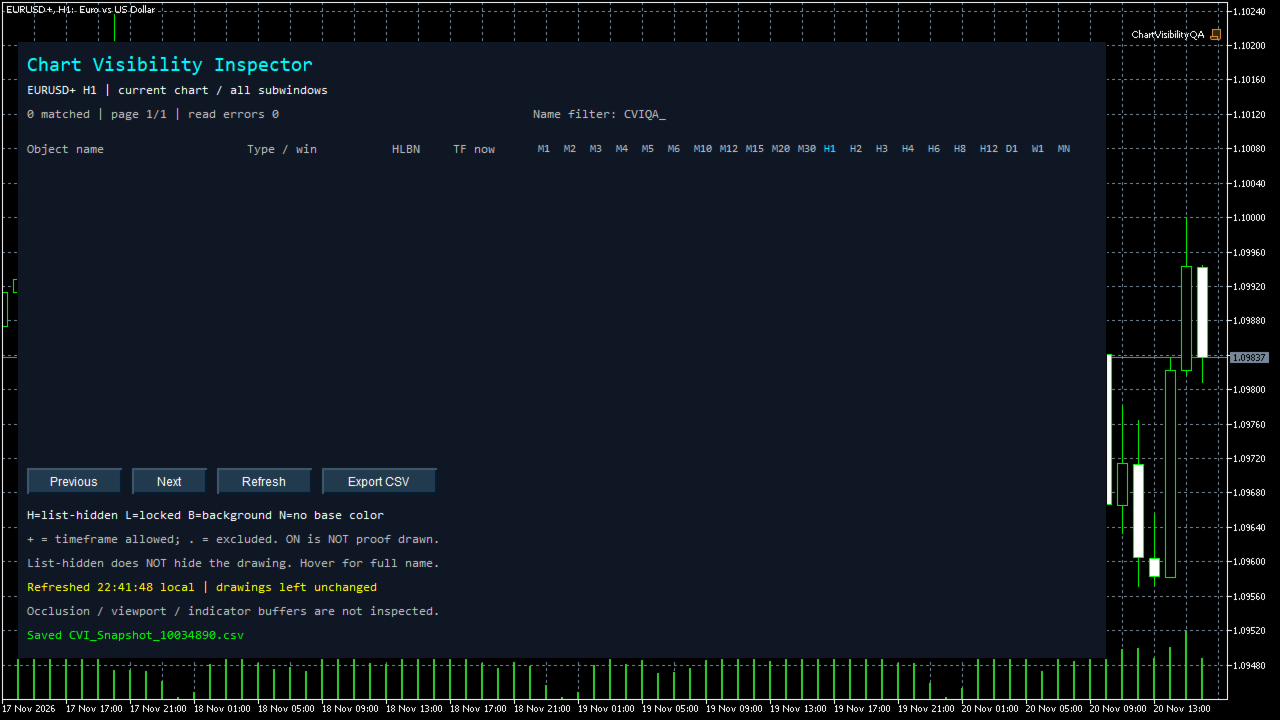
3. Empty filter results: no previous drawing rows remain; the last saved CSV notification remains available.