ICT Turtle Soup Advanced
- Indicatori
- Versione: 0.21
- Attivazioni: 10

ICT Turtle Soup Advanced MT5 is a visual trading indicator designed around ICT-style liquidity concepts and the Turtle Soup reversal model.
The indicator monitors the chart for a structured sequence of events:
Liquidity → Purge/Sweep → Market Structure Shift → FVG → Retest → Entry Context → Standard Deviation Targets
It is designed as a chart-analysis tool, not an automated trading EA. The goal is to help traders visually identify liquidity events, displacement, structure shifts, imbalances, session levels, and potential draws on liquidity without manually marking everything on the chart.
Core Turtle Soup Model
The indicator first identifies important swing highs and swing lows that may contain liquidity.
BSL – Buy-Side Liquidity
Liquidity positioned above previous swing highs. These areas may contain stop-losses from short positions and breakout buy orders.
SSL – Sell-Side Liquidity
Liquidity positioned below previous swing lows. These areas may contain stop-losses from long positions and breakout sell orders.
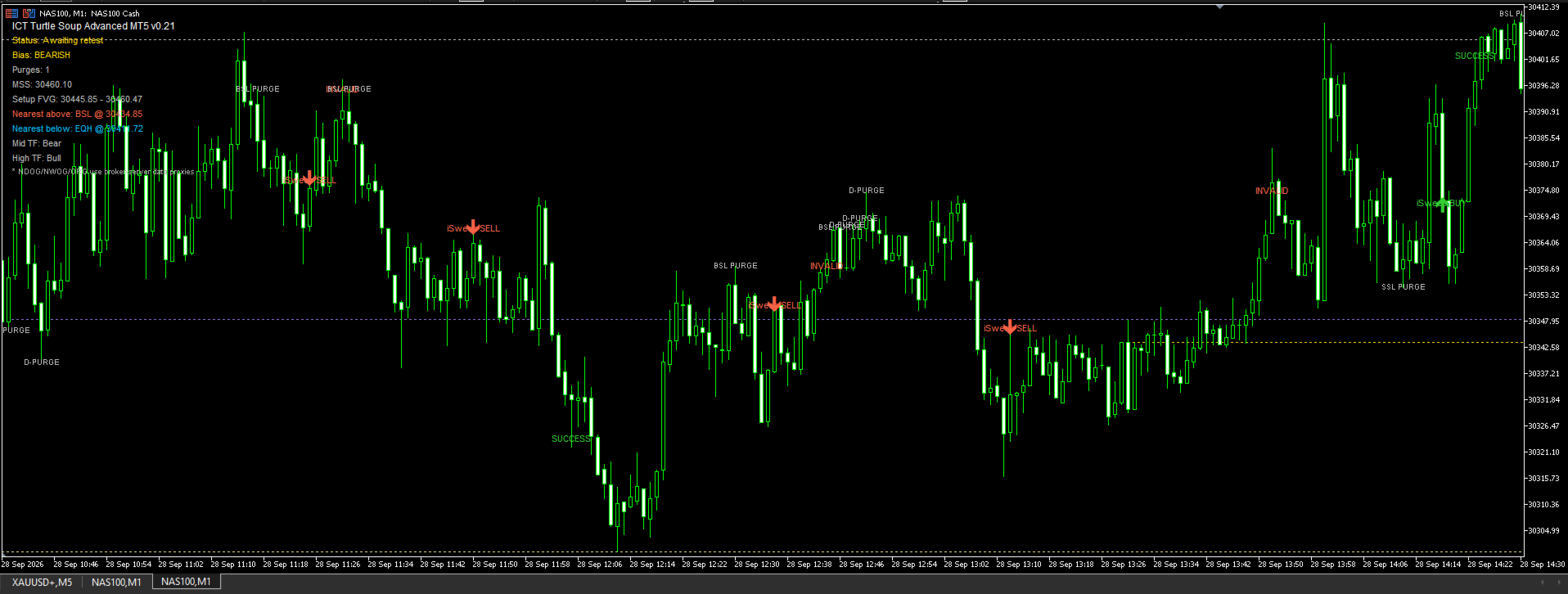
When price trades beyond one of these liquidity levels and then reacts back through it, the indicator can identify the event as a liquidity purge or Turtle Soup sweep.
A sweep of SSL can prepare a potential bullish model.
A sweep of BSL can prepare a potential bearish model.
Liquidity Purge
A PURGE means price has traded through an identified liquidity pool.
Examples:
SSL PURGE
Price trades below a previous low and potentially rejects back upward.
BSL PURGE
Price trades above a previous high and potentially rejects back downward.
The indicator does not automatically consider every sweep a trade. The model continues looking for confirmation.
D-PURGE
D-PURGE means Double Purge.
Sometimes price sweeps liquidity once but then extends further and produces another liquidity purge before the actual reversal.
Instead of immediately invalidating the setup, the indicator can update the true sweep extreme.
This helps represent situations where liquidity is cleared in multiple stages before displacement begins.
MSS – Market Structure Shift
After liquidity has been taken, the indicator looks for a Market Structure Shift.
For a bullish model:
SSL sweep → price breaks bullish structure
For a bearish model:
BSL sweep → price breaks bearish structure
The indicator can require either:
- candle close confirmation, or
- wick-based structure break
depending on the selected settings.
MSS is used as confirmation that price may be transitioning away from the liquidity purge.
FVG – Fair Value Gap
After displacement, the indicator searches for a Fair Value Gap.
A Fair Value Gap represents an imbalance created when price moves aggressively enough that three consecutive candles leave an inefficiently traded area.
The indicator marks:
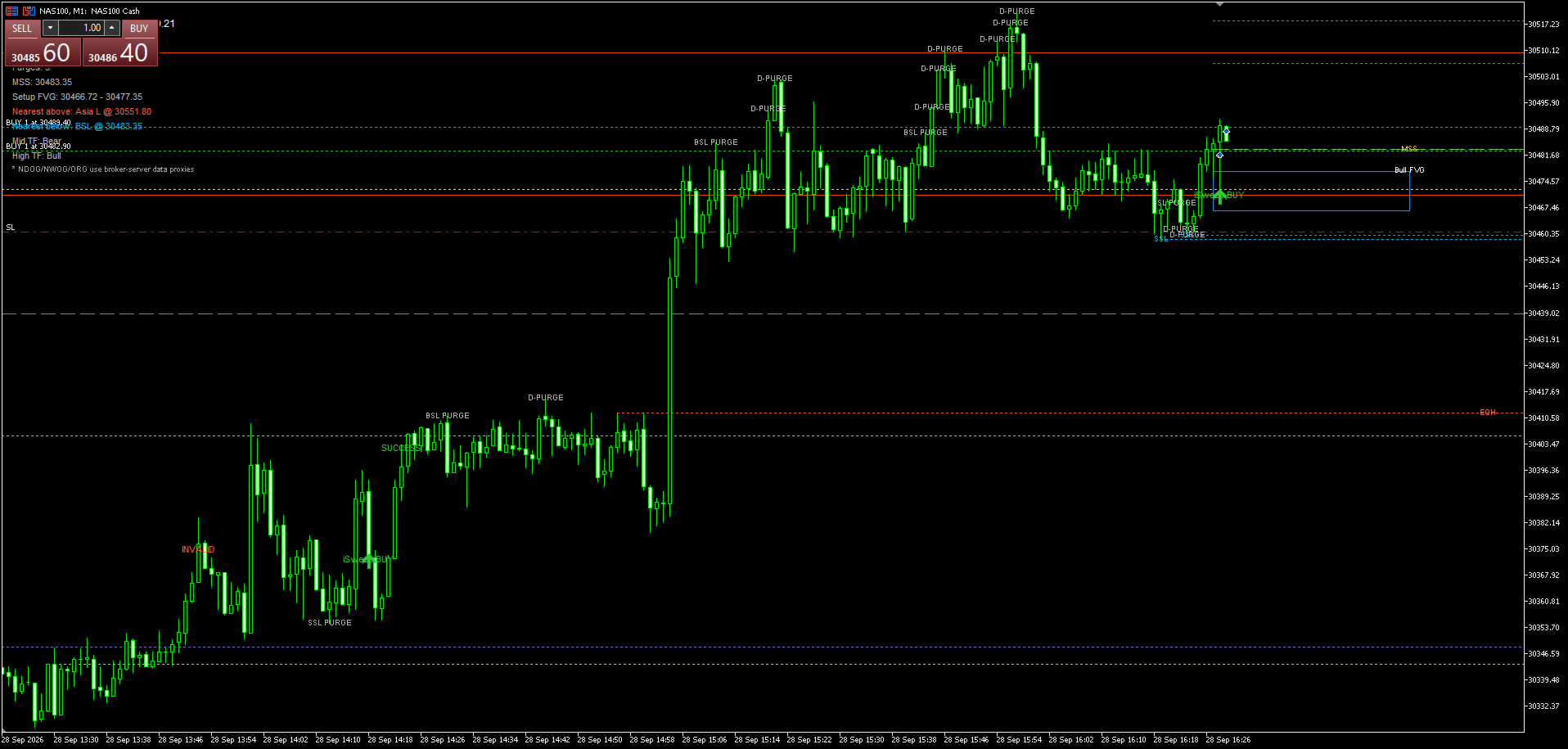
Bullish FVG
Potential retracement zone during a bullish setup.
Bearish FVG
Potential retracement zone during a bearish setup.
The FVG is used as a possible retracement or entry location after liquidity and structure confirmation.
iSweep / Retest Entry
After:
Liquidity Sweep → MSS → FVG
the indicator waits for price to return into the imbalance.
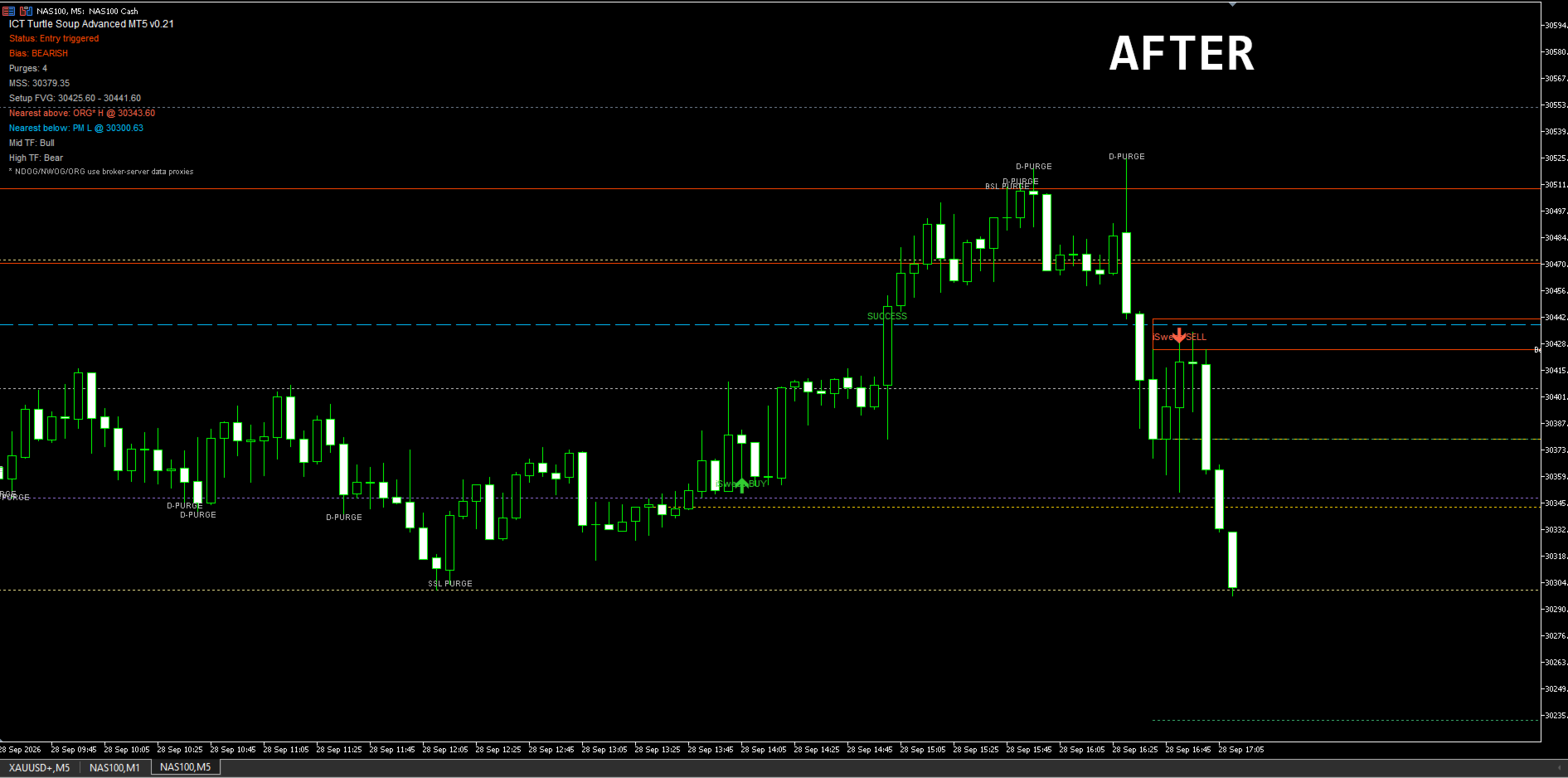
When price revisits the detected FVG, an iSweep BUY or iSweep SELL marker can appear.
This represents completion of the indicator's Turtle Soup setup sequence.
It should be treated as trading information rather than an automatic instruction to enter a position.
Standard Deviation Targets
After a valid setup develops, the indicator can project standard-deviation expansion levels from the liquidity purge and displacement structure.
Default projections include:
SD 1.0
Initial expansion target.
SD 2.0
Main model objective and default success level.
SD 2.5
Extended expansion.
SD 4.0
Large expansion objective.
These levels can help visualize how far price has expanded from the original setup.
Advanced ICT Liquidity MapThe indicator also contains additional ICT-style reference levels to provide context around the Turtle Soup setup.
PDH / PDL
PDH – Previous Day High
PDL – Previous Day Low
These are frequently watched liquidity pools and possible Draw on Liquidity targets.
Asia High / Low
Marks the high and low generated during the configured Asian session.
Displayed as:
Asia H
Asia session high.
Asia L
Asia session low.
These levels can later become potential liquidity targets during London or New York.
London High / Low
Marks the configured London session range.
London H
London L
These levels can become important liquidity references during the New York session.
Overnight High / Low
Displayed as:
ON H – Overnight High
ON L – Overnight Low
These levels represent the range formed before the main New York trading session.
They can serve as potential liquidity pools for the New York open.
Premarket High / Low
Displayed as:
PM H – Premarket High
PM L – Premarket Low
These identify the range formed during the configured premarket period.
For example:
Nearest Above: PM H
means the closest tracked liquidity level above current price is currently the Premarket High.
Equal Highs / Equal LowsThe indicator can detect approximate:
EQH – Equal Highs
and
EQL – Equal Lows
Equal highs and lows may represent visible pools of liquidity because multiple traders can place stops around similar price levels.
The tolerance can be adjusted in the indicator settings.
HTF Fair Value GapsThe indicator can also scan a higher timeframe for recent Fair Value Gaps.
For example:
HTF Bull FVG
represents a bullish imbalance detected on the selected higher timeframe.
HTF Bear FVG
represents a bearish higher-timeframe imbalance.
The higher timeframe can be configured by the user.
These zones provide additional context rather than automatically generating a Turtle Soup entry.
NDOG / NWOG / ORGThe indicator includes experimental MT5 representations of several ICT opening-gap concepts.
NDOG – New Day Opening Gap
Difference between the previous trading day's closing area and the new day's opening area.
NWOG – New Week Opening Gap
Difference between the previous week's closing area and the new trading week's opening area.
ORG – Opening Range Gap / Opening Reference
Provides an additional reference around the configured New York opening period.
Because MetaTrader broker data can differ from centralized futures-market data, these levels are calculated using the broker's available candles and server time.
Therefore they should be treated as broker-data approximations.
Nearest LiquidityThe indicator attempts to identify relevant tracked liquidity immediately above and below current market price.
Example:
Nearest Above: PDH
means Previous Day High is currently the closest identified liquidity reference above price.
Nearest Below: ON L
means Overnight Low is currently the nearest tracked liquidity reference below price.
This helps traders quickly see possible short-term Draw on Liquidity locations.
Multi-Timeframe ContextThe dashboard can display directional information from additional timeframes.
For example:
Mid TF: Bull
High TF: Bear
This provides quick context regarding whether the current chart is moving with or against higher-timeframe candle direction.
It is contextual information rather than a standalone trading signal.
Killzone FilterThe Turtle Soup setup engine can optionally be restricted to selected trading sessions.
Available session filters include:
- Asia
- London
- New York AM
- New York Lunch
- New York PM
All times currently use the MetaTrader broker server time, so users should configure the session hours according to their broker.
Setup Status DashboardThe indicator tracks the current model state.
Scanning
No active Turtle Soup structure has been detected.
Purge Detected
Liquidity has been swept.
MSS Confirmed
A Market Structure Shift has occurred after the sweep.
Awaiting Retest
The structure and FVG have been identified and the model is waiting for price to return.
Entry Triggered
Price has retraced into the identified setup area.
Successful
Price has reached the configured standard-deviation success target.
Invalidated
Price violated the model's invalidation condition.
The indicator includes visual controls to keep the chart readable.
Users can control:
Zone Fill
Display FVG rectangles as filled zones or outline-only zones.
Chart Text Size
Adjust labels such as MSS, D-PURGE, BSL, SSL and FVG.
Dashboard Text Size
Zone Labels Outside
Places FVG descriptions outside the rectangle to improve readability.
Most ICT reference layers can also be enabled or disabled individually.
AlertsOptional alerts are available for important model events.
These can include:
Liquidity Sweep Alert
and
Entry / Retest Alert
Popup and MetaTrader push notifications can be enabled from the indicator settings.
Important InformationThis indicator is intended to assist discretionary technical analysis.
It does not guarantee that price will reverse after a liquidity sweep, that an FVG will hold, or that any projected target will be reached.
Market structure, liquidity, session timing and Fair Value Gaps should be evaluated together with the trader's own risk management and analysis.
ICT Turtle Soup Advanced MT5 does not automatically open, manage or close trades. It is an indicator only.