Sync Navigator MT5
- Indicatori
-
Daisuke Ohara
 I am a trader and developer from Japan. Under the name MARKETDPRO, I make display-only tools for MetaTrader 5.
My tools do not place orders and do not give buy or sell signals. They show the chart in a clearer way, so that each trader can check the market and build a trading style of their own. - Versione: 2.14
- Aggiornato: 19 novembre 2026
- Attivazioni: 10
Stop switching between charts. Sync Navigator MT5 shows where the swing is on up to 12 timeframes in one card, plus the Tokyo, London and New York sessions on your chart.
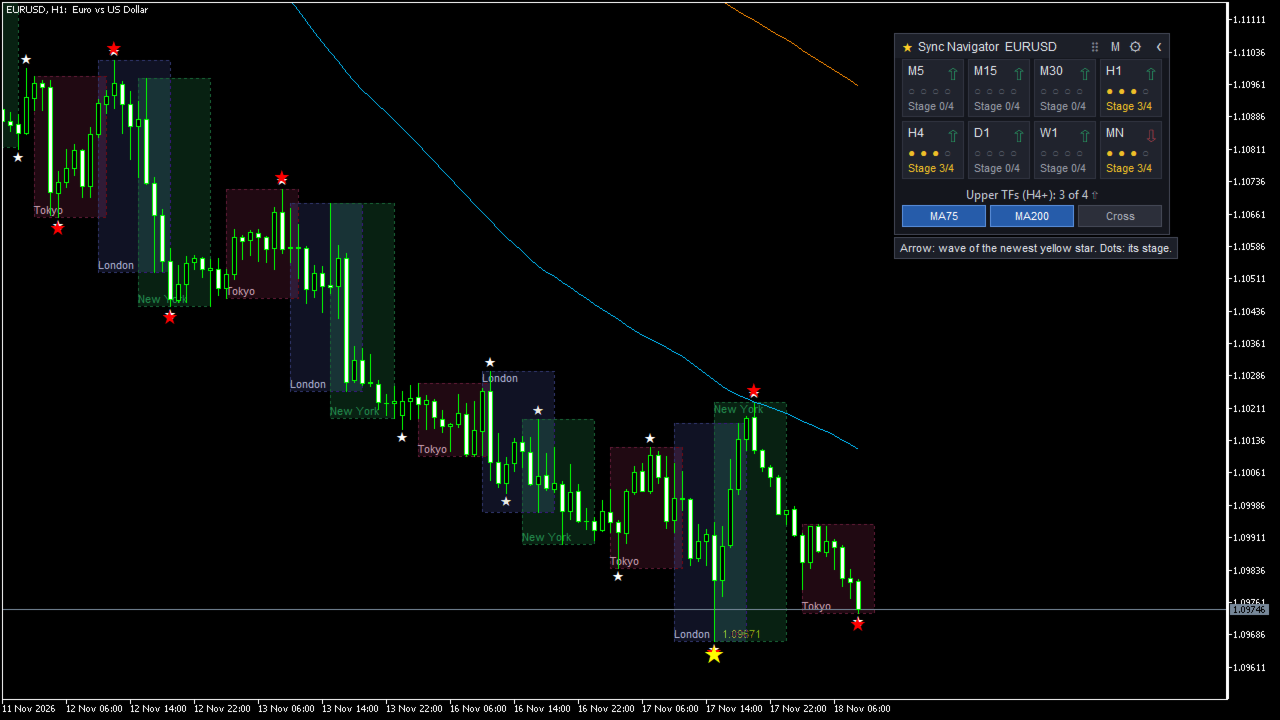
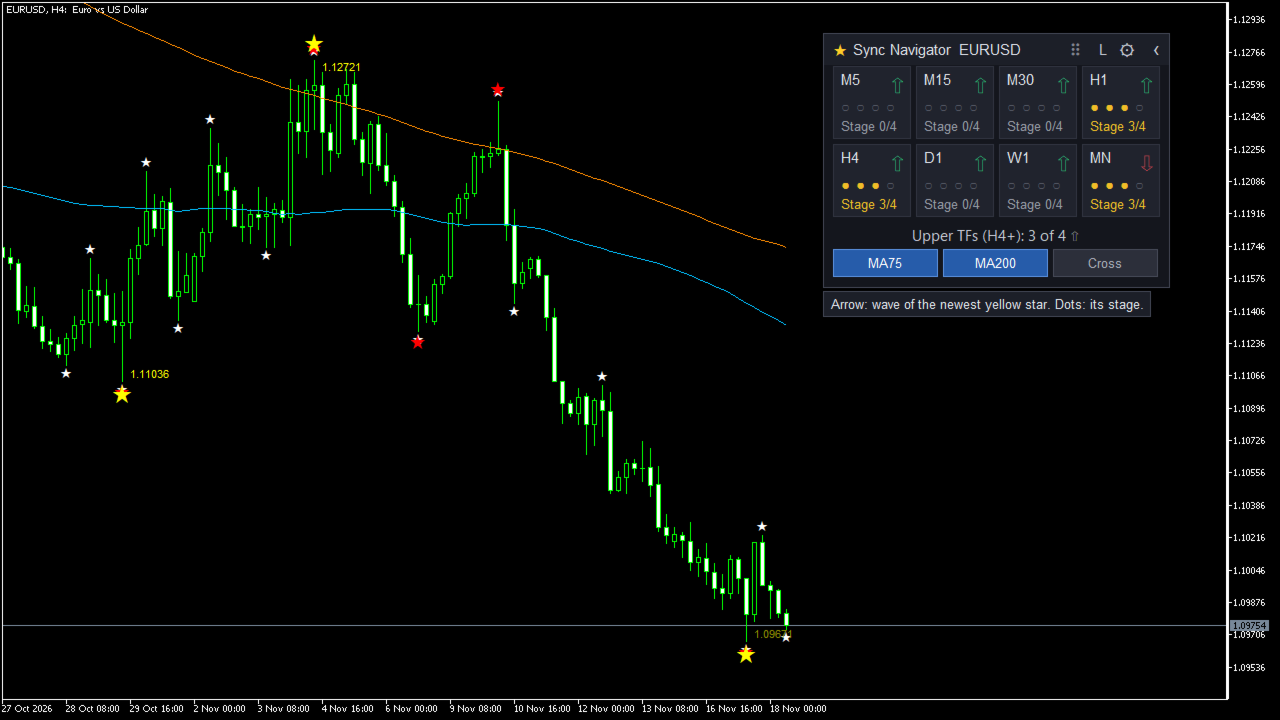
- One card, many timeframes: the direction and stage of the newest large swing on each timeframe. Click a cell to open that chart.
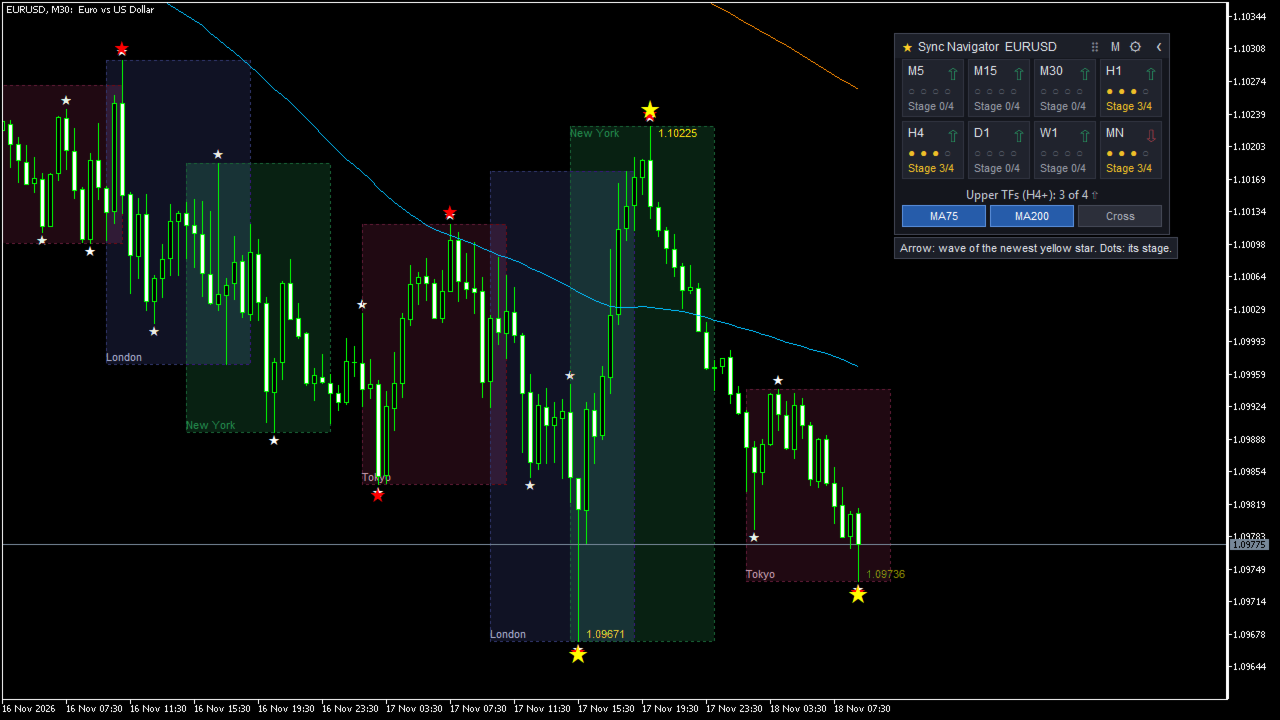
- Session boxes: the high and low of each session. Daylight saving is followed automatically.
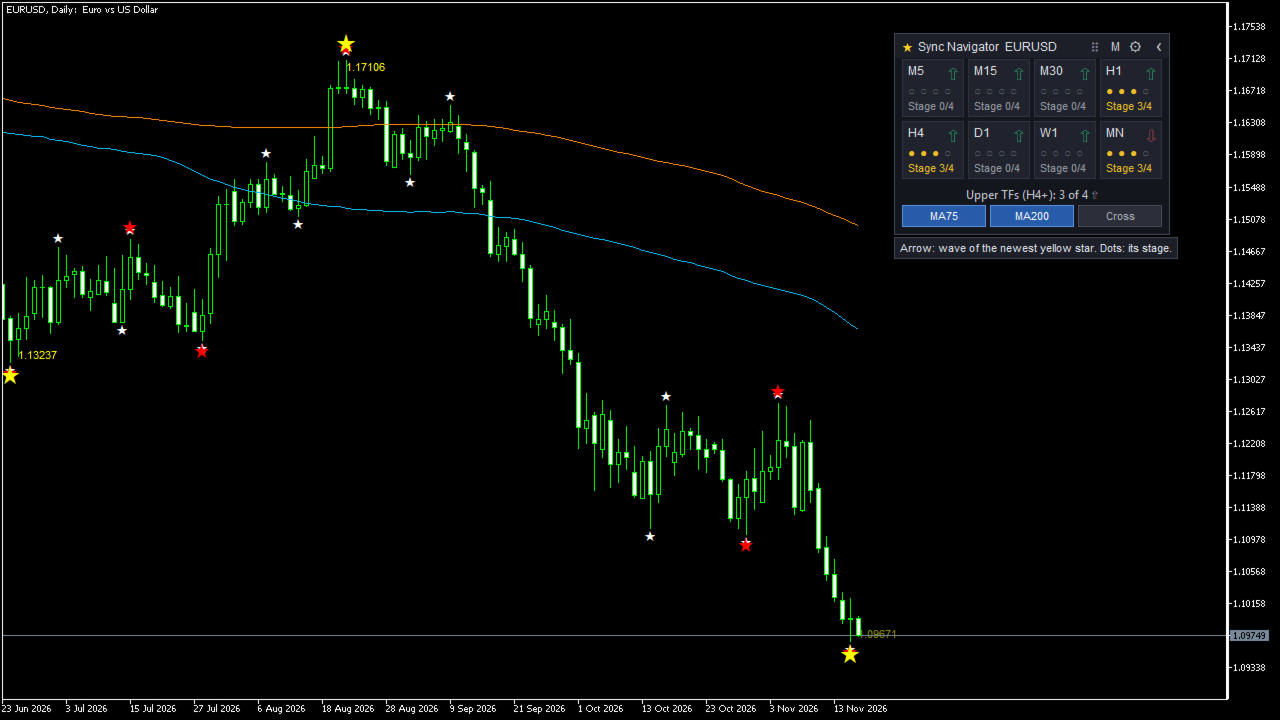
- 3-Star Flags: swing points in three sizes. The yellow star marks the large swing.
- Alerts: new stars, stages and session opens, by popup, sound, push or email.
- Display only: it never places orders and gives no buy or sell signals.
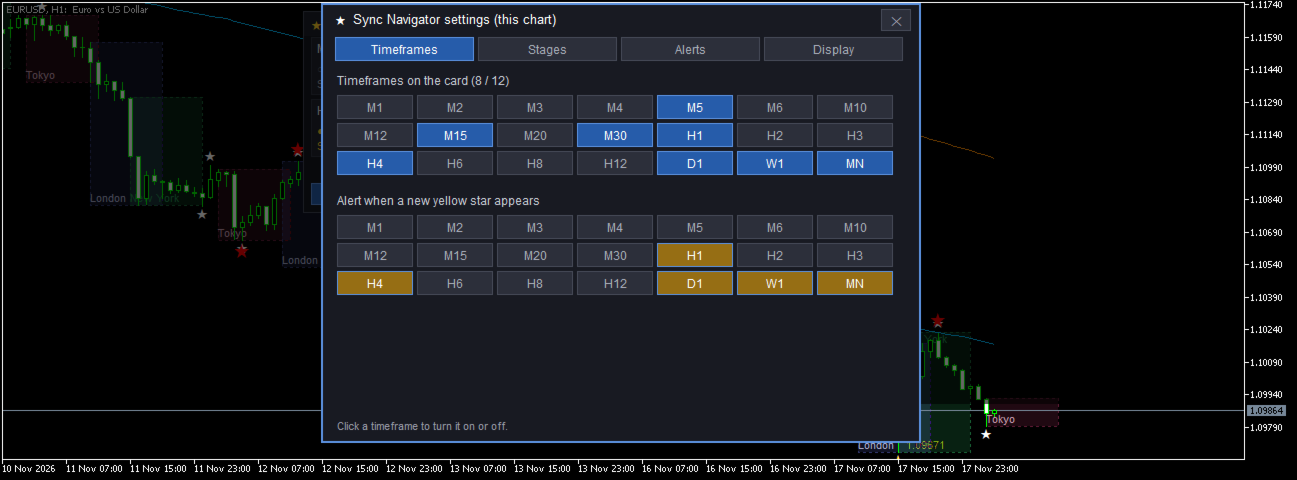
Screenshots below: 1 Card and sessions (H1) / 2 Card, large size (H4) / 3 Session boxes (M30) / 4 Stars (D1) / 5 Settings screen
📊 How to read the card
- Arrow: the direction of the newest yellow star's wave on that timeframe (a low star means an up wave).
- Four dots and "Stage x/4": how far that wave has progressed.
- Bottom line: how many higher timeframes (H4 and above by default) point the same way.
- Choose up to 12 of the 21 MT5 timeframes. Drag the card anywhere. Position and settings are saved per chart.
🕒 Session boxes
- Tokyo, London and New York (Sydney optional), set in each city's local time.
- The broker's daylight saving rule is found from the price history of forex symbols.
- Colored on M15 to H1 charts by default, outline only on M1 to M12, none on H2 and above. You can change this.
⭐ 3-Star Flags
- White, red and yellow stars: ZigZag sizes 5,3,3 / 13,8,5 / 34,21,12, calculated with the same steps as the standard MT5 ZigZag.
- Hover over a star to see its price and time. Price labels are optional.
🔔 Alerts
- New yellow star, stage 2, 3 or 4, cancelled star, higher timeframes aligned or no longer aligned, session open (off by default).
- Popup, sound, push notification and email. On several charts of the same symbol, the same event is notified once.
- No alerts for old events right after MT5 starts.
⚙️ Settings screen
Click the gear on the card: timeframes on the card, stage pairs, alerts, language (English or Japanese), display time zone, star size and color. Changes apply at once.
▶️ What the stages mean
- Stage 0: a yellow star is shown on that timeframe.
- Stage 1: after the star, a paired smaller timeframe closed beyond its MA75 on the opposite side.
- Stage 2: the smaller timeframe closed beyond both MA75 and MA200.
- Stage 3: after stage 2, the star stayed unchanged for a set number of smaller-timeframe bars.
- Stage 4 (confirmed): the next opposite yellow star has formed. It is reported for the previous star by an alert.
The pairs (for example H4 with M15) can be changed. Stages show how far a swing has progressed. They are not trading signals.
📋 How often stars moved (historical count)
Like every ZigZag, the newest star can move to a later bar while the swing continues. We counted this on closed bars of six symbols from 1999 to November 2026 (EURUSD, USDJPY, GBPJPY, XAUUSD, AUDUSD, GBPUSD; XAUUSD from 2013).
- On H4, 88% of stage 0 stars later moved (85% on H1).
- Even stars that reached stage 3 moved in 43% to 47% of cases.
These are historical counts and may differ in the future.
📝 Things to keep in mind
- Display only: no orders, no trading signals, no promise of any trading result.
- The newest star can move while the swing continues (ZigZag behavior).
- How far back the bars go depends on your broker and on the MT5 setting "Max bars in chart".
- Session boxes of years ago can be one hour off if the broker used a different server clock. Star positions do not depend on the clock.
- In the Strategy Tester (and the free demo), the card cannot be dragged and alerts are only written to the log.
- No DLLs and no web requests. Small settings files are saved only in its own folder under MQL5\Files.
💻 Requirements
- Platform: MetaTrader 5 (Windows)
- Type: indicator, display only (no orders)
- Tested on: Windows 11, MT5 build 6230, demo account, screen scaling 100% and 150%
- Timeframes: all 21 MT5 timeframes (M1 to MN); up to 12 on the card
- Symbols: forex, metals, indices and other symbols. Higher timeframes need enough history.
- Languages: English and Japanese (Auto: Japanese if MT5 is in Japanese, otherwise English)
❓ FAQ
Q. Does it give buy or sell signals?
A. No. It shows where the swing of each timeframe is now.
Q. I do not see the session boxes.
A. By default they are colored on M15, M20, M30 and H1 charts only. Change this with the inputs "Fill boxes on chart timeframes from" and "Show boxes on chart timeframes up to".
Q. A star moved after it appeared.
A. The newest star moves to a later bar while the swing continues. This is how ZigZag works, not a fault.
Q. Why does no cell show stage 4/4?
A. Stage 4 happens only after the next opposite yellow star forms. At that moment the cell moves on to the new star, so stage 4 is reported for the previous star by an alert.
Q. Session boxes do not appear on older dates.
A. In MT5 open Tools > Options > Charts, raise "Max bars in chart", restart MT5, then press Home on the chart. Years without intraday bars show no boxes.
Q. Can I get alerts on my phone?
A. Yes. Set up push notifications in MT5 Options first, then turn them on in the Alerts tab of the settings screen.
Q. Is there an MT4 version?
A. This product is for MT5 only.
Q. Can I use it on another computer?
A. Yes, within the number of activations of your purchase (MQL5 rules).
✉️ Support
Please use the comments section of this product or a private message on MQL5.
User guide (PDF, English and Japanese): after purchase, please send me a private message on MQL5.com and I will send it to you.
MARKETDPRO