Risk Management Lot Size Calculator
- Utilità
- Versione: 1.0
- Attivazioni: 10

A manual risk-planning and order-entry panel for MetaTrader 5.
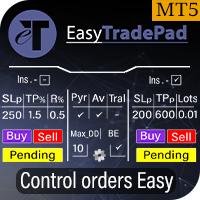
Plan an entry, stop loss and take profit directly on the chart. Choose a fixed risk budget in account currency or a percentage of account balance, review the calculated volume, and submit an order using the panel BUY or SELL button.
Main features
- Fixed monetary risk or balance-percentage risk. A positive fixed amount takes priority.
- Configurable reward-to-risk target and maximum order volume.
- Pending-order and market-order modes.
- Movable entry, stop-loss and take-profit planning lines.
- Entry-group movement with a financial adjustment when the pending entry is released.
- Broker-based profit calculations for account-currency estimates and tick-aligned financial levels.
- Entry price sound alert with an on/off control and repeat cooldown.
- Viewport-anchored SL/TP annotations with points, volume and account-currency estimates.
- Current-timeframe candle countdown and the latest quoted spread in symbol points.
- A small settings gear opens session-only quick risk settings; F7 opens the complete native EA inputs.
- Protected planning lines restored if accidentally deleted.
- Modern dark panel, configurable colors, scale and chart position.
- Vertical or horizontal layout, switchable from the header without changing the trade plan.
Workflow
- Attach the Expert Advisor panel to a chart and configure its inputs.
- For order submission, enable Allow Algo Trading in the EA properties and Algo Trading in the terminal.
- Set a risk budget and reward ratio.
- Select PENDING ORDER or MARKET ORDER.
- Position the planning lines and review the volume and estimated amounts.
- Use BUY or SELL ON THIS PANEL to request the order.
- Verify the order or position in the MT5 Trade tab.
Important operating details
This is a manual trading utility implemented as an Expert Advisor, not a custom indicator or an autonomous trading strategy. It does not enter trades without a panel action. One Expert Advisor can run on a chart; use a separate chart if another EA is already attached.
The standard MT5 order ticket and One Click Trading buttons do not inherit the panel settings. Use the panel BUY and SELL controls for this workflow.
The chart lines are planning objects. Moving them after a request has been accepted does not automatically modify existing orders or positions. Switching off the panel or alert does not close positions or cancel pending orders. Repeated BUY/SELL clicks can create additional orders.
For pending orders, BUY selects Buy Stop above Ask or Buy Limit below Ask; SELL selects Sell Stop below Bid or Sell Limit above Bid, subject to the broker's rules. In market mode, the entry planning line is hidden; the order uses the current reference and recalculates volume at submission.
Before live use
Test the panel on a demo account for every symbol and broker you intend to use, including both directions and both order modes. A successful test on one instrument does not validate another.
Risk and reward figures are estimates, not guarantees. Tick size, volume steps, spread, conversion rates, gaps, slippage, commission, swap, liquidity and broker rules can affect the result. Not every symbol/volume combination can match an exact monetary target. Financial planning and order acceptance do not guarantee the realized loss or gain.
Alerts and chart information
The entry price alert is informational only and does not execute orders. It follows the chart price (Bid or Last according to the symbol) and is active in pending mode with the panel enabled.
The candle countdown is an estimate based on the current bar and server time. It waits at zero for a new bar if quotes stop. Spread means the latest quoted Ask minus Bid, expressed in symbol points, not pips. Quick settings apply only to the running EA instance and reset when it is reinitialized; they do not change the saved native F7 inputs.
Layout and preferences
The HORIZONTAL/VERTICAL button names the layout you will switch to. In horizontal mode, risk/volume/SL/TP cards stay on the left, while actions, alert, candle time and spread move to the right. Changing layout does not move the planning prices or change volume/risk. RememberPanelState can remember the selected orientation; StartHorizontalLayout is used when no remembered orientation exists. A wide layout needs sufficient chart width; reduce PanelScale or return to vertical if needed. Opening quick settings temporarily expands the horizontal frame, and changing layout discards unapplied quick-setting edits.
Installation and activation
No external license server, email registration or DLL imports are required. Market activation and installation are handled by MQL5.
“Activations: this offer includes 10 activations, managed by MQL5 Market and tied to the computer hardware and operating system configuration. Changing computers or reinstalling the operating system may require another activation. Uninstalling the product does not restore activations. Once all activations have been used, existing activated installations remain usable, but activation on a new configuration may require another purchase under the Market rules.”