UT Bot Scanner Pro MT4
- Indicatori
-
Allan Aparece Ninal
 Sviluppo indicatori ed Expert Advisor per MetaTrader 5.
Come lavoro:
- Ogni indicatore viene controllato contro il repainting: i segnali vengono decisi solo su barre chiuse, e un test su ogni tick conferma che non cambiano in seguito. - Versione: 1.0
- Attivazioni: 5
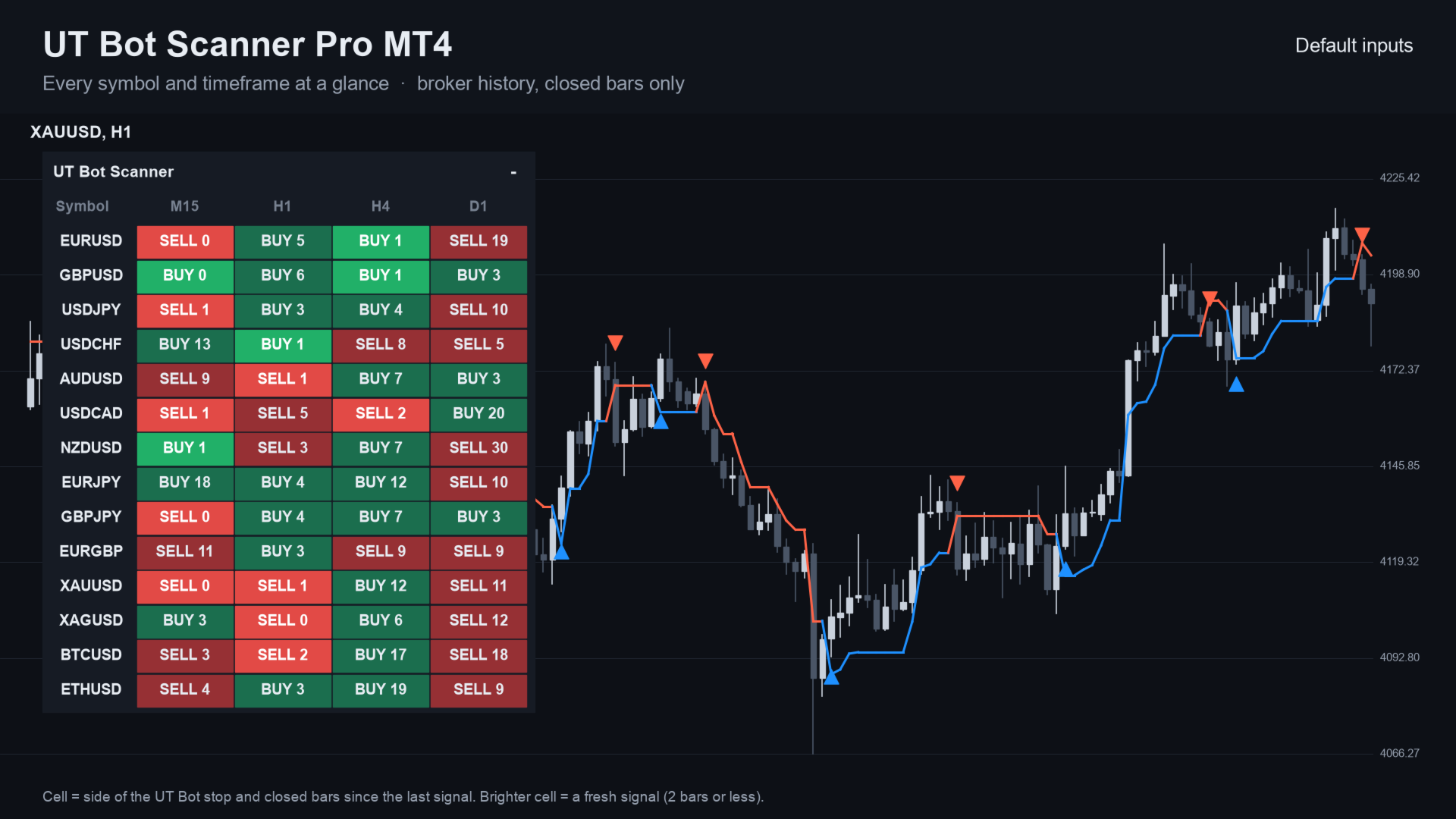
UT Bot Scanner Pro MT4 is a scanner indicator for MetaTrader 4 that shows the UT Bot buy or sell side of many symbols and timeframes in one panel. It sends an alert when a new signal appears.
The calculation is the same as in the free UT Bot Signal Alerts MT4 indicator, which covers one chart. The scanner runs it for a whole list, so you need not flip through charts.
It places no orders. Cells use closed bars only, so a cell does not change after its bar has closed.
Standalone: everything is built in. You do not need to buy or install any other product named on this page.
MetaTrader 4 edition: the same calculation, panel, inputs, alerts and buffers as the MetaTrader 5 version. The columns can use the nine MetaTrader 4 timeframes (M1, M5, M15, M30, H1, H4, D1, W1, MN1).
Quick start
- Attach the indicator to any chart; the panel opens in the top-left corner.
- Choose Which symbols (Market Watch, or My list) and Timeframes (default M15,H1,H4,D1).
- Keep Key value 1.0 and ATR period 10, or match the values you use on your chart. Click a cell to open that symbol and timeframe.
- Pop-up alerts are on by default. Turn on sound, push or e-mail if you want them.
What you see on the chart
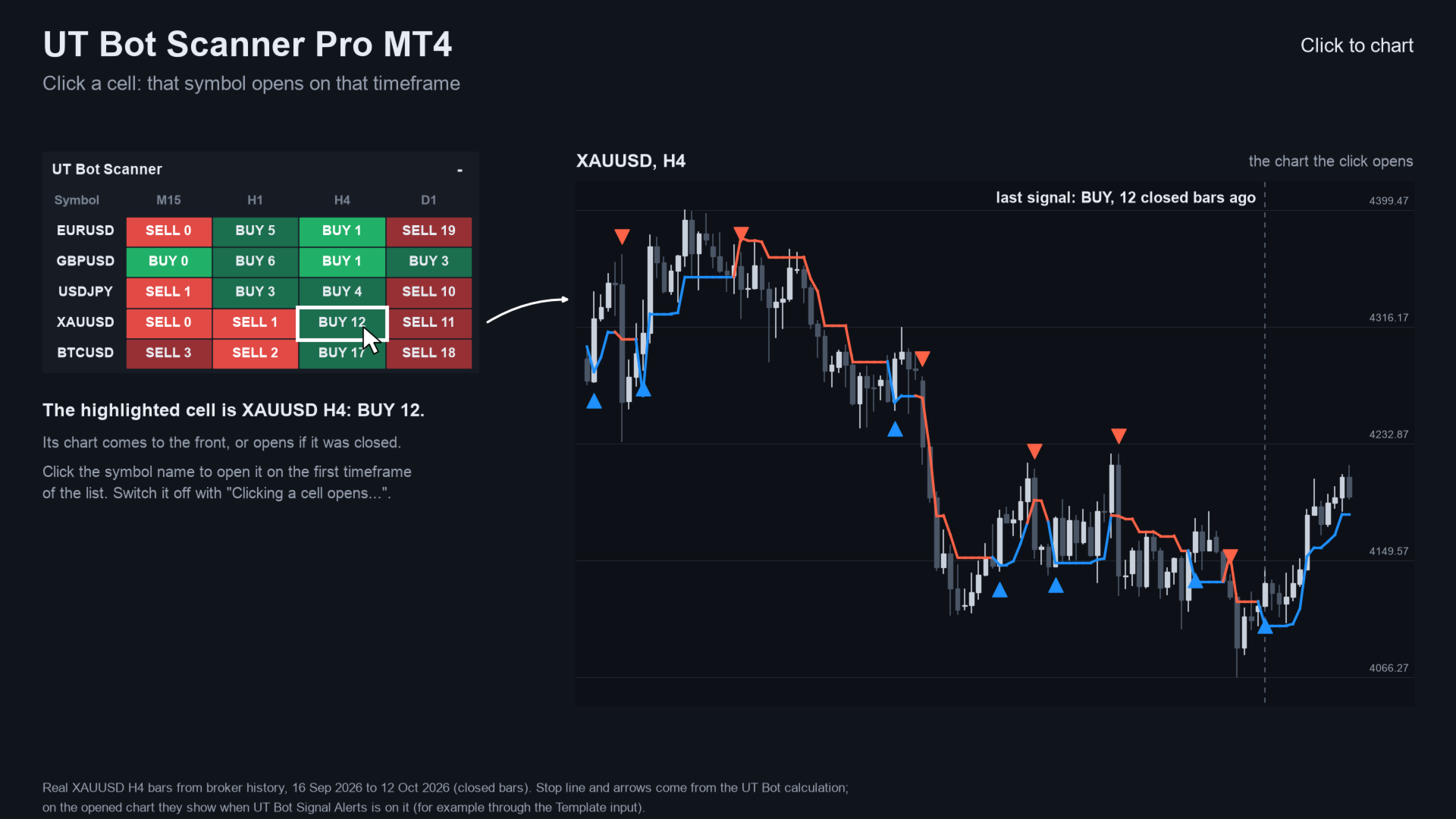
- A panel with symbols as rows and timeframes as columns.
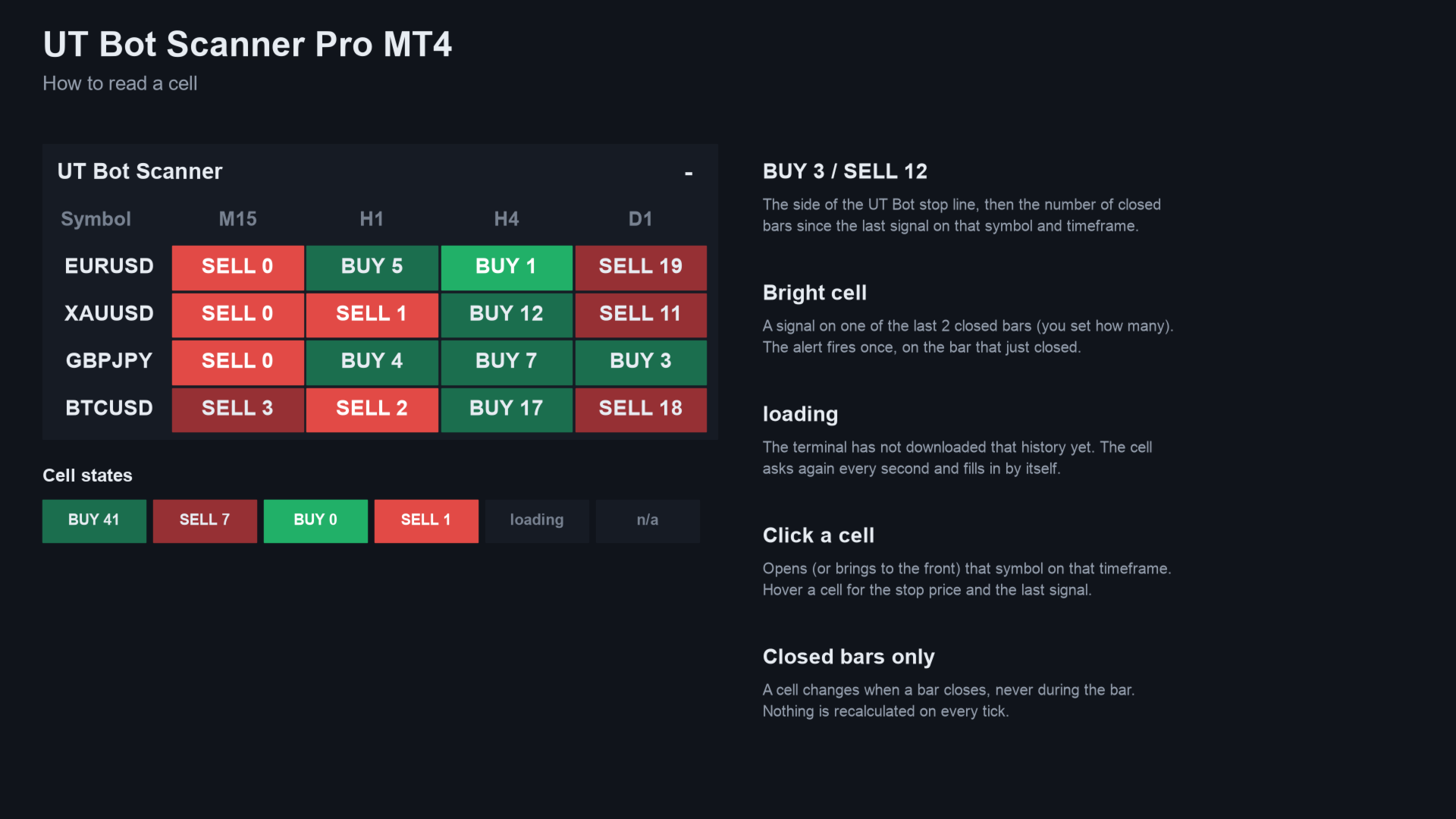
- In each cell: BUY or SELL, and how many closed bars ago the last signal came, for example "BUY 3".
- A brighter cell when the last signal is recent. You set how many bars count as fresh.
- Click a cell to open that symbol and timeframe.
How a signal is built
- The stop line is the close minus key value times ATR while price is above it, and plus while price is below it. It only moves with the trend.
- A buy signal is a close above the stop line, a sell signal is a close below it.
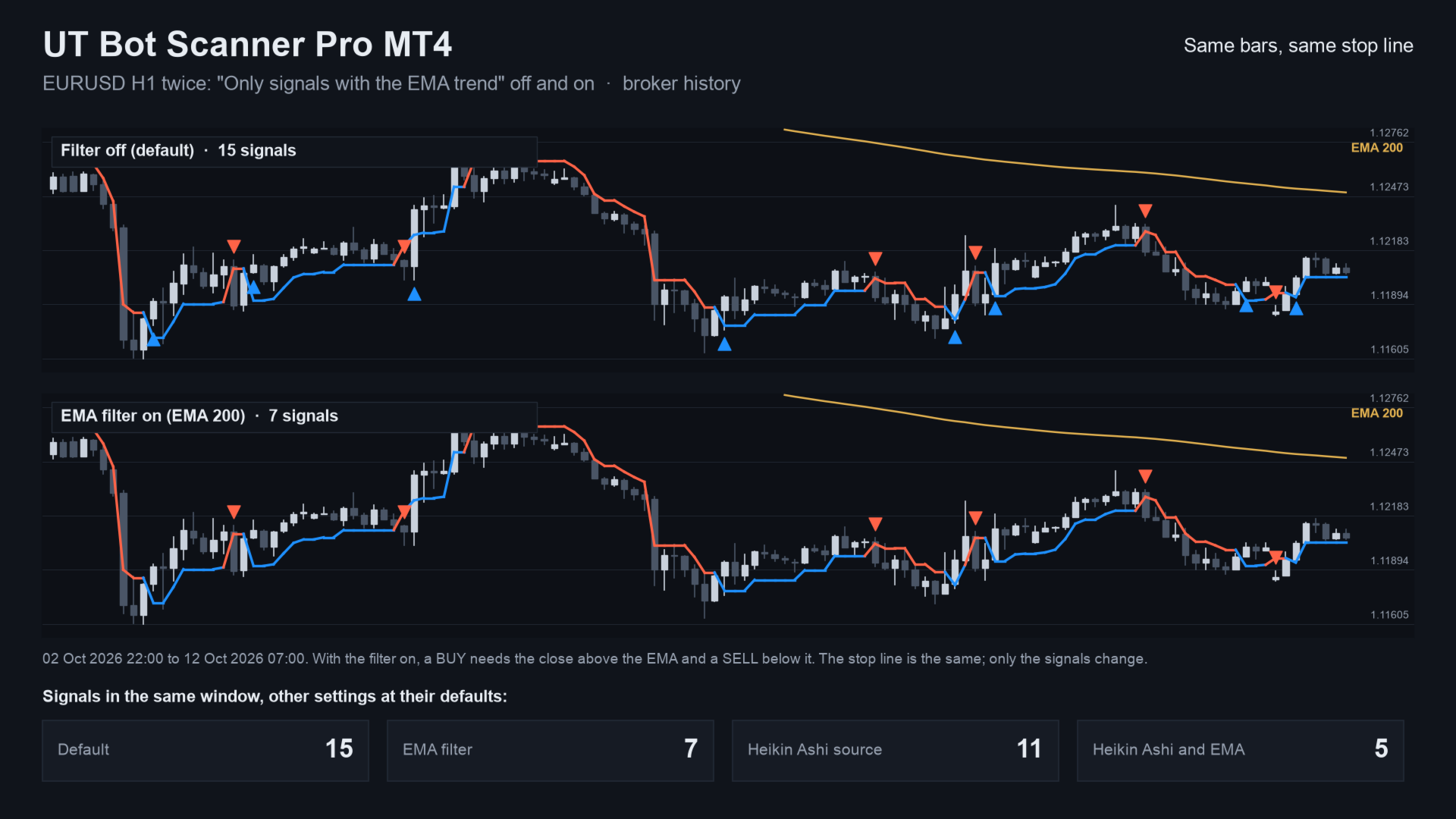
- The ATR is Wilder's, as on TradingView. Options: Heikin Ashi source, and an EMA filter.
- The forming bar is never used, so a cell does not change after its bar has closed.
Who it is for
For traders who use the UT Bot rule on several symbols. If you watch one chart, the free UT Bot Signal Alerts MT4 is enough.
Inputs
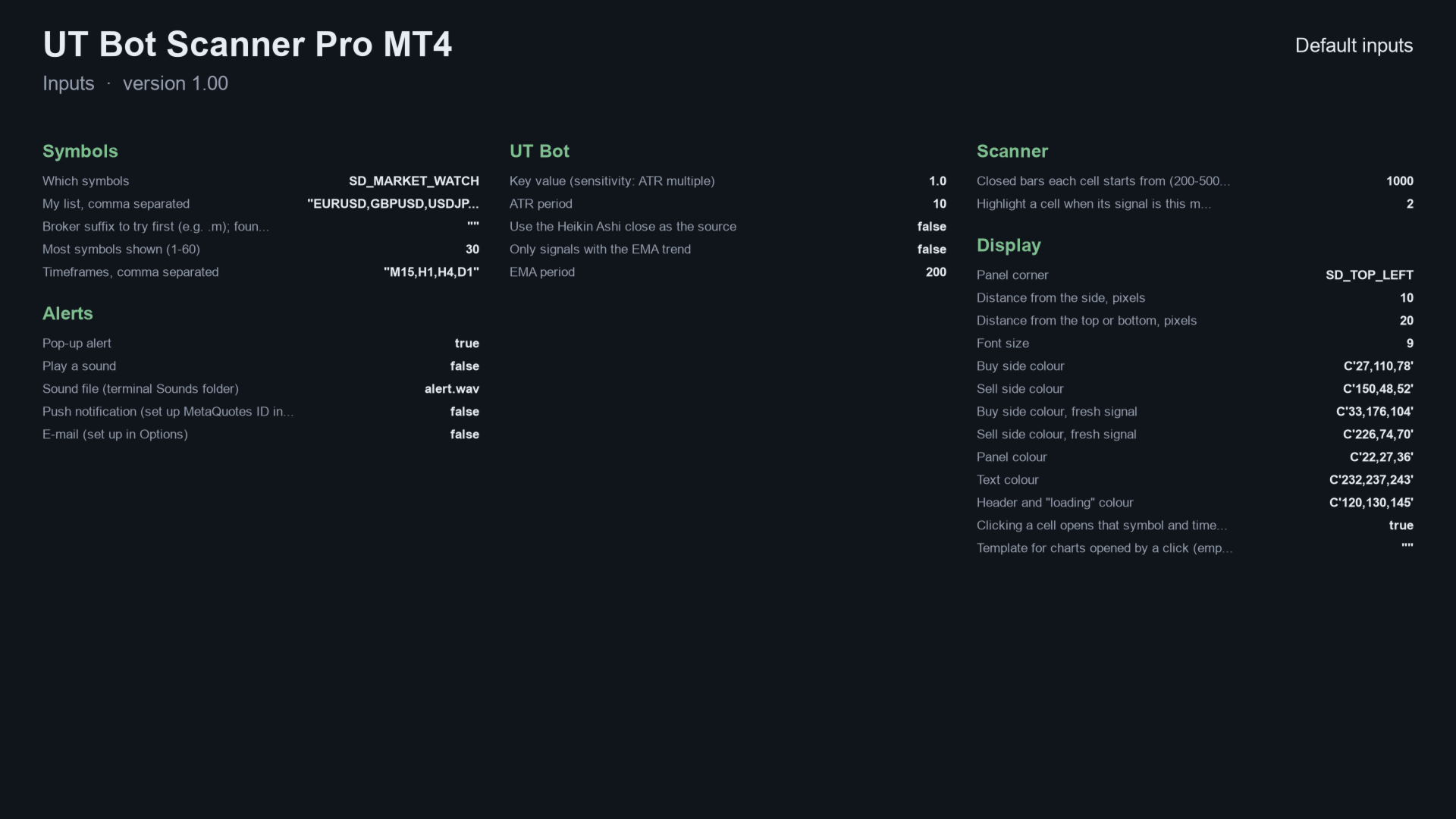
| Input | Default |
|---|---|
| Which symbols | Market Watch - Market Watch or your own list |
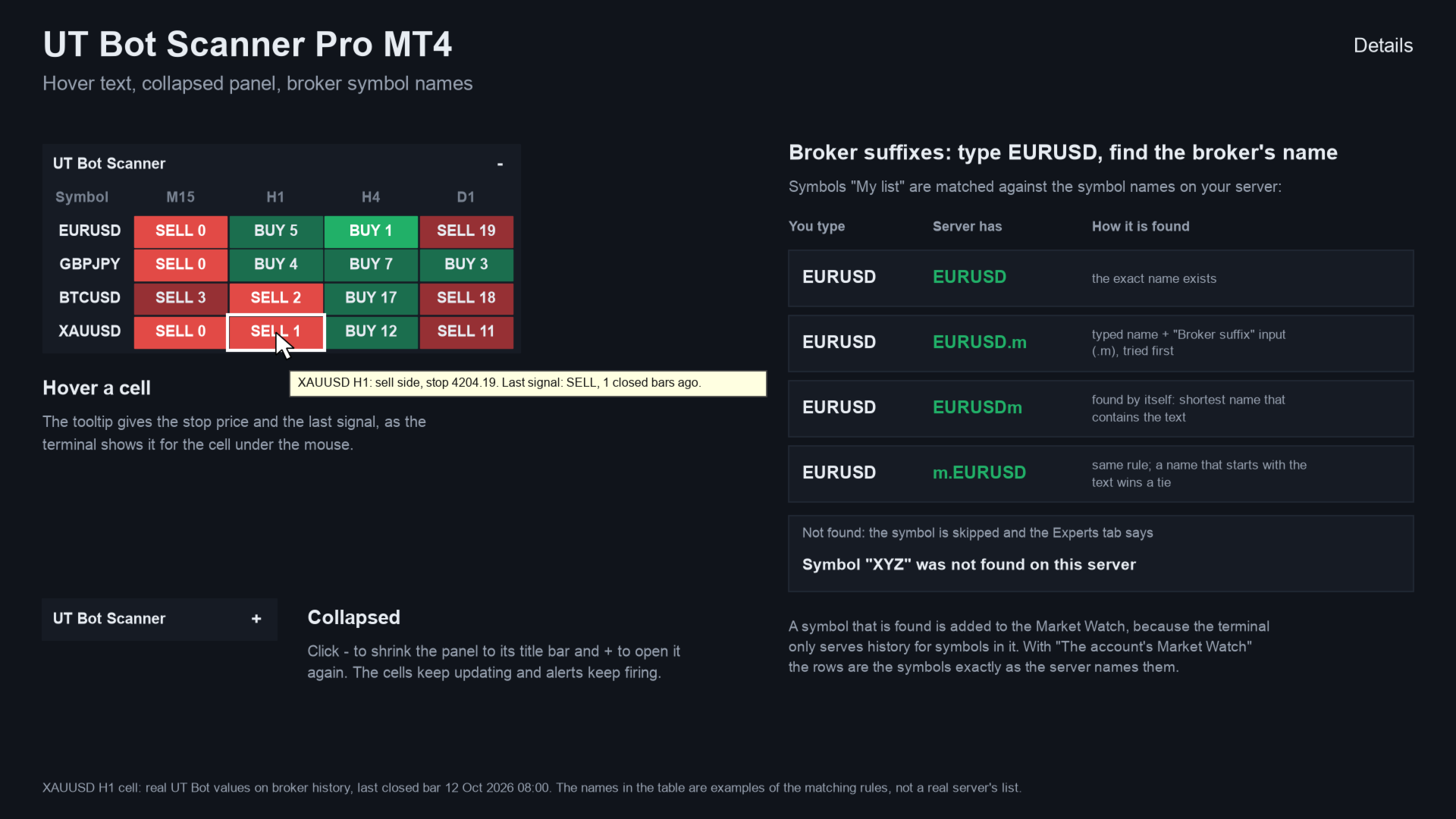
| My list | EURUSD,GBPUSD,USDJPY,XAUUSD,BTCUSD - used when "My list" is chosen |
| Most symbols shown | 30 - from 1 to 60 |
| Timeframes | M15,H1,H4,D1 - columns of the panel, comma separated |
| Key value | 1.0 - ATR multiple; higher gives fewer signals |
| ATR period | 10 - length of the ATR |
| Heikin Ashi source | off - use the Heikin Ashi close |
| EMA filter / EMA period | off / 200 - only signals on the side of the EMA |
| Closed bars each cell starts from | 1000 - history read once, then updated |
| Highlight a signal up to this many bars old | 2 - brighter cell |
Alerts and Expert Advisors
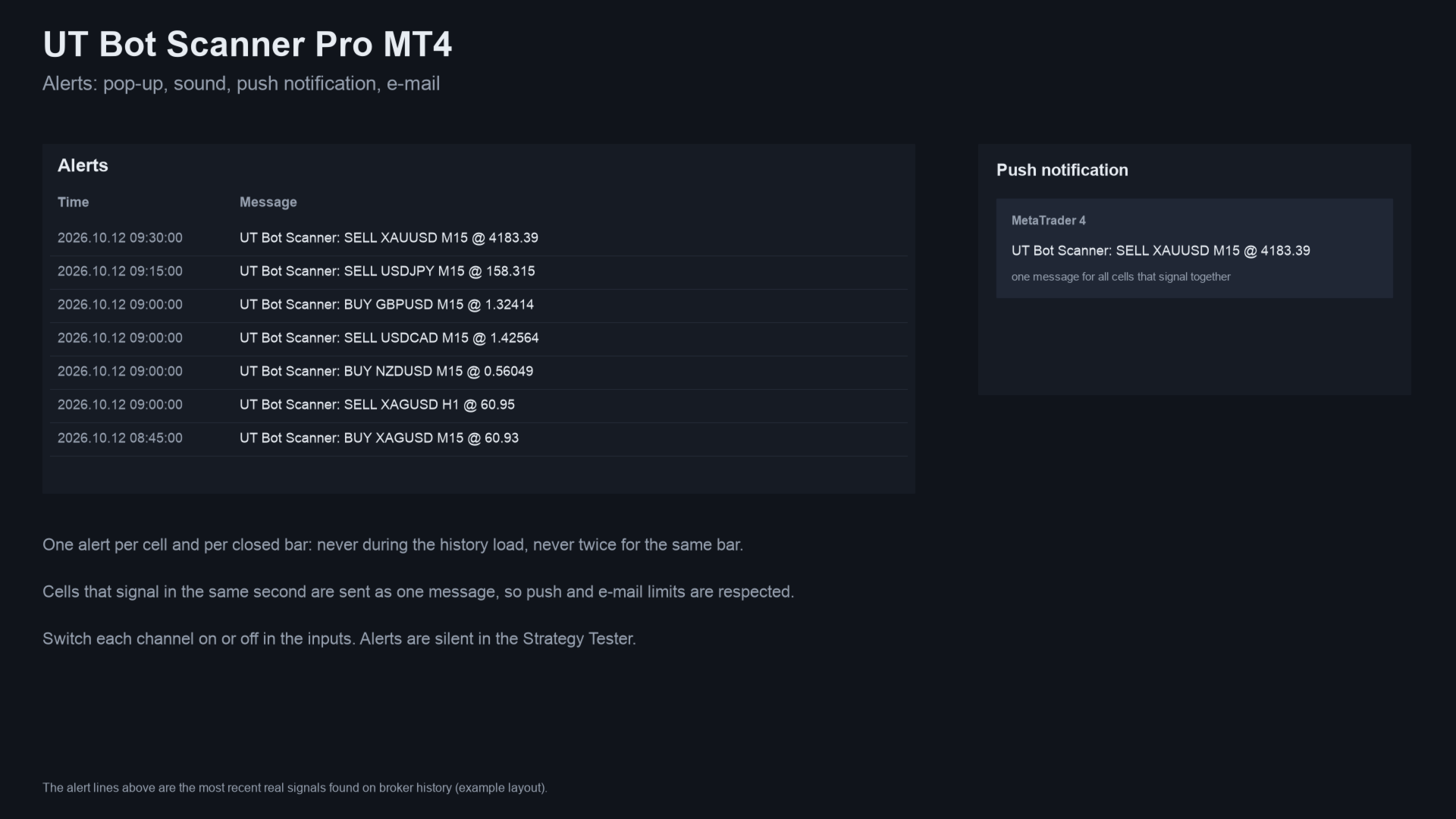
Alerts: pop-up (on), sound, push notification and e-mail, each switched separately. Nothing is sent while history loads, never twice for the same cell and bar, and not in the Strategy Tester.
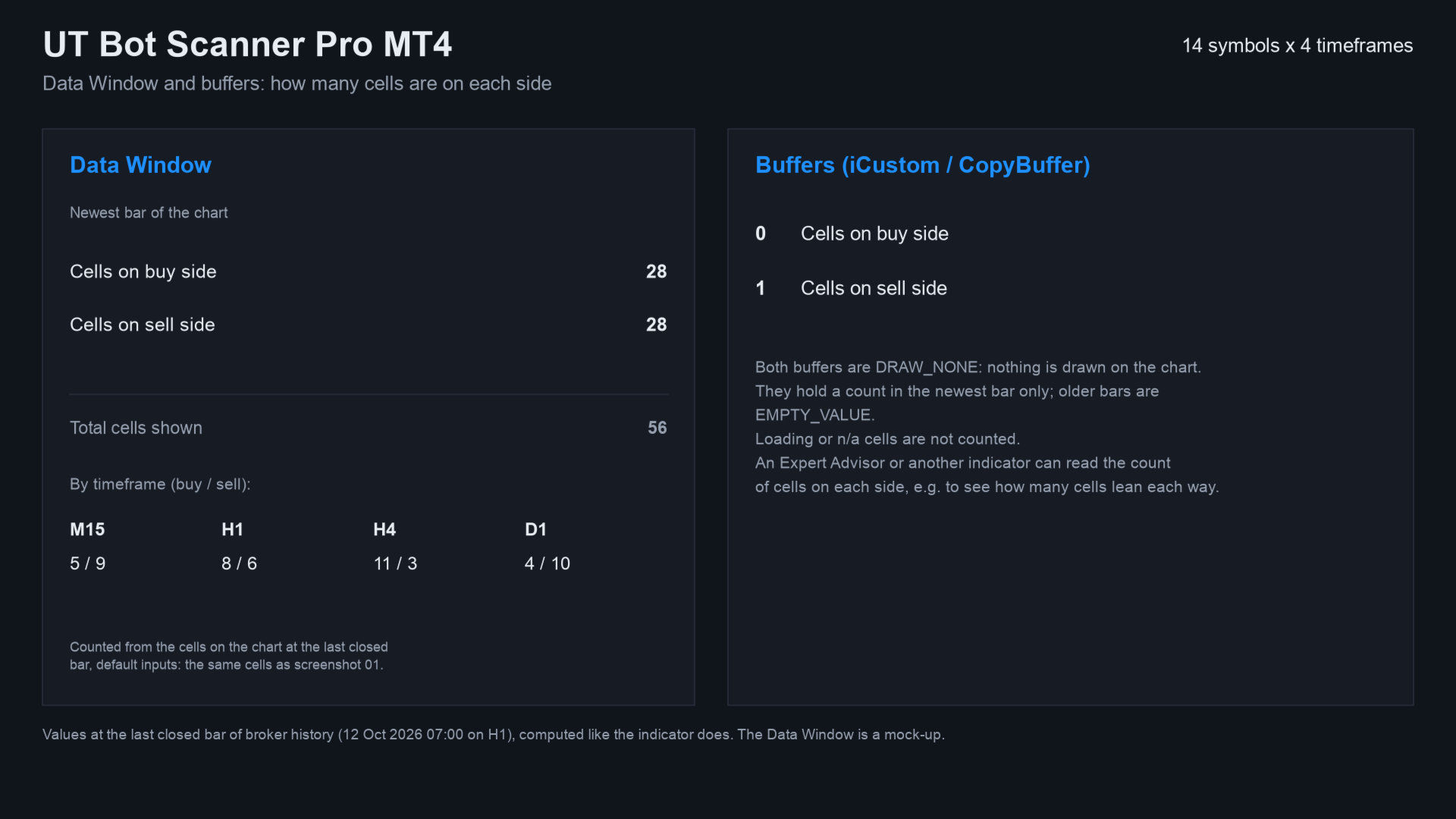
Buffer 0 holds the number of cells on the buy side, buffer 1 the number on the sell side, on the newest bar.
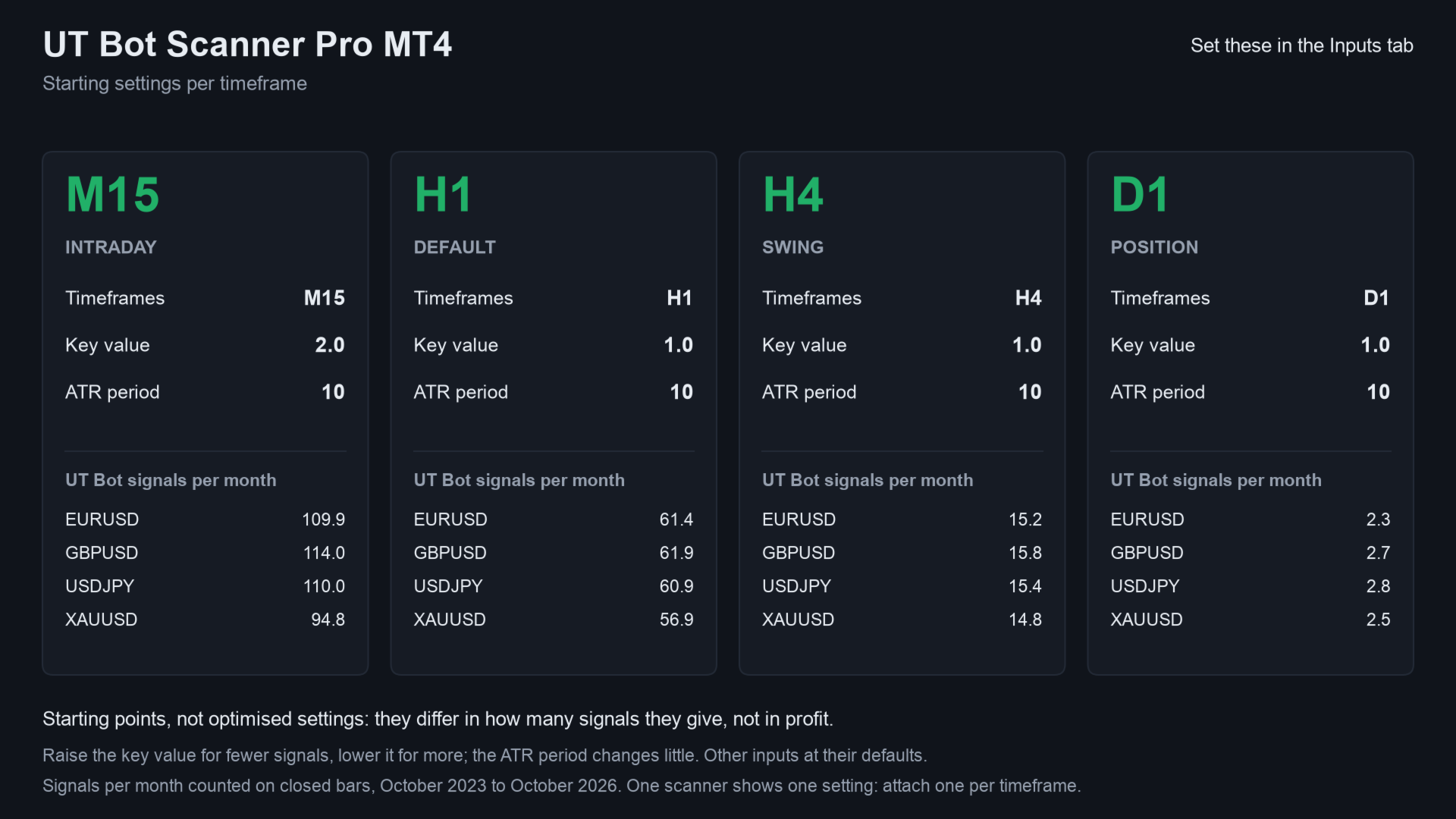
Starting settings
Four starting points. They differ in how many signals they give, not in profit. None is optimised. The table shows UT Bot signals per month on EURUSD, GBPUSD, USDJPY and XAUUSD, October 2023 to October 2026, on closed bars. It is a code calculation, not a trading result:
| Timeframe | Key value | ATR period | Signals per month |
|---|---|---|---|
| M15 | 2.0 | 10 | about 95 to 115 |
| H1 | 1.0 (default) | 10 | about 57 to 62 |
| H4 | 1.0 | 10 | about 15 |
| D1 | 1.0 | 10 | about 2 to 3 |
A higher key value gives fewer signals. The ATR period changes little. For different values, attach one scanner per timeframe.
How it was checked
- Code check: in the MetaTrader 4 Strategy Tester, 12,835,040 cell values were compared bar by bar with an independent Python calculation. The test used 156 files: EURUSD, GBPJPY, XAUUSD and BTCUSD on M15, H1, H4 and D1, with three settings. In a run through the test period, every cell used only bars that had closed, and after start-up the panel matched on all 8,991,498 checks.
- The frequency table comes from the same calculation on broker history. No trading results are claimed.
Related products
- UT Bot Scanner MT5: the same scanner for MetaTrader 5.
- UT Bot Signal Alerts MT4: the free indicator with the same calculation, drawn as arrows on one MetaTrader 4 chart.
- All my products on MQL5
Questions
- Does it repaint? No. Cells use closed bars only.
- Can I try it first? The Strategy Tester demo shows the panel in visual mode.
- Does it work on gold and crypto? Yes, on any symbol with history.
- Alerts on my phone? Yes, with push set up in the terminal; the terminal must be running.
- How is it different? Same calculation: UT Bot Signal Alerts MT4 draws arrows on one chart, the scanner covers many symbols and timeframes in one panel.
If it helps your trading, a short review on this page helps other traders find it.
Questions: use the comments on this page or send me a message on MQL5.
Trading involves risk. The scanner shows the state of a technical rule; it does not predict the market, and past signals are no indication of future results.