PFX Workspace
- Utilità
-
Daniel Freeman
 I'm Dan, a UK trader, a disabled veteran, and the builder behind PrecisionFX.
My mission is simple: help people get started in trading without paying a penny. - Versione: 1.66
- Aggiornato: 13 novembre 2026
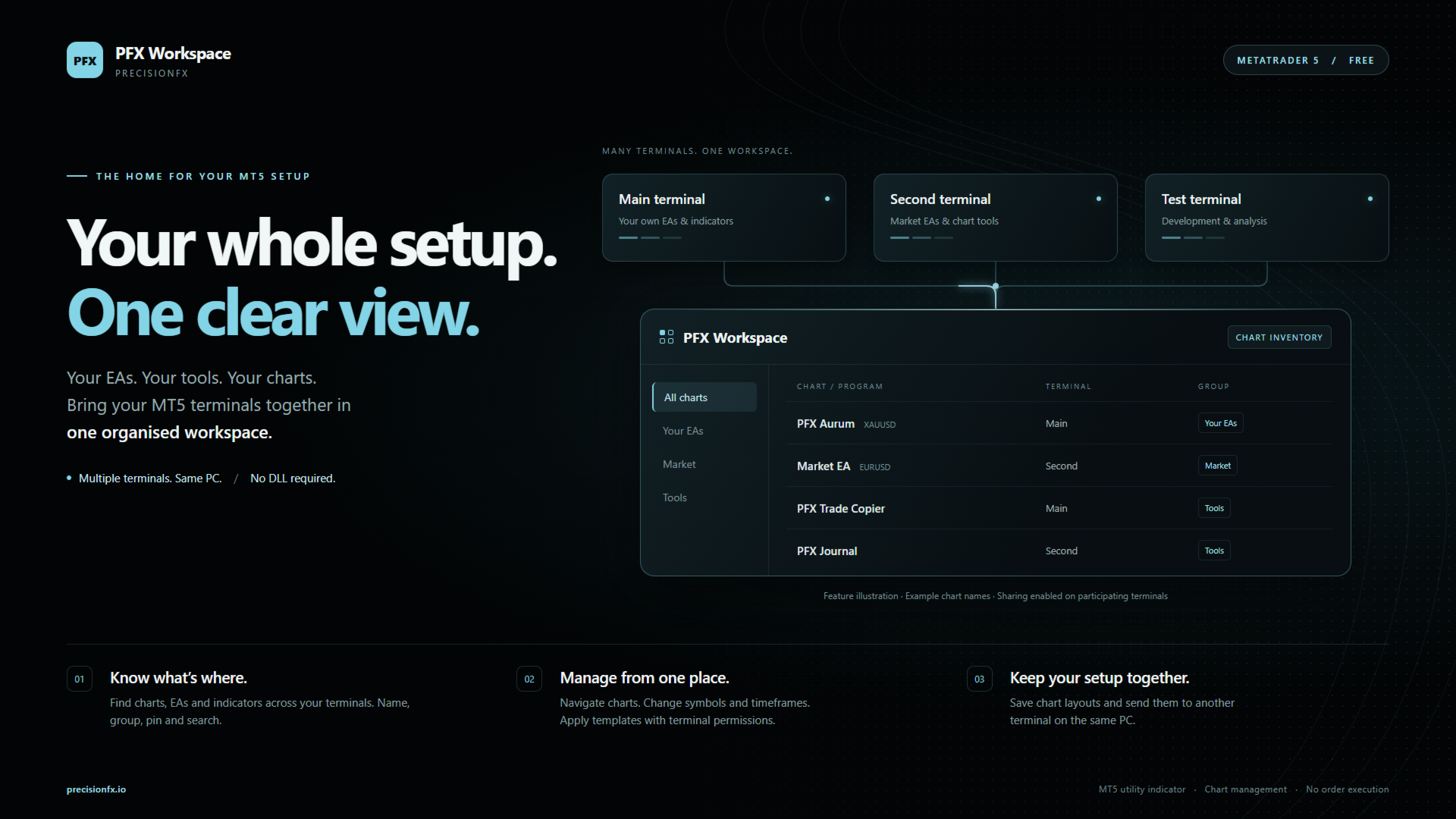
PFX Workspace - every terminal, broker, prop account and chart on one dashboard. Free. No DLL, no internet, no subscription. It never places, changes or closes a trade.
Several terminals, brokers and prop firms, with many charts on each? Which terminal was that EA on? Is the prop account connected? Workspace puts it all in front of you, and lets you act on it.
FREE, AND IT ALWAYS WILL BE
Not a trial, not a lite version. Updates are regular. Bug or idea? Tell me in Comments.
THE DASHBOARD
- Overview: every terminal at a glance. Connection, Algo on or off, equity, open trades and P/L, a health check, and a log of commands
- Charts: every chart on every terminal with its EA and indicators. Name them, sort them, pin the ones you use, search
- Terminals: one card per terminal. Click one to see only its charts
- Layouts: save the charts you have open under a name and push them to another terminal
- Programs: see what runs on each chart. Remove an indicator, strip a chart, or apply a template
A LOCK button makes it read-only. A compact corner panel is available too.
CONTROL YOUR OTHER TERMINALS
Terminals on the same PC see each other (sharing is off until you switch it on). From one Main terminal you can, on another:
- open a chart, or change its symbol or timeframe
- apply a template, or close a chart
- push a whole layout
Each terminal is Main (sends) or Satellite (receives). An Accept setting - Off, Charts only or Everything - decides what can be done to it.
LINK YOUR CHARTS - EVEN ACROSS TERMINALS
Put charts in link group A, B or C. Change the symbol on one and the whole group follows.
- Works across terminals and brokers on the same PC
- Quick symbols re-point a group in one click. Broker names matched for you (XAUUSD = XAUUSD.r = XAUUSDm). Add your own pairs like XAUUSD=GOLD
- A chart whose EA has an open trade is skipped, never changed
KNOW WHEN SOMETHING STOPS
- Alerts by pop-up and phone push: a terminal stops reporting, a broker connection drops, Algo Trading is off with an EA attached, or an EA leaves a chart
- Restart check: save how everything looks once. After a restart it lists whatever did not come back
- Automatic chart backups. Restore through a preview. Nothing changes until you press Apply
BUILT TO LEAVE YOUR TRADES ALONE
- It never opens, modifies or closes a trade, and never changes an EA's inputs
- A chart with an open trade or pending order on its symbol is never changed or closed
- Every command expires after 10 seconds and cannot be replayed
SETUP IN A MINUTE
- Attach PFX Workspace to one chart on each terminal
- Switch on "Share inventory" in each, to see the others
HONEST ABOUT THE LIMITS
- MetaTrader will not raise another terminal's window. A command selects the chart there. You click over yourself
- An EA can only be added through a template, and the template must already exist on that terminal
- It works between terminals on the same Windows user. Control across PCs is planned
- Links follow within a few seconds. Every terminal taking part needs the same version
MetaTrader 5. Full settings manual in Comments.
MORE FREE TOOLS FROM ME
- PFX Equity Shield - account-wide guardian for prop-firm limits.
- PFX Journal - your trades log themselves to a free online journal.
- PFX Trade Manager - break even, trailing and partials from one panel.
- PFX SLM and PFX SLM EA - structure and liquidity.
- PFX Trade Copier - copy trades between terminals on one PC.
- PFX Executor - TradingView alerts into MT5 orders.
I am a disabled veteran and a retail trader. I run several terminals and the charts got away from me, so I built this. I build the tools I could not afford and give them away. A coffee link is on precisionfx.io. It unlocks nothing.