Harmonic Radar Pro MT4
- Experts
-
Farhad Kia
 I have extensive experience as an algo-trader and a skilled MT4/5 tool developer. I have created over 1000 EAs, indicators, and scripts for MT4/5, and have won several Forex contests. Apart from programming, I also possess valuable expertise as a successful algo-trader, which allows me to provide
 - Versione: 1.0
- Attivazioni: 5
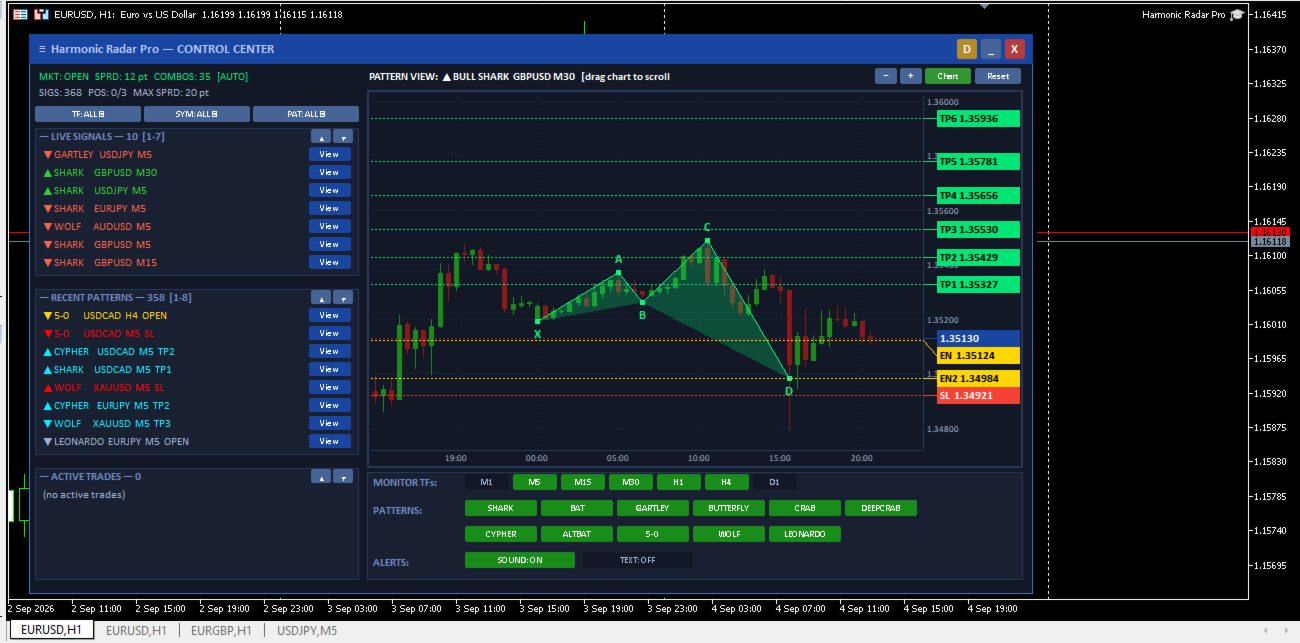
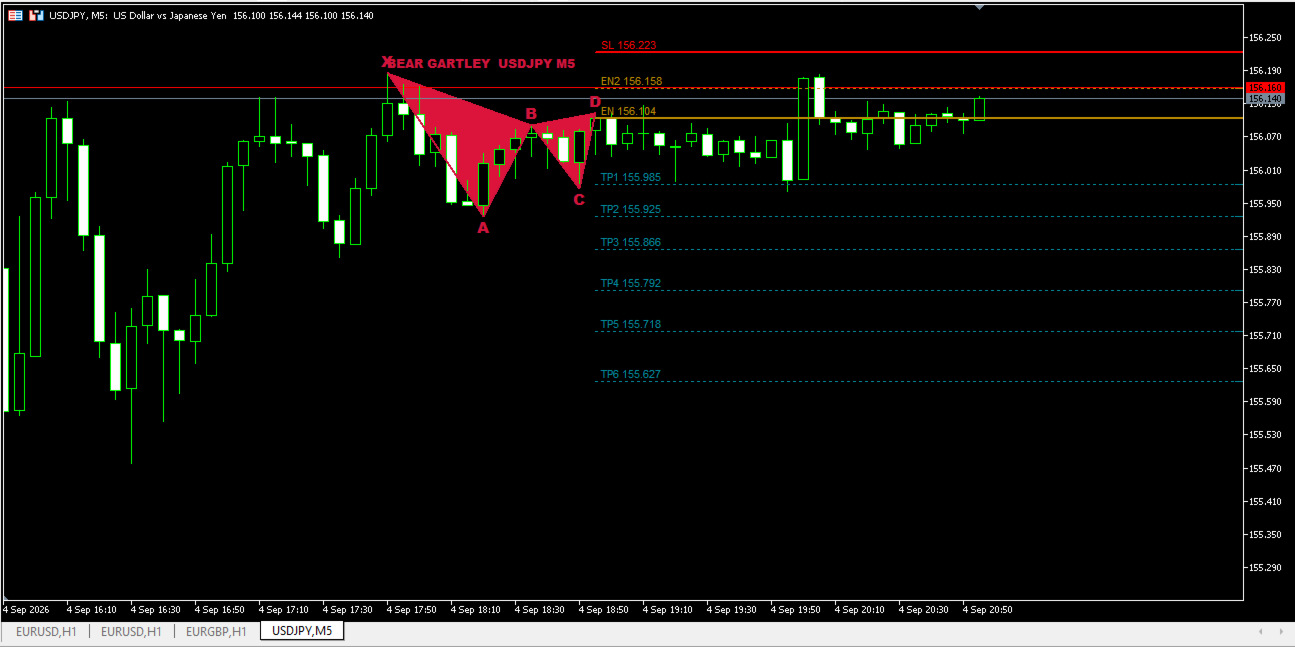
Harmonic Radar Pro is an advanced multi-currency, multi-timeframe pattern recognition and trading system built for MetaTrader 4. Engineered for maximum flexibility, it operates seamlessly both as a fully automated EA and as a smart signal/indicator tool to provide visual double confirmation for your manual trading strategy.
It automatically scans, identifies, and trades high-probability harmonic formations across multiple assets simultaneously from a single chart dashboard.
Live Results & Social Community
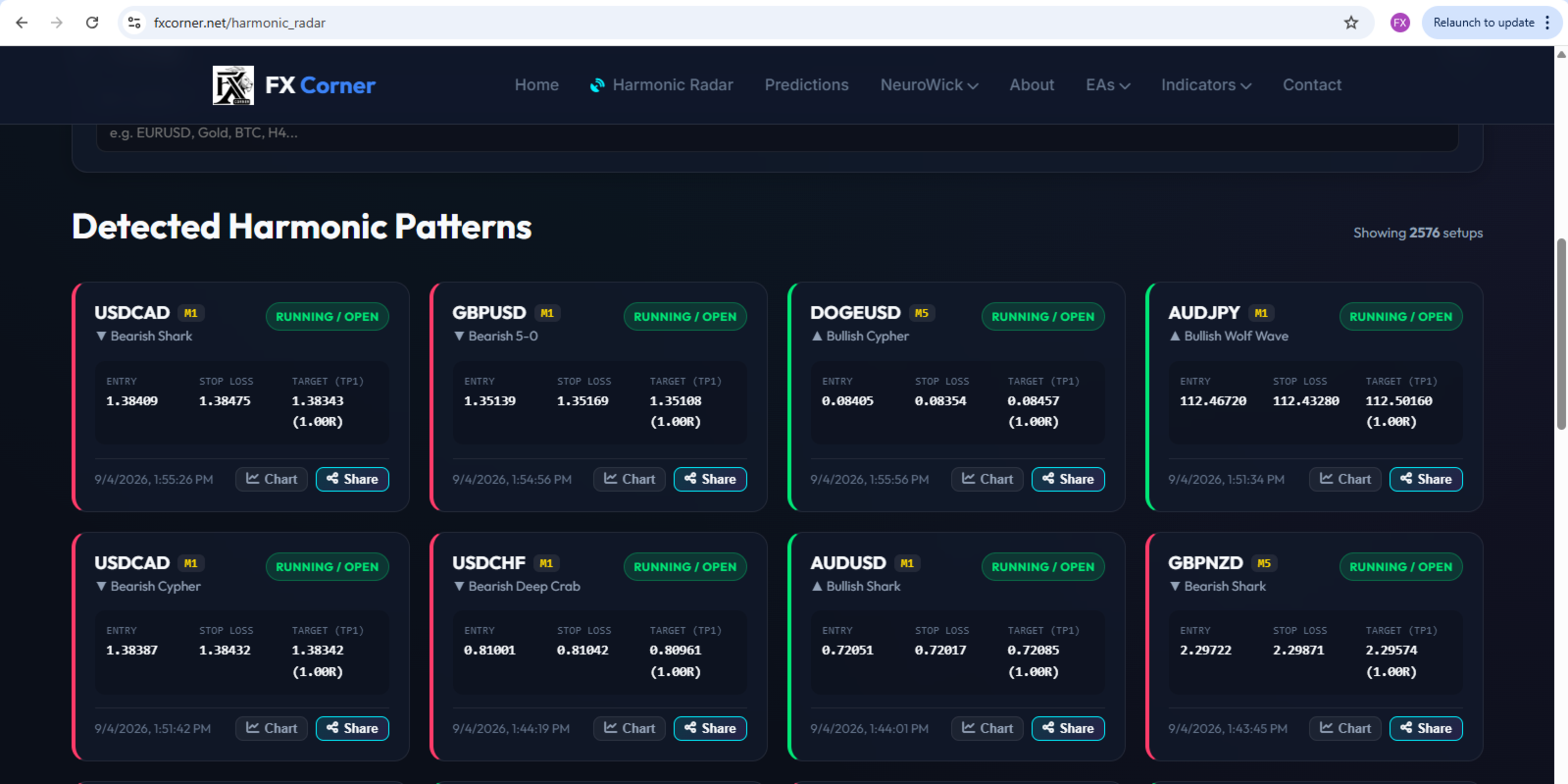
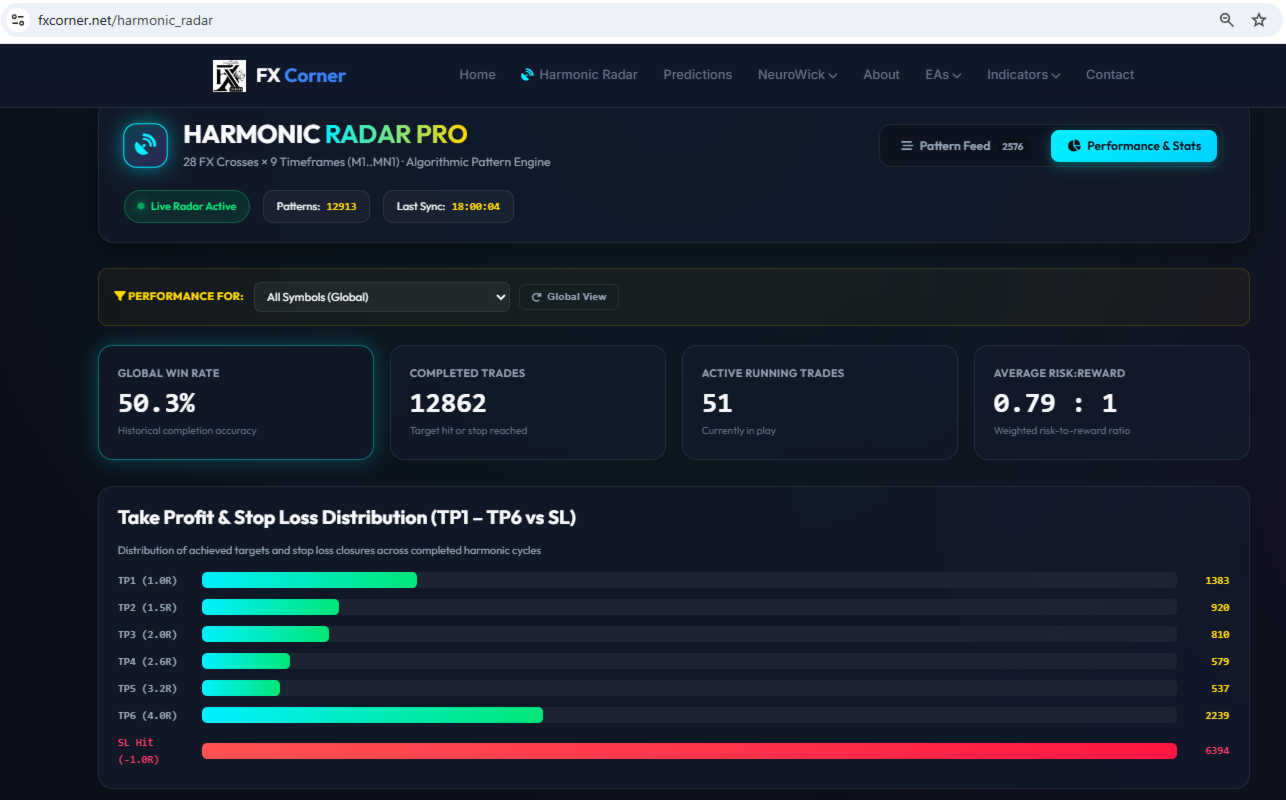
- Live Stats & Real-Time Performance: fxcorner.net/harmonic_radar
- Official Telegram Signals Channel: t.me/SharkChannel
Key Features
- Automated EA or Signal Indicator Mode:
- Fully Automated EA: Let the algorithm execute, manage, and trail positions end-to-end based on your risk rules.
- Manual Confirmation Tool: Turn off AutoTrade to use it as a powerful visual scanner and signal alert system—adding precision, high-confluence double confirmation to your discretionary trading strategy.
- All-in-One Multi-Symbol & Multi-TF Dashboard: Monitor and trade up to 11 harmonic patterns across custom symbol lists and timeframes concurrently without needing multiple charts open.
- Dual Display Modes:
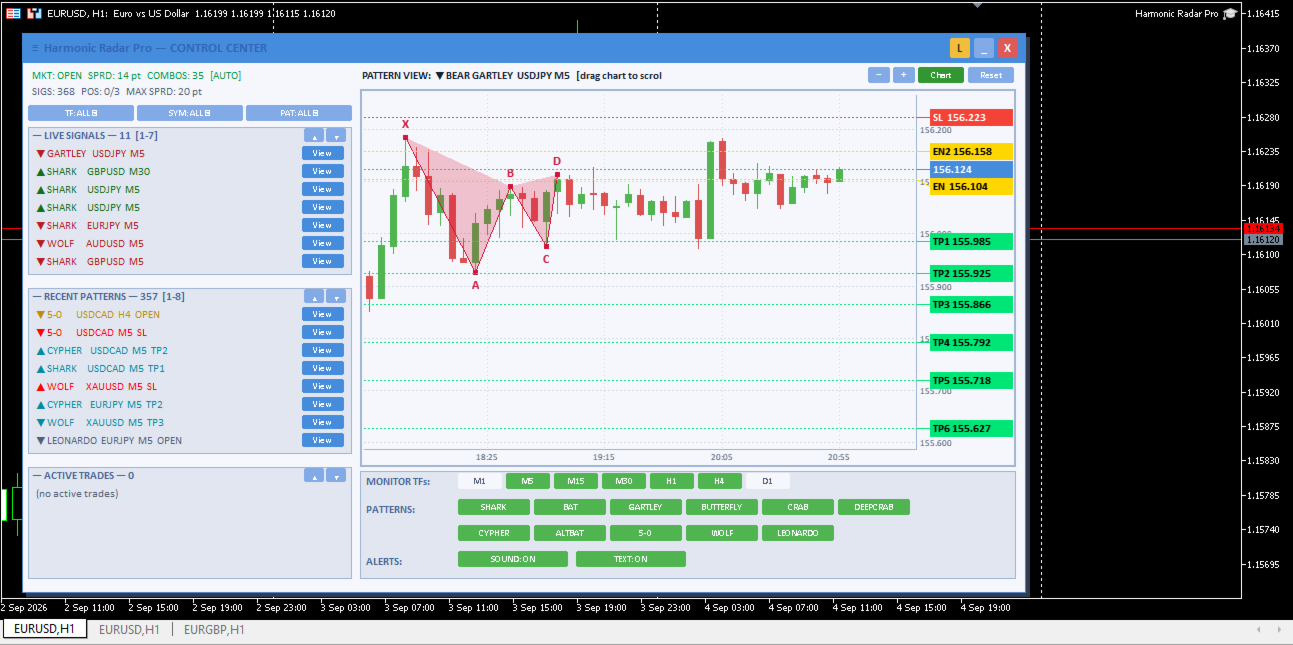
- All-in-One Dashboard: View every pattern signal dynamically in a single unified dashboard canvas.
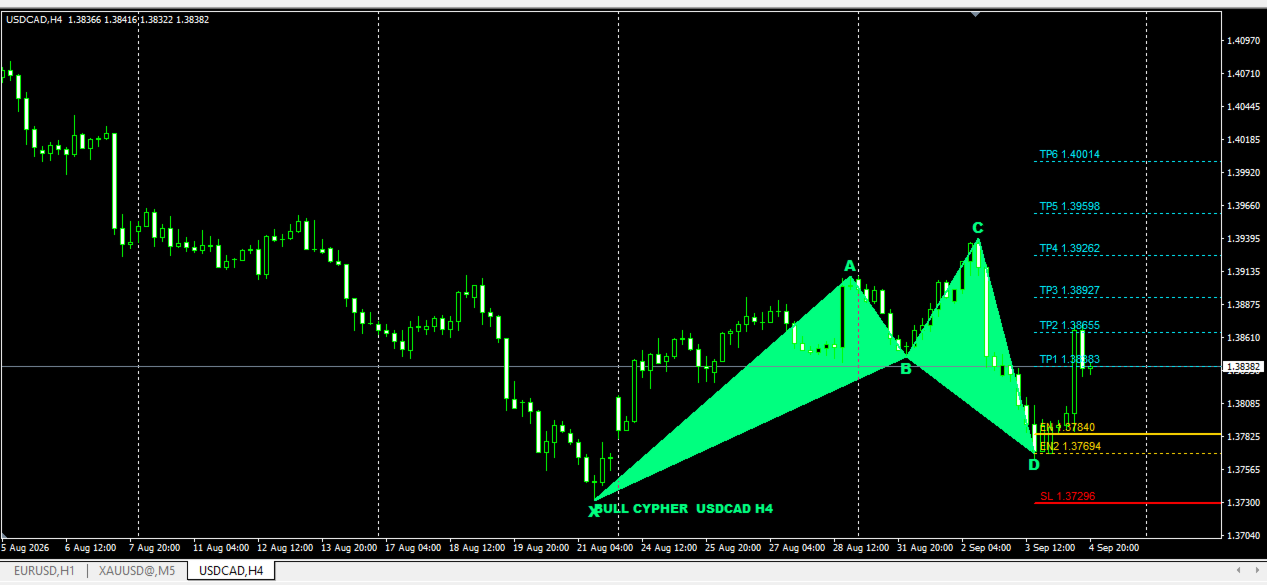
- Separate Auto-Opening Charts: View fresh pattern detections on individual full charts for isolated analysis and trade tracking.
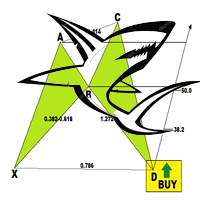
- 11 Recognized Harmonic Formations: Shark, Bat, Alt Bat, Gartley, Butterfly, Crab, Deep Crab, Cypher, 5-0, Wolfe Wave, and Leonardo.
- Smart PRZ (Potential Reversal Zone) Validation: Strict D-leg validation and configurable ratio tolerance settings prevent low-probability entries.
- Flexible Trailing & Execution Systems: Supports multi-stage Take Profit ladders (up to 6 targets), classic trailing stops, and fixed Risk-Reward ratios with automatic Break-Even triggers.
- Complete Risk Management: Control maximum open positions per symbol/direction, total account position limits, maximum spread filters, time-window execution, and dynamic percentage-based risk scaling.
Input Parameters Explained
=== Pattern Selection ===
- PatSHARK ... PatLEONARDO: Toggle individual pattern types ON/OFF (Shark, Bat, Gartley, Butterfly, Crab, Deep Crab, Cypher, Alt Bat, 5-0, Wolfe Wave, Leonardo).
=== Trading & Risk Management ===
- AutoTrade: Enable automatic trade execution ( true ) or run as a signal detection tool only ( false ).
- EntryBeyondBest: When enabled, trades are taken only at deep PRZ levels (EN2) for better entry pricing before hitting Stop Loss.
- MaxPositions: Global limit on total concurrent positions opened by the EA across all charts (0 = unlimited).
- LotSize: Fixed position volume in lots (used when Risk Percent is set to 0.0).
- RiskPercent: Dynamic risk sizing as a percentage of account balance (overrides fixed lot size).
- Magic: Unique identifier number for EA order and position tracking.
- SlippagePts: Maximum allowed order slippage in points.
- MaxSpreadPts: Maximum spread in points allowed to enter a trade (0 = filter disabled).
- HideDashboard: Hides the graphical user interface to drastically speed up Strategy Tester optimization and backtesting.
- PersistState: Saves signals, dashboard toggles, and state to disk to survive terminal crashes or timeframe changes.
=== Take Profit & Trailing Modes ===
- NumTP (1 to 6): Number of active Take Profit targets to use.
- TPMult1 to TPMult6: R-multiple multipliers from entry for each target level.
- TrailMode: Select position management behavior:
- 1 (TP Ladder): Steps Stop Loss up level-by-level as each TP target is reached.
- 2 (Classic Trail): Trails Stop Loss continuously based on pip distance and step settings.
- 3 (Fixed RR): Static Take Profit based on Risk:Reward ratio without active trailing.
=== Trail Mode 2: Classic Trail ===
- TrailStartPips: Profit distance in pips required before trailing activates.
- TrailStepPips: Minimum pip movement required before adjusting the Stop Loss.
=== Trail Mode 3: Fixed RR ===
- TPRR: Target Take Profit distance set as a multiple of Stop Loss distance (e.g., 2.0 = 2:1 RR).
- BreakEvenRR: Moves Stop Loss to breakeven once price reaches this Risk:Reward distance (0.0 = disabled).
=== Position Limits (Per Symbol) ===
- MaxPosPerSymbol: Maximum total open positions allowed per individual trading pair (0 = unlimited).
- MaxPosPerDirection: Maximum open positions per symbol in a single direction (1 = max 1 Buy and 1 Sell active).
=== Trading Time Window ===
- UseTimeFilter: Enable or disable server time-based trading hours.
- TradeStart / TradeStop: Active trading window start and end times in HH:MM broker server time format.
=== Notifications & Alerts ===
- AlertPopup: Display pop-up alert windows on new pattern detections.
- SoundAlert / SoundFile: Play custom audio files upon pattern detection.
- PushNotify: Send push notifications directly to MetaTrader mobile apps.
=== Signal List & Dashboard Interface ===
- MaxSignals: Maximum number of historical signals stored in memory (0 = unlimited).
- PanelX / PanelY: Default X and Y pixel positions for the dashboard UI on chart load.
- DarkTheme: Launch dashboard using dark color mode ( true ) or light color mode ( false ).
=== Multi-Pair & Multi-Timeframe ===
- Symbols: Comma-separated list of symbols to monitor simultaneously (e.g., EURUSD,GBPUSD,XAUUSD ).
- SymbolPrefix / SymbolSuffix / AutoSuffix: Configure custom broker symbol formatting or enable automatic detection.
- Timeframes: Comma-separated list of timeframes to scan concurrently (e.g., M5,M15,M30,H1,H4 ).
Recommended Setup
- Attach Harmonic Radar Pro to a single master chart (e.g., EURUSD H1).
- Set your preferred list of pairs in Symbols and timeframes in Timeframes .
- Set AutoTrade to true for full automation, or leave as false to use as an alert and manual confirmation engine.