ScalpPanelV5

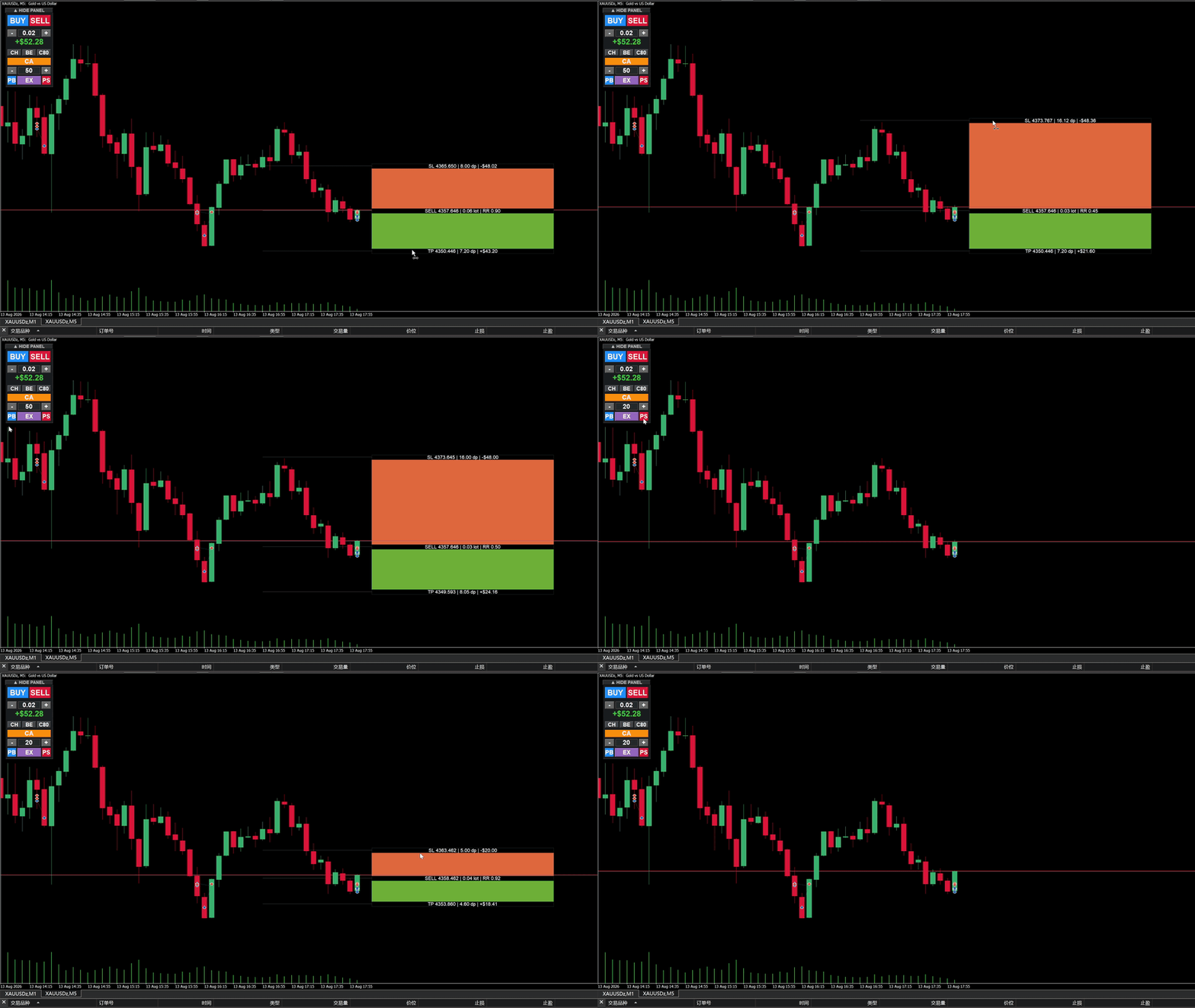
Scalp Quick Panel Pro — One-Click Scalping & Visual Planner (v13)
Scalp Quick Panel Pro is a lightweight on-chart trading panel designed for manual and scalping traders. It integrates one-click execution, lot management, position management, daily P&L tracking, and a Visual Trade Planner into one compact UI.
🚀 Key Highlights
- One-Click Execution: Market BUY/SELL with fixed SL/TP and async sending.
- Visual Planner: Drag Entry/SL/TP tags on the chart. Auto lot sizing based on fixed USD risk.
- Position Management: Close 50%, Close 80%, Close All, and One-Click Break-Even.
- Live Daily P&L: Tracks floating + closed profits, commissions, and swaps.
- Smooth Dragging (v13): Throttled 20fps refresh rate for lag-free visual planning.
🎯 UI & Features Overview
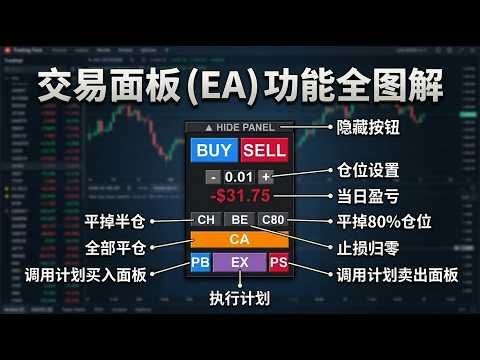
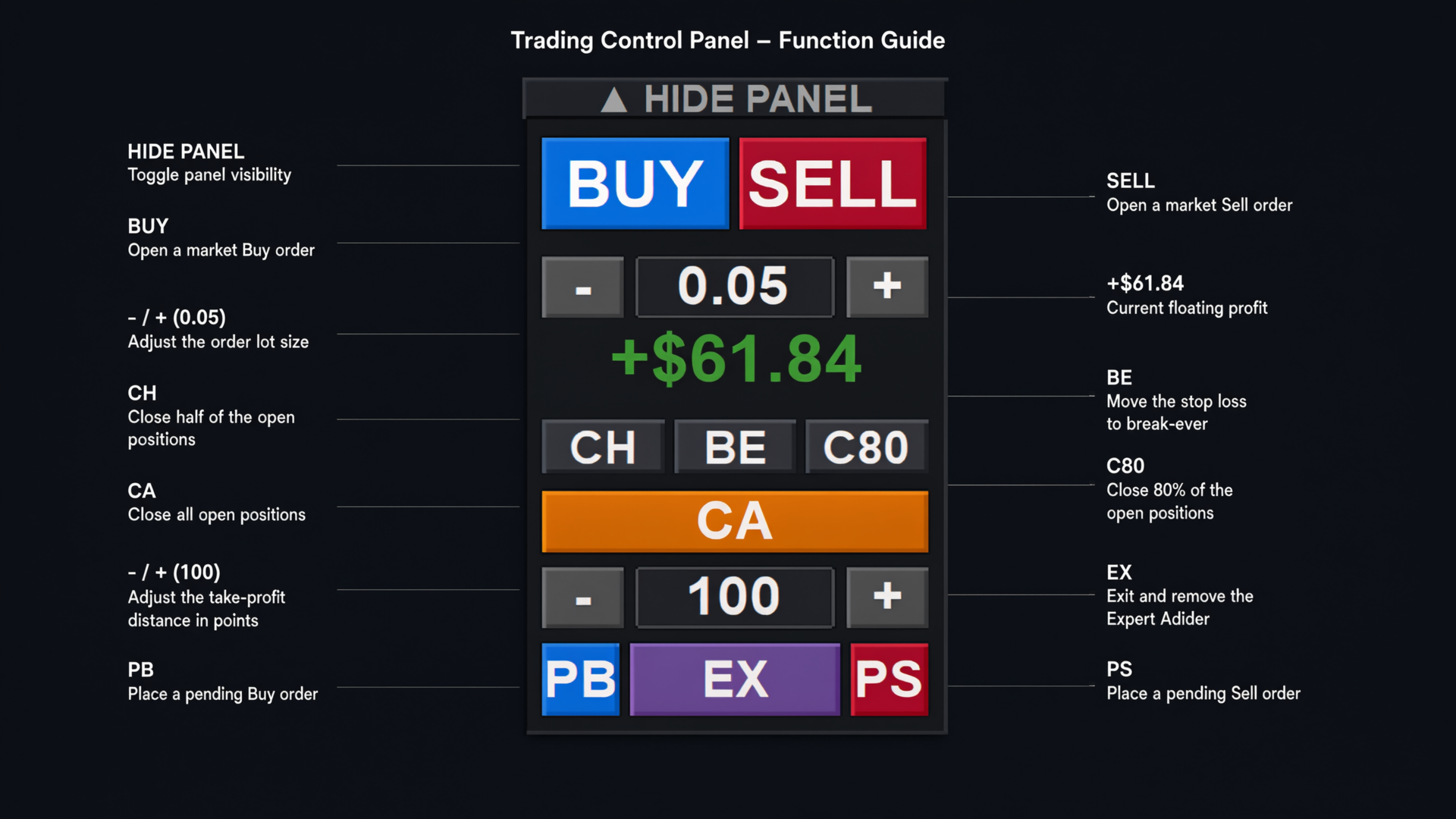
- HIDE/SHOW: Collapse the panel to save chart space.
- BUY / SELL: Instant market orders using the lot size from the Lot Control row.
- Lot Control (- / +): Adjusts manual trading lots based on broker volume steps.
- Daily P&L: Real-time readout of today's net profit (Green/Red).
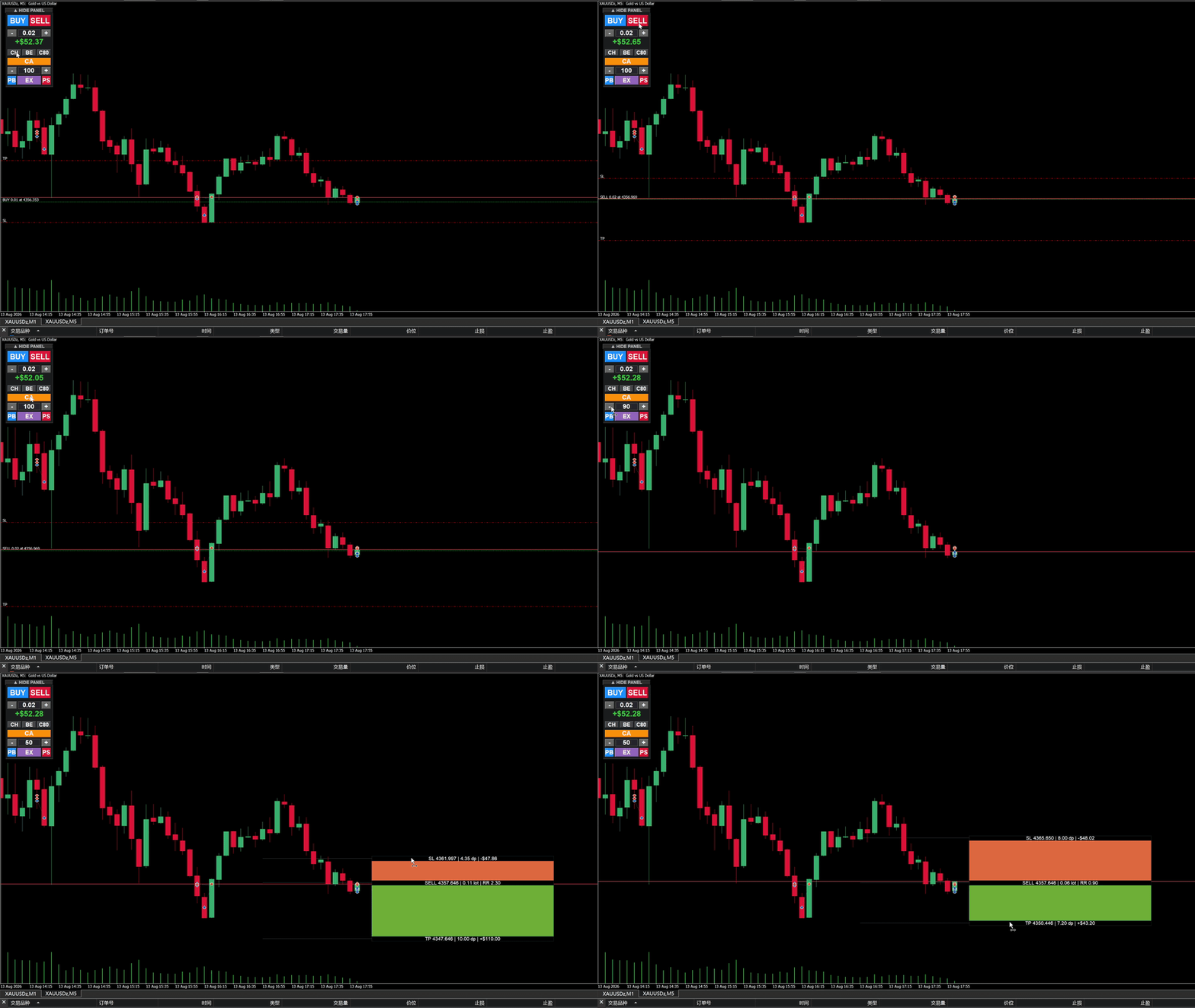
- CH / BE / C80: Close Half, Move SL to Break-Even, Close 80%.
- CA: Close All open positions for the current symbol.
- Risk Control (- / +): Set max risk per trade in USD. The Planner auto-calculates the exact lot size.
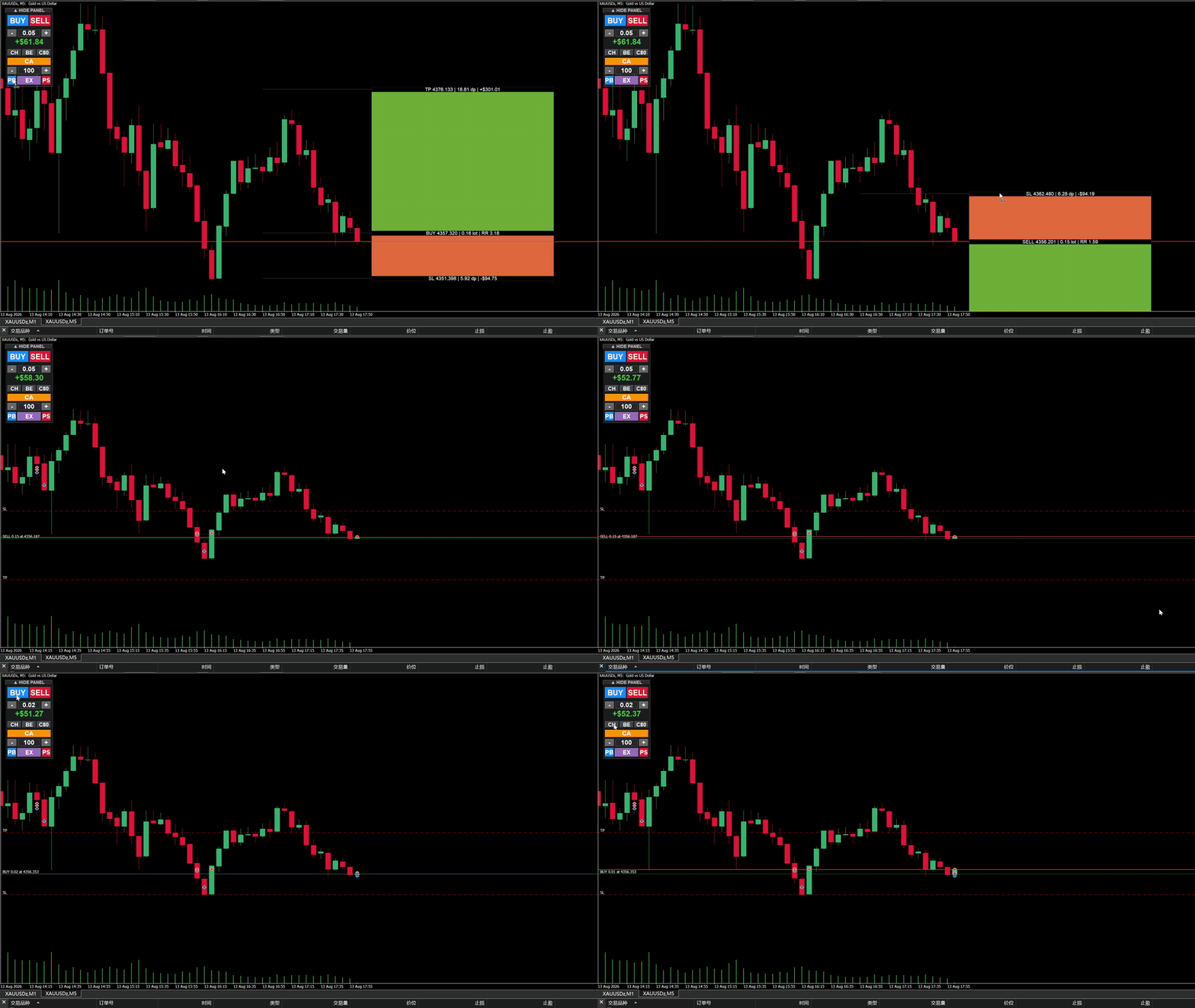
- PB / EX / PS: Plan Buy, Execute Plan, Plan Sell. Create visual zones and execute with one click.
📊 Visual Planner Details
Click PB or PS to draw a trade plan on the chart. You can drag the tags to adjust prices:
- Drag TP/SL: Adjusts target/stop. The lot size recalculates automatically to match your USD risk.
- Drag Entry: Moves the entire plan (Entry+SL+TP) up or down.
- Hotkeys: Press Delete to clear the plan, or Esc to cancel a drag.
⚙️ Input Parameters
| Parameter | Default | Description |
|---|---|---|
| InpLotSize | 0.05 | Default lot for manual BUY/SELL buttons. |
| StopLoss | 5000 | Fixed SL in points for manual orders (0 = no SL). |
| TakeProfit | 10000 | Fixed TP in points for manual orders (0 = no TP). |
| MagicNum | 888999 | Unique ID for EA orders. |
| Panel_X / Y | 20 / 30 | Screen coordinates for the panel. |
| MaxRiskPerTradeUSD | 100.0 | Max risk for the Visual Planner (adjustable on UI). |
| DefaultSLPoints | 5000 | Initial SL distance when creating a new plan. |
| DefaultRR | 2.0 | Initial Risk:Reward ratio for new plans. |
⚠️ Notes & Risk Disclosure
- One-click and EX orders are Market Orders; slippage depends on your broker.
- All close/BE actions apply only to the current chart symbol.
- If the calculated lot hits the broker's minimum limit, actual risk may exceed the configured USD risk.
- Leveraged trading carries substantial risk. Please test thoroughly on a demo account first.