Coyote
- Utilità
- Versione: 1.1

Coyote by Stellarex Horizons — visual trade setup, sized to your risk, every time.
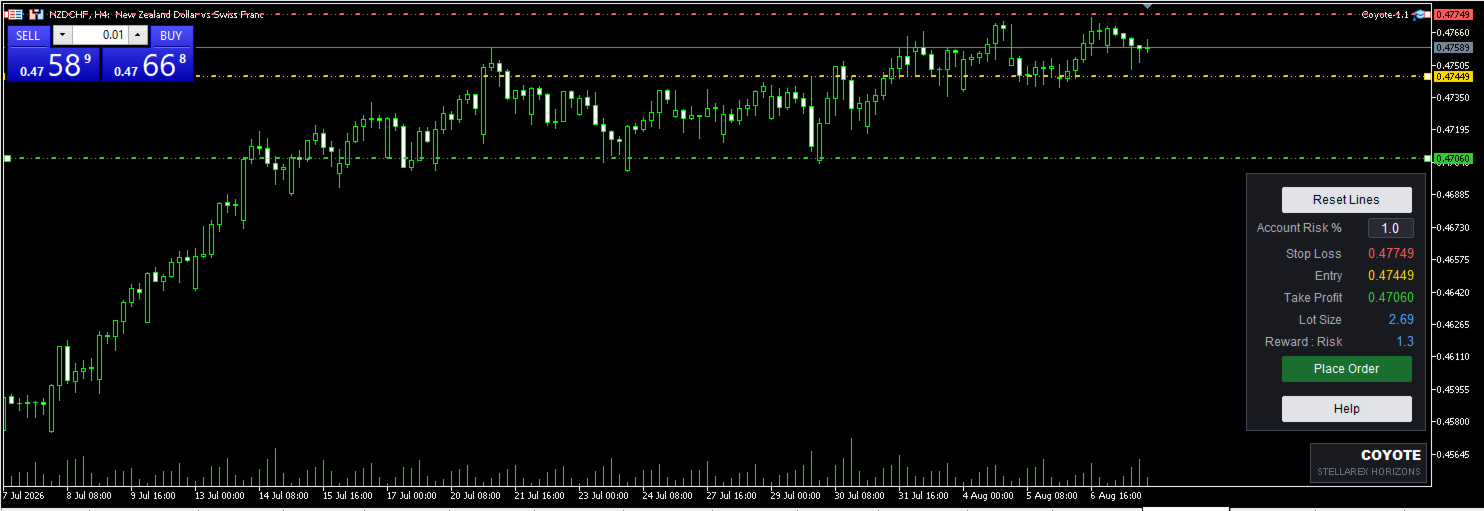
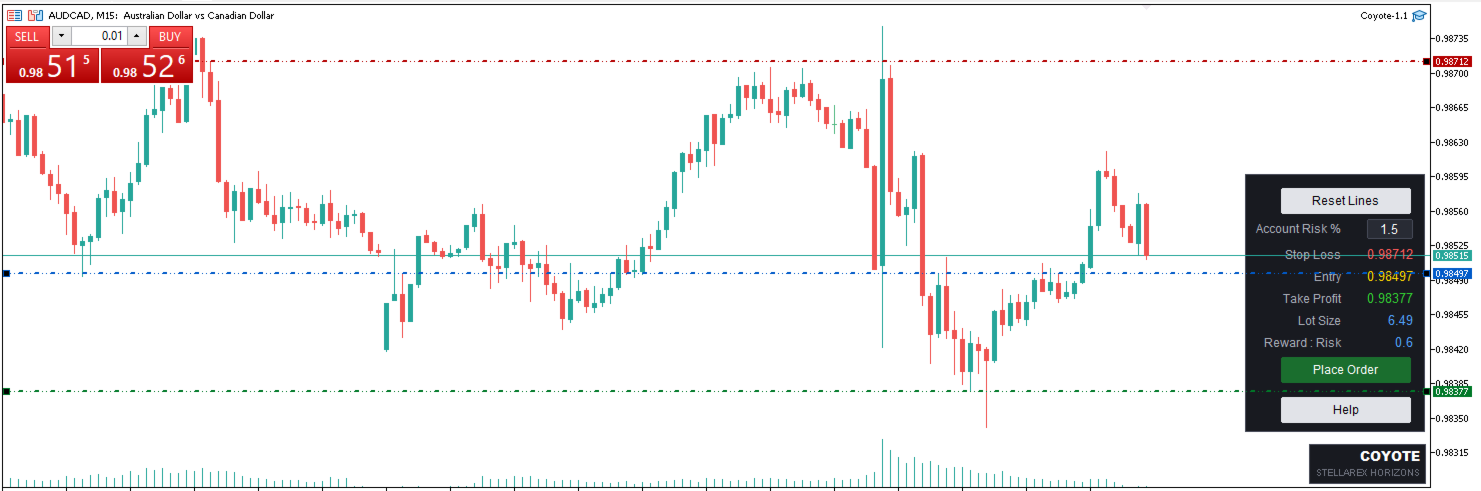
Coyote turns trade planning into three lines on a chart. Drag your Entry, Stop Loss, and Take Profit into position, and Coyote handles the rest — calculating the correct position size for your account risk, working out your reward-to-risk ratio, and automatically choosing the right order type. No manual lot-size math, no guessing whether you need a limit or a stop order.
Why traders use Coyote
Most traders either risk too much because position sizing is a hassle, or spend more time on a calculator than on their actual analysis. Coyote removes that friction entirely: set your risk percentage once, then every trade you place is automatically sized to match it — whether your stop is 10 pips away or 100.
Key features
▪ Visual trade setup — three draggable lines directly on your chart for Entry, Stop Loss, and Take Profit. See your setup before you commit to it.
▪ Automatic position sizing — lot size is calculated from your account balance, your risk %, and the distance to your stop, so every trade risks the same proportion of your account.
▪ No manual price or lot-size entry — everything is set by dragging lines on the chart. There's no typing prices or lot sizes by hand, so there's no risk of a misplaced decimal costing you an oversized position or a stop in the wrong place.
▪ Live reward-to-risk display — updates instantly as you adjust your lines, so you can see the trade quality before placing it.
▪ Smart order-type selection — Coyote reads your Entry relative to your Take Profit and the current market price to automatically choose Buy/Sell and Limit/Stop. You never have to pick the order type yourself.
▪ Instrument-aware by design — lot size, price, and stop-distance validation all read the actual broker specifications for whatever symbol you're trading, so Coyote works correctly across forex, metals, indices, and futures without any manual adjustment.
▪ Built-in safeguards — Coyote checks your setup live and won't let you place a trade with an invalid price arrangement or a stop that's too close to the broker's minimum distance, catching mistakes before they become rejected orders.
▪ Spread protection — if the spread is wider than your comfort level when you place a trade, Coyote waits and automatically submits the order as soon as the spread narrows back down, instead of executing into a bad fill.
▪ Works on any chart theme — automatically detects a light or dark chart background and adjusts line colors for readability, no configuration needed.
▪ Handles weekend setups — if you build a trade while the market is closed, Coyote waits and places it automatically once trading resumes.
▪ One-click reset — start over instantly if you want to reposition your setup from scratch.
▪ Built-in help — a quick-reference guide is one click away on the chart itself.
How it works
On startup, Coyote draws three horizontal lines on your chart. Move them to set your Entry, Stop Loss, and Take Profit. A compact panel shows your live price levels, calculated lot size, and reward-to-risk ratio. Set your account risk percentage, and when you're ready, click Place Order — Coyote submits the trade with the correct order type and size already worked out for you.
Input parameters
Risk / Execution
▪ Account Risk Pct — the percentage of your account balance to risk on each trade. Lot size is calculated automatically from this value. Default: 1.0
▪ Max Spread Points — the maximum spread Coyote will accept before placing a trade. If the spread is wider than this when you place an order, Coyote waits and submits automatically once the spread narrows back down. Default: 30
▪ Chart Shift Percent — how much empty space is reserved on the right side of your chart so the panel doesn't cover live price action. Default: 20
Color Scheme
▪ Auto Color Scheme — when enabled, Coyote automatically detects whether your chart background is light or dark and picks line colors for readability. Turn off to set your own colors manually. Default: true
Trade Lines (used only when Auto Color Scheme is off)
▪ Color Horz Line TP — color of the Take Profit line
▪ Color Horz Line Entry — color of the Entry line
▪ Color Horz Line SL — color of the Stop Loss line
Whether you're new to position sizing or you're a systematic trader who wants that math done consistently every single time, Coyote gives you a faster, more disciplined way to get from chart analysis to a placed order!