Account Protector Pro
- Utilità
- Versione: 1.0

Features Overview
The EA provides multiple ways to manage risk at both the trade level and account level. You can use any combination of these features:
- Per-trade profit and loss thresholds
- Lot-scaled loss limit that adjusts with position size
- Daily loss limit that resets each trading day
- Max account drawdown from a reference balance
- Equity trailing stop that tracks the high-water mark
- Weekend gap detection with configurable delay
The EA runs alongside other Expert Advisors and monitors their positions without interfering with their logic. You can filter by symbol, lot size, or magic number to target specific trades.
Input Parameters
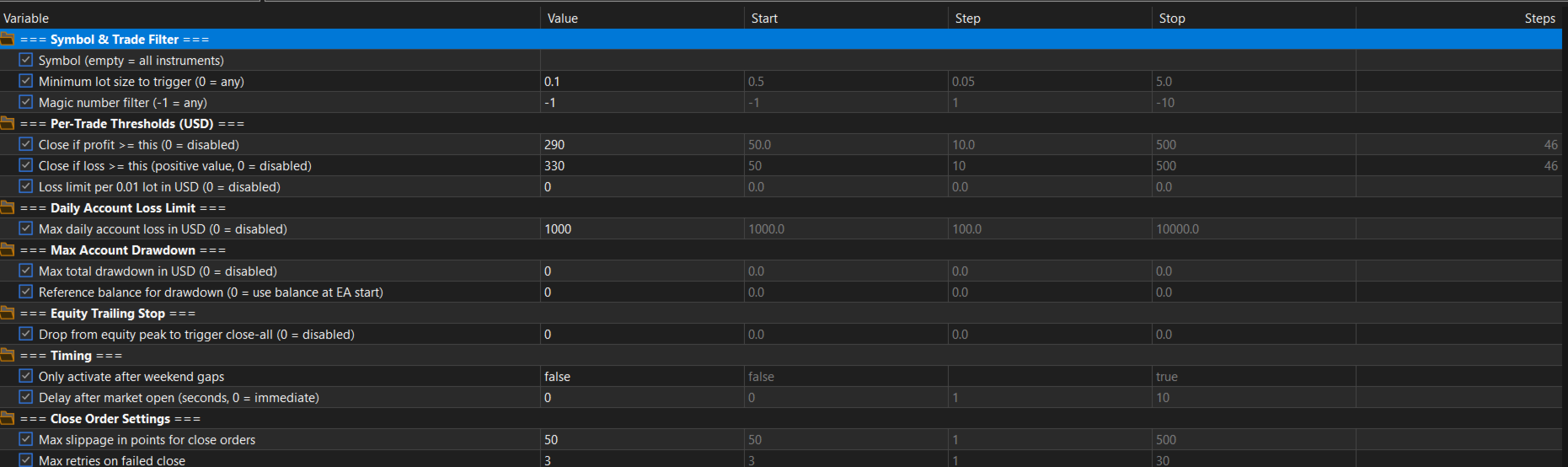
The EA has several groups of parameters. The first group controls which positions to monitor:
- Symbol — leave empty to monitor all instruments, or enter a specific symbol
- Min Lots — minimum lot size to trigger (0 = any size)
- Magic Number — filter by magic number (-1 = any EA)
The second group sets per-trade thresholds in your account currency. Set any value to 0 to disable it:
- Profit Close — close if trade profit reaches this amount
- Loss Close — close if trade loss reaches this amount (entered as positive number)
- Loss Per 0.01 Lot — loss limit that scales with position size
The third group sets account-level limits that apply across all positions:
- Daily Loss Limit — maximum daily loss, resets each trading day
- Max Drawdown — maximum total drawdown from reference balance
- Reference Balance — starting balance to measure drawdown from
- Equity Trailing Stop — close all if equity drops this amount from peak
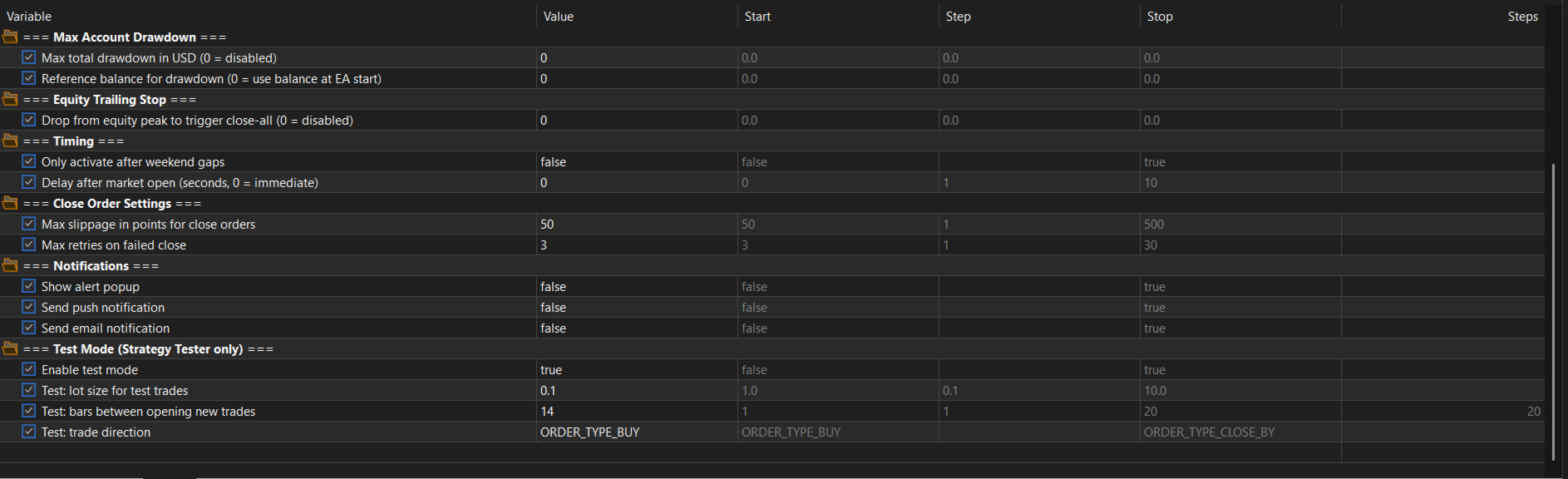
Additional parameters control timing, order execution, and notifications:
- Weekend Only — only activate after weekend gaps
- Delay Seconds — wait before scanning after market open
- Slippage — max slippage in points (default 50)
- Max Retries — retry attempts for failed close orders
- Alert Popup, Push Notification, Email — notification options
Usage Examples
Here are some common configurations to illustrate how the parameters work together.
For weekend gap scanning on EURUSD, set Symbol to EURUSD, Min Lots to 1.0, Profit Close to 5000, Loss Close to 2000, Weekend Only to true, and Delay to 30. The EA monitors EURUSD positions of 1+ lots and waits 30 seconds after the Monday open before closing any position that exceeds the thresholds.
For a daily loss limit, leave Symbol empty and set Daily Loss Limit to 5000. The EA monitors all positions on every tick. If total daily drawdown reaches 5000, all open positions are closed and the EA halts for the rest of the day.
For accounts with drawdown rules, you can combine multiple limits. Set Loss Close to 500, Daily Loss Limit to 2500, Max Drawdown to 5000, and Reference Balance to 100000. Individual trades close at 500 loss, daily loss is limited to 2500, and total drawdown from the reference balance is limited to 5000.
The lot-scaled loss limit is useful when running multiple position sizes. Set Loss Per 0.01 Lot to 3.00 and the limit scales automatically: a 0.10 lot trade closes at 30 loss, a 0.50 lot trade at 150, and a 1.0 lot trade at 300.
How It Works
On every tick, the EA checks if a new trading day has started and resets daily tracking. If Weekend Only is enabled, it detects weekend gaps by measuring the time since the last tick. A gap of more than 48 hours indicates a weekend, and this method works with any broker regardless of server timezone.
If a delay is configured, the EA waits the specified number of seconds after market open before scanning. It then checks account-level limits in order: max drawdown first, then daily loss limit, then equity trailing stop. If any limit is reached, all positions are closed.
Finally, the EA scans all open positions matching the configured filters and closes any that exceed the per-trade profit or loss thresholds.
Built-In Test Mode
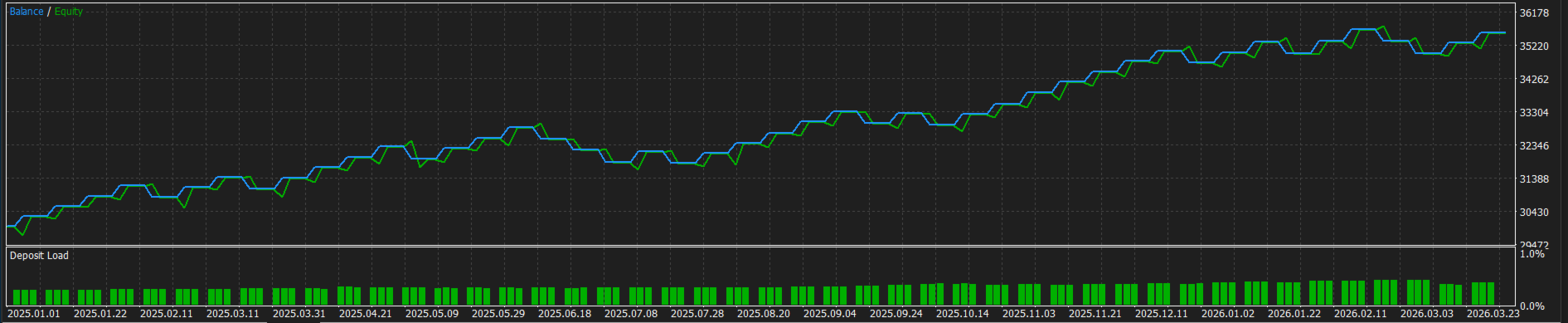
Since this EA only closes trades (it does not open them), testing in the Strategy Tester would normally show nothing. The built-in Test Mode solves this by automatically opening trades so you can verify each closing scenario.
Test Mode only works in the Strategy Tester. If you accidentally leave it enabled on a live chart, it will show a warning and refuse to open any trades. Test trades use a dedicated magic number and comment tag for identification. At the end of every backtest, a summary is printed to the Experts log.
Important Notes
The EA must be running and connected when the market opens. Loss values are entered as positive numbers (enter 2000 to close at 2000 loss). All monetary thresholds use your account deposit currency.
The daily loss limit compares starting balance vs current equity (includes floating P/L) and resets at the start of each new trading day. The max drawdown limit does not reset. Once triggered, the EA halts until restarted. Set the Reference Balance to your account starting balance so the limit survives EA restarts.
All actions are logged to the Experts tab in MetaTrader 5.
Support
If you have questions, feature requests, or encounter any issues, please leave a comment or send a message.