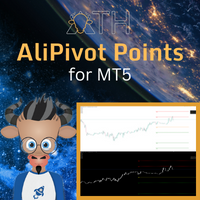
Daily Pivot Point Levels
- Indicatori
- Versione: 1.0

Identify daily support and resistance levels with clarity, precision, and simplicity.
Daily Pivot Point Levels is a customizable indicator for MetaTrader 5 that automatically calculates and displays the central Pivot Point (P), support levels (S), and resistance levels (R) using previous-day price data.
Designed for traders who value objective price references, clean chart organization, and flexibility, the indicator offers different calculation methods and extensive visual customization options.
Its purpose is to help traders identify relevant price areas while keeping charts clean, organized, and easy to interpret.
Key features
-
Automatic daily calculations: uses price data from the previous daily candle (D1).
-
Two calculation methods: Traditional (HLC/3) and Alternative (OHLC/4).
-
Configurable levels: displays 2 to 5 support and resistance levels.
-
Automatic outer-level highlighting: the outermost displayed support and resistance levels receive dedicated line styles and widths.
-
Visual customization: HEX colors, line styles, and widths can be configured independently for different groups of levels.
-
Optional level labels: displays level names directly on the chart.
-
Historical display: shows current-day levels only or includes previous daily levels.
-
Automatic symbol updates: recalculates levels when switching trading instruments.
-
Multiple timeframe compatibility: works on intraday charts while maintaining levels calculated from daily price data.
How it works
The indicator uses price data from the previous daily period to calculate the central Pivot Point and its support and resistance levels.
The central Pivot Point represents a mathematical price reference. Resistance levels (R) and support levels (S) identify potential areas of market reaction.
These levels can complement price action analysis, trend analysis, moving averages, VWAP, and other technical analysis tools.
The indicator does not execute trades or automatically determine entry and exit points.
Input parameters guide
The following sections explain the available settings, their functions, configuration options, and default values.
1. Pivot calculation
Calculation Method
Defines the formula used to calculate the central Pivot Point.
-
Traditional (HLC/3): uses the previous day's High, Low, and Close, divided by 3.
-
Alternative (OHLC/4): uses the previous day's Open, High, Low, and Close, divided by 4.
Default: Traditional (HLC/3).
Support / Resistance Levels
Defines how many support and resistance levels are displayed above and below the central Pivot Point.
| Setting | Displayed levels |
|---|---|
| 2 | R1, R2, P, S1, S2 |
| 3 | R1, R2, R3, P, S1, S2, S3 |
| 4 | R1–R4, P, S1–S4 |
| 5 | R1–R5, P, S1–S5 |
Default: 3 levels.
2. Display settings
Show Current Day Only
Controls the display of historical Pivot Point levels.
-
On: displays only the levels corresponding to the current trading day.
-
Off: allows previous daily levels to be displayed.
Default: On.
Historical Days
Defines the number of historical days the indicator can display.
-
Accepts a numeric value representing the number of days.
-
Used when Show Current Day Only is set to Off.
Default: 30 days.
3. Level colors
Allows independent customization of the central Pivot Point, support levels, and resistance levels.
Colors are entered using HEX color codes in #RRGGBB format.
Support Color
Defines the color of support levels S1–S5.
-
Default: #578B78 — green.
Resistance Color
Defines the color of resistance levels R1–R5.
-
Default: #E20000 — red.
Central Pivot Color
Defines the color of the central Pivot Point line (P).
-
Default: #A9A9A9 — gray.
All colors can be customized according to individual chart preferences.
4. Line styles
Allows independent configuration of line styles and widths for the central Pivot Point, inner support/resistance levels, and outer support/resistance levels.
Available line styles (Style)
-
Solid: continuous line without interruptions.
-
Dash: dashed line.
-
Dot: dotted line.
-
Dashdot: alternating dashes and dots.
-
Dashdotdot: alternating dashes and pairs of dots.
Line width (Width)
Defines the visual thickness of a line in pixels.
-
1: very thin.
-
2: thin.
-
3: medium, with greater emphasis.
-
4: thick.
-
5: very thick.
The field accepts numeric values, subject to MetaTrader 5 rendering behavior and the indicator's supported limits.
Important: for graphical objects in MetaTrader 5, dashed and dotted line styles generally require a width of 1 to display correctly. For thicker lines, the Solid style is recommended.
Central Pivot Point
Central Pivot Style
Defines the visual style of the central Pivot Point line (P).
-
Default: Solid.
Central Pivot Width
Defines the thickness of the central Pivot Point line.
-
Default: 3.
Inner support and resistance levels
Inner Support / Resistance Style
Defines the appearance of intermediate support and resistance levels.
-
Default: Dot.
Inner Support / Resistance Width
Defines the thickness of intermediate support and resistance levels.
-
Default: 1.
Outer support and resistance levels
Outer Support / Resistance Style
Defines the appearance of the outermost displayed support and resistance levels.
-
Default: Solid.
Outer Support / Resistance Width
Defines the thickness of the outermost displayed support and resistance levels.
-
Default: 3.
The indicator automatically identifies the outermost levels according to the selected number of support and resistance levels.
| Number of levels | Highlighted outer levels |
|---|---|
| 2 | R2 and S2 |
| 3 | R3 and S3 |
| 4 | R4 and S4 |
| 5 | R5 and S5 |
All remaining support and resistance levels use the inner-level style and width settings.
5. Level labels
Show Level Labels
Controls the display of level names directly on the chart.
-
On: displays P, R1–R5, and S1–S5, according to the selected number of levels.
-
Off: hides level names while keeping the lines visible.
Default: Off.
Labels use the corresponding level colors and are positioned along the lines.
Label Position (%)
Defines the horizontal position of labels along each line.
-
0%: beginning of the line.
-
25%: first quarter of the line.
-
50%: center of the line.
-
75%: last quarter of the line.
-
96%: near the right end of the line.
-
100%: end of the line.
Default: 96%.
This setting allows users to adjust label placement according to their chart layout.
Applications in technical analysis
Daily Pivot Point Levels can be used as complementary price references in different technical analysis approaches.
Support and resistance analysis
Helps identify potential areas where price may react, consolidate, or break through.
Market context
The position of the current price relative to the central Pivot Point can be considered alongside other market conditions when evaluating the trading session.
Technical confluence
Pivot levels can be analyzed together with moving averages, VWAP, previous highs and lows, and price structures.
Trade planning
These reference levels may help traders organize market scenarios, identify areas of interest, and evaluate potential price targets, always alongside appropriate risk management.
Important information
-
Calculations use historical price data provided by the broker connected to MetaTrader 5.
-
Differences in server time zones, trading sessions, or price history may produce different Pivot Point values across brokers and platforms.
-
Support and resistance levels are mathematical references and do not guarantee price reactions.
-
The indicator does not generate automatic buy or sell signals.
-
The indicator does not execute orders or manage trading positions.
-
Pivot levels should be used alongside independent analysis and appropriate risk management.
Created by Malu Vicentim. Designed for you.
Copyright © 2026, Malu Vicentim.