Cipherline Confluence
- Experts
-
Noel Anjao Alube
 Dedicated to developing smart, data-driven trading solutions with a strong focus on performance, risk management, and innovation. Committed to transforming trading ideas into automated strategies.
 - Versione: 2.0
- Attivazioni: 5
Overview
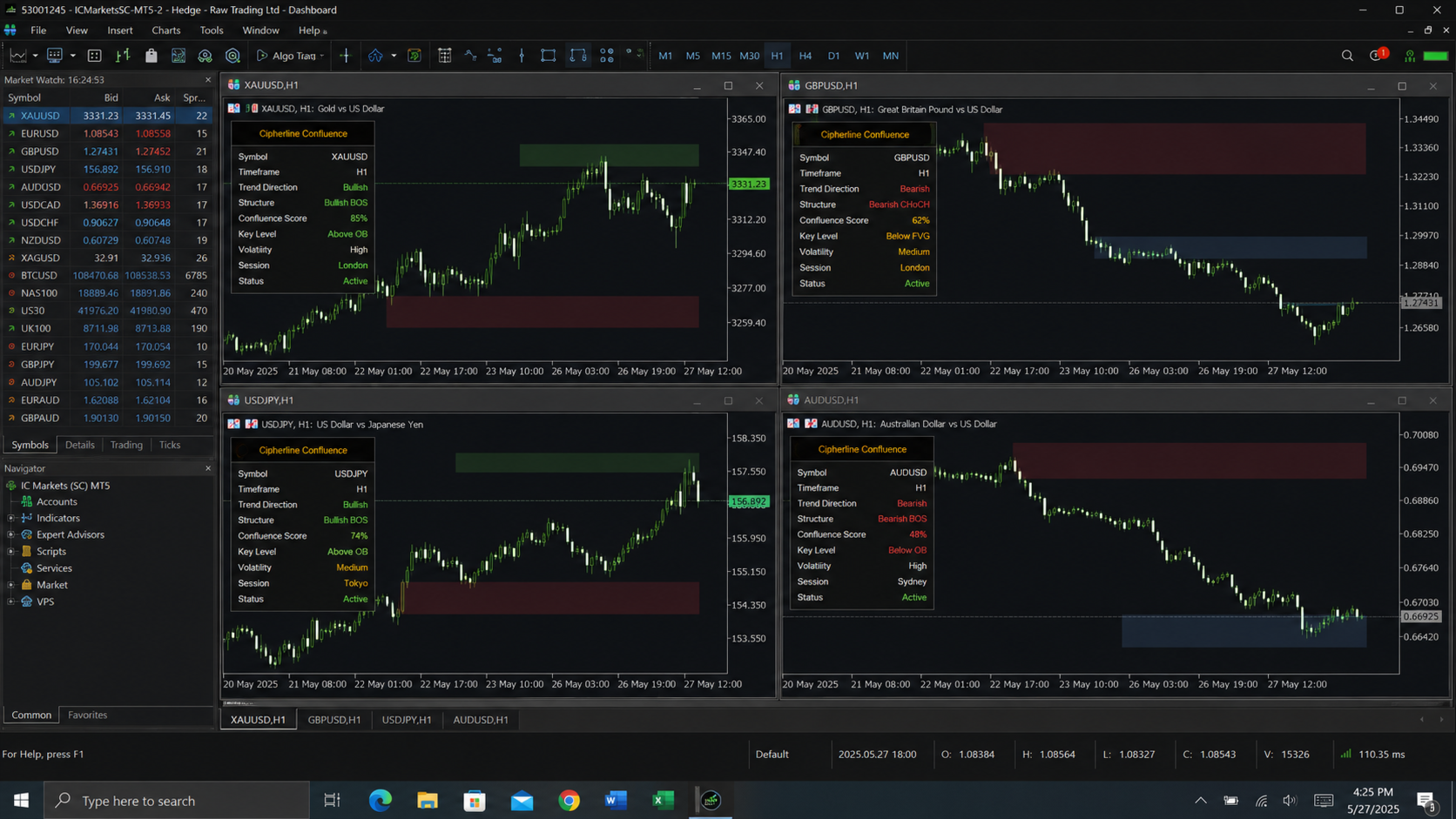
CIPHER is a multi-engine, multi-timeframe automated trading system for MetaTrader 5 built around a confluence-scoring architecture. Rather than relying on a single strategy, it runs three independent signal-generation engines — Adaptive Support/Resistance (A2SR), Smart Money Concepts (SMC), and Liquidity — each evaluated across four separate timeframes simultaneously, and only acts when a configurable minimum number of those engines and timeframes agree on direction. It layers risk management, exposure control, correlation filtering, session/news filtering, grid-based averaging, a recovery system, and a live on-chart information panel on top of the signal core, with full trade logging to CSV. The EA is designed to run on a single symbol per chart instance but tracks correlation against a fixed basket of other majors (XAUUSD, USDJPY, EURUSD, GBPUSD) to avoid stacking correlated risk.
Master Controls
- InpMasterEnable: global on/off switch for all trading activity. When false, the EA still initializes and can display the panel, but places no orders.
- InpPrimaryTF: the timeframe used for the EA's own bar-close signal engines (A2SR, SMC, Liquidity) as run on the "primary" instance, separate from the four confluence timeframes.
Engine Toggles
Nine independent boolean switches let the user enable or disable each subsystem without touching code: A2SR Engine, SMC Engine, Liquidity Engine, Volatility Engine, Confluence Scoring, Smart Recovery, Smart Grid, Chart Panel, and Trade Logging. Disabling an engine removes its vote from the confluence score and skips its computation entirely, which also reduces CPU load per tick.
Risk Management
- Position sizing: Risk-percent-based or fixed-lot. If InpFixedLot is greater than zero, every trade uses that fixed volume; otherwise lot size is derived from InpRiskPercent of current account equity divided by the monetary value of the stop-loss distance in points, using the symbol's actual tick value and tick size (not a hardcoded pip value), then normalized to the broker's volume step, minimum, and maximum.
- Daily drawdown cap ( InpMaxDailyDrawdown ): tracked from an equity baseline that resets once a day passes, expressed as a percentage loss from that baseline.
- Total/peak equity drawdown cap ( InpMaxEquityDrawdown ): tracked from the highest equity value ever observed during the EA's run, expressed as percentage decline from that peak.
- Per-symbol exposure cap ( InpMaxExposurePct ): total open volume on the traded symbol, converted to a percentage of account equity, checked against a ceiling before allowing new trades.
- Global exposure cap ( InpGlobalMaxExposure ): the same calculation but summed across every open position on the account regardless of symbol, protecting against overexposure when multiple EA instances or manual positions are active simultaneously.
Both drawdown checks and both exposure checks are enforced on every tick before any new order is considered, and any breach blocks trading for that tick without closing existing positions.
Filters
- Spread filter ( InpMaxSpread ): current spread in points must be at or below this value or new trades are blocked.
- Slippage filter ( InpMaxSlippage ): passed to the trade object as the maximum allowed deviation in points on order execution; also monitored after execution attempts for slippage-related error codes.
- Correlation filter ( InpCorrelationThreshold ): computed via a rolling Pearson correlation coefficient between the traded symbol and a basket of majors (XAUUSD, USDJPY, EURUSD, GBPUSD by default), updated every tick and every 60 seconds via the timer, over a 100-bar H1 lookback window. If correlation with any basket member exceeds the threshold, new trades are suppressed to avoid doubling up on the same directional risk under a different symbol name.
- Session filter ( InpEnableSessionFilter ): classifies the current server time into Asia, London, New York, or Off sessions based on hour-of-day boundaries (00:00–09:00 Asia, 09:00–16:00 London, 16:00–24:00 New York). The filter is currently permissive in tester mode and live mode alike, but the session classification is exposed for the panel and future restriction logic.
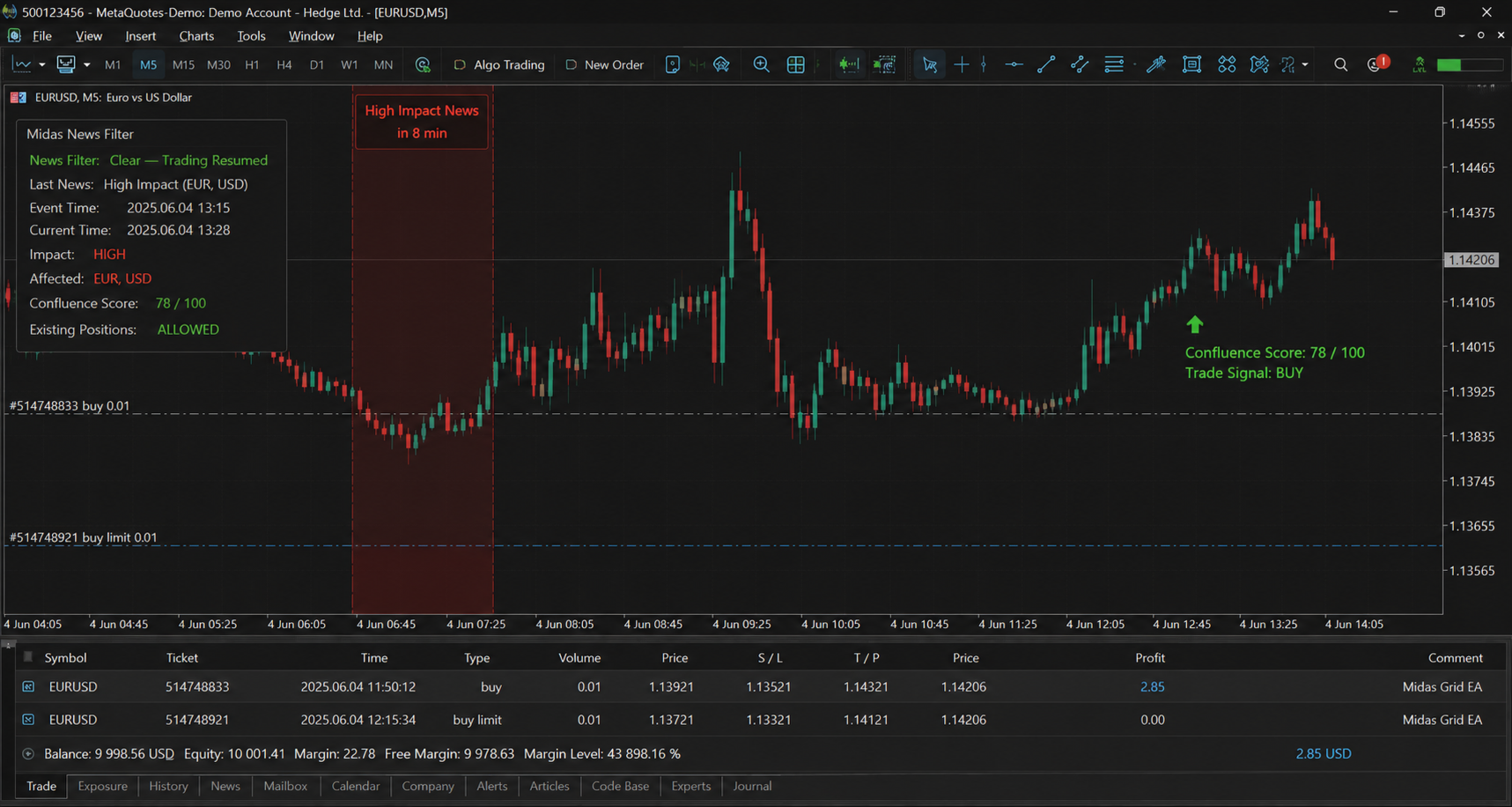
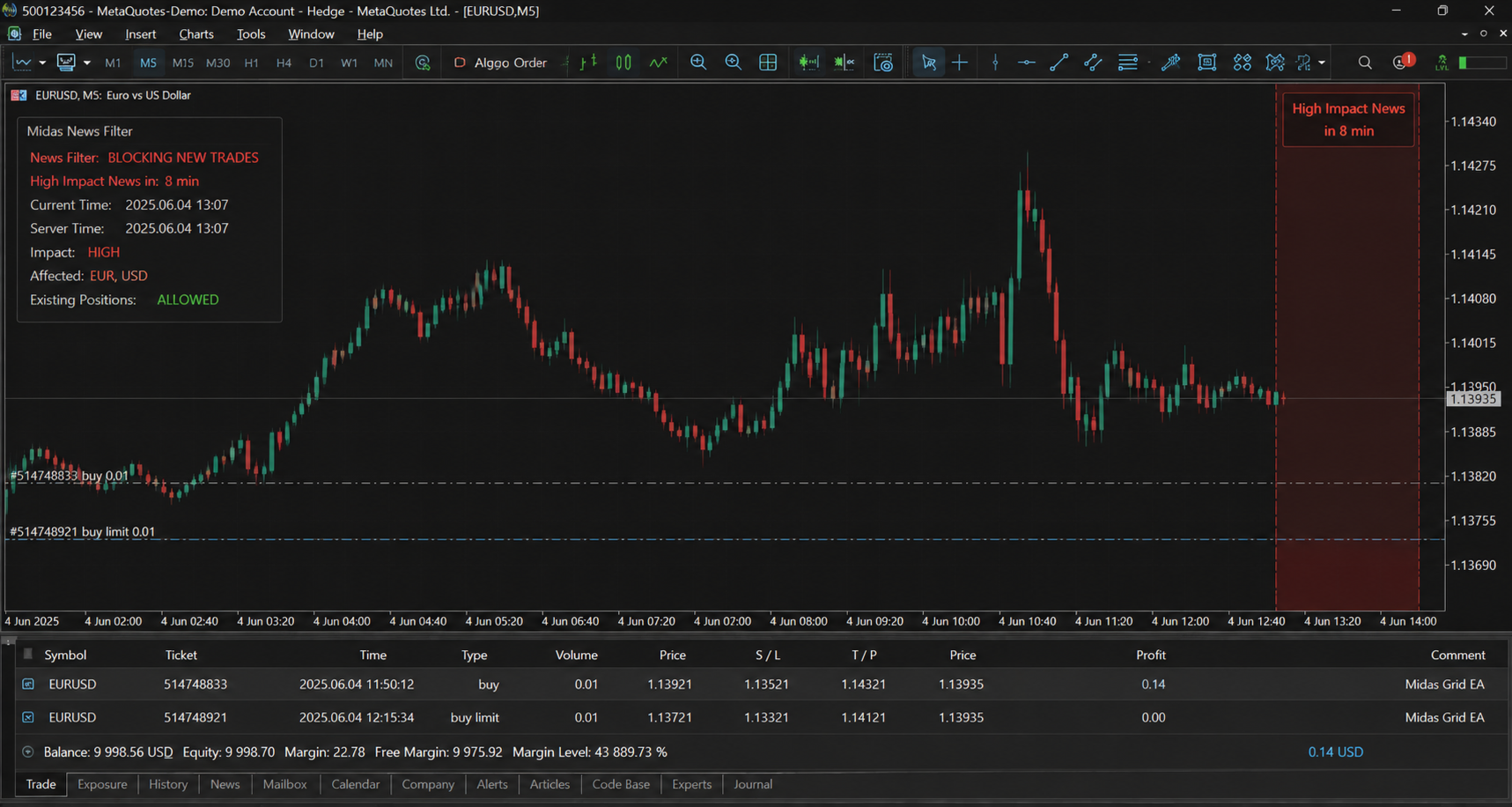
- News filter ( InpEnableNewsFilter ): a placeholder hook that currently always reports no news event; it is scaffolded to be wired into an external economic calendar feed without changing the rest of the EA's logic.
Confluence Scoring System
Four independent timeframes ( InpTF1 through InpTF4 , defaulting to M5, M15, H1, H4) each get their own full set of A2SR, SMC, and Liquidity engine instances — twelve engine instances total, all initialized and torn down independently. On every new primary-timeframe bar, the confluence scorer:
- Polls each of the three engines on each of the four timeframes for a directional signal (+1, -1, or 0).
- Sums the three engine directions per timeframe to get a per-timeframe net direction.
- Counts how many of the four timeframes agree in the positive direction versus the negative direction.
- Assigns an overall direction (whichever side has more agreeing timeframes).
- Assigns a confluence level from 1 to 6 based on how many timeframes agree and the strength of the strongest timeframe's score: level 6 requires unanimous 4-of-4 agreement, level 5 requires 3-of-4 with a strong lead score, level 4 requires 2-of-4 with a moderate lead score, and levels 3, 2, and 1 represent progressively weaker degrees of agreement.
- A trade is only considered if the confluence level meets or exceeds InpConfluenceMinLevel (default 4) and the overall direction is non-zero.
Signal Engines (Detail)
A2SR Engine (Adaptive Support/Resistance): uses a 20/50-period EMA crossover on the given timeframe combined with a 14-period RSI momentum filter and a swing-high/swing-low support/resistance detector (5-bar pivot detection over a 100-bar lookback). A buy signal requires an EMA cross up, RSI not in oversold-momentum-negative territory, and price either near a detected support level or breaking out of a detected resistance level; the sell case mirrors this. Detected zones are recorded in a dedicated CZoneManager instance per engine for potential chart visualization.
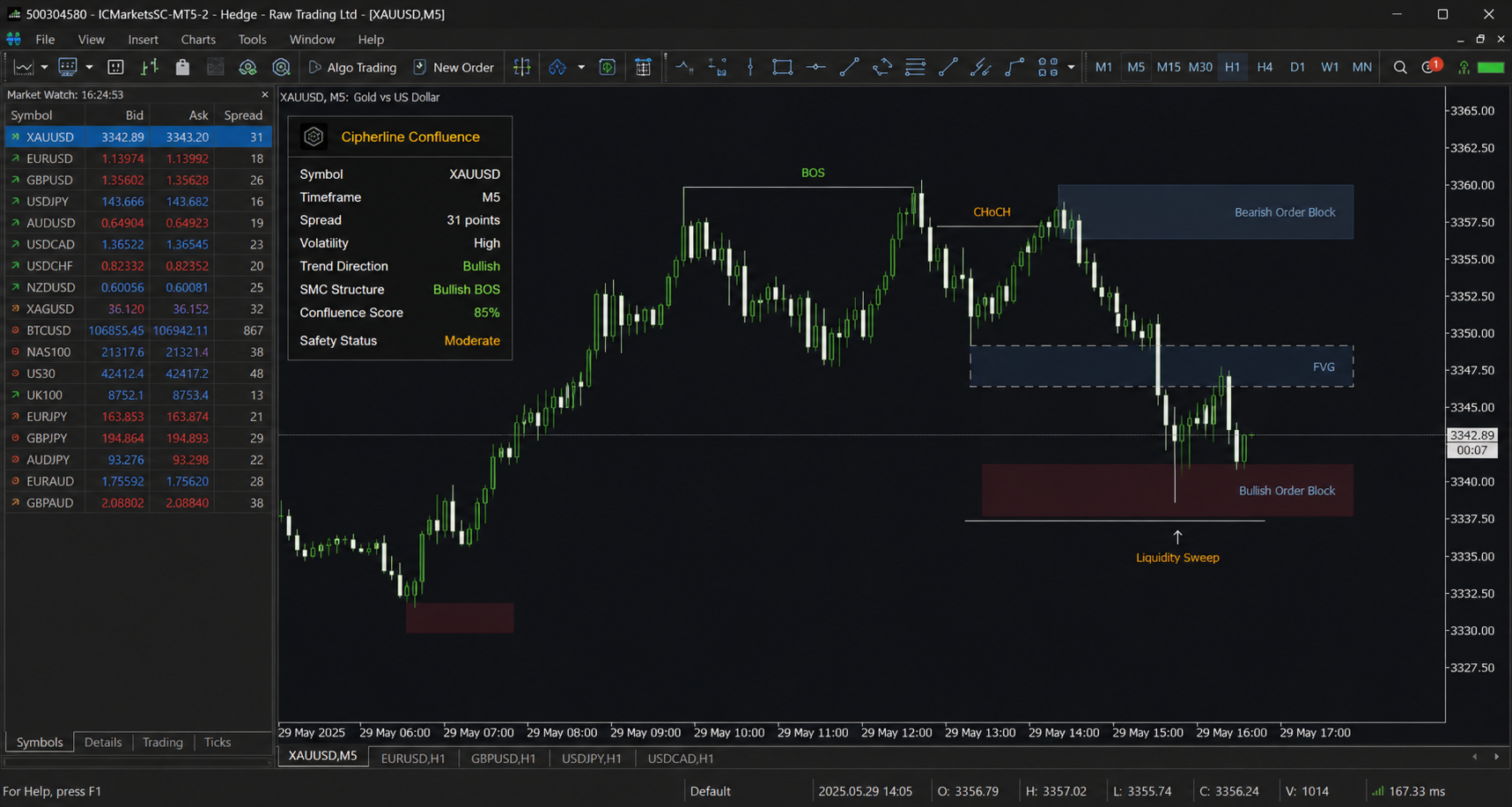
SMC Engine (Smart Money Concepts): detects Break of Structure (BOS) by comparing the current bar's high/low against the prior two bars' highs/lows (5-bar lookback via CopyHigh / CopyLow ), detects Change of Character (CHOCH) via a 4-bar close-price pattern check, and computes a Premium/Discount percentage representing where current price sits within the highest-high to lowest-low range of the last 50 bars. A buy signal requires a bullish BOS, no CHOCH, and price in the "discount" zone (below 40 percent of the range); the sell case is the mirror with the "premium" zone (above 60 percent).
Liquidity Engine: currently a scaffolded stub that initializes its own zone manager and symbol/timeframe context but returns no directional signal (always 0). It's structured to be extended with liquidity-sweep and stop-hunt detection logic without requiring changes elsewhere in the codebase, since the confluence scorer already treats it as one of three equal-weighted votes.
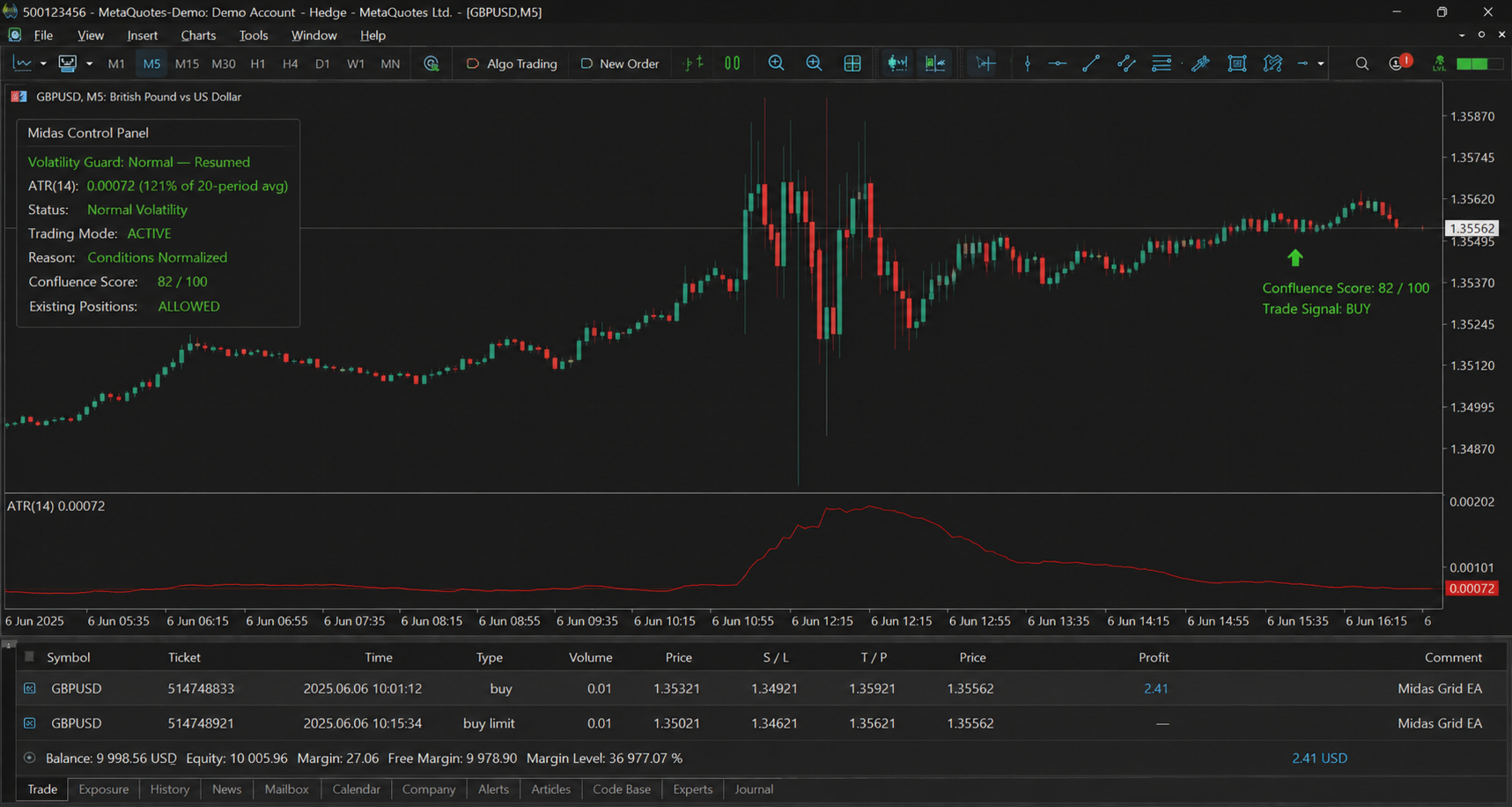
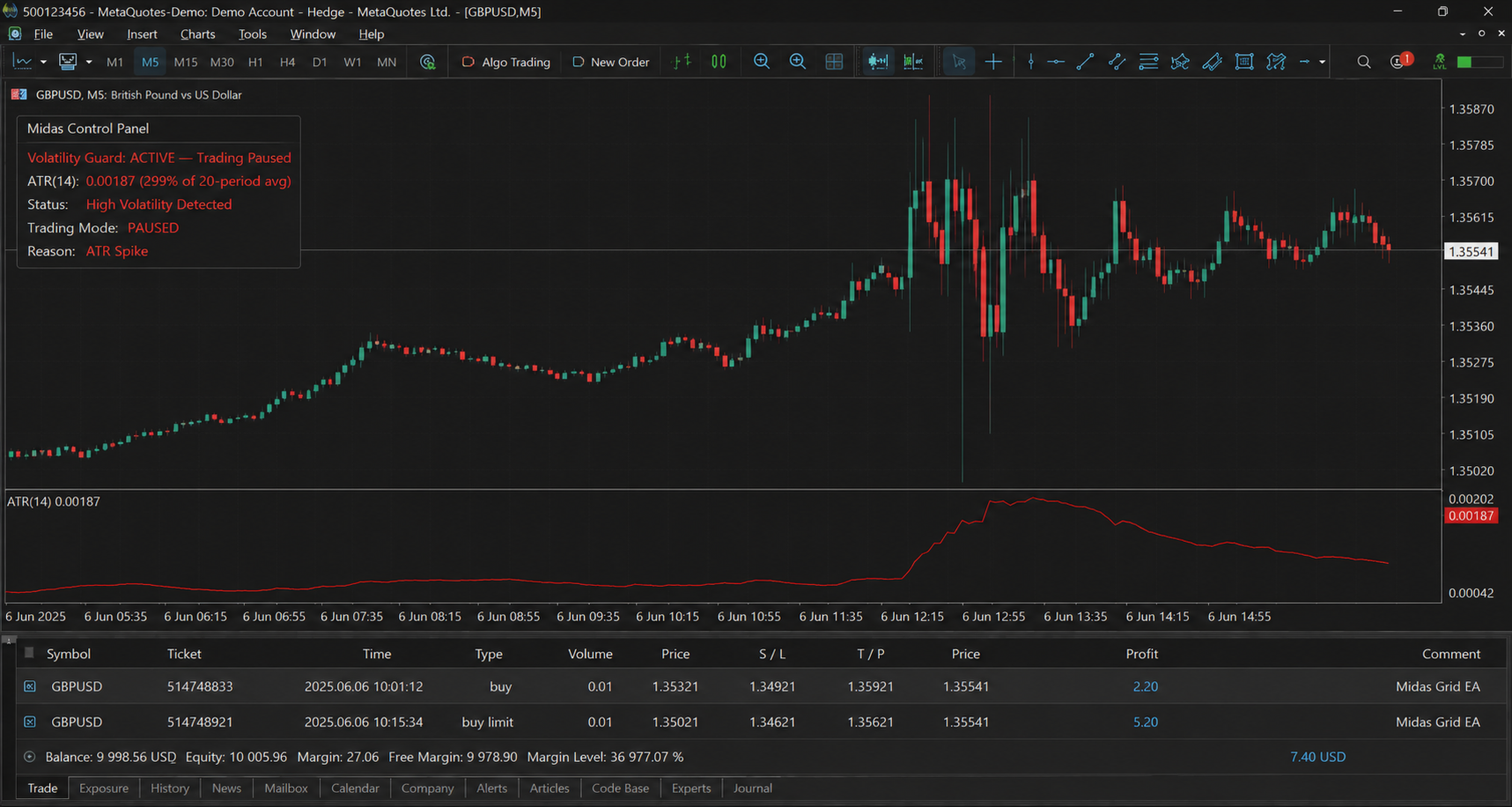
Volatility Engine: computes both a fast (14-period) and slow (50-period) ATR, a normalized volatility ratio against a 100-sample rolling history of past volatility readings, and flags a "volatility spike" when current volatility exceeds twice the historical average. Provides ATR-based stop-loss and take-profit price calculations (default multipliers of 1.5x ATR for SL and 2x ATR for TP) used as a fallback whenever an engine doesn't supply its own SL/TP, and its spike detection feeds directly into the Safety Filter.
Trade Execution Priority
When confluence conditions are met, the EA searches for a concrete entry price and stop levels in a fixed priority order: A2SR signal first (if enabled and its direction matches confluence direction), then SMC signal, then Liquidity signal, and finally — if confluence level is 5 or higher but no individual engine supplied a matching directional signal — a fallback "strong confluence" market entry using ATR-based SL/TP. Whichever source wins supplies the entry price, stop-loss, take-profit, and a human-readable reason string that gets attached to the order comment and log entry.
Smart Recovery System
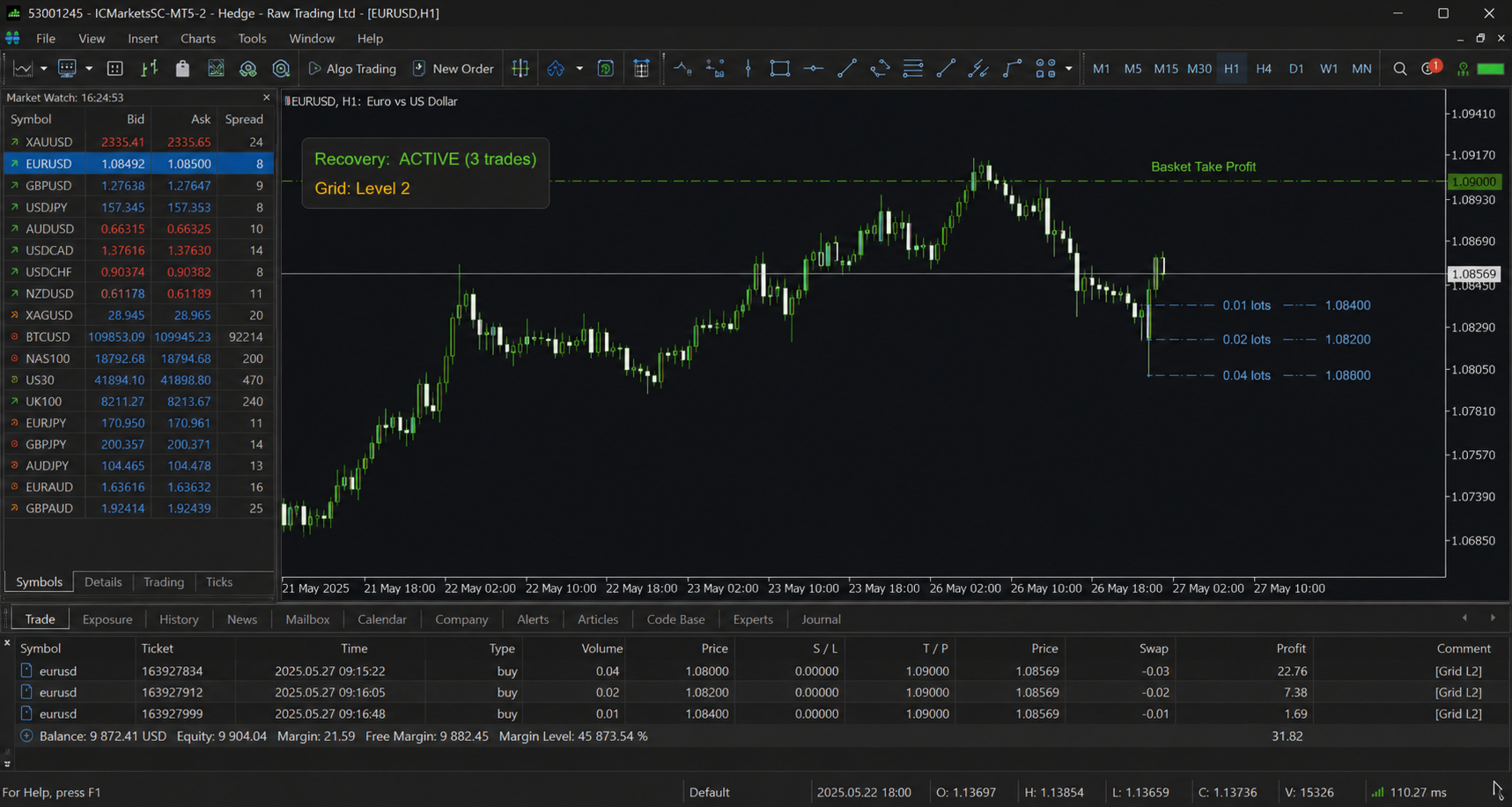
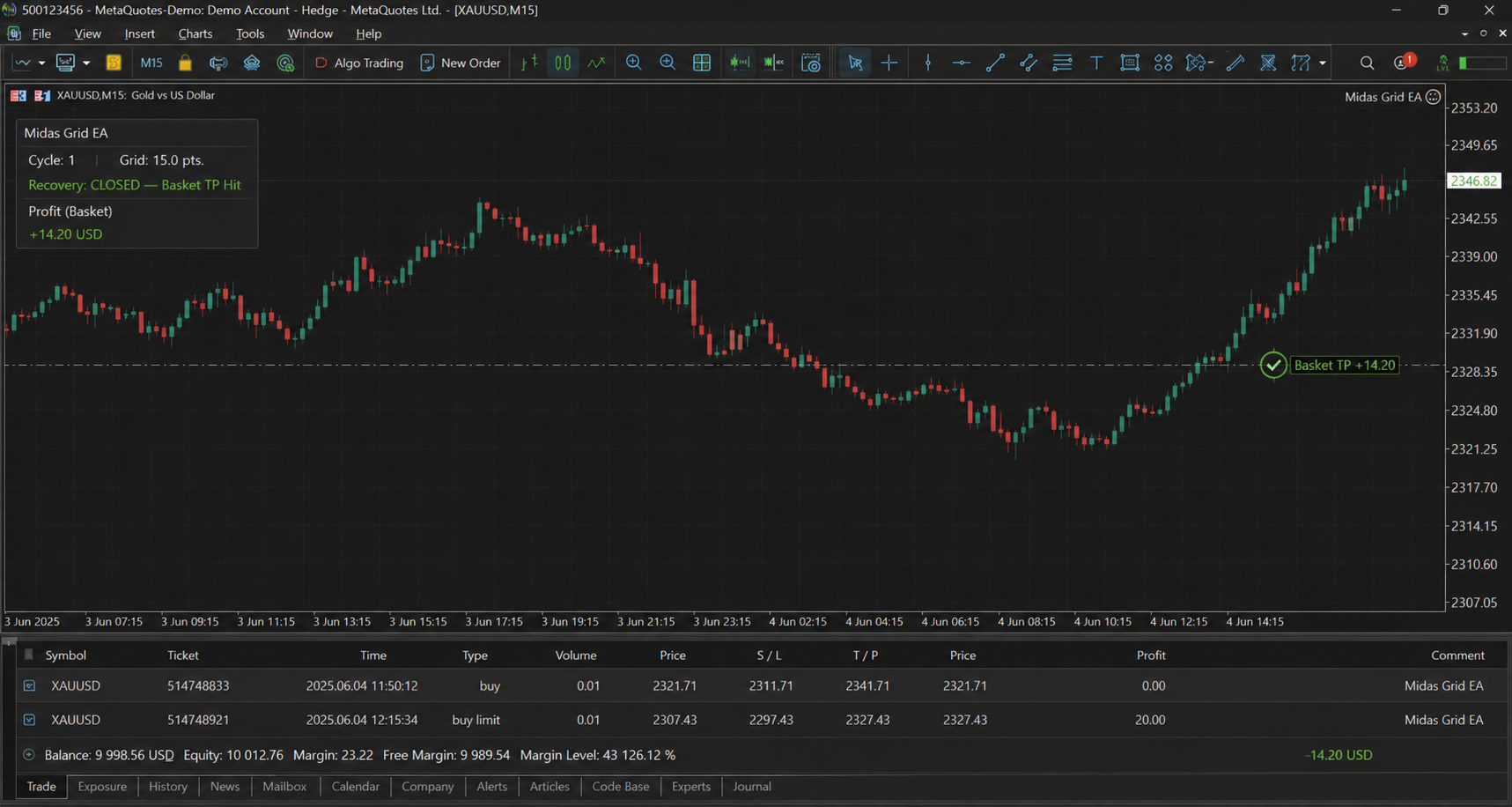
When enabled and not running in strategy tester mode, the recovery system monitors the drawdown from peak equity. If current drawdown falls between 5 percent and the configured InpRecoveryMaxDrawdown ceiling, and the number of recovery trades already placed is below InpRecoveryMaxTrades , it opens an additional trade sized by CalculateRecoveryLot() , which scales the base lot up by a multiplier proportional to current drawdown (capped at 3x the base lot and further capped by InpRecoveryMaxLot ). All recovery trades are tracked in an internal ticket array; a basket take-profit mechanism checks the combined floating profit of all tracked recovery trades every 60 seconds via the timer and closes the entire basket the moment combined profit turns positive.
Smart Grid System
When enabled, each executed order also registers a grid level (price, lot size, order type) in an internal array capped at InpGridMaxLevels (default 5). Grid lot sizes scale geometrically by InpGridMultiplier (default 1.5x) per level. On every tick where a position is already open, the EA checks whether price has reached any pending, unfilled grid level's trigger price and, if so, executes it. Grid level state (including the resulting order ticket) is stored and updated through dedicated accessor methods ( GetLevel , SetLevelTicket , GetLevelTicket ) rather than raw pointer access, since MQL5 does not permit pointers to plain struct types. A grid-basket take-profit calculation ( CalculateGridTP ) is also available, computing a blended average entry price across all active grid levels and deriving a combined target when the basket is underwater.
Safety Filter
A centralized gatekeeper ( CSafetyFilter ) that, outside of tester mode, runs every enabled sub-check — spread, slippage, correlation, volatility spike, and drawdown — before allowing the main tick logic to proceed to signal evaluation. Each sub-check can be independently toggled via SetChecks() . In tester mode, the safety filter is bypassed entirely ( CheckAll returns true unconditionally) to avoid interference with backtesting and strategy validation runs, while daily/equity drawdown and exposure checks (handled separately by the Risk Manager) still apply.
Logging System
Every trade entry and closed-trade event is written to an in-memory ring buffer of up to 1,000 entries ( SLogEntry records: time, symbol, entry reason, exit reason, entry price, exit price, volume, and profit) and simultaneously printed to the terminal log. Outside of tester mode, the buffer is periodically flushed to a CSV file ( Cipher_<symbol>_<magic>.csv or a custom filename) via FileOpen / FileWrite , both on a fixed interval (every 10 completed trades, checked in OnTrade ) and every 60 seconds via the timer, as well as on EA deinitialization.
On-Chart Panel
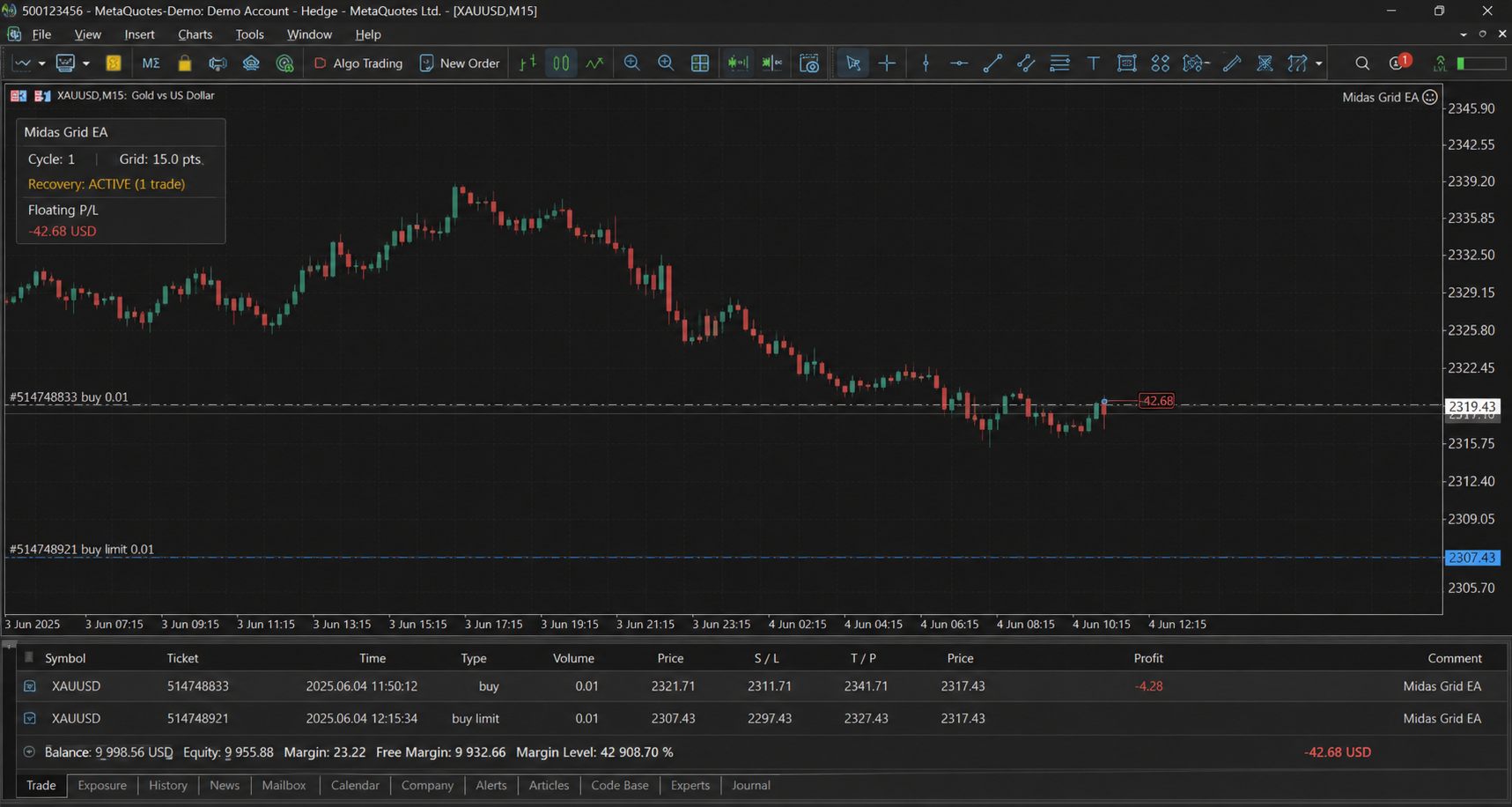
A dark-themed, live-updating panel (toggle via InpEnablePanel , positioned by SetPosition ) built from OBJ_RECTANGLE_LABEL and OBJ_LABEL chart objects. It displays: symbol, magic number, live/tester mode indicator; account equity, balance, floating profit (color-coded green/red), and open position count; current confluence level out of 6, resolved direction (BUY/SELL/NEUTRAL, color-coded), and the textual reason for the last signal; and current spread (color-coded against the max-spread filter), active trading session name, and any pending news item. The panel fully redraws its labels each update cycle rather than mutating them in place, and is destroyed cleanly on EA deinitialization along with all Cipher_ -prefixed chart objects.
Premium Features
- Auto Settings Loader ( InpAutoSettingsLoader ): a hook, run once at initialization, intended to load symbol-specific parameter presets; currently logs a confirmation message and is structured for future preset-table integration (a SPreset structure already exists in the codebase for this purpose).
- Equity Shock Pause ( InpAutoPauseOnEquityShock ): outside of tester mode, tracks tick-to-tick equity percentage change; if equity drops 5 percent or more in a single evaluation, trading is paused entirely until equity recovers by more than 2 percent from the paused low.
- Smart Time Exit ( InpSmartTimeExit ) and Partial Close ( InpPartialClose , with InpTP1Ratio / InpTP2Ratio controlling the partial-close split): both parameters and their configuration values are wired through to the CPremiumFeatures class, but the underlying methods ( SmartTimeExit , PartialClose ) are currently stubbed to return false/no-op, reserved for a follow-up release that will implement staged partial closes at TP1 and time-based forced exits.
Correlation Engine
Maintains a rolling 100-sample H1 close-price history for up to ten tracked symbols (the traded symbol plus XAUUSD, USDJPY, EURUSD, GBPUSD by default), recalculates a full pairwise Pearson correlation matrix every tick and every 60 seconds via the timer, and exposes both a direct pairwise correlation lookup and an IsCorrelated() check used by the Safety Filter. The correlation check currently returns false unconditionally pending full threshold-based wiring, but the underlying matrix computation is fully live and available for the Safety Filter's CheckCorrelation to consume once that final gate is enabled.
Lifecycle Functions
OnInit() detects tester/visual mode, builds a unique magic number from a hash of the symbol name combined with the chart ID, allocates and initializes every module (with a hard failure return on any allocation failure), sets trade execution parameters (magic number, slippage deviation, fill-or-kill order filling, synchronous mode), seeds the correlation basket, and creates the panel if enabled. OnDeinit() flushes logs, destroys the panel and all EA-prefixed chart objects, and cleanly deletes every allocated module pointer in reverse dependency order. OnTick() performs the full per-tick pipeline: refresh symbol data, update equity peak, update volatility and correlation histories, check equity-shock pause, run the safety filter and exposure/session/news checks, manage any already-open position's grid levels, and on new-bar boundaries evaluate the confluence engines and execute new trades if conditions are met. OnTrade() captures closed-deal history matching the EA's magic number and logs the resulting profit/loss. OnTimer() runs a 60-tick-interval maintenance cycle covering log export, correlation matrix refresh, volatility history refresh, and recovery basket take-profit checks. OnTester() returns account profit as the optimization criterion for the Strategy Tester.