Trader Panel new
- Utilità
- Versione: 1.0

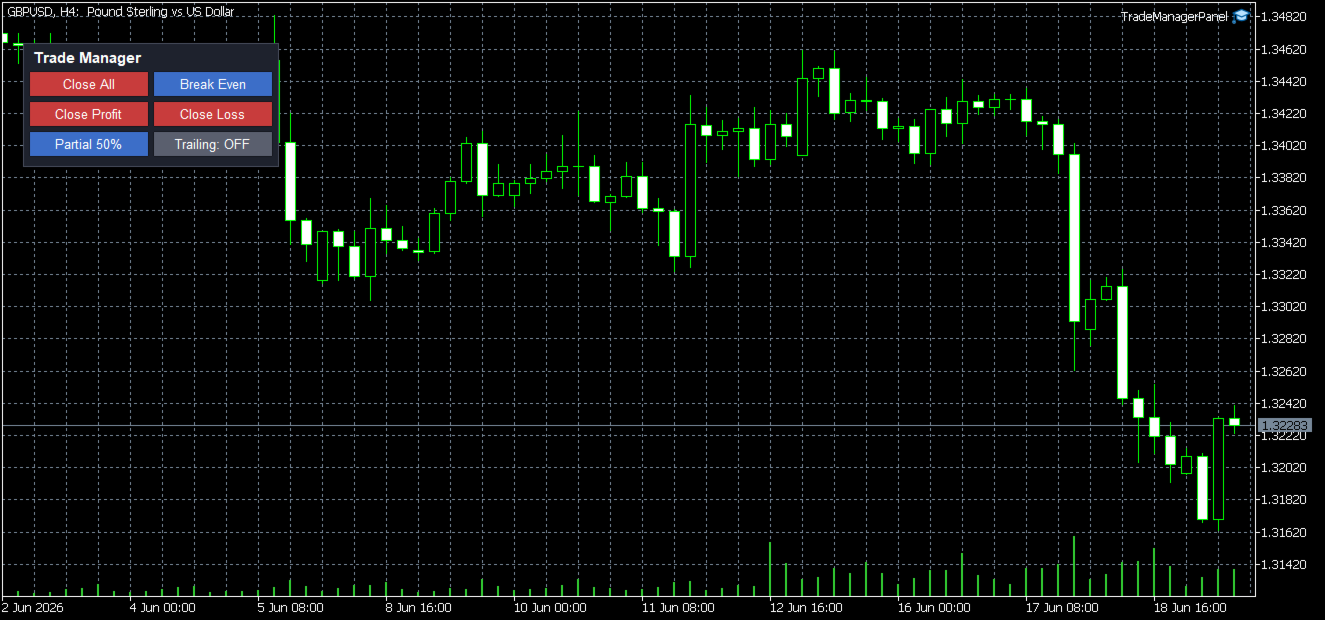
Trade Manager Panel is a free on-chart utility that helps you manage open
positions quickly with a set of one-click buttons. It does not open trades
on its own and generates no trading signals - it is a pure manual-trading
assistant that works on any account with no restrictions.
Features:
- Close All: close every open position at once.
- Close Profit: close only the positions currently in profit.
- Close Loss: close only the positions currently in loss.
- Partial Close: close a configurable percentage of each position
(volume is automatically aligned to the symbol's volume step and minimum).
- Break Even: move the Stop Loss to the entry price with an optional small
profit lock.
- Trailing Stop: a toggle button that trails the Stop Loss automatically
using your distance and step settings, working even on low-activity symbols.
Scope control:
- Manage the current chart symbol only, or all symbols.
- Optional Magic Number filter to manage positions from a specific source.
Safety:
- Every Stop Loss change is validated against the broker's minimum stops
level and freeze level to avoid invalid stop errors.
- Trailing never moves a stop backwards and respects your step setting.
How to use:
1. Attach the panel to any chart and allow algorithmic trading.
2. Adjust the inputs (partial percent, break-even lock, trailing distance
and step, scope and panel position) to your preference.
3. Click a button to act on your open positions instantly.
Inputs:
- Manage current symbol only / Magic filter
- Partial close percent
- Break-even lock (points)
- Trailing start / distance / step (points)
- Panel corner, position and colors
Notes:
This is a utility tool intended to assist manual trade management. It does
not predict the market or guarantee any result. Always test on a demo
account first. Trading involves risk.