Level Painter
- Utilità
- Versione: 3.98

Level Painter PRO — Professional Manual Chart Markup Tool
Level Painter PRO is a powerful and stylish tool for manually drawing support and resistance levels, price zones, rectangles, and vertical areas on the MetaTrader 5 chart. The indicator is designed for traders who value visual analysis and prefer to mark up their charts manually while maintaining full control over the process.
Key Features
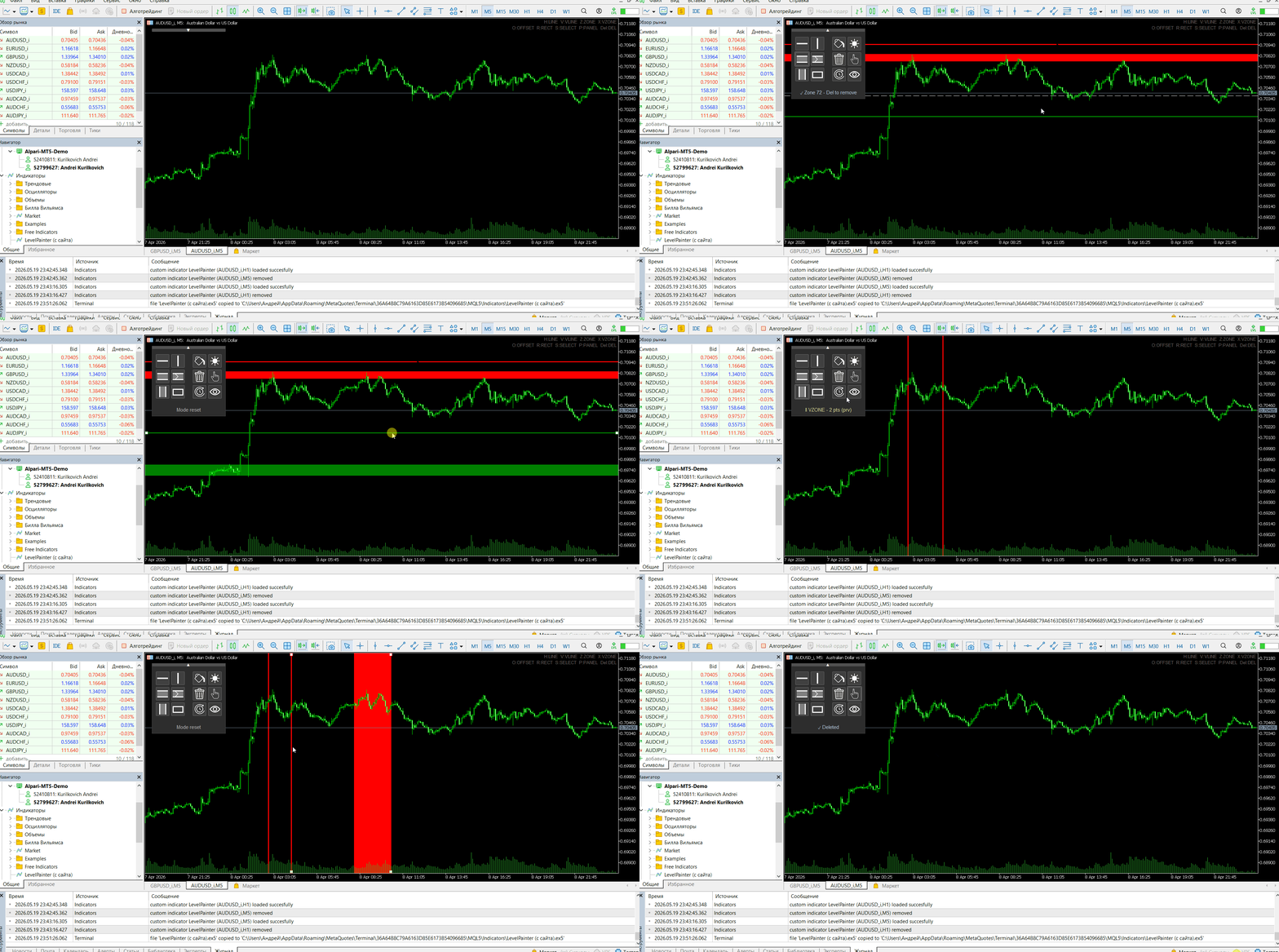
Manual Drawing of Levels and Zones
-
Horizontal Lines — quickly mark key price levels
-
Vertical Lines — highlight important time points
-
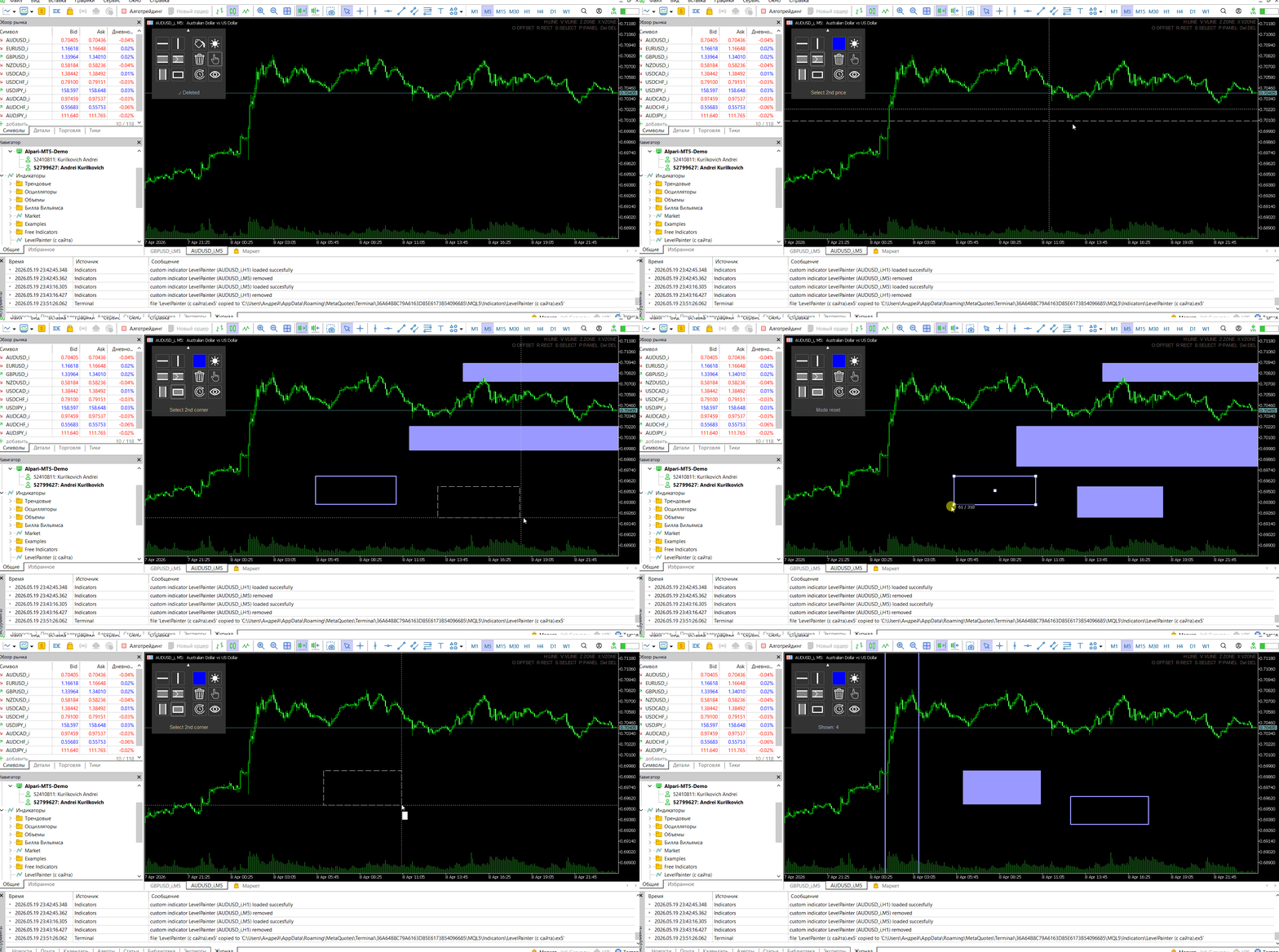
Horizontal Zones — outline support and resistance ranges
-
Vertical Zones — emphasize specific time intervals
-
Rectangles — capture significant areas on the chart
-
Offset Zones — zones with a fixed starting point that extend to the right
Flexible Display Settings
-
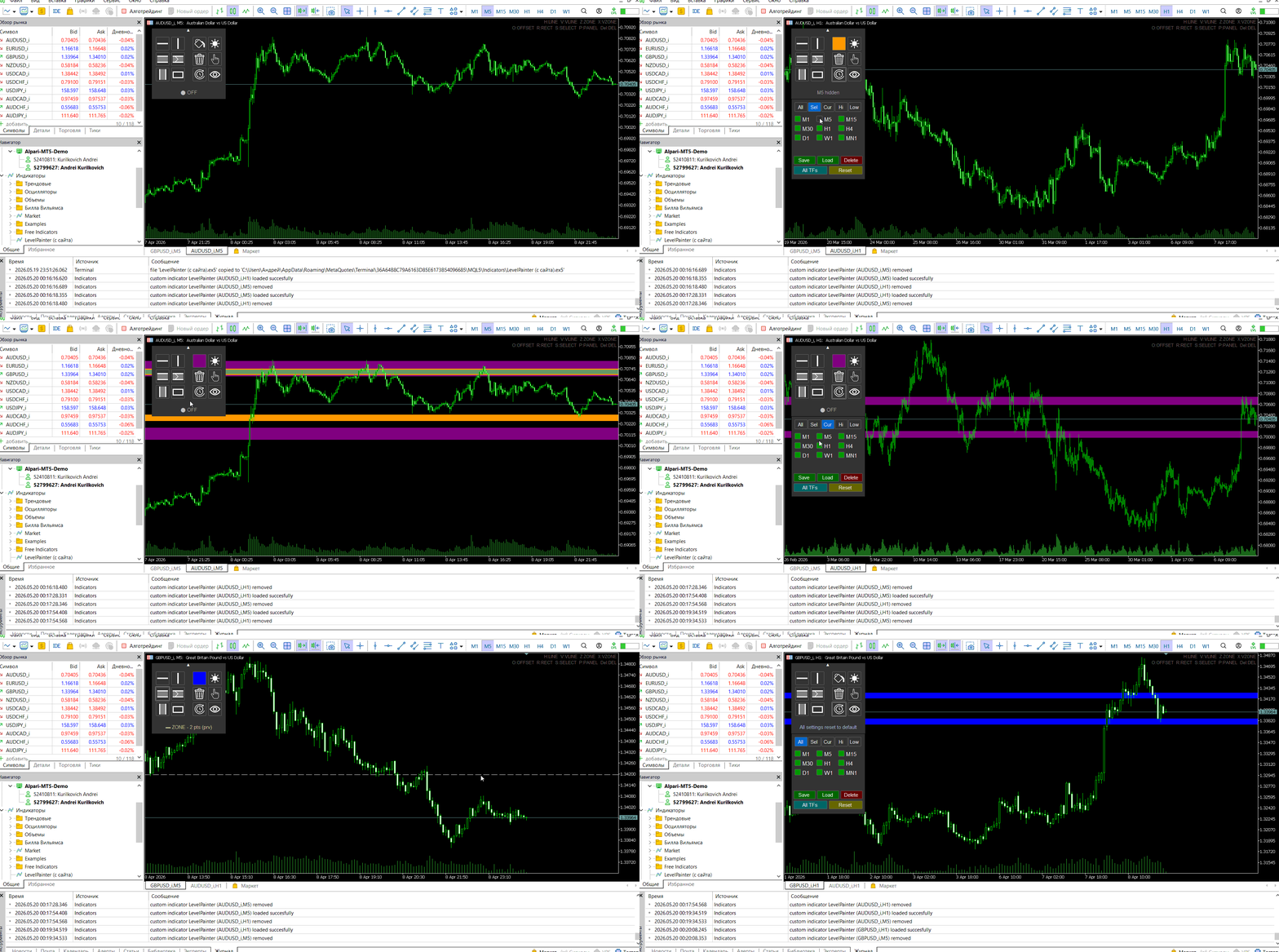
Automatic color selection (above/below current price) or manual mode
-
Adjustable line brightness from 0% to 100%
-
Customizable line thickness and style
-
Rectangle style options: outline or filled
Timeframe Visibility Control
-
Filter objects by selected timeframes
-
Quick hide/show all indicator objects
-
Filter modes: all, selected, current, higher, lower
Template Management
-
Save settings (colors, brightness, TF filters) to named templates
-
Load templates with a single click
-
Apply a template to all timeframes
-
Select objects for batch deletion
-
Multi‑select with Ctrl key
-
Quick delete of selected objects using the Delete key
-
Mass deletion: all objects or only those created by the indicator
Intuitive Control Panel
-
All tools arranged in a compact panel
-
Collapsible panel to free up chart space
-
Hotkeys for quick access
-
Preview mode for lines as you move the mouse
Hotkeys
| Клавиша | Действие |
|---|---|
| H | Horizontal Line |
| V | Vertical Line |
| Z | Horizontal Zone |
| X | Vertical Zone |
| O | Offset Zone |
| R | Rectangle (press again to switch style) |
| S | Selection Mode |
| P | Collapse / Expand Panel |
| Delete | Delete selected objects |
| Esc | Reset all modes |
How It Works
-
Install the indicator on the chart — the tool panel appears
-
Select a drawing mode by clicking the corresponding button or using a hotkey
-
Click on the chart — the object is created with optimal color settings
-
Move and edit objects like any standard MT5 object
-
Control visibility via the TF menu or the "eye" button
Advantages
-
Full Control — you decide where to place each level
-
Speed — hotkeys and an intuitive panel for fast workflow
-
Flexibility — individual adjustment of appearance
-
Organization — timeframe filtering and settings templates
-
Reliability — all objects are standard MT5 objects and persist after terminal restart
Who Is This Product For
Level Painter PRO is ideal for traders who:
-
Use support and resistance levels in their analysis
-
Build price levels and accumulation zones
-
Visually mark up charts before entering trades
-
Prefer manual analysis
-
Appreciate a clean, stylish interface