
Countdown Utility
- Utilità
-
Leon Mackintosh
 I have been actively trading foreign exchange and market indices since 2017, with a focus on structured, data-driven approaches to analysis and execution.
 - Versione: 1.0
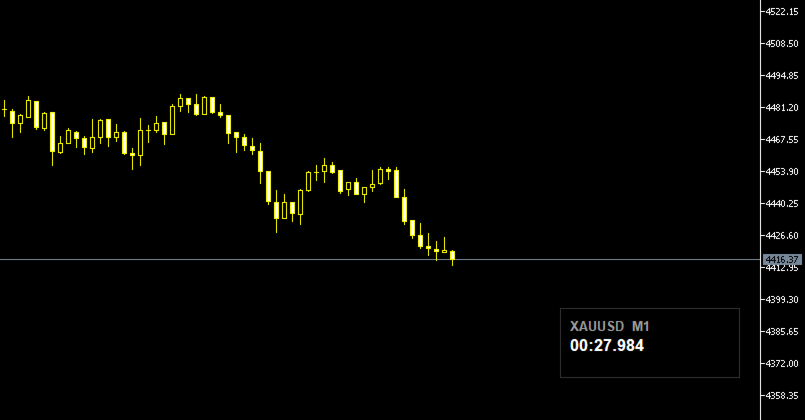
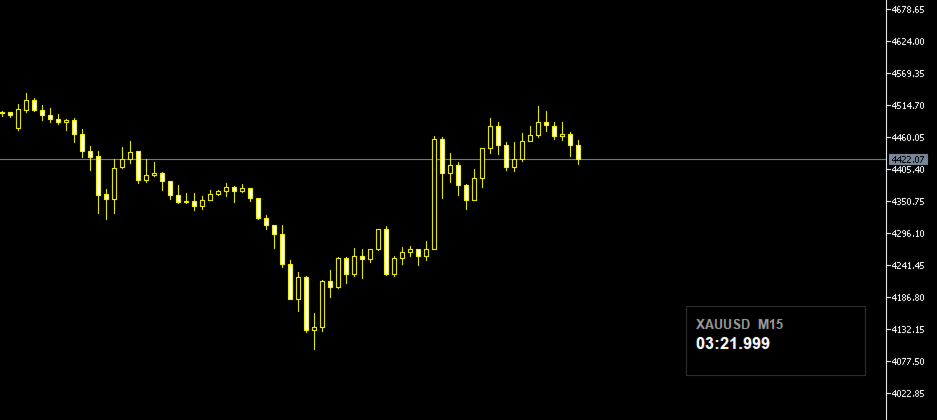
Candle Timer displays a real-time countdown to the next candle close, directly on your chart. Perfect for traders who need precise timing for entries, exits, or news events — without constantly watching the clock. ───────────────────────────────── FEATURES ─────────────────────────────────
• Millisecond precision countdown (100ms refresh via EventSetMillisecondTimer)
• Works on all timeframes: M1 through Monthly
• Colour warning system — timer changes colour as the candle nears close → Orange warning (configurable threshold, default 10s) → Red danger (configurable threshold, default 5s)
• Fully draggable panel — click and drag anywhere on the chart
• Auto-positions to bottom-right on attach and after chart resize
• Optional symbol name and timeframe display in panel header
• Fully customisable colours: background, border, text, labels, warning, danger
• Configurable font size
• Zero impact on performance — lightweight and non-intrusive
───────────────────────────────── INPUT PARAMETERS ─────────────────────────────────
Display → Font size, font name, show symbol, show timeframe, show milliseconds
Colours → Background, border, text, label, warning, danger
Thresholds → Warning seconds (default 10), Danger seconds (default 5)
Position → Fixed X/Y override, or right/bottom margins for auto-positioning
───────────────────────────────── HOW TO USE ─────────────────────────────────
1. Drag the EA onto any chart from the Navigator panel
2. Enable "Allow automated trading" if prompted
3. Adjust colours and font size in the Inputs tab to match your chart theme
4. Drag the panel to your preferred position Default theme: white text on black background — clean on any chart style.
───────────────────────────────── NOTES ─────────────────────────────────
• Milliseconds are interpolated between server ticks using GetTickCount() for a smooth visual experience — they do not represent real exchange millisecond data
• Compatible with all brokers and symbols
─────────────────────────────────
💬 Enjoying this tool? Please leave a rating and review — it takes 30 seconds and directly helps prioritise new features. Every review keeps development active. Thank you!













































L'utente non ha lasciato alcun commento sulla valutazione.