Trade Manager JM
- Utilità
- Versione: 3.24
- Attivazioni: 5

Efficient Manual Trading Panel for Professional Traders
=== TRADING SESSIONS DISPLAY & BAR TIMER INCLUDED ===
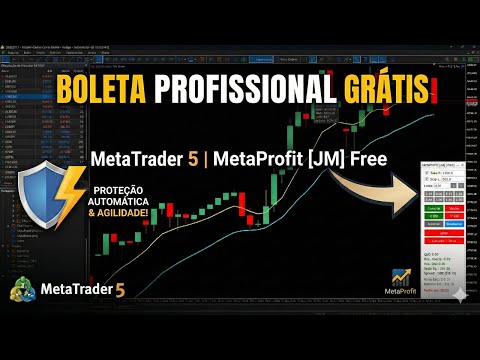
Trade Manager JM is a comprehensive, intuitive utility designed to revolutionize manual order execution and management on MetaTrader 5. Built for speed and precision, this panel consolidates everything a serious manual trader needs into a single, sleek interface.
Stop wasting precious seconds calculating lot sizes or manually setting SL/TP levels. Trade Manager JM allows you to focus purely on price action, knowing your execution is fast and your risk is tightly controlled.
Why Trade Manager JM?
Manual trading requires quick decisions. Traditional order placement is slow and prone to errors. Trade Manager JM bridges this gap, offering instant execution with one-click automatic risk management.
Key Execution Features:
-
Lot Size Management: Quickly set lot sizes via input, +/- increment buttons, or 8 customizable Lot Presets.
-
Instant Market Orders: Execute Buy/Sell with a single click.
-
Fast Limit/Stop Orders: Place Limit or Stop orders directly on the chart with a single click at the desired price.
-
Invert Position: Flawlessly reverse your position (e.g., Buy to Sell) in one click with original volume.
Advanced Position Management:
-
Automatic SL/TP: Define default Stop Loss and Take Profit levels in points that apply to new orders immediately.
-
Manual Breakeven (Trailing Stop): The innovative multi-level Breakeven button moves your SL to the open price on the first click, and moves SL in configurable steps (Trailing) on subsequent clicks to lock in profits manually.
-
Quick Closing: Utilize "Close All Positions" (Zerar) or "Cancel All Pending + Close All Positions" buttons.
Robust Capital Protection:
-
Daily Loss Protection: Set a maximum daily loss limit. The panel automatically closes all trades and prevents new trading if the limit is hit.
-
Drawdown Protection (Equity Lock): Unique protection that monitors Equity against peak value. If current drawdown exceeds the set limit (money or %), all trades close to preserve capital.
-
Instant Risk Calculator: Calculates and displays Real Risk in Dollars for the active SL and Real Return in Dollars for the TP.
Comprehensive On-Chart Analytics:
-
Performance Stats: Monitors Daily Trades, Win Rate, Open P&L, Daily P&L, and Equity.
-
Spread Monitoring: Real-time display of Spread (in points and Dollar cost).
-
Trading Sessions Display: Tracks Asia/Pacific, London, and New York sessions, highlighting current active session and overlaps.
-
Candle Timer: Countdown timer showing when the current bar closes.
User Experience:
-
Light/Dark Themes: Switch themes instantly via button.
-
Sound Alerts: Instant feedback for executed trades, SL/TP hits, and protection alerts.
-
Save Settings: Remembers your lot size and preferences.
How to Use Limit/Stop Click Orders:
-
Set your desired Lotes, TP, and SL.
-
Enable the 'Check SL' and 'Check TP' boxes if needed.
-
Click 'C BID' (Buy) or 'V ASK' (Sell) button.
-
Move your mouse to the desired price level on the chart and click. The utility will automatically place a Buy Limit/Stop or Sell Limit/Stop order.