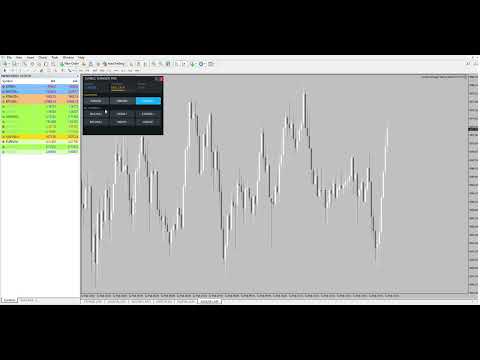
Symbol Changer Market Dashboard Pro MT4
- Utilità
-
Tom Norbart
 Hi, Im Tom
Im a developer for usefull tools, indicators and ea's in trading. - Versione: 1.21
- Attivazioni: 10
Symbol Changer Market Dashboard Pro MT4
⚠️ CRITICAL SETUP INSTRUCTION:
You MUST enter the EXACT symbol names as they appear in your Market Watch window.
Wrong: "EURUSD,XAUUSD" Right: "EURUSD.r,XAUUSD.r" (if your broker uses .r suffix)
Check your Market Watch (Ctrl+M) and copy-paste the exact names.
Features:
| Feature | Description |
|---|---|
| One-Click Symbol Switching | Instant chart changes with zero lag |
| Real-Time Session Indicator | Shows current market session (Tokyo/London/NY/Overlap) |
| Live Volatility Meter | ATR-based volatility ranking (Low/Med/High) |
| Spread Monitor | Real-time spread with color-coded alerts |
| Favorites Section | Quick access to your most-traded pairs |
| Minimize/Maximize | Clean workspace when not needed |
| Dark Institutional Theme | Professional look, easy on the eyes |
Perfect for:
- Scalpers switching between pairs rapidly
- Day traders monitoring multiple markets
- Anyone tired of right-clicking to change symbols
Inputs Explained:
- InpSymbols - Comma-separated list from Market Watch (REQUIRED: exact names)
- InpFavorites - Your top 3-6 pairs for quick access
- InpButtonWidth/Height - Adjust for your screen resolution
- Color inputs - Full customization
Why Traders Love It:
✅ No more right-click menu navigation✅ See all your pairs at a glance✅ Know which session is active instantly✅ Monitor volatility before entering✅ Check spread costs in real-time