MultiTimeFrame Double Screener MT5 HiddenEdge
- Indicatori
- Versione: 1.3

MultiTimeFrame Double Screener MT5 — HiddenEdge
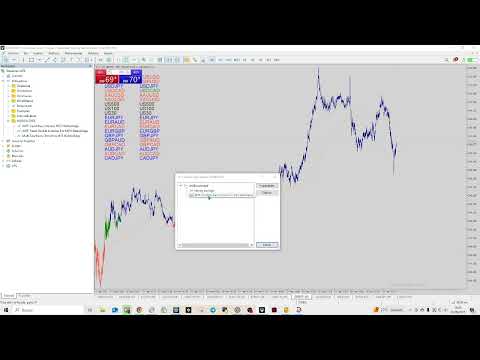
MultiTimeFrame Double Screener MT5 is a professional dashboard that monitors multi-timeframe trend bias across multiple symbols from a single chart.
It uses dual confirmation to reduce noise and keep readings consistent across all windows.
Functional Overview
-
Computes bias per symbol using closed candles and a time anchor (H1 by default) to avoid historical repaint.
-
Applies dual confirmation: bias reading + optional N-bar validation on the anchor timeframe (cooldown) before changing the displayed color.
-
Color coding: Blue (aligned), Red (opposite), Green (neutral/mixed).
Built For
Traders managing several instruments in parallel (FX, indices, metals, crypto) who need a clean, lightweight, and consistent screener to filter opportunities at a glance.
Key Features
-
Non-repainting logic: closed candles only with coherent time anchoring.
-
Dual confirmation (0 = off; N = confirm after N anchor bars).
-
Lightweight, no dependencies: no external indicators required.
-
Optional debug mode: mini markers > < = ? per timeframe for quick inspection.
-
Clean layout: real-time Blue/Red/Green list by symbol.
Main Inputs
-
Symbols (comma-separated list).
-
AnchorTF (time anchor, H1 by default).
-
ConfirmBars (0–5 recommended).
-
Predefined TF set (option to include M1).
-
Layout/style: X/Y position, row count, font, colors.
-
RefreshSeconds (update frequency).
Trend Logic
Anchored on H1 structure, the indicator detects when price crosses the 200-period moving average and begins a new trend phase.
It counts consecutive candles that remain above or below the average (trend duration).
Example:
+16 (0+) → 16 bullish candles, equivalent to 0 days since the last cross.
The value in parentheses converts the count into days since the trend began.
Each symbol displays the trend color (Green = bullish, Red = bearish, Blue = neutral) and the trend category (e.g., Category A for clearly aligned setups).
Daily Metrics
For each symbol, the indicator shows the current day’s movement in percentage and points, updated live.
Example:
H1 • GREEN • +16 (0+) → +217 — Category A — Day: +0.10 % | +118 pts
Multi-symbol & Multi-filter Control
Monitors multiple pairs simultaneously (user-defined).
Integrates optional modules:
-
Tricolor Chart — visual overlay for 1-minute charts.
-
Screener — bias summary per symbol.
-
Double Screener — full multi-timeframe mode.
All modules can be enabled or disabled from inputs.
Utility
Designed to complement directional-bias strategies such as OnlyBuys / OnlySells.
Works seamlessly with other HiddenEdge tools (TrendMap, Volatility Screener, HighLow Pre-US).
Includes MarketSafeMode for optimized CPU performance.
Requirements & Tips
-
Ensure enough historical data on higher timeframes (especially H4).
-
For best performance, keep this screener on the main panel and use the per-chart candle indicator on working charts.
Important
This product does not generate buy/sell signals.
It provides a bias filter — trade entry, management, and exit decisions remain under user discretion.
HiddenEdge Release Model
All HiddenEdge tools follow the same structured release plan.
Each indicator is released initially for free to collect feedback.
After reaching a stable user base, it moves to a fixed paid tier.
Some utilities remain permanently free as part of the HiddenEdge Core Toolkit.
User suggestions posted in the MQL5 comment section directly influence future updates.