GIT Chart SYNC
- Indicatori
-
Hlomohang John Borotho
 Quantitative intraday trading strategies
· MQL5 Expert Advisor development ·
Python + AI automation for MetaTrader 5.
Built by a developer who actually trades. - Versione: 1.1
What is the Chart Sync Indicator?
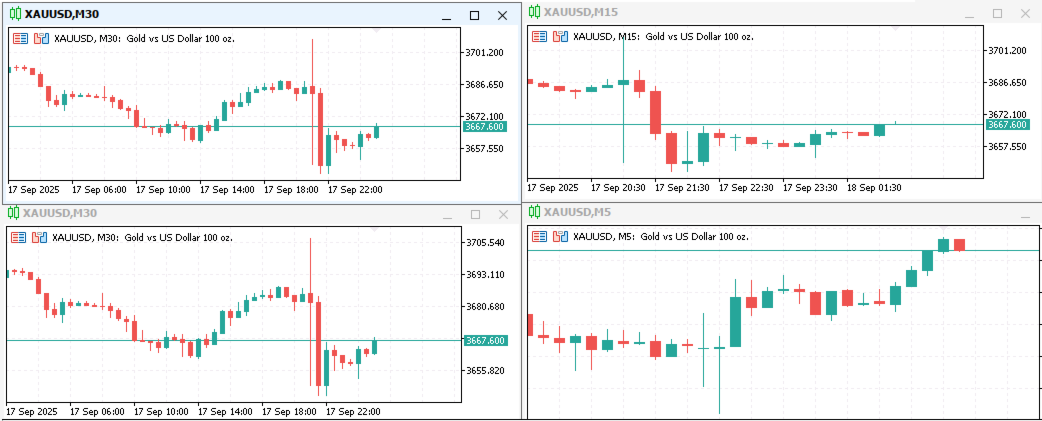
This custom MQL5 tool enables multi-timeframe chart synchronization, addressing a common pain point in technical analysis: the inconsistencies when switching between chart windows or timeframes. Instead of managing each chart separately, this indicator links them so actions such as panning, zooming, drawing objects, or changing symbols are mirrored across all synced charts of the same symbol. The result is a smoother, unified analysis experience.
Key Advantages:
- Streamlined Multi-Timeframe Analysis: Traders no longer need to manually replicate movements across charts. Navigations like zooming or scrolling are automatically applied to all synced windows, saving time and effort.
- Consistent Object Management: Graphical elements (e.g., trendlines, zones) created on one timeframe automatically appear on others, preserving hierarchical order and styling for coherent analysis across charts.
- Reduced Human Error: The synchronization minimizes the chances of missing key confluences or duplicating work when reviewing different timeframes simultaneously.
Under-the-Hood Logic & Workflow
The chart synchronization process begins with chart initialization, where the indicator selects the user-defined base chart and identifies other chart windows to be synchronized according to their timeframes. To efficiently manage this synchronization group, the system stores chart IDs for reference. Next is object tracking and cloning. Each graphical object is assigned metadata that specifies its origin timeframe. When an object is cloned, it is labeled with an appended ID—for example, OriginalName_clone_[ChartID] to distinguish it from the original and maintain organizational clarity.
The system also employs hierarchy management, which ensures that timeframe priorities are respected. This means the indicator determines which charts should receive specific objects, thereby preserving the overall visual integrity of the analysis across multiple scales. Finally, selective propagation logic is applied through the PropagateObject() function. This mechanism guarantees that only original (non-clone) objects are synchronized. Additionally, it allows the user to restrict synchronization to locked objects—when the SyncUnlockedObjects option is disabled helping avoid unnecessary clutter from unintended elements.