MFI MultiScanner
- Indicatori
- Versione: 6.80
- Aggiornato: 27 ottobre 2025
- Attivazioni: 20

MFI Multi-Scanner Indicator for MT5
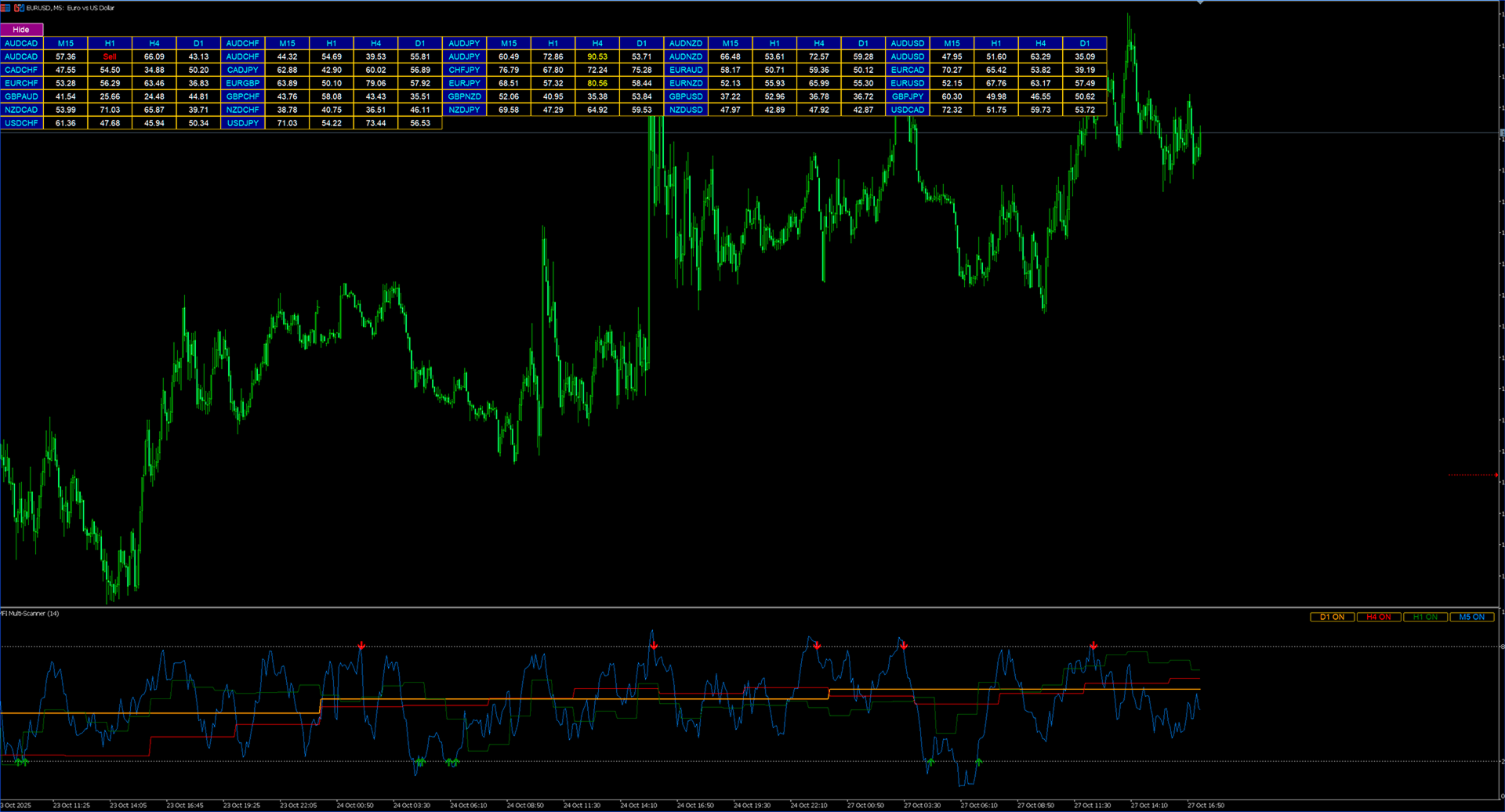
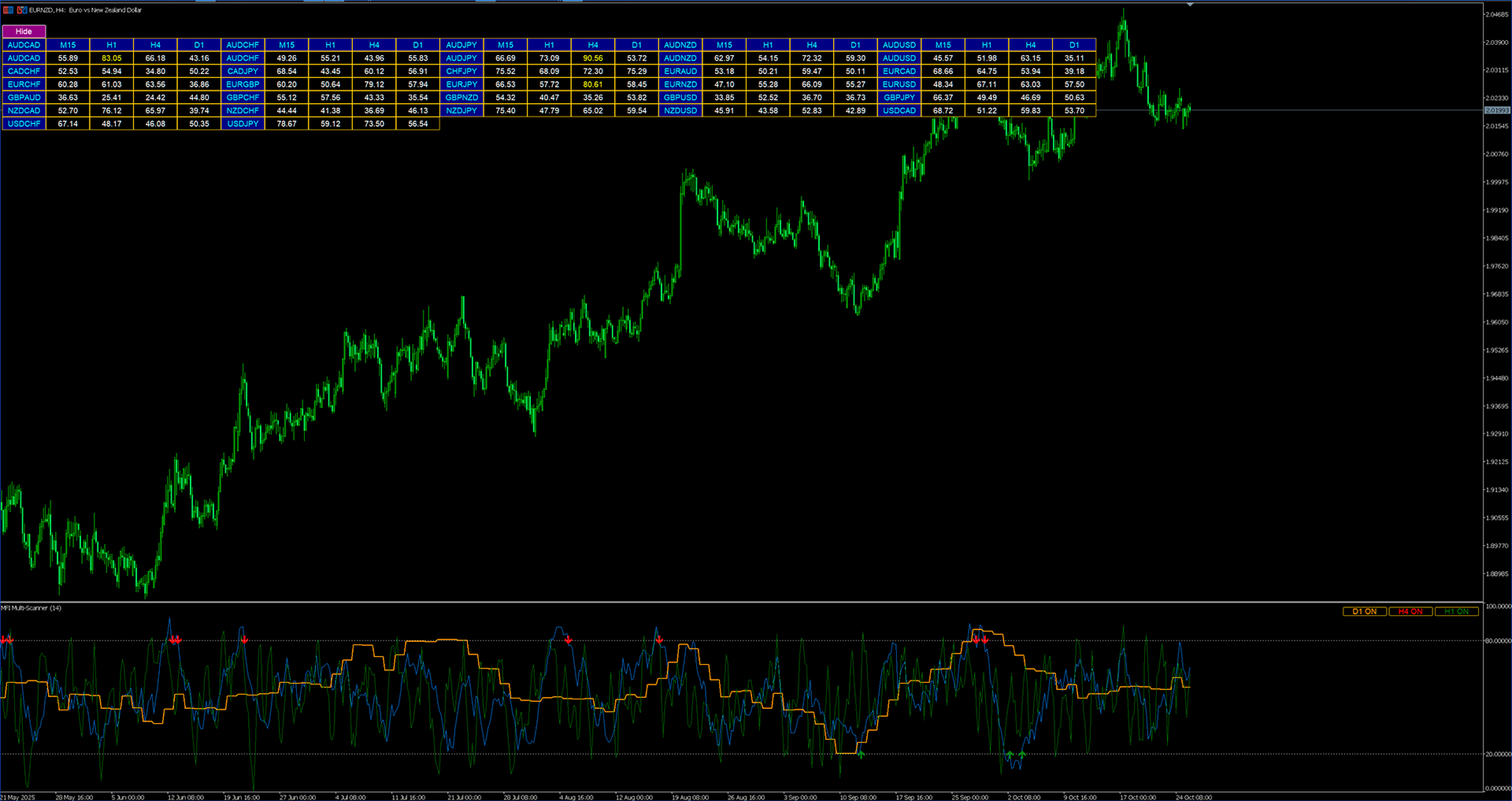
The MFI Multi-Scanner Indicator is designed for automatic scanning of multiple currency pairs and timeframes to detect overbought and oversold signals using the Money Flow Index (MFI). It displays MFI values, signal arrows, and an interactive on-chart table.
Ideal for traders who want to see the full market picture without constantly switching between windows.
🎥 Watch on YouTube: https://youtu.be/uUtBaXLTGuU
Currency Pairs and Timeframes
-
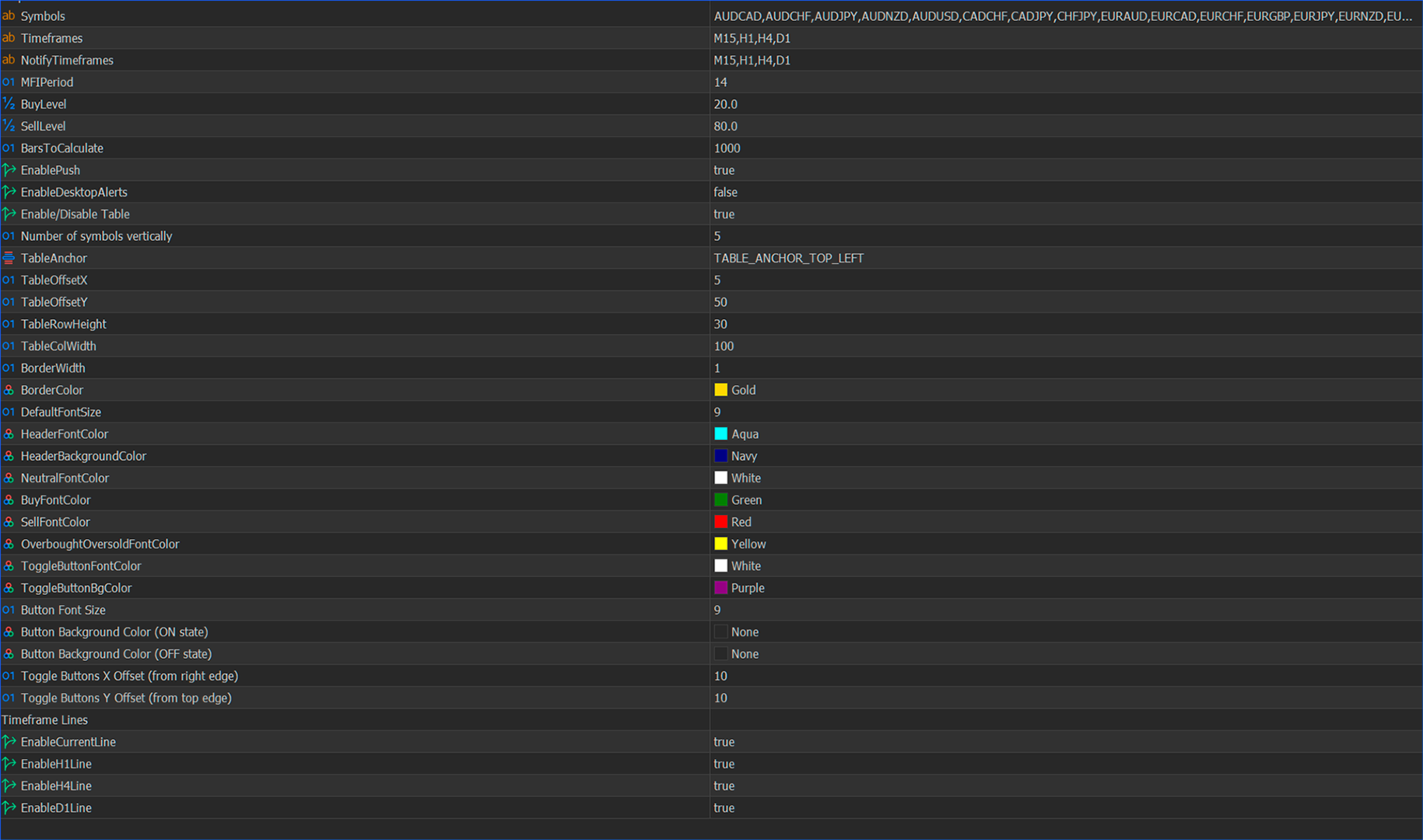
Symbols: List of currency pairs to analyze (comma-separated)
-
Timeframes: Timeframes to scan MFI values (e.g., "M15,H1,H4")
-
MFIPeriod: Period for calculating the Money Flow Index (default: 14)
-
BuyLevel: Oversold level (default: 20)
-
SellLevel: Overbought level (default: 80)
-
BarsToCalculate: Number of bars to analyze (the fewer, the faster)
Notifications
-
EnablePush: Enable push notifications (to the mobile app)
-
EnableDesktopAlerts: Enable pop-up alerts in the terminal
On-Chart Table Settings
Table Positioning
-
TableAnchor: Corner to which the table will be anchored (top/bottom left or right)
-
TableOffsetX, TableOffsetY: X and Y offset from the anchor corner
Dimensions
-
TableRowHeight: Height of table rows
-
TableColWidth: Width of table columns
-
BorderWidth: Table border thickness
Table Colors
-
BorderColor: Border color of the table
-
HeaderFontColor: Header text color
-
HeaderBackgroundColor: Header background color
-
NeutralFontColor: Text color for neutral values
-
BuyFontColor: Text color for buy signals
-
SellFontColor: Text color for sell signals
-
OverboughtOversoldFontColor: Text color for overbought/oversold signals
Navigation Buttons
-
BackButtonFontColor / BackButtonBgColor: Font and background color of the “Back” button
-
ForwardButtonFontColor / ForwardButtonBgColor: Font and background color of the “Forward” button
-
ToggleButtonFontColor / ToggleButtonBgColor: Font and background color of the toggle (show/hide panel) button
Fonts
-
DefaultFontSize: Default font size
-
MIN_FONT_SIZE: Minimum allowed font size (in code: 6)
Additional Info
The lower indicator window displays:
-
The MFI line
-
Buy/Sell arrows indicating overbought/oversold level crossings
-
Levels 20 and 80 (set via BuyLevel and SellLevel)
The table and signals are updated in real time using a 1-second timer.
On first launch, the indicator creates MFI descriptors for all symbols and timeframes — this may take a few seconds.