 MetaTrader 5
 Experts
 Indicatori
 librerie
 Utilità
 Widget
 Regole
Guarda i video tutorial del Market su YouTube
Come acquistare un Robot di Trading o un indicatore
Esegui il tuo EA
hosting virtuale
hosting virtuale
Prova un indicatore/robot di trading prima di acquistarlo
Vuoi guadagnare nel Market?
Come presentare un prodotto per venderlo con successo
Nuove utilità di trading per MetaTrader 5 - 82
 Di seguito sono riportati i programmi di trading che semplificano il trading in MetaTrader 5. Passa il mouse su un'utilità per leggerne la descrizione e la sua funzione.
A simple and convenient utility for closing orders. It can close both all orders together as well as buy, sell or pending orders separately. Has an intuitive graphical interface. MT4 version of the utility - https://www.mql5.com/en/market/product/78601 If you like this utility, take a look at my other products - https://www.mql5.com/en/users/nina_yermolenko/seller
FREE
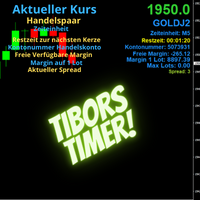
Indikator mit den Notwendigen Anzeigen im Chart - Als Expert installieren !
Dieser Indikator wurde von mir Entwickelt damit die Anzeige der relevanten Parameter klar und deutlich im Chart ist. Er dient zur Information und ist ohne Gewähr. Folgende Parameter werden angezeigt:
- Aktueller Kurs - Das Aktuelle Handelspaar - Die Restzeit zur nächsten Kerzenbildung / Zum Abschluss der Aktuellen Kerze - Die Kontonummer des Handelskontos - Die Frei Verfügbare Margin - Die Margin auf 1 Lot - Der Akt
FREE

EquityProtect provides hidden StopLoss, TakeProfit or TrailingStop based on the account equity. All orders of all symbols can be closed or just the chosen currency and/or just buys or sells or pending orders deleted. EquityProtect closes all or just defined orders when the account equity falls under or rises over a certain level. Besides EquityProtect can use the account equity as trailing stop. A comment in the chart shows the equity where the robot will react. An Alert can be activated and ope

Make sure to join our Discord community over at www.Robertsfx.com , you can also buy the EA at robertsfx.com WIN NO MATTER IN WHICH DIRECTION THE PRICE MOVES
This robot wins no matter in which direction the price moves by following changing direction depending on in which direction price moves. This is the most free way of trading to this date. So you win no matter which direction it moves (when price moves to either of the red lines as seen on the screenshot, it wins with the profit target you

機能&特徴: ZigZagをもとに主要なレジスタンスとサポートラインを引きます。 各時間足で押し安値、戻り高値を簡単に把握できます。 現在何波目なのか簡単に把握できます。
※ トレンド転換時はカウンターは1、継続時は2,3,4..となります。
※ちなみにこちらはZigZagの谷山を数えています。エリオット波動数ではありません。
現在買い目線でいるべきなのか売り目線なのか簡把握できます。 過去2つのZigZagラインで静的にフィボナッチを引きます。 今の値動きで動的にフィボナッチを引きます。 逆フィボナッチ(静的なフィボナッチのみ)に変更することも可能になります。 ボタンにより以下の操作が可能になります。
1.ZigZagラインの表示、非表示
2.ノーマルフィボナッチ、逆フィボナッチの切り替え ※環境により表示に時間が掛かる場合があります。
3.1分足、5分足、15分足で1つ上のZigZagラインが引けるようになりました。
4.レジスタンスとサポートラインを再描写します。 トレンド継続や変換をアラートで通知します。 エリオット3波発生の

The utility opens an order in the opposite direction from already open positions on the currency pair on which it is launched, creating a lock of orders. The utility has a simple interface and is easy to use. MT4 version of the utility - https://www.mql5.com/en/market/product/78127 If you like this utility, take a look at my other products - https://www.mql5.com/en/users/nina_yermolenko/seller
FREE

The EA Protection Filter ( MT4 version here ) provides a news filter as well as a stock market crash filter, which can be used in combination with other EAs. Therefore, it serves as an additional protective layer for other EAs that do provide such filters. During backtest analysis of my own night scalpers, which already use a stock market crash filter, I noticed that the historic drawdown, especially during stock market crash phases like 2007-2008, was reduced significantly by using such a fil

Il Local Trade Copier EA è una soluzione per i singoli trader o account manager che devono eseguire segnali commerciali da fonti esterne o che devono gestire più account contemporaneamente, senza la necessità di un account MAM o PAMM. Copia da un massimo di 8 account master su account slave illimitati
[ Guida all'installazione | Guida all'aggiornamento | Risoluzione dei problemi | Domande frequenti | Tutti i prodotti ]
100% self-hosted Facile da installare e utilizzare
Nessun programma di insta
The RFOC Candle Timer 2x was created for the trader to locate himself in time, having access to the pending time for the formation of a new candle. Additionally, it is possible to include in the chart a second timer that shows the pending time for the formation of a new candle in a time period different from the current one. The user will have the option to select up to 4 different positions for the timer display ("No candle", lower left corner, lower right corner or upper right corner). In ad
FREE

Tool that gives the possibility to test your strategy manually on historical data in the Metatrader 5 Strategy Tester application.
It is based on an EA that can only be used in the strategy tester and in visual mode.
The EA provides the possibility to configure, through input parameters, the display of different indicators: 3 Moving Average RSI Stochastic MACD Alligator Bollinger Bands Parabolic SAR Envelopes Fractals Ichimoku CCI
Due to the limitations of the Mt5 strategy tester, such as th
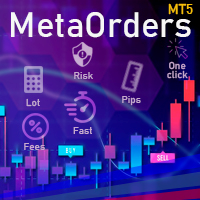
This trading tool will help You to place your orders faster , specify its parameters easier and control your risks more clearly. It allows You to use lines on a chart to set the entry price, stop loss, take profit for any order, considering the specified percentage of risk from the deposit or a fixed lot, and place it in one click. It automatically detects a broker’s commission and takes it into account during calculations. It also calculates available for new order funds based on already opene
XXXX ATR (Average True Range) Position Manager: ATR StopLoss, ATR Target, ATR Breakeven, ATR Trailing StopLoss, with Risk % Calculation / Position. More about ATR: www.atr-trading.com
Key takeaways One click does it all: SELL and BUY button automatically places ATR stoploss, ATR target, ATR breakeven, ATR trailing stop and Risk % calculation of equity Entire position is calculated based on ATR No more manual position calculations = No more wasted time = No more late entries Position sizes c

MASS DESTROYER-MANUAL Most scalping robot open several positions in a matter of time.
In emergency situations where say over 30 positions are running at the same time and all these trades are going negative,
manually closing all of these positions can make your losses even bigger because of spreads and other market conditions This is where DEST001 comes in.. This robot has been designed such that positions are closed in a matter of microseconds.
The trader can chose some parameters as filt

Tetris remains one of the most fun and addictive pieces of software to ever grace the computing scene. That's right, everything that everyone loves about Tetris can now be experienced on MT5 platform. Its beautiful simplicity and surprisingly fast-paced gameplay make it an exceptionally easy thing to just pick up and play on short notice. This version comes with everything everyone loves about Tetris. It has all six of the classic tetrimino shapes, the steadily growing level of challenge tha
FREE

Tetris remains one of the most fun and addictive pieces of software to ever grace the computing scene. That's right, everything that everyone loves about Tetris can now be experienced on MT5 platform. Its beautiful simplicity and surprisingly fast-paced gameplay make it an exceptionally easy thing to just pick up and play on short notice. This version comes with everything everyone loves about Tetris. It has all six of the classic tetrimino shapes, the steadily growing level of challenge tha
FREE

NEW : integration with Ofir Signals to send personalized alerts Ofir Notify is a tool which send alerts on trades to Telegram Alert on any event concerning a position : Opening, Closing, modification (SL, TP) Send alerts to Chats, Groups and Channel Alert on Equity change Display Risk, Reward and progress of profit/lost for each position Customization of alerts Sending charts screenshots with alerts Send signals from your indicators or experts Multi-lingual NEW : version 2 brings integrati

Info - pannello per conto NETTING La riga principale (in alto) mostra l'utile (perdita) corrente per la transazione corrente, determinata dal calcolo . La riga inferiore mostra le informazioni sull'intera transazione. Queste informazioni vengono raccolte dalla cronologia. I pulsanti "Tutti gli ordini" e "con risultati finanziari" mostrano i dati della posizione corrente e tutti gli ordini dello storico (per l'operazione in corso). Opzioni di impostazione: inglese, russo colore di sfondo,

Instead of sticking to the Charts,let's use ALL IN ONE KEYLEVEL Announcement: We are pleased to announce the latest version 14.02 of the One In One Keylevel product. This is a reliable product that has been upgraded with many new features and improvements to make your work easier and more efficient. Currently, we have a special promotion for this new version. The current discounted price is $500, and there are only 32 units left. After that, the price will increase to $1000, and will continue to
Trade Informer HVZ is a utility that allows you to display trading results (open and closed positions) using filters for trading instruments and Magic Numbers of Expert Advisors. The results are displayed as a horizontal or vertical table or as separate blocks. Full list of displayed parameters:
List of analyzed instruments List of Magic Balance of open positions Result of closed positions for today The result of closed positions for the previous day
The result of closed positions for the c

Ichimoku Assistant is a multi-timeframe panel and alert system that scans all timeframes for multiple rules related to different ichimoku strategies. The Ichimoku indicator has 5 different lines, including Tenkan-sen, Kijun-sen, Senku Span A, Senku Span B and Chikou Span. This scanner checks the status of these lines compared to each other and gives alerts based on your selected rules. If you are using ichimoku kinko hyo in your trading strategy, this scanner and its alert and filtering system i

The Expert Advisor is designed to protect the account, fix profit (loss) and display current information about the account. Trading account protection is carried out by closing all open orders in the terminal and/or closing all charts. When running the Expert Advisor with default parameters, it will only display your account information and will be reduced in size. Next, you can set the conditions under which your trading account will be protected. Profit and loss limits can be set for daily pro
FREE

Candlestick Pattern Scanner is a multi-timeframe and multi-symbol dashboard and alert system that checks all timeframes and currency pairs for different candlestick patterns that are formed in them. Scanner is integrated with support and resistance zones so you can check the candlestick patterns in most important areas of the chart to find breakout and reversal patterns in the price chart. Download demo version (works on M4,M6,M12,H3,H8 timeframes and 20 symbols of Market Watch window) Read

Volumeku is a Volume-based analysis tool. Its use and purpose is very simple, it is clear that with large volumes of trading some event happens in the market, sometimes a reversal happens, sometimes the beginning of a strong movement. You who are greater, where X is a variable. Let's take the value of 6500 on the H1 chart as an example, put this measurement on your chart and see with your own eyes what happens to the price every time it hits such a level. Download now, it's free and very cool! D
FREE
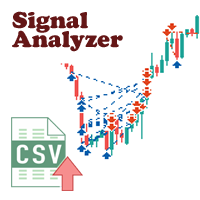
There are a lot of high-quality signals on the MQL5 website, and learning them is a great way to broaden your mind and improve yourself. The trading history of the signal can be downloaded and saved in csv file format, but analyzing this textual information is difficult.
Signal Analyzer has 2 usage options: 1. You can import the downloaded csv files and display each trading history in the MT5 chart window. 2. Use the Strategy Tester for historical backtesting. *** SignalAnalyzer is used as foll

DESCRIPTION: The EA is a trade manager for managing manual or other trades by EA. It can place Stoploss, Takeprofit, Trailing, and Martingale/Average all open positions. Make sure to just place 1 type of open orders for each symbols (Examples: 1 Buy or 1 Sell). The EA will not open the initial trades, but can be backtested to see how it works.
FEATURES: Multicurrency or Single Pair Mode. Placing Stoploss / Takeprofit. Auto Martingale / Average Positions. Trailing for All Open Positions (Sin

Hello, Every one
Close All Button
A script to close all market positions and/or pending orders.
----------------------------------------------------------------------------------- This is Close All market positions and/or pending orders button
You can close all orders in 1 second by one click
Download for Demo Account:
Download on Demo Account: Close All in 1s v1.4 Only Demo.ex5 - Google Drive Free version: https://www.mql5.com/en/market/product/74159 For send Trade notification to Your

Easy Copier Limited is utility tool to copy trade / trade copier form one account (master) to other account (slave) . It works only with a single forex ( EURUSD ) . You can use this tool as local copier ( Terminals have to be in same PC / VPS ) as well as Remote Copier ( Terminals can be in different PC / VPS ). For remote copy you can use my server or it can be configured to your server . Trades are possible to copy from MT4 => MT4 MT4 => MT5 MT5 => MT5 MT5 => M

News Panel per MetaTrader è uno strumento che visualizza i dati del calendario economico all'interno della piattaforma di trading MetaTrader. Lo strumento estrae notizie economiche e rilasci di dati da fonti esterne, come siti Web di notizie finanziarie o fornitori di dati, e li visualizza in un formato di facile lettura. Lo strumento consente agli operatori di filtrare i comunicati stampa per fonte, fuso orario, livello di impatto, valuta e metodo di notifica. Include anche un pulsante Aggiorn
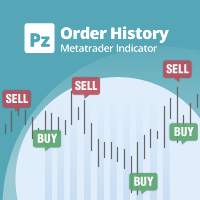
Indicatore di uso generale che mostra la cronologia degli scambi/ordini di qualsiasi grafico in tempo reale, molto simile alla modalità visiva del tester di strategia. Ti consente di esaminare la vera storia di trading di qualsiasi simbolo particolare per scopi educativi, di miglioramento, di reverse engineering o diagnostici. Può essere utilizzato con successo sia con la password principale che con quella dell'investitore.
[ Guida all'installazione | Guida all'aggiornamento | Risoluzione dei p
FREE
This is a multi-currency converter script that can convert the currency of the account history to another currency and output it. Since it supports multiple currencies, it is possible to exchange USD, EUR mutual conversion, JPY, GBP, AUD, or other minor currencies. Currency Exchanger can be converted to other currencies immediately by executing it once, so anyone can easily exchange currency. Let Currency Exchanger do the tedious work! The exchange result from the account history can be output a
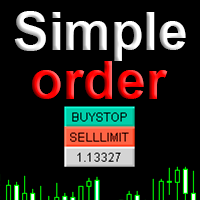
Simple order is designed to make placing pending orders as easy and fast as possible. Setting a pending order takes just two steps. 1. Double-click on the price of placing an order, after that a panel with buttons for order names appears. 2. Click on the button of the required order That's it, the pending order is set. If necessary, we adjust the order by dragging, as well as change the sizes of stop loss and take profit. Don't forget to pre-set the size of the stop loss and take profit in the S
FREE

Layering — Build Profit in Measured Steps
Layering helps you grow and protect a position by placing additional trades at equal, defined distances as the market moves. It's a structured layering approach designed to secure the account and bank profit as each take-profit is reached.
What it does for you Measured layering: trades are added at equal distances you define — no guesswork. Account protection built in: the layering logic is designed to secure your account as it works. Profit-locking: a
FREE

NEW : integration with Ofir Signals to send personalized alerts
Ofir Notify is a tool which send alerts on trades to Telegram Alert on any event concerning a position : Opening, Closing, modification (SL, TP) Send alerts to Chats, Groups and Channel Alert on Equity change Display Risk, Reward and progress of profit/lost for each position Customization of alerts Sending charts screenshots with alerts Send signals from your indicators or experts Multi-lingual NEW : version 2 brings integration
FREE
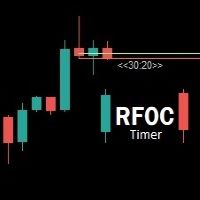
Uma informação de grande valor para o trader se localizar no tempo é a informação de quanto tempo temos para o encerramento do candle atual ou quanto falta para a formação de um novo candle. O RFOC Timer apresenta esta informação de forma clara e alocada à direita do candle atual. Adicionalmente o RFOC Timer acompanha a opção de inclusão das linhas de preços ASK e BID com e sem extensão a direita e/ou esquerda. Esta função auxilia, por exemplo, a não sobreposição das linhas de ASK e BID com as
FREE
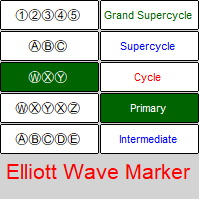
Indicatore d'onda di Elliott - un pannello per etichettare il diagramma delle onde di Elliott . L'utilità consente di contrassegnare rapidamente il grafico (applicare markup, modificare ed eliminare). Parametri di input: carattere: EwaPro, Arial, EliotWaveMine. (scarica i caratteri: https://disk.yandex.ru/d/Pxwg7cI_cYh6_Q ) seconda "X" in tripla combinazione ("X" o "XX") colori per i livelli d'onda (Grand Supercycle, Supercycle, Cycle, Primary, Intermediate, Minor, Minute, Minuette,

Trade Copier Agent è progettato per copiare operazioni tra account/terminali multi MetaTrader (4/5). Con questo strumento, puoi agire come fornitore (fonte) o ricevitore (destinazione). Tutte le azioni di trading verranno copiate dal fornitore al destinatario senza alcun ritardo. Questo strumento ti consente di copiare operazioni tra più terminali MetaTrader sullo stesso computer con velocità di copia fulminee inferiori a 0,5 secondi. Guida all'installazione e agli input di Trade Copier Agent S
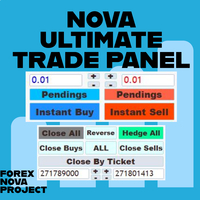
Penso che tu voglia utilizzare molte belle funzionalità della piattaforma Metatrader in un unico posto e senza perderle.
Abbiamo progettato un pannello di trading solo per te. Incontra tutte le caratteristiche magiche che ti sei perso.
Nova Ultimate Trade Panel ti offre la migliore e conveniente esperienza di trading!
È un pannello ausiliario che funziona in modo estremamente veloce ed è codificato per soddisfare tutte le tue richieste.
Puoi usarlo facilmente in tutte le tue transazioni c

Calculating the volume of orders every time you create an order is an extremely important thing in risk management Let this tool simplify your work! ----------------------------------------------------- How to use? Attach the indicator to the chart and set its parameters: Risk size in % or money and Risk Reward Ratio. Click on the ON button and locate the horizontal line to your would-be StopLoss level. Options: Click on the Pending/Instant button to locate the horizontal line to your would-b
FREE
The script removes all of the indicators on the chart with one movement of the hand. There are situations when there are too many indicators on the chart. And it is required to delete all of them without closing the tab. Unfortunately, the settings window doesn't allow us to select all indicators at once and we have to delete one by one. This script will solve this problem. Simply drag the script from Navigator window onto the chart.
FREE

Price Action Trade Panel MT5 calcola il saldo del livello della forza di acquisto/vendita di qualsiasi simbolo/strumento, sulla base dei dati puri sull'azione del prezzo delle candele passate specificate (8 per impostazione predefinita). Questo ti darà il sentimento di mercato più vicino possibile monitorando l'azione del prezzo di 32 simboli/strumenti disponibili sul pannello dell'indicatore. Un livello di forza di acquisto/vendita superiore al 60% fornisce un livello abbastanza solido per l

I know, you have an idea for an EA and would like to develop your own without the need of a programmer? Then LT Sandbox EA will help you with that! As the name says (sandbox), you can configure it the way you want (within your limitations, of course). With it you can use up to 13 indicators, including an external indicator (from a third party), being able to make dozens of combinations! Available indicators: Moving Average (two of them) RSI Stochastic Oscillator MACD Bollinger Bands Parabolic S
EA Functionality -------------------------------------------------------------------------------------------------------------------------------- - The EA automatically sets SL (Stop Loss) of the specified size in points for each position immediately after opening position; - EA will close all open positions if their losses exceed the set amount; - Close all positions biggest then set limit; Position automatically closed if it bigger than set limit; - New function how much you can loss per day.
Background
This product is a practical tool to check the market based on the cycle theory . When you need to use multi cycle charts to analyze a symbol , manually adding charts with different cycles and applying templates is a very large cost. This product can help you quickly add multi cycle charts of one or more symbols, and uniformly apply the same template . After adding, you can drag the charts to the sub screen, which is suitable for multi screen analysis. Usage Method Apply this script to
FREE
Background This product is a practical tool to check the market based on the cycle theory. When you analyze multiple cycles of a symbol and add multiple charts on the secondary screen, when you need to view the multi cycle charts of other symbols, you cannot switch quickly, which will increase a lot of time cost. This product can quickly switch the symbol displayed in the chart in the sub screen, and the application template remains unchanged, and the placement position will not change, which g
FREE
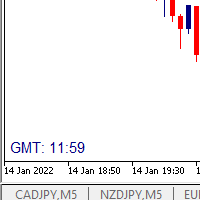
I wrote a small label to show GMT time. I t helps me to know the trading hours in Europe. I searched in the market but couldn't find it, hope it helps those who need it.
Functions: X_: Horizontal distance from border. Y_: Vertical distance from border. FontType: label color. FontSize : label font. Color3 : label color. WhatCorner : which chart corner will be drawn. If you have any request or errors please tell me to help it better.
Donate us , Thank u!
Telegram: 0388894014
FREE

Утилита-информер. Показывает количество открытых ордеров по Buy и Sell для текущего торгового инструмента.
Поможет при большом количестве открытых ордеров, что сэкономит силы и время. Теперь нет необходимости считать их вручную. Может стать незаменимым дополнением как для новичков, так и для опытных трейдеров.
Простой скрипт не перегружает систему , можно разместить на всех открытых графиках. +Бонус в комментариях!
FREE

The Expert Advisor will send notifications via Discord when orders are opened/modified/closed on your MetaTrader 5 account. - Send message and screenshot to Discord group/channel. - Easy to customize message. - Support custom message for all languages - Support full Emoji.
Parameters - Discord url Webhook - create webhook on your Discord channel. - Magic number filter - default all, or input magic number to notify with comma, like: 111,222,333. - Symbol filter - default all, or input symbol

Hai l'opportunità di fuggire dalla routine quotidiana del trading e tuffarti nel mondo della magia per un breve periodo. Presento alla vostra attenzione il gioco - trucco con le carte. Nel linguaggio mql, puoi creare non solo Expert Advisor, indicatori, script, ma anche giochi così piccoli. Non sono solo un trader e un programmatore, ma mi piace anche mostrare trucchi con le carte nel mio tempo libero, visto che è successo così, ho deciso di digitalizzare uno dei miei trucchi preferiti. Non è st
FREE

Set your limits before the market tests your discipline Risk Manager Pro MT5 turns your risk plan into active monitoring inside MetaTrader 5. Define daily and weekly limits, monitor open-position exposure, and let the utility take protective action when an enabled rule is triggered. A difficult session can lead to one more trade, a larger position, or an attempt to recover losses. A profitable day can also turn into an unnecessary giveback. Risk Manager Pro MT5 helps you put clear boundaries aro
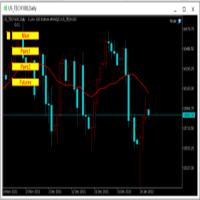
为纵览全局行情,特发布此工具。 一、使用方法 1、首先打开任意品种的图表,并在此图表上加载此工具。 2、点击“Main”、“Pairs1”、“Pairs2”和“Futures”,会在不同品种间切换。 3、点击工具栏上的“平铺桌面”按钮,就会出现主图的九宫格排列。 4、使用前,需将本EA,以及自己喜欢的模板在程序的模板目录中保存成default1.tpl,以便程序加载。 二、工具说明 1、每张图表均为日k线图,适合长趋势交易者。 2、图表上只设置1条均线,为15日均线,判断多空一目了然。 3、品种排序参考成交量排名,从上到下,从左到右。 4、可联系作者索要例图中的模板文件。 5、本EA已在AVA Trade公司提供交易品种中测试通过,公司网址: https://www.avatrade.com/ 。若需注册该公司账户,请填写本人代理号:166394。 三、解决痛点 1、将重点关注品种放在固定的位置上,便于观察与记忆各个品种是否处于趋势之中。 2、每日记录自己对不同品种的趋势判断,可以不断提高自己的预判能力。 3、此工具尤其适合同时交易股票的交易者。
FREE
The trend in the market can be predicted using trend lines but the problem is you don’t know where exactly the price is going to touch the trend line where you can put your pending orders on. Smart Channel Expert Advisor makes it possible to put an advanced channel around the price data, which can be configured to handle placing orders, opening and closing positions, managing risk per trade, spread, slippage, and trailing stop-loss and take-profit automatically. Features Money Management (Calcul

Un potente strumento per analizzare qualsiasi criptovaluta sullo scambio Binance e monitorare i principali segnali critici (su Binance, anche eventuali simboli di qualsiasi broker MT5).
vantaggi:
Tutto in uno!!! Non hai più bisogno di prodotti diversi per scaricare la cronologia e ottenere dati Binance online. L'invio di segnali a telegram, terminale mobile e posta consente di avere sempre informazioni sui mercati. Impostazioni flessibili del segnale e capacità di tracciare livelli, zone e mo
- Go up one more level with the most important Tools to Analyze the Market, such as drawing Horizontal and Dynamic Lines, Zones, Ratios, Trap Level Strategy, Impulse Projection, Bar Information with precision, automatic drawing of the most important Opening Levels (Open Day , Open Week, Open Month, Open Year), floating boxes on the chart where we can see the Countdown of each bar, the Spread and ATR indicator, an independent Panel with buttons for all options and shows the symbol, Time Frames,

The product will copy all telegram signal to MT5 ( which you are member) , also it can work as remote copier. Easy to set up, copy order instant, can work with almost signal formats, image signal, s upport to translate other language to English Work with all type of channel or group, even channel have "Restrict Saving Content", work with multi channel, multi MT5 Work as remote copier: with signal have ticket number, it will copy exactly via ticket number. Support to backtest signal. How to s

Esegue l'esportazione della cronologia delle transazioni del conto di trading corrente. Il file viene salvato nella cartella dati, che può essere aperta tramite il menu principale del terminale: File -> Apri directory dati (Ctrl+Shift+D) e vai alla cartella MQL5/File . Il nome del file viene generato automaticamente o impostato manualmente tramite i parametri dello script. Il file di cronologia può essere utilizzato per analizzare la cronologia in Excel (potrebbe essere neces
FREE

Advisor consente di simulare l'esecuzione delle transazioni effettuate da un altro esperto e salvato in un file csv. Questo può essere utile per verificare i risultati della strategia di trading su un altro server.
Utilizzare un altro programma, ad esempio Account History Exporter, per esportare la cronologia delle transazioni sul conto in un file csv nel formato desiderato, oppure collegare al proprio esperto il codice del programma Expert History Exporter per esportare la cronologia.
All'
FREE

Ultimate MT5 to Telegram (UMT) sends controlled trades (via symbol, magic, comment) to your telegram channel. It sends open and closed trades, including pending orders and TP/SL modifications, along with chart screenshots, to any telegram channel. Additionally, you can send trade reports of open trades and summary profit/pip reports for day, week, or month. You can customize the design of the trade actions or reports with variables and emoticons.
A beautiful panel allows you to visualize all t

Ultimate MT5 to Telegram Public Channel sends controlled trades (via symbol, magic, comment) to a public telegram channel. It sends open and closed trades, including pending orders and TP/SL modifications, along with chart screenshots, to this public telegram channel. Additionally, you can send trade reports of open trades and summary profit/pip reports for day, week, or month. You can customize the design of the trade actions or reports with variables and emoticons.
A beautiful panel allows
FREE

Trade Panel Osw MT5: Pannello Professionale di Gestione del Rischio e Operazioni Trade Panel Osw MT5 è una console di esecuzione rapida e gestione avanzata degli ordini per MetaTrader 5. Progettata per ottimizzare lo scalping e il trading intraday, consente al trader di controllare la propria esposizione e automatizzare la protezione del capitale direttamente sul grafico.
Parametri e Funzioni del Pannello Scheda Operazioni (Trade) N Orders: Quantità di posizioni da aprire simultaneamente al m

FXC Trade AssistanT MT5
This trading software will help you in manual trading. You can use it for open and close positions in many forms. The EA offers you lot sizeing, stop management methods and other usefull tools using with its control panel.
New in v1.13: Ultra-Fast CLOSE operation can close over 100 trades/second (Only MT5) New SETUP panels: Control, Chart, Msg., SFX, Advanced Added SFX sound profiles
Zero-Point Calculation with Swap & Commission Can handle foreign trades
New Info data: St

Customized Copy is a Multi-Terminal visual trade copying utility that supports Metatrader4 and Metatrader5 for Trade Copying.
You can activate EA on 10 different PCs/VPS. On each PC/VPS can install on Unlimited Terminals.
Specifications :
Real Time, Multi Terminal - Multi Account - MT4/MT5 trade copying (support over 50 accounts at same time) All settings are input visually. Visual display and modify of copy map and network Each copy path can be used with different settings
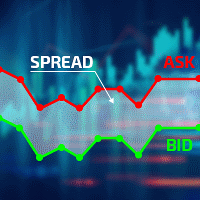
Excellent spread indicator. Reflects the spread on each bar as it is. It should be remembered that the spread is displayed at the time of the bar opening. Therefore, the most correct information will be on the minute bars. Spread is one of the basic forex concepts that any trader should know. If explained clearly, you can describe such an example. The trader buys the EUR / USD pair at the rate of 1.1000. However, he immediately goes into negative territory, for example, by 10 points, as if he bo

The CandleStick Factory is a tool that allow you to perform a market scan and search any candlestick pattern that you already created. The lite version can be downloaded here : https://www.mql5.com/en/market/product/75568 You can perform a quick search in the current chart (500 bars will be scanned), or save your custom candlestick patterns, and search in different Symbols/Timeframes that you can select in the settings tab, the scan can be scheduled every 1, 5 or 10 minutes by updating the Ref
FREE

Hello, boys and girls!
Script allows you either to quickly save opened charts and then close all charts opened by visual tester mode or just faster close all charts. Feel free to take a look at video manual about how to use this script on my YouTube channel. Also, feel free to join my telegram channel , where time to time I publish some exclusive stuffs. Feel free to leave feedback and thoughts how to improve this script - I'd highly appreciate that. All the best.
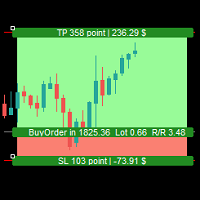
Simple Assistant for Trading
Precise Risk Management in each
Automatic Money Management Visual Trading Open Position Management User friendly and practical
during 15 years of considerable experience in stock market, we have dealt with many professional traders who have been used profitable and unrivalled methods in this market but failed in the long term. The reason is undoubtedly the lack of standard in their manner during their trade. Standard means the accurate repetition of a process….

This is an expert for netting trading. In it, the grid of pending orders is being set. The Expert Advisor decides by calculation. It is possible to customize the work of the advisor by the hour. Many settings can be viewed in the panels. He displays his solution on the chart in the form of lines. There are only two types of lines. It is possible to use Magic number. It is already configured by default. You can also specify the size of the rate for it in the current currency. You can simultaneou

The CandleStick Scanner is a tool that allow you to perform a market scan and search any candlestick pattern that you already created in the current chart, You can perform a quick search in the current chart (500 bars will be scanned), This is a lite version of CandleStick Factory for MT5 . The full version video can be found here : https://www.youtube.com/watch?v=fq7pLXqVO94 The full version can be purchased here: https://www.mql5.com/en/market/product/75434
How it works You can
FREE

产品简介: 本工具是一个简单的交易面板,主要用于复盘交易训练。您可以在策略测试环境下根据自己的交易策略进行交易练习。 这个工具主要适用单向交易训练,不适合进行对冲交易训练。
使用方法: 在策略测试中选择本EA,并进行货币兑、图表周期、复盘时间段等相关参数设置。 点击“开始”按钮后,会显示交易面板。 您可以点击“+”、“-”来调整下单时的仓位大小,每点击一次,变化0.01。 BUY按钮用来建立多头仓位。 SELL按钮用来建立空头仓位。 CLOSE按钮用来平仓,如果持有多个仓位,会平仓“报价”靠前的订单。
均线指标: 这个工具提供两条均线指标的显示支持。 在“输入”选项卡中,可以设置均线的显示与否,以及均线的周期参数。
自定义指标: 这个工具还提供一个自定义指标的显示设置。 在“输入”选项卡中,可以设置自定义指标的显示与否,以及它的路径参数。

Strumento multifunzionale: Calcolatore di Lotto, Ordini Grid, Rapporto R/R, Gestore di Trade, Zone di Domanda e Offerta, Price Action e molto altro Versione Demo | Manuale Utente L'Assistente di Trading non funziona nel tester di strategie : puoi scaricare la Versione Demo QUI per testare l' utilità .
Contattami per qualsiasi domanda / idee di miglioramento / in caso di bug riscontrato Se hai bisogno di una versione MT4, è disponibile qui Semplifica, accelera e automatizza il tuo

This tool has been designed for macroeconomic investors. It allows you to observe and operate currency indices that are more uncorrelated instruments than currencies, that do not share the same noise level as pairs and are totally uncorrelated with each other.
CurrencyTrader is a tool that allows you to trade the DXY, EURX, JPYX, GBPX, CADX, AUDX, CHFX and NZDX currency indices
Currently I use this tool for my swintrading in darwinex MACRO for MetaTrader 5 - Antonio Renteria Arce
I have left
Il MetaTrader Market offre un luogo pratico e sicuro dove acquistare applicazioni per la piattaforma MetaTrader. Scarica versioni demo gratuite di Expert Advisors e indicatori direttamente dal tuo terminale e testali nello Strategy Tester.
Prova le applicazioni in diverse modalità per monitorare le prestazioni ed effettuare pagamenti per i prodotti desiderati, utilizzando il sistema di pagamento MQL5.community.

Ti stai perdendo delle opportunità di trading:
- App di trading gratuite
- Oltre 8.000 segnali per il copy trading
- Notizie economiche per esplorare i mercati finanziari
Registrazione
Accedi
Accetti la politica del sito e le condizioni d’uso
Se non hai un account, registrati