 MetaTrader 5
 Experts
 Indicatori
 librerie
 Utilità
 Widget
 Regole
Guarda i video tutorial del Market su YouTube
Come acquistare un Robot di Trading o un indicatore
Esegui il tuo EA
hosting virtuale
hosting virtuale
Prova un indicatore/robot di trading prima di acquistarlo
Vuoi guadagnare nel Market?
Come presentare un prodotto per venderlo con successo
Expert Advisors e Indicatori per MetaTrader 5 - 141
 Usa i robot di trading e gli indicatori per rendere il trading sul Forex più redditizio. I robot di trading ti permettono di automatizzare l'apertura e la chiusura delle transazioni, e gli indicatori ti aiutano a prevedere con maggior precisione il comportamento del mercato. La pagina contiene il catalogo delle applicazioni MetaTrader 5.
The Forex Gangster Indicator allows you to determine the current trend. If the Forex Gangster Indicator line has moved below the price and turned blue, then you should open deals for an increase. If the Forex Gangster Indicator line has appeared above the price and turned red, then you should open deals for a decrease: The indicator is suitable for any time frames, but it needs to be supplemented with filtering indicators, since by itself it is late and does not have time to give an accurate si
FREE

The Universal 52 EAs will combine 52 entry and exit strategies mentioned in the Book "Entry and Exit Confessions of a Champion Trader" by Kevin J. Davey. I will code one by one and update new versions every time I complete and test each strategy. Furthermore, I also provide my test result and characteristics of each strategy so that you can understand them and know how a strategy is suitable for each market.
Updated as at 28 July 2024: - Entry #1: Go with the flow If the current bar close is l
FREE

Finally, a dashboard that cuts through the noise and shows what actually matters. – Displays All Symbols In Your Market Watch List (Updates in real time) This advanced Multi-Timeframe ATR & Volume Dashboard gives traders a crystal-clear view of market volatility and liquidity across all symbols and timeframes in one glance . Real-Time ATR & Volume Data – See exact volatility (ATR) and trading activity (Volume) for M1 to MN1
Smart Grouping – Automatically classifies instruments (Forex, In
FREE

FTMO Max Daily Loss Guard is a simple MetaTrader 5 Expert Advisor designed to monitor the net profit and loss of all open positions. It checks the account every few seconds and automatically closes all open positions when the current net loss exceeds the defined daily loss limit minus the safety buffer.
The EA is built to help traders protect their capital, reduce risk and stay within strict risk-management rules such as the FTMO Max Daily Loss limit.
FREE

Bollinger Bands Technical Indicator (BB) is similar to envelopes. The only difference is that the bands of Envelopes are plotted a fixed distance (%) away from the moving average, while the Bollinger Bands are plotted a certain number of standard deviations away from it. Standard deviation is a measure of volatility, therefore Bollinger Bands adjust themselves to the market conditions. When the markets become more volatile, the bands widen and they contract during less volatile periods. This ada
FREE

This indicator is designed to automatically identify and highlight Mother Bars and their corresponding Child Bars on a price chart using rectangles. A Mother Bar is defined as a significant candlestick that encompasses smaller candlesticks (Child Bars) within its range, commonly used in Price Action trading strategies. The indicator draws rectangles around the Mother Bar and the subsequent Child Bars, providing a clear visual representation for traders to spot potential patterns. Key features: A
FREE
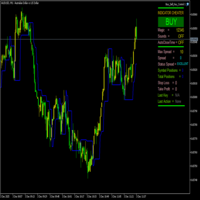
FractalBreakoutLevels Panoramica:
Questo indicatore traccia livelli di prezzo dinamici basati sull'analisi dei movimenti di prezzo. Combina dati di prezzo storici per identificare livelli chiave che possono servire come riferimento per il trading. Funzionamento:
L'indicatore analizza la struttura del mercato esaminando la relazione tra i dati di prezzo attuali e storici. Disegna una linea continua che si adatta alle mutevoli condizioni di mercato, fungendo da livello dinamico di supporto/resis
FREE

Aurum Position Manager is a position-management utility for MetaTrader 5. It watches existing positions on the chart symbol and can move their stop-loss to a break-even lock and then to an ATR-based trailing level. It is not a trading strategy. It does not open trades, choose entries, or calculate position size. Functions Checks matching open positions about once per second. Uses the current chart symbol only. Records the price distance from entry to the first stop-loss observed for each positio
FREE

Session & Spread HUD A lightweight display utility that places a real-time information panel in the top-right corner of any chart. No trading logic, no alerts — just clean, always-visible data while you trade. What It Shows The HUD displays four pieces of information, updated on every tick: Session — The currently active trading session based on your broker's server time. Automatically identifies Asia, London, New York, and the London/NY overlap. Displays "Closed" outside all sessions. Spread —
FREE

Equity Aler t can help you send notifications to your personal Telegram when your account equity reaches/ drops below a preset value. Additionally, you can check your MT4/5 account info anytime from your Telegram by simple command: /check . Get more free useful EAs here !
HOW TO SET UP? * Get inputs for EA: - Telegram Bot Token: Create a Telegram bot by @BotFather , and save your Bot Token. Find your bot by username & press "start". - Telegram User ID: Use your User ID by chatting
FREE
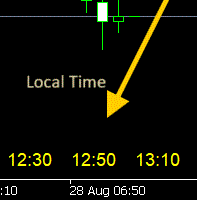
- 사용 설명서 개요 Time Scale Korea Display 는 차트 시간 스케일에 로컬 시간(한국시간)을 표시하는 MT5 커스텀 인디케이터입니다. 각 캔들에 해당하는 한국시간을 보여주어 트레이더가 현지 시간대와 시장 움직임을 쉽게 연결할 수 있습니다. 주요 기능 동적 시간 표시 : 각 차트 캔들에 해당하는 한국시간 표시 위치 선택 : 차트 상단/중앙/하단 표시 위치 선택 가능 윈도우 시간 연동 : 윈도우 시스템 시간으로 정확한 로컬시간 표시 타임프레임 적응 : 차트 타임프레임에 맞춰 자동 조정 외관 커스터마이징 : 폰트 크기, 색상, 위치 조정 가능 브로커 시간 독립 : 브로커 시간대(UTC+2, UTC+3 등)와 무관하게 작동 설정 옵션 표시 설정 매개변수 기본값 설명 DISPLAY_POSITION 하단 표시 위치 (상단/중앙/하단) SCALE_TEXT_COLOR 노란색 시간 텍스트 색상 SCALE_FONT_SIZE 10 폰트 크기 SCALE_FONT_NAME "Arial
FREE

Lenzi Indicators - Advanced Chart Watermark Pro (MT5) Water Mark Pro is a professional-grade watermark indicator for MetaTrader 5. Designed for traders, educators, signal providers, and content creators, it allows you to beautifully brand your charts without obstructing price action. Featuring a smart mathematical engine, it calculates true opacity, automatically centers text, prevents overlapping, and dynamically resizes fonts when you shrink your chart window. Key Features Background Render
FREE
Breakout Shift Trader – MT5 Indicator Trade Like the Market Architects — Not the Victims. Most traders are fighting blind against a rigged game. Market makers engineer false breakouts, liquidity grabs, and “stop hunts” that wipe out retail accounts in seconds. Breakout Shift Trader flips the script. This MT5 indicator decodes the footprints left by institutional manipulation and aligns your trades with the power brokers driving real price action. Proven Results – Tested, Verified, Relentless N
FREE

Transform your way of analyzing the market with our innovative trend and support/resistance indicator!
By combining the robustness of pivot points, the sensitivity of price adjustment, and the reliability of moving averages, our indicator provides a comprehensive and intuitive view of price behavior. Whether to detect emerging trends, track significant price shifts, or map critical support and resistance zones, this tool is your reliable guide amidst market volatility (BMF WIN).
T ested for B
FREE

The indicator ColorCandlesDaily draw candles with different colors depending on the day of the week.
FREE

This is the demo version of AK Strategy Creator ( STC ) which enables traders to create, edit and save their own strategies using MT5 standard and custom indicators. Attach your strategy's indicators with your preferred settings, then attach STC EA, which will read the attached indicators so that you can use them in defining Buy and Sell Entry and Exit conditions.
Two default indicators are always included in the indicator list to allow access to Candle (Bar) prices and indicator values:
FREE

Mattrix Cockpit — read market structure at a glance
A multi-timeframe navigation panel for one chart and any symbol. It shows where price sits inside its range, the risk-reward of trading either direction, the trend on every timeframe, and a single weighted directional bias — so you can read the situation in seconds and make your own call.
What it shows Range box over the last N candles, drawn from candle bodies so wicks stand out as rejections Upper and lower

Descrizione di Trade Visualizer (TVIZ)
Il codice fornito rappresenta un'utility interattiva ed estremamente efficiente, che chiameremo Trade Visualizer (TVIZ), progettata per visualizzare i dati storici e attivi delle operazioni direttamente sul grafico dei prezzi di MetaTrader. Per gli sviluppatori professionisti e i trader forex, l'analisi dei dati grezzi delle transazioni nella cronologia del terminale può risultare tediosa e visivamente scollegata dall'andamento dei prezzi. Analogamente ad
FREE

Now free. Know your real spread, and know exactly what it costs you on every trade.
Know your real spread. Know what it costs you.
Real Spread Monitor puts the one number most traders ignore right on your chart: the real bid/ask spread, live, and exactly what it costs you per trade. Scalpers and intraday traders lose money to the spread every single day. This tool shows you when the spread is normal, when it is too wide to trade, and how it behaves hour by hour — so you trade with your eyes o
FREE

1. Overview — TrendFusion Pro TrendFusion Pro is a free, open-source MetaTrader 5 indicator that generates buy and sell signals only when all seven independent filters simultaneously agree. By requiring SuperTrend direction change, Triple EMA alignment, EMA proximity, RSI momentum direction, MACD divergence, wick ratio, and over-extension filters to pass at once, it delivers high-precision confluence signals with minimal false positives — suitable for both trend-following and scalping strategie
FREE

Chart Buddy è uno strumento di intrattenimento progettato per aggiungere divertimento ai tuoi grafici di trading. Un personaggio si muove lungo il lato destro del grafico, dando l'impressione che stia incoraggiando il movimento dei prezzi, aggiungendo un tocco unico e piacevole alla tua esperienza di trading. Sebbene non influisca direttamente sulle tue operazioni, le animazioni offrono una leggera distrazione, facendoti sentire come se avessi un sostenitore personale. Caratteristiche principali
FREE

La maggior parte dei trader compra un EA o copia un segnale e non sa mai davvero cosa stia facendo al conto finché non arriva il drawdown. Trade Auditor te lo mostra, e ti permette di dimostrarlo. Cosa controlla Martingale. Dimensione della posizione che aumenta dopo una perdita - il classico killer del conto. Normalizzato sul saldo, così un normale aumento del lottaggio basato sul rischio non viene segnalato. Grid e averaging down. Aprire un'altra operazione nella stessa direzione a un prezzo p
FREE

Smart Trend Suite Pro – Advanced Trend Indicator with Dashboard & Alerts Overview: Smart Trend Suite Pro is a powerful trend-detection indicator that offers traders a complete set of tools for accurate trend analysis and actionable insights. Designed for versatility and precision, Smart Trend Suite Pro adapts seamlessly to multiple timeframes and market conditions, making it suitable for various trading styles, including scalping and swing trading. Key Features: Real-Time Trend Detection: Identi
FREE
MACD-V — Volatility-Normalized Momentum Indicator Inspired by award-winning quantitative trader Alex Spiroglou ,
the MACD-V is a powerful evolution of the classic MACD — delivering a volatility-normalized momentum framework that produces consistent, actionable signals across all securities and timeframes. While the traditional MACD measures the difference between two EMAs, the MACD-V goes a step further by dividing this difference by the market’s volatility (ATR).
This normalization makes the
FREE

NINJA SYMBOL PASSPORT MT5 PANORAMICA NINJA Symbol Passport MT5 è un’utility gratuita e di sola lettura per verificare le condizioni di negoziazione dei simboli. Può analizzare i simboli presenti in Market Watch oppure quelli disponibili sul server, con un limite effettivo massimo di 200. Il pannello e i nomi degli input sono in inglese. DATI VERIFICATI Il pannello mostra la sessione di negoziazione, la scadenza, la modalità di trading, il costo stimato dello spread, il margine stimato per un vol
FREE

Title: Price Time Pro Monitor – The Ultimate Multi-Dimensional Chart Guardian Stop cluttering your screen with basic labels. Price Time Pro Monitor is not just another price and countdown tool; it is a sophisticated data engine designed for professional traders who demand precision and multi-timeframe awareness at a single glance. Why is this different from standard indicators? Smart RSI Engine (Multi-TF): Monitor RSI levels for M15, H1, and H4 directly on your current chart. No more switc
FREE
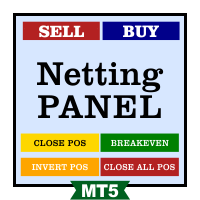
Funcionamento: O Painel Netting Panel RSJ funciona com qualquer ativo e em qualquer tempo gráfico . Ele funciona em contas do tipo " Netting " e " Hedge ", mas gerencia apenas uma posição por ativo, por isso o nome Netting. Se ele for executado em contas do tipo " Hedge ", ele fará o gerenciamento e proteção apenas da posição mais antiga , ou seja, da primeira posição que foi aberta por ele. Em contas " Netting " quando os botões " SELL " ou " BUY " forem pressionados, ocorrerá
FREE

The Problem Every Trader Faces Every serious trader knows the struggle: Wasted time scrolling through years of data to find specific dates Missed opportunities because you can't quickly jump to historical patterns Frustrating navigation with manual scrolling that never lands exactly where you need No quick way to mark important dates for future reference Inconsistent chart positioning when trying to compare different time periods These inefficiencies cost you valuable analysis time and
FREE

SMF Cloud is a clean, lightweight chart indicator that visualizes directional market flow using an adaptive trend “cloud”, dynamic volatility bands, retest markers, and a TradingView-style strength gauge. It is designed for fast decision-making: identify trend shifts, measure trend strength, and spot pullback/retest opportunities at a glance. Key Features Smart Money Flow Trend Cloud Smooth trend baseline (EMA or ALMA) with optional additional smoothing. Clear bullish/bearish flow visualization

Session Stat is a utility for tracking the results of a trading session, as well as information about the position for the current instrument.
The panel displays:
Session statistics (for all instruments) Initial trading account balance Current trading account equity Profit during the operation of the utility Profit in % terms during the operation of the utility Session statistics (for the current instrument) Profit of the current position Profit of the current position in % terms Total volume
FREE
The Expert Advisor uses the strategy based on the breakdown of the most important support and resistance levels. Adaptive trade trailing algorithm is used. The EA uses a very small SL so the account is always protected from equity drawdown with a very low risk-per-trade. The EA integrates a system of partial position closure during slippages (can be configured). It was backtested and optimized using real ticks with 99,9% quality. It has successfully completed stress testing. The EA contains the

Fundamental Bias Dashboard for MetaTrader 5 Overview MacroEdge Pro is a comprehensive fundamental analysis panel that surfaces macro data, institutional positioning, and session timing in a single clean dashboard — directly on your chart. Designed for discretionary traders who need economic context without switching between tabs, terminals, or external tools. Rather than displaying raw numbers, MacroEdge Pro interprets them: beats vs misses, consecutive streaks, COT trend direction, kill zone ti
FREE

Sapphire Strat Maker Alt is an EA builder ( Expert Advisor Builder) . With it you can easily create new strategies and optimize them to find the bests parameters to improve your results at maximum. The objective is to bring the capabilities of MQL5 to everyone, even if you don't know how to code. Check out the Pro Version clicking here - Sapphire Strat Maker .
With this Expert Advisor you can create strategies by combining the indicators provided by the EA. A few of the functionalities ar
FREE

This indicator plots the calculated levels of the IBOV's "thousand" regions on the mini-index, where there is strong institutional commitment, based on their Options Lock positions. In this sense, players tend to defend their positions, acting on the mini-index. With these regions on the chart, you can use the concept of bipolarity to seek trades both in defense and in post-breakout testing. If you're interested, see the link where B3 provides information on options positions for these price lev
FREE

Product Name: ATR_SLTP v2 — SL/TP Auto Calculator + Lot Sizing + Alerts (GOLD/FX/BTC) Short Description: Type an entry price to instantly display ATR-based SL and RR 2:1 TP lines. Includes 3-slot management, lot sizing, alerts, and limit order support. Full Description: The problem most discretionary traders face You entered at the right place. The market moved in your direction. But somehow, you ended up with a loss. The entry wasn't wrong. The problem was your SL and TP placement. Setting SL a
FREE

Trading Co-Pilot for MetaTrader 5 Advanced Position Management for Manual Traders Trading Co-Pilot is a professional trade management assistant designed for traders who open positions manually and want precise, automated control over risk and profit handling. It does not open trades. It manages them intelligently. You focus on entries. The Co-Pilot protects and optimizes the exit. How It Works Once you open a manual position, Trading Co-Pilot automatically: • Applies Stop Loss
• Sets Take Profit
FREE

Az Order Manager - Free Visual Hook Edition V1.2
The most visual order management panel, now available for free to try.
This is the free version of Az Order Manager Diamond 9.41 (Best Seller).
What is this tool? A professional panel to manage orders with visual lines. You can draw entry, stop loss and take profit lines, move them on the chart and see lot size, risk in $ and reward in real time before executing.
WHAT YOU CAN DO IN THIS FREE VERSION (100% Working):
Visual Lines - Click Pen
FREE

Volume Calculator
This indicator shows the volume to be used in an operation based on the maximum acceptable stop value and the size of the stop. That way you will not use a calculator to calculate the volume you are going to use every time. This indicator makes your life much easier and faster. Suitable for any type of trader: Scalper, DayTrader, SwingTrader.
FREE
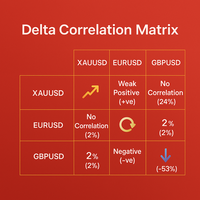
Discover Hidden Market Relationships with Delta Correlation Matrix This indicator is a professional tool designed to measure and visualize the correlation between three different symbols directly on your chart. Instead of relying on static or outdated methods, it dynamically calculates the strength and direction of correlations in real time, helping traders uncover hidden relationships that can influence market moves.
Its goal: to provide instant clarity on whether assets are moving together,
FREE

Multi-Timeframe Momentum Strength Dashboard
TAGLINE
See the force behind the move—not only its direction.
PRODUCT OVERVIEW
MomentumPulse Navigator MT5 is a professional, beginner-friendly multi-timeframe momentum dashboard for MetaTrader 5. It combines five respected momentum measurements into one clear visual assessment, helping traders identify whether bullish or bearish pressure is strong, weak, mixed, or neutral.
Instead of requiring the trader to open several indicator windows and com
FREE

The free trade manager — simple but effective.
Quickly open positions with preset take profit and stop loss levels.
Set everything to breakeven or close all trades with one click. Get plenty of information on your chart about your account, trades, and profit/loss.
It speaks for itself — that’s how simple this manager is to use. Check out our other EAs and our Telegram for more information!
By traders, for traders!
FREE

Shows min and max of last M5 Candle. Can be used to trade breakouts of last M5 candle. The M5 Candle Breakout Strategy avoids to stay too long in a sindways phase. See documentation on @swisstrader3713, where you can follow my live trading. The only parameters are the color of the lines defining the M5 stretch. Best use the indicator in M1 timeframe. The M5 Breakout Strategy has helped me to reduce overtrading.
FREE

Key Features: Automatic swing detection on any timeframe (M1 to MN1) Visual arrow indicators (red for swing highs, blue for swing lows) Adjustable sensitivity with customizable swing strength parameter Dynamic arrow positioning that never overlaps with candles Instant display when changing timeframes - no delays Compatible with MT4 and MT5 platforms Clean, professional interface with minimal screen clutter Lightweight code for fast performance Customizable colors and arrow sizes
Customizable S
FREE

It is just an alternative fibo lines. mt4 have is a very strange drawing of fibo lines, this utilites was written for mt4, but for mt5 it may not be particularly useful. A simple Box (Rectangle) graphic element with adjustable levels binding: it is possible to specify up to 17 custom levels, all rectangles on the chart with the given prefix in their name are processed. Levels are specified in % of the height of the rectangle. A convenient graphical element for analyzing charts by growth-correct
FREE

Hi Traders, Info Panel with PnL Coloring is a compact yet powerful on-chart dashboard for MT5.
It delivers real-time insights into Buy/Sell volume, symbol-based PnL, overall account performance, margin status, and detailed candle metrics.
With dynamic color-coding and a live candle countdown, this panel helps you monitor your essential trading information and market conditions instantly so that you can make decisions with greater clarity and precision. Abbreviations (current candle information)
FREE

This indicator displays the spread with extra options Simple and easy to use and fully customisable: View as Pips or Pipettes Chart symbol can be hidden Text display can be changed Change colour and text styles Add or hide a decimal point Spacing options between inputs Default screen positions Screen position inputs
Pro version includes: Drag and drop box on the screen Add an alert when the spread is too high Alert colours for text and text box changeable
How to use 1. Simply use the default
FREE

Indicator Name: DualClockWithSignalTime.mq5 Description: The DualClockWithSignalTime is a custom MetaTrader 5 (MT5) indicator designed to display three pieces of real-time information directly on the chart: Broker Server Time Local Computer Time Last Signal Time (BUY/SELL) This indicator is helpful for traders who need to monitor both the broker's time and their own local time, ensuring better synchronization of trading actions. Additionally, it automatically detects and displays the latest BUY
FREE

MT5 Hammer Pattern Detector: Your guide to more profitable operations
Tired of searching for the best trading opportunities? Our innovative indicator gives you a competitive advantage by automatically identifying hammer patterns on your charts. Known for its high probability of success, the hammer pattern has been a fundamental tool in the arsenal of experienced traders for decades. Our indicator, designed to accurately detect this key pattern, will allow you to:
Identify trend reversals earl
FREE

OWL Fibonacci SMC Elite v2.0 **The most intelligent Fibonacci tool on the MQL5 marketplace.** Automatic swing detection · OTE zone · Smart Money Order Blocks · FVG alignment · Confluence scoring 0–100% · Non-repainting arrows · Professional dark dashboard
WHY OWL FIBONACCI SMC ELITE IS DIFFERENT? Every other Fibonacci indicator draws lines and leaves you to figure out which levels matter. **OWL Fibonacci SMC Elite v2.0 tells you EXACTLY which levels to trade — and scores each one from
"AV Preview MT5" is an Expert Advisor designed to make it easier to view my MT5 demo indicators. Some of them need trades, which is why this EA carries out a few trades based on simple logic.
These indicators can be turned on or off:
- "AV Trade History MT5" (requires trades)
- "AV Grid MT5"
- "AV Monitor MT5" (requires trades)
- "AV Stop Hunter MT5"
- "AV SuperTrend MT5"
- "AV Donchian Channel MT5"
- "AV Forecast MT5"
Instructions:
- Download the desired demo indicators (are then in the "
FREE
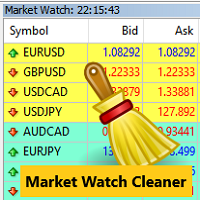
Clean up Market Watch from unused symbols.
If you use multiple advisors and terminals on the same account your Market Watch windows may get filled with unused symbols from orders and positions opened on other terminals. Every symbol in the Market Watch consumes cpu power and bandwidth to get constantly updated and if you are on a vps you want to minimize resources consumption. Market Watch Cleaner helps you with that by periodically cleaning your Market Watch window from unused symbols.
Param
FREE

One Click Chart Snap captures screenshots of your chart across all selected timeframes with a single button click — or fully automatically on a timer. Perfect for traders who journal their trades, do multi-timeframe analysis, share setups with a community, or want a visual record of the market at a specific moment. How it works At tach the utility to any chart and a button appears in the top-right corner. One click cycles the chart through every timeframe you enabled (M1 to MN1), captures each
FREE

The "Alligator" indicator is a powerful technical analysis tool designed to assist traders on the MetaTrader 5 (MT5) platform in identifying market trends and potential price reversal points. This indicator is based on a concept developed by Bill Williams, a renowned technical analyst in the world of trading. How the Indicator Works: The Alligator indicator operates by using three Moving Average (MA) lines with different periods. These three lines are: Jaws: This is a Moving Average line with a
FREE

SPECIAL PROMOTION: BUY 1 GET 1 FREE As a special thank you for purchasing Tom-Hedging v1 , you are entitled to receive any 1 EA from my portfolio absolutely FREE! Browse my full catalog here: https://www.mql5.com/en/users/tomgoodcar999/seller (Note: After completing your purchase, please send me a Direct Message on MQL5 specifying the name of the free EA you would like to receive.) Overview Tom-Hedging v1 is a fully automated trading system built on statistical price action analysis and a dyn

Crypto Trade — Robot di trading settoriale basato su machine learning Presentiamo l’approccio portfolio più efficace, combinato con un settore strettamente limitato di strumenti di trading. L’obiettivo principale è consentire a chiunque di operare con criptovalute senza preparazione preliminare. Cerchiamo di operare simultaneamente con il maggior numero possibile di criptovalute più stabili per garantire la massima sicurezza del deposito, ottenendo al contempo rendimenti sostanziosi su un perio

Overview This trading robot is designed specifically for the ONLY GBPCAD currency pair , leveraging a combination of technical and algorithmic strategies to maximize profitability while maintaining a controlled level of risk. It operates under predefined parameters, ensuring consistency, efficiency, and optimized trade execution. Minimum Capital Requirement The minimum deposit required to operate this trading bot is $100 . However, a higher capital allocation results in larger absolute profits
FREE

Trading Cockpit is a free, complete trading control panel for MetaTrader 5: watchlists, price & trend alerts, and automatic liquidity levels, all in one compact side panel without leaving your chart. Try everything at no cost.
WATCHLISTS & SYMBOL BASKETS - Unlimited symbols across several lists in one dropdown selector: a live mirror of your Market Watch, a Favorites list, and your own custom lists. - Predefined baskets by correlation cluster - US, Europe, Forex, Metals, Energy, Crypto - that w
FREE

Lumen Chart Panel — a clean market panel for MetaTrader 5
Lumen Chart Panel puts your essential market context in one tidy panel on the chart: the countdown to the next candle, the current spread, the active trading session, server time, and the day's range with the live price inside it. No more crowding your chart with several small indicators or switching between terminal tabs to check the same things every day.
It is read-only — it shows information and nothing else. It places no trades, s
FREE
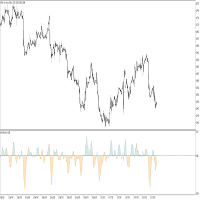
This indicator idea comes from Tushar Chande called Qstick.
Technical indicators quantify trend direction and strength in different ways.
One way is to use the difference between close and open for each bar and to sum it up over a period of time.
The formual is:
Qstick (period ) = Average ((close-open ), period )
In this indicator, we can choose how to calculate body by two famous chart types. The first and default indicator settings are based on Heiken Ashi chart, and the second is based
FREE
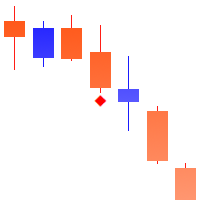
Points of Inertia è un potente strumento per rilevare i punti critici del movimento dei Prezzi, basato sull'idea di calcolare l'inerzia delle fluttuazioni dei Prezzi.
_________________________________
Come utilizzare i segnali dell'indicatore:
L'indicatore forma un segnale dopo la comparsa di una nuova barra dei Prezzi. Si consiglia di utilizzare il segnale generato dopo aver rotto il prezzo del punto critico nella direzione specificata. L'indicatore non ridisegna i suoi segnali.
_________
FREE

If you love this indicator, please leave a positive rating and comment, it will be a source of motivation to help me create more products <3 Key Takeaways Bulls Bears Eyes is another version of Laguerre RSI. Use Bull/Bear Power to calculate. One use of the Bulls Bears Eyes is to identify trends. This is done by looking for sustained periods when the indicator is above or below the 0.5 line. Also, a buy signal is generated when the Bulls Bears Eyes line crosses above the 0.15 level, while a s
FREE

This pivot scanner implements five industry-standard pivot methodologies: Classic Pivot (HLC/3) Fibonacci Pivot (0.382 / 0.618 / 1.000 levels) Camarilla Pivot Woodie Pivot DeMark Pivot The scanner can operate with a fixed user-selected method or in adaptive mode, where the most suitable pivot model is selected automatically based on observed market behavior and historical performance. Designed as a fully configurable analysis and observation tool, the EA performs historical warmup, executes scan
FREE

LIMINAL CSM — Contrast State Modelling Indicator for MetaTrader 5 LIMINAL CSM is a regime-detection indicator that measures the contrast between currency states rather than raw momentum — quantifying the delta between strengthening and weakening pairs to produce a normalised score (0–100) that defines the current market regime before a move fully develops. At its core, CSM combines three proprietary sub-measurements: Variance-of-Variance (VoV) — how unstable volatility itself is; Momentum-Price
FREE

SYU Heiken Trader Il SYU Heiken Trader costruisce veri simboli Heiken Ashi come strumenti personalizzati direttamente all'interno di MT5, sbloccando timeframe e tipi di grafico che la piattaforma non offre nativamente. Ogni indicatore, script ed expert advisor che già utilizzi funziona su questi grafici senza modifiche — perché per MT5 sono simboli reali. Costruisci il grafico, applica i tuoi strumenti e fai trading da esso come faresti con qualsiasi strumento standard.
FREE
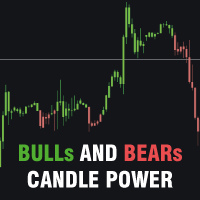
Bulls and Bears trend Power
The Bulls and Bears trend Power is a no repaint versatile technical analysis tool that helps traders identify market trends and see who's in control. It features dynamic trend capture logic that adapts to market conditions for a clear visual representation of trend direction. Traders can customize the colors to suit their preferences.
Features : Trend identification Compensation of market noise by strength of sellers or buyers
Recommendations : Use H1 timeframe a
FREE
The Day Trading Price Pattern indicator is an indicator of entry points that searches for and displays Price Action system patterns on dozens of trading instruments and on all standard time frames: (m1, m5, m15, m30, H1, H4, D1, Wk, Mn). Show all the main Price Patterns are introduced in the Ebook Day Trading With Price Action - Galen Wood You won't never miss any potential trading setup.
Want to send all the signals to your Telegram Channel? Checkout this guide
Advantages
1. Patterns: Tre
FREE
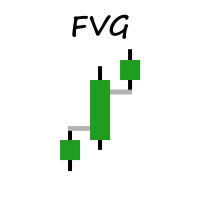
Welcome to MM Fair Value Gap Indicator.
Simple indicator that shows You FVG based on settings. The Fair Value Gap is a pattern made up of three candles: A Bullish Fair Value Gap forms on a second rising candle between the high of the first candle and the low of the third candle. A Bearish Fair Value Gap forms on a second declining candle between the low of the first candle and the high of the third candle
Indicator will be updated in future.
FREE

Mako Impetus è un Expert Advisor analitico di sola lettura progettato per valutare la forza e la qualità del movimento del mercato. Invece di mostrare semplicemente se il prezzo sta salendo o scendendo, Impetus analizza il rapporto tra sforzo e progresso , aiutando il trader a capire se il movimento attuale è efficiente, sano, in indebolimento oppure richiede uno sforzo eccessivo per continuare. Il pannello mostra in tempo reale: Flow State Flow Quality Flow Trend Effort Progress Path Efficiency
FREE

Panoramica L'indicatore Multi Level ATR e Moving Average Band offre un'analisi completa dei movimenti dei prezzi considerando la volatilità. La rappresentazione visiva attraverso diverse bande facilita l'identificazione delle fasi di tendenza e consolidamento, nonché dei potenziali punti di inversione. Grazie alle opzioni di personalizzazione, gli utenti possono adattare l'indicatore alle loro esigenze di trading specifiche. Caratteristiche Visualizzazione di più bande: Livelli di prezzo basati
FREE

The indicator of trend (flat) with a price channel.
Trading Buy - the price have crossed the central line upwards (the candlestick has closed above the line) and the channel is oriented horizontally (yellow line) or directed upwards(green line). Move to breakeven when reaching the opposite border of the channel. Close positions when conditions for selling are formed. Sell - the price have crossed the central line downwards (the candlestick has closed below the line) and the channel is oriented
FREE
Sai perché MetaTrader Market è il posto migliore per vendere strategie di trading e indicatori tecnici? Non c'è bisogno di pubblicità o di protezione del software, nessun problema di pagamento. Tutto ciò è fornito da MetaTrader Market.

Ti stai perdendo delle opportunità di trading:
- App di trading gratuite
- Oltre 8.000 segnali per il copy trading
- Notizie economiche per esplorare i mercati finanziari
Registrazione
Accedi
Accetti la politica del sito e le condizioni d’uso
Se non hai un account, registrati