Split Book
- Utilitaires
-
Shipra Gupta
 Je suis Shipra Gupta, trader et développeuse de stratégies quantitatives avec une solide formation en mathématiques, économie et systèmes de trading algorithmique. Au fil des années, j’ai travaillé activement sur les marchés du forex, de l’or, des indices, des matières premières et des
- Version: 1.0
- Activations: 5
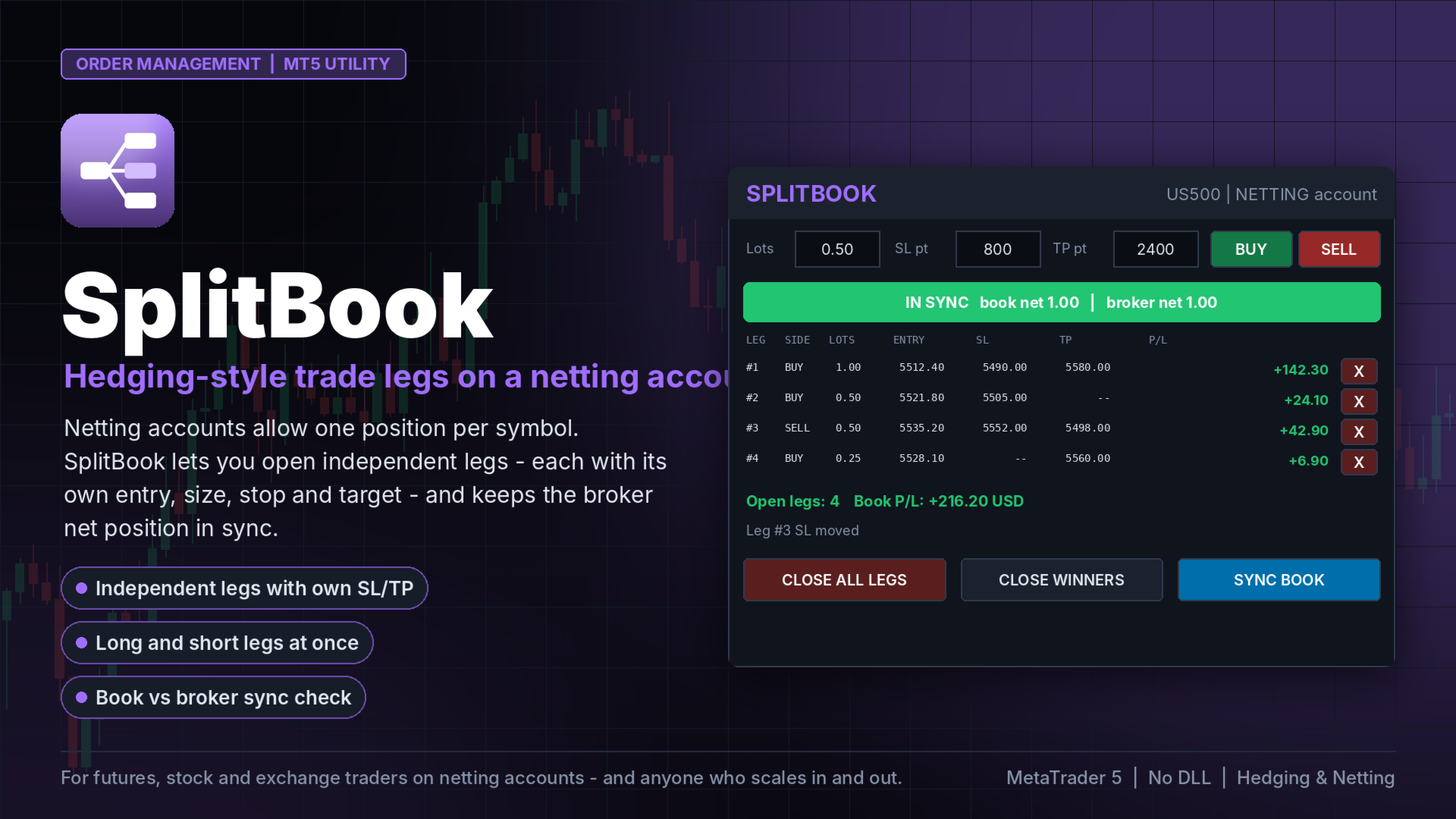
SplitBook MT5
Independent trade legs on NETTING accounts: every leg has its own entry, volume, stop loss and take profit (even opposite directions) while the broker keeps one net position. SplitBook executes each leg's exit and keeps book and broker in sync.
Netting accounts (futures, stocks, many exchange and some FX brokers) allow only one position per symbol with one stop and one target. Scaling in at different prices with different exits is impossible - until now.
SplitBook adds a position book on top of the netting position. Each leg is a separate trade with its own entry price, size, stop loss and take profit. When a leg reaches its level, SplitBook sends exactly that leg's volume in the opposite direction, so the net position shrinks by that leg only.
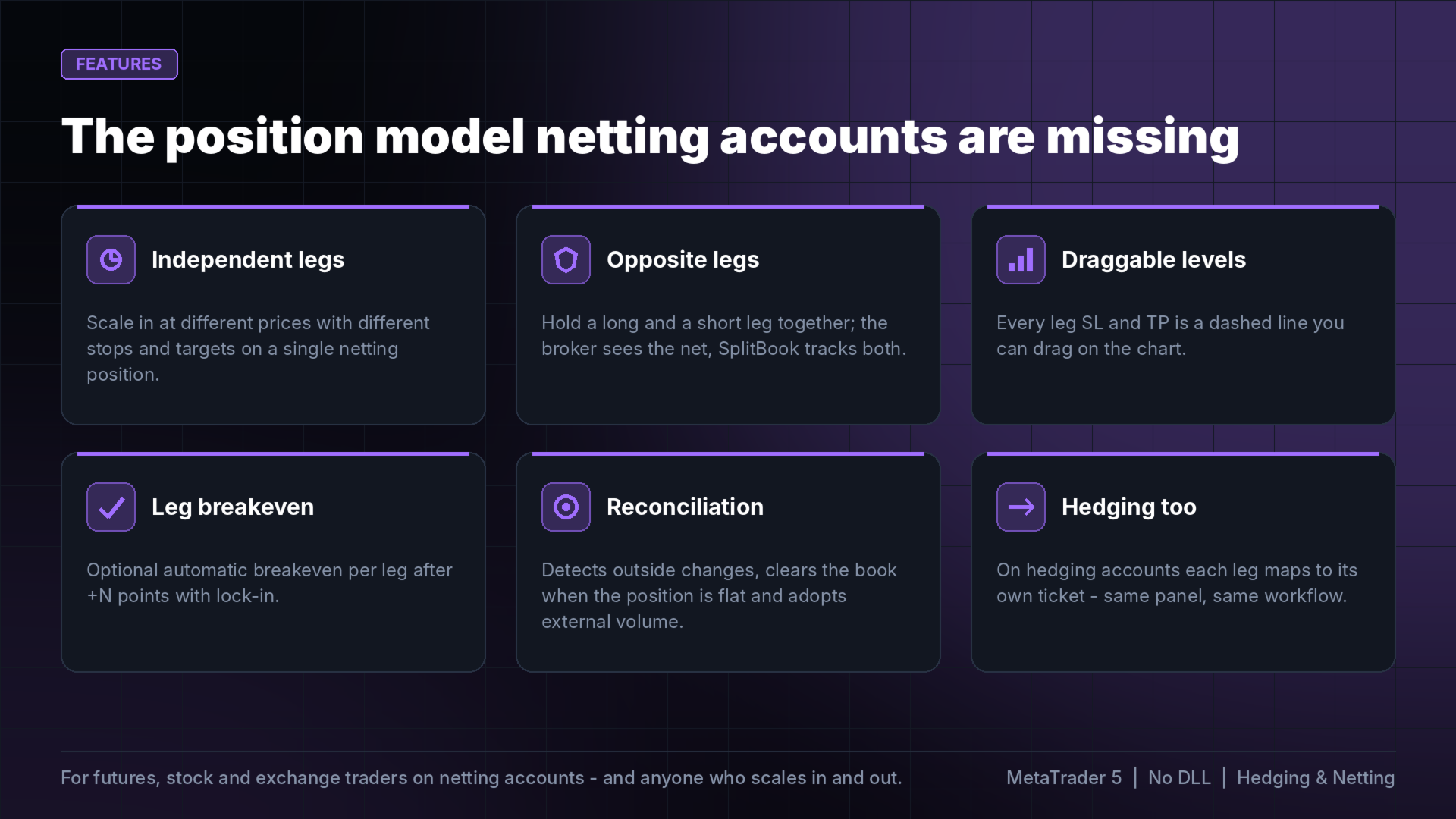
FEATURES
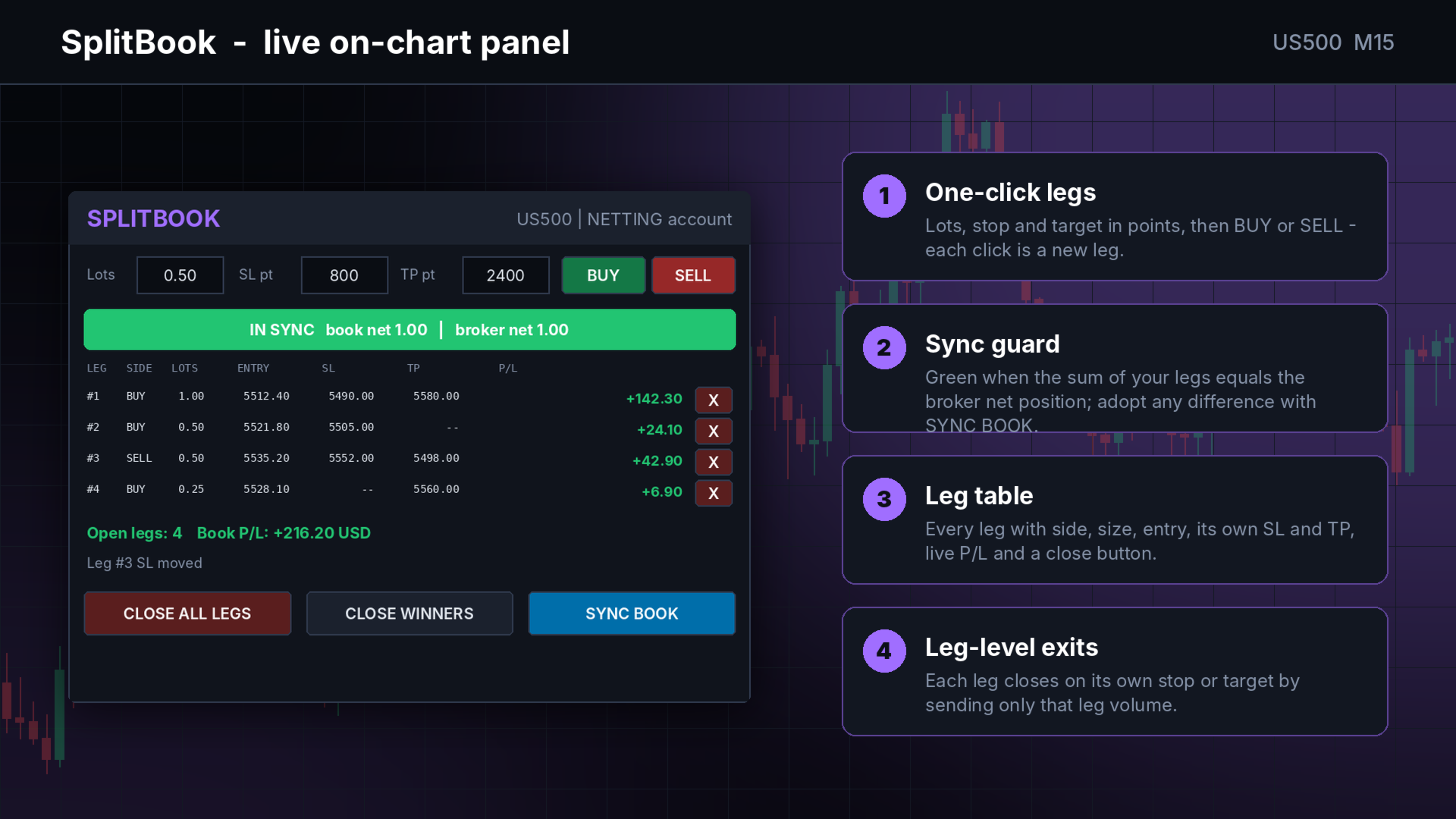
- One-click legs: set lots, SL points, TP points and press BUY or SELL.
- Long and short legs at the same time; the broker holds the net, SplitBook tracks every leg.
- Leg table with side, lots, entry, SL, TP, live P/L and a close button per leg.
- Draggable SL/TP lines per leg on the chart; wrong-side drops are rejected.
- Optional automatic breakeven per leg.
- Sync check: green when the sum of legs equals the broker net position.
- SYNC BOOK adopts external volume as a leg; a flat net position clears the book.
- Close all legs, or close only the winning legs.
- On hedging accounts each leg maps to its own ticket - same workflow.
- Book saved to disk per account and symbol; survives restarts.
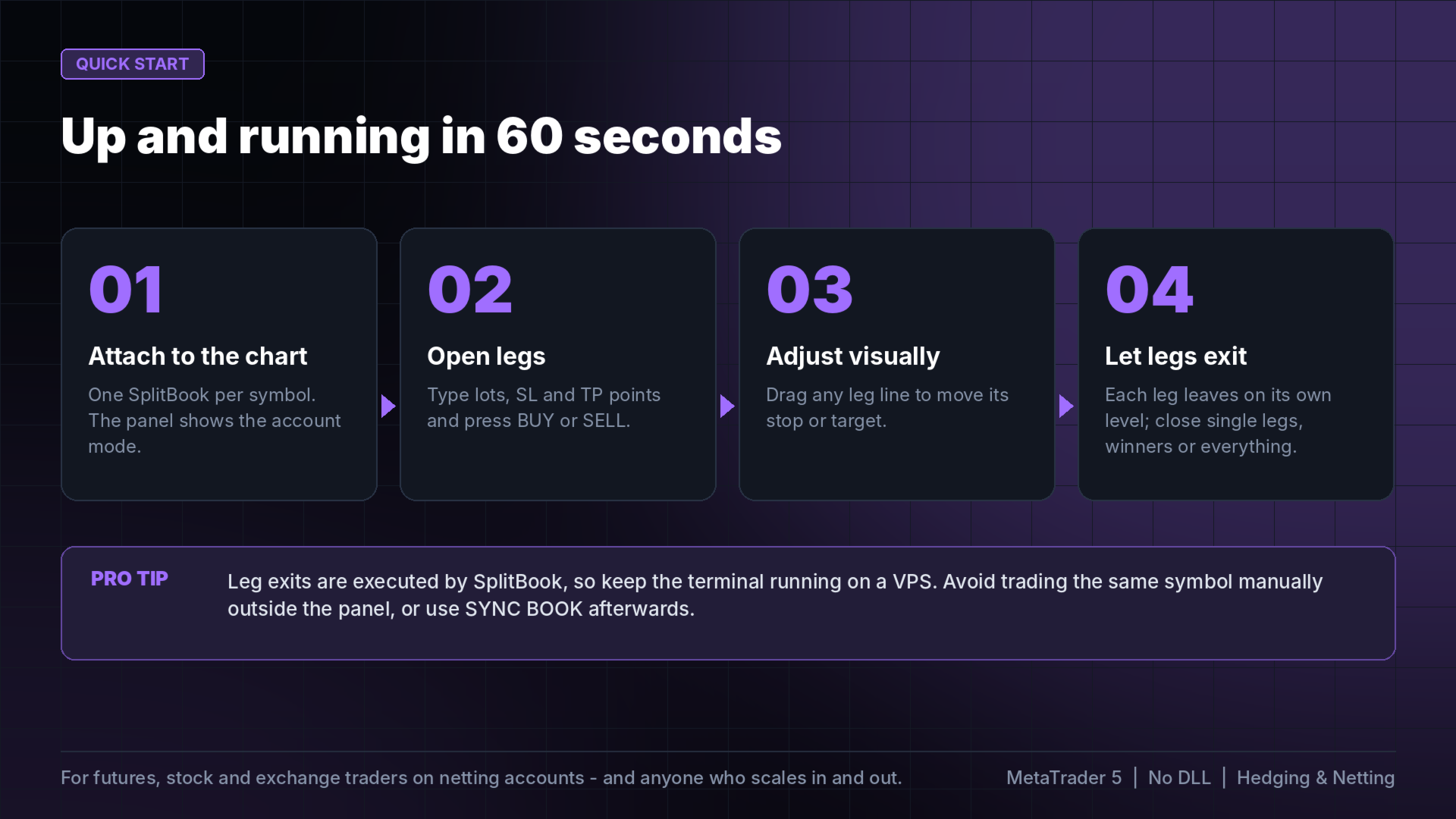
HOW TO USE
1. Attach SplitBook to the chart of the symbol you trade (one instance per symbol).
2. Type lots, SL and TP in points; press BUY or SELL for each leg.
3. Drag leg lines to adjust; let each leg exit on its own level.
INPUTS
Default lots, SL points, TP points, breakeven trigger and lock, magic number, draggable lines, panel position.
GOOD TO KNOW
- Leg stops and targets are executed by SplitBook (the broker sees one net position without per-leg stops), so keep the terminal running, ideally on a VPS.
- Trades on the same symbol outside the panel create a mismatch; press SYNC BOOK to adopt them.
- No DLL. In the Strategy Tester SplitBook opens small demonstration legs.