
Simple Seconds Chart MT5
- Utilitaires
-
Andrew Mcculloch
 I build real tools that can help you with your trading. If you want AI characters selling you a dream, I cannot help you.
Message me if there is indicators/features you want added to current indicators or have an idea for an indicator to be developed. - Version: 1.20
- Mise à jour: 20 août 2026
See What Others Cannot
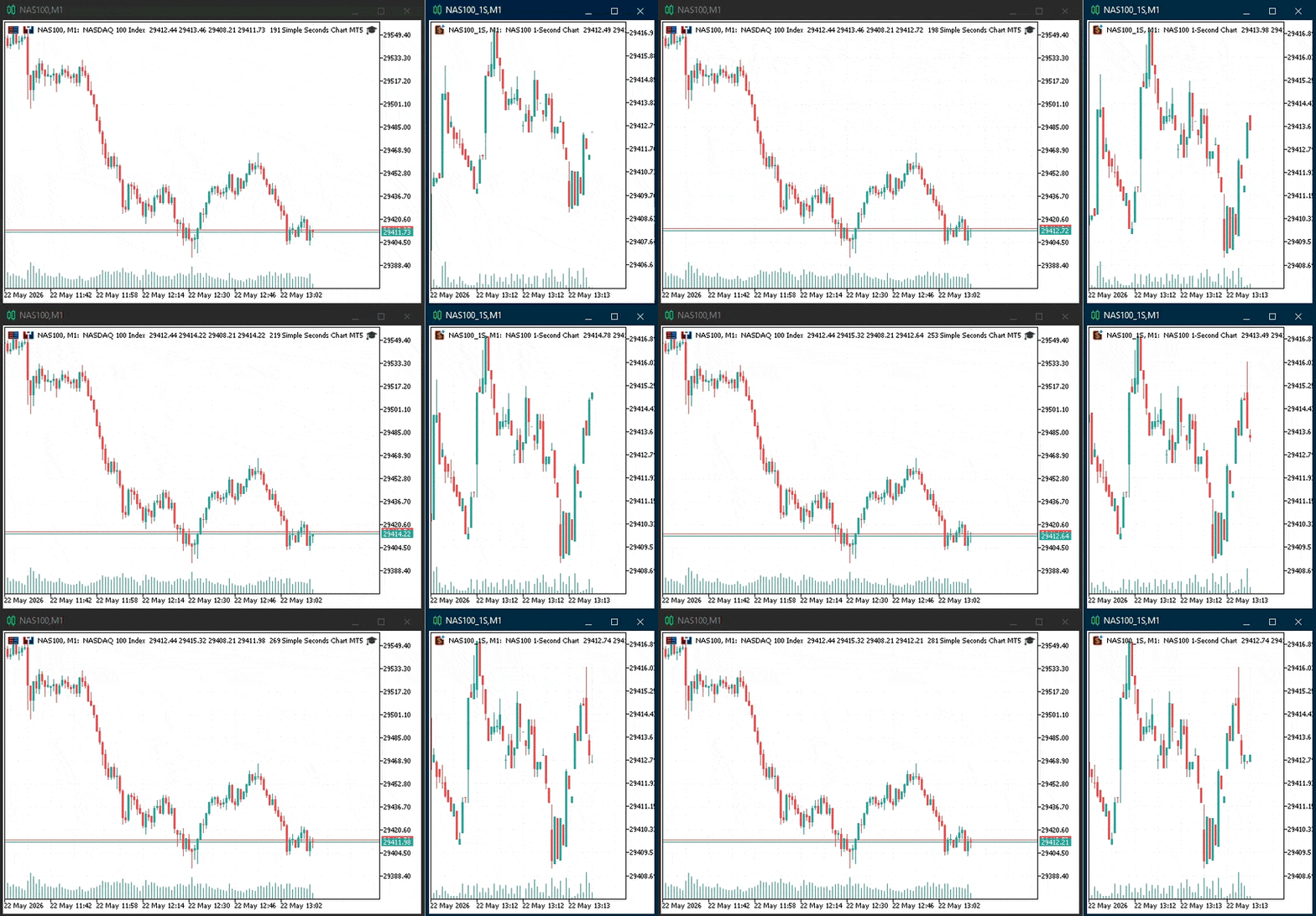
MetaTrader 5 stops at the 1-minute chart. Everything that happens inside that minute, the spikes, the reversals, the momentum shifts, is invisible. Until now.
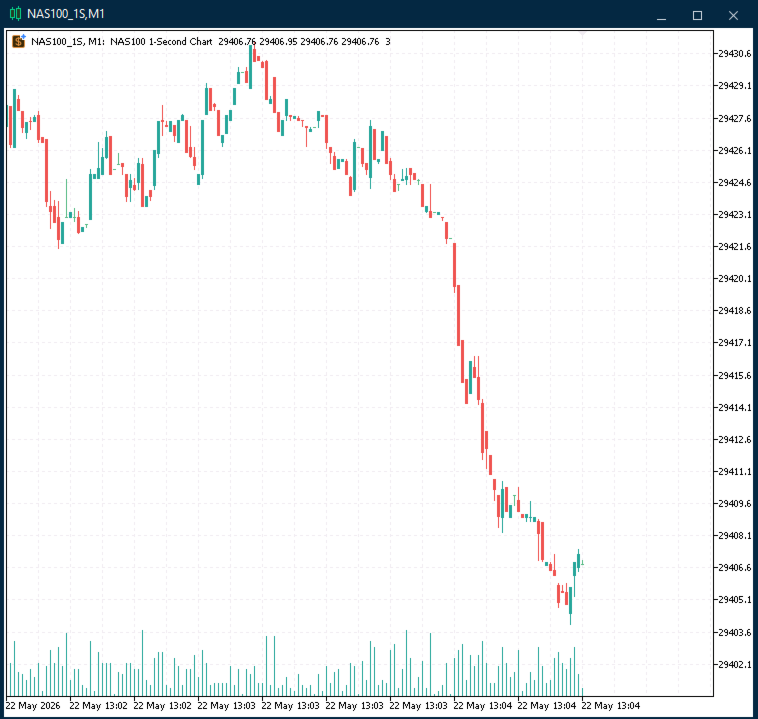
Simple Seconds Chart builds true 1-second OHLC candlesticks in real time, directly inside MT5. No external software. No data subscriptions. No workarounds. Attach it to any symbol and a fully interactive candlestick chart opens automatically, updating tick by tick.
What You Get
Real 1-second candles built from your broker's live tick stream, displayed as standard MT5 candlesticks with full access to all native charting tools such as indicators, drawing objects, crosshair, templates, and screenshots.
Selectable price source so you control exactly what drives the candles. Choose between Bid, Ask, Mid (the average of bid and ask, removing spread noise), or Last (for futures and equity instruments that report trade prices).
Instant history on load. The EA reads your broker's stored tick data and backfills up to 5 minutes of 1-second candles the moment it starts. No waiting for bars to accumulate — the chart is ready immediately.
Rolling buffer that retains up to 7,200 bars (2 hours at 1-second resolution) by default, configurable to suit your memory and timeframe preferences.
Zero configuration required. Attach the EA to a chart, click OK, and the 1-second chart opens. That is the entire setup process.
How It Works
The EA creates a custom symbol (e.g. EURUSD_1S) and feeds it with 1-second OHLC data aggregated from the real symbol's tick stream. The custom symbol chart opens on the M1 timeframe, but because every bar in its data is spaced 1 second apart, you get a true sub-minute candlestick chart rendered natively by MT5.
Because it uses MT5's custom symbol engine, everything works exactly as you would expect! You can apply moving averages, RSI, Bollinger Bands, volume indicators, or any other tool from the MT5 library directly onto the 1-second candles.
Setup (30 seconds)
- In MT5, drag the EA onto any chart of the symbol you want 1-second candles for.
- Adjust preferences or use default settings
- Click OK. The 1-second chart opens automatically.
That is it. No configuration screens, no licence keys, no external dependencies.
Pro Tip: The seconds chart will open with the Default template (green/white candles and black background), if you want it to match your chart colours with indicators etc. save your template as Default and every new chart will have your preferred set up. Do NOT attach the Seconds Chart to your chart and save as Default template as it will keep opening charts.
Settings
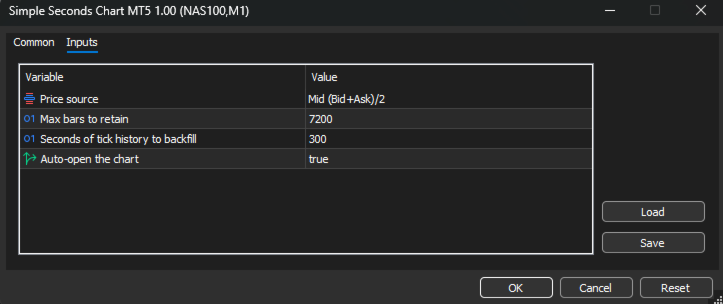
| Input | Default | Purpose |
|---|---|---|
| Price source | Mid | Which price drives the candles (Bid, Ask, Mid, Last) |
| Max bars to retain | 7,200 | Rolling buffer size before oldest bars are dropped |
| Backfill seconds | 300 | How many seconds of tick history to load on startup |
| Auto-open chart | True | Automatically open the 1-second chart window |
Use Cases
Scalping. See entries and exits at the resolution they actually happen. A 1-minute candle hides dozens of micro-structures that matter when your holding time is measured in seconds.
News trading. Watch the initial spike, the pullback, and the continuation unfold bar by bar in the seconds after a release, rather than waiting for a single 1-minute candle to close.
Execution analysis. Compare your fill times and prices against the actual 1-second price action to understand slippage and timing.
Learning price action. Studying how candles form at the 1-second level builds intuition for structure and momentum that translates directly to higher timeframes.
Want More?
The premium edition Advanced Seconds Chart adds configurable bar duration's (1s to 30s with one-click switching), a live info panel with bar countdown and spread display, multi-timeframe candle countdowns, spread filtering, and full control over panel positioning and appearance.











































L'utilisateur n'a laissé aucun commentaire sur la note