Otrx SMC
- Indicateurs
- Fabio Rocha
- Version: 5.60
- Activations: 5
Unlock the power of Smart Money Concepts (SMC) with precision and financial clarity.
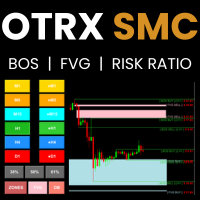
OTRX SMC is not just a technical indicator; it is a complete professional trading system designed for traders who follow institutional footprints. Unlike standard indicators that clutter your chart with noise, OTRX SMC focuses on the three pillars of Price Action: Structure (BOS), Flow (FVG), and Origin (OB).
The unique advantage of OTRX SMC is its Real-Time Risk Calculator. For every mapped structure or zone, the indicator projects exactly how much money you are risking based on your lot size, allowing for instant, data-driven decision-making.
🔥 Key Features
-
Smart Structure Mapping (BOS):
-
Automatically identifies Break of Structure (BOS) for both Buy and Sell trends.
-
Draws clean, precise "Ray" lines starting exactly from the fractal candle, keeping your historical chart clean.
-
-
Fair Value Gaps (FVG) / Imbalances:
-
Detects market inefficiencies where price is likely to return (Magnet Zones).
-
Draws visual boxes that extend to the current price.
-
Auto-Cleaning: Automatically removes boxes once the price has fully mitigated (filled) the gap.
-
-
Order Blocks (OB):
-
Identifies the specific institutional candles that originated the strong moves.
-
Highlights the ultimate support/resistance zones for sniper entries.
-
-
💰 Embedded Risk Calculator (Exclusive):
-
Forget manual calculations. The indicator displays the monetary risk (e.g., -$ 25.50) next to every FVG, OB, or Structure line.
-
Calculates based on the distance from the current price to the invalidation point (Stop Loss).
-
Fully customizable based on your Risk Volume input.
-
-
Interactive Control Panel:
-
One-Click Clean: Toggle ZONES, FVG, or OB on/off instantly directly from the chart buttons.
-
Multi-Timeframe: Toggle M1, M5, M15, H1, H4, and D1 analysis with a single click.
-
-
Global Ready:
-
Auto-Translation: Automatically detects your MetaTrader language (English or Portuguese) and adjusts the interface text accordingly.
-
⚙️ Settings & Inputs
-
Panel Size: Choose between Small, Medium, or Large (Touch-friendly) dashboard.
-
InpDepth / InpShowLast: Adjust the sensitivity of the fractals and how many past structures to keep visible.
-
InpRiskVolume: Define the Lot Size used to calculate the displayed monetary risk (e.g., 0.01 or 1.0).
-
Colors: Fully customizable colors for Buy/Sell setups, FVGs, and Order Blocks.
🚀 How to Trade
-
Use the FVG to identify where the price is being drawn to (Magnet).
-
Look for an Order Block (OB) overlapping with an FVG for a high-probability entry.
-
Check the Risk Label on the chart to ensure the trade fits your money management rules before entering.