Visual Tiger Momentum Indicator
- Indicateurs
-
AL MOOSAWI ABDULLAH JAFFER BAQER
 To trade successfully we need to go through the proven path that others had gone and reached!
Here are 17 quotes from such successful investors:
1- Limit your size in any position so that fear does not become the prevailing instinct guiding your judgment.
Joe Vidich - Version: 5.2
- Mise à jour: 20 octobre 2026
- Activations: 5
| Visual Tiger Momentum Indicator: new full-chart interface and bug fixes |
|---|
| Test it free in the Strategy Tester before buying. Questions? Send me a private message. Send a screenshot of your order and get a free expert advisor. |
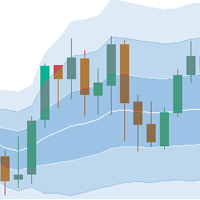
Visual Tiger Momentum Indicator fits a polynomial regression channel to price and watches how momentum behaves around it. The middle line shows where the move is heading, the bands show how far price may stretch, and an arrow appears when price re-enters the channel after leaving it.
What is new
- New interface: a full-chart HUD on the left with channel values, a settings column and a draggable stance panel. Everything shows real data only.
- Panels adapt to the chart size and candles stay below them.
- Fixed: signal thinning rescanned the whole history on every tick (high CPU); it is now incremental.
- Fixed: a failed regression fit left stale band and arrow values on recalculated bars; they are now cleared.
- Signal logic and default inputs are unchanged.
How to use it
- Attach it to any symbol and timeframe.
- Price above the middle line with rising slope suggests bullish momentum; below with falling slope, bearish.
- An arrow on band re-entry marks a possible mean-reversion or continuation point; confirm with your own analysis.
- Enable the pop-up alert to be notified of new signals.
Inputs
- Polynomial degree (1-6): order of the regression curve.
- Channel width: band distance in standard deviations.
- Regression window: number of bars used in the fit.
- Price: price type used for the calculation.
- Horizontal shift: moves the channel along the time axis.
- Show upper band: draws the upper band.
- Show lower band: draws the lower band.
- Show middle line: draws the regression line.
- Shade the channel: fills the area between the bands.
- Arrows on band re-entry: shows signal arrows.
- Pop-up alert on signal: alert on a new signal.
- Show stance readout: shows the stance panel.
- Bars to wait between signals: minimum spacing between arrows.