can't download new EA or update old EA in China!!! Please help!!!
Why is it that after purchasing your EA, we are unable to download the purchased EA on VPS or website? Recently, your website has been obstructing access within China, causing us to be unable to download the purchased EA. Do you have any solutions?
Do you see the product on the list of your purchases in MT5 terminal? (go to "Market" tab, then "Purchased" tab)
The first issue is that it is impossible to open the "page that has already been purchased" as it is completely blank
just as below,
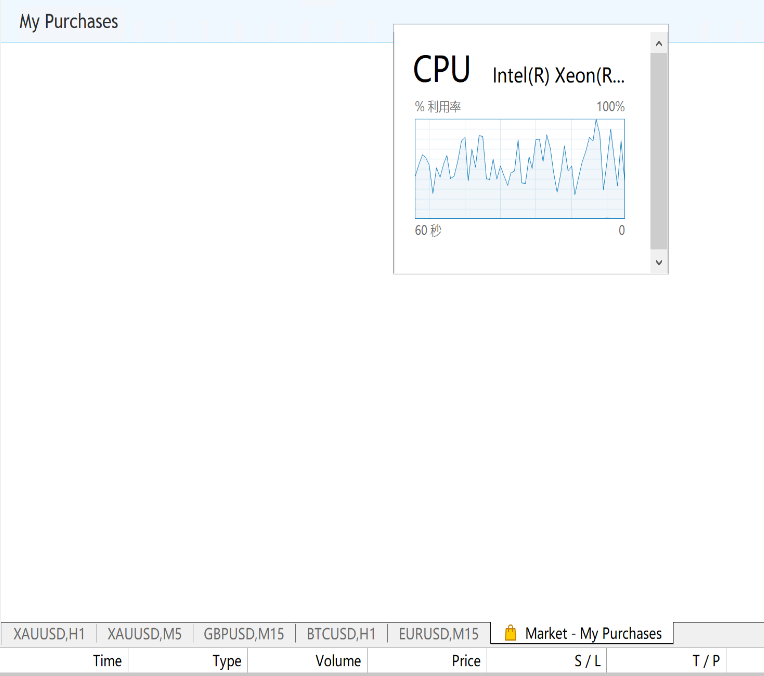
Sometimes the page will display that the updated EA needs to be repurchased
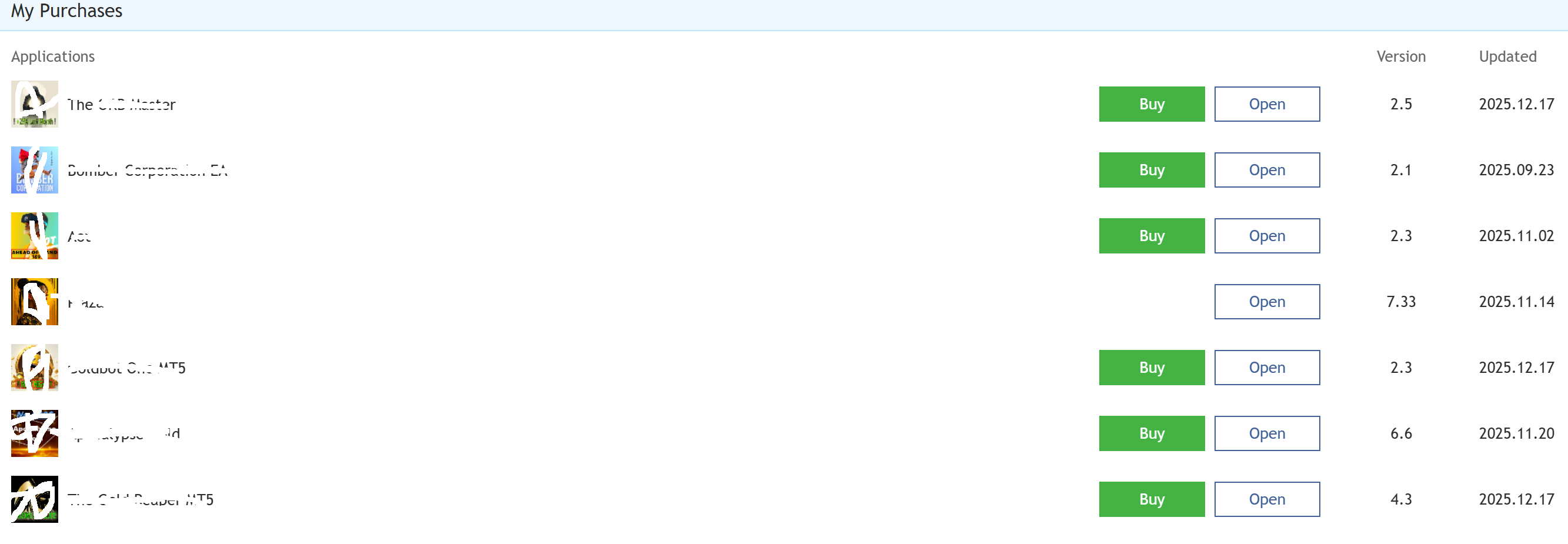
The first issue is that it is impossible to open the "page that has already been purchased" as it is completely blank
just as below,
Sometimes the page will display that the updated EA needs to be repurchased
If you purchased the Market product (the EA in your case) so it should be listed on your profile here: https://www.mql5.com/en/users/king1898/market
If it is not listed in your profile so it may be the following: you used the other username to purchase or you are in the process of purchase (need to wait) because it is the int'l payment anyway.
----------------------
About VPS ... some VPS providers were blocked from the Market (for any country), and the details (and what to do) - read this blog post:
Summary: Installation Failed - Error 403 and more
----------------------
If you do not see your purchase in "My Purchases" tab of Metatrader so you need to update this tab to do the following:
Forum on trading, automated trading systems and testing trading strategies
The purchased tab is only showing the last two purchases
Alexey Petrov, 2021.01.19 11:17
Even if a Market product is removed from the showcase, those who already purchased it, can install it anytime from their MetaTrader terminal (Market \ Purchased section).
In case you don't see the product on the list of your purchases in the terminal, try the following:
- Close all your MetaTrader terminals
- Go to C:\Users\{user name}\AppData\Roaming\MetaQuotes\Terminal\Community
- Delete all files starting from mql4.market.* and mql5.market.*
- Open MetaTrader terminal
- Try to install product again

- www.mql5.com
Hi Sergey,Will deleting all those files affect the EA that has already been installed before? Will this approach have a significant impact on the normal operation of many EAs? This has added a lot of extra workload for us, isn't there any other solution? Thanks!
There are many reasons about why you can not download/update the Market products. I provided all known reason on post #4 (look at blog post:
Summary: Installation Failed - Error 403 and more in details).
You can start investigating the reasons ... and first of all - use this procedure to update Market tab (in case your Market tab in Metatrader in blank or not all products are listed there):
Forum on trading, automated trading systems and testing trading strategies
The purchased tab is only showing the last two purchases
Alexey Petrov, 2021.01.19 11:17
Even if a Market product is removed from the showcase, those who already purchased it, can install it anytime from their MetaTrader terminal (Market \ Purchased section).
In case you don't see the product on the list of your purchases in the terminal, try the following:
- Close all your MetaTrader terminals
- Go to C:\Users\{user name}\AppData\Roaming\MetaQuotes\Terminal\Community
- Delete all files starting from mql4.market.* and mql5.market.*
- Open MetaTrader terminal
- Try to install product again
--------------------
After that - go to this blog post and check everything: IP geolocation (in case you are using external VPS), Microsoft Edge WebView2 to be installed on your computer and more.

- 2026.01.23
- www.mql5.com
If everything is fine but Market EA is not attached to the chart so you can look at Metatrader journal, because it may be the following: tour Windows was updated and one activation was lost because of that (it is written in journal as "invalid license .." or similar text).
If it is the case so you delete Market EA from Metatrader and install it once again from same Metatrader (and one activation will be lost because of that.
-----------------------
But -
Try it by downloading/install any free Market product ... if you see error in Metatrader journal (error 403 for example) so post it here (from the journal), and experienced users may help/advice.
If everything is fine with free Market product's installation on Metatrader so you can update/change your already installed EA for example.
----------------------
Anyway, it is necessary to know the reasons, because MQL5 does not block the countries ... it may be the block for some IP (so, change IP by restarting the router), or your computer bug (absent of Microsoft Edge WebView2 or TLS 1.1/TLS 1.2 installed on computer, or you are using external VPS which was already banned, or any.
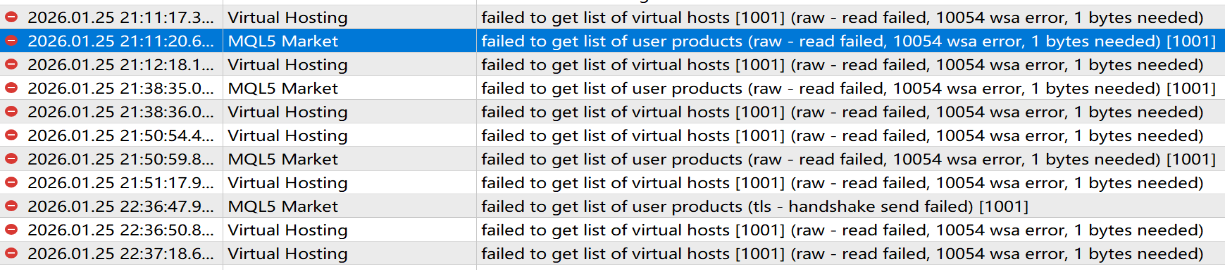
Please help check below issue in log,

- Free trading apps
- Over 8,000 signals for copying
- Economic news for exploring financial markets
You agree to website policy and terms of use
Why is it that after purchasing your EA, we are unable to download the purchased EA on VPS or website? Recently, your website has been obstructing access within China, causing us to be unable to download the purchased EA. Do you have any solutions?