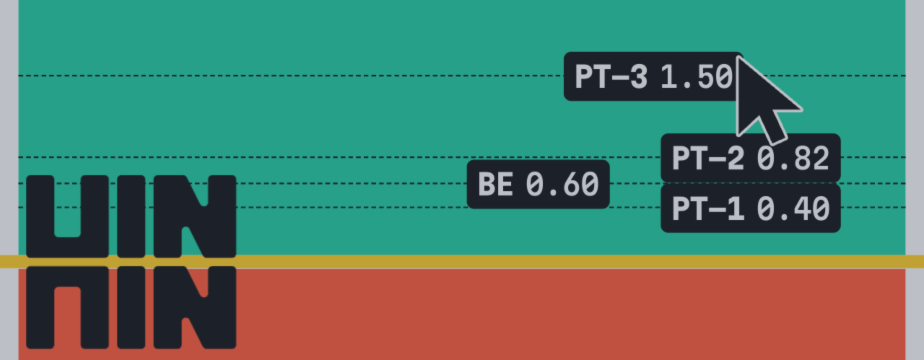

Stop, entry and take are set with clicks right on the chart. Volume is sized to your risk. Partial takes, breakeven and trailing are visible on the chart and move with the mouse. That is HINN Magic Entry.
New HINN Magic Entry 4.x is an Expert Advisor for fast trade entry and trade management in MetaTrader 5
You pick the levels on the chart. Magic Entry sizes the volume to your risk, places the order and then manages the position by your plan: partial takes, breakeven, trailing, cancel and delayed activation for limit orders, and closing part of the volume with one button.
This is not a bot. Magic Entry does not trade on its own or make decisions. It executes what you decide, quickly and precisely. No restrictions on account type, number of accounts, deposit size or account currency. Works with any broker and suits prop firms.
Full description of the interface, all settings and notifications: hinn.in/en/magic-entry
1. Entering a trade
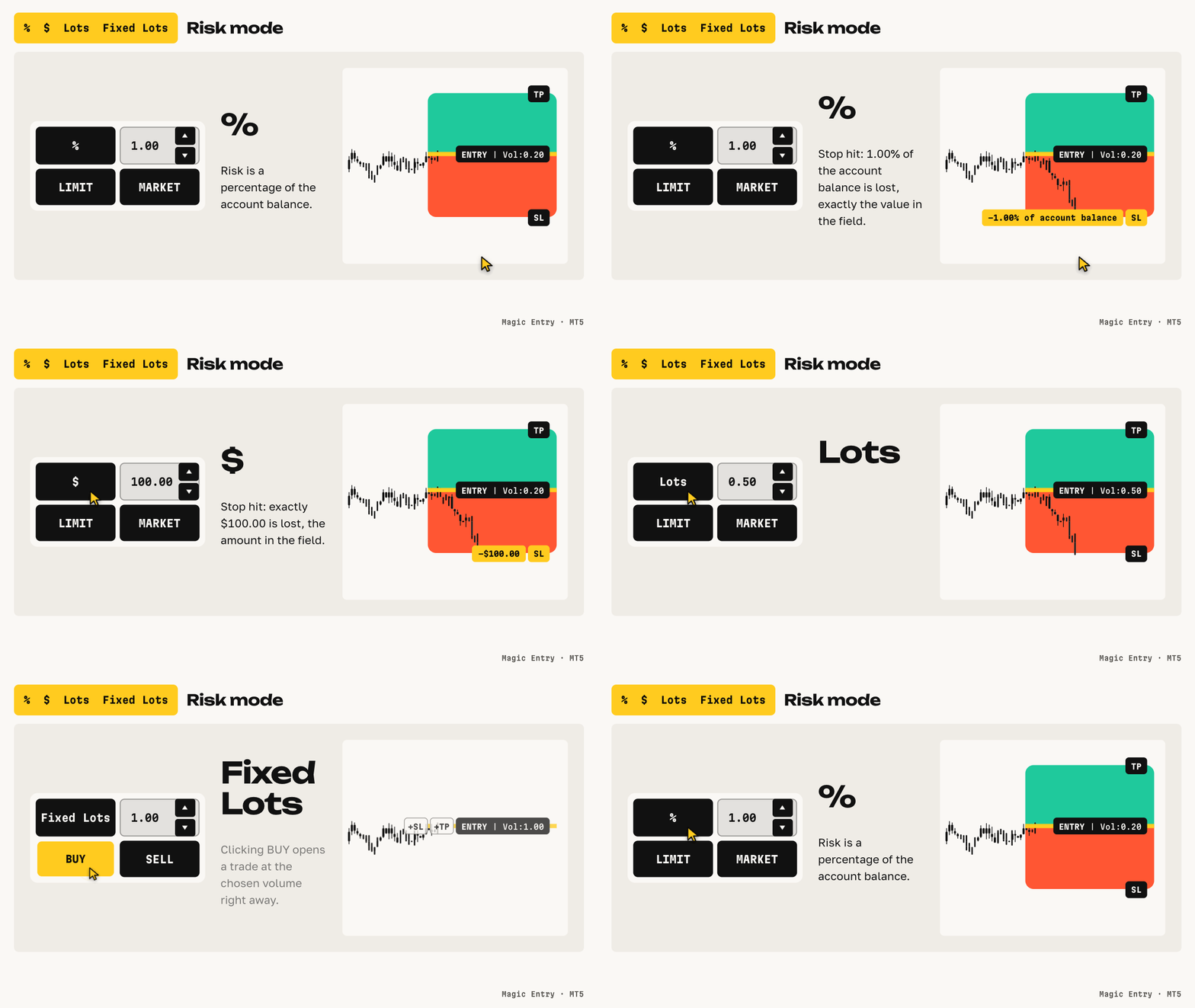
Risk mode. One button switches how the volume is calculated:
- %: risk as a percentage of the balance; a stop hit costs exactly that percentage;
- $: risk as an amount in the account currency; a stop hit costs exactly that amount;
- Lots: a fixed volume; the loss depends on the stop distance;
- Fixed Lots: like the standard MetaTrader buttons. The entry buttons become BUY and SELL, the trade opens at once, and stop and take are set afterwards.
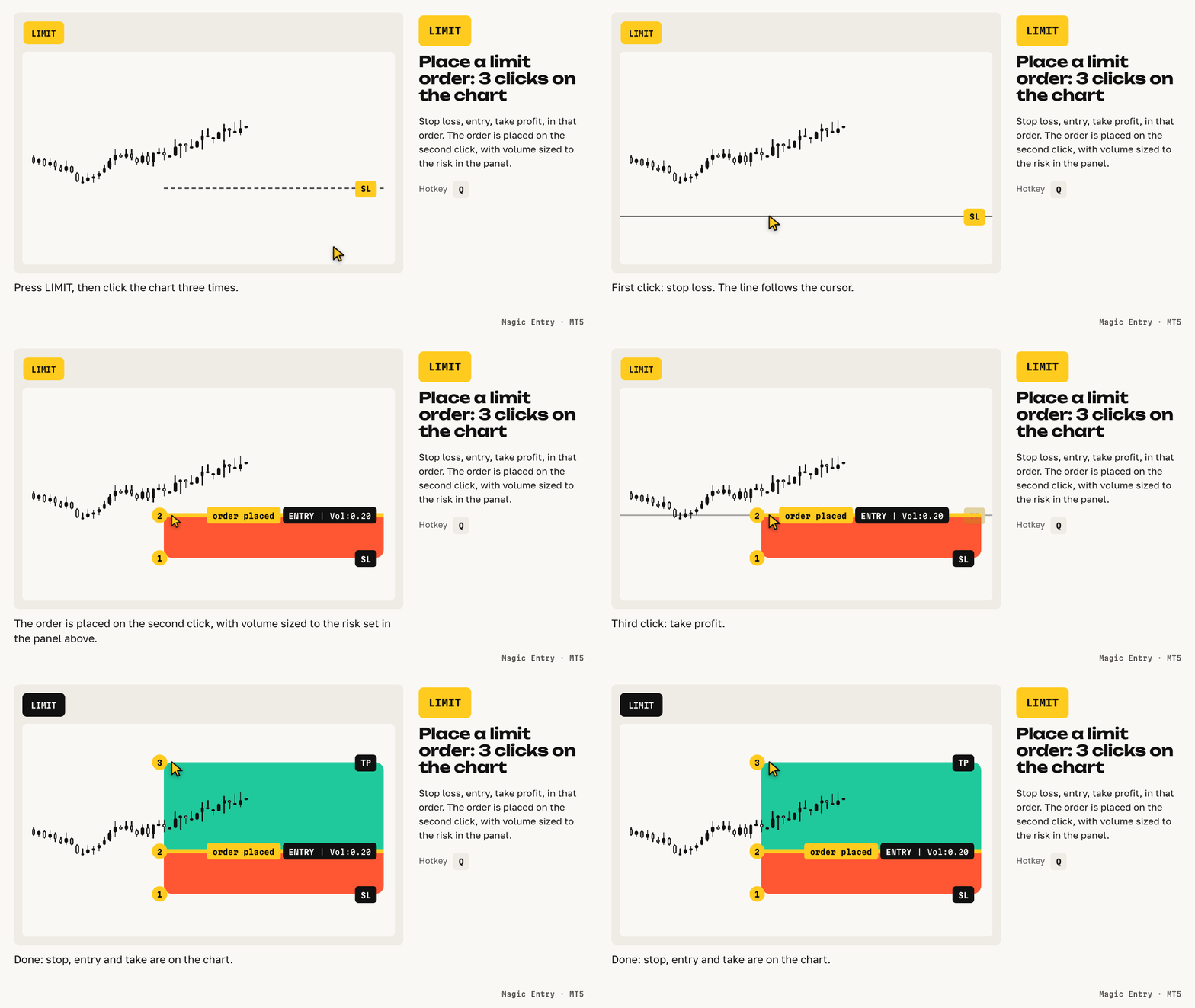
LIMIT: 3 clicks on the chart: stop loss, entry, take profit. The order goes to the broker on the second click, with volume sized to the risk in the panel.
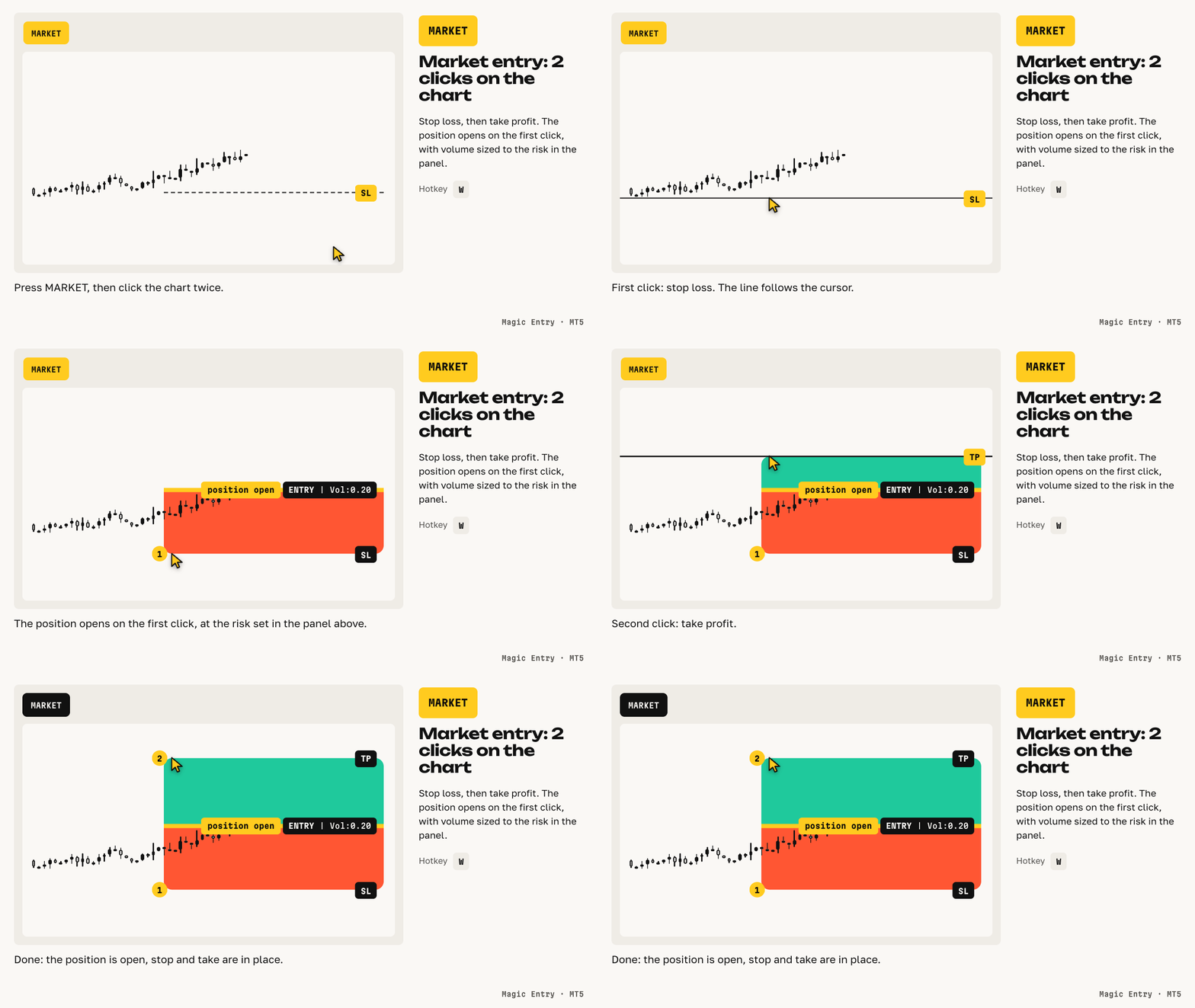
MARKET: 2 clicks: stop loss, then take profit. The position opens right away, on the first click.
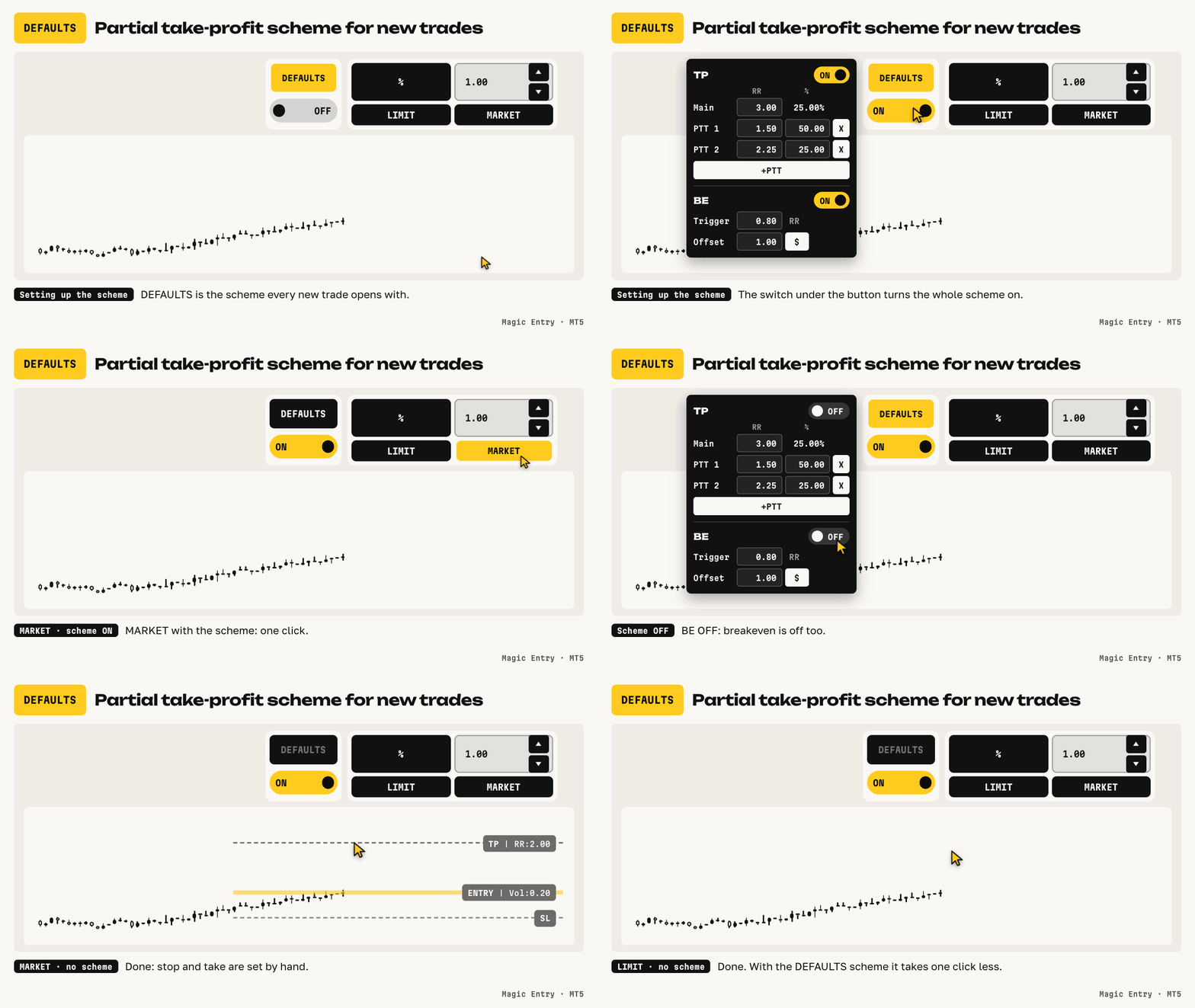
DEFAULTS: a scheme for new trades. Set the take profits with their volume shares and the breakeven once in the DEFAULTS menu. Every new trade then opens with that scheme already in place: MARKET takes one click, LIMIT two. On first start the scheme is: main take at 3R, partial takes at 1R and 2R with a third of the volume each, breakeven at 0.8R.
- The scheme is locked in at the click: menu changes do not affect an order already placed.
- Each chart keeps its own scheme.
- The switch under the button turns the whole scheme off, and everything is set by hand.
2. PNL GUARD: drawdown protection
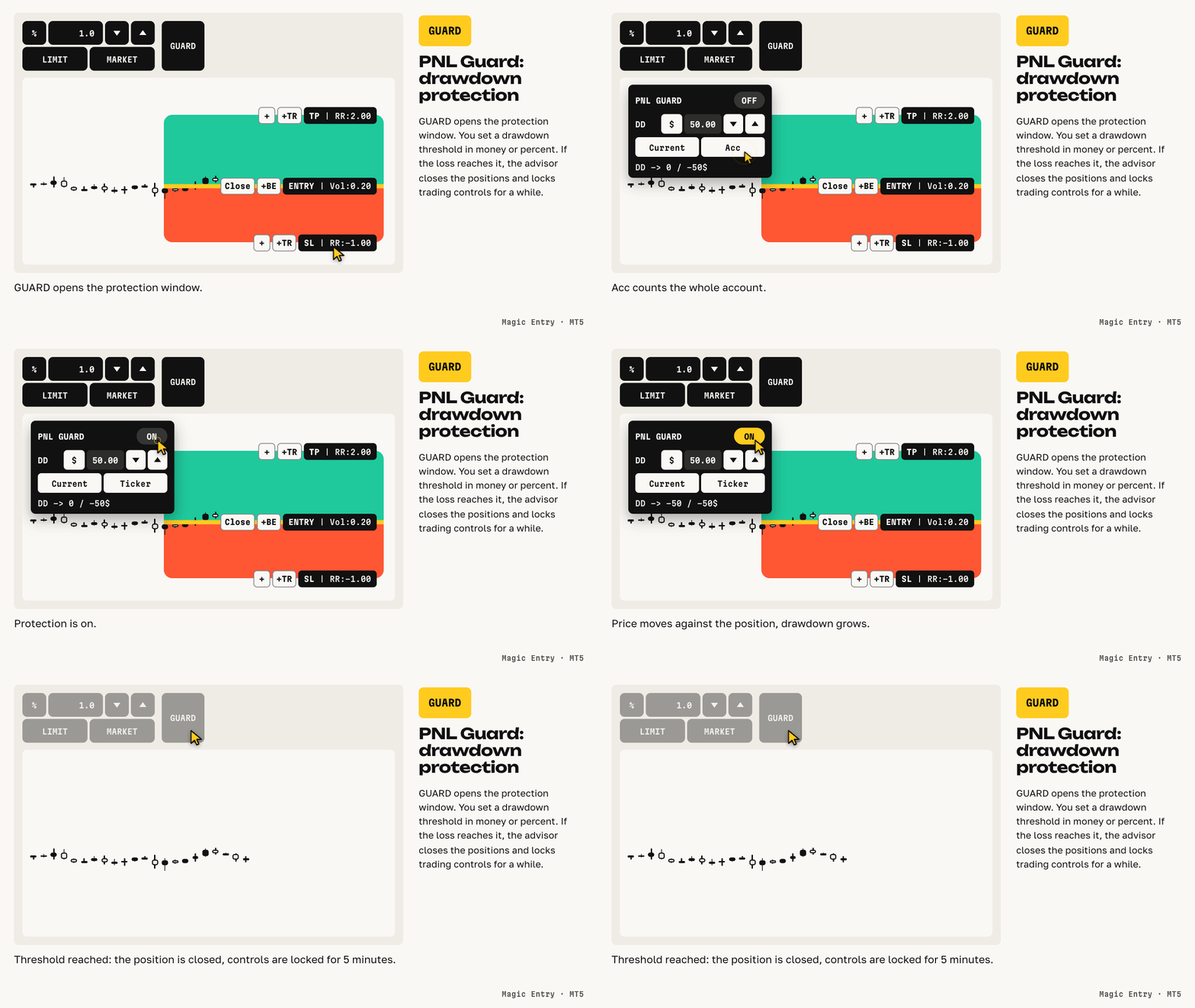
Set a drawdown limit in money or as a percentage. If the loss reaches it, the advisor closes the positions and locks the controls on this chart for a while.
- Ticker tracks only this chart's positions, Acc the whole account.
- Current looks at open positions, Daily at the trading day's result including closed trades. The start of the day is set in the inputs, in broker server time.
- The lock time after a trigger is set in the inputs; the default is 5 minutes.
3. Managing a position right on the chart
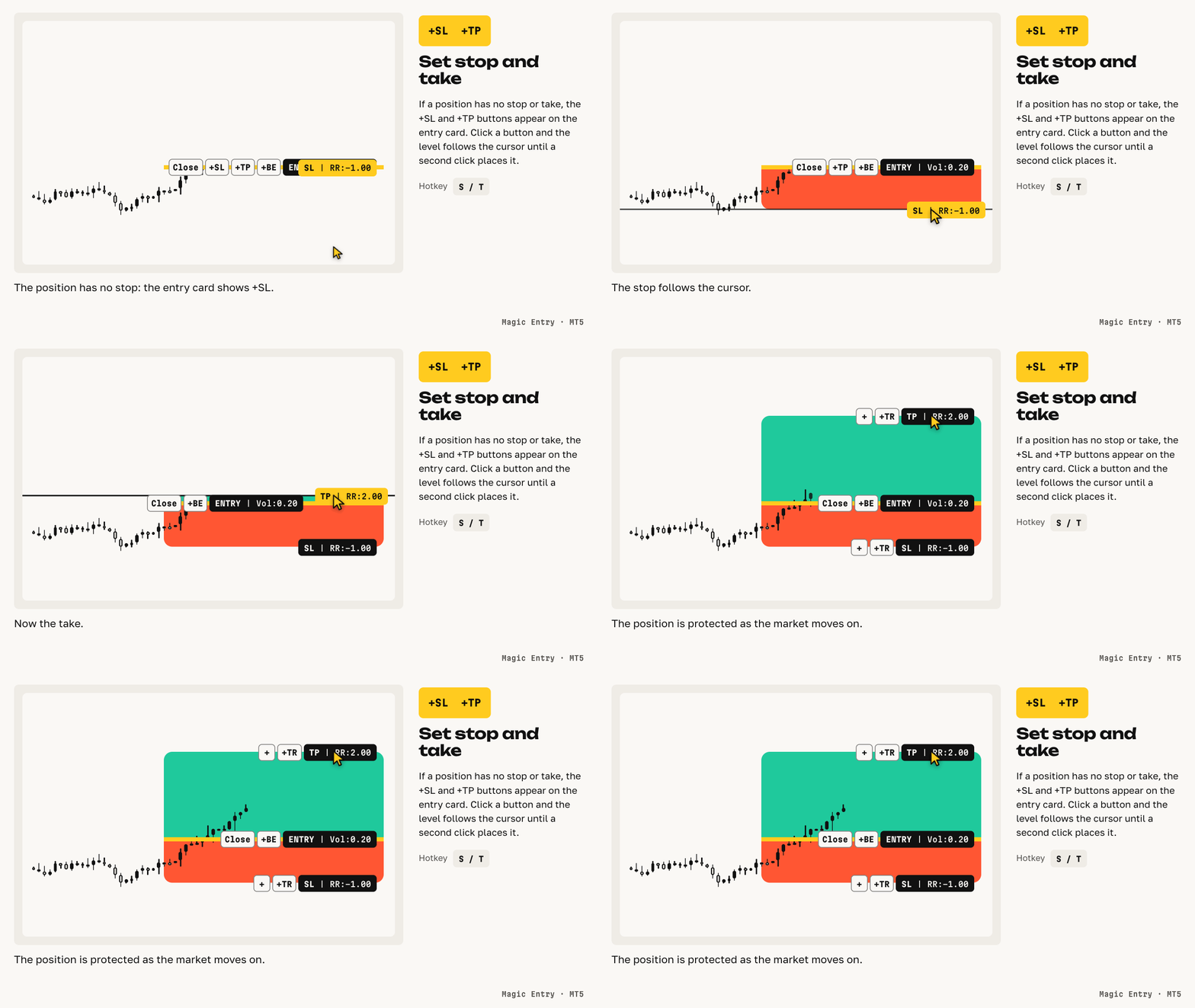
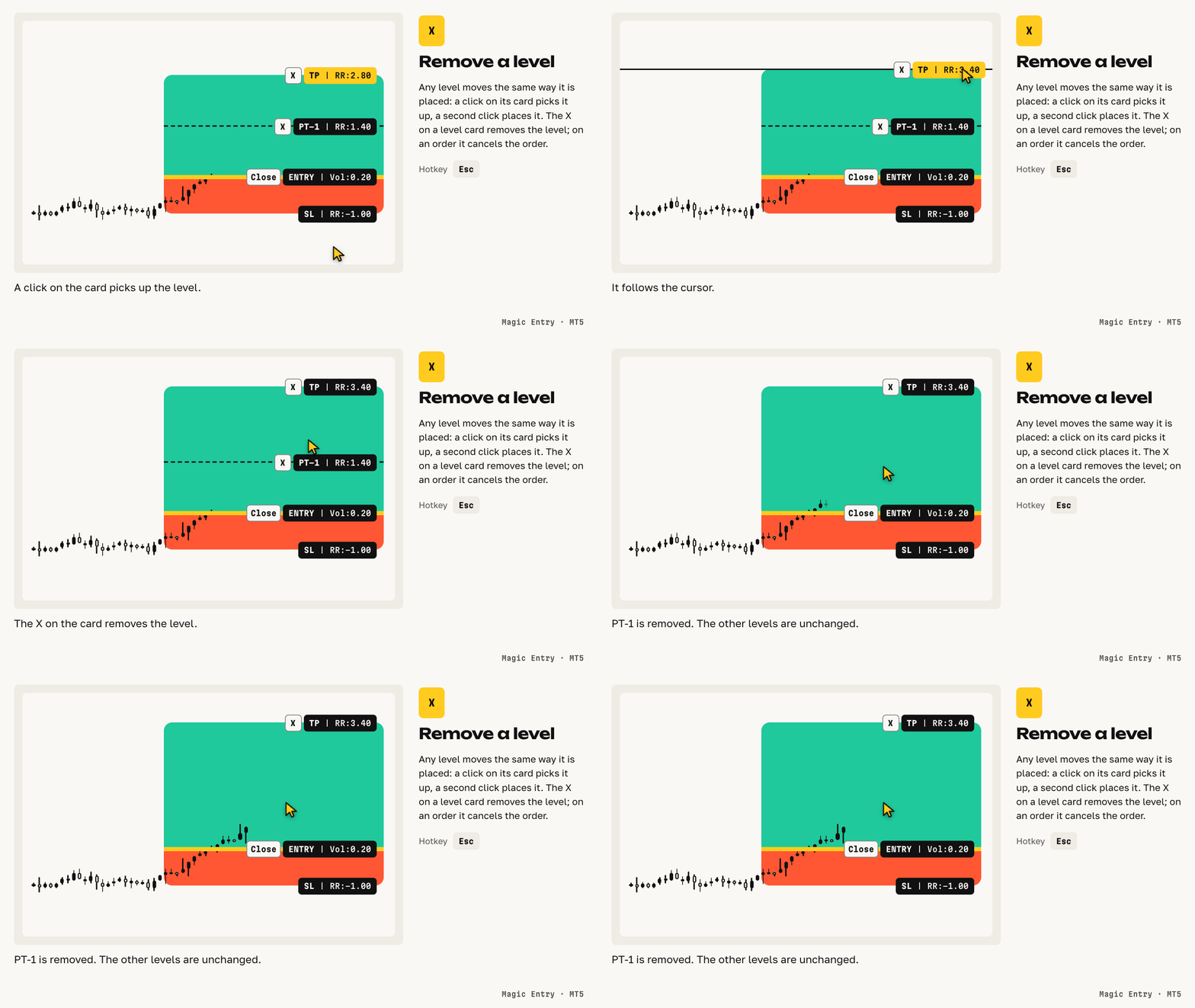
Every level of a position is a card on the chart with its own buttons. Any level moves the same way it is placed: one click picks it up, a second click sets it.
+SL / +TP: when a position has no stop or take, a button appears on the entry card. Click it, the level follows the cursor, and a second click sets it.
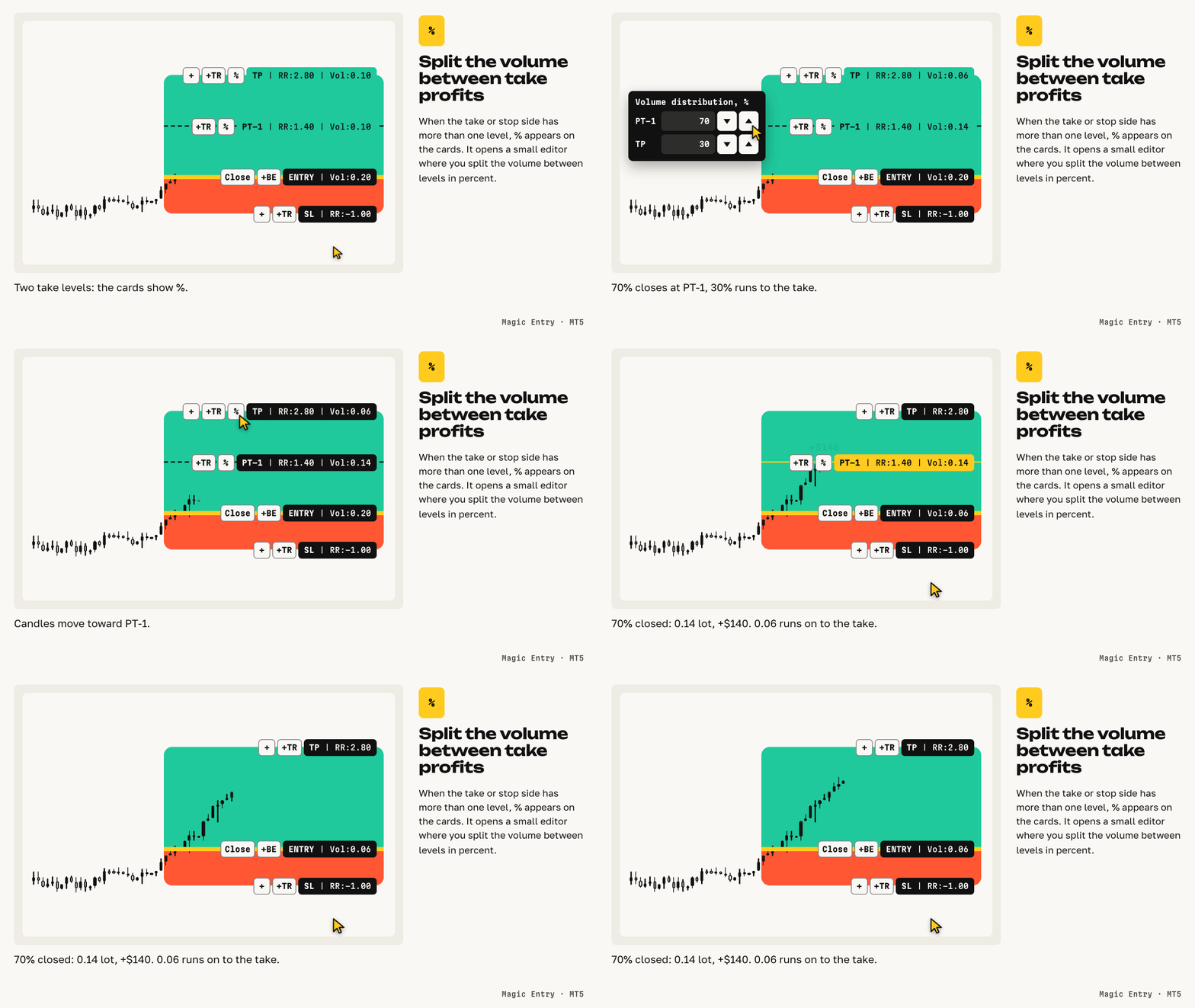
+ adds a partial take. The plus on a take or stop card adds an intermediate level (PT-1, PT-2… on the take side, PS-1, PS-2… on the stop side). When price reaches it, the advisor closes part of the position and the rest keeps running. The number of levels is limited only by the position volume and the broker's minimum lot.
[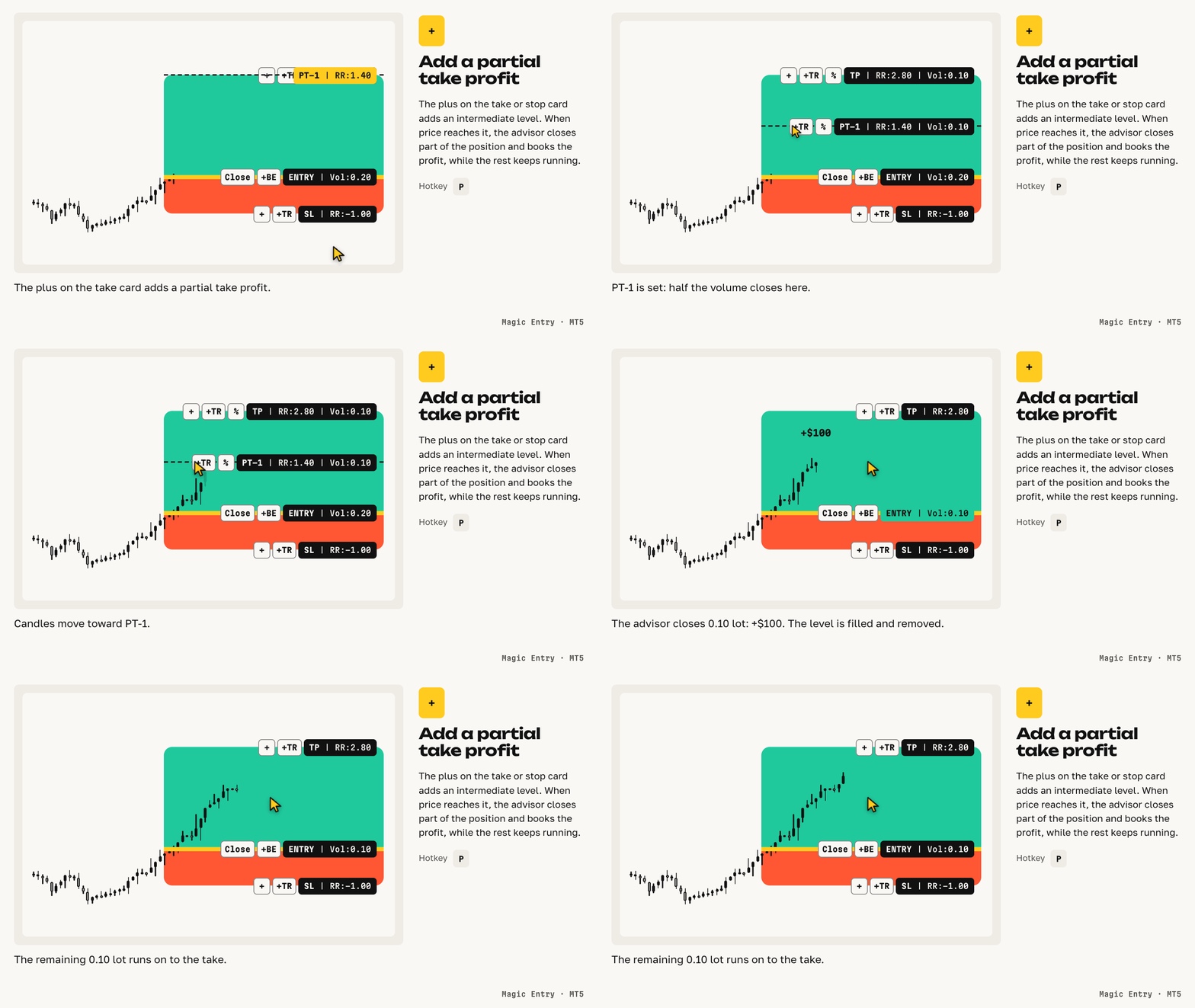
% splits the volume. With more than one level, the % button opens a share editor. Change one level's share and the others are recalculated, so the total stays 100%.
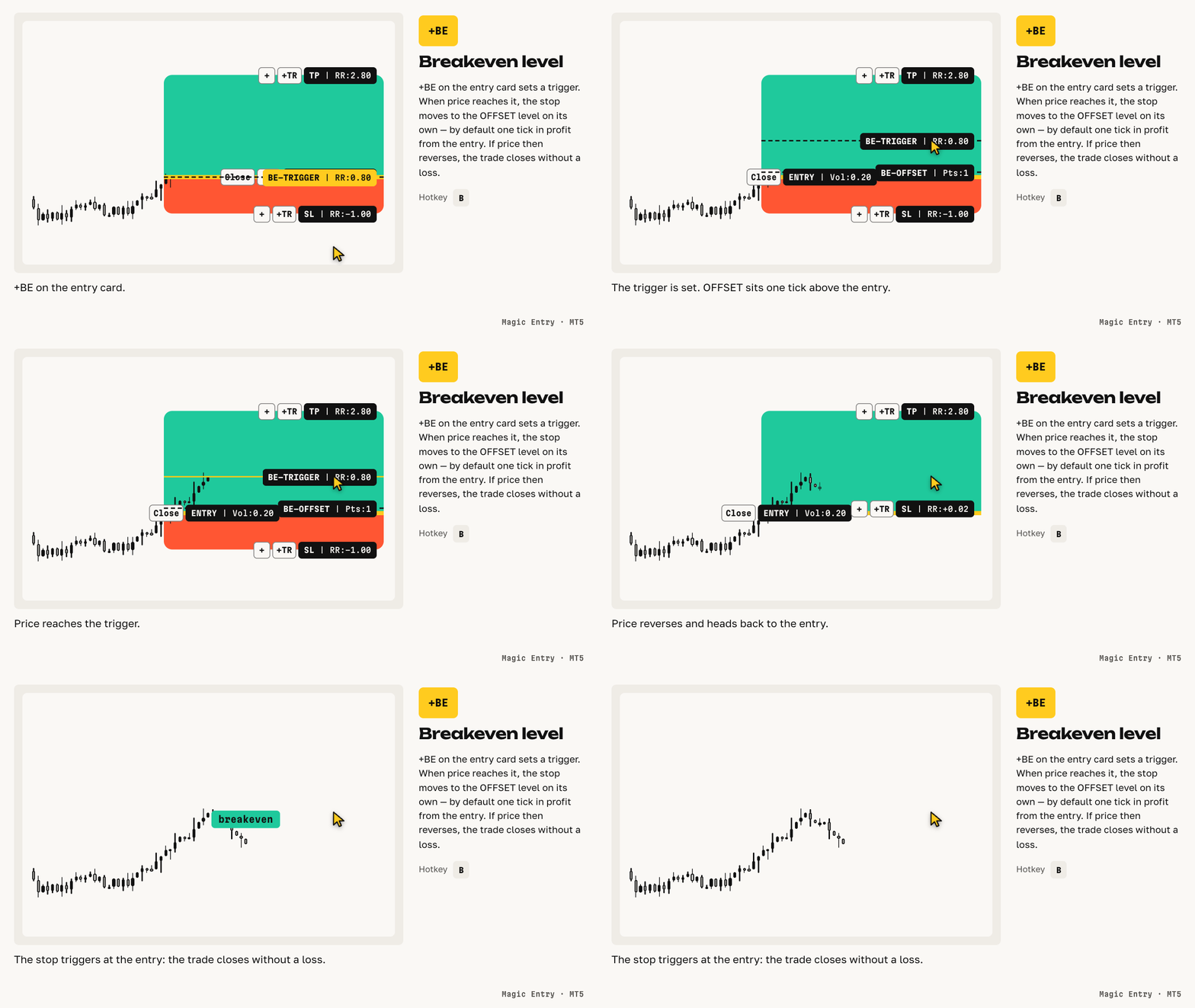
+BE: breakeven. Set the TRIGGER, the price that starts the move, and the OFFSET, where the stop goes. The OFFSET can be any level, not only the entry, and the move can be set up again as many times as you like.
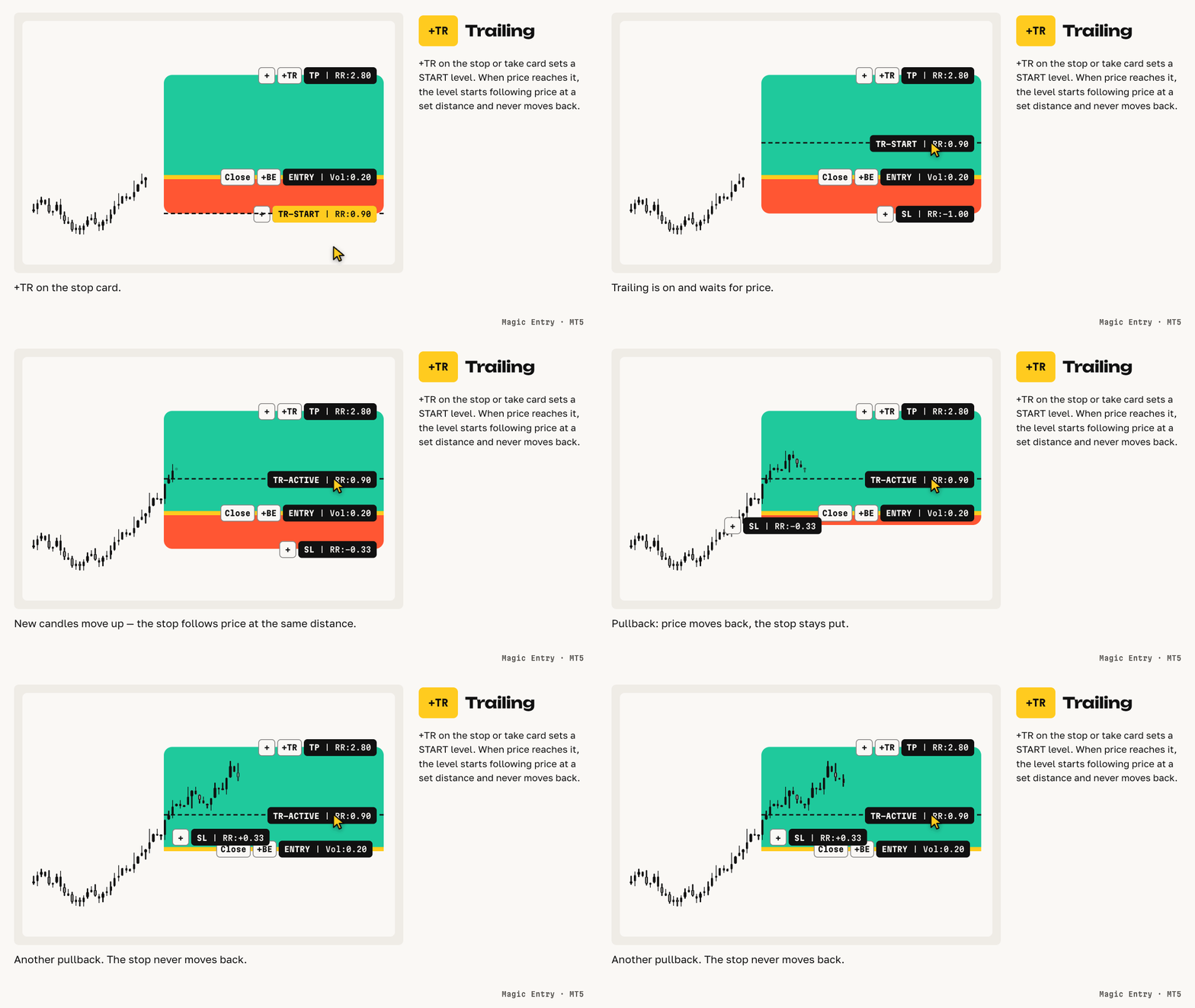
+TR: trailing. START is the price where trailing switches on; GAP is the distance the level keeps from price. The level moves only towards profit and never steps back. The main stop, the main take and every partial level each have their own +TR button.
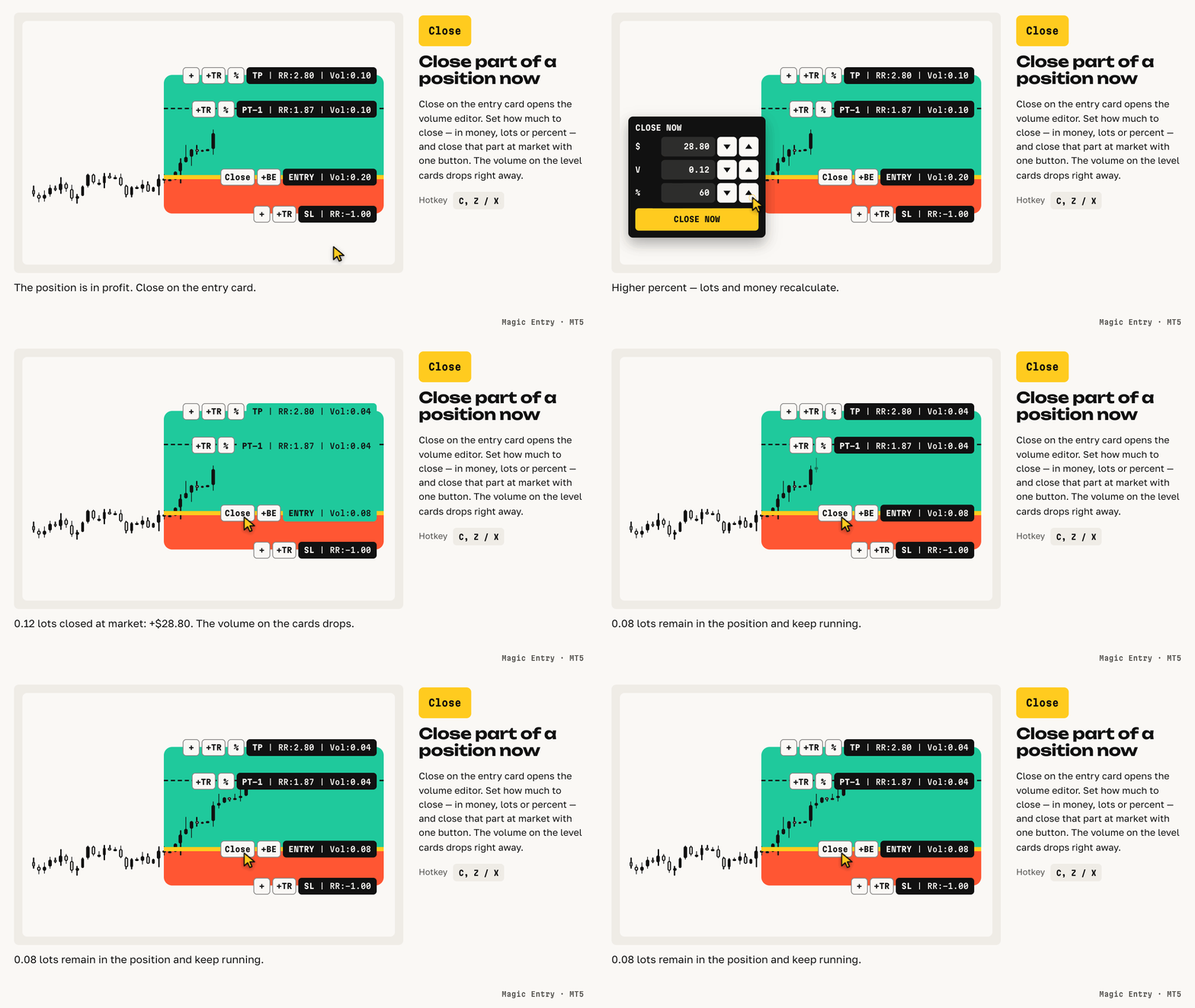
Close: close part of the position now. Set the volume in money, lots or percent (the three fields are linked) and close it at market with one button. The remaining volume is split between the levels in the same shares.
X removes a level. The cross on a card removes only that level; on an order it cancels the order. Esc while moving a level puts it back.
4. Pending orders: cancel and delayed activation
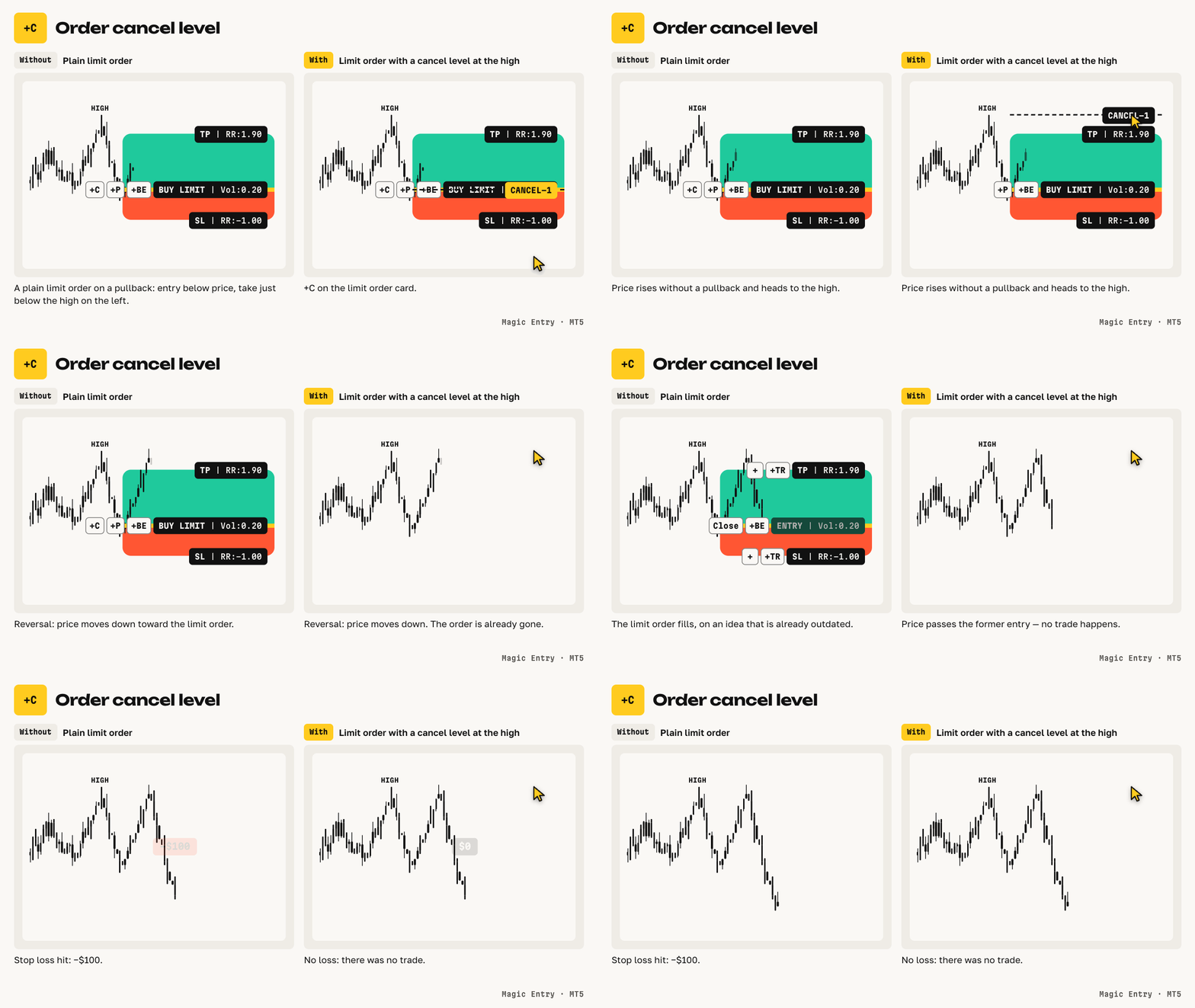
+C: cancel level. If price reaches it before the entry, the advisor removes the order itself. A pullback limit lives only until the key level instead of filling after the idea has already played out. You can set two cancel levels.
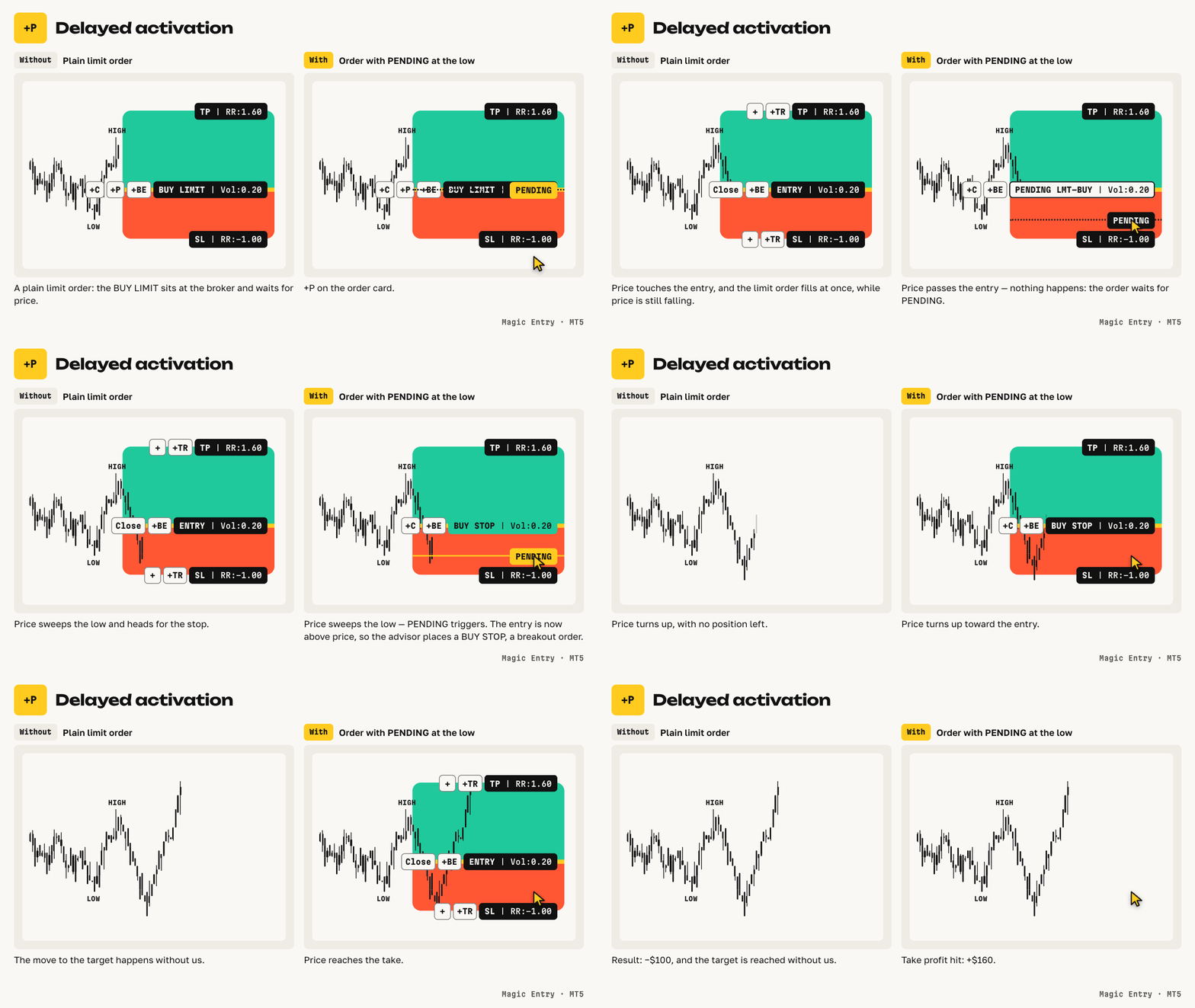
+P: PENDING level. The order is taken off the market and becomes virtual: the advisor sends it to the broker only when price crosses this level. That is how you enter after a low is swept rather than on the first touch. The advisor picks the order type itself: an entry below price becomes a limit order, above price a stop order for a breakout.
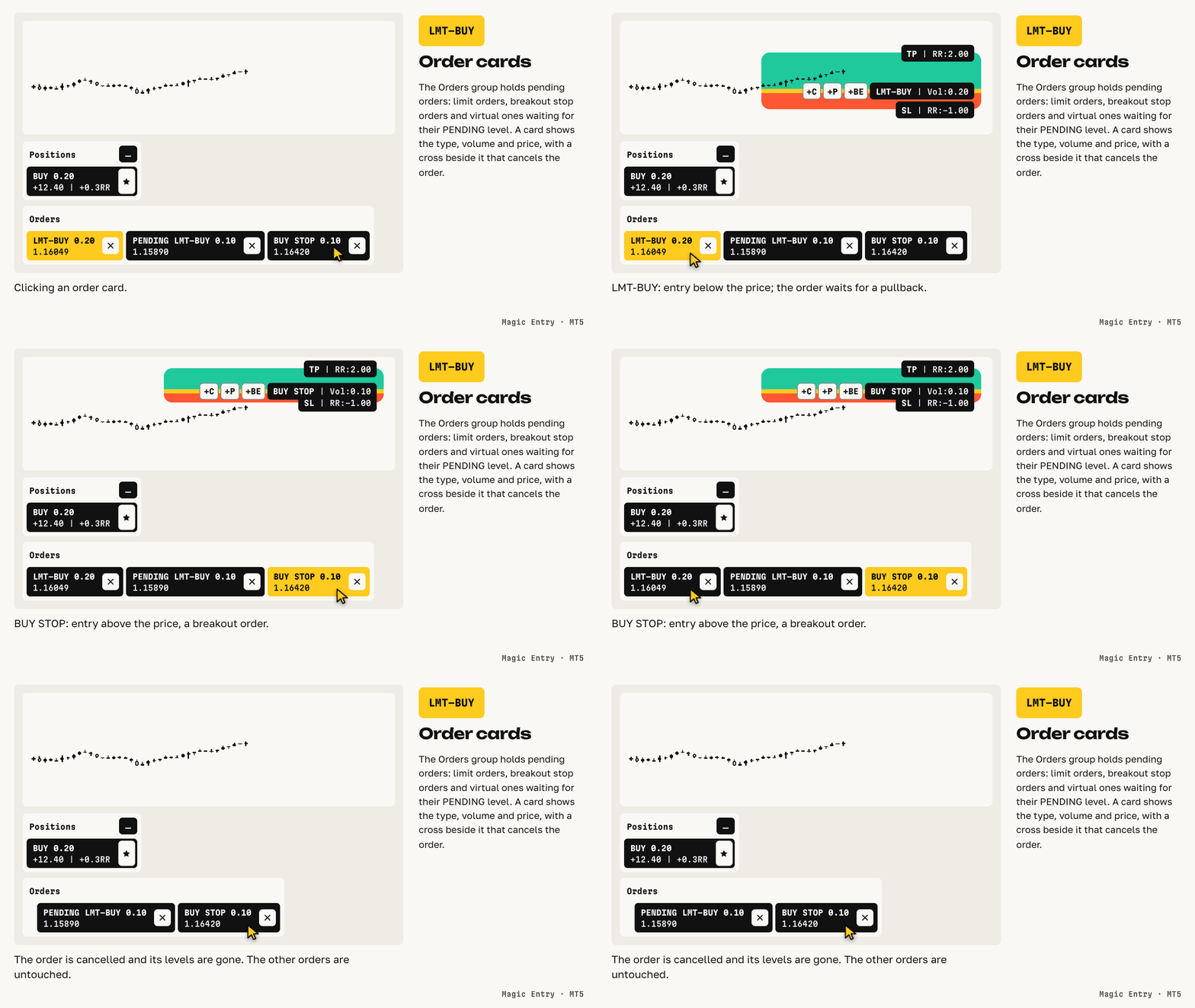
The Orders group shows every order: limit orders, breakout stop orders and virtual ones waiting for their PENDING level. Click a card to see the order's levels on the chart.
5. Many positions, no chaos
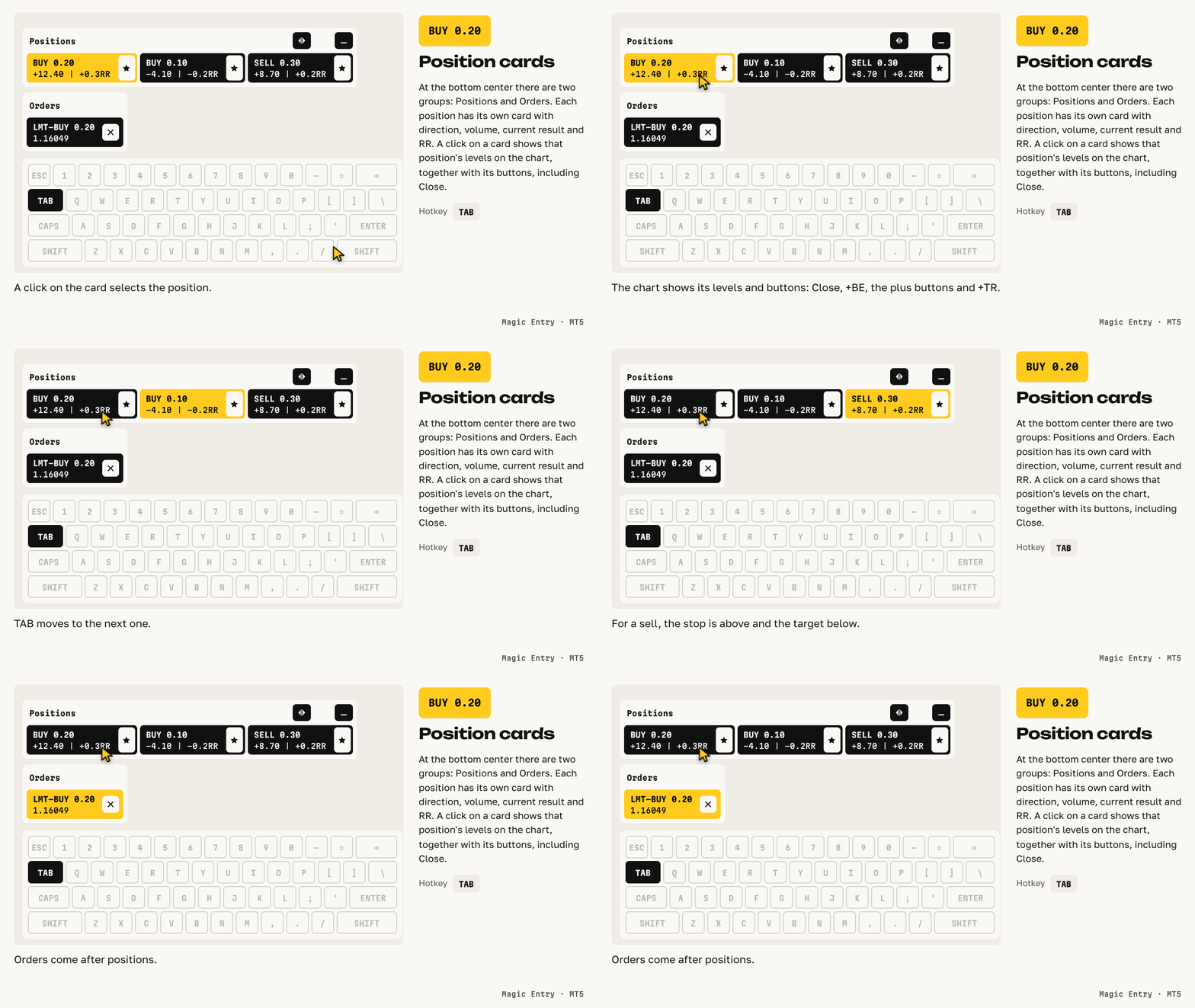
At the bottom of the chart there are two groups of cards: Positions and Orders. A position card shows direction, volume, current result and RR. Click a card to see only that position's levels on the chart; TAB moves to the next one.
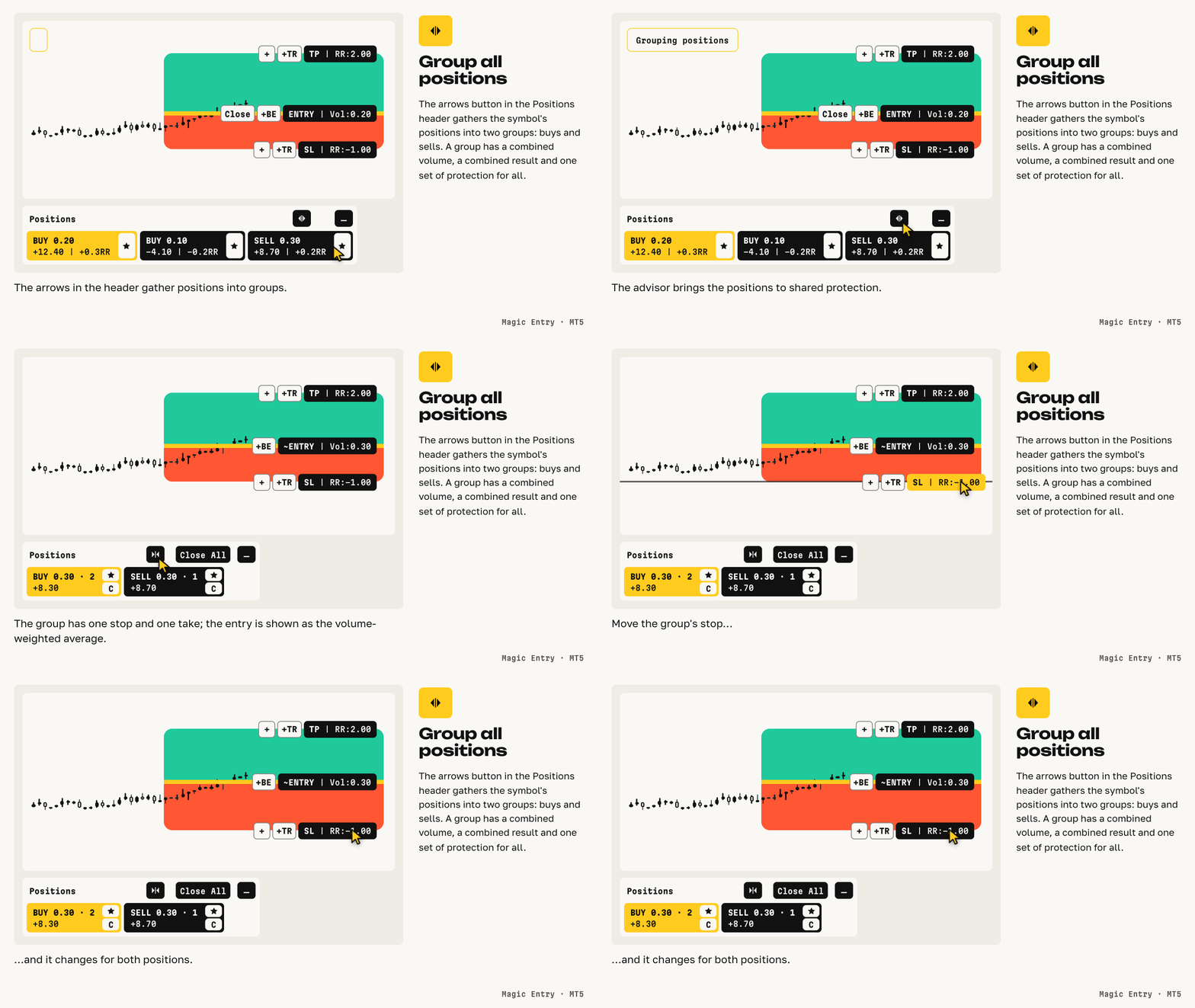
Grouping. One button gathers the symbol's positions into two groups, buys and sells. A group has a shared volume, a shared result and one set of protection: stop, take, breakeven, trailing. New trades in the same direction inherit the group's plan.
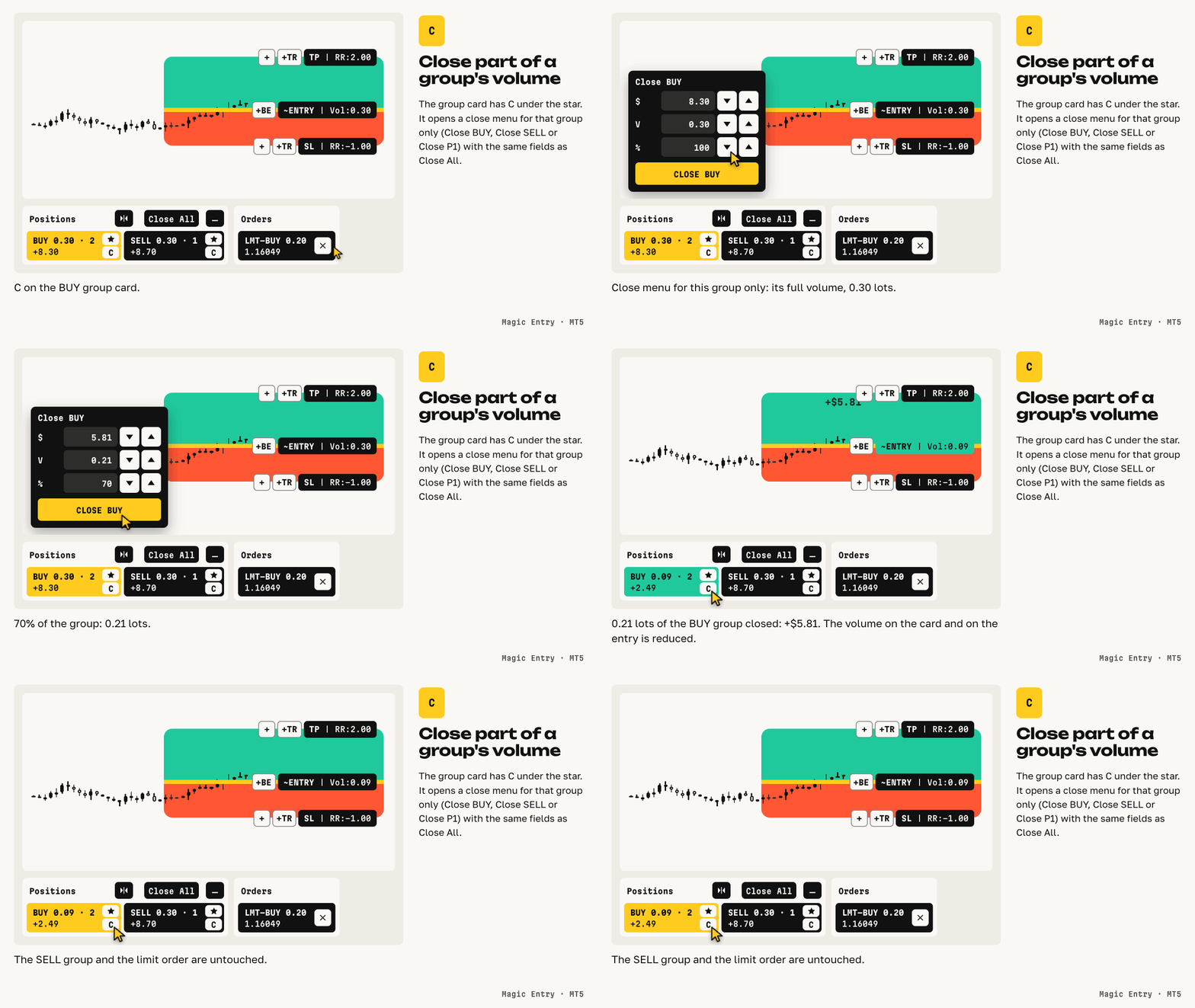
C on a group card closes part of that group's volume only, in money, lots or percent. The other group and the orders stay as they are.
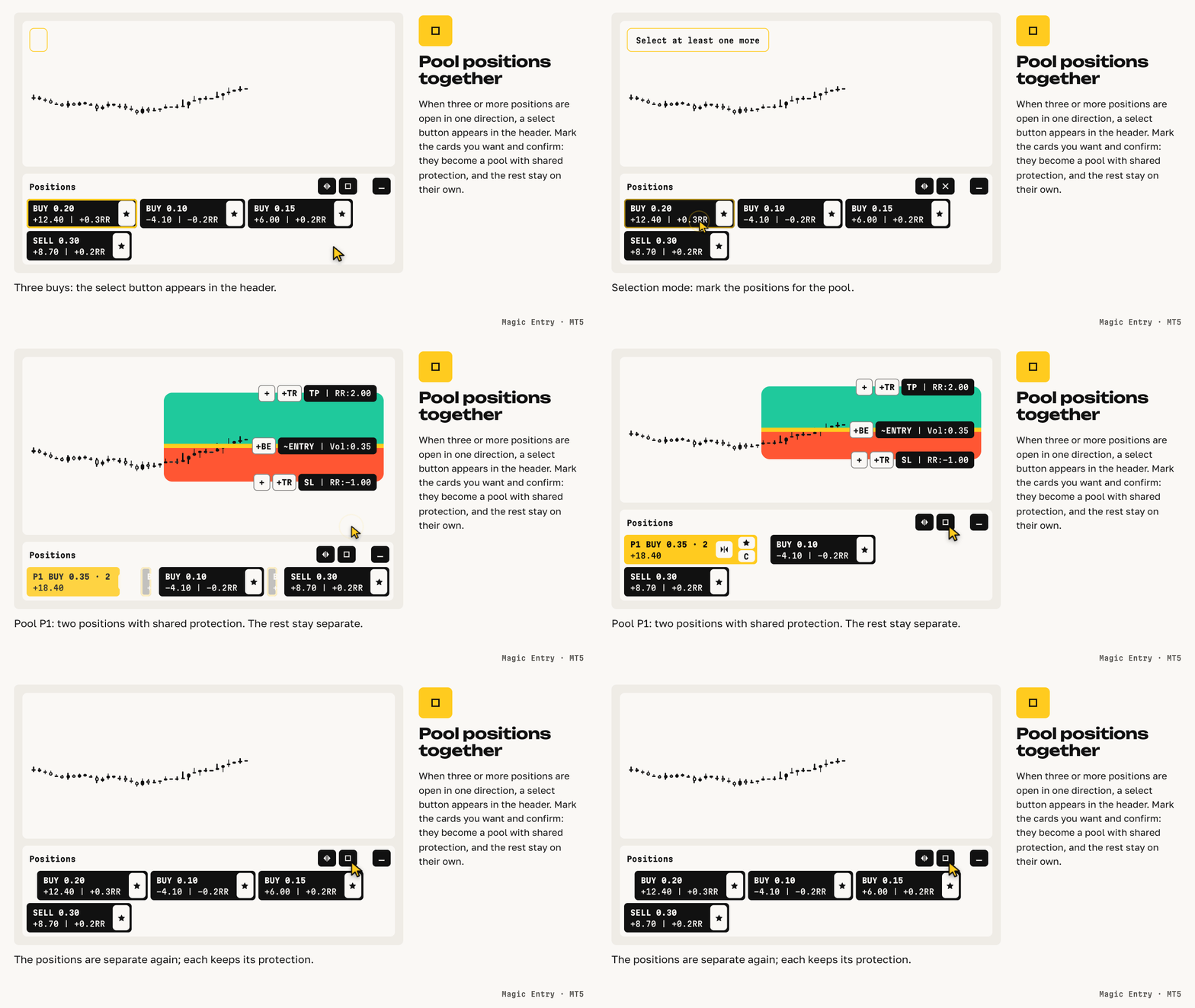
Pools. With three or more positions in one direction, you can pick the cards you need and join them into a pool (P1, P2…) with shared protection, leaving the rest on their own.
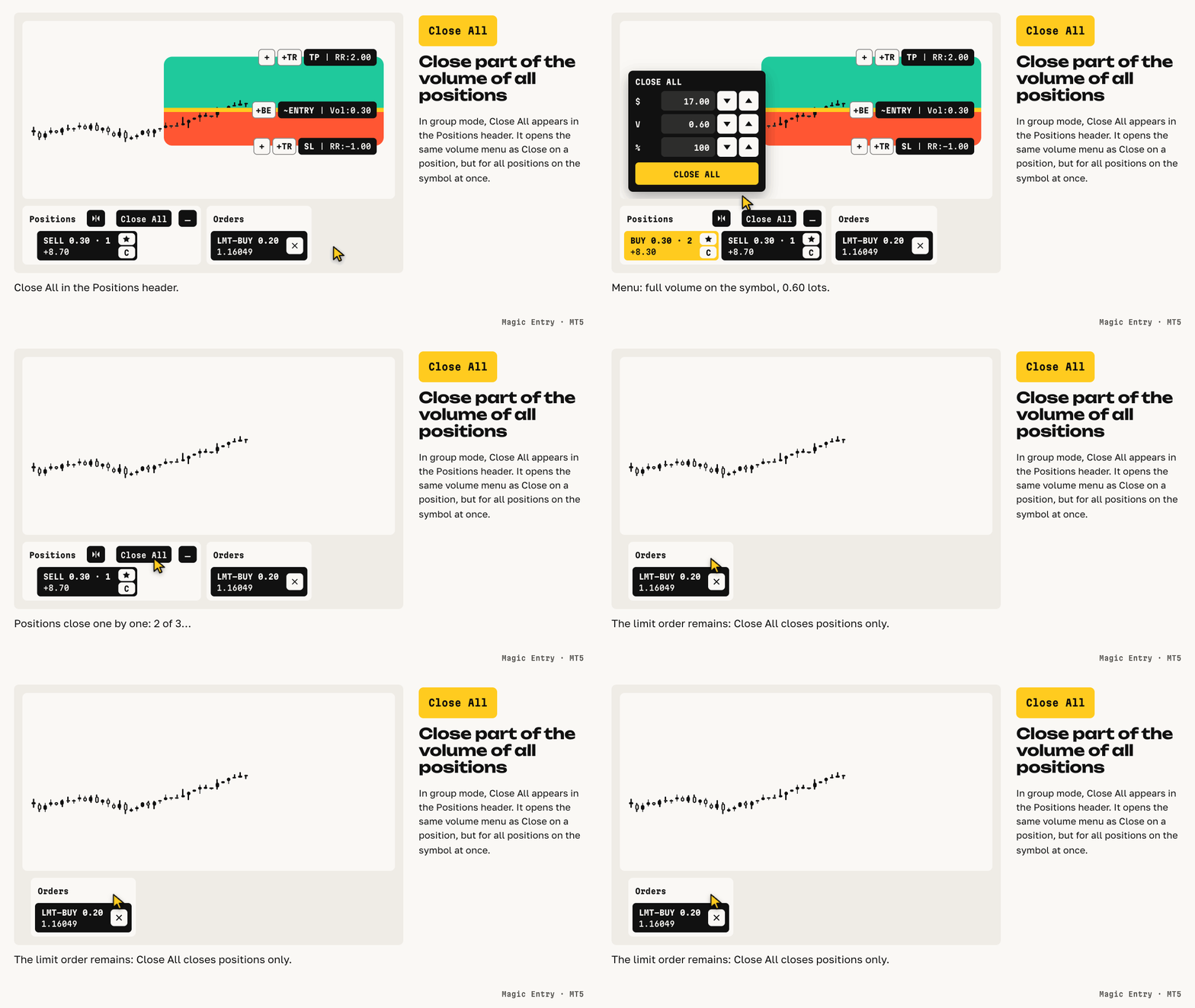
Close All is the same volume menu as Close, applied to all of the symbol's positions at once. It leaves pending orders alone.
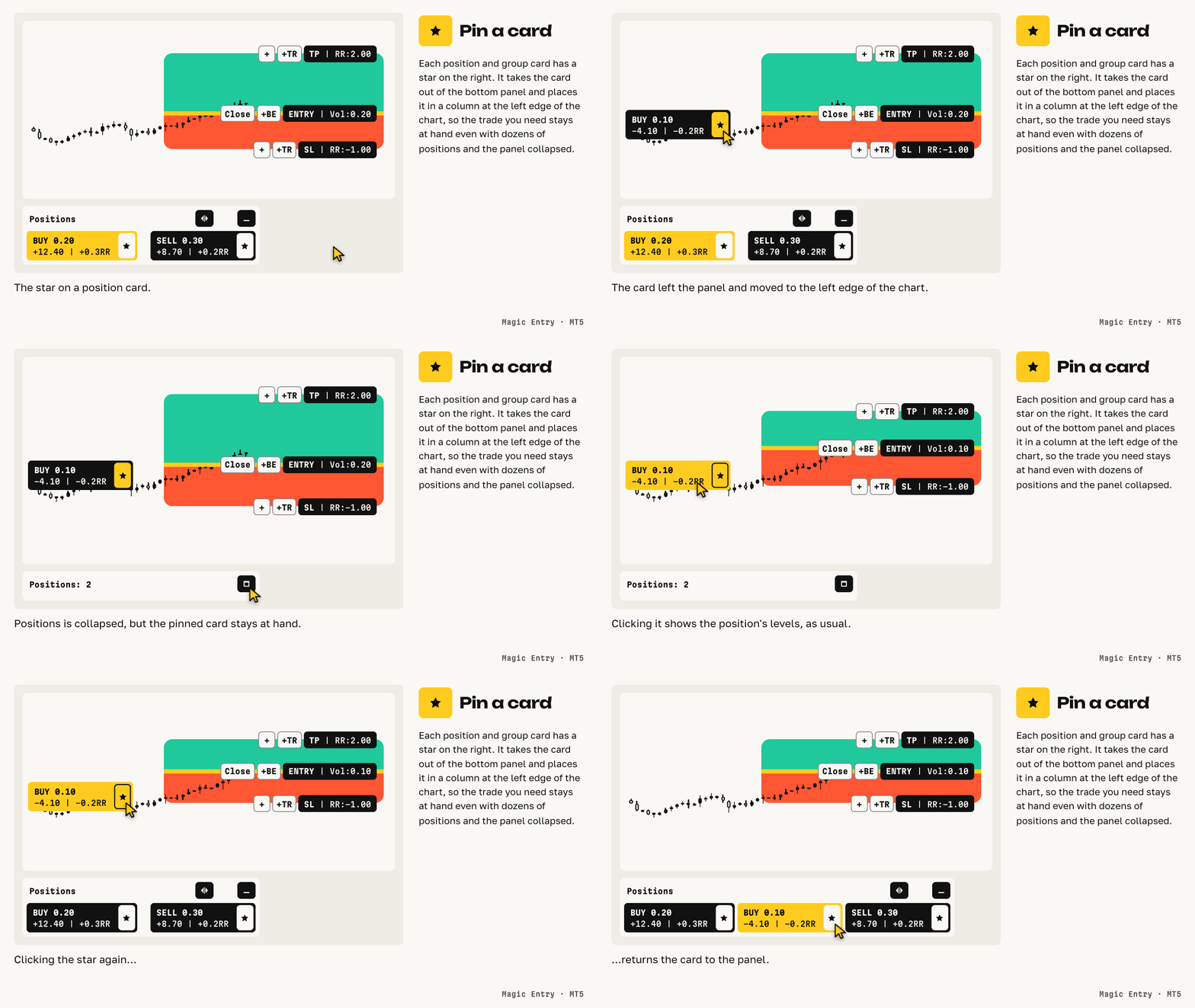
Pin a card. The star moves a position or group into a column at the edge of the chart, so it stays at hand even with dozens of positions open.
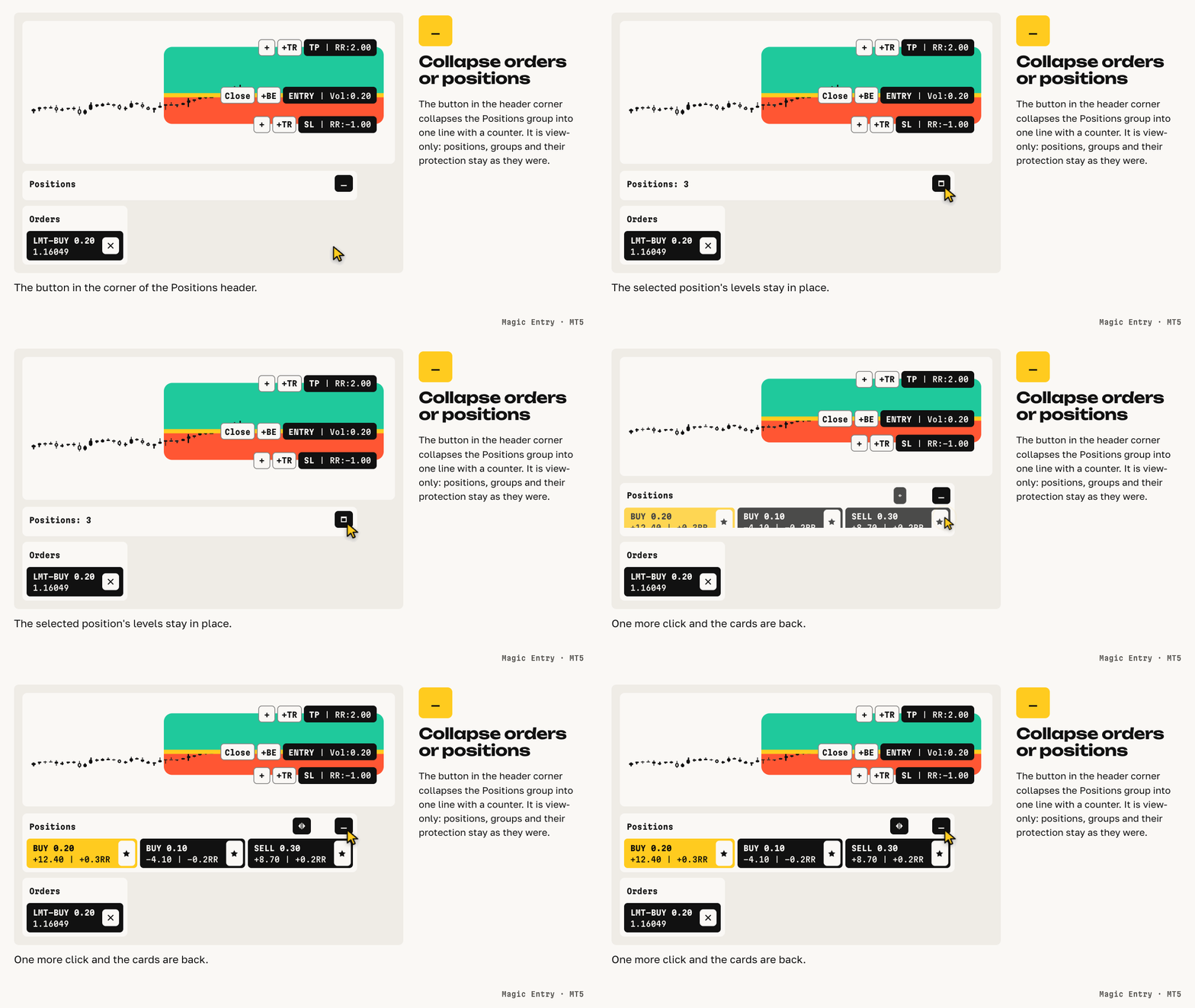
Collapse. The Positions group folds into a single line with a counter. The chart is clear; positions and their protection stay as they were.
6. Hotkeys
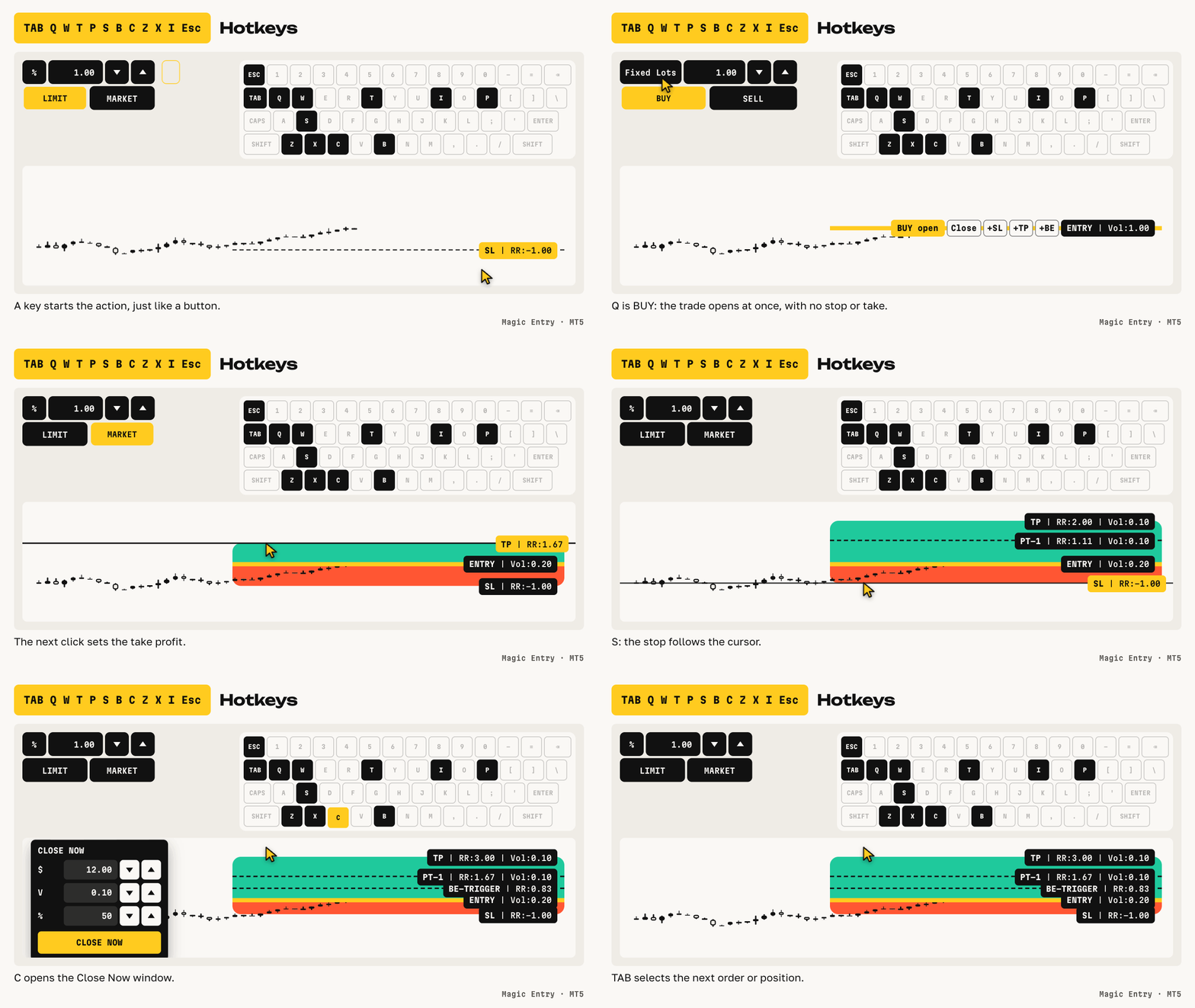
Anything you do with buttons can start from the keyboard: a key starts the action, a click on the chart sets the level.
- Q / W: LIMIT / MARKET entry (BUY / SELL in Fixed Lots);
- T, P, S, B: take, partial take, stop, breakeven;
- C: Close Now; Z / X: ±10% to the volume to close;
- I: cancel level for a pending order;
- TAB: next position or order; Esc: cancel any action.
Keys can be reassigned in the advisor's inputs.
7. Look and feel
- 8 built-in themes: Night, Paper, Graphite, Ivory, Monochrome, Monochrome Inverse, Olive, Burgundy. The menu theme and the chart-level theme are chosen separately.
- UI size: presets from 720P (largest elements) to 2880P (smallest), or AUTO by screen width.
- COMPACT / NORMAL: short labels and narrow buttons, or full labels.
- Level labels: optionally show price, RR, points, money and volume on every line.
8. Precise calculations
- Commission. Enter your broker's round-turn commission per lot, and in % and $ modes the volume is reduced so that the stop loss plus commission never exceeds your risk.
- Spread. A sell closes at Ask while candles are drawn by Bid. The advisor places a sell stop one spread above the click and resizes the volume to the same risk, so the trade is not knocked out by the spread.
- Margin. Before placing a pending order, the advisor checks that there will be enough free margin when it fills and reduces the volume if needed.
- Hints. A bar under the entry panel tells you what is happening and checks the volume. A reference of all the advisor's notifications is on the site.
Limitations: worth knowing
- The DEFAULTS scheme is not available in Fixed Lots mode: such a trade has no stop at entry.
- A take on an open position cannot be placed closer to price than the spread; breakeven and trailing also step back by the spread.
- Key combinations with Ctrl, Shift and Alt are not supported.
- Magic Entry guarantees the calculations and the execution, not the profitability of trades: the trader always makes the decision.
Links
- Magic Entry on the MQL5 Market: mql5.com/en/market/product/142204
- Description and manual: hinn.in/en/magic-entry
- Install, update and support log: hinn.in/en/magic-entry/faq
- Advisor notifications reference: hinn.in/en/magic-entry/red-codes
- Support chat: t.me/TradingPlusChatBot
- All official links and channels: hinn.in/en/nav