Goldfinger AI v20.11 & Bitfinger AI v1.1 Released: Adaptive High-DPI Retina & 4K HUD Engine

We have officially released Goldfinger AI v20.11 (XAUUSD H1) and Bitfinger AI v1.1 (BTCUSD H1) on MQL5 Market, introducing a full Adaptive High-DPI UI Scaling Engine across every terminal layout.
1. Why This Update Matters
On standard 96 DPI (100%) development displays, the telemetry HUD rendered cleanly — however, on 125%–200% Windows scaling (4K monitors, Retina Boot Camp laptops, and dense 2x2 split-screen setups), some users could experience clipped borders, oversized fonts, or overlapping scanner pills.
2. What Changed in v20.11 & v1.1
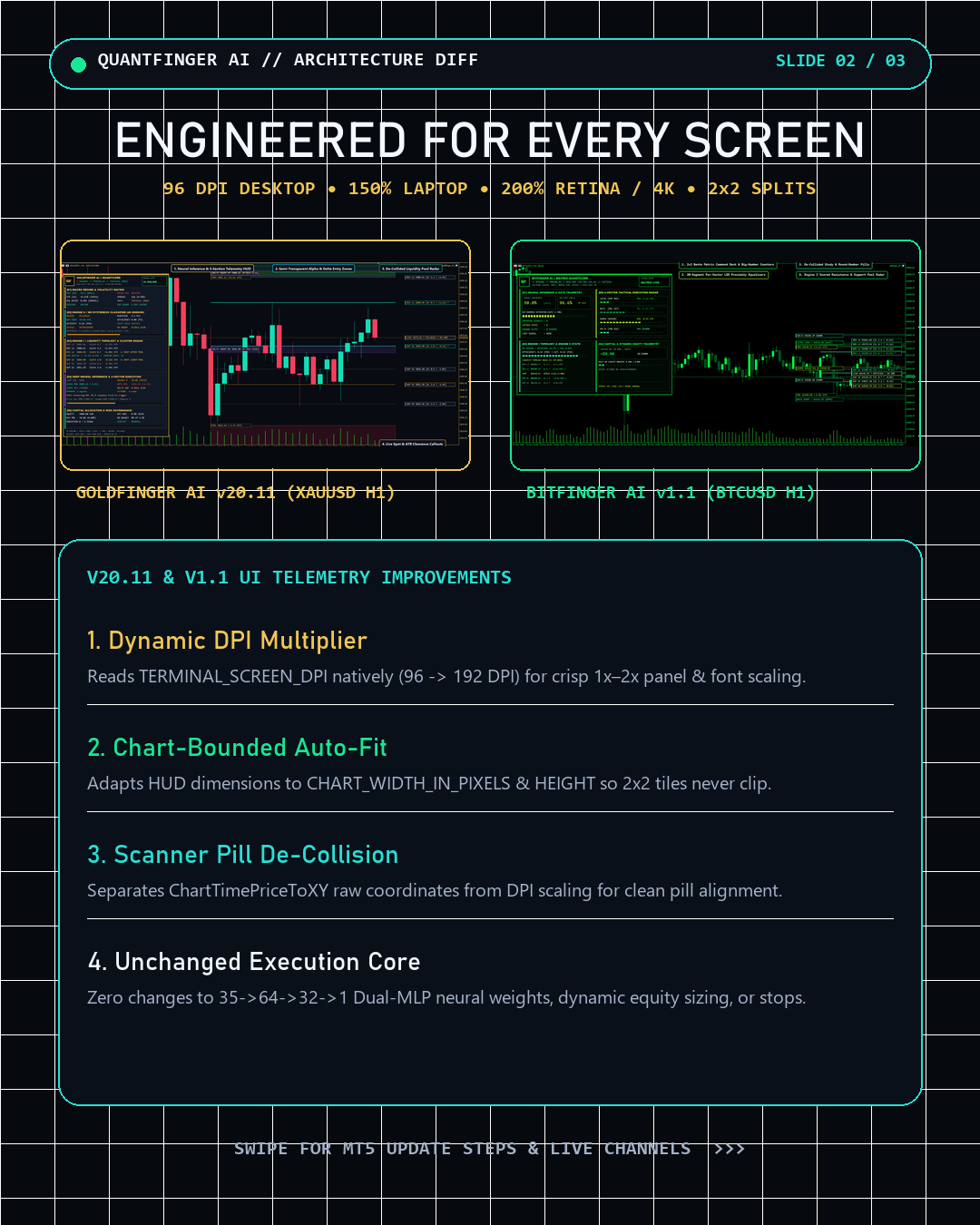
- Native TERMINAL_SCREEN_DPI Multiplier: Automatically scales panel width/height, borders, and Consolas typography smoothly from 100% (96 DPI) up to 200% (192 DPI).
- Chart-Window Auto-Fit Bounds: Reads CHART_WIDTH_IN_PIXELS and CHART_HEIGHT_IN_PIXELS dynamically so tiled charts never clip the bottom risk governance section.
- Raw ChartTimePriceToXY Separation: Decouples live level anchor coordinates from HUD scaling and enforces vertical pill de-collision.
- Zero Changes to Trading Core: Neural weights (35->64->32->1 Dual-MLP), 0.75% dynamic equity sizing, hard stops, and daily drawdown breakers remain 100% untouched.
3. Week-1 MQL5 Momentum & How to Update
Combined demo downloads have passed 43+ downloads in Week 1 (22 on Bitfinger AI at Rank #336 with first paid licenses, and 21 on Goldfinger AI).
To update in 30 seconds: open MT5 Terminal -> Market -> Purchased / Downloads -> click Update on Bitfinger AI (v1.1) or Goldfinger AI (v20.11), and re-attach to your H1 chart.
Official Links:
- Goldfinger AI (XAUUSD H1 — v20.11): https://www.mql5.com/en/market/product/206511
- Bitfinger AI (BTCUSD H1 — v1.1): https://www.mql5.com/en/market/product/209493
- Ecosystem Portal & .set Presets: https://quantfinger-ai.netlify.app
- Live Telemetry Telegram: https://t.me/QuantFingerAILive
Note: Strategy Tester metrics reflect historical Real-Tick simulations; past performance does not guarantee future results. Trading leveraged CFDs carries risk.