JET Range Filter (Free + PRO): a filter line that stays flat in sideways noise and follows clear moves

JET Range Filter is a new indicator for MetaTrader 5 that draws on the price chart a filter line with a band above and below it. The line stays flat while price moves sideways inside its range and follows price when the move is clear; its color shows the direction. It comes in two editions: JET Range Filter, free, with the line and the bands on fixed settings, and JET Range Filter PRO, which adds turn arrows, colored candles, editable settings, calculation on a higher timeframe, a 4-timeframe panel, alerts and data for Experts.
How it works
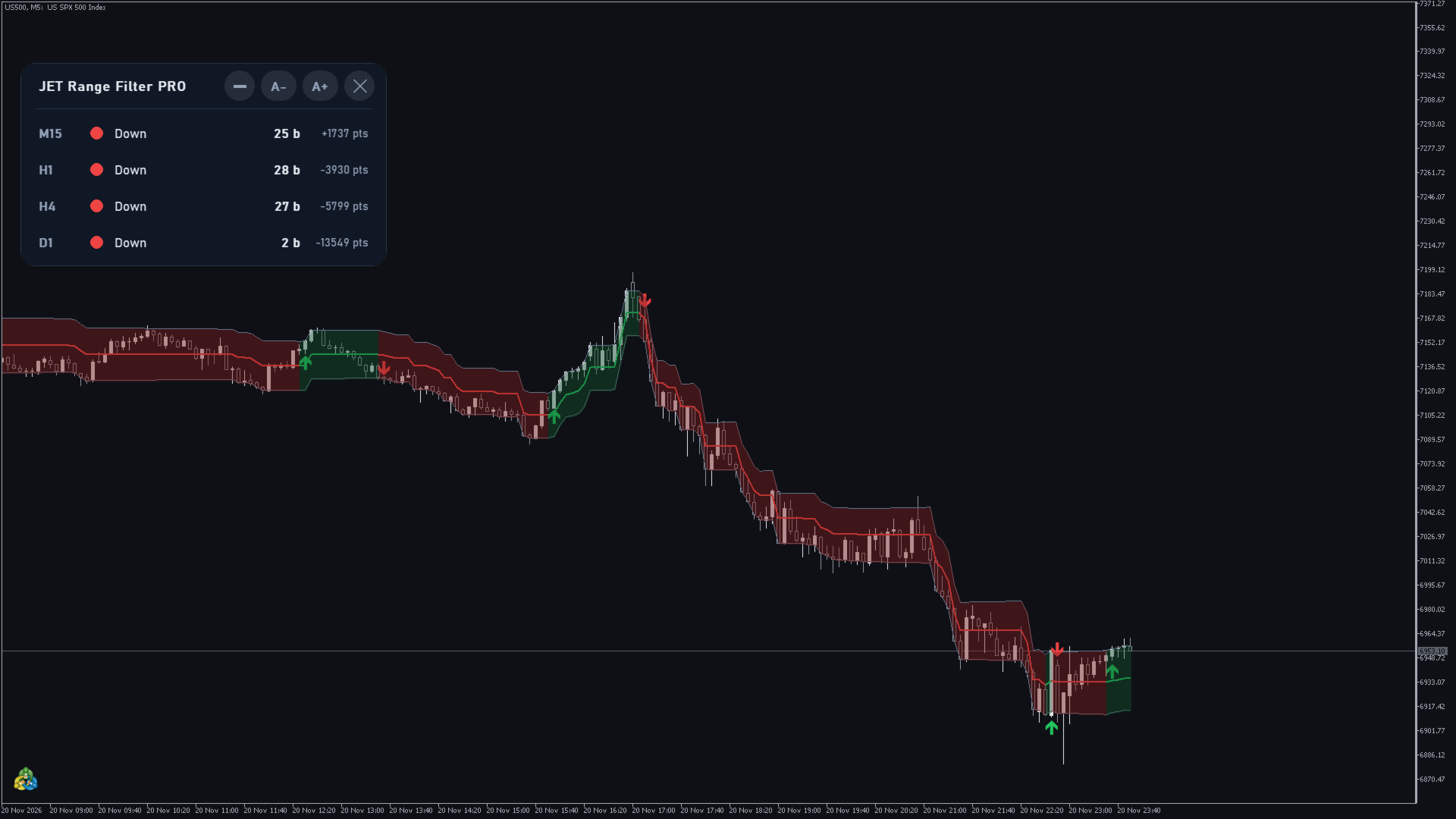
The filter line moves only when price leaves its range. While price moves sideways inside the range, the line stays flat and ignores the noise; when the move is clear, the line follows price. Its color shows the direction: green when the line is rising, red when it is falling and gray before the first move. The upper and lower bands mark the limits of the range and widen and narrow with market volatility.
When the direction turns, the PRO version marks the closed bar with an arrow: green below the bar for a turn up, red above the bar for a turn down.
Values are evaluated on the closed bar and do not repaint: once a bar has closed, its line, bands and arrow never change. The forming bar keeps updating until it closes. It is an indicator only: it never opens, closes or changes orders.
Free or PRO?
| Free | PRO | |
|---|---|---|
| Filter line colored by direction | yes | yes |
| Upper and lower bands with a fill between them | yes | yes |
| Values on the closed bar, no repainting | yes | yes |
| Turn arrows on the closed bar | — | yes |
| Candles colored by direction | — | yes |
| Editable price, range mode and range size (Free: fixed settings) | — | yes |
| Bands and fill that can be turned off, editable colors and line width | — | yes |
| Calculation on a higher timeframe (Free: chart timeframe only) | — | yes |
| Panel with 4 timeframes, dark / light / automatic theme (Free: dark colors) | — | yes |
| Alerts: popup, sound, push notification, e-mail | — | yes |
| Data for Experts (iCustom buffers) | — | yes |
What you see in the PRO version
JET Range Filter PRO draws the same filter line and bands as the free version and adds the marks and tools below.
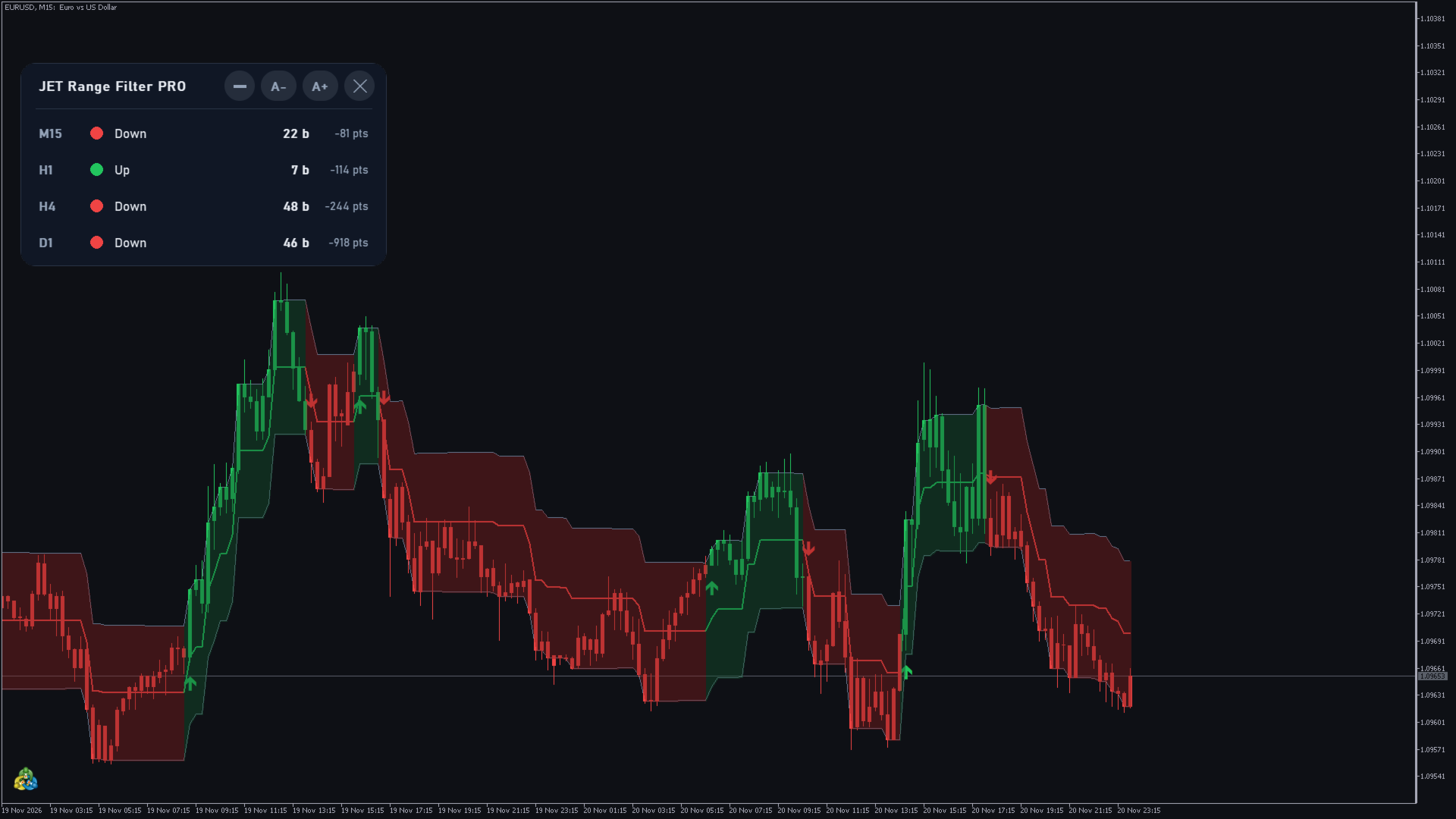
- Filter line in green (rising), red (falling) or gray (neutral), with editable width.
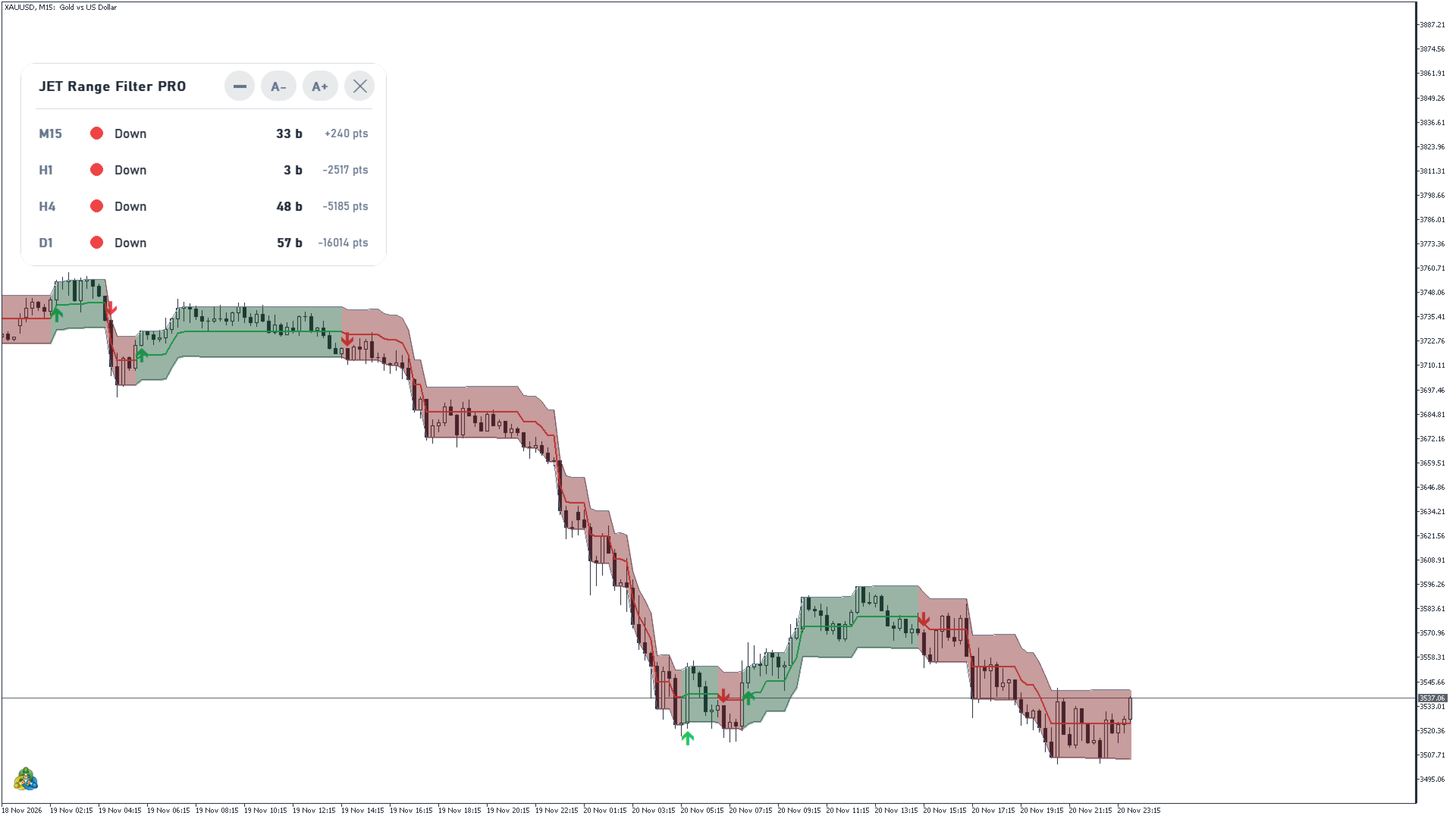
- Upper and lower bands with a fill in the color of the direction; the bands and the fill can each be turned off.
- Turn arrows on the closed bar: green below the bar for a turn up, red above the bar for a turn down.
- Optional candles colored by direction: green while the direction is up, red while it is down (off by default).
- State panel with 4 timeframes (M15, H1, H4 and D1 by default).
Settings and timeframes
Calculation
- Price: the price the line follows: Close (default), HL2, HLC3 or OHLC4.
- Range: three range modes, including Adaptive (default), which adjusts the range to the recent volatility, and Fixed points, a range of constant size.
- Range multiplier (0.1-20): the width of the range (3.0 by default). Larger values give wider bands, a flatter line and fewer turns; smaller values give a line that follows price more closely and turns more often.
- Range period (2-1000): how quickly the range adapts to changes in volatility (100 by default). Larger values give a smoother, steadier range.
- Fixed range in points (0 = automatic for the symbol): used with Range = Fixed points. With 0, the indicator picks a size suited to the symbol and shows it once in the Experts tab of the terminal.
- Bars to calculate (500-50000): 5,000 by default.
- Timeframe of the calculation (current or higher): for example H1 values on an M15 chart. The values come from the last closed bar of that timeframe.
Display
- Show bands, Fill between the bands, Arrows on turns (on by default) and Color the candles by direction (off by default).
- Colors: Up, Down, Neutral, Band fill, up and Band fill, down; Filter line width (2 by default).
Nothing is recalculated on closed bars: on each tick only the forming bar updates.
Alerts on the closed bar
- Group Alerts (closed bar): Direction turned ("Direction turned up" / "Direction turned down") and Close outside the bands ("Close above the upper band" / "Close below the lower band"), each with its own mode: Off, Popup, Sound, Smartphone notification or a combination (Popup + Sound, Notification + Sound, Popup + Notification, Popup + Sound + Notification).
- Sound: the sound file of the alerts (alert2 by default). Also by e-mail: sends each alert by e-mail as well (off by default; uses the e-mail settings of the terminal).
- By default, only the turn alert is on (Popup + Sound).
Data for Experts (iCustom)
- Buffer 0: filter line (price)
- Buffer 1: slope (0 = neutral, 1 = up, 2 = down)
- Buffer 2: upper band (price)
- Buffer 3: lower band (price)
- Buffer 4: direction (+1 = up, -1 = down, 0 = none yet)
- Buffer 5: turn on this bar (+1 = up, -1 = down, 0 = none)
- Buffer 6: bars since the last turn
- The turn (buffer 5) is valid on closed bars (index 1 or higher) and stays 0 on bar 0; the other buffers update with each tick.
- With a higher timeframe, the values come from the last closed bar of that timeframe, mapped to the chart bars; a signal shows on the first chart bar after that bar closes.
Panel (PRO)
- Four timeframes (M15, H1, H4 and D1 by default, editable with Panel timeframe 1 to 4). Each row shows, for the last closed bar of its timeframe, a colored dot and the state: "Up" or "Down" with the number of bars since the last turn (for example "12 b"), or "Neutral" before the first move. At the end of the row, in a lighter font, how many points the close is above (+) or below (−) the filter line (for example "+142 pts").
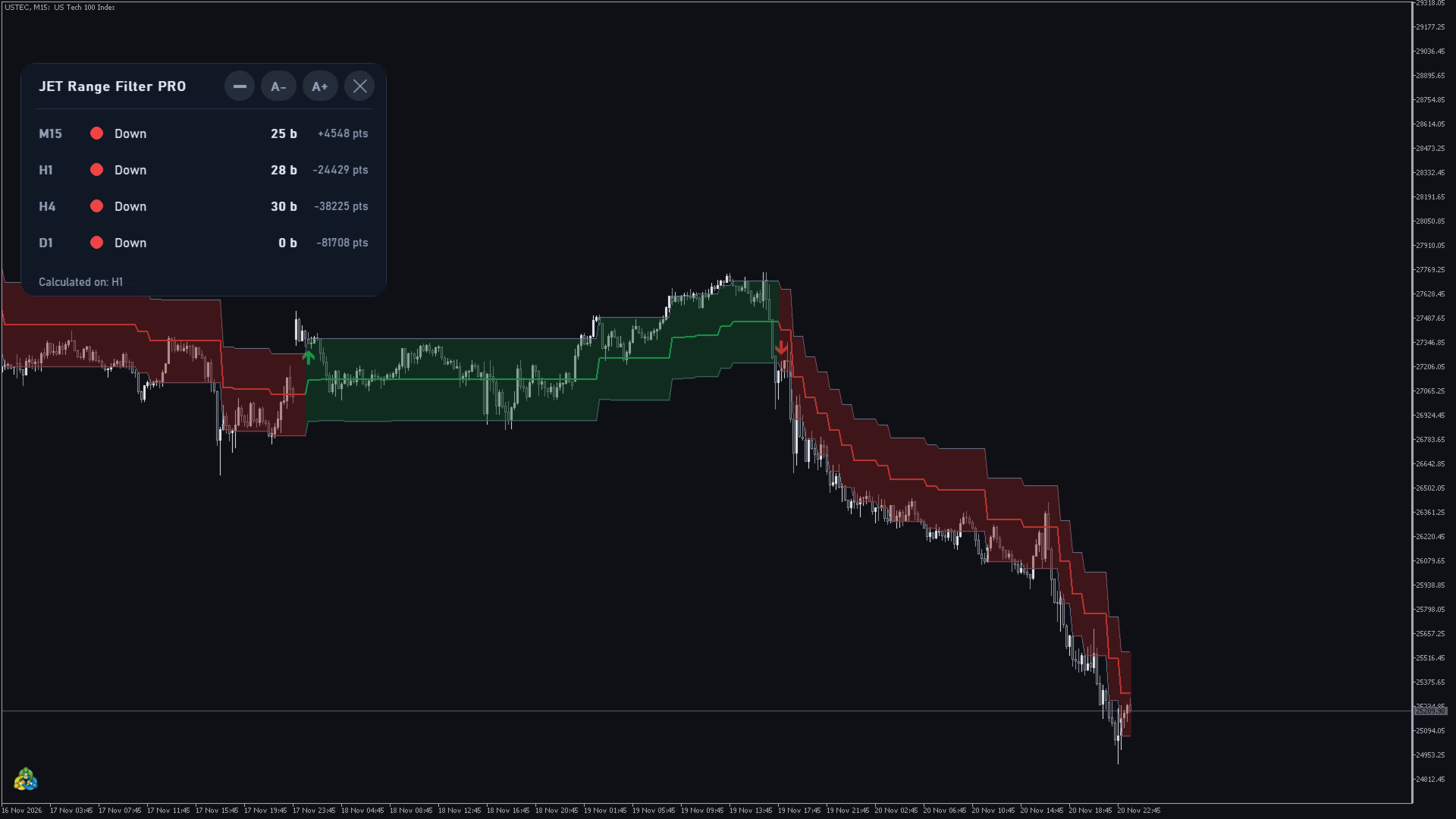
- With a Timeframe of the calculation other than the current one, the footer shows "Calculated on: " and that timeframe.
- Right after the indicator is attached, a row may show "Loading..." for a few seconds while the terminal prepares that timeframe. If the terminal does not have enough history for it, the row shows "No history" with the bars available / needed instead of waiting without end.
- Title bar buttons: [–] collapses the panel to its title bar, [A-] / [A+] resize it from 60% to 200% (Panel size (60-200 %)), [X] removes the indicator with all its objects. The size and the collapsed state are saved for each chart. The panel can be dragged and always stays whole inside the chart.
- Theme: Dark (default), Light or Automatic (chart background). Language: Terminal language (default) or one of 11 languages. Show the panel turns it off.
Programmatic use (PRO)
The last group of inputs, PROGRAMMATIC USE, is meant for Experts and dashboards that read the indicator through iCustom, often on many symbols at once. With the default values, everything is drawn and calculated normally.
- Draw graphics (true by default): with false, nothing is drawn on the chart (line, bands, fill, arrows, candles and panel). The data for Experts and the alerts stay the same.
- Max bars to draw (0 = all): arrows, fill and colored candles only on the last N bars. The data for Experts does not change.
- Max bars to calculate (0 = all): the calculation covers only the last N bars; before them the buffers are empty.
- These inputs are at the end of the list, so the positions of the other inputs in an iCustom call do not change. Each input group also counts as one position in iCustom.
Works on any symbol and timeframe
- Forex, indices, stocks, metals, crypto and futures from any exchange, such as CME or B3, with any broker.
Download
- JET Range Filter — free filter line and bands.
- JET Range Filter PRO — all the features above.
Questions and suggestions: send me a private message through my MQL5 profile.