
How Do You Track Prop Firm Payout Dates Across Multiple Funded Accounts?

If you trade more than one funded account, keeping track of your prop firm payout dates becomes a job of its own. One firm pays every two weeks, another once a month, and a third only when you request it. This post looks at why payout dates get missed, how traders usually track them by hand, and how Prop Firm Payout Tracker keeps every payout date, profit split and withdrawal in one panel on your MetaTrader 5 chart.
The problem: every firm runs its own payout clock
Passing a challenge is only half the work. Once an account is funded, you still have to request your payout at the right time, and the timing is different for every firm. Where traders usually slip:
- Each account has its own cycle: bi-weekly, monthly or on demand.
- The next payout date moves after every withdrawal, so a date you wrote down last month is already old.
- The profit split is not the same at every firm, so it is easy to misjudge what your share of a payout will be.
- With several accounts, one overdue payout hides between the ones that are still weeks away.
- There is no single place that shows what you have already withdrawn, from which account and when.
How traders usually track payouts, and where it breaks
Most traders start with a spreadsheet, a calendar reminder or a note on the phone. It works with one account. With three firms and several accounts, the list has to be updated by hand after every payout: work out the next date, fix the reminder, add the withdrawal to another sheet, and calculate the split again. Miss one update and the list is wrong without you noticing.
A simpler way is to enter each firm's payout frequency and split once, link your accounts to their next payout date, and let a tool keep the dates moving and warn you before each one.
How Prop Firm Payout Tracker helps
Prop Firm Payout Tracker is a utility for MetaTrader 5. It puts all your funded accounts in one panel on a single chart, so you can see what is coming up, what is overdue, what your share is and what you have already withdrawn.
- Payout schedule per firm: BiWeekly (every 14 days), Monthly, or OnDemand when you set the date yourself.
- Automatic status: each account shows as Upcoming, Due Soon, Overdue or Paid.
- Needs Attention list: the Overview tab shows the most urgent account first.
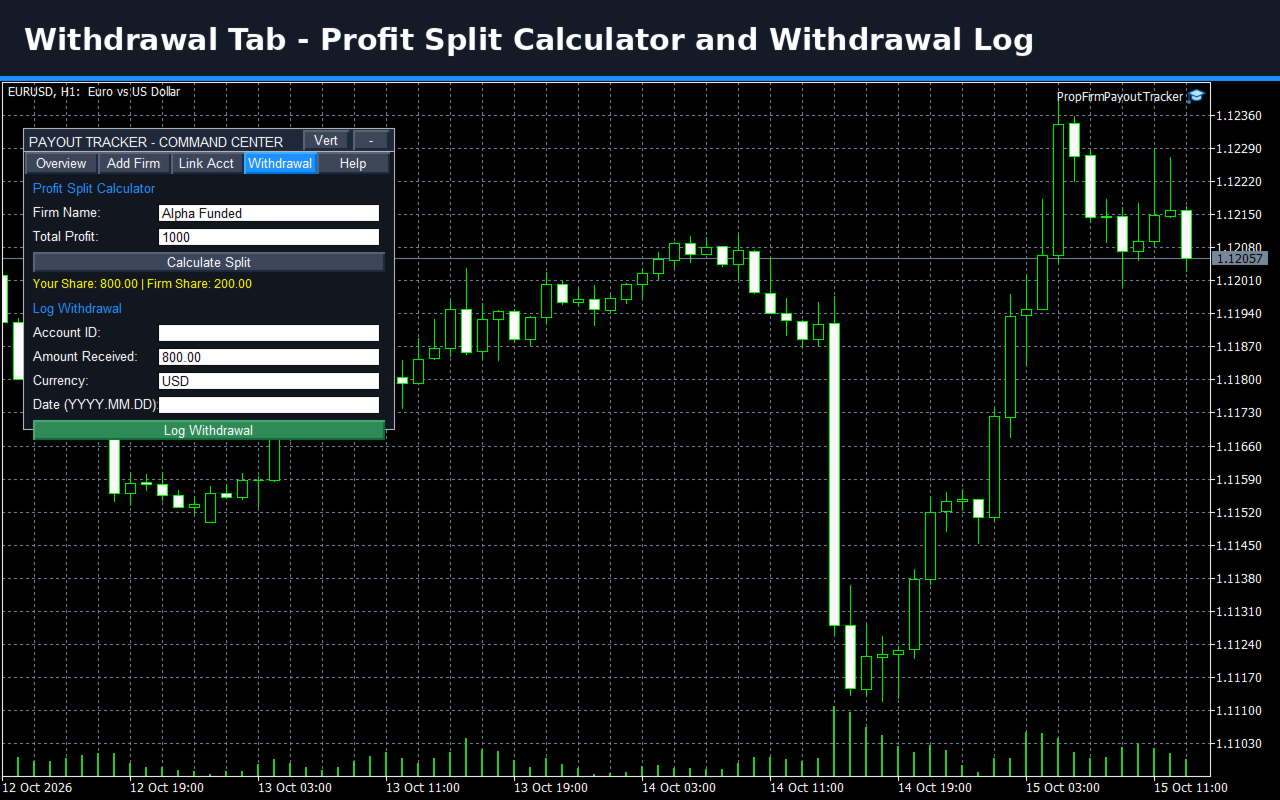
- Profit split calculator: enter the total profit and see your share and the firm's share.
- Withdrawal log: account, amount, currency and date, and the next due date is set automatically after you log a withdrawal.

Setting up your firms and accounts
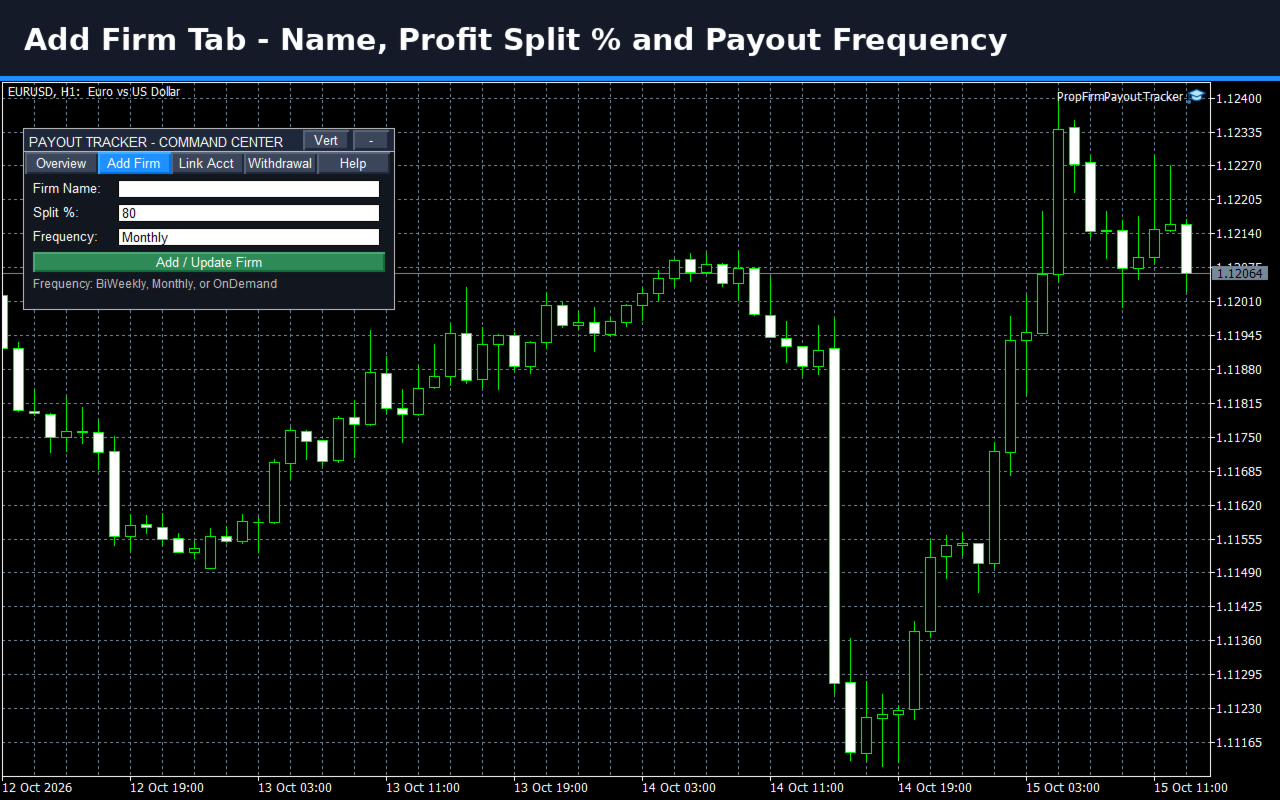
The panel has five tabs: Overview, Add Firm, Link Acct, Withdrawal and Help. You add each firm once with its split percent and payout frequency, then link each account with its next payout date. From there the tracker keeps the dates up to date. You can drag the panel anywhere, collapse it to one line, or switch between vertical and landscape layout. Your position and layout are remembered, and everything you enter comes back after a terminal restart.
Logging a payout and checking your share
When a payout arrives, you log it on the Withdrawal tab. On the same tab, the profit split calculator shows your share and the firm's share of a profit figure, so you know what to expect before you request the next payout.
Alerts before a payout is due
You get one alert per account for each payout cycle, as a popup, a sound or a Telegram message sent to your own bot. An alert reads like this: "Payout Alert: Account 1234567 - Status: Due Soon (2 days)". If a Telegram message cannot be delivered, you get the popup instead. The reminder window in days is set in the inputs. Keep the terminal running to receive alerts; a VPS is recommended.
Things to know before you start
- It is a tracking and reminder tool. It does not trade and does not give signals.
- You enter your own due dates and split percent, so check the current payout rules with your firm.
- Attach it to one chart per terminal, any symbol and any timeframe, and enable Algo Trading.
Where to find it
Prop Firm Payout Tracker is available in the MQL5 Market: Prop Firm Payout Tracker.



