Custom Indicators vs Built-in Indicators: Which Is Better for Forex Trading?

Custom Indicators vs Built-in Indicators:
Which Is Better for Forex Trading?
Introduction: Choosing the Right Trading Indicators
Every trader eventually faces the same question: Are built-in indicators enough to develop a profitable trading strategy, or should you use custom indicators to improve your market analysis?
In Forex trading, the right tools can help you identify trends, recognize momentum shifts, analyze volatility, and plan potential entry and exit points. However, no indicator can predict every market movement or guarantee profitable trades.
Understanding the difference between custom indicators vs built-in indicators is essential for traders using MetaTrader 4 (MT4) and MetaTrader 5 (MT5). Each type offers specific advantages, and the best choice depends on your trading style, experience, and strategy.
In this guide, we will compare both options, explain their strengths and limitations, and show you how to choose the right trading indicators for your setup.
What Are Built-in Indicators in MetaTrader?
Built-in indicators are analytical tools already included in MetaTrader. You can add them to your charts without downloading additional software or installing third-party files.
Popular examples include:
Moving Average (MA)
Moving Average helps traders identify the general market trend by smoothing price fluctuations. It can also help identify dynamic support and resistance areas.
Relative Strength Index (RSI)
RSI measures momentum and is commonly used to identify overbought and oversold conditions. Traders often combine it with price action and trend analysis to avoid misleading signals.
Moving Average Convergence Divergence (MACD)
MACD helps traders evaluate momentum, trend direction, and potential changes in market conditions. Crossovers and histogram movements are commonly used as part of a broader trading strategy.
Bollinger Bands
Bollinger Bands measure price volatility and can help traders recognize periods of market expansion or contraction. They are particularly useful when assessing changing market conditions.
Advantages of Built-in Indicators
Built-in indicators are accessible, familiar, and generally easy to configure. They are suitable for beginners and experienced traders who prefer a straightforward analytical approach.
They also provide a reliable starting point for building strategies around trend-following, momentum, and volatility.
Limitations of Built-in Indicators
The main limitation is that standard indicators may not match every trader's specific requirements. You might need to combine several indicators, adjust multiple settings, or interpret different signals manually.
For example, a trader who wants a specialized combination of trend detection, entry confirmation, and trade management information may find that a single built-in indicator does not provide everything needed.
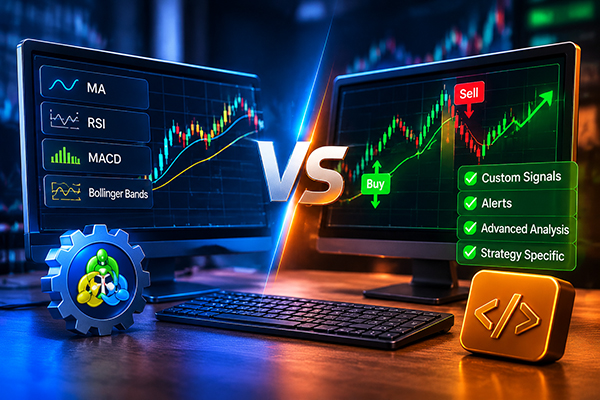
What Are Custom Indicators in Forex Trading?
Custom indicators are tools developed or modified to perform specific analytical tasks beyond the standard functionality available in MetaTrader.
They can be created using MQL4 for MetaTrader 4 or MQL5 for MetaTrader 5. Traders can also obtain ready-made custom indicators from third-party developers and the MQL5 Market.
Depending on their design, custom indicators may combine multiple calculations, display specialized chart signals, generate alerts, or present market information in a format tailored to a particular strategy.
How Custom Indicators Work
A custom indicator processes market data according to its programmed rules. It may analyze price movements, calculate trend conditions, measure momentum, or combine several technical filters before displaying a signal.
For example, a trend-following indicator might highlight potential bullish and bearish conditions on a chart. Another tool might focus on momentum confirmation or provide visual alerts when predefined conditions are met.
The actual functionality depends on the indicator's algorithm. Traders should always review its documentation and test its behavior before relying on its signals.
Advantages of Custom Indicators
Custom indicators can offer greater flexibility and help traders simplify their chart analysis.
Their potential benefits include:
-
Strategy-specific analysis: Focus on the conditions that matter to your trading method.
-
Visual signals: Make potential trading setups easier to identify.
-
Configurable settings: Adjust supported parameters to suit your preferred approach.
-
Workflow efficiency: Reduce the need to interpret several separate indicators manually.
-
Specialized functionality: Access analytical features that standard MetaTrader tools may not provide in the same format.
Limitations of Custom Indicators
Custom indicators are not automatically better than built-in tools. Their quality depends on the underlying logic, implementation, and suitability for the market being traded.
Some indicators may produce false signals in choppy markets, while others may react slowly to sudden price changes. Certain tools can also repaint historical signals, depending on how they are programmed.
Before using a custom indicator with real capital, check whether its signals change after a candle closes, understand its calculation rules, and evaluate its performance across different market conditions.
Custom Indicators vs Built-in Indicators: Key Differences
The main difference is flexibility. Built-in indicators provide established analytical methods, while custom indicators can deliver specialized functionality designed around particular trading requirements.
| Feature | Built-in Indicators | Custom Indicators |
|---|---|---|
| Availability | Included in MetaTrader | Installed separately |
| Customization | Standard parameters | Depends on the tool |
| Functionality | Established technical analysis | Specialized calculations and features |
| Ease of use | Usually straightforward | Varies by design |
| Development | Maintained as part of the platform | Depends on the developer |
| Strategy integration | May require several tools | Can combine selected analytical functions |
| Compatibility | Native to the relevant platform | Must support the relevant MT4 or MT5 version |
Neither category guarantees better trading results. The important question is whether the indicator helps you make more consistent, informed decisions.
MT4 vs MT5: Which Platform Should You Choose?
MetaTrader 4 and MetaTrader 5 both support built-in and custom indicators, but their technical environments are different.
Custom Indicators for MT4
MT4 uses MQL4 and is widely used by Forex traders who prefer a familiar interface and established trading workflows. Custom indicators must be compatible with MT4.
Custom Indicators for MT5
MT5 uses MQL5 and offers additional timeframes and platform features. Custom indicators designed for MT5 must be compatible with its environment.
An indicator file developed for MT4 generally cannot be installed directly into MT5, or vice versa. Always select the correct version for your trading terminal.
How to Choose the Best Trading Indicators for Your Strategy
Choosing between custom and built-in indicators starts with understanding your trading objectives.
1. Identify Your Trading Style
Scalpers often prioritize quick analysis and clear signals, while swing traders may focus more on broader trends and market structure. Select indicators that match your timeframe and decision-making process.
2. Avoid Indicator Overload
Adding more indicators does not necessarily improve a strategy. Multiple tools can produce conflicting signals or simply repeat the same information.
Start with a clear trading plan and use indicators that serve distinct purposes.
3. Confirm Signals With Price Action
An indicator signal should be evaluated in context. Support and resistance, candlestick behavior, market structure, and volatility can all influence the quality of a potential setup.
4. Test Before Trading Live
Use historical analysis, demo trading, and forward testing to understand how an indicator behaves. Evaluate drawdowns, false signals, execution assumptions, and performance across different market conditions.
Do not judge an indicator solely by a few successful trades or attractive screenshots.
5. Apply Proper Risk Management
Even a well-designed indicator can produce losing signals. Define your stop-loss rules, position size, and maximum acceptable risk before entering a trade.
Risk management remains essential regardless of which analytical tools you choose.
Can You Use Custom and Built-in Indicators Together?
Yes. Combining custom indicators with built-in tools can provide a more structured approach to market analysis.
For example, a trader might use a custom trend indicator to identify potential directional opportunities, then consult RSI or Moving Average to assess momentum or confirm the broader market context.
The goal is not to collect as many signals as possible. It is to create a repeatable process in which every tool has a clear purpose.
Make sure the combination does not introduce unnecessary complexity or conflicting rules. Test the complete strategy rather than evaluating each indicator in isolation.
Common Mistakes When Using Trading Indicators
Several mistakes can undermine an otherwise sensible trading approach:
-
Assuming every buy or sell signal will be profitable.
-
Changing indicator settings repeatedly to fit historical price movements.
-
Ignoring spreads, slippage, and market volatility.
-
Using an MT4 indicator on MT5 without checking compatibility.
-
Relying on a custom indicator without understanding its limitations.
-
Confusing historical performance with guaranteed future results.
A disciplined trader evaluates tools objectively and uses them as part of a complete trading plan rather than as a substitute for decision-making.
Conclusion: Which Indicator Type Is Better?
Built-in indicators are excellent for traders who want accessible, established tools for technical analysis. Custom indicators are useful when a strategy requires specialized calculations, tailored visual signals, or a more streamlined analytical workflow.
The best choice depends on your trading style, platform, and ability to evaluate the tool properly. For many traders, combining a small number of complementary indicators with price action and disciplined risk management is more effective than relying on a complicated chart setup.
Ultimately, the purpose of an indicator is to support your trading decisions, not replace them.

Featured Tool: TW Trend Sniper for MT4 and MT5
Traders looking for a more structured approach to trend analysis may also consider TW Trend Sniper, available in versions for both MetaTrader 4 and MetaTrader 5.
This custom trading indicator is designed to highlight potential trading opportunities using trend analysis, price action, Fibonacci levels, and its proprietary Trade Wizards formula. Its advertised features include buy and sell signals, stop-loss guidance, four take-profit targets, and trend detection.
As with any custom indicator, review the product specifications, confirm compatibility with your platform, and test its signals before using it in a live account. No indicator can guarantee profits, and appropriate risk management remains essential.




