
How to work Trend Sniper X and Asisstant EA
👉 Watch on YouTube: https://www.youtube.com/watch?v=1OiDAh0eQzM
Trend Sniper X v2.2: Technical Update and Enhancements
We have released the v2.2 update for the Trend Sniper X system, focusing on improved trend identification and multi-timeframe signal processing.
Technical Details & Access: https://www.mql5.com/en/market/product/181101
📖 Explore detailed guides and updates here:
-
Telegram Channel: https://telegram.me/code2profit2official
| ⚠️ Important Note & Recommendation: Once you load the indicator onto your chart, please avoid reloading or refreshing it repeatedly.
|
|---|
Key Technical Enhancements:
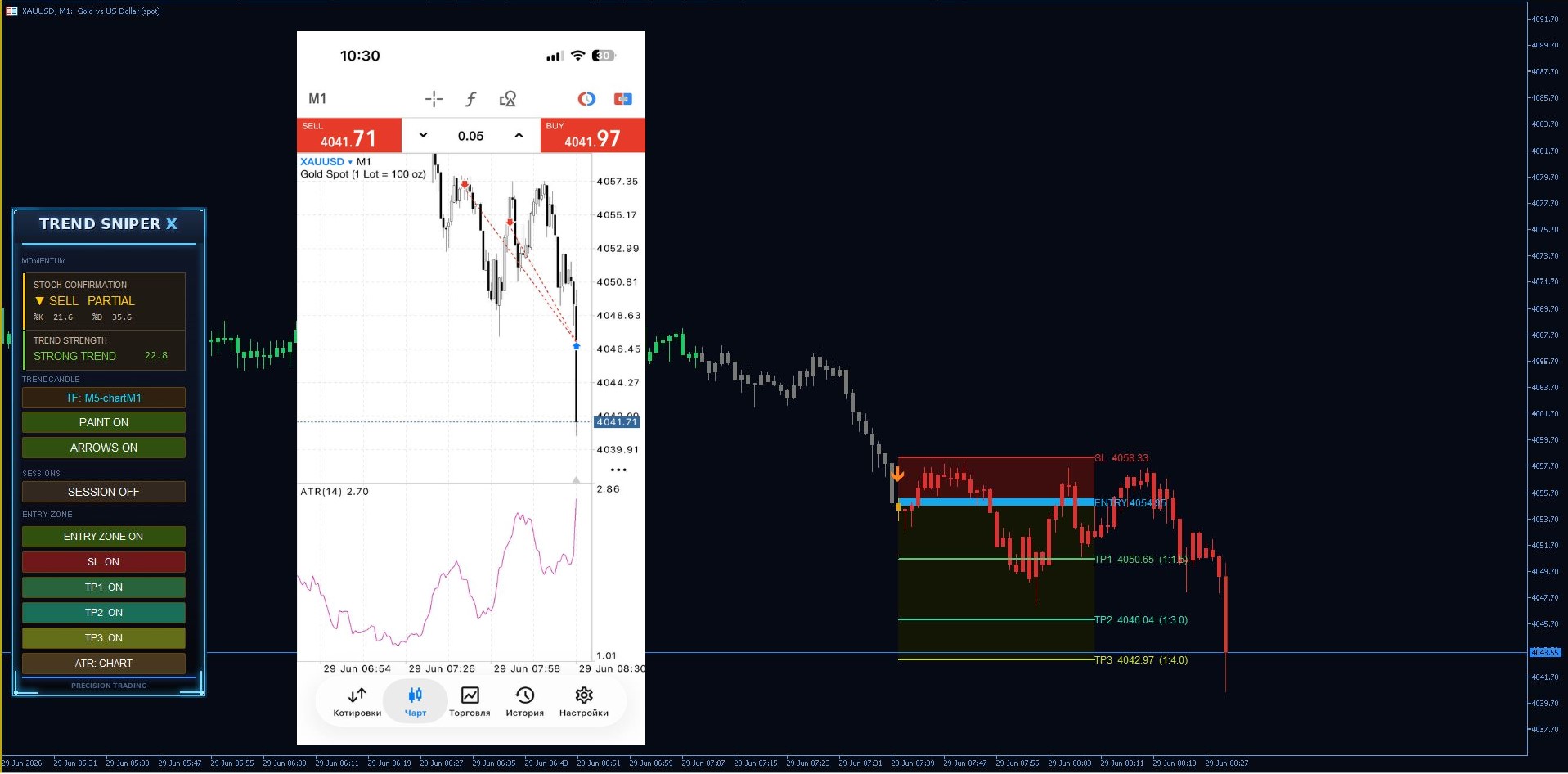
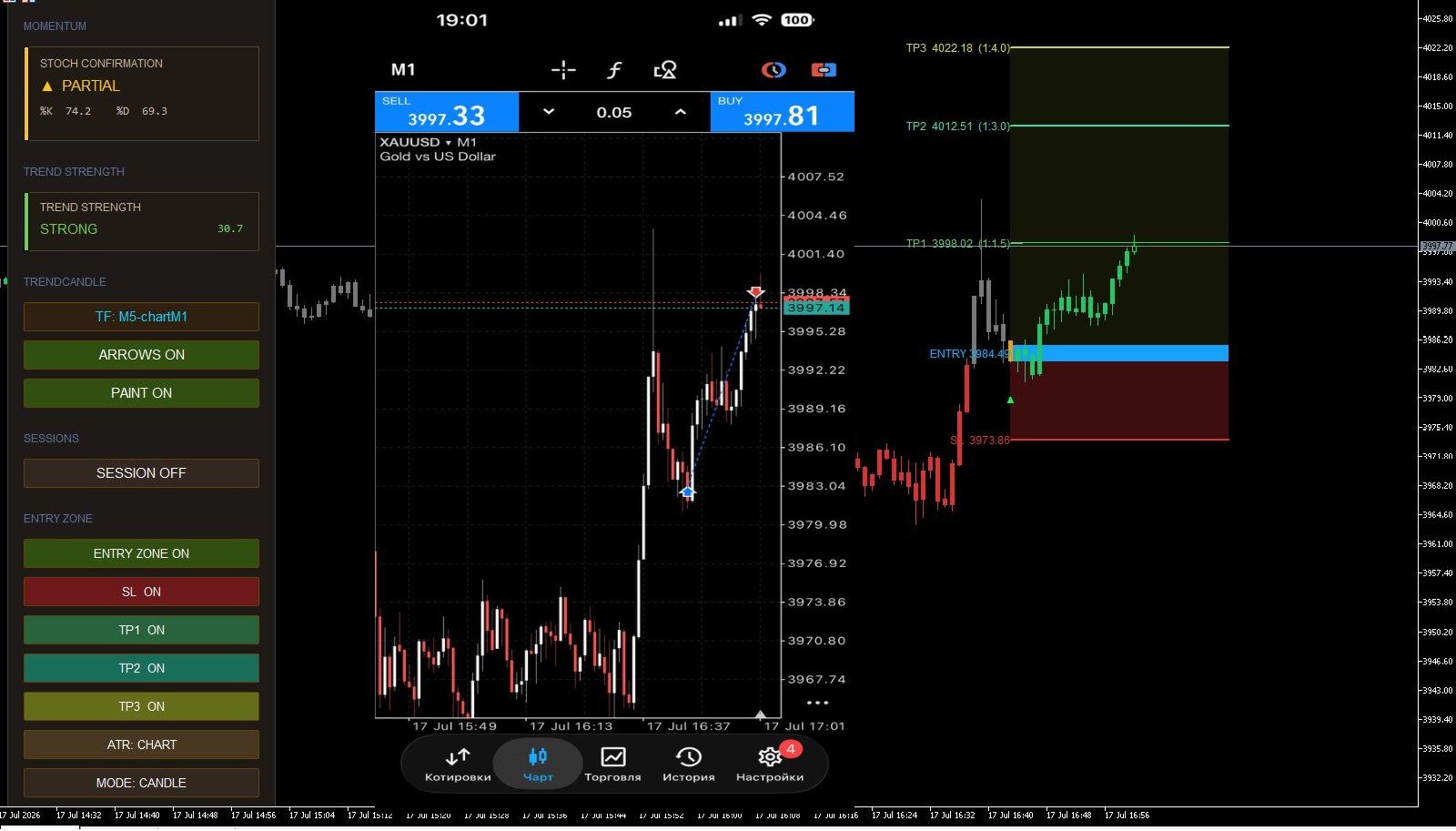
Stochastic Confirmation
Signal validation based on momentum analysis with three states: CONFIRMED / PARTIAL / NOT CONFIRMED.
Trend Strength Monitor (ADX)
Real-time tracking of trend power to filter weak market conditions.
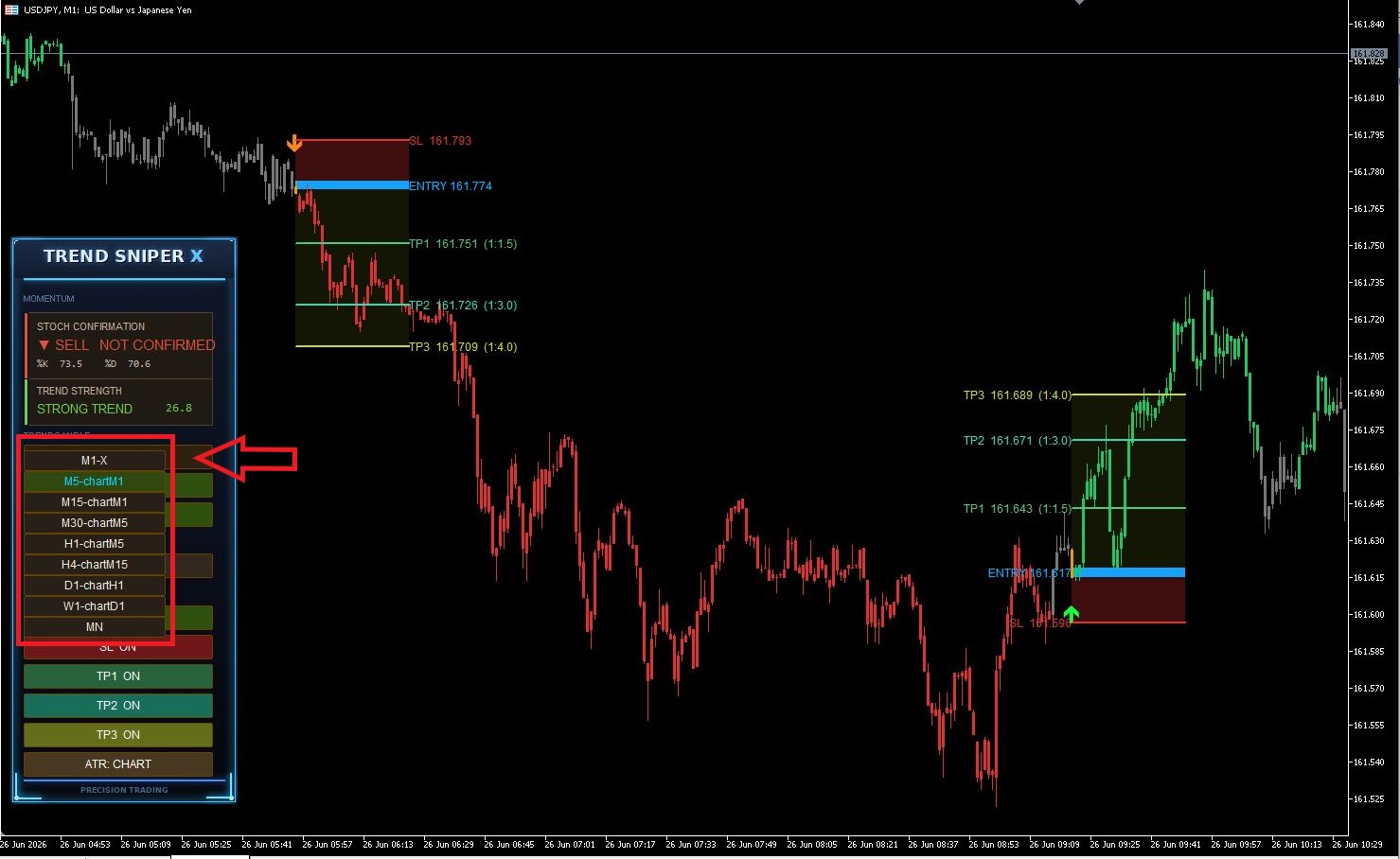
Multi-Timeframe Dashboard
Allows independent timeframe selection for analysis, separate from the current chart view.
- Scalping: Set dashboard to M5 while chart remains on M1 for precise entries.
- Swing/Long-term: Use H1, H4, D1, or W1 on the dashboard for higher-timeframe structure analysis.
Signal Architecture
Signals are calculated without repainting. Includes automated Stop Loss, Take Profit, and Risk calculation.
Notifications
Popup, push, and email alerts supported.
| ✅ Indicator Logic: Our indicator is designed to identify trend reversals by highlighting the exact candle where the trend shifts. |
|---|
A signal does not necessarily mean "enter the market immediately"; rather, it serves as a directional guide, telling you to look for entry opportunities in this direction.
This helps you move away from guesswork and trade with a clear, systematic approach.
📈 Timeframes and Sessions:
-
Lower Timeframes: Ideal for scalping and quick, short-term trades.
-
Higher Timeframes: Provide more reliable signals for capturing larger market moves and higher pip potential.
-
Trading Sessions: The indicator delivers the highest quality and most accurate signals during the London and New York sessions. During these periods of high market liquidity and volatility, the trend reversals are most clearly defined, offering the best entry opportunities.
💡 Important Notes:
-
Supporting Tools: The SL (Stop Loss) and TP (Take Profit) levels provided are supporting tools. How you utilize them is entirely up to your personal trading strategy and risk management.
Can I run the indicator on multiple timeframes at once?
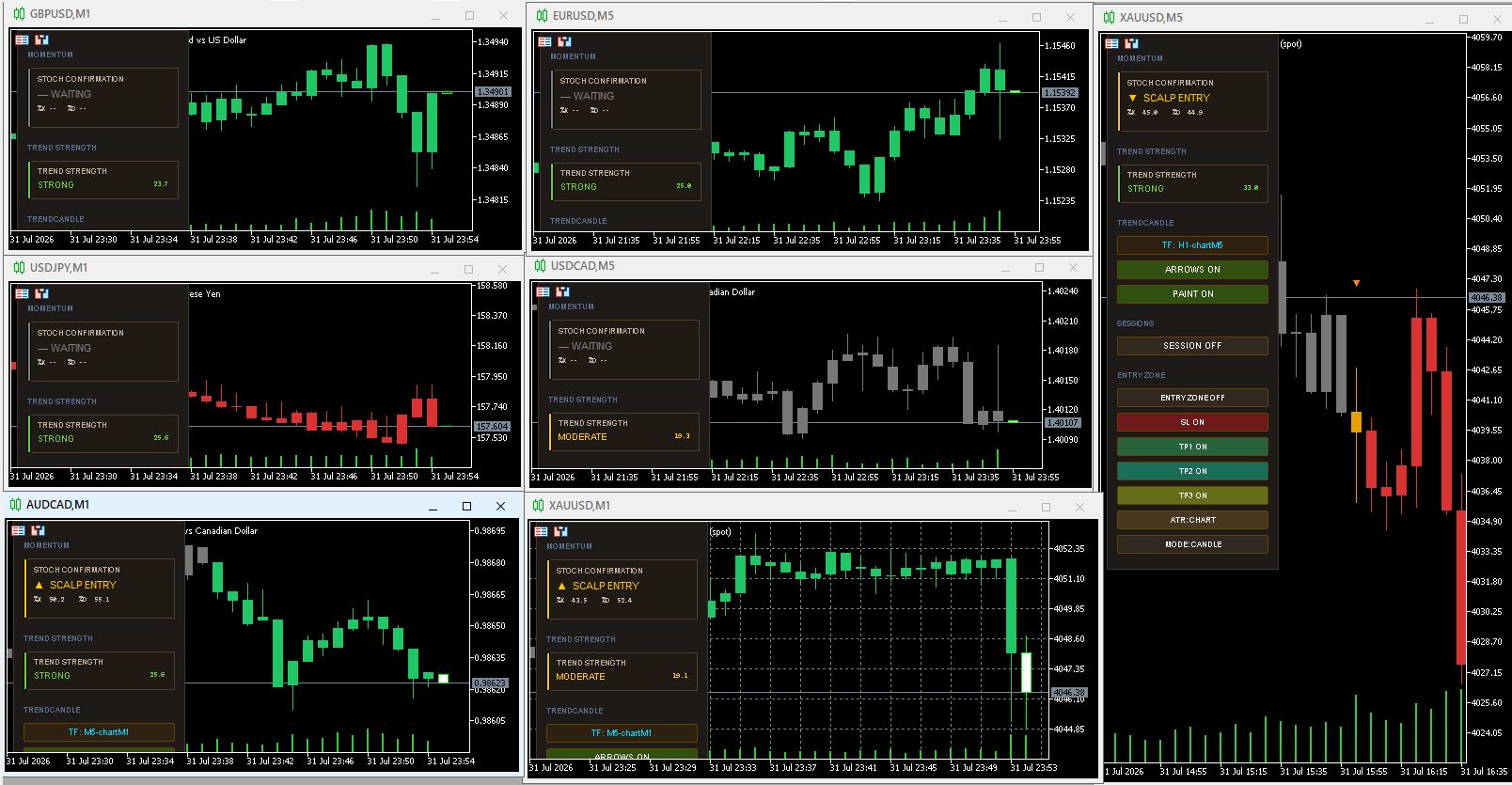
Yes! If you want to receive signals from different timeframes simultaneously, simply open multiple charts for the same instrument (e.g., Gold / XAUUSD) in MT5 and attach the indicator to each timeframe individually.
💡 Important Trading Note & Best Practices
While this setup is entirely possible, most traders prefer focusing on a single timeframe for a few key reasons:
-
Conflicting Signals: Lower timeframes (like M1 or M5) move rapidly and will trigger frequent BUY and SELL alerts. During this time, higher timeframes (like H1 or H4) might remain quiet because a broader structure shift hasn't occurred yet.
-
Potential Confusion: Receiving opposing signals across different timeframes at the exact same time can create confusion and lead to hesitant trading decisions.
Recommendation:
If you are comfortable managing multi-timeframe analysis and filtering out noise, you can freely run the indicator on multiple charts with different setups. However, if you prefer clarity, we recommend starting with one primary timeframe that fits your trading style (Scalping vs. Swing).
Compatibility
Designed for XAUUSD, major currency pairs, and cryptocurrency instruments.
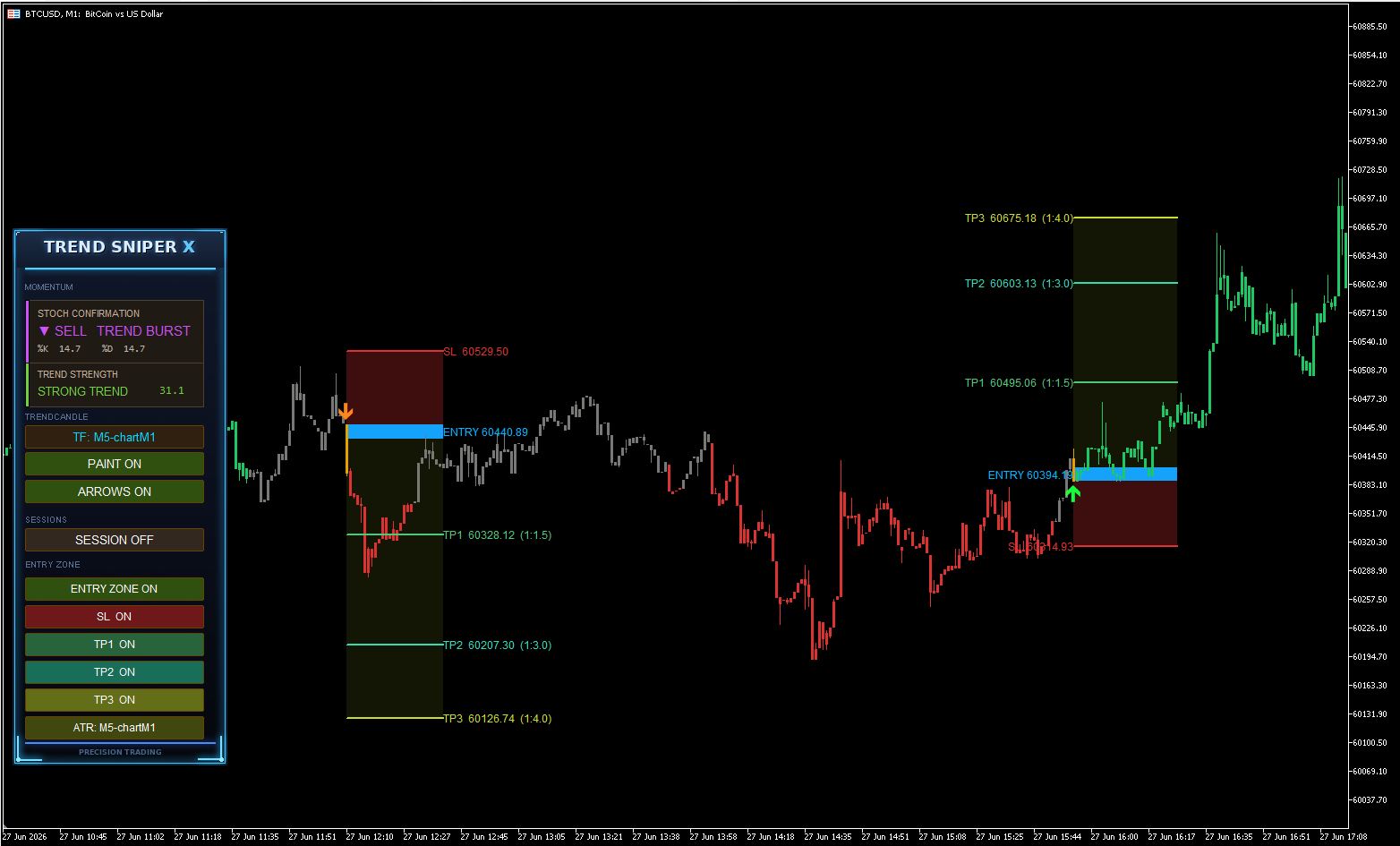

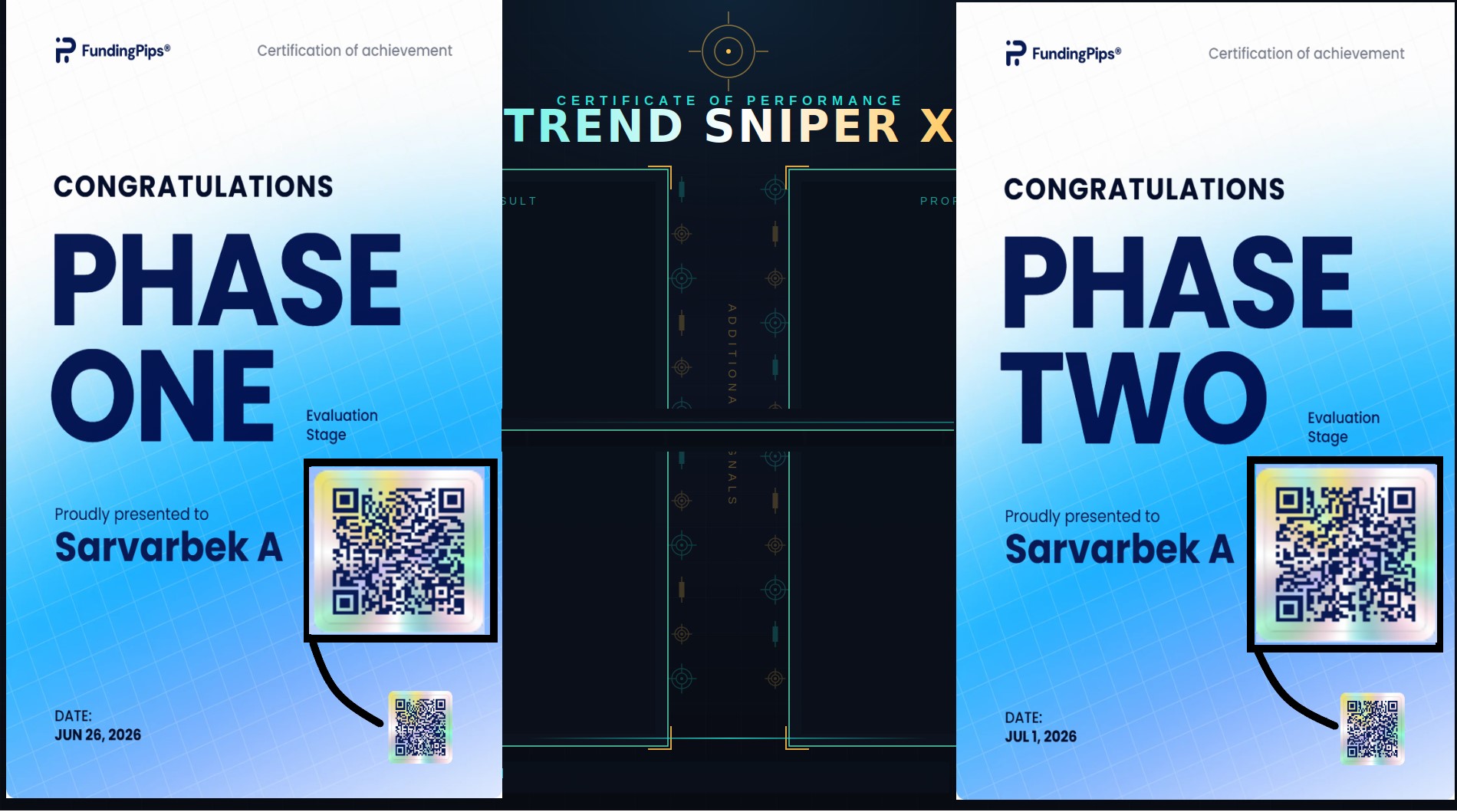
Another verified result, powered by Trend Sniper X.
📲 Scan the QR code to verify this result — confirmed with Trend Sniper X and additional confirmation signals.
No guesswork. No noise. Just precision entries that get results.
Trend Sniper X v2.4 04.07.2026
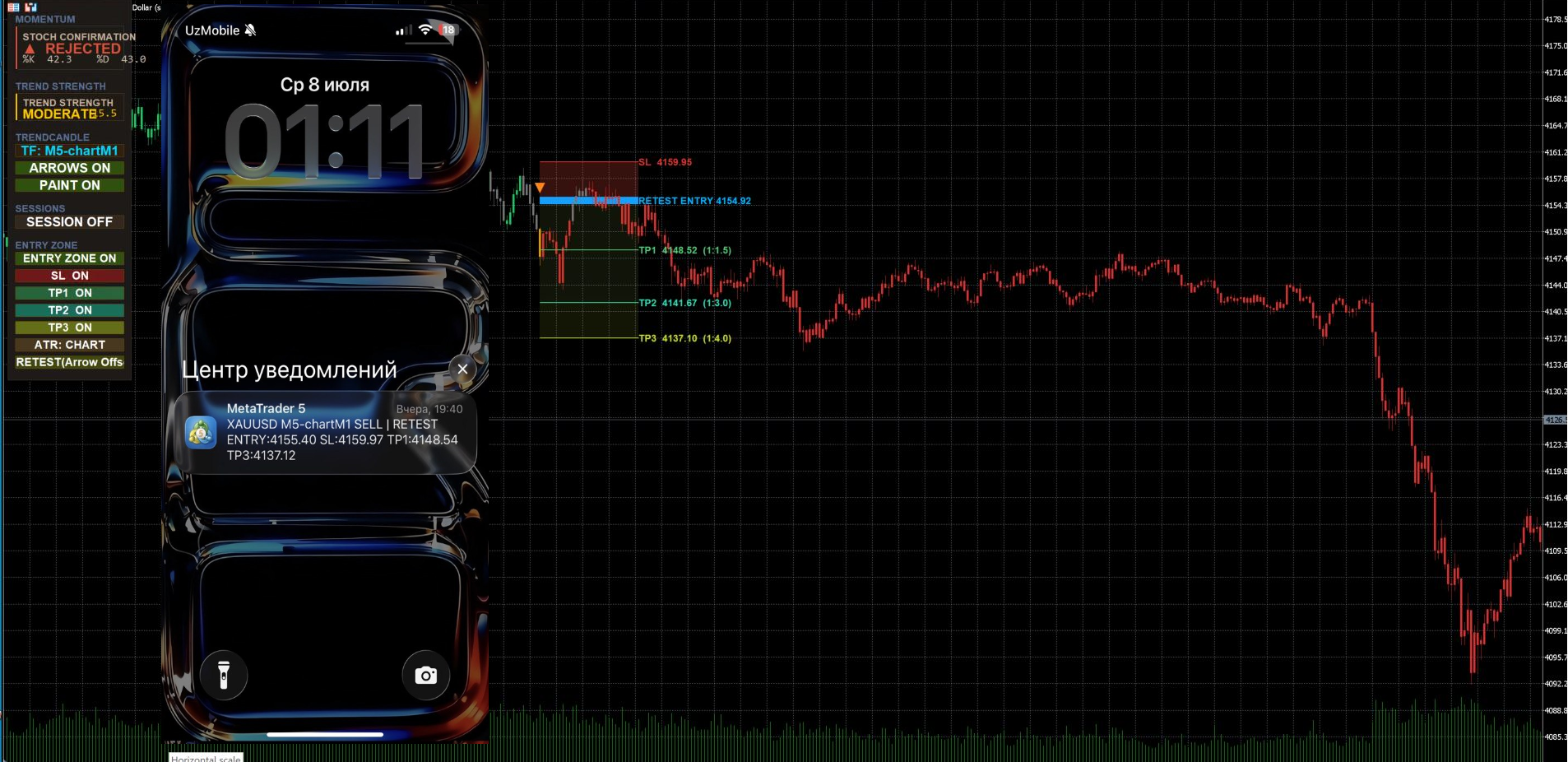
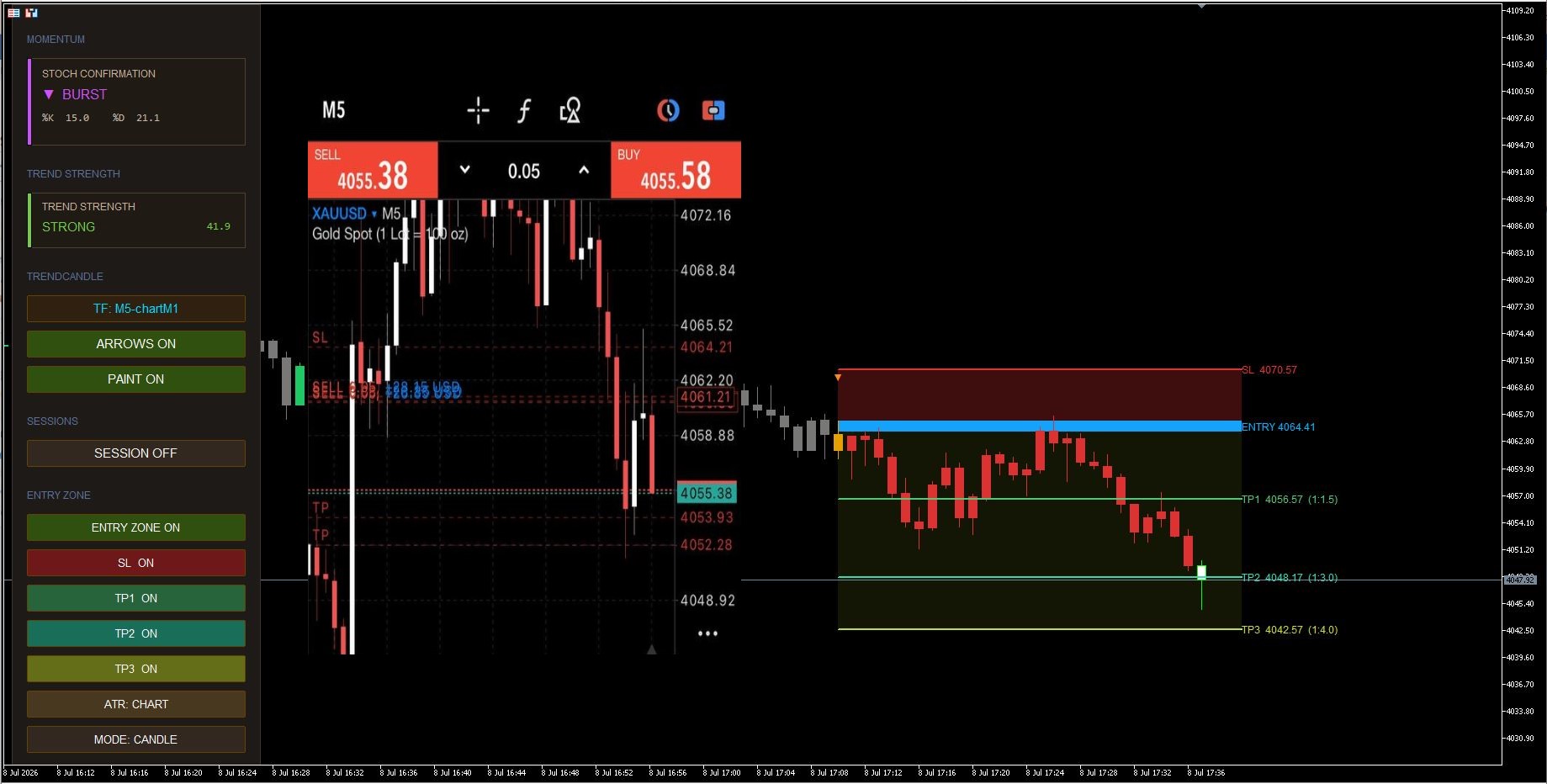
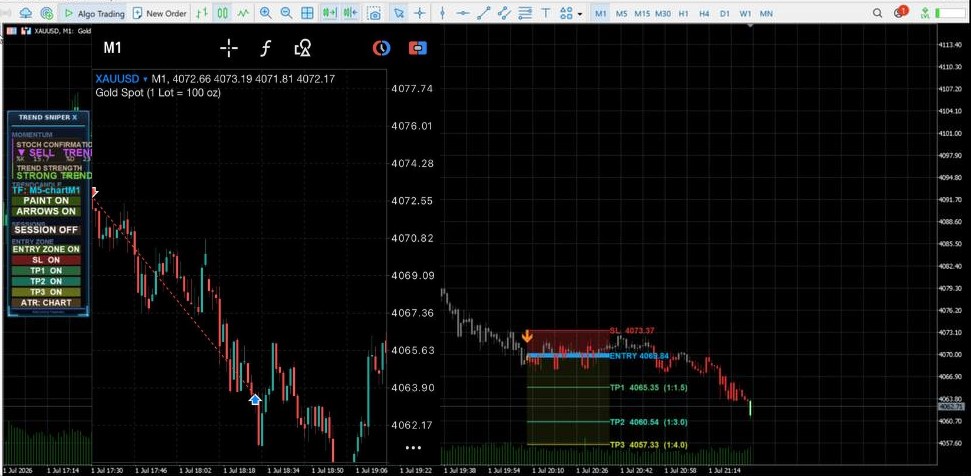
Entry Zone now supports two modes — ENTRY (from signal candle) or RETEST ENTRY (from the arrow's exact price point), switchable via a single dashboard button.Also added an adjustable Arrow Offset (pips) input to control how far the arrow sits above/below the signal candle — which directly shifts the Retest Entry zone's starting point

Retest Entry is highly effective when market volatility is relatively low. However, it is crucial to note that on smaller timeframes (such as M1 and M5 modes), this process often occurs very rapidly.
Sometimes, the price moves significantly in the signal direction (Buy or Sell) directly from where the Arrow is generated, without retracing back to the specified entry zones. In such cases—if the price has already made a substantial move away from the signal point—it is highly recommended not to chase the trade. This is because the signal has already played out and fulfilled its momentum.
On the other hand, engaging in a swift, immediate retest within a short window—even before the entry zone is fully drawn on the chart—can be highly profitable for quick scalping.
If you choose to use the Retest Entry model and want to customize it to your trading preferences, you can adjust the parameters in the Input tab:
-
Arrow Offset Pips: Controls the visual distance of the signal arrow from the candle (Currently set to a default value of 4.0 ).
Conclusion: Both execution models are highly profitable in their own right. This dual-functionality was specifically developed to allow the indicator to adapt seamlessly to any trader's individual style. If preferred, you can completely disable the Entry Zone function and trade purely in the direction of the dominant trend.

To get the most out of Trend Sniper X and maximize your trading results, please review these essential guidelines and recommendations:
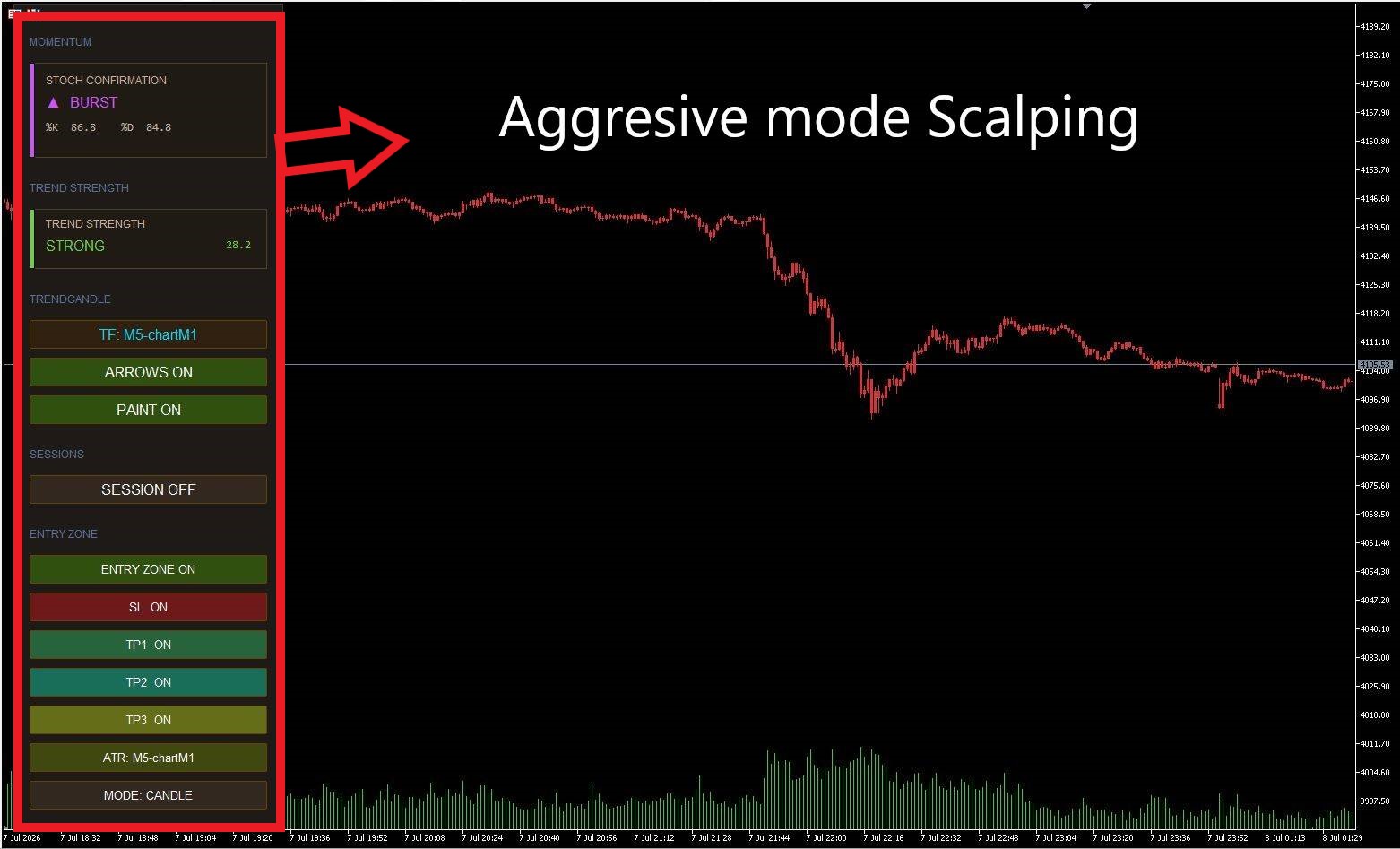
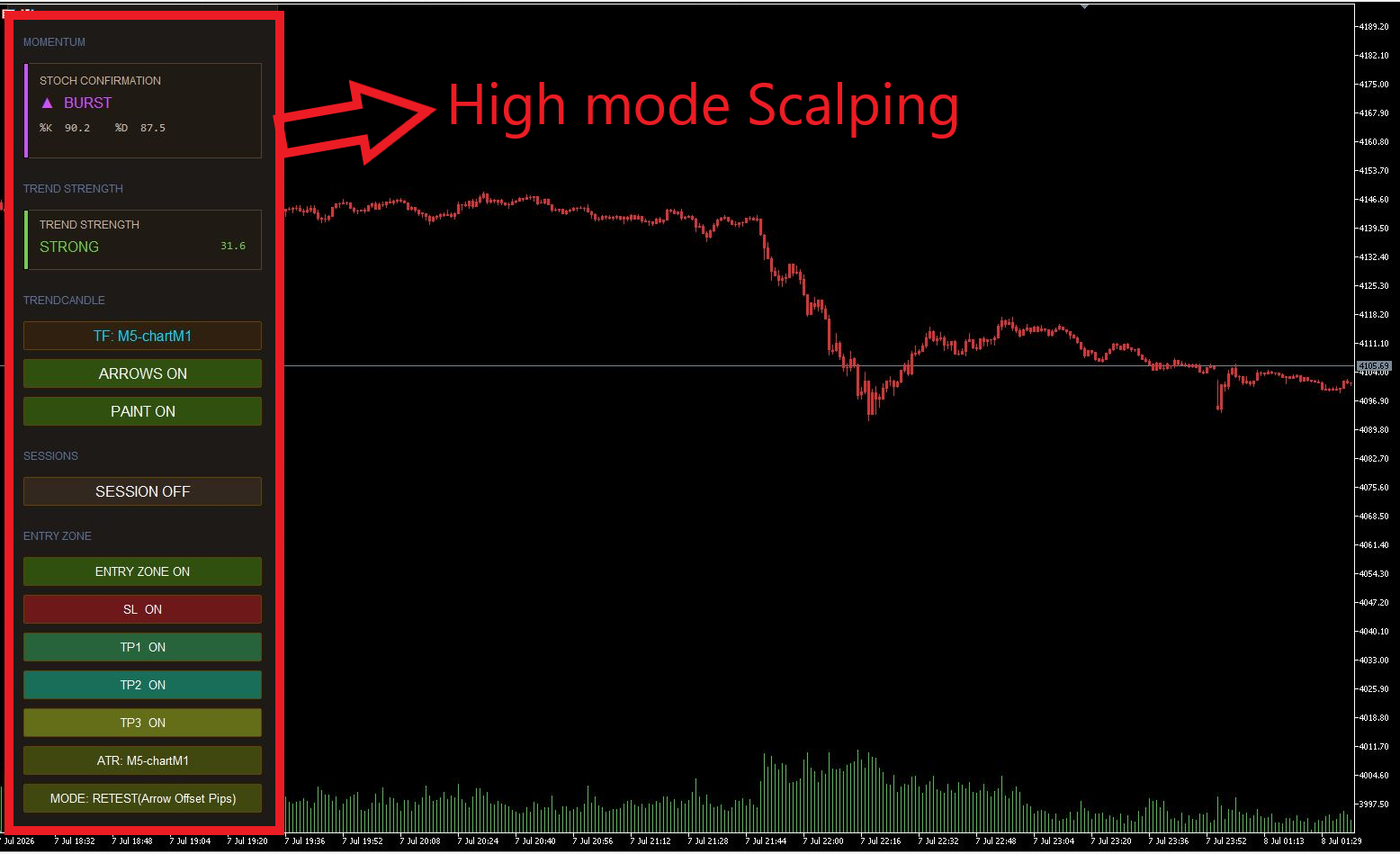
🔹 Settings & Trading Style The indicator is highly versatile and adapts seamlessly to any strategy. If you prefer scalping, configure your dashboard precisely as shown in the attached screenshots.
🔹 Higher Quality & Longer-Term Signals For more reliable and higher-quality setups, set the dashboard "Trend Candles" mode to H1 - M5 Chart and run it directly on the XAUUSD M5 chart.
🔹 Understanding Momentum & Trend Strength The numbers displayed on your dashboard represent the Stochastic and Trend Strength metrics. These serve as extra tools to help you decide how long to hold a trade, or when to execute quick entries and exits.
🔹 Entry Zones These geometric drawings are completely optional. The core logic of the indicator is to follow the dominant trend and identify the most optimal zones to join the move right after a signal appears.
🔹 Recommended Pairs & Sessions The system performs exceptionally well on XAUUSD, USDJPY, EURUSD, and any other major pairs. For the best hit rate, focus on trading signals generated during the London and New York sessions.
⚠️ Important Note: To fully understand the indicator's algorithm and market logic, we strongly recommend testing it on a demo account before going live.
📖 Explore detailed guides and updates here:
-
Telegram Channel: https://telegram.me/code2profit2official
How to work Trend Sniper X and Asisstant EA
👉 Watch on YouTube: https://www.youtube.com/watch?v=1OiDAh0eQzM
📖 Explore detailed guides and updates here:
-
Telegram Channel: https://telegram.me/code2profit2official
For full technical details and documentation, visit the product page:
https://www.mql5.com/en/market/product/181101