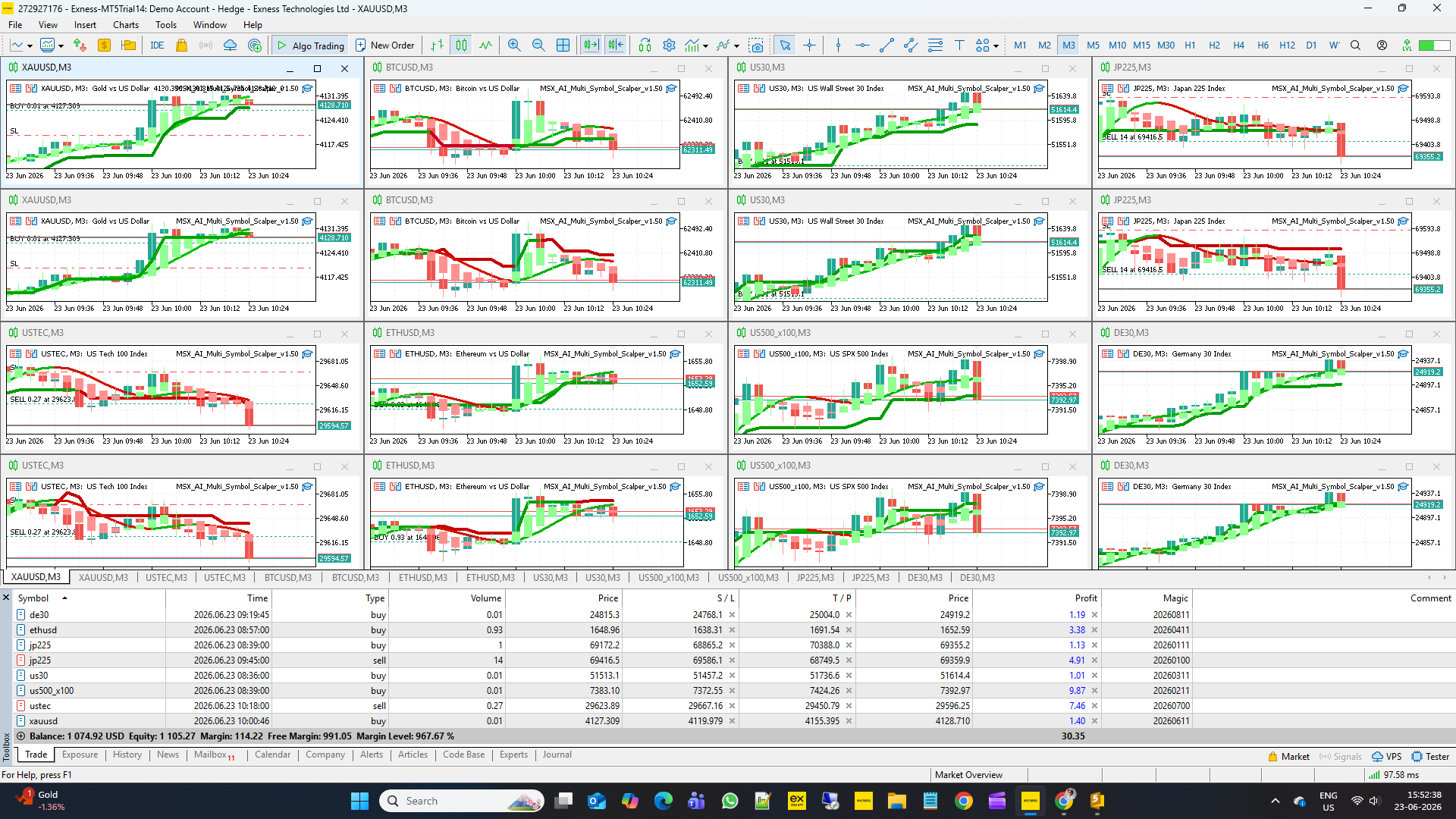
MSX AI Multi Symbol Scalper — How To Create Your Own .set Files (Conservative, Balanced & Aggressive Profiles)

Many traders ask the same question after installing an Expert Advisor:
"Which settings should I use?"
The honest answer is:
There is no single .set file that is perfect for every trader, every broker, every account size, and every market condition.
MSX AI Multi Symbol Scalper was designed as a flexible portfolio trading framework, allowing users to configure the system according to their own objectives, risk tolerance, account size, and deployment style.
This article explains how traders can build their own .set files, understand different risk profiles, and why professional custom optimization is treated as a separate service.
WHAT IS A .SET FILE?A .set file is simply a saved collection of EA input parameters.
Instead of manually configuring dozens of inputs every time the EA is installed, traders can save their preferred settings and load them instantly.
Benefits include:
• Faster deployment
• Consistent portfolio setup
• Reduced human error
• Easier VPS migration
• Faster testing and comparison
STEP 1 — DEFINE YOUR TRADING OBJECTIVE
Before changing any inputs, determine:
• Desired risk level
• Preferred drawdown range
• Number of charts
• Symbols traded
• Account size
• Growth expectations
Different objectives require different configurations.
The same settings should never be used blindly across all accounts.
CONSERVATIVE PROFILE
Designed for:
• Capital preservation
• Lower drawdown
• New EA users
• Larger accounts
Typical characteristics:
• Lower risk percentage
• Smaller lot sizes
• Higher margin reserve
• Strong capital protection
• Fewer simultaneous positions
Typical deployment:
• 1–4 charts
• Major symbols
• Long-term portfolio stability focus
Primary objective:
Protect capital first.
BALANCED PROFILE
Designed for:
• Moderate growth
• Moderate drawdown
• Portfolio diversification
• General-purpose deployment
Typical characteristics:
• Moderate risk percentage
• Multiple symbols
• Controlled exposure
• Balanced protection settings
Typical deployment:
• 4–8 charts
• Mixed asset portfolio
Primary objective:
Balance growth and risk.
AGGRESSIVE PROFILE
Designed for:
• Higher growth targets
• Experienced traders
• Higher risk tolerance
• Active portfolio deployment
Typical characteristics:
• Higher risk allocation
• Larger portfolio participation
• More simultaneous opportunities
• Greater drawdown tolerance
Typical deployment:
• 8–16 charts
• Multiple asset classes
Primary objective:
Maximize participation while maintaining risk controls.
Important:
Higher potential returns usually come with higher risk exposure.
XAUUSD EXAMPLE
Gold behaves differently than many Forex pairs.
Characteristics include:
• Higher volatility
• Frequent directional movement
• Strong reaction to news
• Wider intraday ranges
Many traders therefore adjust:
• Risk percentage
• ATR-based protection
• Margin reserve
• Drawdown controls
to account for Gold's volatility profile.
No single XAUUSD configuration is appropriate for every broker or account.
BTCUSD EXAMPLE
Bitcoin introduces additional considerations.
Characteristics include:
• Higher volatility
• Larger price swings
• Weekend trading activity
• Increased margin requirements at some brokers
Because of this, traders often use different settings compared to XAUUSD.
Portfolio allocation, margin protection and drawdown controls become particularly important when cryptocurrencies are included.
WHY DIFFERENT BROKERS REQUIRE DIFFERENT SETTINGS
Broker specifications vary significantly.
Examples include:
• Leverage
• Margin requirements
• Symbol contract size
• Spread structure
• Commission model
• Execution quality
A .set file performing acceptably on one broker may require adjustment on another.
This is normal and expected.
WHY CUSTOM OPTIMIZATION IS NOT INCLUDED AS A STANDARD SERVICE
Many traders ask:
"Can you optimize a .set file specifically for my account?"
The answer depends entirely on the requirements.
Professional optimization often requires evaluation of:
• Broker specifications
• Account size
• Risk objectives
• Preferred symbols
• Portfolio structure
• Trading style
• Drawdown requirements
• Capital allocation model
Every optimization project is unique.
WHY CUSTOM .SET FILE DEVELOPMENT MAY BE A PAID SERVICE
Custom optimization requires:
• Analysis
• Testing
• Parameter tuning
• Portfolio evaluation
• Risk assessment
• Configuration preparation
The amount of work varies significantly from one request to another.
Examples:
A simple symbol adaptation may require minimal effort.
A complete 16-chart portfolio deployment may require substantially more analysis.
For this reason, custom .set file development may be offered as a separate professional service, with pricing depending on project complexity and workload.
INCLUDED REFERENCE .SET FILES
As part of the EA package, reference .set files may be provided to help users:
• Understand the framework
• Begin testing quickly
• Learn deployment principles
• Explore portfolio operation
These files should be considered educational starting points rather than guaranteed trading solutions.
IMPORTANT REMINDER
No .set file can guarantee:
• Profitability
• Future performance
• Drawdown limits
• Trading frequency
• Market behavior
Financial markets continuously evolve.
Responsible traders regularly review and adjust configurations as conditions change.
FINAL THOUGHTS
Creating your own .set files is one of the most valuable skills an algorithmic trader can develop.
Understanding:
• Risk allocation
• Portfolio structure
• Capital protection
• Symbol behavior
• Broker differences
allows traders to use automated systems more effectively.
MSX AI Multi Symbol Scalper was intentionally designed to provide the flexibility required for both self-configuration and advanced portfolio deployment.
Reference .set files provide a starting point.
Custom optimization allows further personalization when required.
SEO KEYWORDS
SetFileCreationGuide, TradingProfileDesign, ConservativeTradingModel, BalancedPortfolioApproach, AggressiveRiskFramework, GoldStrategyConfiguration, BitcoinPortfolioSetup, CustomOptimizationService, ParameterTuningProcess, PersonalizedTradingConfiguration