Alexander Zelchert / 个人资料
- 信息
|
9+ 年
经验
|
102
产品
|
974
演示版
|
|
2
工作
|
3
信号
|
0
订阅者
|
______________ AW Trading Software ______________
📢 mql5com channel 👉 https://www.mql5.com/en/channels/awtradingsoftware
📢 Telegram channel 👉 https://t.me/AWSoftware
🎞️ YouTube 👉 https://www.youtube.com/@awtradingsoftware
__________⭐⭐⭐⭐⭐ 👇🏻 Top 👇🏻 ⭐⭐⭐⭐__________
✅ "AW Recovery"
追回亏损头寸的系统
👉 MT4 https://www.mql5.com/zh/market/product/49453
👉 MT5 https://www.mql5.com/zh/market/product/49692
📌 顾问设置说明
👉 https://www.mql5.com/en/blogs/post/736552
____________________🔹 Products 🔹_____________________
💎 交易顾问 💎
👉 MT4 https://www.mql5.com/zh/market/mt4/expert?Filter=nechaevrealle
👉 MT5 https://www.mql5.com/zh/market/mt5/expert?Filter=nechaevrealle
💎 交易工具 💎
👉 MT4 https://www.mql5.com/zh/market/mt4/utility?Filter=nechaevrealle
👉 MT5 https://www.mql5.com/zh/market/mt5/utility?Filter=nechaevrealle
💎 技术指标 💎
👉 MT4 https://www.mql5.com/zh/market/mt4/indicator?Filter=nechaevrealle
👉 MT5 https://www.mql5.com/zh/market/mt5/indicator?Filter=nechaevrealle
______________________ 🔹 博客 🔹 _______________________
📌 我博客中的所有說明 - https://www.mql5.com/en/users/nechaevrealle/blog
📢 mql5com channel 👉 https://www.mql5.com/en/channels/awtradingsoftware
📢 Telegram channel 👉 https://t.me/AWSoftware
🎞️ YouTube 👉 https://www.youtube.com/@awtradingsoftware
__________⭐⭐⭐⭐⭐ 👇🏻 Top 👇🏻 ⭐⭐⭐⭐__________
✅ "AW Recovery"
追回亏损头寸的系统
👉 MT4 https://www.mql5.com/zh/market/product/49453
👉 MT5 https://www.mql5.com/zh/market/product/49692
📌 顾问设置说明
👉 https://www.mql5.com/en/blogs/post/736552
____________________🔹 Products 🔹_____________________
💎 交易顾问 💎
👉 MT4 https://www.mql5.com/zh/market/mt4/expert?Filter=nechaevrealle
👉 MT5 https://www.mql5.com/zh/market/mt5/expert?Filter=nechaevrealle
💎 交易工具 💎
👉 MT4 https://www.mql5.com/zh/market/mt4/utility?Filter=nechaevrealle
👉 MT5 https://www.mql5.com/zh/market/mt5/utility?Filter=nechaevrealle
💎 技术指标 💎
👉 MT4 https://www.mql5.com/zh/market/mt4/indicator?Filter=nechaevrealle
👉 MT5 https://www.mql5.com/zh/market/mt5/indicator?Filter=nechaevrealle
______________________ 🔹 博客 🔹 _______________________
📌 我博客中的所有說明 - https://www.mql5.com/en/users/nechaevrealle/blog
Alexander Zelchert
___🔹 AW Candle Patterns MT5 🔹___
The AW Candle Patterns indicator is a combination of an advanced trend indicator combined with a powerful candle pattern scanner. It is a useful tool for recognizing and highlighting the thirty most reliable candlestick patterns. In addition, it is a current trend analyzer based on colored bars with a plug-in multi-timeframe trend panel that can be resized and positioned. A unique ability to adjust the display of patterns depending on the trend filtering.
MT5 👉 https://www.mql5.com/en/market/product/83325
The AW Candle Patterns indicator is a combination of an advanced trend indicator combined with a powerful candle pattern scanner. It is a useful tool for recognizing and highlighting the thirty most reliable candlestick patterns. In addition, it is a current trend analyzer based on colored bars with a plug-in multi-timeframe trend panel that can be resized and positioned. A unique ability to adjust the display of patterns depending on the trend filtering.
MT5 👉 https://www.mql5.com/en/market/product/83325
分享社交网络 · 1
Alexander Zelchert
__🔥__AW Advanced Scalping EA__🔥__
The result of real work!
MT4 👉 https://www.mql5.com/en/market/product/75999
MT5 👉 https://www.mql5.com/en/market/product/81941
📌Signal monitoring
👉 https://www.mql5.com/en/signals/1802210
The result of real work!
MT4 👉 https://www.mql5.com/en/market/product/75999
MT5 👉 https://www.mql5.com/en/market/product/81941
📌Signal monitoring
👉 https://www.mql5.com/en/signals/1802210
分享社交网络 · 1
Alexander Zelchert
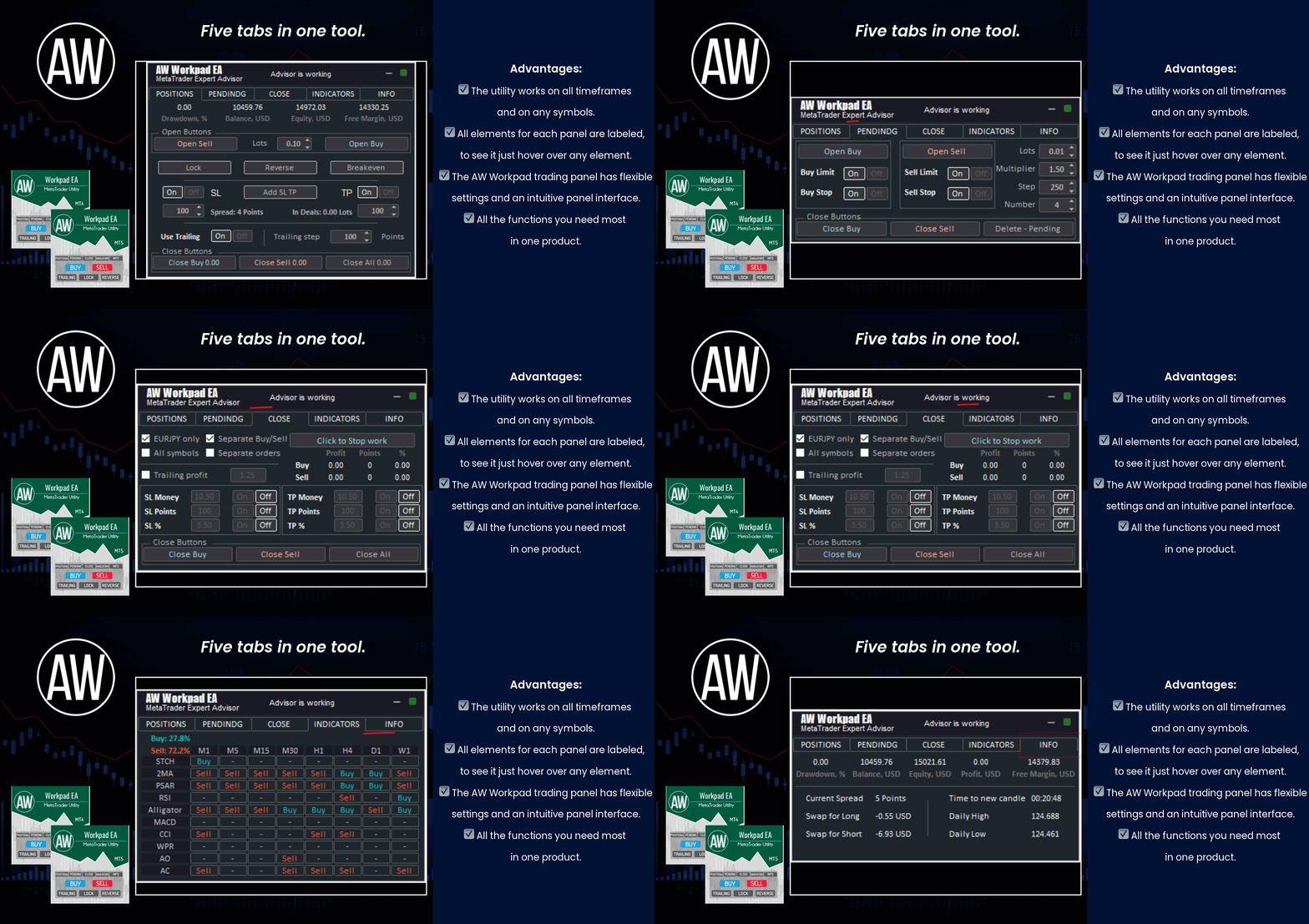
⭐⭐⭐⭐⭐ "AW Workpad" ⭐⭐⭐⭐⭐
🔹 Multifunctional trading control panel designed for manual and semi-automatic trading
Get MT4 Version
👉 https://www.mql5.com/en/market/product/55886
Get MT5 Version
👉 https://www.mql5.com/en/market/product/56179
🔹 Multifunctional trading control panel designed for manual and semi-automatic trading
Get MT4 Version
👉 https://www.mql5.com/en/market/product/55886
Get MT5 Version
👉 https://www.mql5.com/en/market/product/56179
Alexander Zelchert
⭐⭐⭐⭐⭐ AW Recovery EA ⭐⭐⭐⭐⭐
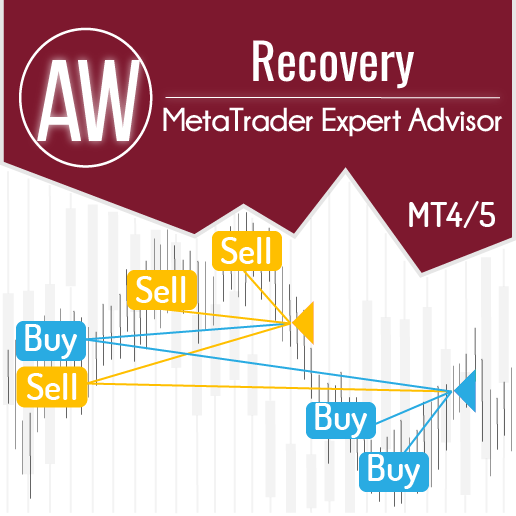
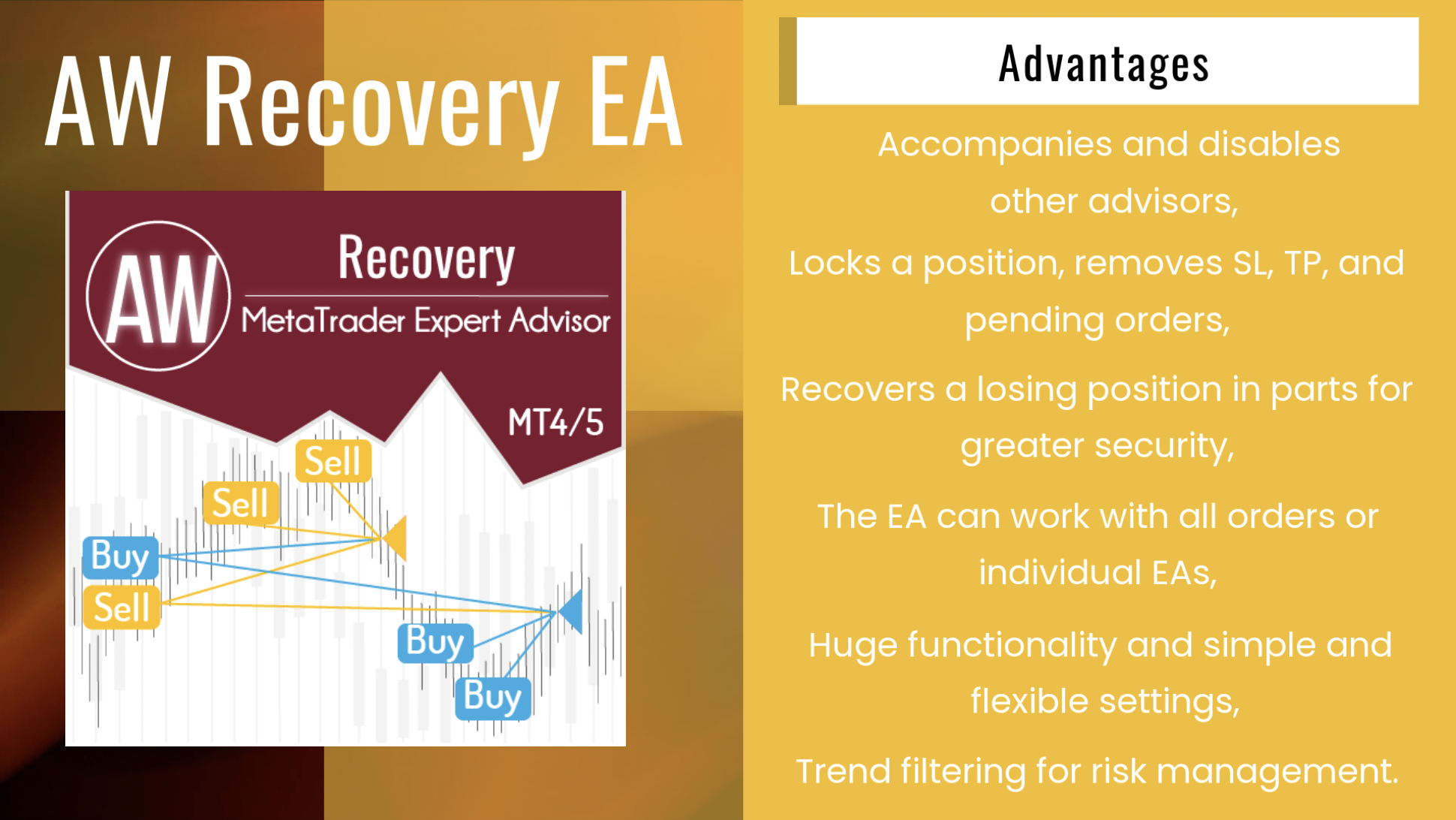
AW Recovery EA is a system designed to restore unprofitable positions. The author's algorithm locks a losing position, splits it into many separate parts, and closes each of them separately. Easy setup, delayed launch in case of drawdown, locking, disabling other Expert Advisors, averaging with trend filtering and partial closing of a losing position are built into one tool.
It is the use of closing losses in parts that allows you to reduce losses with a smaller deposit load, which ensures safer work with losses, unlike grid strategies that close orders only in whole groups.
✅How orders are restored:
⭐ AW Recovery can accompany other advisors and turn them off at the right time
⭐ The EA automatically locks the position, resets TP and SL levels, and deletes pending orders
⭐ Restores a losing position in parts, allowing you to work with a lower deposit load
⭐ Can be used to recover the loss of individual Expert Advisors or work on the current symbol
⭐ The robot combines functionality with simple and flexible settings for each specific situation
⭐ Built-in many protective functions, trend filtering, overlapping, etc. for risk management
✅How to trade with an advisor:
❗Step 1: Adjust the pitch and volumes
Adjust the volume of the first averaging order
Adjust the step for averaging orders
Adjust the ratio between averaging and closing and their volumes
❗Step 2: Set up additional features
Select period for trend filter(If used)
Choose a multiplier for averaging orders
Select Take Profit to close parts of a losing position with a specified profit
❗Step 3: Disable Other Expert Advisors
Disable other Expert Advisors working with these orders
Or let AW Recovery disable these Expert Advisors
Or work without locking
Get MT4 Version
👉 https://www.mql5.com/en/market/product/49453
Get MT5 Version
👉 https://www.mql5.com/en/market/product/49692
🎬 Video instruction 👉 https://youtu.be/Sx_QwmvSAEY
AW Recovery EA is a system designed to restore unprofitable positions. The author's algorithm locks a losing position, splits it into many separate parts, and closes each of them separately. Easy setup, delayed launch in case of drawdown, locking, disabling other Expert Advisors, averaging with trend filtering and partial closing of a losing position are built into one tool.
It is the use of closing losses in parts that allows you to reduce losses with a smaller deposit load, which ensures safer work with losses, unlike grid strategies that close orders only in whole groups.
✅How orders are restored:
⭐ AW Recovery can accompany other advisors and turn them off at the right time
⭐ The EA automatically locks the position, resets TP and SL levels, and deletes pending orders
⭐ Restores a losing position in parts, allowing you to work with a lower deposit load
⭐ Can be used to recover the loss of individual Expert Advisors or work on the current symbol
⭐ The robot combines functionality with simple and flexible settings for each specific situation
⭐ Built-in many protective functions, trend filtering, overlapping, etc. for risk management
✅How to trade with an advisor:
❗Step 1: Adjust the pitch and volumes
Adjust the volume of the first averaging order
Adjust the step for averaging orders
Adjust the ratio between averaging and closing and their volumes
❗Step 2: Set up additional features
Select period for trend filter(If used)
Choose a multiplier for averaging orders
Select Take Profit to close parts of a losing position with a specified profit
❗Step 3: Disable Other Expert Advisors
Disable other Expert Advisors working with these orders
Or let AW Recovery disable these Expert Advisors
Or work without locking
Get MT4 Version
👉 https://www.mql5.com/en/market/product/49453
Get MT5 Version
👉 https://www.mql5.com/en/market/product/49692
🎬 Video instruction 👉 https://youtu.be/Sx_QwmvSAEY
分享社交网络 · 2
Alexander Zelchert
_______"AW Gold Trend Trading"_______
🔹 Trend advisor with an advanced averaging system 🔹
📌Signal monitoring
👉 https://www.mql5.com/en/signals/1538842
✅ MT4 version
👉 https://www.mql5.com/en/market/product/56647
✅ MT5 version
👉 https://www.mql5.com/en/market/product/27081
🔹 Trend advisor with an advanced averaging system 🔹
📌Signal monitoring
👉 https://www.mql5.com/en/signals/1538842
✅ MT4 version
👉 https://www.mql5.com/en/market/product/56647
✅ MT5 version
👉 https://www.mql5.com/en/market/product/27081
分享社交网络 · 1
Alexander Zelchert
已发布产品
全自动交易机器人。它适用于标准 OsMA 指标的信号。内置自动手数计算功能,开单量倍增。用于 EA 计算的可自定义指标参数。辅以可调螺距的尾随系统。 好处: 适用于任何工具和任何时间范围, 内置可调节步距的拖尾系统, 可定制的指标信号, 可以使用autolot计算功能, 订单量动画。 笔记! EA 不显示指标。 战略: OsMA 指标计算为 MACD 振荡器值与其信号线之间的差值。这条线是移动平均线。获得的结果以相对于零线上升或下降的柱形形式显示在图表上。 MACD 和 SIGNAL 之间的距离越大,柱线越长,反之亦然。因此,柱的大小是当前趋势强度的指标。 市场准入: 买入 - 蜡烛收盘后在市场上开立订单。 当 OsMA 直方图向上穿过零水平时,出现买入信号。 卖出 – 在直方图的第一根柱出现在零以下后,市场开立订单。当 直方图从上到下突破线时,卖出信号出现。 从一个位置退出: 顾问开单后: 1 - 如果头寸朝着有利可图的方向发展,则追踪止损被激活。该头寸将使用智能尾随系统关闭 2 - 如果头寸进入亏损方向,则使用挂单应用平均函数 输入变量: 很多设置
Alexander Zelchert
⭐⭐⭐⭐⭐ AW Breakout Catcher ⭐⭐⭐⭐⭐
Link to the product:
Get MT4 Version
👉 https://www.mql5.com/en/market/product/25582
Get MT5 Version
👉 https://www.mql5.com/en/market/product/28263
🔹 get your Breakouts Dashboard for free 🔹
Manual: https://www.mql5.com/en/blogs/post/740915
Link to the product:
Get MT4 Version
👉 https://www.mql5.com/en/market/product/25582
Get MT5 Version
👉 https://www.mql5.com/en/market/product/28263
🔹 get your Breakouts Dashboard for free 🔹
Manual: https://www.mql5.com/en/blogs/post/740915
Alexander Zelchert
_____🔹 AW Close By Profitables 🔹______
📌Closing orders for the current symbol or all symbols
📌The ability to close one or several unprofitable orders at a time
📌Selection of magic numbers and tickets for the closing
📌Selection of profitable and unprofitable orders in money, points, or percentage
📌Closing only BUY or SELL orders or closing all orders
📌Selecting the number of profitable orders in the basket to cover the loss
Get MT4 Version
👉 https://www.mql5.com/en/market/product/28258
Get MT5 Version
👉 https://www.mql5.com/en/market/product/62083
📌Closing orders for the current symbol or all symbols
📌The ability to close one or several unprofitable orders at a time
📌Selection of magic numbers and tickets for the closing
📌Selection of profitable and unprofitable orders in money, points, or percentage
📌Closing only BUY or SELL orders or closing all orders
📌Selecting the number of profitable orders in the basket to cover the loss
Get MT4 Version
👉 https://www.mql5.com/en/market/product/28258
Get MT5 Version
👉 https://www.mql5.com/en/market/product/62083
Alexander Zelchert
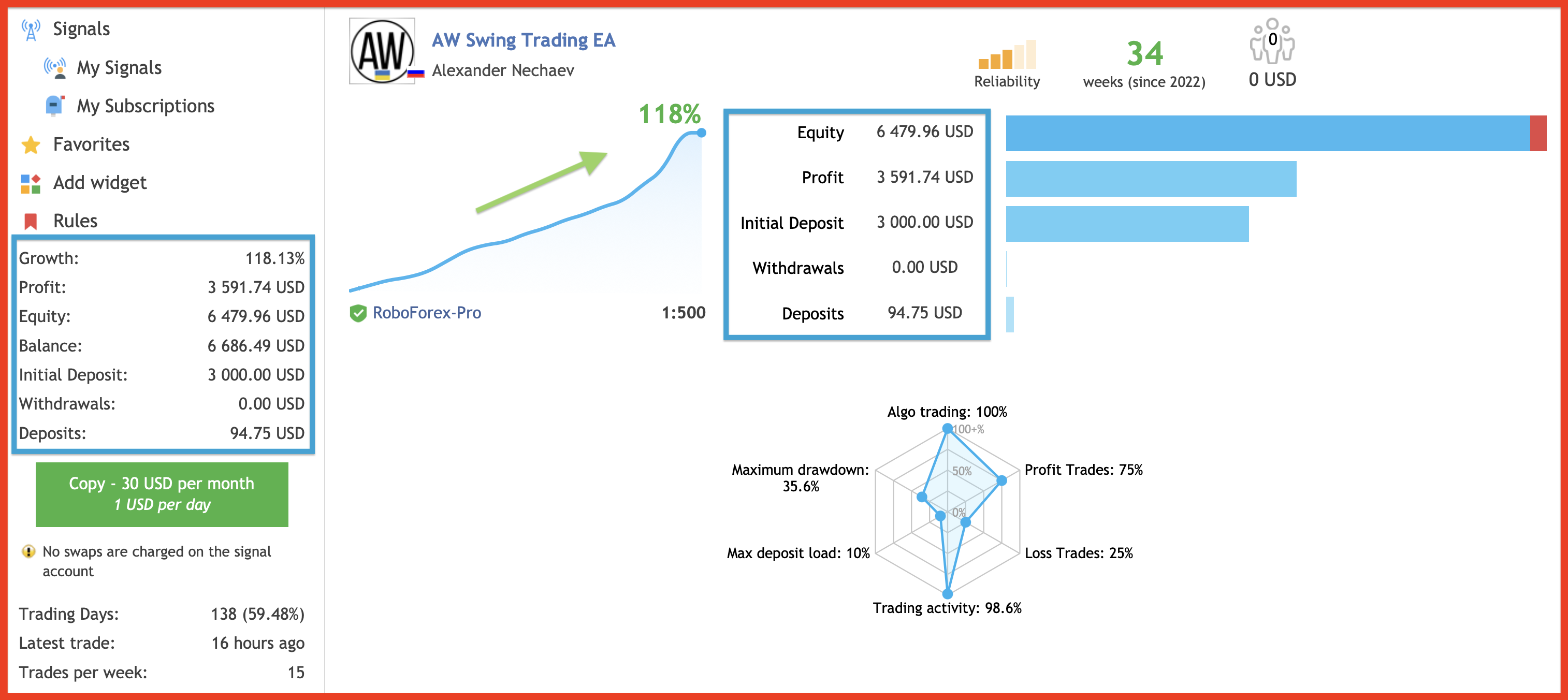
______"AW SWING TRADING EA"________
🔹 Real account result 🔹
MT4 👉 https://www.mql5.com/en/market/product/42172
MT5 👉 https://www.mql5.com/en/market/product/62408
INSTRUCTION AND DESCRIPTION
📌 https://www.mql5.com/en/blogs/post/742819
📈 Live signal
👉 https://www.mql5.com/en/signals/1802208
🔹 Real account result 🔹
MT4 👉 https://www.mql5.com/en/market/product/42172
MT5 👉 https://www.mql5.com/en/market/product/62408
INSTRUCTION AND DESCRIPTION
📌 https://www.mql5.com/en/blogs/post/742819
📈 Live signal
👉 https://www.mql5.com/en/signals/1802208
Alexander Zelchert
⭐⭐⭐⭐⭐ AW Recovery EA ⭐⭐⭐⭐⭐
AW Recovery EA is a system designed to restore unprofitable positions. The author's algorithm locks a losing position, splits it into many separate parts, and closes each of them separately. Easy setup, delayed launch in case of drawdown, locking, disabling other Expert Advisors, averaging with trend filtering and partial closing of a losing position are built into one tool.
It is the use of closing losses in parts that allows you to reduce losses with a smaller deposit load, which ensures safer work with losses, unlike grid strategies that close orders only in whole groups.
✅How orders are restored:
⭐ AW Recovery can accompany other advisors and turn them off at the right time
⭐ The EA automatically locks the position, resets TP and SL levels, and deletes pending orders
⭐ Restores a losing position in parts, allowing you to work with a lower deposit load
⭐ Can be used to recover the loss of individual Expert Advisors or work on the current symbol
⭐ The robot combines functionality with simple and flexible settings for each specific situation
⭐ Built-in many protective functions, trend filtering, overlapping, etc. for risk management
✅How to trade with an advisor:
❗Step 1: Adjust the pitch and volumes
Adjust the volume of the first averaging order
Adjust the step for averaging orders
Adjust the ratio between averaging and closing and their volumes
❗Step 2: Set up additional features
Select period for trend filter(If used)
Choose a multiplier for averaging orders
Select Take Profit to close parts of a losing position with a specified profit
❗Step 3: Disable Other Expert Advisors
Disable other Expert Advisors working with these orders
Or let AW Recovery disable these Expert Advisors
Or work without locking
Get MT4 Version
👉 https://www.mql5.com/en/market/product/49453
Get MT5 Version
👉 https://www.mql5.com/en/market/product/49692
🎬 Video instruction 👉 https://youtu.be/Sx_QwmvSAEY
AW Recovery EA is a system designed to restore unprofitable positions. The author's algorithm locks a losing position, splits it into many separate parts, and closes each of them separately. Easy setup, delayed launch in case of drawdown, locking, disabling other Expert Advisors, averaging with trend filtering and partial closing of a losing position are built into one tool.
It is the use of closing losses in parts that allows you to reduce losses with a smaller deposit load, which ensures safer work with losses, unlike grid strategies that close orders only in whole groups.
✅How orders are restored:
⭐ AW Recovery can accompany other advisors and turn them off at the right time
⭐ The EA automatically locks the position, resets TP and SL levels, and deletes pending orders
⭐ Restores a losing position in parts, allowing you to work with a lower deposit load
⭐ Can be used to recover the loss of individual Expert Advisors or work on the current symbol
⭐ The robot combines functionality with simple and flexible settings for each specific situation
⭐ Built-in many protective functions, trend filtering, overlapping, etc. for risk management
✅How to trade with an advisor:
❗Step 1: Adjust the pitch and volumes
Adjust the volume of the first averaging order
Adjust the step for averaging orders
Adjust the ratio between averaging and closing and their volumes
❗Step 2: Set up additional features
Select period for trend filter(If used)
Choose a multiplier for averaging orders
Select Take Profit to close parts of a losing position with a specified profit
❗Step 3: Disable Other Expert Advisors
Disable other Expert Advisors working with these orders
Or let AW Recovery disable these Expert Advisors
Or work without locking
Get MT4 Version
👉 https://www.mql5.com/en/market/product/49453
Get MT5 Version
👉 https://www.mql5.com/en/market/product/49692
🎬 Video instruction 👉 https://youtu.be/Sx_QwmvSAEY
Alexander Zelchert
💎 AW Metatrader to Telegram 💎
A utility that sends notifications to the Telegram messenger about any trading operations on your account.
MT4 👉 https://www.mql5.com/en/market/product/80020
MT5 👉 https://www.mql5.com/en/market/product/81256
📌 Instructions 👉 https://www.mql5.com/en/blogs/post/748832
A utility that sends notifications to the Telegram messenger about any trading operations on your account.
MT4 👉 https://www.mql5.com/en/market/product/80020
MT5 👉 https://www.mql5.com/en/market/product/81256
📌 Instructions 👉 https://www.mql5.com/en/blogs/post/748832
Alexander Zelchert
___💥💥💥 AW-Trading 💥💥💥___
✅ Our Trading Advisers
👉 MT4 https://www.mql5.com/en/market/mt4/expert?Filter=nechaevrealle
👉 MT5 https://www.mql5.com/en/market/mt5/expert?Filter=nechaevrealle
📈 Live Signals
👉 https://www.mql5.com/en/signals/author/nechaevrealle
📢 AW Trading Software Channel
👉 https://t.me/AWSoftware
✅ Our Trading Advisers
👉 MT4 https://www.mql5.com/en/market/mt4/expert?Filter=nechaevrealle
👉 MT5 https://www.mql5.com/en/market/mt5/expert?Filter=nechaevrealle
📈 Live Signals
👉 https://www.mql5.com/en/signals/author/nechaevrealle
📢 AW Trading Software Channel
👉 https://t.me/AWSoftware
Alexander Zelchert
📹 New video showing AW Classic MACD EA testing
👉 https://www.youtube.com/watch?v=YXw_d9hpg5E
______ AW Classic MACD EA ______
Get MT4 Version
👉 https://www.mql5.com/en/market/product/66079
Get MT5 Version
👉 https://www.mql5.com/en/market/product/66497
👉 https://www.youtube.com/watch?v=YXw_d9hpg5E
______ AW Classic MACD EA ______
Get MT4 Version
👉 https://www.mql5.com/en/market/product/66079
Get MT5 Version
👉 https://www.mql5.com/en/market/product/66497
分享社交网络 · 2
Alexander Zelchert
⭐⭐⭐⭐⭐ AW Breakout Catcher EA ⭐⭐⭐⭐⭐
AW Breakout Catcher EA that trades by indicator signals AW Breakout Catcher. The advisor works by a strategy to break the dynamic levels of support and resistance.
📈 Live signal
👉 https://www.mql5.com/en/signals/1102360
Get MT4 Version
👉 https://www.mql5.com/en/market/product/63457
Get MT5 Version
👉 https://www.mql5.com/en/market/product/63462
INSTRUCTION AND DESCRIPTION
👉 https://www.mql5.com/en/blogs/post/743111
AW Breakout Catcher EA that trades by indicator signals AW Breakout Catcher. The advisor works by a strategy to break the dynamic levels of support and resistance.
📈 Live signal
👉 https://www.mql5.com/en/signals/1102360
Get MT4 Version
👉 https://www.mql5.com/en/market/product/63457
Get MT5 Version
👉 https://www.mql5.com/en/market/product/63462
INSTRUCTION AND DESCRIPTION
👉 https://www.mql5.com/en/blogs/post/743111
Alexander Zelchert
⭐⭐⭐⭐⭐ "AW Workpad" ⭐⭐⭐⭐⭐
🔹 Multifunctional trading control panel designed for manual and semi-automatic trading
Get MT4 Version
👉 https://www.mql5.com/en/market/product/55886
Get MT5 Version
👉 https://www.mql5.com/en/market/product/56179
🔹 Multifunctional trading control panel designed for manual and semi-automatic trading
Get MT4 Version
👉 https://www.mql5.com/en/market/product/55886
Get MT5 Version
👉 https://www.mql5.com/en/market/product/56179
Alexander Zelchert
⭐⭐⭐⭐⭐ AW Recovery EA ⭐⭐⭐⭐⭐
AW Recovery EA is a system designed to restore unprofitable positions. The author's algorithm locks a losing position, splits it into many separate parts, and closes each of them separately. Easy setup, delayed launch in case of drawdown, locking, disabling other Expert Advisors, averaging with trend filtering and partial closing of a losing position are built into one tool.
It is the use of closing losses in parts that allows you to reduce losses with a smaller deposit load, which ensures safer work with losses, unlike grid strategies that close orders only in whole groups.
✅How orders are restored:
⭐ AW Recovery can accompany other advisors and turn them off at the right time
⭐ The EA automatically locks the position, resets TP and SL levels, and deletes pending orders
⭐ Restores a losing position in parts, allowing you to work with a lower deposit load
⭐ Can be used to recover the loss of individual Expert Advisors or work on the current symbol
⭐ The robot combines functionality with simple and flexible settings for each specific situation
⭐ Built-in many protective functions, trend filtering, overlapping, etc. for risk management
✅How to trade with an advisor:
❗Step 1: Adjust the pitch and volumes
Adjust the volume of the first averaging order
Adjust the step for averaging orders
Adjust the ratio between averaging and closing and their volumes
❗Step 2: Set up additional features
Select period for trend filter(If used)
Choose a multiplier for averaging orders
Select Take Profit to close parts of a losing position with a specified profit
❗Step 3: Disable Other Expert Advisors
Disable other Expert Advisors working with these orders
Or let AW Recovery disable these Expert Advisors
Or work without locking
Get MT4 Version
👉 https://www.mql5.com/en/market/product/49453
Get MT5 Version
👉 https://www.mql5.com/en/market/product/49692
🎬 Video instruction 👉 https://youtu.be/Sx_QwmvSAEY
AW Recovery EA is a system designed to restore unprofitable positions. The author's algorithm locks a losing position, splits it into many separate parts, and closes each of them separately. Easy setup, delayed launch in case of drawdown, locking, disabling other Expert Advisors, averaging with trend filtering and partial closing of a losing position are built into one tool.
It is the use of closing losses in parts that allows you to reduce losses with a smaller deposit load, which ensures safer work with losses, unlike grid strategies that close orders only in whole groups.
✅How orders are restored:
⭐ AW Recovery can accompany other advisors and turn them off at the right time
⭐ The EA automatically locks the position, resets TP and SL levels, and deletes pending orders
⭐ Restores a losing position in parts, allowing you to work with a lower deposit load
⭐ Can be used to recover the loss of individual Expert Advisors or work on the current symbol
⭐ The robot combines functionality with simple and flexible settings for each specific situation
⭐ Built-in many protective functions, trend filtering, overlapping, etc. for risk management
✅How to trade with an advisor:
❗Step 1: Adjust the pitch and volumes
Adjust the volume of the first averaging order
Adjust the step for averaging orders
Adjust the ratio between averaging and closing and their volumes
❗Step 2: Set up additional features
Select period for trend filter(If used)
Choose a multiplier for averaging orders
Select Take Profit to close parts of a losing position with a specified profit
❗Step 3: Disable Other Expert Advisors
Disable other Expert Advisors working with these orders
Or let AW Recovery disable these Expert Advisors
Or work without locking
Get MT4 Version
👉 https://www.mql5.com/en/market/product/49453
Get MT5 Version
👉 https://www.mql5.com/en/market/product/49692
🎬 Video instruction 👉 https://youtu.be/Sx_QwmvSAEY
分享社交网络 · 1
Alexander Zelchert
__🔥__AW Advanced Scalping EA__🔥__
The result of real work!
MT4 👉 https://www.mql5.com/en/market/product/75999
MT5 👉 https://www.mql5.com/en/market/product/81941
📌Signal monitoring
👉 https://www.mql5.com/en/signals/1802210
The result of real work!
MT4 👉 https://www.mql5.com/en/market/product/75999
MT5 👉 https://www.mql5.com/en/market/product/81941
📌Signal monitoring
👉 https://www.mql5.com/en/signals/1802210
Alexander Zelchert
⭐⭐⭐⭐⭐ AW Grids Maker ⭐⭐⭐⭐⭐
Uses pending orders of all types.
Simple and flexible setup.
Suitable for pyramid, classic averaging or martingale.
Get MT4 Version
👉 https://www.mql5.com/en/market/product/49829
Get MT5 Version
👉 https://www.mql5.com/en/market/product/49917
Uses pending orders of all types.
Simple and flexible setup.
Suitable for pyramid, classic averaging or martingale.
Get MT4 Version
👉 https://www.mql5.com/en/market/product/49829
Get MT5 Version
👉 https://www.mql5.com/en/market/product/49917
Alexander Zelchert
💎______ AW ADX based EA ______💎
The classic strategy of determining the trend by the values of PlusDi and MinusDi relative to each other is used when the trend is active, determined by the mainline of the indicator.
✅ Configurable indicator signals
✅ Suitable for any type of instrument and any timeframe
✅ Uses averaging if necessary
✅ Pluggable system of overlapping the first order with the last one
✅ Virtual TakeProfit
✅ Has three types of notifications
✅ Ability to automatically calculate trading volumes
Get MT4 Version
👉https://www.mql5.com/en/market/product/69495
Get MT5 Version
👉 https://www.mql5.com/en/market/product/69499
The classic strategy of determining the trend by the values of PlusDi and MinusDi relative to each other is used when the trend is active, determined by the mainline of the indicator.
✅ Configurable indicator signals
✅ Suitable for any type of instrument and any timeframe
✅ Uses averaging if necessary
✅ Pluggable system of overlapping the first order with the last one
✅ Virtual TakeProfit
✅ Has three types of notifications
✅ Ability to automatically calculate trading volumes
Get MT4 Version
👉https://www.mql5.com/en/market/product/69495
Get MT5 Version
👉 https://www.mql5.com/en/market/product/69499
: