Telegram Alerts

4.72

This application is now replaced by Ofir Notify Light Edition (Free) or Ofir Notify (paid).
Thank all for your positive feedbacks.


Ofir Notify is a tool which send alerts on trades to Telegram
  1. Alert on any event concerning a position : Opening, Closing, modification (SL, TP)
  2. Send alerts to Chats, Groups and Channel
  3. Alert on Equity change
  4. Display Risk, Reward and progress of profit/lost for each position
  5. Customization of alerts (only in full edition)
  6. Sending charts screenshots with alerts  (only in full edition)
  7. Send signals from your indicators or experts  (only in full edition)
  8. Multi-lingual


评分 30
Nashwan Althawr
164
Nashwan Althawr 2022.01.19 07:54 
 

Great work , but I couldn't forward massages to my Group , its only appeared on the Bot itself

Michel
121
Michel 2021.11.30 23:09 
 

5 stars because it works. But an ideal function would be screenshot, although it has not been updated for a long time.

spark021
72
spark021 2021.05.21 16:11 
 

it works like charm...

推荐产品
Save Template
Dominik Kaczorowski
A very fast way to save your chart template. Set the keyboard shortcut to further speed up the operation. The script allows you to save a template with a specific prefix, with the current date or with the chart timeframe. The symbol is saved automatically. Script parameters: Prefix - prefix for the template name. Can be empty. With date - true = template name will containt current date With timeframe - true = template name will containt timeframe of the current chart
FREE
This's free demo version for testing on CADCHF currency. Full version can be found here :  https://www.mql5.com/en/market/product/38022 Smart Tools for control stop-loss and take profit level. Drawing horizontal line to control stop-loss and take profit level. Can be setting stop-loss and take-profit level as low as possible! even 1 pip. Can be drag and drop lines on real-time. Useful for scalping trading method. How to use ? Just place this EA to any currency that you want to take control ord
FREE
PanelManual
Vasiliy Kolesov
The panel for the MT4 terminal is designed to help the trader quickly set pending orders for a breakout of the previous bar. The utility calculates the order lot itself at the specified stop loss price and maximum loss percentage. The panel also has a button for converting to breakeven. When you click, the stop loss of an open position is converted to the order opening price.
FREE
Sell and Buy Points On Chart
Fawwaz Abdulmantaser Salim Albaker
This EA helps traders in the following benefits : - show the entry point for sell or buy orders that you makes. -show the TP & SL levels on chart - control the lot size  - control the TP & SL level in points - works on all chart period - rising algo trading rank in your signal  - closing all deals in one click - closing only profitable deals - closing only losable traders enjoy 
FREE
根据波动性,奖励交易头寸的潜在风险基于平均真实范围显示。 点击"买入或卖出"按钮时,会显示风险回报框! ATR计算的一个效用,为一个不属于何时关闭交易的艰难决定的问题感到高兴。 这件事将有助于你的风险管理决定.  规格说明 平均真实范围是一个常用的指标,以点或价格衡量市场的波动性。 真实范围是在任何给定时间段内烛台的最低交易价格和最高交易价格之间的差额。 平均真实范围,在所有,平均这些高点和低点的"前"天。 例如,ATR指标的默认设置为我们提供了14天的周期。 ATR收集点值的高点和低点,除以14天。 但当然,这超出了通用指标ATR。 事实上,三个完全不同的TPs完全依赖于他们自己的时间框架来实现不同的pip消耗。 烛台的规则在技术上是不同的每个时间框架。 因此,当我们使用相同的时间段时,我们会发现每个时间段的结果不同。  例子:: 时间段/天数占:14/时间段:M30   时间段/天数占:14/时间段:H1 时间段/天数占:14/时间段:H4  ^这些将提供不同的平均真实范围^  这里是我喜欢3TP的权力所在和原因:理论上,尾随可以发生在第一个TP朝向第二个TP。 第三个T
FREE
Tipu Trader
Kaleem Haider
3 (2)
Tipu Trader is a part of Tipu Panel ecosystem that was developed out of need for quick and simple trading. Tipu Trader is an easy to use trade panel for commonly used trade functions. Create you own signals with Tipu Panel and trade along with Tipu Trader, a simple and easy to use trade panel. Features An easy to use trade panel for most commonly used trade functions. Create your own personal trade signals with Tipu Panel , and trade with Tipu Trader. Customizable Panel. The panel can be moved
FREE
Mirror controller
Eugenio Bravetti
2 (1)
The new version of  MirrorSoftware 2021  has been completely rewriten and optimized.  This version requires to be loaded only on a single chart because  it can detect all actions on every symbol and not only the actions of symbol where it is loaded. Even the  graphics and the configuration mode  have been completely redesigned. The MirrorSoftware is composed of two components (all components are required to work):  MirrorController  (free indicator): This component must be loaded into the MASTER
FREE
该脚本基于使用随机数生成器模拟贸易交易。即使使用相同的输入参数,这也可以使您获得完全不同的结果。运行脚本时,将打开一个对话框,您可以在其中设置外部变量的所需值。 在块中,TradingOptions定义了模拟交易所需的基本参数。 StartBalance  - 设置交易余额的初始大小。 NumberTrade  - 设置脚本运行时将建模的交易事务数。为了获得或多或少的显着结果,该参数必须大于30。 ProbabilityWinning  - 获胜交易的概率。表示为百分比,有效值为1到99。 Min.StopLoss  - 表示以点为单位的最小StopLoss值,将在建模交易操作时使用。 Max.StopLoss  - 以磅为单位设置StopLoss的最大值。 PositiveWin。 - 该变量建立修正,借助于该修正在模拟交易中获得积极的期望。 脚本的工作是执行以下操作。首先,计算获胜交易的预期概率 -  PW。之后,随机设置StopLoss的值,该值将在此事务中使用。考虑到预期收益应为正数,计算TakeProfit规模。考虑到点值,TakeProfit和StopLoss水平将转换为
FREE
A simple utility to copy trade volumes from one MT5 or MT4 account to another MT4 account. You can copy positions between Netting and Hedging accounts in any combination. By default, positions opened by all matching symbols with the same volumes will be copied. If the symbol names are different or the volume of copied positions should be different or not all positions should be copied, then the desired behavior can be specified in the settings described in this   post . This product will expand
FREE
OpenCharts for OpenOrders – 智能图表管理助手 只需将此智能脚本拖放到 任意图表 ,它就会自动为您的每个 持仓品种 打开一个新的图表窗口。 ️ 主要功能 : 为每个持仓的交易品种自动打开一个图表 如果已有图表已打开,则不会重复打开 即使有多个订单,也只为该品种打开 一个 图表 可在执行前选择时间周期 简洁高效,适合管理多订单的交易者 本脚本为 完全免费 ,无任何费用或限制。 关键词:图表管理,自动打开图表,MQL4脚本,持仓图表,MT4工具,免费脚本,智能交易终端,MT4自动化,多订单管理,图表自动化,外汇交易,交易效率,一键操作,交易助手,自动化交易,脚本定制,交易平台集成,实时监控,多窗口管理,交易工具,智能助手,节省时间,高效交易,无需手动,自动化脚本,交易管理,外汇工具,智能图表,自动化管理,交易优化,MT4插件,交易执行,智能系统,多任务处理,交易便捷性,界面友好,快速执行,自定义设置,交易警报,技术指标集成,风险管理工具,交易分析,自动交易系统,图表布局,交易策略,实时数据,多账户管理,交易面板,智能交易,交易机器人,脚本安装,图表工
FREE
This expert advisor can enter and exit trades at specific times and on specific weekdays, expressed in GMT Time. It offers weekday selection, trade management settings, a martingale function and money management features. [ Installation Guide | Update Guide | Troubleshooting | FAQ | All Products ] Easy to use and supervise Fully configurable entry and exit times (up to 5 trades) Enable or disable trading weekdays in inputs Customizable break-even, stop-loss, take-profit and trailing-stop setting
FREE
The utility TradeKeeper Lite can show your profits for different periods and bip a sound when you reach a profit target value. Click the tachometer to quickly switch to the next profit period. There are 5 of them: This Day, This Week, This Month, Last 90 Days and All I Made. With the utility TradeKeeper Pro , available at this link , you can also open trades with a magic number and volume of your choice, trail any orders with a simple trail or iSAR-based trail, as well as close any open trades a
FREE
播放过去的图表,并可瞬间聚焦到特定时间点。   将图表移动到创建的焦点线,可高效观察和分析重要时间点。 功能 瞬间将图表移动到关注时间点 自动播放可用于掌握图表走势、动态并进行模式搜索 播放规格 播放方向:过去 → 未来 每次移动的K线数:1 播放速度:固定 播放中可暂停 / 恢复 END按钮结束程序 操作 Crt FocusLine:创建焦点线 Position:切换显示位置(右 / 中 / 左) Focus:瞬间将图表移动到创建的焦点线 Pause / Restart:暂停 / 恢复播放 END:退出程序 版本比较 下表显示了本产品(Player版)与高端型号(Full Version)之间的功能差异。虽然用户界面(控制面板)的布局完全相同,但可用的模式和设置范围有所不同。 功能项目 Player版 (本产品) Full Version (完整版) 用户界面 完全相同 (通用界面) 完全相同 (通用界面) 播放方向 仅限未来方向 支持未来与过去 (双向) 播放速度 固定 (0.5秒 / 柱) 可变 (50毫秒 - 10分钟) 移动K线数 固定 1根 可调节 (1根 - 480根)
FREE
Designed to revolutionize trading efficiency, this app enables traders to seamlessly cycle through Market Watch symbols using intuitive keyboard arrow keys or dynamically positioned on-chart buttons, minimizing navigation time and enhancing focus on market analysis. Potential : This lightweight MetaTrader 4 tool unlocks rapid symbol switching for comparative analysis across assets, supports wrap-around navigation for uninterrupted workflows, and adapts button placement to stay within chart
FREE
KEYBOARD CONTROL TRADING  This script allows you to buy, sell or close positions using the keys on your keyboard. This allows you to create shortcuts to place buy or sell orders or to close an open position. Setting: LOT: To choose the lot size of your order. TAKE PROFIT PIPS: To set your take profit in pips STOP LOSS PIPS: To set the stop loss in pips KEY FOR BUYING: To choose the keyboard touch to buy: -Up : To choose the UP direction key to place purchases -B : To choose the direction k
FREE
您是否厌倦了在没有您的情况下将收支平衡变成盈利交易? 不可调止损 (USL) 让您继续交易! 您精心计划了自己的交易,保持了耐心,并在“完美”时刻入场。 当交易朝着对您有利的方向发展时,您将止损调整至盈亏平衡,感到安全,没有资金面临风险。 但随后,市场出现意想不到的转变,阻止您出局,并朝着您预期的方向发展(参见屏幕截图 A)。 有没有想过可以采取什么不同的做法? 确定止损移动的时机与确定入场时机一样具有挑战性,如果选错往往会导致过早退出。 如果有更好的方法来应对移动止损的不确定性怎么办? 一种消除过早退出的方法,让您在交易中停留更长时间 隆重推出 Unwickable Stop Loss (USL),它是风险管理领域的变革者,可与您的硬止损无缝配合。 USL 提供的交易不会让您过早退出灯芯(参见屏幕截图 B),为您提供下行保护的安全性,同时保持盈亏平衡或追踪止损的弹性,即使面对恶性市场灯芯。 USL 的工作原理是要求蜡烛收盘价低于 USL(参见屏幕截图 C)。 不可调止损 (USL) 的主要优点: 1 - 尽可能长时间地留在交易中,以获得精神上更轻松的交易体验。 2 - 使用简单
FREE
Left4Trade MT4 Script  A script allows displaying the closure of a trade on the current chart. It helps to see where the trade was opened and closed and how it affects the overall trading result. When using this script, arrows indicating the opening and closing of trades are displayed on the chart. They can be configured with different colors according to your preferences. One of the main advantages of using this script is the ability to quickly analyze trading operations, which allows you to
FREE
Draw and Sync Objects MT4
Nguyen Thanh Sang
4.67 (6)
Draw and Sync Objects Multiple Charts 1. Draw objects by key press. ( You must: 1.  Press Function key =>   2.   Click where you want to draw =>   3.   Draw it =>   4.   Press ESC to complete). (If you don't want to draw after pressing function key, you must press ESC to cancel). 2.   Developing  : Sync selected objects to multiple charts by button. 3. Developing: Hide objects that do not belong to the current symbol (Objects drawn with this indicator will belong to the symbol they are plotted
FREE
See my other products here. One Click Order This product helps you to send your order as quickly and easily as possible. Send your order as fast as possible: Just set your position parameter values(Price, TP, SL, Ex Date) with just a few simple mouse drags. On the other hand, the calculation of the losses and profits value before ordering is always a big challenge for traders; This expert is very useful in taking a position and calculating the amount of the stop loss/the take profit(in the curr
FREE
一键图表切换器 | 商品说明 一键图表切换器 | 让您的日常分析,更加轻松便捷 对于交易者来说,检查大量的货币对和时间周期是一项日常工作。但是,手动一一切换图表,总会觉得有些繁琐。 这款“一键图表切换器”正是为了让这些日常的图表分析工作变得更舒适而开发的MT4指标。 只需点击图表上的按钮,即可快速切换货币对和时间周期。让您在不打断分析节奏的同时,顺畅地进行下一步操作。 主要功能 一键快速切换 只需点击图表上显示的按钮,即可瞬间更改货币对或时间周期,让您的分析流程不中断。 高度个性化定制 不仅可以自定义要显示的货币对和时间周期列表,还可以根据自己的喜好精细设置按钮的颜色、大小和布局。 便捷的显示/隐藏功能,让图表更清爽 在不需要按钮时,可以通过“隐藏”按钮暂时将其隐藏。仅在需要时显示,可以保持图表界面的整洁。 当前设置一目了然 与当前图表上显示的货币对和时间周期相对应的按钮,会以您设定的高亮颜色显示,让您能随时直观地把握当前状态。 详细参数设置 您可以通过指标的属性设置窗口,根据自己的交易环境,直观地对该工具进行定制。 【显示的货币对与时间周期设置】 这是本工具的核心。请根据您的
FREE
The Scaled Awesome Oscillator (SAO) represents a refined adaptation of the Awesome Oscillator, aimed at establishing consistent benchmarks for identifying market edges. Unlike the standard Awesome Oscillator, which records the variation in pips across different commodities, the only unchanging reference point is the zero line. This limitation hampers investors and traders from pinpointing specific levels for trend reversals or continuations using the traditional Awesome Indicator, a creation of
FREE
Quick Style
Maxim Polishchuk
4.71 (7)
The Quick Style utility is designed for facilitation and acceleration of working with the properties of graphical objects. Left-click a graphical object while holding the Shift key to open the quick access window for configuring the object properties. In the window, you can change the color, style and line width with one click, including those of other graphical objects. All changes are displayed immediately. To close the Quick Style , simply click the free space on the chart. The utility is eas
FREE
OrderAssistant
Hao-Wei Lee
5 (1)
Panel Tool – Button Click Trading (Replaces Default Trade Panel) Features 1. Open or close Long positions with a button click. 2. Open or close Short positions with a button click. 3. Set lot sizes. 4. Set Stop-Loss (SL) or Take-Profit (TP) points (0 = not used). 5. Set order comments. 6. Display the Break-Even price . 7. Show total Long and Short lot sizes. 8. Display Profit or Loss in USD. 9. Show daily Profit or Loss in USD. 10. Set ID = 0 to manage manual orders together .
FREE
Yesterday High Low
Jonathan Destailleur
5 (2)
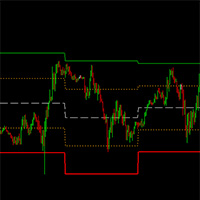
The "Yesterday High Low" indicator for the MetaTrader 4 (MT4) trading platform is a powerful tool designed to help traders identify key price levels from the previous trading day. This indicator provides a visual representation of the high prices, low prices, high/low price averages, and intermediate average levels on the chart. Primarily used by institutional and professional traders, this indicator offers an instant view of price levels that are often considered crucial in financial markets.
FREE
You can check out comment #1 how does it work This is a very useful tool, enter the currency charts you need to open, use the symbol "/" to distinguish them, and select the periodicity /TF of the chart, press the button and they will open the charts for you in batches without you having to manually open them each! Because some EA use multiple currency pairs strategy, but do not support one chart to support all currency pairs, so I developed this tool, hope you like it, if you are satisfied with
FREE
This is a demo version of CyberTrader Assistant tool. In demo version you cannot change lots value (it is set to the minimal value for the given symbol) and price rounding function for pending orders is unavailable This tool simplifies routine trading tasks (like opening market orders, setting up pending orders, closing of all orders and orders by parameter), helps to control losses by use of break even stop and trailing stop, and adds a little bit of cyber punk edge to your trading Control Ele
FREE
Percentage Stop
Vincent Ocasla
5 (1)
A simple risk management tool that closes all open orders if equity drops by a specified percentage. This tool is useful if you are running multiple EAs and multiple charts and pairs in order to control your risk. All orders will close accordingly. Once it hits specified percentage drawdown the closing of all orders cannot be stopped. The EA will reset once all orders are closed, until account equity drops again relative to account balance. Use at your own risk. This is only for MT4. There is o
FREE
Deal multiplier Mt4
Mikhail Mitin
4.42 (12)
The utility opens copies of open trades. It is very convenient if you use the Signals service and want to increase the volume of transactions. Settings: Symbols: all symbols only current symbol Orders: Buy Sell Magic Any Magic Input Magic Lot size Original - lot size from original order; Fix Lot - fix lot size (input); Lot X Mult - lot size X koef; Stop Loss From sender - Stop Loss from original; Without - without Stop Loss; Plus Fix - Stop Loss from original order + fix points; Fix Point - fix
FREE
Session High Low
Jerome Asiusin
This indicator help to mark the high and low of the session Asian,London,Newyork , with custom hour setting This indicator is set to count from minute candle so it will move with the current market and stop at the designated hour and create a accurate line for the day. below is the customization that you can adjust : Input Descriptions EnableAsian Enables or disables the display of Asian session high and low levels. EnableLondon Enables or disables the display of London session high and
FREE
Practice Simulator Sync
Sajiro Yoshizaki
4.5 (2)
该模块与练习模拟器同步显示图表时间和位置信息,不仅针对同一货币对,还显示不同时间范围和不同货币对的同步图表。 注意:该模块本身不能工作。 需要“Practice Simulator” Practice Simulator https://www.mql5.com/zh/market/product/98348 有两种同步模式可供选择。 简单同步方式: 通过打开要同步的图表并将此工具插入其中,您可以轻松创建同步图表。 图表将移至指定位置并部分隐藏。 因此图表有时可能在图表移位、子窗口等中可见。 主动同步模式: 使用离线图表创建图表以进行同步。 该过程更加复杂,但工作原理几乎与实时图表完全相同。 有关更详细的设置信息,请单击此处。 https://www.mql5.com/en/blogs/post/753894
FREE
该产品的买家也购买
Local Trade Copier EA MT4
Juvenille Emperor Limited
4.96 (106)
通过 Local Trade Copier EA MT4 获得非常快速的交易复制体验。它的简单1分钟设置,使您可以在同一台Windows计算机或Windows VPS上在多个MetaTrader终端之间复制交易,具有闪电般快速的复制速度,低于0.5秒。 无论您是初学者还是专业交易者, Local Trade Copier EA MT4 都提供了广泛的选项,可根据您的特定需求进行自定义。对于任何希望增加利润潜力的人来说,这都是终极解决方案。 今天就尝试一下,看看为什么它是市场上最快、最简单的贸易复印机! 提示: 您可以在您的模拟账户中下载并试用 Local Trade Copier EA MT4 模拟版: 这里 将下载的免费演示文件粘贴到您的 MT4 >> 文件 >> 打开数据文件夹 >> MQL4 >> 专家文件夹并重新启动您的终端。  免费演示版本每次可在 4 小时内发挥全部功能,仅限演示帐户。 要重置试用期,请转至 MT4 >> 工具 >> 全局变量 >> Control + A >> 删除。 请仅在非关键模拟账户上执行此操作,不要在挑战道具公司账户中执行此操作。 如果您无法在
Trade Assistant MT4
Evgeniy Kravchenko
4.42 (193)
它有助于计算每笔交易的风险,容易安装新的订单,具有部分关闭功能的订单管理, 7 种类型的追踪止损和其他有用的功能。 附加材料和说明 安装说明 - 应用程序说明 - 模拟账户应用程序的试用版 线条功能  - 在图表上显示开仓线、止损线、止盈线。 有了这个功能,就可以很容易地设置一个新的订单,并在开仓前看到它的附加特性。   风险管理  - 风险计算功能在考虑到设定的风险和止损单的大小的情况下,计算新订单的成交量。它允许你设置任何大小的止损,同时观察设定的风险。 批量计算按钮 - 启用 / 禁用风险计算。 在 " 风险 " 一栏中设置必要的风险值,从 0 到 100 的百分比或存款的货币。 在 " 设置 " 选项卡上选择风险计算的变量: $ 货币, % 余额, % 资产, % 自由保证金, % 自定义, %AB 前一天, %AB 前一周, %AB 前一个月。   R/TP 和 R/SL - 设置止盈和止损的关系。 这允许你设置相对于损失的利润大小。 例如, 1 : 1 - 这决定了 TP = SL 的大小。 2 : 1 - 这意味着 TP 是 SL 的两倍。 RR - 它禁用比率。  
欢迎来到 Trade Manager EA——这是一个终极风险管理工具,旨在使交易变得更直观、精准和高效。它不仅仅是一个下单工具,而是一个用于无缝交易计划、仓位管理和风险控制的全面解决方案。不论您是新手交易员、资深交易员,还是需要快速执行的剥头皮交易员,Trade Manager EA 都可以满足您的需求,适用于外汇、指数、大宗商品、加密货币等各种市场。 借助 Trade Manager EA,复杂的计算已成过去。只需分析市场,在图表上用水平线标记入场、止损和止盈,设置您的风险水平,Trade Manager 就会立即计算出理想的头寸规模,并实时显示以点、账户货币计价的止损和止盈。每笔交易都得以轻松管理。 主要功能: 头寸规模计算器 :根据定义的风险瞬间确定交易规模。 简单的交易计划 :在图表上用可拖动的水平线直接计划交易,设置入场、止损和止盈。 实时显示 SL 和 TP :以账户货币、点或分显示止损和止盈,便于分析。 高级保护工具 盈亏平衡选项 : 基本盈亏平衡 :当您的交易达到设定水平时自动保护利润。 多级盈亏平衡 :设置多达 4 个级别以逐步保护利润。 尾随止损选项 : 基本尾随
Exp COPYLOT CLIENT for MT4
Vladislav Andruschenko
4.69 (65)
MetaTrader 4 的交易复制器。     它从任何账户复制外汇交易、头寸、订单。 它是最好的贸易复印机之一     MT4 - MT4,MT5 - MT4     为了   复制 MT4     版本(或     MT4 - MT5 MT5 - MT5     为了   复制MT5     版本)。 MT5版本 详细描述   +DEMO +PDF 如何购买 如何安装     如何获取日志文件     如何测试和优化     Expforex 的所有产品 复印机 版本       MetaTrader 5 终端 (   МТ5 - МТ5, МТ4 - МТ5   )-   Copylot 客户端 MT5 独特的复制算法将所有交易从主账户准确复制到您的客户账户。 该产品还以其高运行速度而著称,并且具有强大的错误处理能力。 一组强大的功能。 该程序可以在多个终端绑定上运行。 使用它作为您在一个账户上交易的多个账户的交易 的同步器 , - COPYLOT 会将您的交易复制到其他终端。 从已关闭的账户中复制 Invest 密码; 部分关闭仅从 mt4 到 mt4 从模拟账户复制到
Trade copier MT4
Alfiya Fazylova
4.58 (33)
Trade Copier 是一种专业实用程序,旨在复制和同步交易账户之间的交易。 复制发生从供应商的帐户/终端到收件人的帐户/终端,安装在同一台计算机或 vps 上。 在购买之前,您可以在演示帐户上测试演示版本。 演示 这里 。 完整说明 这里 。 主要功能和优点: 支持复制MT4>MT4、MT4>MT5、MT5>MT4,包括МТ5 netting账户。 供应商和收件人模式在同一产品中实现。 简单直观的界面,允许您直接从图表中实时控制复制。 连接中断或终端重新启动时不会丢失设置和位置。 允许您选择要复制的符号,也可以替换接收者的符号,例如 EURUSD> USDJPY。 支持回拷贝。 能够仅复制某些订单。 允许您设置开仓交易价格的最大差异和最大时间延迟。 正确复制部分订单关闭的执行。 计算复制手数的几种方法。 同步止盈和止损。有几种方法可以计算它们的位置。 支持通过执行在“Market account”上工作,其中 SL / TP 仅在开仓后设置。 如何使用简单的设置复制交易 将供应商终端和接收终端安装在同一台计算机或 VPS 上。 在供应商终端上以“Master”模式安装复印机,然后
欢迎使用 信号分析大师  使用教程视频 功能介绍:  本工具可以将MT4信号或者MT5信号的交易记录复盘到MT4图表上,方便直接观察信号的交易状况,从而了解信号的策略,比如可以比较容易看出是马丁策略,还是网格策略,还是早盘头皮策略,是否一次一单,或者带加仓等。 从而更好分析账号的安全性,稳定性等。 使用方法: 1.下载工具后,将它拖入MT4图表中(当成专家来使用,也就是方Experts目录里)。 2.到MQL5信号里面去下载信号 历史记录。 3.将下载好的历史记录文件粘贴到 MT4 文件->打开数据文件夹->MQL4->Files文件夹里面,并复制下文件的名字。 4.点击MT4上工具的笑脸图标,将复制文件名复制到  FIleName那一栏。 5.选择SignalType,默认MT4 信号复盘,如果是MT5信号复盘,请选择MT5_Signal. 6.点击确定,即可看到相应品种的交易记录状况。 7.如果需要切换查看品种的交易记录,可以直接将新的品种拖入已经加载了工具的图表上。
Copy Cat More Trade Copier MT4 (复制猫MT4) 不仅仅是一个简单的本地交易复制工具;它是一个为当今交易挑战而设计的完整风险管理与执行框架。从 prop firm 挑战到个人账户管理,它都能通过强大的执行力、资本保护、灵活配置以及先进的交易处理来适应各种情况。 该复制器同时支持 Master(发送端) 和 Slave(接收端) 模式,能够实时同步市价单与挂单、交易修改、部分平仓以及 Close By 操作。它兼容模拟账户与真实账户,支持交易或投资者密码,并通过持久交易记忆系统(Persistent Trade Memory)确保即使 EA、终端或 VPS 重启后也能恢复。可同时管理多个 Master 与 Slave,并通过前缀/后缀自动调整或自定义符号映射来处理跨平台或跨经纪商差异。 使用手册/设置: Copy Cat Trading Copier 使用手册 Copy Cat More MT5: https://www.mql5.com/en/market/product/139088 加入频道: https://www.mql5.com/en/cha
The product will copy all telegram signal to MT4   ( which you are member  ) , also it can work as remote copier.  Easy to set up, copy order instant, can work with almost signal formats, image signal, s upport to translate other language to English Work with all type of channel or group, even channel have "Restrict Saving Content", work with  multi channel, multi MT5 Work as remote copier: with signal have ticket number, it will copy exactly via ticket number. Support to backtest signal. How to
Trade Dashboard MT4
Fatemeh Ameri
4.96 (53)
疲于复杂的订单下达和手动计算?Trade Dashboard 是您的解决方案。凭借其用户友好的界面,订单下达变得轻而易举,只需点击一下,您就可以开设交易、设置止损和止盈水平、管理交易手数,并计算风险回报比,让您只需专注于您的策略。告别手动计算,使用 Trade Dashboard 简化您的交易体验。 立即下载演示版本 。 您可以在这里找到仪表盘功能和特性的详细信息 。 加入 Telegram 频道 。 购买后请给我发消息以获取支持。如果您需要添加更多功能,可以在产品的评论区留下您的想法,我愿意听取任何建议,希望您能在使用我的产品时获得最佳体验 。 这是 MT5 版本。 风险管理:使用 Trade Dashboard,可以将您的风险设置为账户余额或权益的百分比,或将风险设置为总金额。在图表上直观地定义您的止损,让工具准确计算每个货币对的适当手数。该工具还可以根据您期望的风险回报比自动设置止盈水平。它甚至可以在手数计算中涵盖佣金和点差费用。此外,您的止损和止盈可以转变为虚拟水平,隐藏于经纪商。通过 Trade Dashboard 的高级风险管理功能,掌控风险,保护您的资本。 交易线
Comprehensive on chart trade panel with the unique ability to be controllable from mobile as well. Plus has a library of downloadable configuration, e.g. exit rules, extra panel buttons, pending order setup and more. Please see our product video. Works with all symbols not just currency pairs. Features On chart panel plus controllable from free app for Windows, iPhone and Android Built-in script engine with library of downloadable configuration, e.g. add 'Close All Trades in Profit' button, exit
MT4 to Discord Signal Provider 是一款用户友好、完全可定制的工具,专为直接向 Discord 发送交易信号而设计。这个工具将您的交易账户转变为一个高效的信号提供者。 自定义消息格式以适应您的风格!为了方便使用,您可以从预先设计的模板中选择,并决定包括或排除哪些消息元素。 [ 演示 ] [ 手册 ] [ MT5 版本 ] [ Telegram 版本 ]  New: [ Telegram To MT5 ] 设置 遵循我们详细的 用户指南 进行简单设置。 不需要预先了解 Discord API;我们提供所有必要工具。 主要特性 为订阅者更新自定义订单详情。 实施分层订阅模型,如铜牌、银牌、金牌,每一层都提供不同级别的信号访问。 附加执行订单的图表截图。 在这些截图上显示已关闭的订单,以增加清晰度。 提供延迟发送新订单消息的选项,以便在发送前进行最后调整。 透明和详细的订单信息: 带截图的新市场订单。 订单修改(止损、获利)。 已关闭和部分关闭的订单。 新的和修改的挂起订单。 挂起订单的激活和删除。 关于历史订单的详细报告。 每个订单的可定制评论。 注意: *
MT4 至 Telegram 信号提供者 是一款易用、可完全自定义的工具,它使发送信号到 Telegram 成为可能,将您的账户变成信号提供者。 消息的格式 可以完全自定义! 但是,为了简便使用,您也可以选择一个预设模板,并能够启用或禁用消息的特定部分。 [ 演示 ]  [ 手册 ] [ MT5 版本 ] [ Discord 版本 ] [ Telegram 频道 ]  New: [ Telegram To MT5 ] 设置 可通过 用户指南 获取逐步说明。 无需了解 Telegram API;开发者提供所需的一切。 主要特性 自定义发送给订阅者的订单详情的能力 您可以创建分层订阅模型,例如铜牌、银牌、金牌。金牌订阅可获得所有信号等。 按订单号、符号或备注过滤订单 包括执行订单的图表的屏幕截图 在发送的屏幕截图上绘制已关闭的订单,以便额外验证 推迟发送新订单消息的可能性,以便在发送前对位置进行调整 订单详情的全透明度: 新的市场订单 *附带屏幕截图 订单修改(止损、获利点) 已关闭订单 *附带屏幕截图 部分关闭订单 ** 新的挂起订单 修改的挂起订单(进场价格) 挂起订单激活(
Riskless Pyramid
Snapdragon Systems Ltd
5 (1)
Introduction This powerful MT4 trade mangement EA offers a way potentially to aggressively multiply trade profits in a riskfree manner. Once a trade has been entered with a defined stoploss and take profit target then the EA will add three pyramid add-on trades in order to increase the overall level of profit. The user sets the total combined profit target to be gained if everything works out. This can be specified either as a multiple of the original trade profit or as a total dollar amount. Fo
秒级图表 (Seconds Chart) — 一款专为 MetaTrader 4 设计的独特工具,用于创建秒级时间框架的图表。 通过 秒级图表 ,您可以构建以秒为单位的时间框架图表,获得标准分钟或小时图表无法提供的极致灵活性和分析精度。例如,时间框架 S15 表示每根蜡烛图持续15秒。您可以使用任何指标、智能交易系统和脚本,操作方式与标准图表同样便捷。 与标准工具不同, 秒级图表 让您能够在超短时间框架下进行高精度交易,无延迟干扰。 秒级图表的优势 支持 1至900秒 的时间框架图表。 即时加载 历史数据,通过从MT5终端导入Tick数据库。 要导入tick数据,首先需要在MT5终端中启动 Tick Database 工具。 数据实时更新, 无延迟或滞后 。 可同时创建 多个秒级图表 。 秒级图表的理想应用场景 剥头皮交易 和高频交易。 精确的入场和出场时机。 在短时间框架下测试交易策略。 时间框架设置 默认设置包含以下时间框架: S1、S2、S3、S4、S5、S6、S10、S12、S15、S20、S30、S40 。 你可以轻松设置你的秒级时间框架,从 1 到 900 秒 。 可配置参
Trading History MT4
Siarhei Vashchylka
5 (9)
Trading History - A program for trading and money management on the history of quotes in stratagy tester. It can work with pending and immediate orders, and is equipped with trailing stop, breakeven and take profit functions. Very good for training and testing different strategies. Manual (Be sure to read before purchasing) Advantages 1. Allows you to test any trading strategy in the shortest possible time 2. An excellent simulator for trading training. You can gain months of trading experience
CloseIfProfitorLoss with Trailing
Vladislav Andruschenko
4.87 (31)
在 MetaTrader 4 中使用利润跟踪功能在达到总利润/亏损时平仓。 您可以启用 虚拟停止(单独订单)   , 分别计算和平仓 买入和卖出头寸 (Separate BUY SELL)   , 关闭和计算 所有交易品种或仅当前交易品种(所有交易品种)   , 启用追踪获利( 追踪 利润) 关闭存款货币、点数、余额百分比的总损益。 该应用程序旨在与任何其他 EA 一起用于任何账户或与手动交易结合使用。 MT5 版本 详细描述   +DEMO +PDF 如何购买 如何安装     如何获取日志文件     如何测试和优化     Expforex 的所有产品 一旦某些货币对或所有货币对的交易总余额大于或等于设置中指定的值,所有头寸将被关闭并删除订单。 此版本不仅能够在指定的利润水平平仓,而且还可以追踪利润以获得更好的结果。 我们实用程序的主要功能 按所有交易品种的总利润平仓; 按单独交易的总利润结算。 (虚拟模式); 按总利润结算并追踪利润; 按总利润以点数、百分比或货币结算; 所有交易或单独交易均以总亏损结束; 关闭交易后关闭图表和终端、风险管理器、包含关闭信息的邮件、推送通
TradePanel MT4
Alfiya Fazylova
4.85 (91)
交易面板是一个多功能的交易助手。该应用程序包含超过 50 个用于手动交易的交易功能,并允许您自动化大多数交易操作。 注意,该应用程序在策略测试器中不起作用。购买之前,您可以在模拟帐户上测试演示版本。演示版 这里 。 完整说明 这里 。 贸易。 让您一键执行交易操作: 通过自动风险计算打开挂单和仓位。 一键打开多个订单和仓位。 打开订单网格。 按组关闭挂单和持仓。 头寸反转(关闭买入并打开卖出或关闭卖出并打开买入)。 锁定头寸(开立额外头寸,以平衡买入和卖出头寸的交易量)。 一键部分平仓所有仓位。 为同一价格水平的所有头寸设置止盈和止损。 将所有头寸的止损设置为该头寸的盈亏平衡水平。 开单建仓时,您可以应用以下功能: 计算交易量的多个订单或仓位之间的分布(一键开仓多个订单或仓位时)。 图表上未来订单交易水平的可视化。 设置开仓时允许的最大点差大小。 止盈和止损之间的自动比率。 虚拟止损和止盈。 根据当前点差的大小自动增加止损和止盈的大小。 根据 ATR 指标的读数计算止盈和止损。 设置挂单的到期日期。 挂单设置为“追踪”(挂单自动跟随当前价格移动指定距离)。 管理通过移动终端(手机)开立
My Trade History PRO
Bernhard Schweigert
5 (3)
目前有20%的折扣!! 对任何新手或专家级交易者来说都是最好的解决方案! 回顾你的交易是成功交易者的第一步。 成功的交易者都有定期回顾其交易业绩的习惯。 这个工具将帮助你做到这一点。 有了这个工具来跟踪你的交易,审查过程将是最有效的。 分析你的手动交易或你的EA的交易。 使用3个一般视图。要在两者之间切换,只需点击按钮。 关闭的交易 开放交易 平仓+开仓交易 每个符号的所有交易都将被列出。要转到另一个符号,只需点击符号名称按钮。 对新开张和关闭的交易使用警报。这对观察你的未平仓交易非常有用。它可能是由EA、信号或手动启动的。 要切换利润或PIPs的结果,只需点击按钮。 利润 PIPs 然后切换3种分析类型。只需点击该按钮。 所有符号模式 1-符号模式 1-交易模式 在使用所有符号和单一符号模式时,将列出其特殊的分析结果。 在使用1-交易模式时,点击后退/下一个按钮,将图表移动到每个交易条目,它将列出该特定交易的特殊交易分析。 返回 下一个 输入参数 ===主要设置 只获取今天|快速检查今天的交易。 get back days (0=all,
Auto SLTP Maker MT4  is an assistant for all those who forget to set StopLoss and/or TakeProfit in deal parameters, or trade on a very fast market and fail to place them in time. This tool automatically tracks trades without StopLoss and/or TakeProfit and checks what level should be set in accordance with the settings. The tool works both with market and pending orders. The type of orders to work with can be set in the parameters. It can track either trades for the instrument it runs on, or all
Copy Master mt4
Evgenii Aksenov
5 (5)
此实用程序将允许您将具有主设置的一个终端的任何事务复制到具有从属设置的其他终端 与此同时,您可以选择要复制的对,根据几个参数设置复制顺序的大小。 设定亏损限额或只复制盈利交易 您可以将MT4或MT5的交易复制到其他经纪商的MT4或MT5 现在,将任何在MT4中工作的专家的信号复制到MT5终端或返回并不困难 使用复制大师复制任何交易从其他信号,专家顾问,手动交易.  使用设置,您可以更改批量大小,交易方向,只复制有利可图的交易,并设置价值以保存您的存款  复制大师可以在一个帐户上组合不同订阅信号的几种策略 要复制交易到MT4,你需要复制主MT5版本: https://www.mql5.com/zh/market/product/74371 有关复制向导设置的其他信息: https://www.mql5.com/en/blogs/post/749356 (抱歉文本的自动翻译)
Unlimited Trade Copier Pro is a tool to copy trade remotely to multiple MT4, MT5 and cTrader accounts at different computers/locations over internet. This is an ideal solution for you if you are a signal provider and want to copy your trades to other receivers globally on your own rules. One provider can copy trades to multiple receivers and one receiver can get trade from multiple providers as well. The provider can even set the subscription expiry for each receiver, so that receiver will not b
Multi Copy
Kaijun Wang
5 (1)
跟单->方便快捷的界面交互,用户上手即用     ->>>> 推荐在windows电脑,或者VPS Windows上使用 基本功能: 跟单正常交互速度0.5s以下 自动检测信号源,并显示信号源账号列表 自动匹配品种,不同平台常用交易品种(后缀不同等特殊情况)95%自动匹配,基本无需手动设置,品种映射表可随意双击更改对应品种.(映射表具有快速搜索品种功能) 4种手数计算模式(1.倍率 2.固定手数 3.自适应资金风险 4.源账户资金比例风险) 特殊手数模式:可以根据止损资金风险反算手数(可能止损过小计算的手数过大,请谨慎使用) 多个平台,多组信号源,多组接收端随意组合(   MT4 和MT5数据可互通, 需分别购买安装 )        发送端接收端二合一,加载的时候选择模式 接收减仓信号,可以进行减仓操作. 可以反向跟单 可以分别控制跟单类型,是否跟随止损止盈 提供4种跟单开仓价格模式设置(1.开仓价格范围 2.跟单比信号更有优势的价格  3.跟单开仓在比信号劣势的价格  4.不限制开仓价格) 支持语言自动识别[中文,英文] 常见使用小技巧: 一个账户仅加载一个接收端即可自动交易所有
EasyInsight AIO MT4
Alain Verleyen
4 (2)
EASY Insight AIO – 全能智能交易一站式解决方案 概述 想象一下,您可以在几秒钟内扫描整个市场——外汇、黄金、加密货币、指数,甚至股票——无需手动筛选图表、繁琐安装或配置指标。 EASY Insight AIO 是您专为 AI 交易打造的即装即用数据导出工具。它将整个市场快照一次性输出为简洁的 CSV 文件,直接支持 ChatGPT、Claude、Gemini、Perplexity 等各类 AI 平台的即时分析。 无需窗口切换,无需图表叠加,也没有任何杂乱。只需纯净、结构化的数据自动导出,让您专注于基于数据的高效决策,无需再盯盘耗时。 为什么选择 EASY Insight AIO? 真正的一体化 • 无需设置,无需安装指标,无图表叠加。只需安装、运行并导出——就是这么简单。 多资产全覆盖 • 扫描分析外汇、金属、加密货币、指数、股票——您的券商所能提供的一切市场。 AI 专属数据导出 • 高度结构化、针对 AI 优化的 CSV 文件,直接适配主流智能工具和平台。 完整导出内容: • 三个可选周期的货币强度分析 • 净多头头寸变化体现市场情绪 • 成交量变化、
Account Protector Metatrader 4
Emmanuel Lovski Ijeawele Maduagwuna
Account Protector Meta Trader 4 This utility prevents risk of ruin per trading cycle.  Retail forex trading accounts are designed with   stop out levels   that make it impossible to quickly restore lost trading capital   (to initial levels)   in the event of a human or algorithm trader  " blowing"   an account. This hampers the efforts of a trader who after growing an account investment to a multiple of its initial value, suddenly suffers irreparable loss because of several trade entry mishaps.
Exp Averager
Vladislav Andruschenko
4.82 (22)
Exp-Averager 旨在通过开立平均交易对已收到一定回撤的交易进行平均。 顾问能够顺势或逆势开立新仓位。 它还包括适用于一系列头寸的智能追踪止损功能。 顾问可以增加或减少头寸的手数。 这是一种广泛使用的策略,用于将亏损头寸调整至平均价格。 MT5版本 详细描述 +DEMO +PDF 如何购买 如何安装     如何获取日志文件     如何测试和优化     Expforex 的所有产品 链接 我们的 TickSniper 黄牛 平均系统示例 具有平均功能的通用交易顾问 The X EA 交易对其所附图表的货币对进行操作。 例如,要启用 EURUSD 的平均值,请打开 EURUSD 图表并运行 Expert Advisor 笔记 该系统不能自动进行交易。 相反,它会跟踪您的交易,并在出现亏损时对其进行平均,直到您实现盈利。 您可以使用策略测试器试用 Expert Advisor,并在可视化模式下使用我们的 EAPADPRO 工具栏进行交易! 它是如何工作的? EA 交易将在指定点数( 距离 )后以相同方向开仓。 持仓交易量的计算方式为前一笔交易的交易量 *   Lot
EchoTrade Telegram to MT4 Copier
Perpetual Chinemerem Vincent
5 (2)
EchoTrade Telegram to MT5 Copier Seamless, Instant, and Reliable Signal Copying - Direct from Telegram to MetaTrader 4! The product does not run in the strategy tester but you can get free trial version   here  for testing before purchase. Tired of manually executing trades from Telegram signals? EchoTrade automates the process, instantly copying trades from any Telegram channel or group directly into your MT5 account—accurately, efficiently, and without delay. Key Features: Universal Compatib
Shepherd Safety EA
AW Trading Software Limited
4.92 (13)
The work of the utility is directed at opening new market orders, maintaining them, transferring the unprofitable orders into profit using an internal loss handling algorithm, trend filtering and various types of trailing stop and take profit. Suitable for any instruments and timeframes. The algorithm works separately for buys and sells, which allows simultaneously working in both directions as well. For the event when the additional orders opened by the utility do not become profitable, a Stop
Eezeorder 2
Tawanda Tinarwo
5 (2)
NEW VERSION!  NB: IF YOU ARE USING A VERY HIGH RESOLUTION MACHINE AND THE EA DISPLAY LOOKS TOO SMALL, CONTACT ME SO I CAN HELP YOU. Open Multiple Trades on MT4 in 1 click at one price. Enter the Lot size Specify the number of trades you want to open Choose whether you want TP SL or Trailing Stop Once you are done, click Buy or Sell Open Multiple Pending Orders on MT4 in 1 click at one price. Enter the Lot size Specify the gap from the current price, where you want to place the pending order Spe
KT Equity Protector MT4
KEENBASE SOFTWARE SOLUTIONS
3.4 (5)
轻松保护您的交易资金 保护交易资金与增长资金同等重要。KT Equity Protector 是您的个人风险管理助手,持续监控账户权益,在达到预设的利润目标或止损水平时,自动关闭所有持仓和挂单,以防止亏损或锁定盈利。 无需情绪化的决策,也不再需要猜测——只需让这个可靠的资金保护工具为您全天候守护账户。 KT Equity Protector 可自动通过关闭所有图表来阻止其他交易机器人继续操作。这确保在您手动重新启动 KT Equity Protector 之前,不会发生任何进一步的交易行为,从而让您完全掌控并安心交易。 工作原理 权益止损(防止亏损): 假设您的账户余额为 $10,000,设置了 $1,000 的权益止损。一旦账户权益降至 $9,000,KT Equity Protector 将立即关闭所有交易,保护您的资金免受更大亏损。 权益止盈(锁定利润): 同样地,如果您设置了 $2,000 的权益止盈目标,当账户权益达到 $12,000 时,EA 将立即平仓,锁定收益并保障已获得的利润。 两种强大的资金计算模式: 相对模式(基于百分比): 按照账户初始余额的百分比计算止损和
ManHedger MT4
Peter Mueller
5 (1)
THIS EA IS A SEMI-AUTO EA, IT NEEDS USER INPUT. Manual & Test Version Please TEST this product before   BUYING  and watch my video about it. Contact me for user support or bug reports, or if you want the MT5 version! MT5 Version I do not guarantee any profits or financial success using this EA. With this Expert Advisor, you can: Implement your own   Zone Recovery   strategy to capitalize on trending markets. Create   Grid   trading strategies, to profit from ranging markets. Place orders easil
作者的更多信息
This application is now replaced by Ofir Notify Light Edition (Free) or Ofir Notify (paid). Thank all for your positive feedbacks. Telegram Alerts is a tool which send alerts on trades to Telegram Alert on any event concerning a position : Opening, Closing, modification (SL, TP) Alert on Equity change Display Risk, Reward and progress of profit/lost for each position Send signals from your indicators or experts Multi-lingual If you are facing any issue using this utility, please contact me to

FREE
NEW :  integration with Ofir Signals to send personalized alerts Ofir Notify is a tool which send alerts on trades to Telegram Alert on any event concerning a position : Opening, Closing, modification (SL, TP) Send alerts to Chats, Groups and Channel Alert on Equity change Display Risk, Reward and progress of profit/lost for each position Customization of alerts Sending charts screenshots with alerts Send signals from your indicators or experts Multi-lingual NEW  : version 2 brings integration

FREE
Ofir blue is the first full trading application for Telegram. It is proposed in 2 versions : OfirBlueLite (without trading) and OfirBluePro (with trading). The Pro version is still in beta (available on request).  To access Ofir Blue Lite, go to Telegram and open the bot @OfirBlueLite. All demos, tutorials and docs are available in Telegram. Join the Telegram group @OfirBlueUserGroup to get updated information and support. Features: Dashboard  ️ Account summary ️» Profit of the day ️» Eq
FREE
NEW :    integration with Ofir Signals to send personalized alerts Ofir Notify is a tool which send alerts on trades to Telegram Alert on any event concerning a position : Opening, Closing, modification (SL, TP) Send alerts to Chats, Groups and Channel Alert on Equity change Display Risk, Reward and progress of profit/lost for each position Customization of alerts Sending charts screenshots with alerts Send signals from your indicators or experts Multi-lingual NEW  : version 2 brings integratio

FREE
Ofir Blue exporter is a handy utility to export your orders history to a JSON file . You'll need it if you want to back-test Ofir blue or Ofir Hedging , using your own trading history. How it works: Install the indicator on a chart Press export all or export <current symbol> (for example GBPUSD) The indicator will create the json file in the directory files/ofirblue/export. This directory is in the common file area. The file will be automatically taken in charge by Ofir blue strategy tester
FREE
This free utility is a must to manage your risk. Very easy to calculate a new position size (number of lots), based on: Your equity Your risk per trade (% of equity) Your entry price Your stop loss This utility gives the right information to enter the market. A paid version is also available, Ofir Calculator+, to open the trade by a single click. Telegram Setup instruction Open your Telegram APP and search for "BotFather" Type  /start  and click/type  /newbot  to create a new bot Give your bot
FREE
NEW :    integration with Ofir Signals to send personalized alerts Ofir Notify is a tool which send alerts on trades to Telegram Alert on any event concerning a position : Opening, Closing, modification (SL, TP) Send alerts to Chats, Groups and Channel Alert on Equity change Display Risk, Reward and progress of profit/lost for each position Customization of alerts Sending charts screenshots with alerts Send signals from your indicators or experts Daily, weekly and monthly summaries Reply mode:
Ofir Dashboard is the first level of the Ofir trading solutions. We are building the first full trading application from Telegram. The Dashboard is focused on giving you the best information about your account, positions, risk,... when you are away from keyboard. Everything is accessible from Telegram. More info in my Blog Enjoy! Ofir Notify, our very successful application for sending Notifications to Telegram (chat, channels, groups) is included in Ofir Dashboard.
MQL Tool "Ofir Email to Telegram": Never Miss a Trading Alert Again! Tired of missing important alerts from your indicators and Expert Advisors (EAs)? Ofir Email to Telegram   is the solution you've been waiting for!   This revolutionary MQL tool automatically forwards all email alerts from your indicators and EAs directly to your Telegram account. Never again will you miss a trading opportunity or important notification! Here are just a few of the benefits of Ofir Email to Telegram: Quick and e
NEW :    integration with Ofir Signals to send personalized alerts Ofir Notify is a tool which send alerts on trades to Telegram Alert on any event concerning a position : Opening, Closing, modification (SL, TP) Send alerts to Chats, Groups and Channel Alert on Equity change Display Risk, Reward and progress of profit/lost for each position Customization of alerts Sending charts screenshots with alerts Send signals from your indicators or experts Multi-lingual  NEW  : version 2 brings integrati

MQL Tool "Ofir Email to Telegram": Never Miss a Trading Alert Again! Tired of missing important alerts from your indicators and Expert Advisors (EAs)? Ofir Email to Telegram is the solution you've been waiting for! This revolutionary MQL tool automatically forwards all email alerts from your indicators and EAs directly to your Telegram account. Never again will you miss a trading opportunity or important notification! Here are just a few of the benefits of Ofir Email to Telegram: Quick and easy
筛选:
Nashwan Althawr
164
Nashwan Althawr 2022.01.19 07:54 
 

Great work , but I couldn't forward massages to my Group , its only appeared on the Bot itself

Gad Benisty
11661
来自开发人员的回复 Gad Benisty 2022.02.01 07:00
Hi Nashwan,
Put the group id in chat id
This EA is now replaced by Ofir Notify : https://www.mql5.com/en/market/product/77234
Ken Shin
108
Ken Shin 2022.01.11 08:47 
 

用户没有留下任何评级信息

Olga Castresana
327
Olga Castresana 2022.01.10 21:29 
 

用户没有留下任何评级信息

chenjianba
344
chenjianba 2022.01.10 02:52 
 

HI: Can you add Forward Alert To Telegram funiction?

Gad Benisty
11661
来自开发人员的回复 Gad Benisty 2022.02.01 07:05
Sure, Ask your question to https://t.me/OfirUserGroup
哥哥. 门
104
哥哥. 门 2021.12.03 11:37 
 

用户没有留下任何评级信息

Michel
121
Michel 2021.11.30 23:09 
 

5 stars because it works. But an ideal function would be screenshot, although it has not been updated for a long time.

Gad Benisty
11661
来自开发人员的回复 Gad Benisty 2021.11.30 23:12
The screenshot is available in a paid version (Ofir Notify) which can’t be proposed in this marketplace since using external DLL
Contact me if you are interested
Rosemarie DaCosta
42
Rosemarie DaCosta 2021.11.17 04:10 
 

The EA is lovely Sir, what if i have an indicator and cannot edit it. How can i get the signal to forward?

Mehdi Faraz Fard
2370
Mehdi Faraz Fard 2021.07.11 13:10 
 

用户没有留下任何评级信息

Antony Skalper
28
Antony Skalper 2021.06.25 09:18 
 

用户没有留下任何评级信息

spark021
72
spark021 2021.05.21 16:11 
 

it works like charm...

Rajesh V
131
Rajesh V 2021.05.08 10:57 
 

Really Amazing

MrEightyOne
41
MrEightyOne 2021.04.02 11:33 
 

You did a great job. It does reliably what it should and it costs nothing. ;-)

Thank you very much.

Ricardo Andres Moscoloni
288
Ricardo Andres Moscoloni 2021.03.25 23:51 
 

A really good product by Gad!, thanks for post this brilliant telegram alerts bot!, really easy to setup, works flawlesly! many thanks GAD!

Oleg Pliuta
396
Oleg Pliuta 2021.03.14 21:04 
 

Дякую за безкоштовний продукт!!! Допомога тим, хто бажає отримувати повідомлення з торгового терміналу від своїх індикаторів)

retireme
23
retireme 2021.03.08 09:56 
 

Gad has done a great job, however, it is far too busy screen wise for me. So many emoji's just cluttering up the display and with no control to remove them. I took the more difficult route to learn how to do it myself and it has paid off handsomely. For the guy saying it doesn't work, you are wrong! It works exactly as it says it does. Many thanks to Gad Benisty for the work you have done.

Gad Benisty
11661
来自开发人员的回复 Gad Benisty 2021.06.25 14:45
There is a vesion who enables to custom all the display. But this version can't be market here for technical constraints (but more features). Contact me on Telegram if you want to be early adopter
Bayu Ramadhanis
171
Bayu Ramadhanis 2021.03.08 03:35 
 

Love it, Easy to used, really apreciate. Hope it never expired.

HECTOR VIRGEN MENDOZA Virgen
132
HECTOR VIRGEN MENDOZA Virgen 2021.02.27 22:51 
 

very nice, thank you

Tran Cong Minh Duc
242
Tran Cong Minh Duc 2021.01.30 09:28 
 

So Good

alago_tv
207
alago_tv 2021.01.23 17:48 
 

VERY GOOD!!!!!!

Grzegorz Korycki
28289
Grzegorz Korycki 2020.12.29 03:39 
 

ok

12
回复评论