Alpc Forex Matrix Super Scalping System

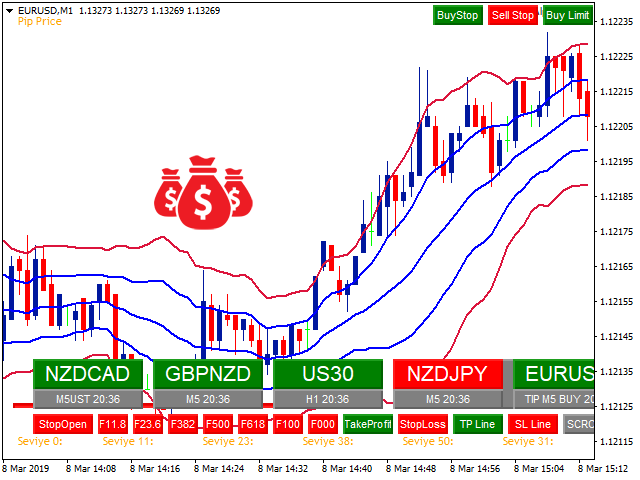
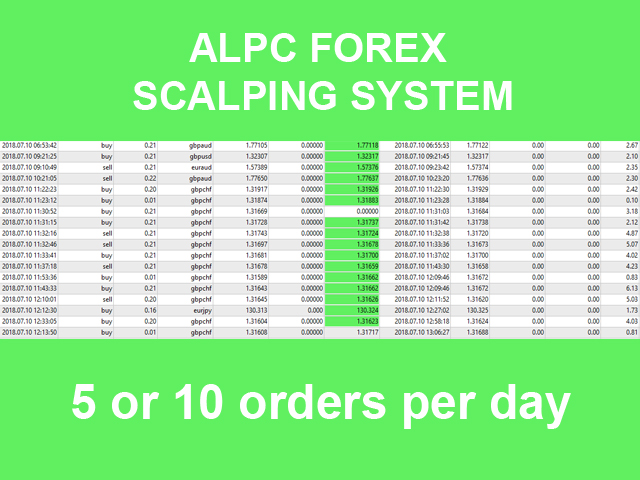
ALPC forex Matrix produces signals based on five different strategies.

ALPC forex Matrix copies itself to all charts. Quick and easy management is your responsibility. Forex trading is fast control.

ALPC MATRIX FOREX SYSTEM DOCUMENTATION

!Please open the scalp process according to the hourly trend direction.

(does not work with strategy test)

ALPC MATRIX

2015-2019

Supportive EA Tool for all Forex Pairs

Producer: Mehmet Ozhan Hastaoglu

ALPC MATRIX Forex System is actually a supportive tool where many EAs search the Forex market for the best entrance to the system for all pairs defined in Market Watch List. In the Matrix system we have two arrays combined as the array of EAs and the array of forex pairs. This unique system gives us the opportunity to enter any forex pair which gets the signal sent by one of the EAs in the system. In that way you just need to make the trade with pre defined TP and SL values, after checking the situation of the related parity. This means first we get the buy or sell signal for any parity then with one click we go to that parity, check the situation and make the buy or sell trade. After that we can leave the trade as it gets closed when it reaches the TP value. But, as you know how forex system become unpredictable, we have also the SP value which can be adjusted as the entrance price value to the trade. So either we win and go out or we go out with no loss.

Here we explain the usage of the ALPC MATRIX Forex System with the aim to make the usage of MT4 metatrader platform better. The system gives you all the needed information  before you enter the trade, the opportunity to catch the chances and increases the percentage of your winnings.

With this unique system you get the signals, check the parity and make all changes with the usage of objects of the tool instead of making them manually. In that way you will be much faster then ever. The more you use the system the more you will be addicted to the system.

Don't forget, it is important to know what will happen before you enter the trade and also to see what happens to your account when the trade is off because of losses.

ALPC MATRIX Forex System waits, warns, pursuits and close the related trade parity instead of you.

With the usage of the CopyTrade application of the system you can open trades opened by EAs also automatically.

With the usage of the Telegram service you can get the whole signals and the chances wherever you are over your smart mobile phone.

This system with a lot of features has been developed after having very long market experiences and trials. Even beginners with no market experiences will become very fast experts of the forex market with this system. Here we will also teach you all what the forex companies don't tell and teach you and let you win more


User Manual Pdf : https://drive.google.com/open?id=1AAavi2ni5vbtLTc9QqB3ElkYOUmI3bYp

(Some features have been deprecated due to a ban on DLL usage.)


TPL File / Images / Sound : https://drive.google.com/open?id=1KRN6AFEuoTNzKgv33VUcy_Oiz_nWJF0q

( Change name AlpcMatrix.tpl -> Default.tpl )


推荐产品
Telegram Ultimate Manager MT4 Use Cases: Manager Order (open, close, modify order) Publish open and close order to Telegram Channel Open trade based on Forex Factory News Requirement: Telegram Chat ID Telegram Bot API Token Telegram Channel ID Please read the guide This tools can not be backtested Free n8n workflow template to : 1. Import Forex Factory news to Google Calendar 2. Send chat to Telegram bot about news release. Is it good or bad for the currency Inputs: Telegram Bot Token : your T
Military Dog SARMY
Mehmet Ozhan Hastaoglu
军事狗s-军队将帮助您确定印第安处理的入口点。 他为所有的罪犯工作 您可以通过双击策略从设置中打开ADR级别。 如果您关闭ADR功能,它会发现更多的交易。  特别是,除了你自己的策略,它可以让你通过一个更好的质量过滤器处理输入。 你想ADR水平平均一定的每日成交量和信号的交易,当点的数量接近这些水平? 我们将其设置为50点,在一般设置中,我们关闭了ADR控制。  若要打开,您需要将策略1ADR控制设置设置为true。 实验的指标,以找到合适的设置为您服务。 指数paritates和它看起来在所有时期不同的尝试。 这样的折扣的帮助将有一个互补的效果,为你赢得。 ...............................
Heaven Assistant: Simplify Your MT4 Management Simplify the management of the MetaTrader 4 (MT4) platform with the Heaven Assistant . This Expert Advisor (EA) is a robust tool that allows you to control and customize your trading environment in an efficient and user-friendly manner. Key Features: Multiple Pairs Opening: Quick access to most currency pairs, both major and minor, plus exotic pairs. The ability to open indices, metals, and cryptocurrencies with a single click. Template Change: Easi
Trade Board MT4
Ashkan Hazegh Nikrou
Trade Board MT4 – MetaTrader 4 专业交易助手 购买前的重要信息 提供完整演示版本 – 可在真实市场测试 Trade Board MT4 提供完整功能的演示版本,交易者可以下载并直接在真实市场环境中使用模拟账户进行测试,没有任何功能限制。在策略测试器中测试交易助手无法提供真实的执行表现,因此我们强烈建议下载演示版本并在真实市场条件下测试产品,以体验其真实表现。 直接下载链接 终身免费升级 Trade Board MT4 是一个持续开发的专业交易项目。产品不断改进并增加新的高级功能。所有购买该产品的客户将自动获得未来的升级和改进,完全免费。 限量早期买家定价模式 前100位买家 可用 30美元 购买产品。 接下来的100位买家 价格将提升至 69美元。 最终价格 将为 99美元。 早期买家可以以最低价格获得最大价值,并包含终身升级。 加入  Koala Trading Solution 频道  在 MQL5 社区获取所有产品的最新消息,加入链接如下: https://www.mql5.com/en/channels/koalatradingsolu
What is this?  This script not only can help you to place all type of orders, included market order " BUY " / " SELL " and pending order " BUYSTOP " / " BUYLIMIT " / " SELLSTOP " / " SELLLIMIT ", but also, it allow you to place order lots by money management concept. How to use this script? 1. Open the chart you want to trade; 2. Drag and drop the script to that chart; 3. Input the parameter what you want to do; 4. Double check the order information, then click "Yes" to confirm to place order;
Market Monitor
Rodrigo Rethka Goncalves
Market Monitor – Smart Asset Performance Dashboard for MT4 Turn your MetaTrader 4 into a professional trading intelligence center! Market Monitor is a powerful monitoring tool that displays, in real time, the most relevant performance metrics of each symbol being traded — helping you make faster, smarter, and more strategic decisions. What Does This Indicator Do? Market Monitor scans all open and historical orders, consolidates the data by symbol, and displays everything in visual pa
Click Trade Manager
Hispraise Chinedum Abraham
5 (1)
点击交易经理是我们到目前为止最好的产品! 对初级和专业道具公司交易员来说都是最好的解决方案! 保护您的FTMO/MFF道具公司或个人账户不突破缩减限额。EA自动关闭所有交易,因此它们永远不会触及您的缩减限额。 如果某笔交易可能突破您的缩减限额,会向您发出警告。 当您的利润目标被击中时,自动关闭交易。 可设置为向经纪人隐藏神奇数字。 计算风险,只需点击一下就可以用SL和TP进行交易。 一键下达止损和限价订单。 一键设置多个纤维级别的交易,每个交易都有不同的SL和TP。 只需按下键盘上的一个键,就可以进行部分交易,将SL移至BE,关闭所有未结交易,删除所有挂单。 在一天中预先设定的时间内关闭所有交易。 向Telegram发送所有交易的警报。 高度可定制 - 选择最适合您交易风格的设置   首次设置。为了实现正确的功能,在第一次使用之前,请确保你设置以下内容 重置全局设置=True(在EA设置并运行后,回到输入设置并设置为False。除非你得到一个新账户,否则你不需要再次设置)。 在保护设置中。 保护模式 = True (打开保护模式) 开始账户大小 = 输入你的道具公司账户的原
Mongol Indicator2
Sumiyabazar Buyanjargal
It's a variation of mid of HH and LL since it compares the higher of HH or LL against a period and twice the number of bars back to avoid whipsaws. I used to display this against lines on a chart, but made a histogram out of it and it looks interesting. It looks good at gauging trend strength and general turns (see image below). The name of the indicator is BAM, which is an acronym for "Below and Above Mid". Ways to use it: 1. To see general trend on longer TFs (more than 30 bars back).
BonosuAttack
Anthonius Soruh
Bonsosu attack is Binary indicator for binary option trade highly winrate and highly return ........... Design for full auto trade with bot or connetor from MT4 to Binary Broker ...____ Easy to use, No repaint,,, ___  Time frame M1 only, ..... ___  Work with 28 forex pair without martingale, ....__  Support all binary broker, .... Trading with experation ..... 
使用革命性的交易时间管理器轻松控制您的交易程序。这个强大的工具可以在指定时间自动执行订单,从而改变您的交易方式。 为不同的交易行为(从购买到设置订单)制定个性化任务列表,所有这些都无需人工干预。 交易时间管理器安装和输入指南 如果您想获取有关 EA 的通知,请将我们的 URL 添加到 MT4/MT5 终端(参见屏幕截图)。 MT4版本     https://www.mql5.com/en/market/product/103716 MT5版本     https://www.mql5.com/en/market/product/103715 告别人工监控,拥抱精简效率。直观的界面允许您设置精确的参数,包括交易品种、执行时间、价格、止损 (SL)、止盈 (TP) 点和手数大小。 该工具的灵活性通过与市场行为相匹配的适应性重复选项来凸显。通过视觉主题个性化您的体验,并减少长时间交易期间的眼睛疲劳。 摆脱手动交易程序,拥抱“交易时间管理器”的强大功能。提高交易的准确性、组织性和自由度。简化您的日常工作并重新体验交易。 主要特点: 自动订单执行:按指定时间间隔无缝自动执行订单,从而节省您的
This TraderMaster EA is super helpful for professional trader.  Input Parameter Section: 1) Allow trader to set different line style, such as color, width; 2) Apply our chart style, if set false, it will not change the chart style; 3) Select different panel mode 3.a) Simple Mode, for trader immediately place a market order, pending order, delete and close orders; 3.b) Draw Line Mode, for price action traders who want to trade for trend and reverse in his trading plan; 3.c) Advanced Mode, includ
Grid Panel Allows you to :  Set the number of levels (trades). Lot size and you can do Martingale to raise the lot size for each level. Set distance between levels, and you can manage the distance for each level using   Distance Q. Static TP and SL for each level. You can open : BUY STOP / BUY LIMIT / SELL STOP / SELL LIMIT   (levels in one click). Close all buy orders. Close all sell orders. Close all winning orders. Close all losing orders. Close all orders. Close all Pending BUY orders. Clos
AetherFlow AI DataBridge 用于机器学习和人工智能集成的高级多资产数据挖掘系统 构建有效的交易ML模型需要高质量的多维数据。手动收集跨多个资产和时间周期的技术指标、价格行为指标和市场结构数据既耗时又容易出错。 AetherFlow AI DataBridge自动化整个数据收集过程。这个EA同时从多个资产中挖掘全面的市场数据,并将所有内容导出到干净的CSV文件中,为您的AI/ML流程做好准备。它不执行交易——纯粹是为量化分析师和AI研究人员设计的数据挖掘工具。 了解更多:   完整设置指南和文档 (English) 限时优惠:   前50次下载免费!之后该产品将变为付费。立即下载以获取免费副本。 主要功能 OCM货币强度:   Omni-Currency Matrix计算8种主要货币在多个货币对中的相对强度 IVC动量分析:   Intrinsic Velocity Core测量经波动率标准化的价格动量 多时间周期数据:   收集从M5到D1的RSI、MACD、趋势、ADX、Supertrend、Ichimoku 成交量和情绪:   成交量突增、趋势和买卖压力分析
Connect Indicator
Sukunthakan Ngernbamrung
Connect Indicator is a tool used for connecting indicators between the MQL market and MT4. The connected indicators are made by our group and can be used for other applications, such as sending messages to the Line application or Telegram application. If you have any questions, please don't hesitate to ask us to receive support. Function and indicator buffer Buffer one is the high price of the previous candle. Buffer two is the high price of the previous candle. Usage To connect indicators to fu
TP_trinity - 專業三段止盈與風控管理面板 TP_trinity 是一款專為嚴謹交易者設計的倉位管理工具。 精準風控、自動分段平倉、獨特觸發線入場 — 一個面板全部搞定。 核心功能 三段式止盈系統 (TP1 → TP2 → TP3) • 自動在三個目標位分段平倉 • 自訂各段平倉比例(如 40% / 30% / 30%) • 讓利潤奔跑,同時鎖定部分盈利 智能風險計算器 • 設定風險百分比(如帳戶 2%) • 即時顯示「最大手數」及「最大止損」 • 支援任何帳戶貨幣(USD、EUR、GBP、JPY、HKD 等) • 落單前防止重倉操作 觸發線入場 • 在圖表畫一條線 → 價格觸碰 → 自動開單 • 比傳統掛單更靈活直觀 • 2 秒確認機制,防止誤觸 自動保本與追蹤止損 • TP1 成交後自動推至保本價 • TP2 後可選擇追蹤止損
Damascus Dagger
Yu Pang Chan
3 (1)
This Expert Advisor uses scalping as its main strategy based on a statistical model called Bollinger Band. It embedded with two exit market strategies called 1st and 2nd dagger. The 1st dagger exits on the mid line of the band and the 2nd dagger exits by trailing until the maximum profit. It is recommended to use both strategies to lower the risk since it would split the lot into half for each dagger. Recommended: M5/M15, EURAUD/GBPAUD, ECN account Please add the news link ( http://ec.forexprost
TSInfoKit
Salvatore Labriola
This Utility is a test for creating objects on the graph . Drag it on any graph and follow the instructions! Any questions about work program send me mail : info@tradingsolution.it In future I will add more information with new version for now it provides account information: AccountNumber AccountName AccountCurrency AccountCompany Server Account Leverage Stop Out level Balance Equity Margin Free Margin
TOP DOWN PREMIUM INDICATOR (mt4 version) Introduction The TOP DOWN PREMIUM INDICATOR is the King of Top-Down Analysis Tools for MT4 traders. It gives you the ability to analyze the market across all major timeframes — from as small as hourly data up to yearly projections — with unparalleled accuracy and clarity. This indicator allows traders to forecast, label, and visualize market structure from short-term intraday moves to long-term yearly cycles . With its built-in multi-timeframe forecast
Hello Guys! I want to share with you a very useful tools. Anyone of us who has used MT4 for some time knows how impractical this platform can be for discretionary trading. That's why I created this graphical interface!  Interface is very simple, all the info that you need are in the video and in the screenshot. NB: Before to run the EA Interface, remember to copy the file in the comment in your MT4 folder "Controls". PATH: .../MQL4/INCLUDE/CONTROLS NB: unfortunately the interface can't be test
Every trader is watching over his account over and over.... trying to anlayse every system he or she has. With this tool you are able to  export your complete history of every account export withdrawls / deposits / rebates to a separate file export account status with balance / equity / current drawdown recalculate micro to standard lots / profits ...  export decimal by "." or ","  combine a series of Magic Numbers to one unique Magic Number   filter to ignore OrderComments.
Trade Invest Pro
Dmitriy Kashevich
Trade Invest Pro - Boss in the world of cryptocurrency! This indicator is ideal for cryptocurrency trading! Work on Trade Invest Pro took us half a year! But not in vain! Now only accurate signals near support - resistance levels! He showed himself well on timeframes m5 m15 for binary options! Optionally, it can be configured for forex for timeframes m30 and more! Reacts well to news! Doesn't paint! and does not disappear from the schedule! As soon as a red arrow appears, open a deal fo
Imperator EA
Sergei Ozerov
Imperator EA   Imperator 是基于交易模式集群模型的中等安全的交易系统。它由许多简单功能组成,并具有许多参数,可让您记住各种市场情况并正确解释它们。 EA在某个方向开仓并设置 止损 和 获利 ,当达到一定利润时,EA使用 尾随止损 。 该模型的信号基于以下指标: MACD 相对强弱指数 价格行动 ATR CCI EA不使用定单网格和求平均。连续大量的有利可图的交易允许使用系统来弥补以前的损失。为使将来的工作更稳定,作者使用了市场数据相关性优先级的方法-遥远的过去减少了交易,因为现在它们的相关性降低了。 与 PRETOR 和 LEGATUS 不同,   IMPERATOR顾问 可以同时处理 6种 货币对: 欧元兑美元 美元加元 纽元兑美元 欧元英镑 澳元兑美元 英镑/美元 安装: 在 M30时间范围内 打开上述所有货币对,然后将顾问简单地拖到每个货币对上-顾问将设置所需的幻数并设置最佳的止盈和止损。您无需配置其他任何内容,但是可以尝试调整设置。 为了使顾问程序能够处理所有货币对,需要超过1 GB的RAM,因为模型需要进行大量计算才能接收开始交易的信号。模型的所
Quantized Trend
Oleg Pechenezhskiy
This utility automatically draws the trend channel on the price chart. For the time interval from the specified date to the current bar, the drawn channel is almost optimal. Placing the beginning of the channel at a more distant historical price extremum, you get a visualization of a longer-term trend. Channel slope is not a continuous value, but takes one of discrete values (in AxB format, where A is the number of price points (points), and B is the number of timeframes). This program works ONL
FC Account Monitor
Felipe Dos Santos Da Cruz
Todas as informações relacionadas à sua conta num único lugar. Aqui está o indicador que você estava procurando. O melhor e mais completo monitor de contas do mql5 para o seu metatrader 4... Saldo e Equidade, Ordens e lotes em aberto, Equidade flutuante separada em melhor e pior do dia, Lucros separados por períodos, Rebaixamentos máximos para quem se preocupa com os riscos, Lotes fechados e muito mais!
Telegram Sender Osw MT4
William Oswaldo Mayorga Urduy
用户手册:Telegram Sender Osw Telegram Sender Osw 是一款智能交易系统 (EA),旨在自动将 MetaTrader 交易信号发送到 Telegram。它非常适合信号提供商和账户管理,能够即时、专业地发送关键数据(价格、止损、止盈、成交量)。 1. 参数配置 常规和连接 启用 EA:激活(true)或暂停(false)系统。 机器人令牌:从 @BotFather 获取的字母数字代码。 聊天 ID:目标频道、群组或私聊的标识符。 发送子群组/主题 ID:仅当您的 Telegram 群组使用“主题”功能时才启用此选项。 发送逻辑(类型:发送) 自动:检测到任何新仓位或指令后立即发送。 按钮:仅当手动按下图表上的“发送 Telegram”按钮时才发送。 自定义设置(Telegram 文本消息) 使用系统会自动替换的标签:[SYMBOL]、[TYPE]、[PRICE]、[SL]、[TP] 和 [VOLUME]。 2. Telegram 设置(分步指南) A. 获取机器人令牌 在 Telegram 中,搜索 @BotFather
Sequence Project
Dariusz Grywaczewski
This Expert Advisor is a very advanced sequential tool that gives each user the possibility to program the order of tasks according to specific conditions. Everything can be done in a simple and intuitive way. The sequencing of the EA's programming ensures that each operation is carried out one after another. I present the method of operation in the attached movie. EA global settings magic – individual EA number . For each EA attached on the same instrument, a different number must be entered
ICT Asian Range
Thushara Dissanayake
ICT 亚洲区间指标 是一款功能强大的工具,旨在帮助交易者根据 ICT 亚洲区间交易策略识别关键市场结构和流动性区域。它标记了亚洲交易时段(纽约时间晚上 7 点至午夜)的最高价和最低价,并为接下来的交易时段的市场走势提供了重要见解。该指标通过突出流动性扫荡和公允价值缺口 (FVG) 来提高交易准确性,使其成为 ICT 交易者必不可少的工具。 为什么亚洲范围如此重要? 亚洲交易时段为后续交易时段的价格走势奠定了基础。了解这一范围可让交易者预测市场情绪、找到流动性区域并制定战略性交易入场和出场。 ICT 亚洲指数的主要优势及使用方法 ICT 亚洲区间指标为交易者提供早期市场洞察,帮助他们在伦敦和纽约交易时段开始前预测每日趋势和情绪。通过识别流动性定位,该指标突出了机构交易者可能进入或退出头寸的区域,从而更深入地了解市场行为。该指标还有助于预测波动性和潜在突破点,让交易者为即将到来的交易时段的价格变动做好准备。此外,它还是一种有价值的风险管理工具,为止损和止盈设置提供了明确的参考点,从而降低了整体交易风险。 要有效使用 ICT 亚洲区间指标,交易者首先应确定亚洲区间,即交易时段内
Rainbow MT4
Jamal El Alama
Rainbow MT4 is a technical indicator based on Moving average with period 34 and very easy to use. When price crosses above MA and MA changes color to green, it’s a signal to buy. When price crosses below MA and MA changes color to red, it’s a signal to sell. The Expert advisor ( Rainbow EA MT4) based on Rainbow MT4 indicator, as you can see in the short video below is now available here .
FREE
Meta Treand
Tatiana Savkevych
Forex Meta Trend indicator - using the built-in algorithm allows you to determine the current trend. You can quickly understand what kind of trend is currently developing in the market. The indicator projects one of the main market wisdoms and says - "The trend is my friend". Using this indicator, you can develop a trading system in the financial markets. Since the indicator is designed specifically to create a system for searching for a market trend. This indicator does not lag and shows the tr
Smart Currency Strength   is a powerful yet simple indicator that measures the strength of individual currencies. It features a graphic panel that lists the main currencies and their strength in each timeframe, ranging from 0 (most oversold) to 100 (most overbought). The strength for all currencies in the current timeframe is also shown in a separate window as a multi-line graph, where each currency is represented with a different color, this allows you to monitor the evolution of strength tre
该产品的买家也购买
Local Trade Copier EA MT4
Juvenille Emperor Limited
4.96 (108)
通过 Local Trade Copier EA MT4 获得非常快速的交易复制体验。它的简单1分钟设置,使您可以在同一台Windows计算机或Windows VPS上在多个MetaTrader终端之间复制交易,具有闪电般快速的复制速度,低于0.5秒。 无论您是初学者还是专业交易者, Local Trade Copier EA MT4 都提供了广泛的选项,可根据您的特定需求进行自定义。对于任何希望增加利润潜力的人来说,这都是终极解决方案。 今天就尝试一下,看看为什么它是市场上最快、最简单的贸易复印机! 提示: 您可以在您的模拟账户中下载并试用 Local Trade Copier EA MT4 模拟版: 这里 将下载的免费演示文件粘贴到您的 MT4 >> 文件 >> 打开数据文件夹 >> MQL4 >> 专家文件夹并重新启动您的终端。  免费演示版本每次可在 4 小时内发挥全部功能,仅限演示帐户。 要重置试用期,请转至 MT4 >> 工具 >> 全局变量 >> Control + A >> 删除。 请仅在非关键模拟账户上执行此操作,不要在挑战道具公司账户中执行此操作。 如果您无法在
Trade Assistant MT4
Evgeniy Kravchenko
4.42 (193)
它有助于计算每笔交易的风险,容易安装新的订单,具有部分关闭功能的订单管理, 7 种类型的追踪止损和其他有用的功能。 附加材料和说明 安装说明 - 应用程序说明 - 模拟账户应用程序的试用版 线条功能  - 在图表上显示开仓线、止损线、止盈线。 有了这个功能,就可以很容易地设置一个新的订单,并在开仓前看到它的附加特性。   风险管理  - 风险计算功能在考虑到设定的风险和止损单的大小的情况下,计算新订单的成交量。它允许你设置任何大小的止损,同时观察设定的风险。 批量计算按钮 - 启用 / 禁用风险计算。 在 " 风险 " 一栏中设置必要的风险值,从 0 到 100 的百分比或存款的货币。 在 " 设置 " 选项卡上选择风险计算的变量: $ 货币, % 余额, % 资产, % 自由保证金, % 自定义, %AB 前一天, %AB 前一周, %AB 前一个月。   R/TP 和 R/SL - 设置止盈和止损的关系。 这允许你设置相对于损失的利润大小。 例如, 1 : 1 - 这决定了 TP = SL 的大小。 2 : 1 - 这意味着 TP 是 SL 的两倍。 RR - 它禁用比率。  
欢迎来到 Trade Manager EA——这是一个终极风险管理工具,旨在使交易变得更直观、精准和高效。它不仅仅是一个下单工具,而是一个用于无缝交易计划、仓位管理和风险控制的全面解决方案。不论您是新手交易员、资深交易员,还是需要快速执行的剥头皮交易员,Trade Manager EA 都可以满足您的需求,适用于外汇、指数、大宗商品、加密货币等各种市场。 借助 Trade Manager EA,复杂的计算已成过去。只需分析市场,在图表上用水平线标记入场、止损和止盈,设置您的风险水平,Trade Manager 就会立即计算出理想的头寸规模,并实时显示以点、账户货币计价的止损和止盈。每笔交易都得以轻松管理。 主要功能: 头寸规模计算器 :根据定义的风险瞬间确定交易规模。 简单的交易计划 :在图表上用可拖动的水平线直接计划交易,设置入场、止损和止盈。 实时显示 SL 和 TP :以账户货币、点或分显示止损和止盈,便于分析。 高级保护工具 盈亏平衡选项 : 基本盈亏平衡 :当您的交易达到设定水平时自动保护利润。 多级盈亏平衡 :设置多达 4 个级别以逐步保护利润。 尾随止损选项 : 基本尾随
Copy Cat More Trade Copier MT4 (复制猫MT4) 不仅仅是一个简单的本地交易复制工具;它是一个为当今交易挑战而设计的完整风险管理与执行框架。从 prop firm 挑战到个人账户管理,它都能通过强大的执行力、资本保护、灵活配置以及先进的交易处理来适应各种情况。 该复制器同时支持 Master(发送端) 和 Slave(接收端) 模式,能够实时同步市价单与挂单、交易修改、部分平仓以及 Close By 操作。它兼容模拟账户与真实账户,支持交易或投资者密码,并通过持久交易记忆系统(Persistent Trade Memory)确保即使 EA、终端或 VPS 重启后也能恢复。可同时管理多个 Master 与 Slave,并通过前缀/后缀自动调整或自定义符号映射来处理跨平台或跨经纪商差异。 使用手册/设置: Copy Cat Trading Copier 使用手册 Copy Cat More MT5: https://www.mql5.com/en/market/product/139088 加入频道: https://www.mql5.com/en/cha
Exp COPYLOT CLIENT for MT4
Vladislav Andruschenko
4.65 (66)
MetaTrader 4 的交易复制器。     它从任何账户复制外汇交易、头寸、订单。 它是最好的贸易复印机之一     MT4 - MT4,MT5 - MT4     为了   复制 MT4     版本(或     MT4 - MT5 MT5 - MT5     为了   复制MT5     版本)。 MT5版本 详细描述   +DEMO +PDF 如何购买 如何安装     如何获取日志文件     如何测试和优化     Expforex 的所有产品 复印机 版本       MetaTrader 5 终端 (   МТ5 - МТ5, МТ4 - МТ5   )-   Copylot 客户端 MT5 独特的复制算法将所有交易从主账户准确复制到您的客户账户。 该产品还以其高运行速度而著称,并且具有强大的错误处理能力。 一组强大的功能。 该程序可以在多个终端绑定上运行。 使用它作为您在一个账户上交易的多个账户的交易 的同步器 , - COPYLOT 会将您的交易复制到其他终端。 从已关闭的账户中复制 Invest 密码; 部分关闭仅从 mt4 到 mt4 从模拟账户复制到
Trade copier MT4
Alfiya Fazylova
4.58 (33)
Trade Copier 是一种专业实用程序,旨在复制和同步交易账户之间的交易。 复制发生从供应商的帐户/终端到收件人的帐户/终端,安装在同一台计算机或 vps 上。 在购买之前,您可以在演示帐户上测试演示版本。 演示 这里 。 完整说明 这里 。 主要功能和优点: 支持复制MT4>MT4、MT4>MT5、MT5>MT4,包括МТ5 netting账户。 供应商和收件人模式在同一产品中实现。 简单直观的界面,允许您直接从图表中实时控制复制。 连接中断或终端重新启动时不会丢失设置和位置。 允许您选择要复制的符号,也可以替换接收者的符号,例如 EURUSD> USDJPY。 支持回拷贝。 能够仅复制某些订单。 允许您设置开仓交易价格的最大差异和最大时间延迟。 正确复制部分订单关闭的执行。 计算复制手数的几种方法。 同步止盈和止损。有几种方法可以计算它们的位置。 支持通过执行在“Market account”上工作,其中 SL / TP 仅在开仓后设置。 如何使用简单的设置复制交易 将供应商终端和接收终端安装在同一台计算机或 VPS 上。 在供应商终端上以“Master”模式安装复印机,然后
TradePanel MT4
Alfiya Fazylova
4.85 (92)
交易面板是一个多功能的交易助手。该应用程序包含超过 50 个用于手动交易的交易功能,并允许您自动化大多数交易操作。 试用版,适用于演示账户: https://www.mql5.com/zh/blogs/post/762579 。 应用程序使用说明: https://www.mql5.com/zh/blogs/post/761102 。 贸易。 让您一键执行交易操作: 通过自动风险计算打开挂单和仓位。 一键打开多个订单和仓位。 打开订单网格。 按组关闭挂单和持仓。 头寸反转(关闭买入并打开卖出或关闭卖出并打开买入)。 锁定头寸(开立额外头寸,以平衡买入和卖出头寸的交易量)。 一键部分平仓所有仓位。 为同一价格水平的所有头寸设置止盈和止损。 将所有头寸的止损设置为该头寸的盈亏平衡水平。 开单建仓时,您可以应用以下功能: 计算交易量的多个订单或仓位之间的分布(一键开仓多个订单或仓位时)。 图表上未来订单交易水平的可视化。 设置开仓时允许的最大点差大小。 止盈和止损之间的自动比率。 虚拟止损和止盈。 根据当前点差的大小自动增加止损和止盈的大小。 根据 ATR 指标的读数计算止盈和止损。 设置挂
交易特惠 – 40% 折扣 高级交易管理器 – 终极一体化解决方案,助您更快、更智能、更安全地进行手动交易。 使用 NextGen Trade Manager AI 革新您的手动交易体验。这款专业的图表面板将即时执行、可视化交易计划和强大的风险管理功能整合到一个直观易用的工具中。无需离开图表,即可比以往更快地执行订单、管理风险并保护利润。完美满足所有希望提升交易精准度和效率的交易者的需求。 在 MT4 策略测试器中无风险测试 下载演示版本,解锁模拟交易功能。这是在安全模拟的环境中练习执行、测试风险管理规则和完善策略的理想方式,让您在实盘交易前做好充分准备。 如需完整的用户手册和分步指南,请访问: https://www.mql5.com/en/blogs/post/764217 主要优势: 快速交易:一键执行订单、设置止损和平仓。 更智能的风险管理:根据固定风险、账户余额或净值自动调整手数。轻松验证止损是否符合经纪商规则。 内置保护:自动设置盈亏平衡点、启用追踪止损,并使用部分平仓来锁定利润并最大限度地降低风险。 避免代价高昂的错误:市价单和平仓功能的安全确认确保
Trade Dashboard MT4
Fatemeh Ameri
4.96 (53)
疲于复杂的订单下达和手动计算?Trade Dashboard 是您的解决方案。凭借其用户友好的界面,订单下达变得轻而易举,只需点击一下,您就可以开设交易、设置止损和止盈水平、管理交易手数,并计算风险回报比,让您只需专注于您的策略。告别手动计算,使用 Trade Dashboard 简化您的交易体验。 立即下载演示版本 。 您可以在这里找到仪表盘功能和特性的详细信息 。 加入 Telegram 频道 。 购买后请给我发消息以获取支持。如果您需要添加更多功能,可以在产品的评论区留下您的想法,我愿意听取任何建议,希望您能在使用我的产品时获得最佳体验 。 这是 MT5 版本。 风险管理:使用 Trade Dashboard,可以将您的风险设置为账户余额或权益的百分比,或将风险设置为总金额。在图表上直观地定义您的止损,让工具准确计算每个货币对的适当手数。该工具还可以根据您期望的风险回报比自动设置止盈水平。它甚至可以在手数计算中涵盖佣金和点差费用。此外,您的止损和止盈可以转变为虚拟水平,隐藏于经纪商。通过 Trade Dashboard 的高级风险管理功能,掌控风险,保护您的资本。 交易线
DrawDown Limiter MT4
Haidar Lionel Haj Ali
5 (8)
Drawdown Limiter EA You are in the right place if you were searching for Drawdown control, Drawdown limiter, Balance protection, Equity Protection or Daily Drawdown Limit related to Prop Firm, FTMO, or Funded account trading, or if you want to protect your trading account. Have you suffered from controlling your drawdown when trading funded accounts? This EA is meant for you. Prop firms usually set a rule called “Trader Daily Drawdown”, and if it is not respected, you are disqualified.  I am an
The product will copy all telegram signal to MT4   ( which you are member  ) , also it can work as remote copier.  Easy to set up, copy order instant, can work with almost signal formats, image signal, s upport to translate other language to English Work with all type of channel or group, even channel have "Restrict Saving Content", work with  multi channel, multi MT5 Work as remote copier: with signal have ticket number, it will copy exactly via ticket number. Support to backtest signal. How to
秒级图表 (Seconds Chart) — 一款专为 MetaTrader 4 设计的独特工具,用于创建秒级时间框架的图表。 通过 秒级图表 ,您可以构建以秒为单位的时间框架图表,获得标准分钟或小时图表无法提供的极致灵活性和分析精度。例如,时间框架 S15 表示每根蜡烛图持续15秒。您可以使用任何指标、智能交易系统和脚本,操作方式与标准图表同样便捷。 与标准工具不同, 秒级图表 让您能够在超短时间框架下进行高精度交易,无延迟干扰。 秒级图表的优势 支持 1至900秒 的时间框架图表。 即时加载 历史数据,通过从MT5终端导入Tick数据库。 要导入tick数据,首先需要在MT5终端中启动 Tick Database 工具。 数据实时更新, 无延迟或滞后 。 可同时创建 多个秒级图表 。 秒级图表的理想应用场景 剥头皮交易 和高频交易。 精确的入场和出场时机。 在短时间框架下测试交易策略。 时间框架设置 默认设置包含以下时间框架: S1、S2、S3、S4、S5、S6、S10、S12、S15、S20、S30、S40 。 你可以轻松设置你的秒级时间框架,从 1 到 900 秒 。 可配置参
MT4 至 Telegram 信号提供者 是一款易用、可完全自定义的工具,它使发送信号到 Telegram 成为可能,将您的账户变成信号提供者。 消息的格式 可以完全自定义! 但是,为了简便使用,您也可以选择一个预设模板,并能够启用或禁用消息的特定部分。 [ 演示 ]  [ 手册 ] [ MT5 版本 ] [ Discord 版本 ] [ Telegram 频道 ]  New: [ Telegram To MT5 ] 设置 可通过 用户指南 获取逐步说明。 无需了解 Telegram API;开发者提供所需的一切。 主要特性 自定义发送给订阅者的订单详情的能力 您可以创建分层订阅模型,例如铜牌、银牌、金牌。金牌订阅可获得所有信号等。 按订单号、符号或备注过滤订单 包括执行订单的图表的屏幕截图 在发送的屏幕截图上绘制已关闭的订单,以便额外验证 推迟发送新订单消息的可能性,以便在发送前对位置进行调整 订单详情的全透明度: 新的市场订单 *附带屏幕截图 订单修改(止损、获利点) 已关闭订单 *附带屏幕截图 部分关闭订单 ** 新的挂起订单 修改的挂起订单(进场价格) 挂起订单激活(
Auto Grid trades
Makarii Gubaydullin
自动网格:  基于您现有交易自动创建网格订单。 自动化复杂交易策略   采用先进的网格系统,检测新头寸并自动创建优化的订单阵列。 多功能工具 :66+ 功能,包括自动网格工具  |   如有疑问请联系我   |   MT5版本 A. 智能交易检测与监控: 特定品种或全面投资组合扫描 高级订单类型检测与精确分类 策略监控启动:立即、延迟或条件触发 魔术号码集成,兼容算法策略 B. 高级网格配置: 策略性订单布局:   多种定位方法 智能方向逻辑:   同向、反向或基于市场的订单创建 精确订单数量:   可定制的网格密度和结构 高级偏移系统:   固定间距或动态百分比递进 全面水平管理:   止损/止盈继承,保持规模或价格一致性 复杂手数调整:   固定、递增或策略性递减 到期控制:   自定义时间范围或继承原订单设置 C. 高级退出策略自动化: 多种平仓方法,精确执行策略 条件触发终止,提供全面触发选项 投资组合优化,配备最佳入场保留系统 高级自动化管理 一键策略激活,立即实施 全面状态监控,提供详细报告 预设系统,快速部署和优化策略 额外输入设置  (界面): 字体大小 面板大小(百
Trade Assistant Pro 36 in 1
Makarii Gubaydullin
4.76 (21)
多功能交易工具:手数计算器、网格订单、风险回报比、交易管理、供需区、价格行为分析等 演示版   |   用户手册 交易助手 不能在策略测试器中运行:您可以下载 演示版 来测试此 实用工具 。 如有任何问题 /改进想法/发现错误 ,请 联系我 如需MT5版本,请点击 此处 简化、加速并自动化您的交易 流程 。通过此 仪表板 扩展标准终端功能。 交易面板 适用于任何交易品种:外汇、股票、指数、加密货币等。 1. 开立新交易 :手数/风险/风险回报比计算:手动交易的风险管理 手数计算器(基于风险规模计算交易量) 风险计算器(基于手数计算风险金额) 风险回报比 网格订单: + 动态间距选项和分割手数选项 订单激活触发器,+ 买入止损限价/卖出止损限价:MT4也可用 虚拟止损,虚拟止盈(隐藏止损,隐藏止盈:经纪商不可见) 智能止损/入场价位:如果K线收盘价超越此价位(避免错误触发) 隐藏订单(虚拟订单) 计划订单:即使市场休市也可下单(周末计划器) 附加多级止盈(多重获利了结) OCO订单(一单取消另一单),具有不同ID 交易可视化 + 图表上调整 以买入价(Bid)设置的止损/入场价位:避
Copy Master mt4
Evgenii Aksenov
5 (5)
此实用程序将允许您将具有主设置的一个终端的任何事务复制到具有从属设置的其他终端 与此同时,您可以选择要复制的对,根据几个参数设置复制顺序的大小。 设定亏损限额或只复制盈利交易 您可以将MT4或MT5的交易复制到其他经纪商的MT4或MT5 现在,将任何在MT4中工作的专家的信号复制到MT5终端或返回并不困难 使用复制大师复制任何交易从其他信号,专家顾问,手动交易.  使用设置,您可以更改批量大小,交易方向,只复制有利可图的交易,并设置价值以保存您的存款  复制大师可以在一个帐户上组合不同订阅信号的几种策略 要复制交易到MT4,你需要复制主MT5版本: https://www.mql5.com/zh/market/product/74371 有关复制向导设置的其他信息: https://www.mql5.com/en/blogs/post/749356 (抱歉文本的自动翻译)
RSI Divergence Scanner is a multi-timeframe and multi-symbol dashboard and alert that checks all timeframes and symbols to find divergences between price chart and RSI indicator. This divergence scanner is integrated with support and resistance zones so you can check the RSI divergences in the most important areas of the chart to find trend reversals in the price chart. Download demo version   (works on M 1,M5,M30,W1 timeframes) Full description of scanner parameters ->   click here . How to get
Crystal Trade Manager PRO – 高级 MT4 风险与交易控制系统 免费版: https://www.mql5.com/en/market/product/150632 概述 Crystal Trade Manager PRO(CTM)是一款为 MetaTrader 4 打造的完整专业级风险管理与交易控制工具。 它专为需要严格执行、稳定风险保护和智能自动化的交易者而设计。 系统可全面管理风险、保护账户权益、执行每日限制、自动设置 SL/TP,并提供专业级的一键式快速交易面板。 非常适合参与 prop firm 挑战、日内交易、剥头皮交易以及专业资金管理的交易者。 同时提供完整的 MT5 版本。 核心亮点功能 1. 高级风险与回撤保护 支持每日回撤限制 1%–70% 。 一旦达到回撤上限,系统将立即平掉 所有仓位 。 可选:突破后自动删除 所有挂单 。 每日锁仓模式:当天达到限制后阻止新下单,次日自动恢复。 完全符合各大 prop firm 的规则与要求。 2. 日内盈利与亏损目标自动化 可设置每日 盈利目标 与 亏损限制 (账户货币,例如 USD)。 达到任何目
Trend Line Optimizer
Evgenii Aksenov
4.11 (19)
这是趋势线PRO指标的自动参数优化器 轻松快速地为您最喜爱的趋势线PRO指标选择最佳参数。  优化只需几秒钟。 优化器允许您找到每对和周期的最佳参数:振幅,TP1-TP3,止损,以及所选历史部分(天)上的时间过滤器和HTF过滤器的值  要优化不同的时间框架,您需要不同的历史范围: M5-M15设置计算范围参数(天)=60(三个月) M30-H1设置计算范围参数(天)=120(6个月) H4设置参数计算范围(天)=240(一年) D1-W1设置参数计算范围(天)=720(三年) MN1设置参数计算范围(天)=1200(五年) 优化后,参数自动保存到文件夹中的现成设置文件中:MQL4>Files>trendlineoptimizedsettings  如何使用优化器实用程序: 在需要优化的符号和时间的图形上运行优化器实用程序。 优化结束后单击保存按钮 将趋势线PRO指标添加到图表,然后将趋势线PRO扫描仪 Trend Line PRO指标面板上TP1、TP2、TP3、止损和利润指标的值将变得更好,Trend Line PRO 扫描仪中会出现一个按钮(红色或蓝色  Manual G
Take a Break
Eric Emmrich
5 (31)
One tool to protect all your EAs — news filter, equity protection, time filter and more — free demo available Take a Break has evolved from a basic news filter into a comprehensive account protection solution. It pauses your other Expert Advisors during news events or based on custom filters. When trading resumes, it automatically restores your entire chart setup , including all EA settings. Typical use cases: One news filter for all your EAs. Pause trading during news or high volatility — and c
Exp4 Duplicator
Vladislav Andruschenko
4.5 (22)
EA 在您的帐户 MetaTrader 4 上重复 交易和头寸或发出预设次数的信号。 它复制所有手动或由另一个“EA 交易”打开的交易。 复制信号并增加信号的数量 ! 增加其他 EA 的数量。 支持以下功能:复制交易的自定义手数、复制止损、获利、使用追踪止损。 MT5版本 详细描述 +DEMO +PDF 如何购买 如何安装     如何获取日志文件     如何测试和优化     Expforex 的所有产品 链接 MetaTrader 的交易复印机可在此处获得:   COPYLOT 注意力 注意:这不是终端之间交易的复印机。 您可以在策略测试器中测试“EA 交易”,并在可视模式下使用我们的 EAPADPRO 工具栏进行交易! 在 1 个货币对上安装 EA 就足够了。默认情况下,它将监视所有打开的符号。 这个怎么运作? Duplicator/Dublicator 助手 EA 重复在终端中打开的头寸。 EA 能够复制头寸和挂单。 要复制的位置或顺序称为 源 。重复位置是一个 副本 。 The EA repeats the source the specified number o
News Filter EA: Advanced Algo Trading Assistant News Filter EA is an advanced algo trading assistant designed to enhance your trading experience. By using the   News Filter EA , you can integrate a Forex economic news filter into your existing expert advisor, even if you do not have access to its source code. In addition to the news filter, you can also specify   trading days   and   hours   for your expert. The News Filter EA also includes   risk management   and   equity protection   features
Risk/Reward Tool是一款专业级EA(智能交易系统),旨在彻底改变您在MetaTrader 4中规划、可视化和执行交易的方式。无论您是重视精确风险管理的自主交易者,还是需要直观测试交易设置的策略开发者,这款工具都能在一个优雅直观的界面中提供您所需的一切。 与基础的仓位计算器不同,Risk/Reward Tool将可视化交易规划与即时执行功能、实时盈亏监控和全面的交易管理功能相结合。该工具与MT4策略测试器完全兼容,让您能够练习交易策略并完善方法,无需冒真实资金的风险。 完整使用手册请访问: https://www.mql5.com/en/blogs/post/766244 MT5 version:  https://www.mql5.com/en/market/product/158601 主要功能 可视化交易规划 可拖拽调整的入场、止损和止盈线 随交易参数调整实时更新的彩色风险/收益区域 基于ATR的自动止损计算,实现波动率调整的仓位管理 可配置的风险收益比,带可视化显示 支持市价单和挂单(限价单/止损单),根据入场线位置自动判断 智能仓位计算 以账户余额百分比或固定金
跟单->方便快捷的界面交互,用户上手即用       ->>>> 推荐在windows电脑,或者VPS Windows上使用 特色功能: 多样化个性跟单设置: 1.对不同的信号源可以设置不同的手数模式 2.不同的信号源分别设置正向反向跟单 3.信号分别设置注释 4.是否根据合约手数校准手数 多样化个性跟单设置2: 1.对不同的品种可以设置不同的手数模式 2.不同的品种分别设置正向反向跟单 3.信号分别设置注释 4.是否根据合约手数校准手数 注释过滤,MAGIC过滤,信号手数过滤,本地品种过滤 净持仓模式(该模式下手数计算仅支持倍率) 工作时间设置 反向同步接收端的平仓 订单绑定功能:任意订单可以绑定到设置信号源订单上 (双击表格更改) 账户风险控制  基本功能: 跟单正常交互速度0.5s以下 自动检测信号源,并显示信号源账号列表 自动匹配品种,不同平台常用交易品种(后缀不同等特殊情况)95%自动匹配,基本无需手动设置,品种映射表可随意双击更改对应品种.(映射表具有快速搜索品种功能) 4种手数计算模式(1.倍率 2.固定手数 3.自适应资金风险 4.源账户资金比例风险) 特殊手数模式
AW Grids Maker
AW Trading Software Limited
4.33 (3)
AW网格生成器   用于根据挂单构建网格交易。该工具功能通用,设置灵活,界面直观。程序可根据必要的步长,利用持仓量倍数,根据止损单和限价单构建交易网络。 MT5 版本 -> 点击此处 / 问题解决 -> 点击此处 优势 使用所有类型的待处理订单。 配置简单灵活。 设计精良且功能齐全的配电盘。 一个精心设计的信息模块 工作特点: 适用于金字塔式拉锯战、经典平均法拉锯战或马丁格尔拉锯战。 自动开启网格、跟踪订单和关闭网格。 它既可以是交易系统的组成部分,也可以是独立的策略。 构建各种类型订单的网络,并可调整距离和交易量增长系数。 面板详细描述: 交易者可以使用“Open_Buy”按钮开设挂单买入限价单和买入止损单。 要开立待处理的卖出止损单和卖出限价单,请使用“Open_Sell”按钮。 买入限价单的挂单价格低于当前价格,而卖出限价单的挂单价格高于当前市场价格。当交易者预期价格将从某个特定水平反转时,就会使用这些订单。当达到指定的挂单价格时,交易将以不低于所要求价格的价格执行。 买入止损单设置在当前价格上方,而卖出止损单设置在当前市场价格下方。它最常用于突破交易策略。当价格达到指定价格
VirtualTradePad mt4 Extra
Vladislav Andruschenko
4.86 (59)
一键交易的交易面板。处理头寸和订单!通过图表或键盘进行交易 交易小组进行人工交易。您可以从图表(图表窗口)或键盘进行交易。打开和关闭,反向和锁定。处理职位和订单! МetaТrader4中主要订单的交易控制面板:买入,卖出,买入,买入,卖出,卖出限制,收盘,删除,修改,追踪止损,止损,止损。 MT5版本 详细描述   +DEMO +PDF 如何购买 如何安装     如何获取日志文件     如何测试和优化     Expforex 的所有产品 从符号窗口交易并从键盘交易! 您正在为MetaTrader 4终端提供一个独特的插件 - 虚拟控制面板VirtualTradePad。 Description on English 注意!如果您想学习如何交易 策略测试器  ,请查看我们的免费 TesterPad 实用程序 VirtualTradePad在“  MQL5语言最佳图形面板  ”竞赛中 获得二等奖 。 工作标签 职位标签   -使用职位: 开/关买入和卖出, 冲销所有头寸, 锁定一个共同的立场, 更改止损/获利, 设定一般的止损/获利的位置, 启用追踪止损, 实现盈亏平衡 只平
Live Forex Signals 专为现场信号交易而设计   https://live-forex-signals.com/en   和  https://foresignal.com/en . Live Forex Signals for MetaTrader 5  https://www.mql5.com/ru/market/product/81448 参数 如果您已订阅网站,则用户名和密码live-forex-signals.com/foresignal.com ,然后您应该使用您的凭据填写这些参数;如果没有订阅,则将字段留空; 评论对正在开启的交易的评论 风险风险作为交易存款的百分比,如果风险=0,则使用价值地段 固定交易量 使用获利使用从网站获利 UseStopLoss从网站使用止损 FrequencySignalUpdateInMinute顾问访问网站的频率 交易的最大点差交易的最大允许点差,如果点差较高,则设置的挂单被取消 使用追踪止损 TrailingStop跟踪止损的值以点为单位 为了使实时外汇信号正常工作,您需要放置网站地址 https://live-fore
The product will copy all  Discord  signal   to MT4   ( which you are member  ) , also it can work as remote copier.  Easy to set up. Work with almost signal formats, support to translate other language to English Work with multi channel, multi MT4. Work with Image signal. Copy order instant, auto detect symbol. Work as remote copier: with signal have ticket number, it will copy exactly via ticket number. How to setup and guide: Let read all details about setup and download Discord To MetaTrader
EAs Manager MT4
Abdeljalil El Kedmiri
The  MT4  EAs Manager   is a professional risk management and trade assistance tool designed to monitor, control, and optimize all trading activities on your MT5 account. It acts as a   central command center   that oversees every trade - whether opened by other Expert Advisors or manually by you. How it's work with other EAs :   Blog post  MT5 version :  https://www.mql5.com/en/market/product/166211 Only 10 copies will be sold at the early-bird price. After 10 copies, the price jumps directly t
这是一个可视化的交易面板,可帮助您轻松进行交易管理,避免人为错误并增强交易活动。它结合了易于使用的视觉界面以及完善的风险和位置管理方法。 [ 安装指南 | 更新指南 | 故障排除 | 常见问题 | 所有产品 ] 易于使用 从图表轻松交易 精确的风险管理交易,无忧 保本是重中之重 让利润不受您的关注 尽快享受无风险交易 所有已开通交易的自动追踪止损 交易开始后立即设置初始止损 进行交易后,EA将执行以下任务: 初始止损/获利被自动放置 它会尽快锁定自由行(可选) 它将止损首次移动到盈亏平衡点(可选) 它使用您所需的方法跟踪止损,直到止损为止 其他很酷的功能是: 出色的终端活动报告 单一但功能强大的尾随止损方法 干净的图表界面 没有输入参数 我进行交易后会怎样? 这是您进行交易后EA的操作: 它放置初始止损并获利订单。 尽快搭便车并确保保本。默认情况下,这是通过在达到盈亏平衡点时关闭50%的交易来完成的,默认情况下为5点。这意味着,如果您日后被淘汰,您将一无所获(可选)。 盈亏平衡后,跟踪止损开始运行。 它跟踪止损,直到止损为止,让利润运行。 尾随止损如何运作? 追踪止损表示为所管
作者的更多信息
Risk Reward Tools
Mehmet Ozhan Hastaoglu
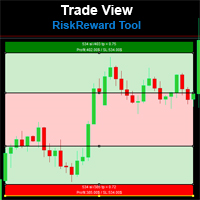
Risk Reward Tool , It is easy to use. With this tool you can see the rates of profit loss profit. You can see your strategy and earnings reward status of your goals.Double calculation can be done with single tool. Move with drag and drop.  You can adjust the lot amount for calculations. The calculation results are shown in the comment section. There may sometimes be graphical errors during movements. Calculations works at all currency. Calculations All CFD works. Updates and improvements will co
FREE
Trade View Risk Reward Tool
Mehmet Ozhan Hastaoglu
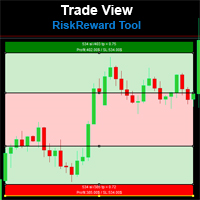
Risk Reward Tool , It is easy to use. With this tool you can see the rates of profit loss profit. You can see your strategy and earnings reward status of your goals.Double calculation can be done with single tool. Move with drag and drop.  You can adjust the lot amount for calculations. The calculation results are shown in the comment section. There may sometimes be graphical errors during movements. Calculations works at all currency. Calculations All CFD works. Updates and improvements will co
FREE
Order Block Trend EA
Mehmet Ozhan Hastaoglu
With this automatic trading software, the transaction is entered into when conditions comply with the rules of the algorithm (settings that can be changed by you). When a certain profit occurs, the system automatically takes profit and closes the transactions. You can benefit from many unique features of the control panel. Detailed information about its use will be shared with people who purchase it.
FREE
Stop Out Level Finder
Mehmet Ozhan Hastaoglu
With this app you can find the stop out level live or without opening a transaction. The application consists of 3 boxes, you can enter the amount of money in your Balance box account or it will automatically calculate the current account amount. SELL lot size and BUY lot size can be entered, or trades that are currently open will be calculated automatically. Hedge transactions are calculated automatically. If you press the S key of the keyboard, you can access the boxes with the values entere
FREE
With this indicator, you can easily make price regions in all time zones. In addition, with the automatic supply demand finder, you can ensure that the new regions are found automatically. You can increase your transaction quality by reaching more accurate operations with this auxiliary Tool and indicator. I share your trial version of EURUSD for free with you. If you want to buy the working version in all parities, you can contact me. +New version Gap Bar Add ( Press G keyboard )  Default con
FREE
Your trading life will be easier with the Forex Control Panel. This control panel, which has many features, is very easy and simple to use. With this control panel, you will have 3 different ea features. You can learn how to use it from the special video I prepared for you. You can buy this product, whose normal price is $125, at a much cheaper price than its current discounted price. You can also try all its features in the strategy test. A pdf file explaining its detailed features will be
FREE
专家进行技术分析,你可以看到分析。 分析在白天更新。 MetaTrader的一键式分析显示在屏幕上。 如果这些分析存在挂单,您只需单击一次即可打开交易记录。 这是很容易和易于使用。 相关的分析,期间和信息作为模板保存到您的计算机。 然后,您可以从"文件"文件夹下载并查看它。 这是相当教育和产品,可以帮助你赚钱。  专家进行技术分析,你可以看到分析。 分析在白天更新。 MetaTrader的一键式分析显示在屏幕上。 如果这些分析存在挂单,您只需单击一次即可打开交易记录。 这是很容易和易于使用。 相关的分析,期间和信息作为模板保存到您的计算机。 然后,您可以从"文件"文件夹下载并查看它。 这是相当教育和产品,可以帮助你赚钱。  专家进行技术分析,你可以看到分析。 分析在白天更新。 MetaTrader的一键式分析显示在屏幕上。 如果这些分析存在挂单,您只需单击一次即可打开交易记录。 这是很容易和易于使用。 相关的分析,期间和信息作为模板保存到您的计算机。 然后,您可以从"文件"文件夹下载并查看它。 这是相当教育和产品,可以帮助你赚钱。 
US30 King Down Jones Premium
Mehmet Ozhan Hastaoglu
1 (1)
As a result of our four-year research, we were able to make such a perfect robot. We weren't thinking about selling it, but we wanted everybody to take advantage of it. You will see the difference in quality between the experiment. This Robot was made for US30 only. We do not recommend that you use it in other currencies. Transactions are much more successful in the rising market. Expert Configration :  SymbolUS30 = Your CFD Symbol Name Period : H1 BB Stop Low : 2 BB Stop High : 4 BB Stop Per :
This tool works on MT4. The connection to the IQ option box program is established. With this software, IQ Optiona opens orders in selected time periods. The IQ option box program is required. First, the connection to the IQ option box is established. Then you can trade by sending a trading order by adding MT4. IQ O BOX Free Connection Software Download Link. https://drive.google.com/open?id=1xW6ynCwtdbGL4_GFzXU7penZAvTwYaWP
With this software you can test your Forex strategies live. Compatible with Meta Trader 4. Extra features are available. You can trade through the panel. You can put signs with Fish Hook. In addition, your strategy test is saved to the file folder in csv format. You can review these reports with CSV Quick Viewer. One Lot can do with Scalp. Your account also determines the lot based on the amount of money found. It gives you information about the transaction before you open the transaction. You c
Oil King Premium
Mehmet Ozhan Hastaoglu
3.5 (2)
This robot works in 15-minute periods. Opens a limited number of transactions when it reaches a specific transaction volume. You can run the following system if you want to open operations. Set the amount of the lot from the set You can start the strategy test by typing the broker name of the Brent or WTI symbol type and selecting the lot amount. Symbol EA = Oils+ ( Sample Symbol Name Your Brokers )  Period : M15 ( Cancellation and Money Back Guarantee within 7 Days )  
Dow Jones King Premium
Mehmet Ozhan Hastaoglu
This robot works in 60-minute periods. Opens a limited number of transactions when it reaches a specific transaction volume. You can run the following system if you want to open operations. Set the amount of the lot from the set You can start the strategy test by typing the broker name of the Us30 or Dow symbol type and selecting the lot amount. Symbol EA = US.30+ ( Sample Symbol Name Your Brokers )  Period : H1 ( Cancellation and Money Back Guarantee within 7 Days )  
Lord Candle Sniper
Mehmet Ozhan Hastaoglu
This system is currently set for a multi time period. Examines the candles with a formula. The right time also notifies you. You can gain earnings using this system. Re-painting, feature is not available. Several indicator data, channel width and candlestick shadows are calculated. You can adjust the settings according to different time periods by trying the settings. The green line is the "take profit" level.
Trend Impulse Scanner
Mehmet Ozhan Hastaoglu
Provides maximum revenue from trends. You can receive signals from Zigzag, Front Fibonacci Retracement, Back Fibonacci Retracement and Stochastic Oscillator indicators. You can run these indicators in the background. It will give you a warning at the levels you set. You can change all levels from the settings. Designed to help you get the most out of trends. Fibo Level : 38.2 / 61.8 / 76.4 Stochastic : 20 / 80
American Hunters
Mehmet Ozhan Hastaoglu
This indicator guides you like a hunter. Tacheprofit and StopLoss levels. See the difference in the experiment. Works in all periods. Works at all rates. You can win with this system. The crossing of the mean and the re-test were done according to the rule. You can see the transactions by moving backwards on the strategy test screen. The whole system is automatically calculated.
Military Dog SARMY
Mehmet Ozhan Hastaoglu
军事狗s-军队将帮助您确定印第安处理的入口点。 他为所有的罪犯工作 您可以通过双击策略从设置中打开ADR级别。 如果您关闭ADR功能,它会发现更多的交易。  特别是,除了你自己的策略,它可以让你通过一个更好的质量过滤器处理输入。 你想ADR水平平均一定的每日成交量和信号的交易,当点的数量接近这些水平? 我们将其设置为50点,在一般设置中,我们关闭了ADR控制。  若要打开,您需要将策略1ADR控制设置设置为true。 实验的指标,以找到合适的设置为您服务。 指数paritates和它看起来在所有时期不同的尝试。 这样的折扣的帮助将有一个互补的效果,为你赢得。 ...............................
Analysis Storage
Mehmet Ozhan Hastaoglu
使用分析存储软件,您可以避免丢失您在外汇中进行的分析。 这是浪费时间,你不必反复分析。 您可以记录所有时区,并随时将它们上传到屏幕。 这是非常简单和易于使用。 所有你需要做的就是点击紫色按钮,保存分析。 然后分析所记录的部分将显示为绿色。 当你点击绿色按钮,一个新的窗口也将被恢复到你已经保存的分析。 您可以从设置中输入要保存的分析数量。 ............................................................................................................................................
The characteristics of this exploit are that all forex transactions opened can be controlled with a single click according to the risk reward system. You can also take your stop loss level to the opening price at any time. You can change rates of buy or stop loss in two ways. You can close lots of opened trades in a single click. Everything will be calculated automatically. You can also see how many pips remain to the profit and stop loss levels. Your biggest assistant and a tool to manage your
BB Trailing Stop Loss
Mehmet Ozhan Hastaoglu
With the Bollinger band following system, you can get the most profit. In addition, detailed system settings are available. You can see how the system works by allowing the strategy test module to process at certain dates. The dual-channel Bollinger band system is more efficient than the normal following systems. You set the Bollinger Band deviation settings in this system Expert Settings. The most recommended is 2-4 and 5-1. This system is our invention and we offer it for the first time. Expe
Alpc Military Dog SARMY
Mehmet Ozhan Hastaoglu
This expert is the robot of the "Military Dog" indicator. Expert Properties : SymbolEA = Broker Symbol Name Sample  SymbolEA = EURUSDpro input double TrendLot=1; // Lot Size input int Minumum_Point_Profit=50; // Minumum Profit Select Position input int Stop_Loss_Point=0; //  Stop loss should be broad or not used. input bool BB_Trailing_Stop_Loss=true; input bool BB_Trailing_Stop_Up=4; input bool BB_Trailing_Stop_Down=2; input int BB_Trailing_Period = 20; Military dog s-army will help you iden
Alpc American Birds
Mehmet Ozhan Hastaoglu
This EA guides you like a hunter. Tacheprofit and StopLoss levels. See the difference in the experiment. Works in all periods. Works at all rates. You can win with this system. The crossing of the mean and the re-test were done according to the rule. You can see the transactions by moving backwards on the strategy test screen. The whole system is automatically calculated.
You can trade one-way with this product. Pre-adjustable start and end price entries are made. Then, the transaction intervals are determined. When the price reaches its target, trade stops. The most important issue is to find the start and end according to the support resistance levels. In addition, the maximum number of transactions that can be opened with risk management can be limited. Some price levels will be given free of charge when purchasing this product. Thank you for your support by p
Moving Avarage Scanner
Mehmet Ozhan Hastaoglu
3D MA Scanner allows you to determine the most accurate entry places between the MAs you have determined. At the same time, it generates a signal to you at the processing entry point. You can make calculations by determining up to 5 MAs. Apart from forex trading, its use will also be beneficial for investors interested in binary options. The transactions opened are closed half after a certain profit level, the risk of loss is reset and the profit model that automatically monitors the price wo
With this indicator, you can easily make price regions in all time zones. In addition, with the automatic supply demand finder, you can ensure that the new regions are found automatically. You can increase your transaction quality by reaching more accurate operations with this auxiliary Tool and indicator. I share your trial version of EURUSD for free with you. If you want to buy the working version in all parities, you can contact me. +New version Gap Bar Add ( Press G keyboard )  +Redsword P
ABCD Harmonic Patterns
Mehmet Ozhan Hastaoglu
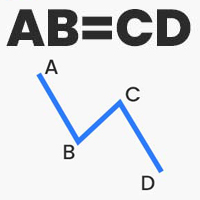
Thanks to this indicator, you can easily see the new ABCD harmonic patterns in the chart. If the two price action lengths are equal, the system will give you a signal when it reaches the specified level. You can set the limits as you wish. For example, You can get the signal of the price, which occurs in the Fibonaci 38.2 and 88.6 retracements, and then moves for the same length, at the level you specify. For example, it will alarm you when the price reaches 80% as a percentage. In vertical
Trend My Friend Ea
Mehmet Ozhan Hastaoglu
With this automatic trading forex robot, trades are opened in the direction of the trend, regardless of which direction the price moves. In this video, it is seen that with a balance of $ 100, the forex trading robot made 100% profit in 2 months. This Forex trading robot opens Trend directional trading. This trading robot also hedges transactions. This trading robot opens trades according to the specified distance. Whichever direction the price moves, it continues to open transactions in that di
Price Action Supply/Demand, Support/Resistance, Swing Low, Swing High Scanner Indicator is a software designed to automatically draw and mark regions on price charts, making it easier for traders to identify potential reaction sites. The software can be used for various currency pairs and commodities such as AUDCAD, gold, and bitcoin. Highlights The software automatically marks regions on price charts, indicating past working areas and potential reaction sites. Traders can easily switch be
Fx Slot Game
Mehmet Ozhan Hastaoglu
japanese gamle stick Changed Forex Order Fun Slot Machines for You. Come on, have fun and win. You can't feel the excitement without playing games with real money. Now the real game begins, are you ready? The game is quite simple, you click on any of the boxes on the screen. Then, a box is selected based on the number formed according to the rule of randomness. If the selected box is below the price, buying is done automatically, if the price is above the box, selling is done automatically. Tp
筛选:
无评论
回复评论