Execution Cost and Fill Quality Auditor
- 实用工具
- 版本: 1.0
- 激活: 20

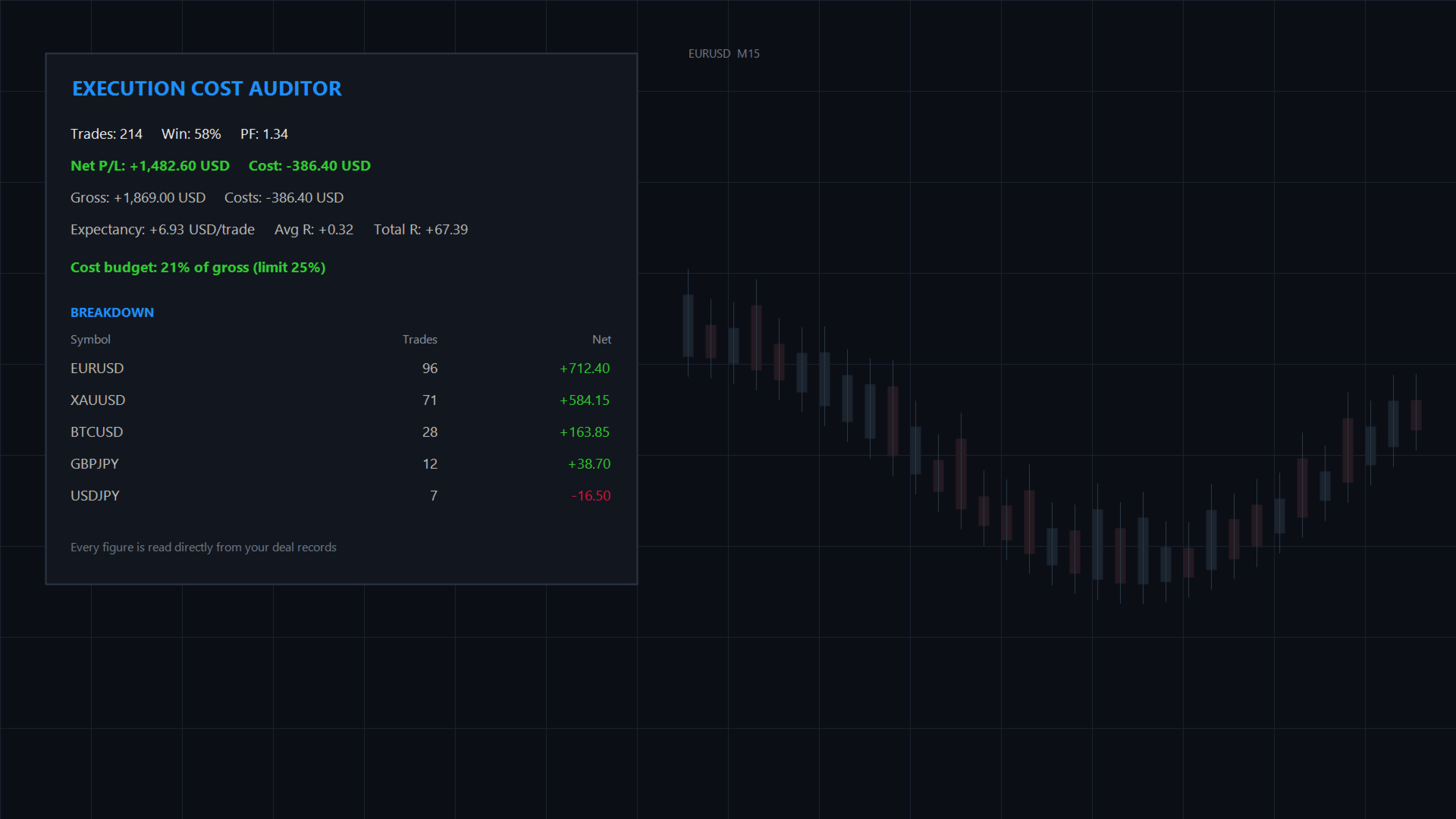
Execution Cost and Fill Quality Auditor answers a question most trading tools never answer: after costs are deducted, what did each trade actually earn? A trade can look profitable on a screen and lose money once commission, swap and fill quality are counted. Over a hundred trades that difference quietly removes a large part of the account. This utility reads your closed trades from account history, prices each one properly, and shows exactly where the money went. It works with manual trading, Expert Advisors, copy signals and any combination. It opens no positions, places no orders and modifies nothing on your account. It is a read-only reporting tool. Key Features: - Complete Trade Reconstruction: Groups the individual deals of every trade, including partial closes, scale-ins and netting reversals, into a single readable record with volume weighted entry and exit prices. - Honest Cost Accounting: Commission, swap and fees are summed from the deal records exactly as the broker charged them, and shown separately from gross profit. - Net Result Per Trade: Every trade is reported at net, after all costs, rather than the gross figure most journals show. - R-Multiple Tracking: Set your planned risk once and every trade is expressed in R, with running average and total. You can also supply an assumed stop distance in pips instead, which accounts for position size and is the more faithful of the two models. - Performance Summary: Trade count, win rate, profit factor, expectancy per trade, average R and total R for the selected period. - Five-Way Attribution: Break the results down by symbol, by session, by hour of the day, by weekday, or by calendar month, to find when and what your account actually makes money. - Session-Aware: Session buckets are calculated in GMT using the offset reported by your own terminal. The offset is read once when the tool is attached, so if your broker changes its offset for daylight saving, re-attach the tool after the change. - Cost Budget Monitor: Set a ceiling for what costs should consume as a share of gross profit. When the total crosses it, the panel turns red and an alert is raised. - Honest Reporting: Trades that opened before the selected period cannot be reconstructed with an entry price, so they are counted and disclosed on the panel rather than silently dropped. - CSV Export: Write the full audited trade list for external analysis. - Automatic Re-Auditing: The panel refreshes on a configurable interval, so it keeps working as a monitor rather than a one-off report. Utility Parameters: Audit Window: - Audit Period: Last 24 hours, 3 days, 7 days, 30 days, 90 days, or a custom number of days. - Custom Period: Number of days used when the custom option is selected. - Re-Audit Interval: How often the audit is repeated, in minutes. Risk Model: - Planned Risk per Trade: The percentage you intend to risk on each trade. Used to convert every trade into an R-multiple. Because this applies one flat money figure to every trade, it is accurate only when position sizing is constant. - Assumed Stop Distance: An optional fixed stop distance in pips. When set, this overrides the percentage model and gives a more faithful R figure across different symbols and sizes. - Risk Base: Calculate the percentage model from equity or from balance. The value is captured once when the tool is attached, so historical R figures do not drift afterwards. Cost Budget: - Enable Cost Budget Warning: Turn the budget monitor on or off. - Cost as Percent of Gross: Warn when commission, swap and fees exceed this share of gross profit. - Terminal Popup Alert: Raise a popup and a journal entry when the budget is exceeded. Dashboard: - Screen Corner, Offset X and Y, background, border and header colours: Full layout control. - Breakdown Dimension: Choose which attribution table is shown. Compatibility: - Works with all instruments available on your account, including Forex, Gold, Indices and Crypto, because pip size and tick value are read from the symbol specification rather than assumed. - Handles both Netting and Hedging accounts. - Pure native MQL5 code with no external libraries and no DLLs.